I audit local SEO campaigns for a living. Multiple a week, sometimes more.
And here’s the part that still gets me: it’s almost always the same handful of mistakes. Different business, different city, different industry — same errors, over and over.
Not clever, technical ones either. Basic stuff. A category set wrong. A phone number that doesn’t match. Four reviews when the competitor has ninety.
None of it looks urgent. That’s exactly why it’s dangerous. These mistakes don’t announce themselves — they just quietly hand your customers to the business ranking above you.
So I pulled together the ones I see most often, roughly in the order they cost you. The first few are where most of the damage lives, so start at the top. Every one has the fix underneath it.
I’m not writing this from theory. My own New Zealand SEO site climbed to #1 in the country for “local SEO” — above Ahrefs and Semrush — off the back of fixing exactly this stuff.

Let’s get into it.
Key Takeaways
- What local SEO mistakes are: the errors that stop Google trusting, showing, or ranking your business for local searches — most of them on your Google Business Profile, your business data, or your reviews.
- The big three cost the most: an unclaimed or half-finished Google Business Profile, inconsistent name/address/phone details across the web, and having barely any reviews. Fix these first.
- Your GBP does the heavy lifting. Primary category is the single most important local ranking factor — get it wrong and you’re invisible for the searches that matter.
- Consistency beats everything. Around 46% of Google searches have local intent, and businesses with consistent details across directories rank measurably higher.
- Most of this is DIY-able. You can find these mistakes on your own business in about ten minutes, free.
- The fixes work on different timelines — some in days, some over a couple of months. The good news: every mistake here is one you can fix yourself.
What These Mistakes Are Really Costing You
A local SEO mistake is anything that stops Google trusting, showing, or ranking your business for the searches your customers are actually making. The cost is invisible — right up until you notice who’s taking the calls you’re not getting.
Think about what “local” actually means here. Someone pulls out their phone, types “plumber near me,” and Google shows three businesses in a map with a little pack of results.
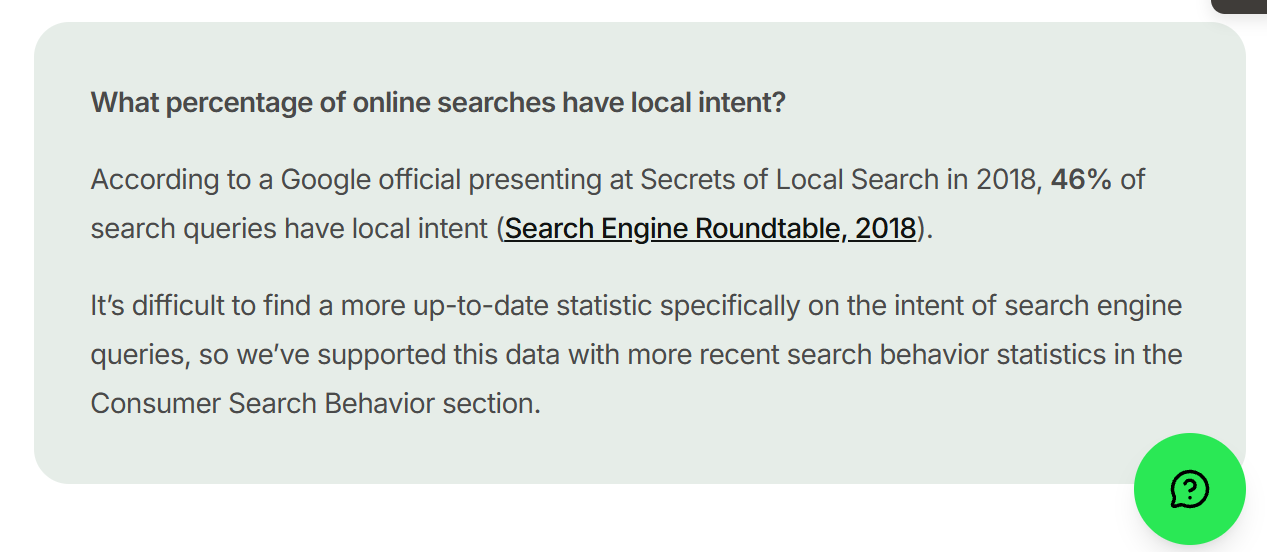
That’s the whole game. Around 46% of all Google searches have local intent, and the top three in that map pack hoover up the clear majority of the clicks.
So a mistake here costs you in three currencies. Visibility — you’re not in that pack. Customers — the searcher picks whoever is. Money — every one of those is a job that went to a competitor instead of you.
And local is unforgiving, because there are only three spots. It’s not page one of ten blue links. It’s three. Miss them and you’re relying on someone scrolling, which on a phone, they rarely do.
Here they are — worst first.
1. You Haven't Claimed or Verified Your Google Business Profile
Your Google Business Profile is the single biggest asset you have in local search — and if it’s unclaimed or unverified, you’ve left it on the table.
Here’s why it matters so much. That map pack I mentioned? It’s built almost entirely off Google Business Profiles. No claimed, verified profile means you’re barely eligible to show up in it. You’re fighting the fight with one arm tied behind your back.
It’s more common than you’d think. Over half of local businesses haven’t claimed or fully sorted their profile — which, honestly, is good news for you, because it’s a gap you can close this afternoon.
Here’s the fix, step by step:
- Search your business name on Google. If a profile already exists (Google auto-generates them), you’ll see a “Claim this business” or “Own this business?” link — click it.
- No profile? Go to google.com/business and create one.
- Verify it. Google will send a code by video, phone, text, or postcard depending on your business. Do whatever they ask — you’re not really in until you’re verified.
- Once you’re in, lock down who has access so a rogue edit can’t knock you out later.
That’s it. You’ve just gone from ineligible to in the race.
2. Your Primary Category Is Wrong
Your primary business category is the most important setting on your whole profile — Whitespark’s 2026 data puts it as the single biggest local pack ranking factor. Get it wrong and Google literally doesn’t know what to rank you for.
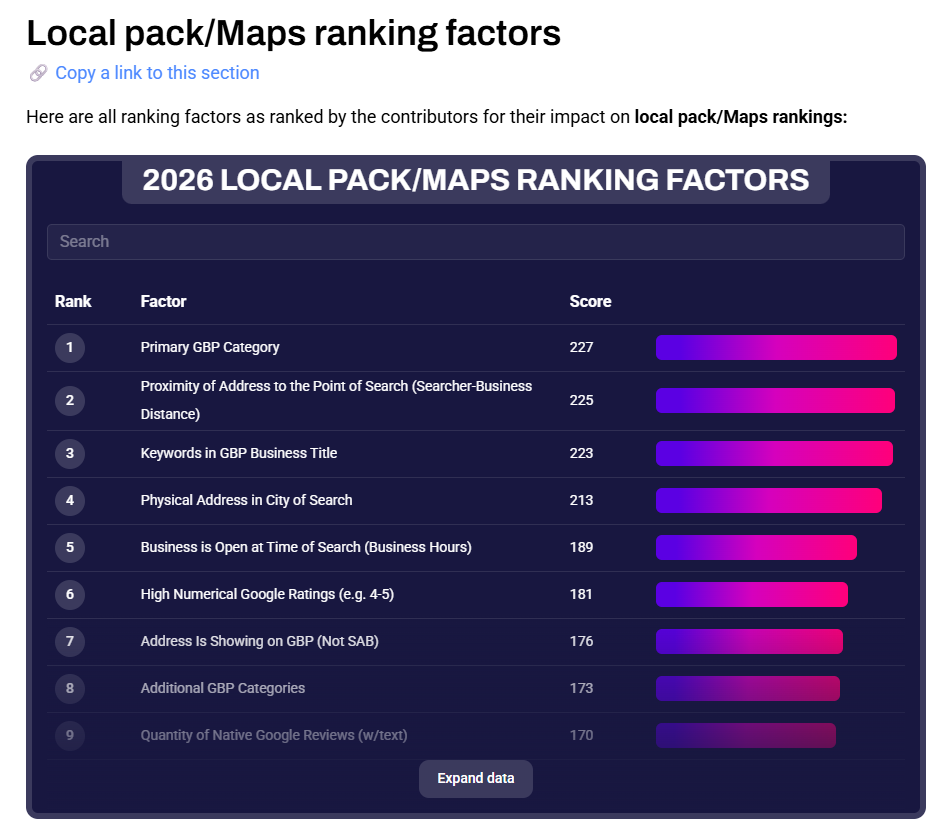
Let me show you how much this matters with a real one.
I audited an Auckland plumber a while back who couldn’t work out why he was invisible for “plumber near me.” His work was great, his reviews were fine. But his primary category was set to “Contractor.”
Not “Plumber.” “Contractor.”
To Google, he was a general contractor, so that’s what it ranked him for. We switched the primary category to “Plumber,” added the relevant secondaries (Drainage service, Hot water system supplier), and he started surfacing for the searches that actually make him money. That’s the kind of fix that pays for SEO in Auckland many times over.
The fix:
- In your profile, go to Edit profile → Business category.
- Set your primary category to the most specific match for what you actually do. Not the broad umbrella — the exact thing.
- Add secondary categories for your other real services, but don’t stuff it with everything under the sun.
- Not sure what to pick? Use a free browser extension like GMB Everywhere to see exactly which categories your top-ranking competitors use. If three of the businesses beating you all use a category you don’t, that’s your answer.
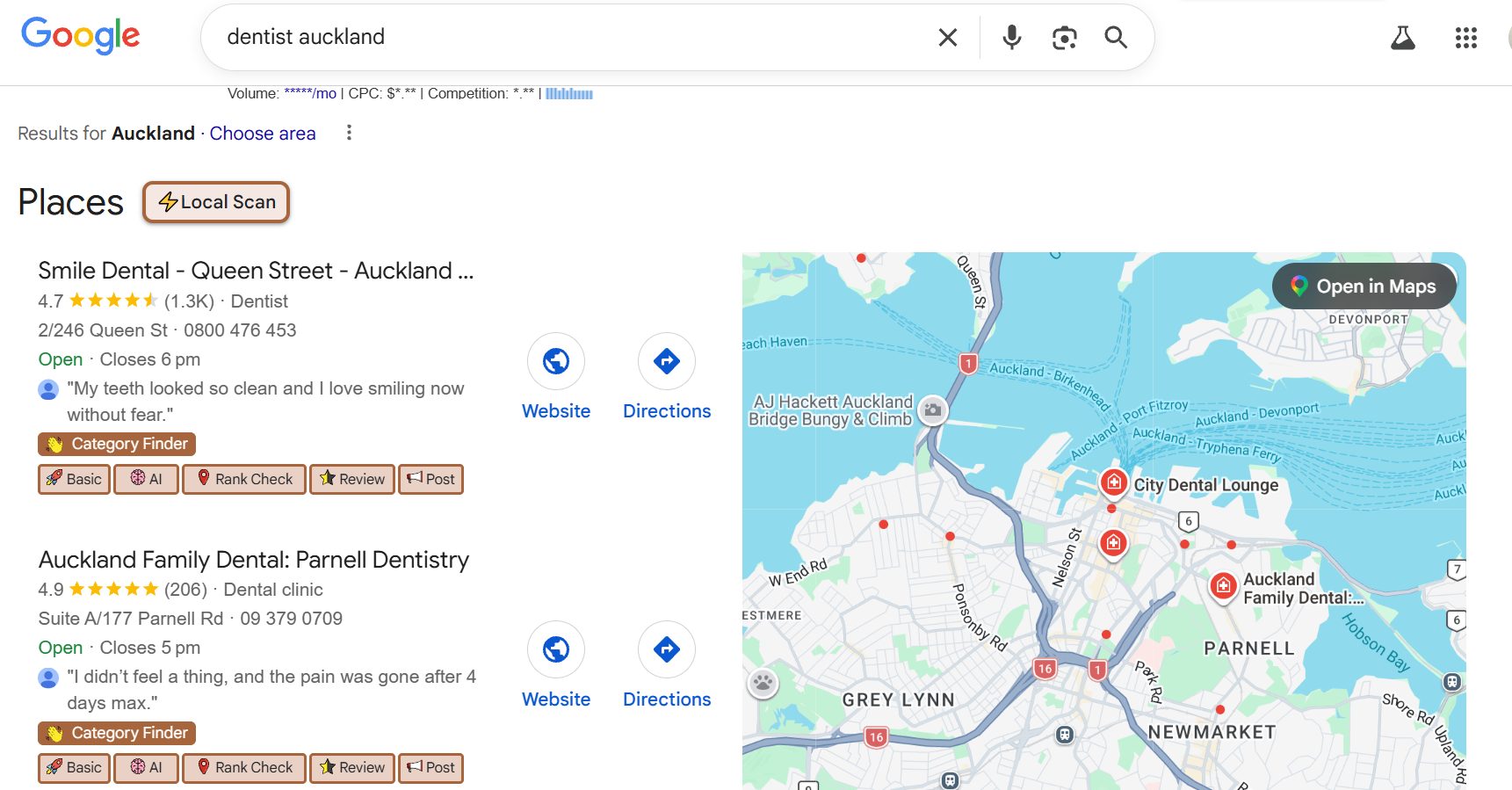
Nine times out of ten, the category is where the quickest win is hiding.
3. Your Profile Is Half-Finished
A bare profile ranks worse and converts worse — and complete profiles get around 70% more visits than incomplete ones. Every empty field is a term you can’t rank for and a reason for the customer to pick someone else.

This is the one I see half-done constantly. Someone claims the profile, fills in the name and phone number, and stops. The services sit empty. The description is blank. Half the attributes are untouched.
Google rewards complete profiles because a complete profile is a more useful result. Fill in everything:
- Services — list them all, and describe them in plain language your customers would use.
- Description — write a real one that explains what you do and where you do it.
- Hours — including special hours for NZ public holidays (Waitangi Day, ANZAC Day, your regional anniversary). Nothing frustrates a customer like driving to a “closed” business that’s showing as open.
- Attributes — wheelchair access, payment types, “women-owned,” whatever applies.
- Products — even a few, with photos, if they fit your business.

Think of it like this: Google’s trying to pick the three best answers for a searcher. A complete profile is an easy yes. A half-empty one is a maybe. You want to be the easy yes.
4. You've Got Barely Any Reviews (and No System to Get Them)
In a close race between two similar businesses, Google reviews are the tiebreaker — and most NZ businesses leave them completely to chance. Reviews feed both your ranking and whether the customer actually taps your listing.
The numbers here are hard to ignore. Businesses with 50+ reviews get dramatically more clicks than ones with a handful. And every single extra review pulls its weight — Birdeye’s data has each additional Google review driving roughly 80 more website visits, 63 more direction requests, and 16 more calls over its life.
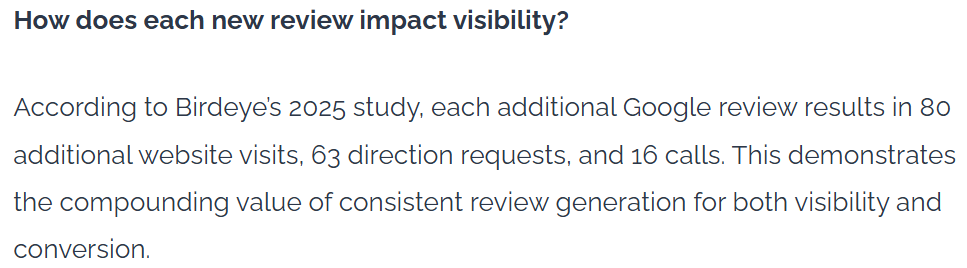
I audited a Wellington law firm sitting on 4 reviews. Their nearest competitor had 90. Same quality of work, honestly — but which one would you call?
The only real difference was that the competitor had a system for asking, and the law firm didn’t. That’s it. That’s the whole gap.
Here’s the system I set up for them (steal it):
- Grab your review link straight from your profile — there’s an “Ask for reviews” button in GBP that generates it for you.
- Turn it into a QR code (any free generator works) and stick it on invoices, receipts, the counter, the tradie’s van.
- Send it by text or email right after a job’s gone well — while they’re happy, not three weeks later.
- One polite follow-up if they don’t get to it.
- Reply to every review that comes in.
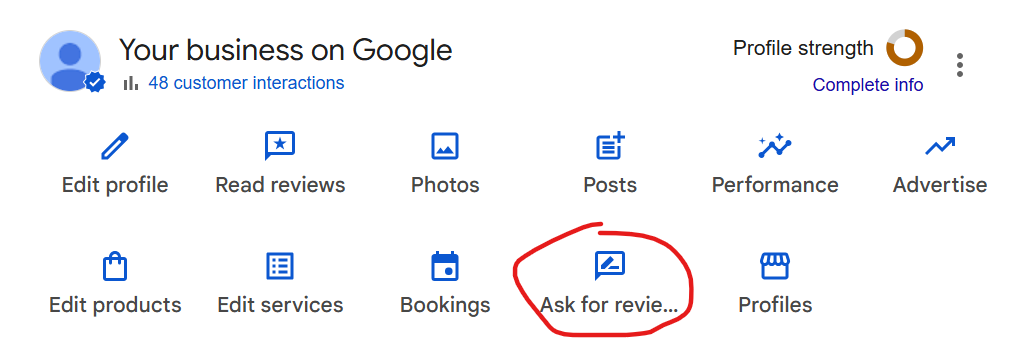
The businesses winning on reviews aren’t lucky. They just ask, every time, on purpose.
5. You Ignore Your Reviews (or Answer the Bad Ones Badly)
Not responding to reviews is a missed trust signal — 89% of consumers say they want to see business owners respond to reviews, good and bad. And a defensive reply to a negative one does more damage than the review itself.

Replying does two things. It shows Google the profile is active and cared for. And it shows the next customer — the one reading before they decide — that you’re the kind of business that actually pays attention.
The fix is simple, but the negatives are where people trip up:
- Reply to positives with a genuine thanks. Keep it human, not copy-paste.
- For negatives: stay calm, acknowledge it, take it offline. “Really sorry to hear this, Sarah — that’s not the standard we hold ourselves to. Can you email me directly so I can make it right?”
- Never argue. Never get defensive. Every future customer is reading how you handle the worst day, not the best one.

And if a review is genuinely fake or defamatory — a competitor, someone who was never a customer — you can flag it for removal. Google removed over 170 million policy-violating reviews in 2023 alone, so the system does work. It’s just slower than you’d like, so lean on flagging plus burying it with real ones.
6. Your Name, Address and Phone Number Don't Match Everywhere
Your NAP — name, address, phone number — needs to be identical everywhere it appears online. When it’s not, Google stops trusting it, and hedged trust means lower rankings. This is one of the most common mistakes I find, and one of the most boring to fix, which is exactly why nobody does it.
Around two-thirds of small businesses have a NAP mismatch in at least one major directory. An old address here. A mobile number on one listing and the landline on another. “Street” on your site, “St” on Facebook.
To you, those are the same thing. To Google, they’re a reason to doubt which details are real — and doubt costs you position.

I audited a Hamilton café once that had three different phone numbers floating around — one on the profile, an old one on the website, and a third on their Facebook page from when they first opened. Google had no idea which to trust. Cleaning that up alone moved them.
The fix:
- Decide your one exact format — down to the “Street” vs “St.”
- Check it everywhere: profile, website, Facebook, and every directory you’re listed on.
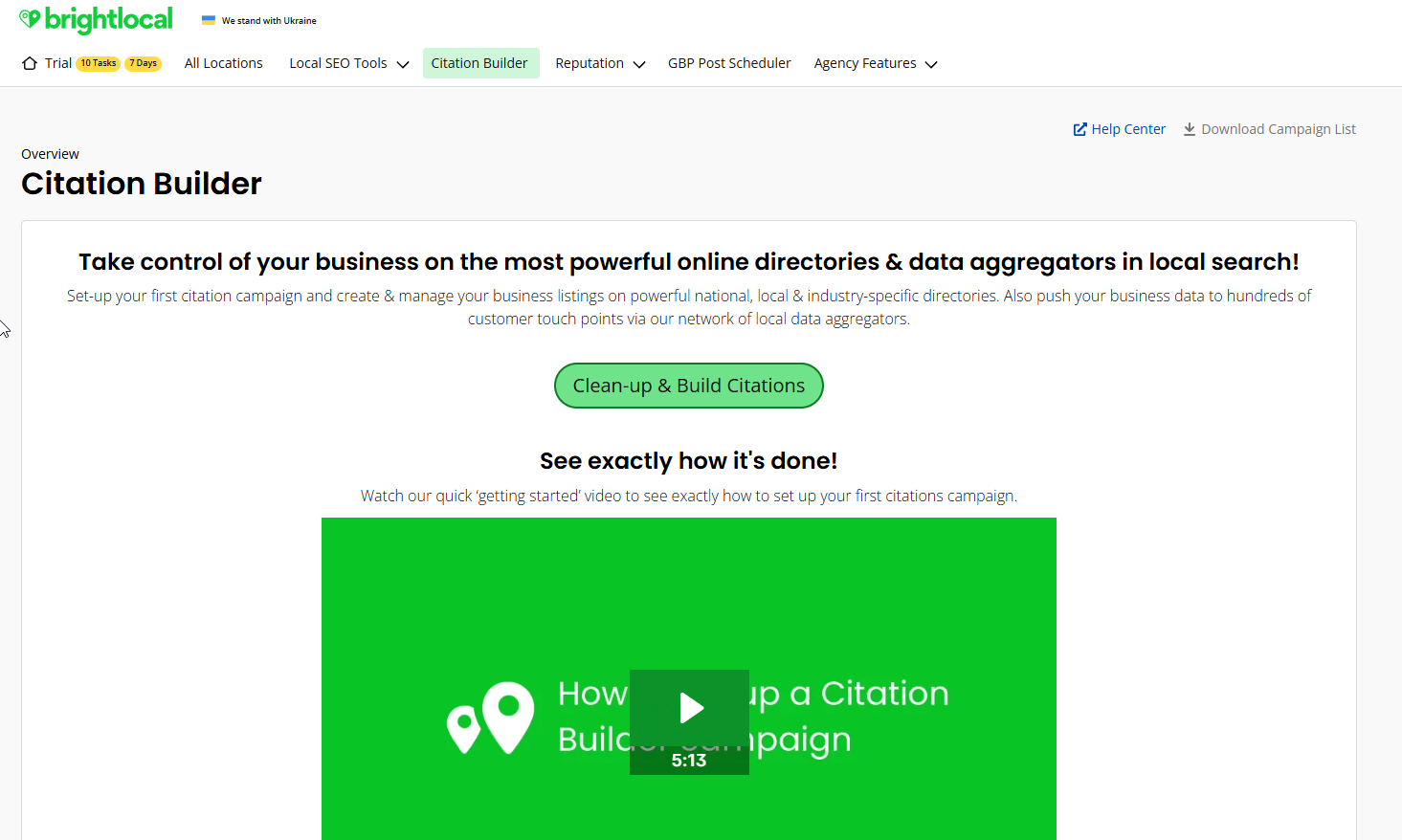
- Fix every mismatch by hand, or use a tool like BrightLocal’s Citation Builder to push a consistent listing out and flag the inconsistencies for you.
- This is the groundwork for local citations that actually help instead of hurt.
Boring? Completely. But consistent businesses rank higher for it, and a clean afternoon’s work here quietly lifts everything else. Get your details straight and your SEO in Hamilton — or wherever you are — has a foundation to stand on.
7. You've Got Duplicate Listings
Two profiles for the same business split your ranking signals in half and confuse customers about which one is real. It usually happens by accident — someone creates a new profile instead of claiming the auto-generated one, and now there are two.
The problem: reviews land on one, your effort goes into the other, and Google isn’t sure which to show. Your authority is divided against itself.
The fix:
- Search your business name and address on Google and Maps, and look for more than one listing.
- Found duplicates? Report them through Google’s support, or use the “suggest an edit → duplicate” option to get them merged or removed.
- Keep one verified listing per genuine physical location. One business, one profile.
Quick to check, and worth doing early — there’s no point pouring work into a profile while a ghost copy siphons off half your signals.
8. You're Missing From the NZ Directories That Matter
Getting listed in trusted directories reinforces your NAP and wins you referral visibility — and most NZ businesses are on almost none of them. The average small business has around 37 citations feeding its local visibility (per Whitespark’s data); a lot of the ones I audit have five.

This is where the international guides fall flat for Kiwi businesses — they’ll tell you to get on Yelp and BBB, which barely matter here. Here’s the actual NZ list to work through:
- Localist
- Neighbourly (huge for local, community-level reach)
- Finda
- Yellow NZ
- Zenbu
- NZ Business Directory
- Plus your industry and regional bodies — Master Plumbers, your local chamber of commerce, your regional tourism site.
Get listed on each with your exact same NAP. Same details everywhere — that consistency is the whole point, and each of those listings doubles as a citation Google reads as a trust signal.
You don’t need all 37 overnight. Work through the core NZ ones above, then chip away at industry-specific ones over time.
9. Your Website Has No Local Signals
Your profile gets you into the map pack; your website helps you win the click — and if there’s no city or suburb anywhere on the page, Google can’t connect you to the places you serve. A surprising number of the sites I audit are technically fine and completely location-blind.
The page says “we offer plumbing services.” Where? For who? It could be a plumber in Perth for all Google knows.
The fix is low-effort and high-impact:
- Work your town and suburbs naturally into your titles, your H1 and H2 headings, and your body copy. Not stuffed — natural. “Emergency plumber in Hamilton and the wider Waikato” beats “emergency plumber.”
- Mention the actual areas you cover.
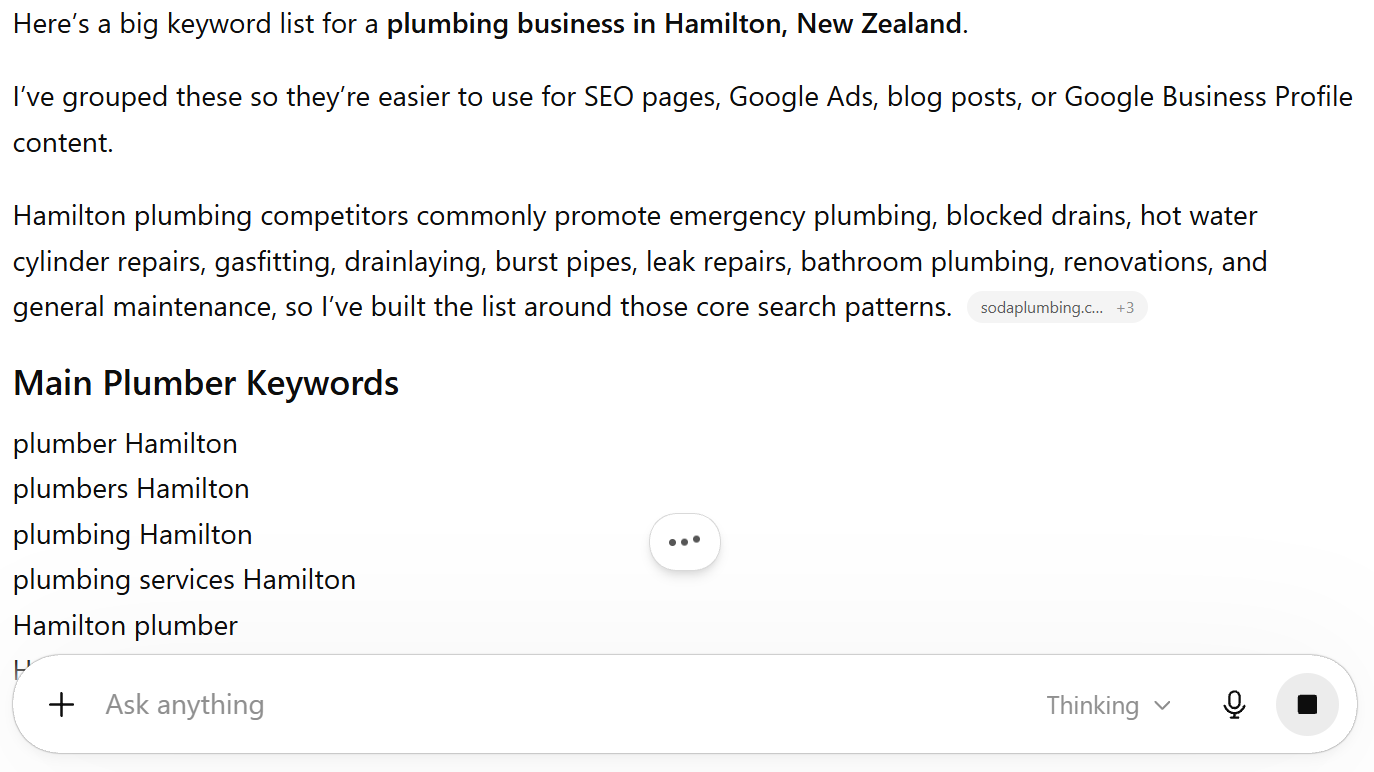
- If you’re not sure which local terms people use, get a tool (or even ChatGPT) to build you a local keyword list to work from.
This is the simplest fix on the list and one of the most skipped. Tell Google where you are, in words, on the page.
10. You Have No Location Pages (or Thin, Copy-Paste Ones)
If you serve multiple areas, one generic “Areas We Serve” line won’t rank any of them — but spun, near-identical suburb pages can actively hurt you. This is the mistake with a trap on both sides.
Serve five suburbs and mention them in a sentence? None of them rank. Build five location pages that are the same page with the suburb name swapped? Google spots the thin, duplicated content and may not rank them either.
The fix is to build real pages:
- One page per key area or service you genuinely want to rank for.
- Make each one actually useful and different — real local detail, jobs you’ve done in that area, area-specific FAQs, a genuine reason the page exists.
- Only build a page for an area you can honestly write something real about. A thin page is worse than no page.
Quality over quantity, every time. Three genuine location pages beat fifteen spun ones.
11. Your Site Is Slow or Broken on Mobile
Most local searches happen on a phone, so a slow or clunky mobile site loses the customer right after you finally earned the click. You did the hard part — you showed up — and then the page took six seconds to load and they bounced back to tap the next business.
Speed genuinely matters here, and mobile isn’t optional when “near me” searches are overwhelmingly done on a phone in someone’s hand, often standing outside deciding where to go right now.
The fix:
- Open your own site on your phone. Be honest about how it feels. Slow? Clunky? Buttons too small?
- Run it through Google’s free PageSpeed Insights and see what it flags.
- Tackle the usual culprits — oversized images, bloated themes, cheap slow hosting.
- Make sure the phone number is tap-to-call and the key info is above the fold.
You don’t need a perfect score. You need it to not be the reason someone gives up on you.
12. You're Using Stock Photos (or None)
Real photos build trust and engagement; stock photos read as fake and can even get flagged. People can smell a stock photo from a mile off, and on a local listing it does the opposite of what you want.
The fix is almost too simple: take real photos. Your team, your premises, your actual work, your storefront. Add them to your profile and refresh them now and then — Google favours active profiles, and a business that’s clearly real and clearly local is exactly what a nervous customer wants to see before they call.
A tradie’s ute with the logo on it. The inside of the café. The before-and-after of a job. That’s what earns the tap.
13. You Set Up Your Profile and Forgot It
A Google Business Profile isn’t set-and-forget — a stale profile slips, and outdated hours actively cost you customers and trust. This is the slow-motion mistake. Everything’s fine when you set it up, then eighteen months pass and nothing’s been touched.
The one that really stings is holiday hours. A customer drives across town on Waitangi Day because you’re showing as open, finds you closed, and now they’re annoyed at you — and more likely to leave the review you don’t want.
The fix is a light, ongoing habit:
- Post to your profile now and then — an offer, an update, a new job.
- Keep your hours current, especially around NZ public holidays.
- Do a quick quarterly once-over of your info.
Ten minutes a quarter keeps the profile looking alive. This matters even more for tradies and service businesses whose hours and service areas shift around.
14. You're Not Doing Any Content Marketing
Local SEO isn’t just your map pack — the businesses that pull ahead are the ones publishing content that answers what local customers are actually searching, and most NZ businesses publish nothing. A profile and a static five-page website only take you so far.
Here’s the bit people miss. A lot of local searches aren’t “plumber near me.” They’re questions. “How much does it cost to install a hot water cylinder in NZ?” “Why is my heat pump leaking water?” “Do I need a permit to build a deck in Auckland?”
Every one of those is a customer at the start of a job. Whoever answers it well is the business they remember when it’s time to actually pay someone.
Content does three things at once. It captures those searches. It builds topical authority, which lifts your whole site — including your prominence in the map pack. And it gives AI tools something of yours to quote.

The fix is a simple, consistent content marketing habit:
- List the questions your customers actually ask you — the ones you answer on the phone every week.
- Turn each into a genuinely useful page or post. Answer it properly, in plain English, with real local detail.
- Not sure what people search? Ask ChatGPT or a tool like AnswerThePublic for the questions around your service and your town.
- Publish consistently. One good post a fortnight beats ten thin ones in a burst.
You don’t need to blog daily. You need to own the answers to the questions your customers are already asking — because the business that answers them is the business that gets the call.
15. You're Making a Mistake That Could Get You Suspended
Some mistakes don’t just lower your ranking — they get your profile pulled off Maps entirely, and reinstatement can take weeks. This is the capstone, because it’s the one that turns a bad month into a disaster. And I see the triggers more than you’d expect.
Here are the ones that get businesses suspended:
- Keyword-stuffing your business name. Your listing name has to be your real-world business name. “Joe’s Plumbing” is fine. “Joe’s Plumbing Auckland Cheap Emergency 24/7” is a suspension waiting to happen. It’s against Google’s guidelines, and competitors report it.
- A fake, virtual, or PO Box address. Using an address you don’t genuinely operate from is one of the fastest ways to get pulled.
- Showing an address when you’re a service-area business. This is the big one — Whitespark’s data flags it as a top negative factor. If you go to your customers (plumber, sparky, mobile mechanic) rather than them coming to you, you should hide your address and set a service area instead. Get this wrong and you’re at real risk. There’s a right way to set up a service-area business, and it’s worth doing properly.
- One listing for multiple unrelated businesses, or lead-gen listings for a business that doesn’t really exist at that spot.
I audited a Christchurch builder who’d listed his home address as a storefront and got suspended for it. Weeks of being invisible while he sorted reinstatement — all avoidable.
If you’re already suspended: fix the underlying issue first, then file for reinstatement through Google with proof you’re a real, operating business (photos, licences, that kind of thing). Sort the cause before you appeal, or you’ll just get knocked back.
These Mistakes Are Also Why AI Won't Recommend You
Here’s what ties the whole list together, and why it matters more every month.
The map pack and AI answers — Google’s AI Overviews, ChatGPT, the lot — pull from the same signals: an accurate, complete profile, consistent details, real reviews, and structured pages. Fix the list above and you don’t just climb Maps. You become the business AI names when someone asks it for a recommendation.
And people are asking. Use of AI tools for local recommendations jumped from 6% to 45% in a single year, making it one of the most common ways people now find local businesses.

That’s not a future problem. It’s a right-now one — and the same clean data that wins the map pack is what makes you eligible to rank in Google Maps and get cited in AI Overviews. My own site has been pulled into Google’s AI Mode for local SEO for exactly this reason.

Fix the fundamentals and you win in both places at once. That’s the payoff.
How to Find These Mistakes on Your Own Business (10 Minutes)
You don’t need a paid tool to spot most of this. Here’s the exact quick pass I’d run before I charged anyone a cent — you can do it right now.
- Search your main service + your town in an incognito tab on your phone. Are you in the map pack? Where?
- Open your GBP dashboard. Check the category, how complete it is, whether there are real photos, and when you last posted.
- Google your business name. Do the name, address and phone match everywhere they show up?
- Read your reviews. How many, how recent, and have you replied?
- Run your site through PageSpeed Insights on mobile.
- Note every problem, then match it to the numbered fix above.
Ten minutes and you’ll know exactly where you stand. If you’d rather not do it yourself, a proper free SEO audit goes deeper — but honestly, this quick version catches most of what I find.
How Long It Takes to Recover After Fixing Them
Different fixes move on different timelines, so don’t panic if everything doesn’t jump at once. Roughly what to expect:
- Days to two weeks: GBP fixes — category, completeness, photos, hours. These are the fastest movers.
- Weeks to two months: NAP cleanup, new citations, review momentum building.
- Two to six months and ongoing: local content, location pages, a steady flow of reviews.
The important bit is that these compound. Fixing one helps. Fixing all of them, and keeping them fixed, is what actually moves you up the pack and holds you there. If you want the full picture on timelines, I’ve broken down how long SEO takes for NZ businesses separately.
Final Thoughts
Here’s the thing I keep coming back to after all these audits.
The businesses winning local in New Zealand aren’t doing anything clever. They haven’t found a hack. They’ve just stopped making these mistakes — and kept them fixed.
That’s genuinely good news, because it means local SEO is mostly the absence of unforced errors. Every single mistake on this page is one you can fix yourself, this week, for free.
So my honest advice: don’t try to do all fifteen at once. Fix the big three first — claim and complete your profile, clean up your details, get a review system going. Those three alone move most businesses. Then work down the list.
If you’d rather just hand the whole thing off and know it’s done right, that’s exactly what our SEO services are for. But plenty of Kiwi businesses read a list like this, spend a focused weekend on it, and climb. There’s no reason you can’t be one of them.
Local SEO Mistakes: FAQ
What are the most common local SEO mistakes?
The most common ones are an unclaimed or half-finished Google Business Profile, the wrong primary category, inconsistent name/address/phone details across the web, and having few or no Google reviews. These four show up on almost every business I audit.
What is the 80/20 rule in local SEO?
Roughly 20% of the mistakes cause about 80% of the lost visibility. For local SEO that 20% is your Google Business Profile setup, your NAP consistency, and your reviews — fix those first and most businesses see the biggest jump.
What are the challenges of local SEO?
There are only three spots in the map pack, local competition is fierce, and Google needs consistent, trusted data across your profile, website and directories before it will rank you. It rewards accuracy and consistency more than cleverness.
Is local SEO worth it for a small NZ business?
For any business serving a local area, yes — local SEO regularly returns strong ROI because it puts you in front of people actively searching to buy nearby. Here's the honest breakdown of whether SEO is worth it.
Why isn't my business showing on Google Maps?
Usually it's an unverified or miscategorised profile, a suspension, or simple proximity to the searcher. Check mistakes #1, #2 and #15 first — one of those is the culprit most of the time.
What gets a Google Business Profile suspended?
Keyword-stuffing your business name, using a fake or virtual address, or showing an address when you're a service-area business. Stick to your real business name and genuine details and you'll be fine.