

Picture two electricians in the same Auckland suburb, sitting side by side in Google’s map pack.
One has 14 reviews. The other has 130.
Same trade, same area, same three-second decision. Nine times out of ten, the customer taps the one with 130 and never scrolls further.
That gap didn’t happen by accident. The business with 130 reviews built a system to get them. The one with 14 is waiting and hoping.
This guide is the system.
By the end you’ll know how to set up your review link and QR code, run a repeatable process to get a steady stream of genuine reviews, get the right kind of reviews (the ones that actually move your ranking), respond to the good and the bad, deal with fakes, and stay inside Google’s rules and New Zealand’s.
It’s written for the local businesses reviews matter most to — plumbers, law firms, dentists, web designers, and more. If you serve a local area and people find you on Google, this is for you.
What Are Google Reviews?
A Google review is a public star rating and written comment a customer leaves on your Google Business Profile.
They show up in three places that matter: your Business Profile panel on the right of Google Search, your pin in Google Maps, and the local map pack — the little map with three businesses that sits at the top of local searches like “plumber Hamilton” or “dentist near me.”
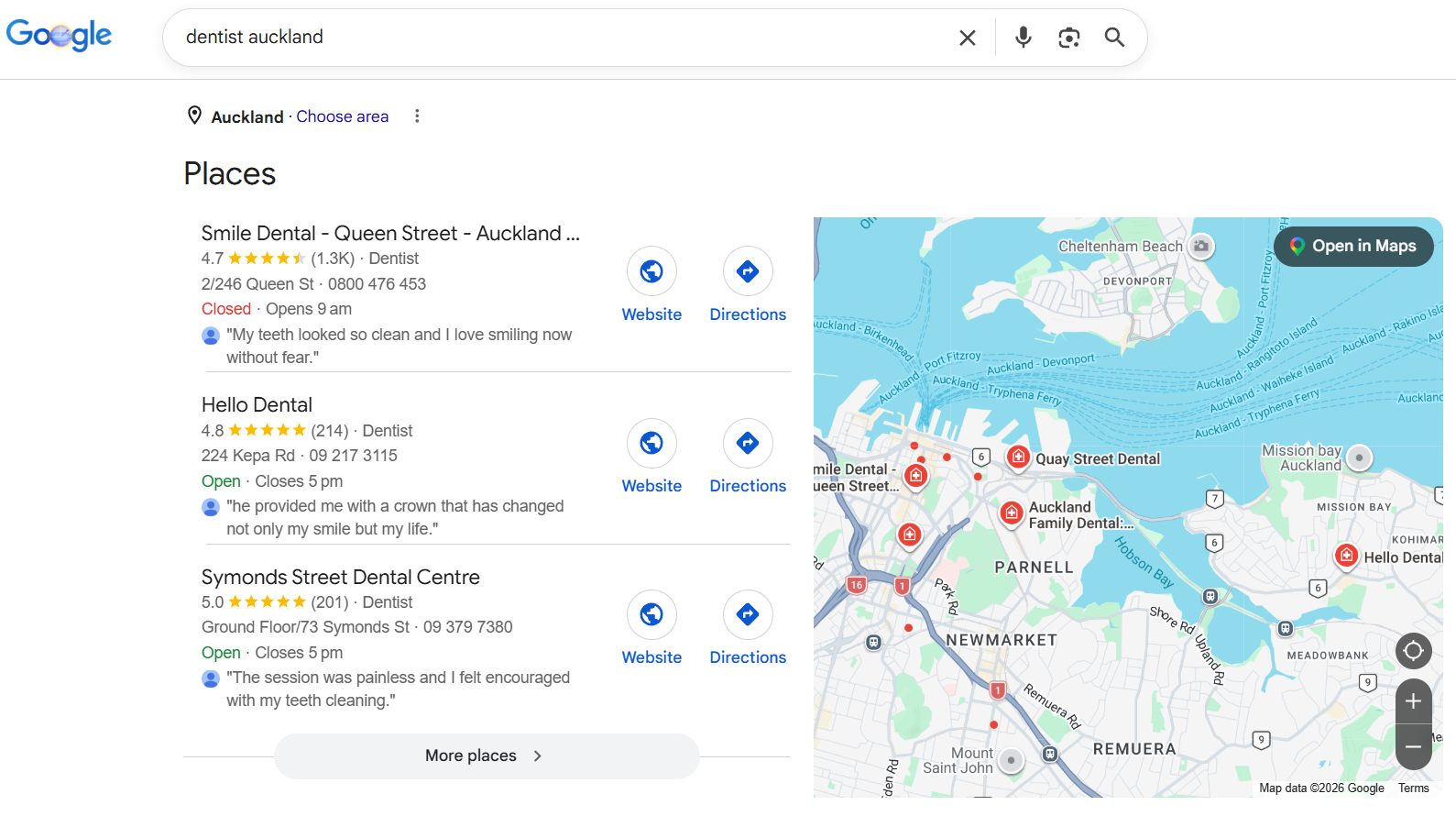
Your Business Profile is the free listing Google gives every business — it used to be called Google My Business (GMB), and plenty of people still call it that.
Reviews increasingly feed a fourth place too: AI answers.
When someone asks ChatGPT or Google’s AI for “the best mortgage broker in Tauranga,” it pulls from the same review and profile signals the map pack uses. More on that next.
Why Are Google Reviews Important For NZ Businesses?
Reviews do a few jobs at once: they push you up the local rankings, win the click, and turn that click into a paying customer. That’s the whole chain from “invisible” to “money in the bank.”
They help you rank higher on Google. Reviews are one of the strongest signals in Local SEO — quantity, star rating, and how fresh they are all feed how high you sit in the map pack. Local search experts estimate review signals make up around 17% of local pack ranking factors. That’s a sixth of the whole game.

They get you more clicks and traffic. The map pack is where the local money is. Businesses in the Google Maps top three get up to 126% more traffic and 93% more actions — calls, clicks, directions — than the businesses below them.
They build instant trust. Reviews are the biggest trust signal a searcher sees before they click anything. In 2026, 68% of consumers said they’ll only use a business with four or more stars, and nearly a third now hold out for 4.5 or better — a bar that’s jumped sharply in a single year.

They make you more money. A 0.1 increase in star rating lifts conversions by 25% — nudging from 4.2 to 4.3 looks like a rounding error and lands like a pay rise. The chain is simple: more reviews push you higher in the map pack, higher ranking means more people see and click you, and a strong star rating turns those clicks into calls and bookings.

They get you found in AI search. Use of ChatGPT and similar tools for local recommendations jumped from 6% of consumers to 45% in a year. Those tools lean on the same review signals Google does, so a strong profile earns you visibility in Google’s own search and in the AI answers your customers increasingly trust.

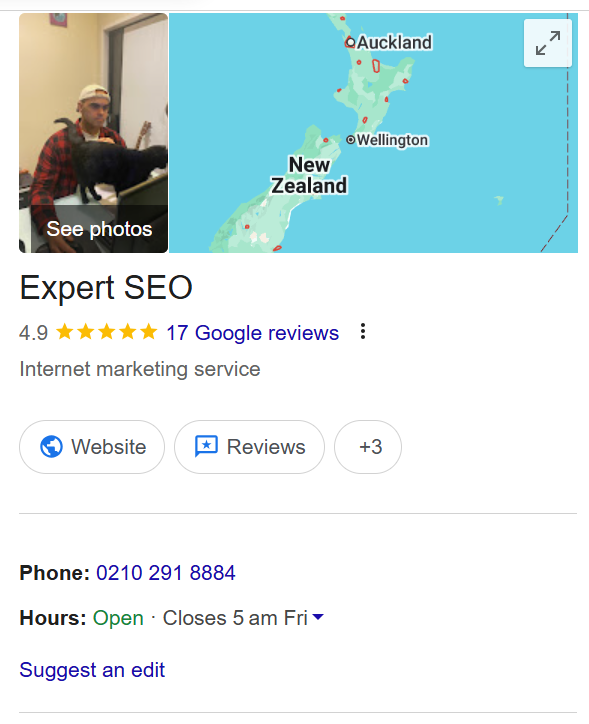
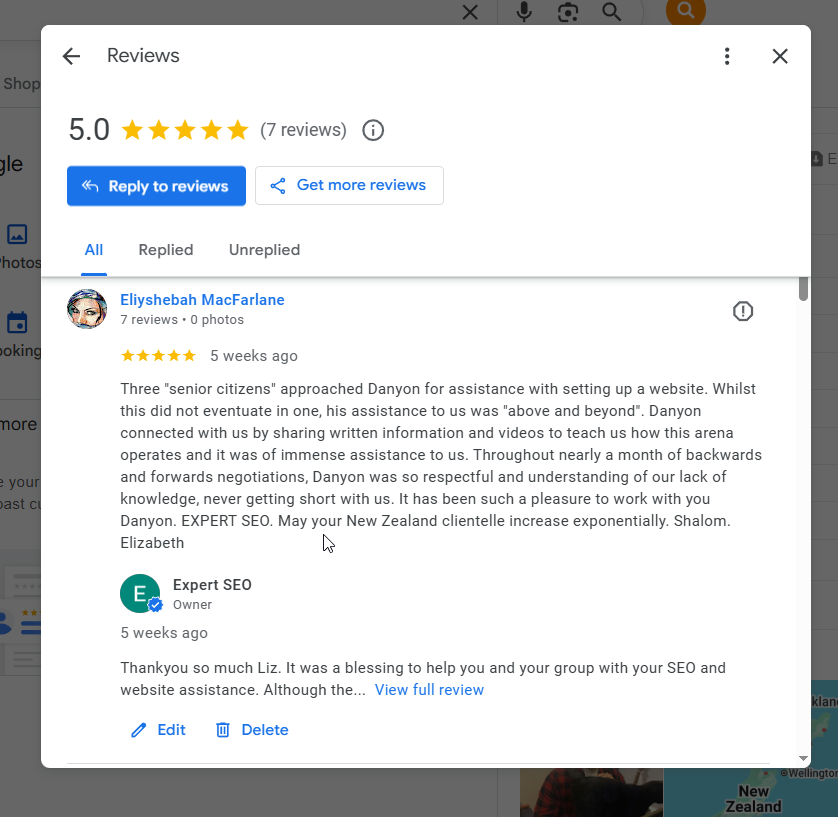
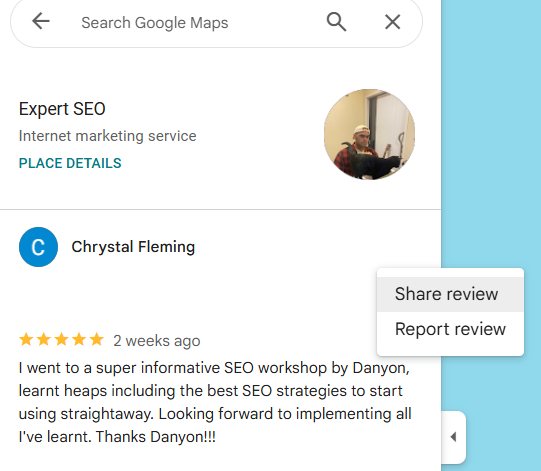
This isn’t theory for us. Here’s Expert SEO’s own review profile:
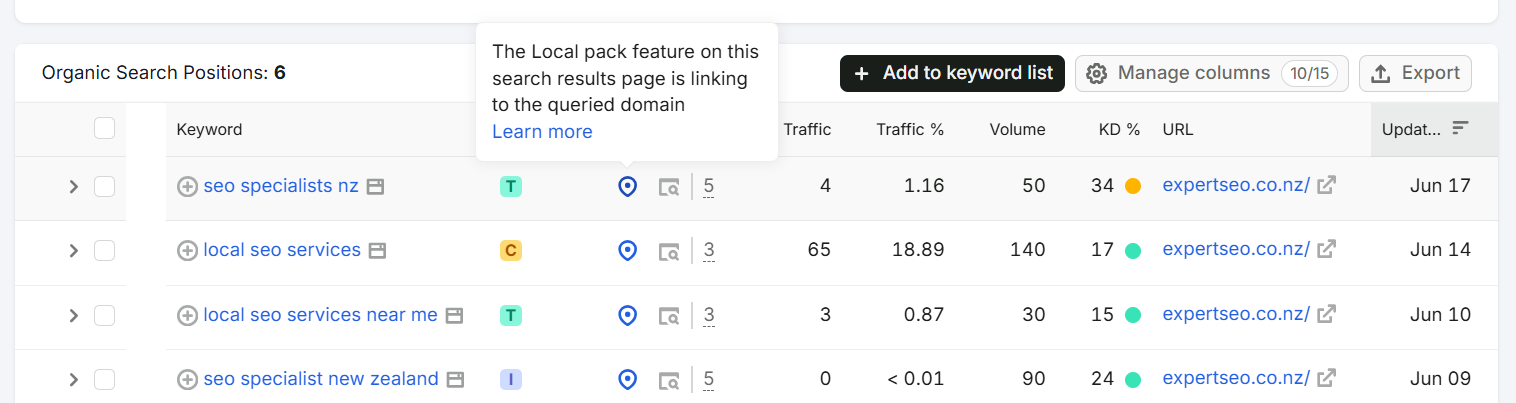
And here’s where that profile, the reviews included, helped us rank in a market full of agencies with a decade’s head start:
How to get your Google review link and QR code
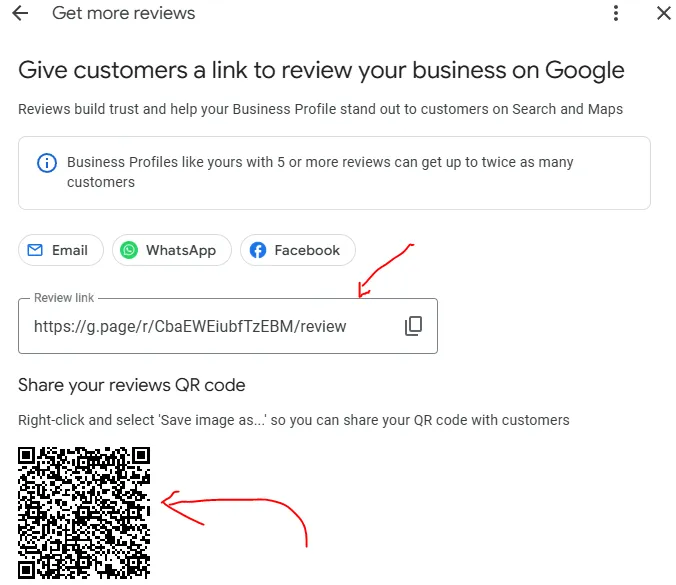
Your review link is a single URL that drops a customer straight onto your review form — no searching, no scrolling, just five stars and a text box. Grab it once and you never make a customer “find you on Google” again, which is exactly where most review requests die.
Here’s the literal path:
- Go to your Google Business Profile — search your own business name while logged in, or head to business.google.com.
- Make sure you’re in the right Google account. This trips up more owners than anything else. If you don’t see “Edit profile” or “Manage this business” when you Google yourself, you’re in the wrong account — check which Gmail set the profile up, or ask whoever on your team did.
- Don’t have access at all? Search your business name, look for “Own this business?” in the panel, and follow the prompts to claim it.
- Once you’re in, find the “Ask for reviews” button (sometimes shown as “Get more reviews”). Click it and Google hands you your shareable link.
- Save that link somewhere you won’t lose it — pinned note, business card file, wherever.
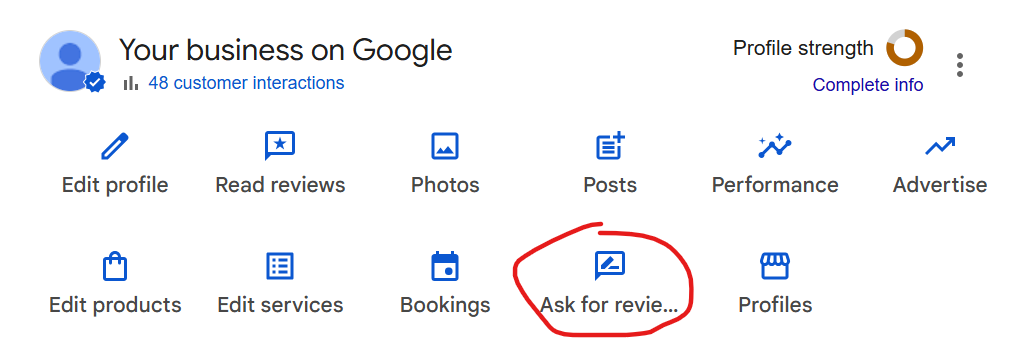
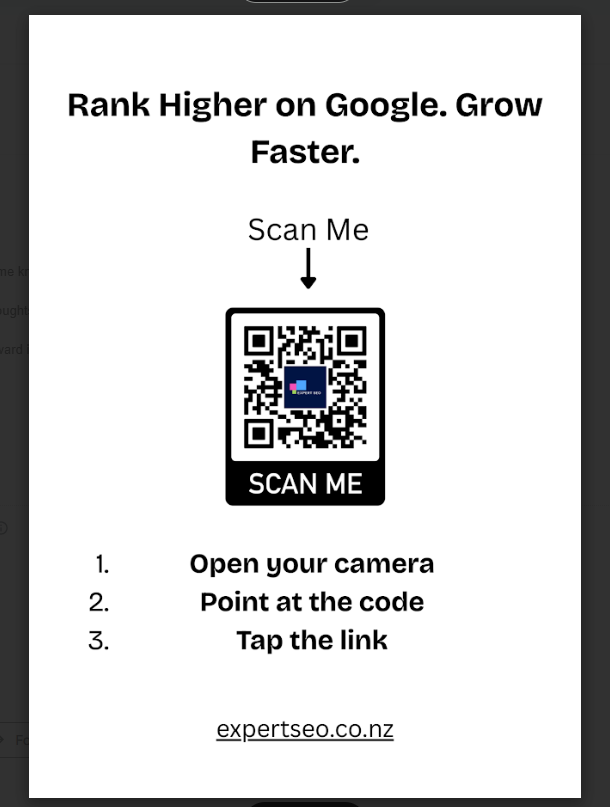
Now turn that link into a QR code so people can leave a review without typing anything. Paste your link into a free generator like QR Code Generator or the one built into most phones, download the image, and you’ve got a code customers scan with their camera.
Then put it where customers already are: on your invoices, on a card by the counter, on the back of the van, in your email signature. A roofer can stick it on the quote PDF; a café can sit it on the till.
The same trick works anywhere you’ve got people in front of you. A business I work closely with, BizWin, took our QR code to a conference last year so anyone keen could scan it and get in touch on the spot — no business cards, no “what was that website again.”
Whatever the goal, the QR code kills the gap between interest and action.
The whole point is friction. Every extra tap between “happy customer” and “posted review” loses you reviews. The link and the QR code remove almost all of it.
How To Get More Google Reviews
The businesses with 100+ reviews aren’t lucky or older — they ask every happy customer, at the right moment, through a system that runs whether they remember it or not.
Here’s the process, start to finish:
- Ask at the win, not at the invoice. Timing is the whole game. You’re asking when the customer’s on an emotional high — the plumber the moment the burst pipe’s sorted and the relief hits, the dentist as the patient checks out thrilled with their new smile, the accountant the week the refund lands. That’s the window where a happy customer is at their most generous, and you’re ethically cashing in on work you genuinely did well. Leave it a week and the charge fades — and so does your reply rate.
- Pick the channel with the best pickup. A text beats an email for response rate, because the link is right there on the phone they’ll use to post. In person, get them scanning the QR code before they leave. For past clients, a one-off email to your list can kickstart things.
- Send a short, human message. No corporate paragraph. Something like:
“Hi [Name], thanks again for choosing [Business]. If you’ve got a spare minute, a quick Google review would mean a lot — it helps other locals find us. Here’s the link: [your link]. Cheers, [Your Name].”
- Don’t ask the customers who’ll burn you. The one who was unreasonable, or whose job went sideways? Skip them. You’re inviting feedback from people genuinely happy with the work, not fishing in the wrong pond.
- Follow up once — then stop. A single gentle nudge a few days later catches the people who meant to and forgot. One. Nagging earns you a one-star.
- Reply to every review that comes in (more on how below). It closes the loop and signals you’re switched on.
Get the timing right and the reviews carry real warmth.
I once helped a team of ladies who were, in their own words, “technologically challenged” — and their review genuinely melted me, saying I’d gone “above and beyond” for them. You don’t write a review like that for a business that pestered you at the wrong moment.
The trick that separates the 130-review businesses from the 14-review ones: build it into the job, not your memory.
Add “send review request” to your job wrap-up checklist. Set the request email to fire automatically when a job is marked complete.
Train whoever’s at the counter to ask while the customer’s still standing there. Tools like a review-request feature in your invoicing software, or a dedicated review tool, automate the send so it never depends on you remembering on a busy Friday.
Do that, and reviews stop being a thing you chase and start being a thing that happens.
How to get the right reviews, not just more
A review that names the exact service and suburb beats ten that just say “great job” — because it tells Google what you do and where you do it, and that’s what gets you ranked for the searches that matter.
Here’s why. Google reads the text of your reviews looking for clues about your business. A review that says “re-roofed our villa in Mt Eden, tidy job” hands Google two things a generic “highly recommend” never will: the service (re-roofing) and the location (Mt Eden).
String enough of those together and you start ranking for “roofer Mt Eden” without doing anything else.
It works on the customer side too. Google pulls quotes from reviews and shows them right in your listing — so a searcher comparing roofers sees “re-roofed our villa” front and centre, which does your selling for you.
So guide your customers, gently. You can’t script a review, but you can nudge.
When you ask, add a line like: “If you’ve got a sec, it helps to mention what we did and where — it helps other locals find us.” Most people are happy to, especially if you give them the hook.
Here’s a near-perfect example I came across.
This dental review names the dentist (Dr Sheng), praises the quality of the service, names the practice (Dental Artist), and names the exact treatment — an implant procedure. One review, and Google gets the person, the clinic, the service quality, and a high-value keyword all at once. That’s the review you’re quietly steering people towards.

The lazy version of this advice is “get more reviews.” The version that actually moves your ranking is “get more reviews that say what you do and where.” Same effort, a much bigger payoff.
How to respond to Google reviews
Reply to every review, good and bad — it tells Google your business is active and tells future customers how you handle yourself. Both move the needle.
It’s not optional in customers’ eyes either: 89% of consumers expect business owners to respond to reviews, and a chunk now expect it within a day.
For a positive review: keep it short, use their name, and restate the service. “Thanks Sarah — glad we could sort the bathroom reno so quickly. Enjoy it!” That little restatement (“bathroom reno”) quietly feeds Google another relevant keyword, so even your thank-you does light SEO work.
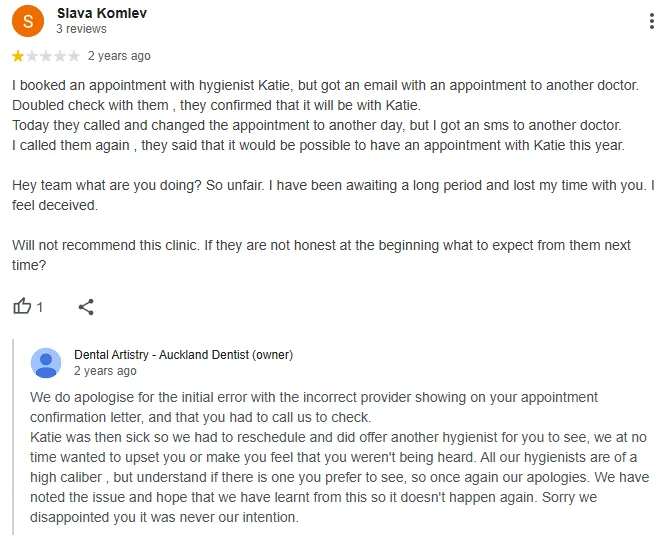
For a negative review: this is where most owners lose the plot. Don’t argue, don’t get defensive, and never fire back in the heat of it. Stay calm, acknowledge it, and move the conversation off the public page:
“Hi [Name], sorry to hear this — that’s not the experience we want. I’d genuinely like to make it right. Can you email me at [email] so I can look into it?”
Future customers read your reply to a bad review far more closely than the review itself. A measured, decent response often does more to win them over than a wall of five-stars. People know no business is perfect — what they’re checking is how you behave when something goes wrong.
Here’s a negative-review response done right. They acknowledged the situation, offered a solution, and apologised — no defensiveness, no arguing, just a calm move to put it right. That’s the reply future customers remember.
How to remove fake or negative Google reviews
Google won’t remove a review just because it’s negative or you disagree with it — it has to actually break a policy. But fake, abusive, off-topic, or competitor-planted reviews can be flagged and, with persistence, taken down.
First, the hard truth: a genuine bad review from a real customer isn’t coming off. Don’t waste energy trying. Respond to it well (see above) and bury it under a steady stream of good ones.
For reviews that do break the rules — fake ones, spam, personal abuse, a competitor’s hit job — here’s the process:
- Flag it. Open the review in your Business Profile, click the three dots, and report it. Pick the policy it violates (spam, off-topic, conflict of interest, harassment).
- Wait it out. Google’s first pass is automated and slow. Give it a week or so.
- Escalate if it’s still there. Take it to Google Business Profile support directly — and be persuasive. Explain exactly why it breaks policy, mention you flagged it already, and attach any proof (a screenshot showing it’s not a real customer, for instance). The more specific you are, the better your odds.
Fake reviews are a real and current problem in New Zealand — The Spinoff recently ran a piece questioning whether Kiwis can trust Google reviews at all, with Google stating that reviews “must be based on real experiences.”
That scrutiny cuts both ways: it’s why genuine, specific reviews are worth more than ever, and why the fake stuff is increasingly catchable.
Can you pay for Google reviews?
No — and it’s one of the fastest ways to torch your reputation and your rankings. Buying reviews, paying for five-star ratings, or bribing customers with discounts breaks Google’s policies, and in New Zealand it can breach the Fair Trading Act too.
Walk through what actually happens when you buy them:
- Google catches and filters them. Google’s systems are built to spot unnatural review patterns — a sudden burst from accounts with no history, reviews from the other side of the world. They get filtered out or removed, so you’ve paid for nothing.
- You risk the whole profile. Repeated violations can get your Business Profile suspended. Lose the profile and you lose the map pack, the reviews you earned legitimately, and your local visibility in one hit.
- It’s a legal risk here. Fake or paid reviews that mislead customers can fall foul of the Commerce Commission under the Fair Trading Act. This is New Zealand law, not the American FTC rules a lot of overseas guides quote.
Two traps that look more innocent but land you in the same place:
Incentivising. Offering a discount or a freebie “for a review” is against Google’s policy, full stop — even though you’ll find NZ blogs still recommending it. Don’t. You can ask for a review; you can’t pay for one, in cash or in kind.
Review gating. This is the sneaky one: funnelling unhappy customers to a private feedback form while only sending happy ones to Google. It feels clever, it’s a clear policy violation, and Google has banned businesses for it. Ask everyone, or no one.
The honest version is simpler and safer than all of it: do good work, ask every happy customer, and let the reviews stack up the slow, permanent way.
How many Google reviews do you actually need?
You don’t need to “win” your category with the most reviews in town — you need to clear the bar your local competitors have set, then keep a steady trickle coming so you don’t slide back. The right number is whatever beats the businesses you’re up against.
Here’s how to find your actual target, in five minutes:
- Google the exact search a customer would use — “family lawyer Auckland,” “plumber Tauranga,” whatever yours is.
- Look at the three businesses in the map pack. Note each one’s review count and star rating.
- That’s your benchmark. To break into that top three, you want to be in the same range or better — on both count and rating.
Take a genuinely competitive market like family law in Auckland. Plug “family lawyer Auckland” into Google and the map pack tells you exactly what you’re up against:
- Jeremy Sutton NZ Divorce sits at the top with 168 reviews at 4.8 stars.
- McCabe Family Lawyer holds a spot with 57 reviews at 4.5.
- Dilki Rajapakse Barrister rounds out the three with 58 reviews at 4.7.
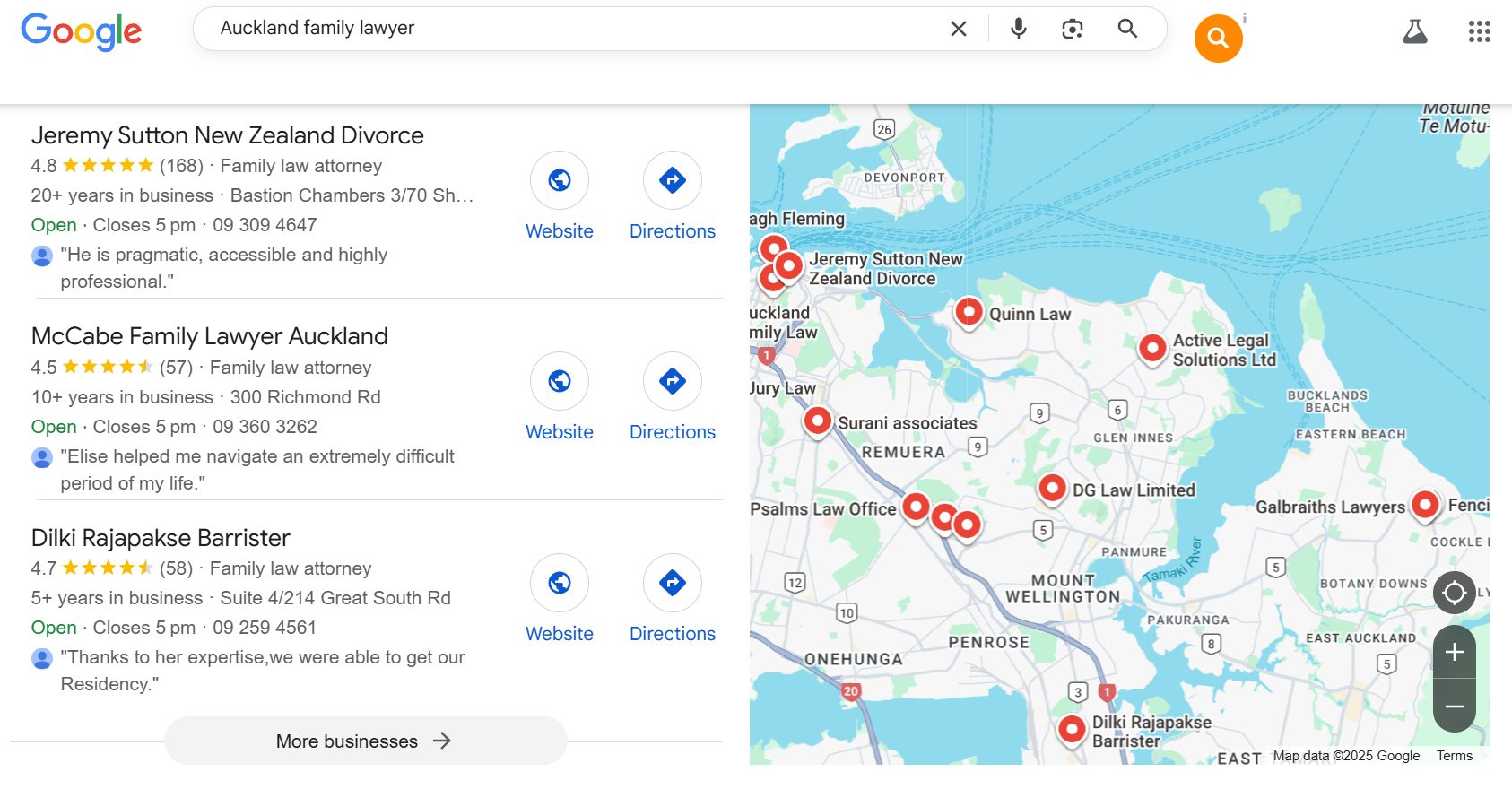
Read that like a scoreboard. To break into the top three here, you’d want to aim for at least 60 reviews at a 4.5-plus rating.
To genuinely challenge for the top spot, you’re looking at 170-odd. That’s not a guess — it’s the bar the current leaders have already set, and cracking a market like this with SEO for law firms means matching that review depth, not just having “a few.”
Two numbers anchor the floor. Around ten reviews is where most local SEOs say you start showing up in the pack, and you want a 4.0-plus rating to appear in “best” and “top” searches at all.
Above that floor, the real target is whatever your top three competitors hold — BrightLocal found businesses in the local top three average around 47 reviews, versus 38 for positions 7–10.

One warning on pace: a steady drip beats a sudden flood.
Forty reviews appearing in a week looks bought, and Google’s filter treats it that way. A handful a month, every month, looks exactly like what it is — a real business quietly doing good work.
For a competitive market expect this to take months, not weeks, which is fine: it’s a moat that’s hard for the next business to copy.
Doing it yourself vs hiring help
You can run this whole system yourself with what’s in this guide — the link, the QR code, the ask, the follow-up, the responses. None of it needs an agency.
Where it’s worth getting help is when reviews are one piece of a bigger local push: you’re trying to crack a competitive map pack, you’re juggling reviews alongside your Business Profile, citations, on-page work, and content, and you’d rather it ran without you.
That’s when SEO services earns its keep — and it’s what we do for businesses across Auckland and the rest of the country.
Either way, the reviews are the asset. Start asking this week, build it into the job, and let them compound. That’s where we come in if you’d rather not do it alone.
Google Reviews: FAQ
Do Google reviews help with SEO?
Yes. Review signals — the number of reviews, your star rating, how recent they are, and the keywords inside them — are one of the strongest local ranking factors, estimated at around 17% of what decides the map pack. A steady stream of genuine, specific reviews pushes you higher in local search and feeds the AI tools that now recommend businesses.
Is it legal to buy Google reviews in New Zealand?
No. Buying reviews breaches Google's own policies, and it can also breach New Zealand's Fair Trading Act, which the Commerce Commission enforces against misleading conduct. On top of the legal risk, Google filters out paid and fake reviews and can suspend your Business Profile entirely — so you lose the money and the profile.
How long does it take for a Google review to show up?
Most reviews appear within a few minutes to a couple of days. Your overall star rating can take up to two weeks to update after a new one lands. If a review never shows at all, Google's spam filter has most likely removed it — common with reviews from brand-new accounts or several posted from the same device or network.
Why aren't my Google reviews showing up?
Usually Google's automated spam filter has caught them. The common triggers are reviews from accounts with no history, multiple reviews from the same IP or device, links or promotional wording inside the review text, or a simple processing delay. Genuine reviews from real, established accounts are the ones that stick.
Can I offer a discount in exchange for a Google review?
No. Incentivising reviews — offering a discount, a freebie, or entry into a prize draw "for a review" — is against Google's policy, even though some NZ blogs still suggest it. You're free to ask any customer for a review; you just can't pay for one, in cash or in kind.
How many Google reviews do I need to rank in the map pack?
There's no fixed number — you need to beat the three businesses already sitting in your local map pack. Check their review counts and star ratings, then aim to match or exceed both. As a benchmark, BrightLocal found businesses in the local top three average around 47 reviews, versus 38 for positions 7–10.
Recommended Reading

Turn your profile into a lead magnet — the categories, photos, posts and settings that move you up the map pack.

What a Business Profile is, how to claim and verify it, and how to set it up to show in local search.
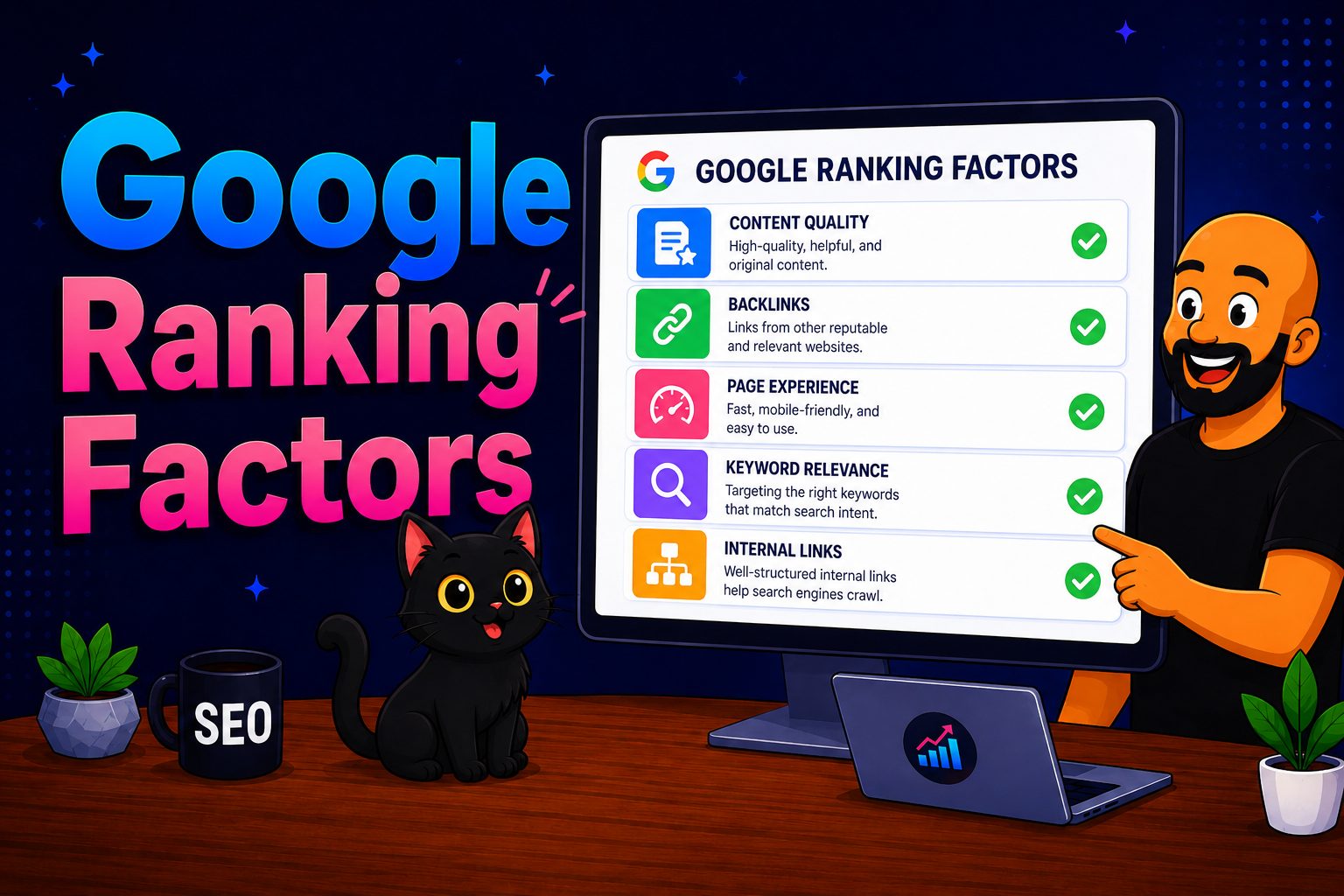
The signals that actually decide where you rank in New Zealand — and where reviews fit in the bigger picture.