

There’s a Reddit thread where someone calls location pages the most underrated local SEO play going. Twenty-seven people pile in to agree.
Scroll down far enough and you find the other half of the story: people who built them, watched nothing happen, and quietly gave up.
Both camps are right.
Location pages are one of the fastest ways for an NZ business to show up in more than one town — done properly.
Done the usual way — duplicate one page, swap “Hamilton” for “Tauranga”, hit publish — they do nothing. Sometimes they drag the rest of your site down with them.
This guide is the “properly” version.
I’ll walk you through the two decisions every other guide skips: whether you even need a location page or a service-area page, and how the URL should look.
Then how to build each one so it’s unique enough to rank. And I’ll show you three of my own location pages sitting at #1 and #2 across New Zealand, on a domain that’s under a year old.
What Is a Location Page?
A location page is a single page built to rank for one place you serve — a search like “dentist Hamilton” or “electrician North Shore”.
When someone searches “plumber Tauranga”, Google wants to hand them a plumber in Tauranga — not a national page that lists forty towns in the footer.
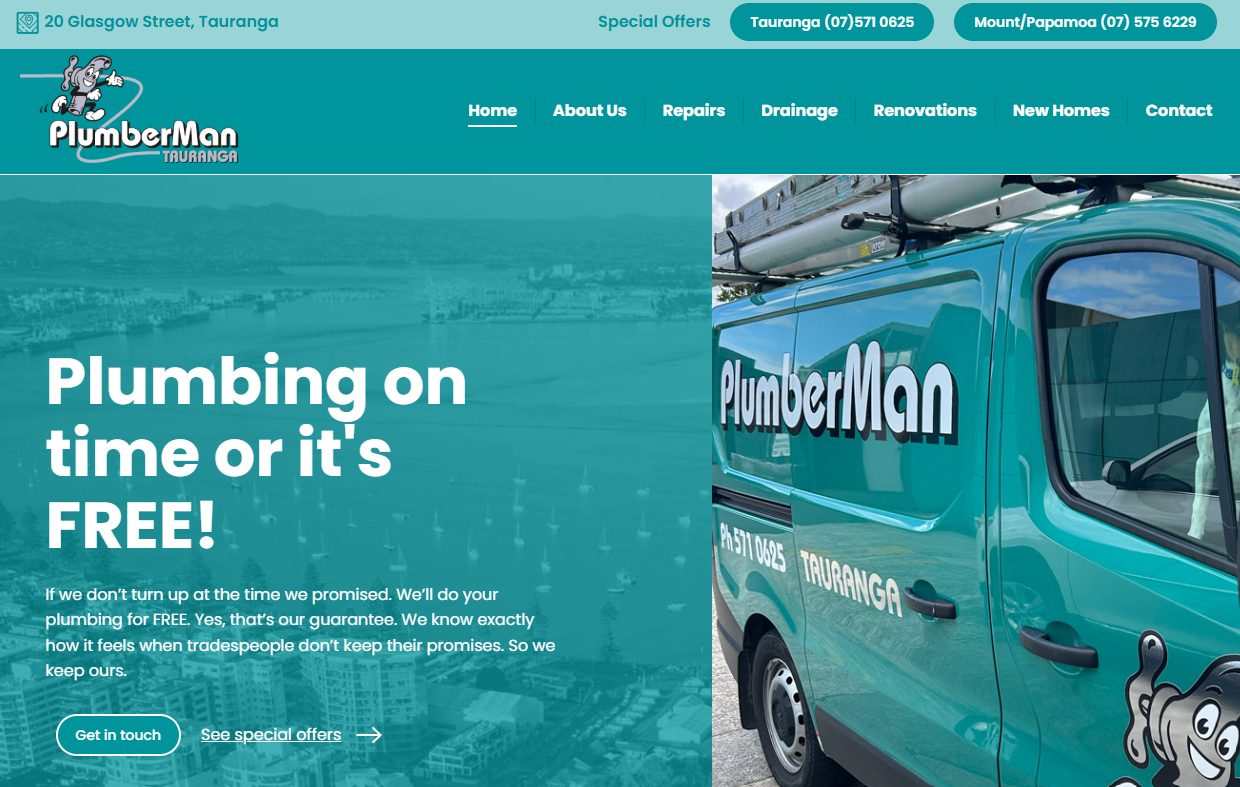
Take PlumberMan here: a real Tauranga plumber, with the address, the local numbers, the lot. One clear page for the area they serve gives Google one clean thing to rank.
Location pages are one lever inside local SEO — the same toolkit as your Google Business Profile, reviews and citations. This is the one that lives on your own website.
Location Page or Service-Area Page?
Before you build anything, answer one question: do your customers come to you, or do you go to them?
That single answer splits location pages into two types — and getting it wrong is where a lot of good effort gets wasted.
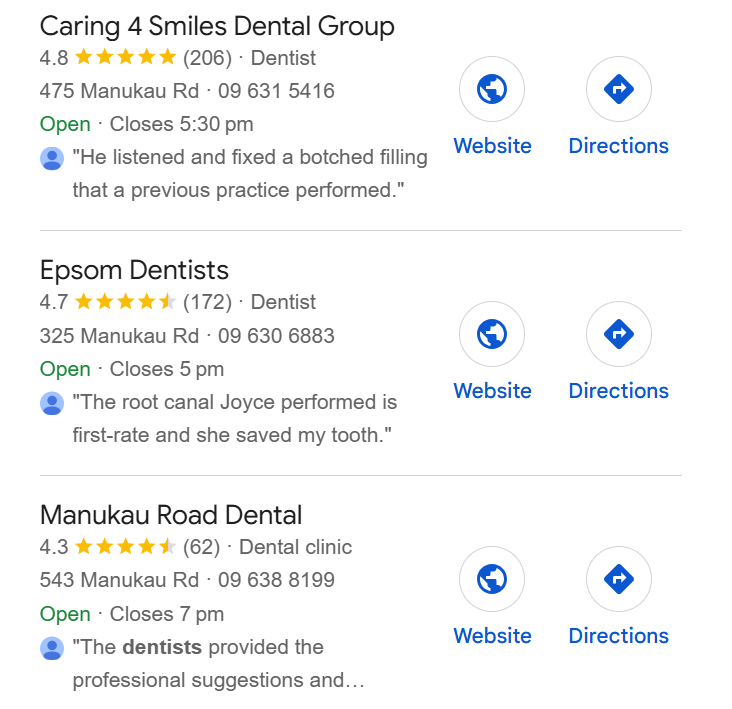
Customers come to you → a location page.
A dentist, a law firm, a café, a retail shop.
You’ve got a real address people visit. Your page gets the full treatment: exact street address, an embedded Google Map, a “find us” section, parking notes, opening hours.
Google is checking you’re really there, so you show it plainly. That’s the shape most SEO for dentists work takes — a real clinic at a real address, showing up in the map pack for its city.
You go to them → a service-area page.
A builder, a sparky, a mobile mechanic. You don’t want people rocking up to your house, and Google doesn’t want a map pin on a residential driveway.
Your page names the areas you cover — the suburbs, the region — and leans on the work you’ve done there instead of a storefront.

The same logic runs through SEO for builders: a business doing new-builds across the Waikato needs a page about the region and the jobs, not a shopfront that doesn’t exist.
Mix the two up and one of two things happens: you invent a fake address to look like a storefront (a fast way to get flagged), or you build a “storefront” page with no real local signal on it at all.
Some businesses are genuinely both — a tyre shop with a physical store that also does mobile fitting.
If that’s you, run both, but keep them as separate pages with separate jobs. Don’t blur one page into a shopfront and a service area at the same time.
Should Your URL Be /location or /service-in-location?
Here’s the question that fills the forums: should the URL be /tauranga or /plumber-tauranga?
You’re asking the wrong question.
I’ll give you my hunch first. If every other factor were dead equal, I reckon Google would lean slightly towards the service-in-location page — /plumber-tauranga — because it’s a hair more specific about what the page is for.
But “every other factor dead equal” never actually happens. And the thing that decides which page wins isn’t the URL. It’s authority.
A business that’s spent years earning trust with Google — links, mentions, a track record — will outrank a fresher page that nailed the “perfect” URL. Every time. The URL is a rounding error next to that.
So the plumber agonising over /tauranga versus /plumber-tauranga is polishing the door handle while the house has no foundation.
Pick whichever reads cleaner, move on, and spend that energy building authority — the links, the reviews, the content depth that actually moves you up the page.
If you want the practical rule anyway: use /[location] when the page covers everything you do in that area, and /[service]-in-[location] when one service in one area is competitive enough to earn its own dedicated page.
Most NZ small businesses are the first case. Very few need the second.
What Every Location Page Needs
Every location page — storefront or service-area — needs the same core set of signals. This is the part Google uses to decide you’re legit for that area:
- NAP that matches everywhere. Your Name, Address and Phone number, written identically to your Google Business Profile and every directory listing. “Ltd” on one and “Limited” on another is enough to make Google hesitate.
- A map or a service area. Storefront: embed a Google Map and add a directions link. Service-area: a clear list of the suburbs and towns you cover, written into the copy.
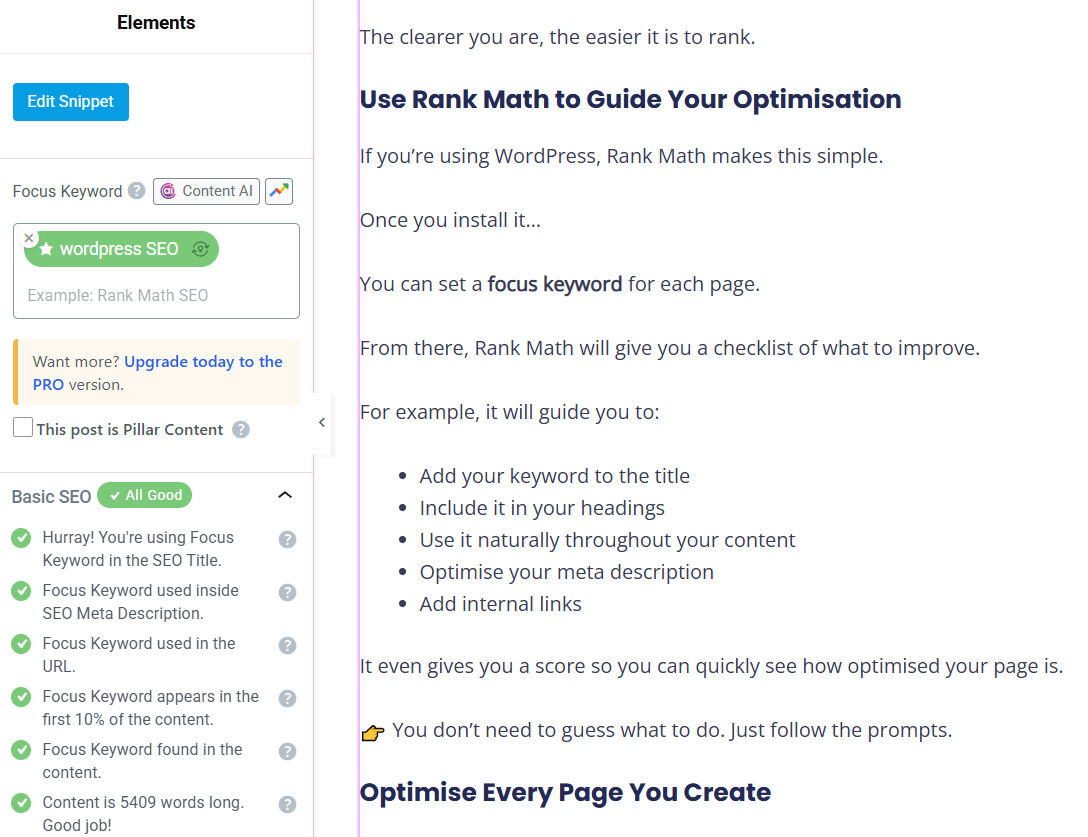
- LocalBusiness schema. A snippet of code that spells out your name, address, hours and service area in a language Google reads perfectly. On WordPress, Rank Math handles it — go to Rank Math → Titles & Meta → Local SEO, set your business type, and it outputs the schema for you. No hand-coding.
- Real photos. Your actual storefront, your actual team, actual jobs you’ve done in that area. A photo of your van outside a Papamoa job proves you were in Papamoa. A stock photo of a smiling generic tradie proves nothing.
- Location in the title, meta and H1. Title tag as [Service] in [City] | [Brand], under 60 characters. An H1 that names the place. A meta description with the city and a reason to click.
None of this is exotic. It’s the baseline every ranking page already has — so match it, then win on the next two sections, which is where most pages fall over.
How to Make Each Location Page Unique
The fastest way to bury a location page is to build one, copy it ten times, and change the town name in each.
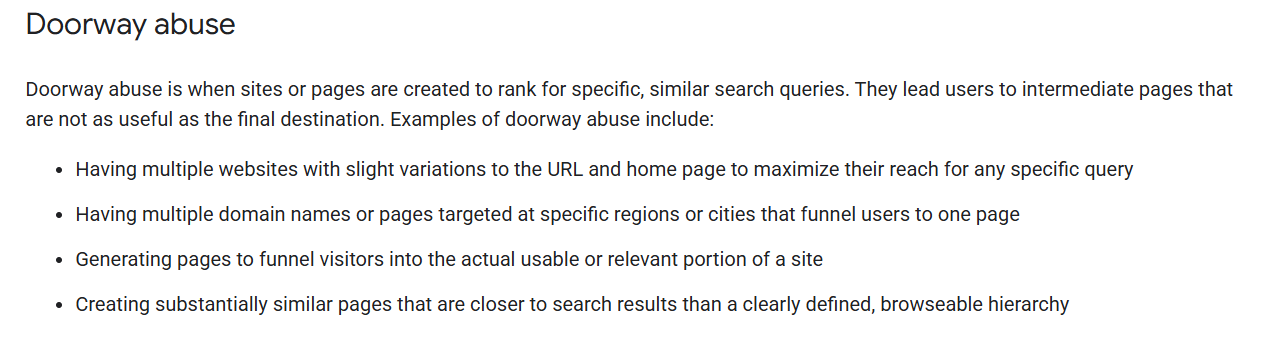
Google has a name for that: a doorway page. Its spam policies specifically call out pages targeted at different cities that funnel users to one place — and they get filtered out or penalised.
One HVAC firm built hundreds of suburb pages with minor swaps; after a core update, most of them lost their rankings and traffic fell off a cliff.
Here’s what people get wrong, though: templates are completely fine.
You can — and should — use the same structure on every page. Same sections, same layout, same order. That’s just good design. What has to change is the content inside those sections.
Each page needs real, specific detail that only someone who works that area would know:
- Real jobs from that area. The retaining wall you built in Hamilton East, with a photo. A named case study beats a paragraph of “we proudly serve Hamilton” every time.
- Local specifics. The suburbs you cover, a landmark, the tricky parking on that one street, the clay soil that changes how you pour foundations there. Detail that couldn’t be copy-pasted to another town.
- Area-specific FAQs. The questions Hamilton customers actually ask, which differ from what Tauranga customers ask.
- Reviews from that area. A testimonial from a Hamilton East client, sitting on the Hamilton page.
Same skeleton, different flesh. That’s why genuinely optimised content beats a suburb-swapped clone that reads like it came out of a mail-merge.
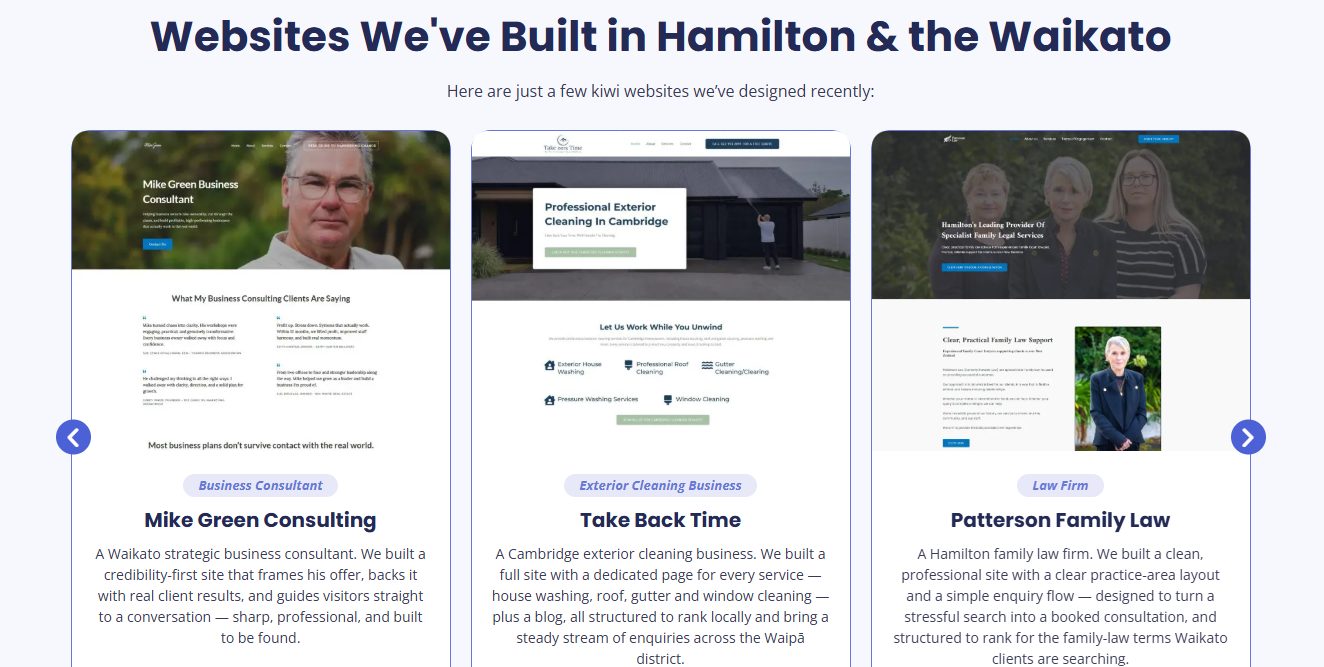
Here’s how I do it on our own website design Hamilton page. Instead of generic “we build websites in Hamilton” filler, it shows the actual Waikato businesses we’ve built sites for — a business consultant, an exterior cleaning company, a Hamilton family law firm.
Real local clients, named and shown. That’s proof no competitor can paste onto their page, because they didn’t do the work.
If you’ve already ended up with near-identical pages, a canonical tag can point Google to the main one while you fix the rest — but that’s a patch, not a cure. The cure is making each page actually different.
How to Structure Multiple Location Pages
Once you’ve got more than two or three location pages, how they connect matters as much as the pages themselves.
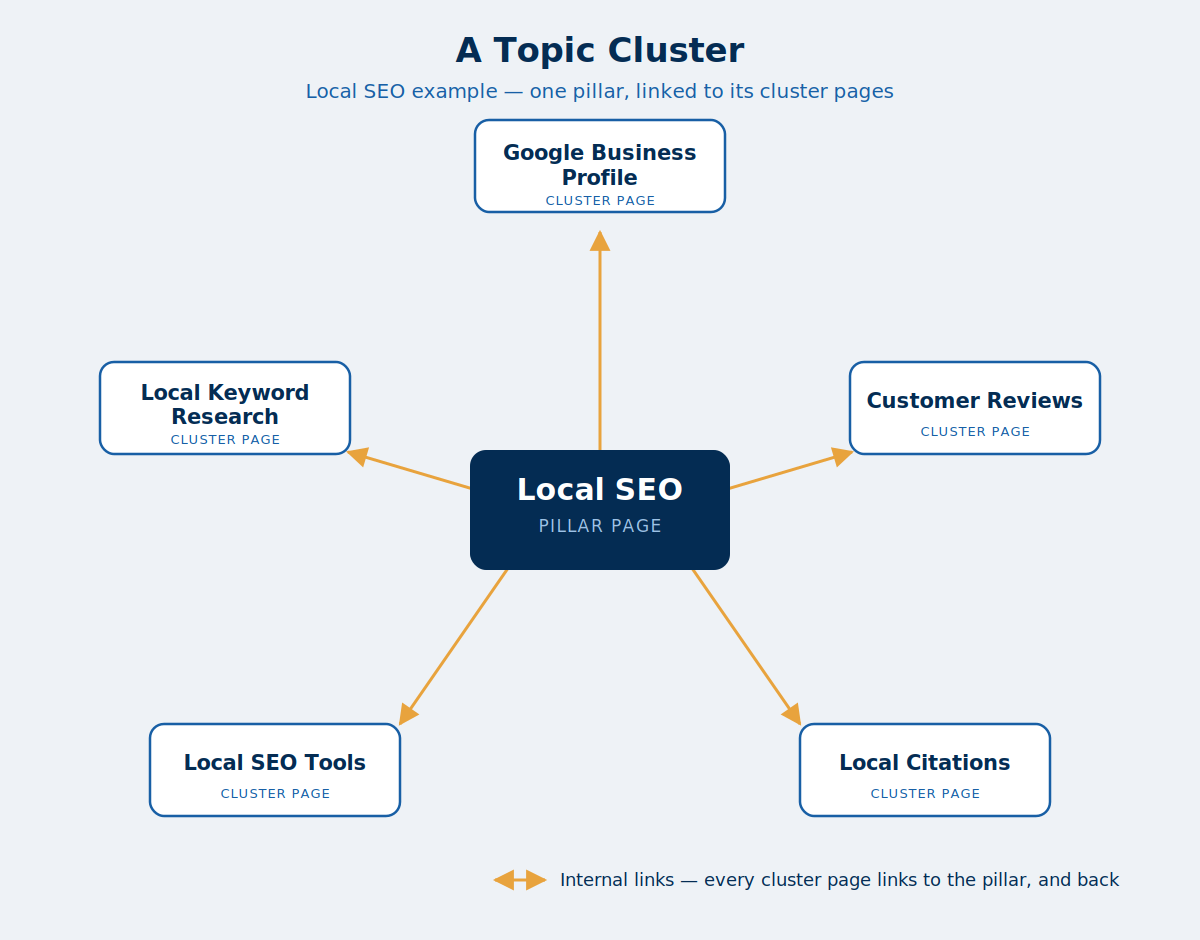
Build a locations hub: one central page — /locations or /areas-we-serve — that links out to every individual location page.
Then link each location page from the service pages and navigation that relate to it. The shape is hub-and-spoke, the same internal linking structure that holds any good topic cluster together.
The rule underneath it: never orphan a location page. An orphaned page — one that nothing on your site links to — is one of the classic doorway-page warning signs.
It tells Google the page exists only to catch search traffic, not to serve people already on your site. If you’re not sure which of your pages are orphaned, a site audit will flag them in a couple of minutes.
Here’s something most guides won’t tell you: not every location is worth the same effort.
For us, ranking for SEO in Auckland matters enormously — that’s where most of our work comes from.
Ranking for the same thing in a tiny market barely moves the needle, because there’s almost no business in it to win. So we pour the energy into Auckland and treat the smaller towns as nice-to-haves.
Do the same. Rank the pages that map to real revenue first. A page for a town you’d love a client from but rarely get one can wait. Spend your effort where the money actually is.
Location Page Examples That Rank in New Zealand
Everything above is what I did on my own site — so here’s the proof it works.
Expert SEO is under a year old. It’s up against NZ agencies with a decade of authority behind them. And its location pages are already ranking.
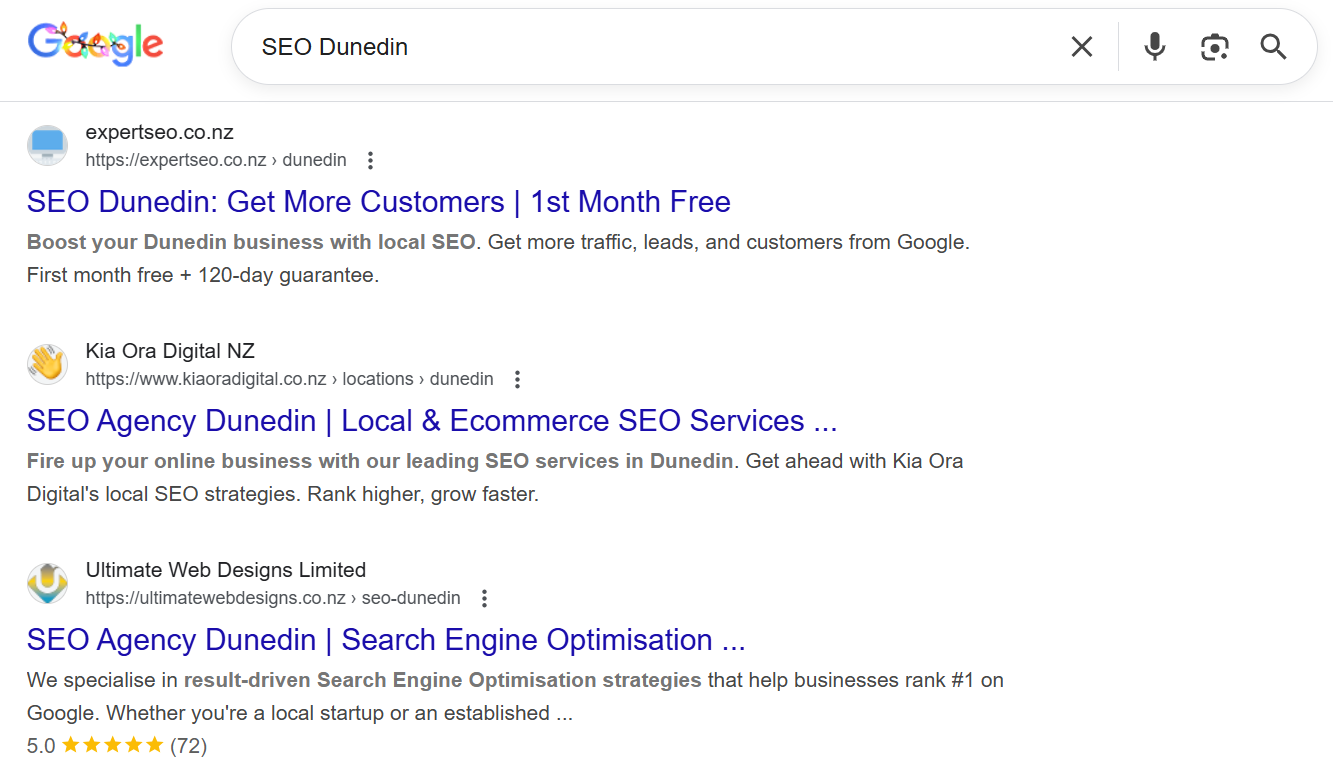
Our Dunedin page sits at #1 for “SEO Dunedin”, and the Hamilton page is #2 for “SEO Hamilton” — climbing in a tougher market. Here’s both in one shot:
Our Palmerston North page is #1 for “SEO Palmerston North”.
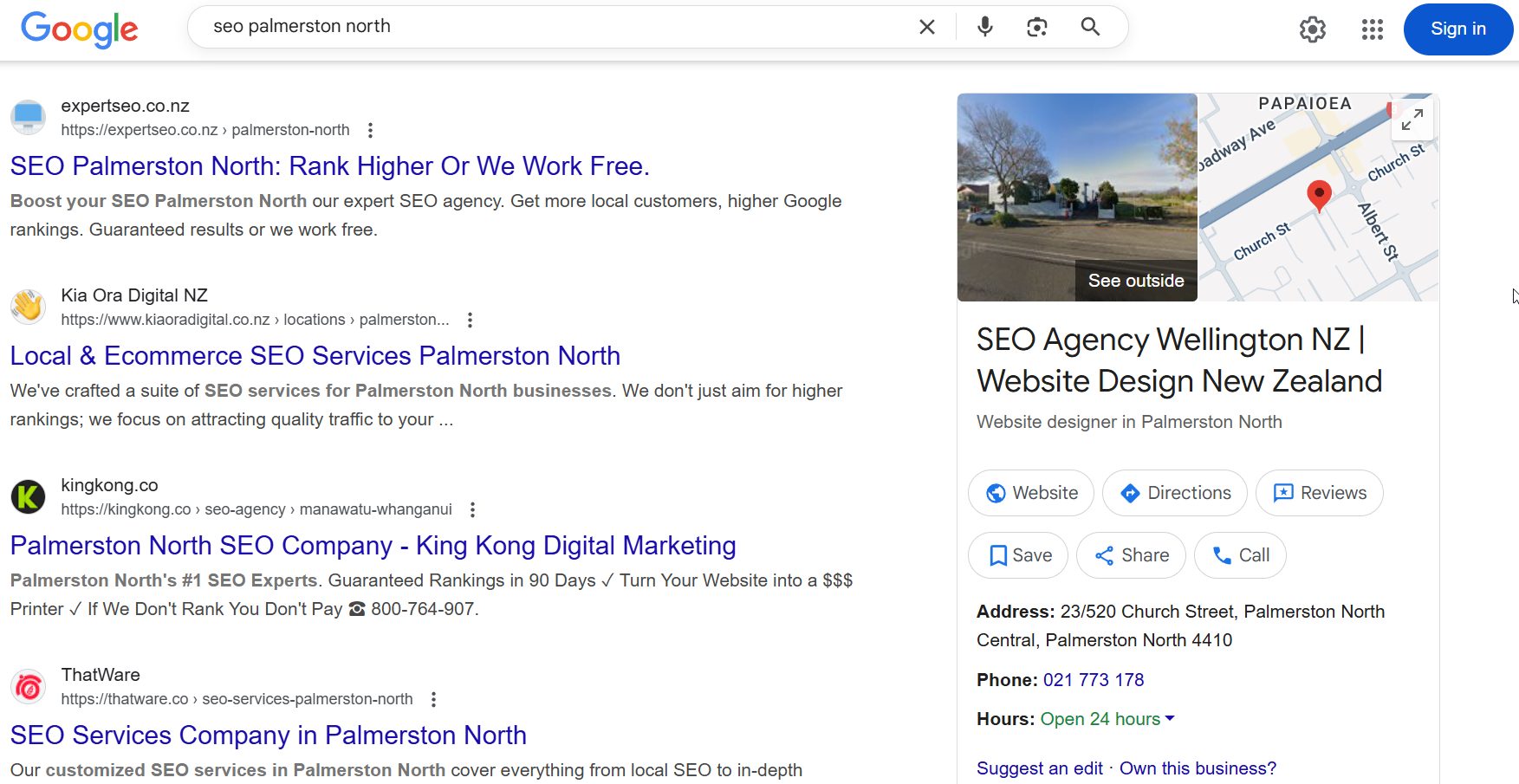
None of these used a trick. Each one is a real page: a clean /[location] URL, unique copy about doing SEO in that specific city, our own proof and results woven in, and it’s linked properly from the rest of the site. Exactly the process above.
The timeline is the part people don’t quite believe. On a domain this young, in local markets, these pages started moving inside a few months — which lines up with what local SEO normally takes: early traction around three months, real momentum by six.
The takeaway for your business: you don’t need a decade-old domain or a fat budget to rank a location page. You need the page to be genuinely useful for that place, and the authority underneath it pointing the right way. Get both, and a page that’s months old can beat one that’s been sitting there for years.
Should You Build Location Pages Yourself or Hire an Expert?
So should you build these yourself or bring someone in?
If you serve a handful of areas and you’ve got the time to write genuinely unique pages for each — the real jobs, the local detail, the reviews — this is a DIY job.
Nothing here needs an agency. Follow the process, be honest about making each page different, and you’ll do fine.
It tips into hire-someone territory when the numbers grow:
Ten, twenty, fifty areas, competitive service terms in every one, schema and internal linking to manage at scale, and the constant risk of the whole thing sliding into doorway territory if it gets rushed. That’s a lot of moving parts to keep genuinely unique.
That’s the point where handing it to a team that does this all day usually pays for itself — you get the pages built right the first time instead of cleaning up a hundred thin ones later.
Either way, the standard doesn’t change. A location page earns its ranking by being specifically, genuinely useful for the place it targets. Nail that, and the map pack starts to look a lot more like home turf.
Recommended Reading
Local SEO Ranking Factors
What actually moves a local business up the rankings in NZ — the signals worth your time, and the ones that aren't.
How to Improve Local SEO
Twelve practical ways to climb the local rankings, once your location pages are in place.

Local Citations
How to get listed consistently across the NZ directories that back up every location page you build.