A builder in Cambridge can do sharper work than every competitor in the Waikato and still lose the job.
Someone searches “builder near me,” a rival with a tidier Google listing shows up in the map, and they get the call instead.
Local SEO closes that gap.
The problem is that nearly every “local SEO checklist” online was written for American businesses, telling you to sort out your Yelp and Better Business Bureau listings.
This is the New Zealand version.
Work through it top to bottom and you’ll have covered everything that moves the needle for a local business in this market: your Google Business Profile, the NZ directories that count, your on-page signals, reviews, and local links.
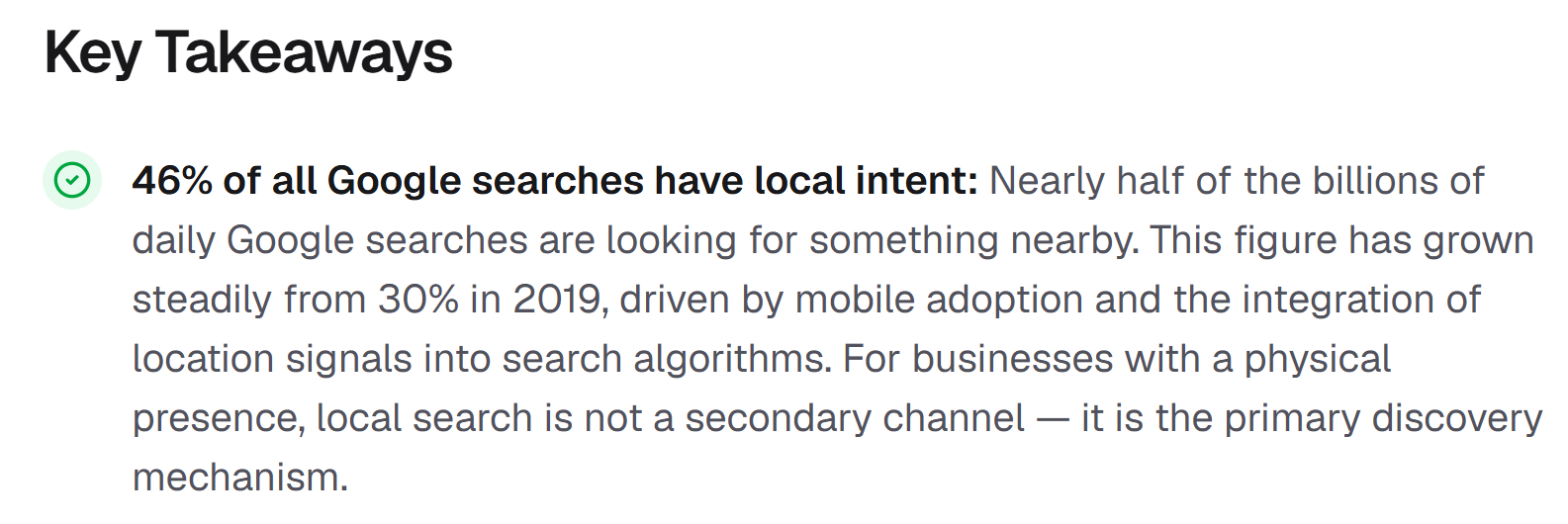
It matters because 46% of all Google searches carry local intent — nearly half of every search is someone looking for something nearby.
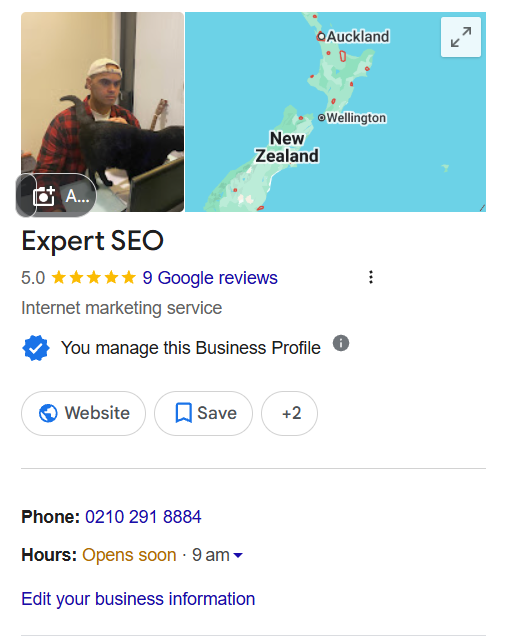
The process works. Expert SEO is a young domain and it’s already showing in the local pack for competitive terms like “seo consultant,” going up against agencies that have been at it for years.

What a Local SEO Checklist Actually Is
A local SEO checklist is a step-by-step list of the actions that get your business showing up in location-based searches and Google’s map pack — things like your Google Business Profile, citations, reviews, and on-page local signals.
Think of it as the running list you tick off to become findable in your area.
Work through it in order. The foundations near the top hold everything else up, so resist the urge to chase local links before your Google Business Profile is sorted.
1. Sort Out Your Google Business Profile
Your Google Business Profile is the single most important thing on this list. It’s what puts you in Google Maps and the local pack — the three businesses that show up with a map when someone searches for a service near them.
The data is hard to argue with. Google’s own figures show customers are 70% more likely to visit a business with a complete profile and 2.7 times more likely to consider it reputable.

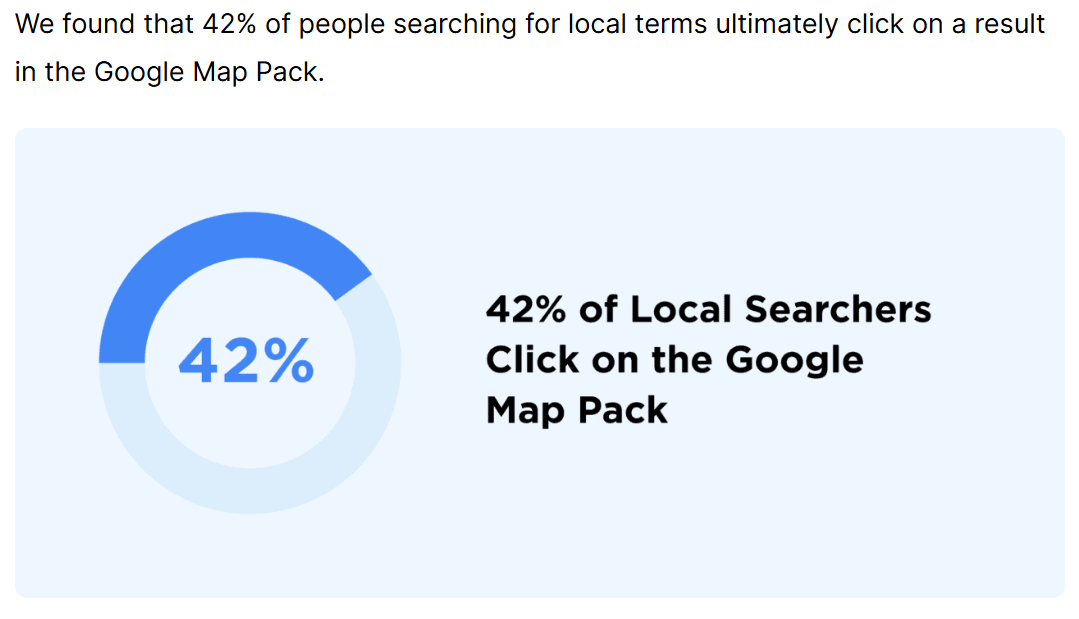
On top of that, 42% of local searchers click straight on a map pack result.
Here’s what to tick off:
- Claim and verify your profile. Until it’s verified, it won’t show properly. Search your business name first to check a profile doesn’t already exist that you need to claim rather than create.
- Use your exact business name. Use the real trading name with no extra keywords jammed in. “Waikato Plumbing” is fine; “Waikato Plumbing | Cheap Emergency Plumber Hamilton” can get you suspended.
- Choose the right primary category. This is the biggest lever you have. Whitespark’s ranking factors study puts your primary category as the number one influence on local pack rankings, so pick the most accurate one, not the broadest.
- Add secondary categories for the other services you offer.
- Fill in everything else — phone, website, hours, service list, business description, and attributes. A complete profile beats a half-finished one every time.
- Add real photos of your team, premises, and work. Stock images do nothing.
- Use Posts and Q&A to keep the profile active and answer the questions people actually ask.
Category choice trips people up the most.
A Hamilton dental clinic should sit under “Dental clinic,” not the vague “Dentist,” while a Cambridge sparky wants “Electrician” as primary and something like “Electrical installation service” as secondary.
The closer the category, the better Google understands what you do.
2. Get Your NAP Consistent and List on NZ Directories
Your business name, address and phone number — your NAP — need to be identical everywhere they appear online. And the directories worth your time in New Zealand aren’t the ones American checklists point you at.
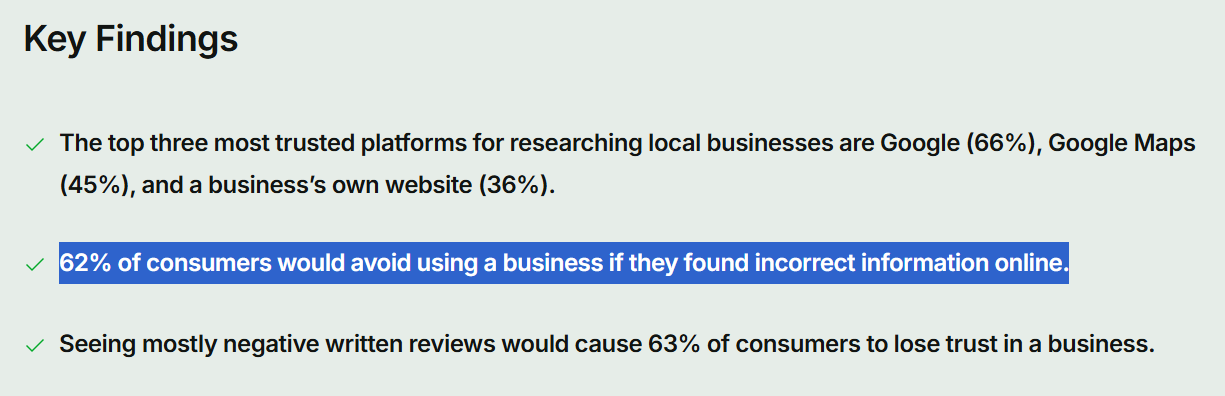
Consistency matters because mismatched details confuse both Google and customers. 62% of consumers say they’d avoid a business if they found incorrect information about it online.
If your phone number says one thing on Google and another on Facebook, that’s exactly the kind of slip that costs you the enquiry.
The platforms and directories worth doing here:
- Bing Places and Apple Maps — the other two map providers, both free.
- Yellow Pages NZ (yellow.co.nz) — still one of the most recognised directories in the country.
- Localist, Finda and NZS.com — established general NZ directories with real local traffic.
- Facebook — your page doubles as a citation, so keep the details matching.
- Industry and community listings — Builderscrack and NoCowboys for tradies, Neighbourly for hyper-local community reach, plus your regional Chamber of Commerce, council business directories, and local association lists.
Pick the directories relevant to your trade and region rather than chasing volume.
Then search your business name and clean up any duplicate or outdated listings, since old entries with a former address or number quietly pull against everything else.
3. Add Local Signals to Your Website
Your website has to tell Google where you operate. That means your region in your titles, headings and content, dedicated location pages, and LocalBusiness schema.
This side matters more than people expect.
The same ranking factors research found that on-page signals — dedicated service pages and geographic relevance in your content — have the strongest influence on local organic rankings, separate from the map pack.
- Work your location into the key on-page spots. Your meta title, H1, and body copy should name the service and the place naturally. A title like “Electrician Hamilton | Residential & Commercial” tells Google exactly what you do and where. Keep it natural and don’t repeat it like a parrot.
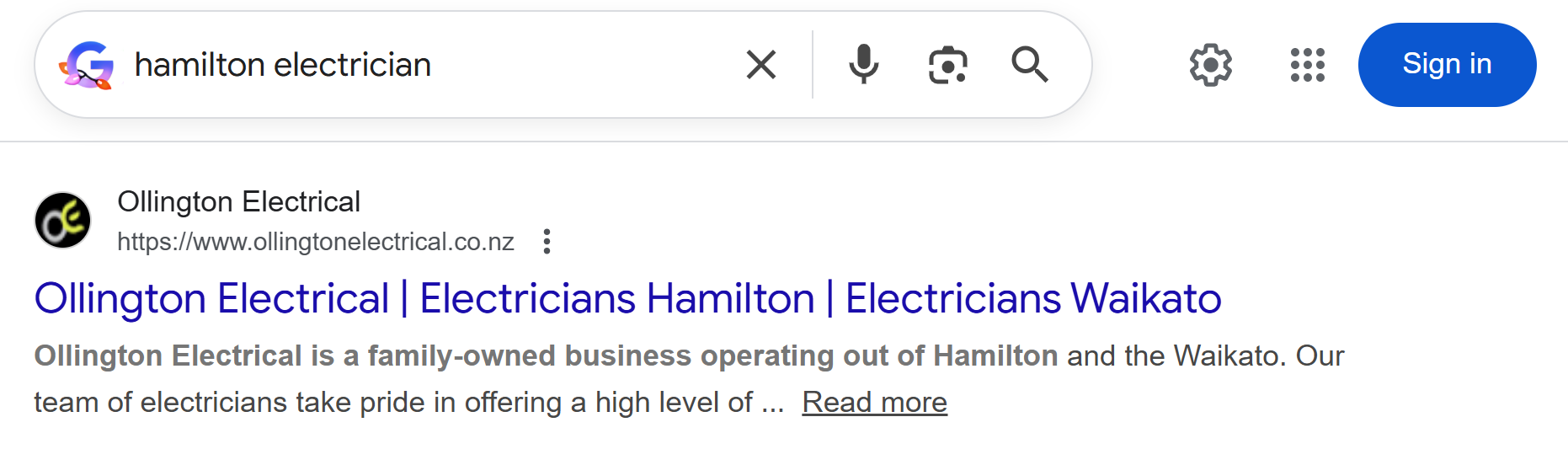
- Build proper location pages. If you serve several areas, give each one a real page with genuinely different content, not the same paragraph with the suburb swapped out. Start by finding the local keywords people actually search so each page targets real demand.
- Add LocalBusiness schema. This is structured data in your site’s code that hands Google your address, hours, and service area directly. Rank Math or a schema plugin makes it straightforward on WordPress.
- Embed a Google map of your location on your contact or location pages to reinforce where you are.
4. Build a Steady Flow of Reviews
Reviews do two jobs at once. They help you rank in the map pack, and they convince the searcher to choose you once they’ve found you.
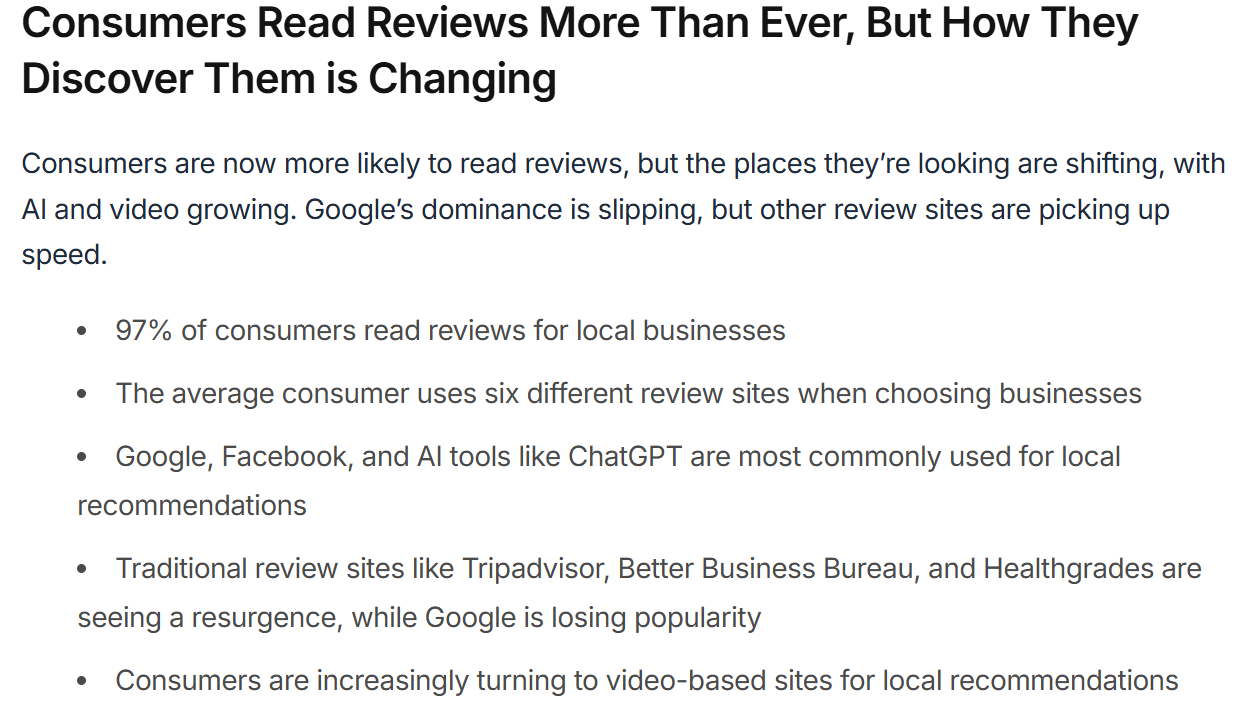
People lean on them heavily. 97% of consumers read reviews when weighing up a local business, so a profile with a handful of reviews loses to one with fifty, even when the work is identical.
The businesses that win at this aren’t doing anything clever. They just ask consistently:
- Make it systematic. Ask once the job’s done and the customer’s happy, send a direct review link by text or email, and follow up once if they don’t get to it.
- Respond to every review, good or bad. A calm, professional reply to a negative one often does more for trust than the five-star ones.
- Never buy or fake reviews. It breaches Google’s policies and it’s obvious to anyone reading.

5. Earn Local Links
Links from trusted local sources tell Google you’re an established part of your area. They carry a different signal to general backlinks because they tie you to a place.
- Sponsor something local. A junior sports team, a school gala, a community group — most will happily link to your site from theirs in return.
- Get local PR. Regional papers, community sites, and local bloggers cover new services, milestones, and events. A quick pitch can land a mention and a link.
- Use your partnerships. Suppliers, trade partners, and businesses you refer work to are all natural link sources.
- Reclaim unlinked mentions. Find places that name your business but don’t link to it, and politely ask them to add the link.
This is just earning links in your own backyard, and even a handful of relevant local links goes a long way in a smaller market.
6. Cover the Technical Basics and Track Results
None of the above sticks if your site is slow, breaks on mobile, or you can’t see what’s working. The technical layer is the floor everything else stands on.
- Make it mobile-first. Most local searches happen on a phone, so check every key page loads and reads well on mobile.
- Sort your site speed. Compress images, use decent hosting, and don’t bloat the site with plugins.
- Run on HTTPS so the padlock shows and the site’s secure.
- Confirm your pages are indexable and not accidentally blocked from Google.
- Set up Google Search Console and GA4 so you can see your impressions, clicks, and positions climbing.
The fastest way to surface what’s broken is to run a site audit before you start fixing things, so you’re working off real problems rather than guesses. If you want to go deeper on the technical side of your site, that’s a project of its own, but the basics above cover what local SEO needs.

7. What Changes If You Don’t Have a Storefront
If you travel to your customers instead of running a shopfront — most tradies and mobile services — you set up as a service-area business, and a few steps shift.
- Hide your address and set service areas in your Google Business Profile. You enter the regions or suburbs you cover instead of displaying a street address customers can’t visit.
- Location pages still work. You build pages for the areas you serve, even without a physical address in each one, focused on the service and the local context.
- Everything else stays the same — reviews, citations, on-page signals, and local links all apply exactly as above.
A Cambridge-based electrician serving the wider Waikato, for example, would set service areas covering Hamilton, Te Awamutu, and the surrounding towns rather than pinning a single shop location.
8. How Often to Re-Run This Checklist
Most of this list is built once. A handful of items need a regular check to keep working.
- Monthly: ask for and respond to reviews, add a Google Business Profile post or two, and watch for any duplicate listings popping up.
- Quarterly: audit your NAP across the main directories, check your citations are still live and accurate, and refresh any location pages that have gone stale.
- One-and-done: schema, HTTPS, and your initial directory listings rarely need touching once they’re set, as long as nothing about the business changes.
If your address, phone number, or trading name ever changes, that’s the trigger to run the whole NAP and citation pass again from scratch.
9. What 3 to 6 Months of Local SEO Looks Like in NZ
In a typical NZ market, you’ll usually see early movement around the three-month mark and real momentum by six. Local moves faster than national SEO because the competition is thinner, especially outside the main centres.
Early on, watch impressions rather than clicks. A new or freshly optimised profile starts surfacing for more searches before the clicks follow, so rising impressions in Search Console are the first sign it’s working. That three-to-six-month curve is roughly what our NZ SEO team sees on local campaigns, and it’s the pattern behind a young domain like Expert SEO already turning up in the local pack for competitive terms.
Doing It Yourself or Getting Help
You can work through this list yourself. Most of it is realistic for a business owner willing to put in the time, and doing it once teaches you how local search actually behaves.
If you’d rather move faster, that’s where help pays off.
Our local SEO service handles the strategy and execution for you, and it’s often worth a conversation to weigh up whether DIY or done-for-you makes more sense for where your business is at.
We help businesses across New Zealand, including:
- SEO Services in Auckland
- SEO Services in Hamilton
- SEO Services in Tauranga
- SEO Services in Wellington
- SEO Services in Christchurch
- SEO Services in Queenstown
Whether you want to hand the whole thing over or just bring in an SEO consultant to point you in the right direction, the checklist above is the same one the work is built on.
Tick it off properly and you’ll be ahead of most local competitors in your area.