

Shopify tells you it’s “built for SEO.” That’s half true. And the half they leave out is exactly where most stores get stuck.
Here’s what happens: Shopify quietly handles a slice of your SEO in the background.
It does nothing about the biggest levers. And on a couple of fronts, it actively makes things harder — then its own guides conveniently forget to mention which is which.
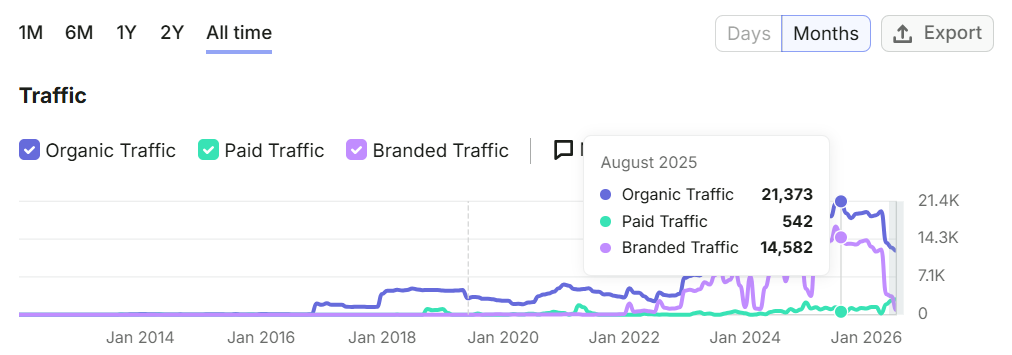
I’ve done SEO for ecommerce brands for years — it’s what I do at Expert SEO. The biggest Shopify client I’ve done SEO consulting for was featured on Shark Tank, in O Magazine, and had a mini-documentary made about them on the History Channel.
So this isn’t the recycled “add alt text and submit your sitemap” checklist you’ve read ten times. This is what Shopify does for you, what’s on you, where the platform fights you, and how to fix each part.
Let’s get into it.
Key Takeaways
- Shopify SEO is the work you do to get your Shopify store ranking in Google so buyers find you without you paying for the click.
- Shopify handles the technical plumbing for free — sitemaps, canonical tags, SSL, mobile themes. Everything that moves rankings is on you.
- The real ranking levers are keyword research, product and collection optimisation, content, and internal links — not fiddling with meta tags.
- Shopify has genuine SEO limitations: forced URL structures, duplicate collection paths, and a boxed-in blog. Each one has a workaround.
- You don’t need ten SEO apps. You need one or two — every extra app slows your store down.
- Shopify SEO takes months, not weeks. Early traction around three months, real results past six.
What Is Shopify SEO?
Shopify SEO is the work you do to get your Shopify store showing up in Google — so people searching for what you sell find you instead of a competitor, and you don’t pay for the click.
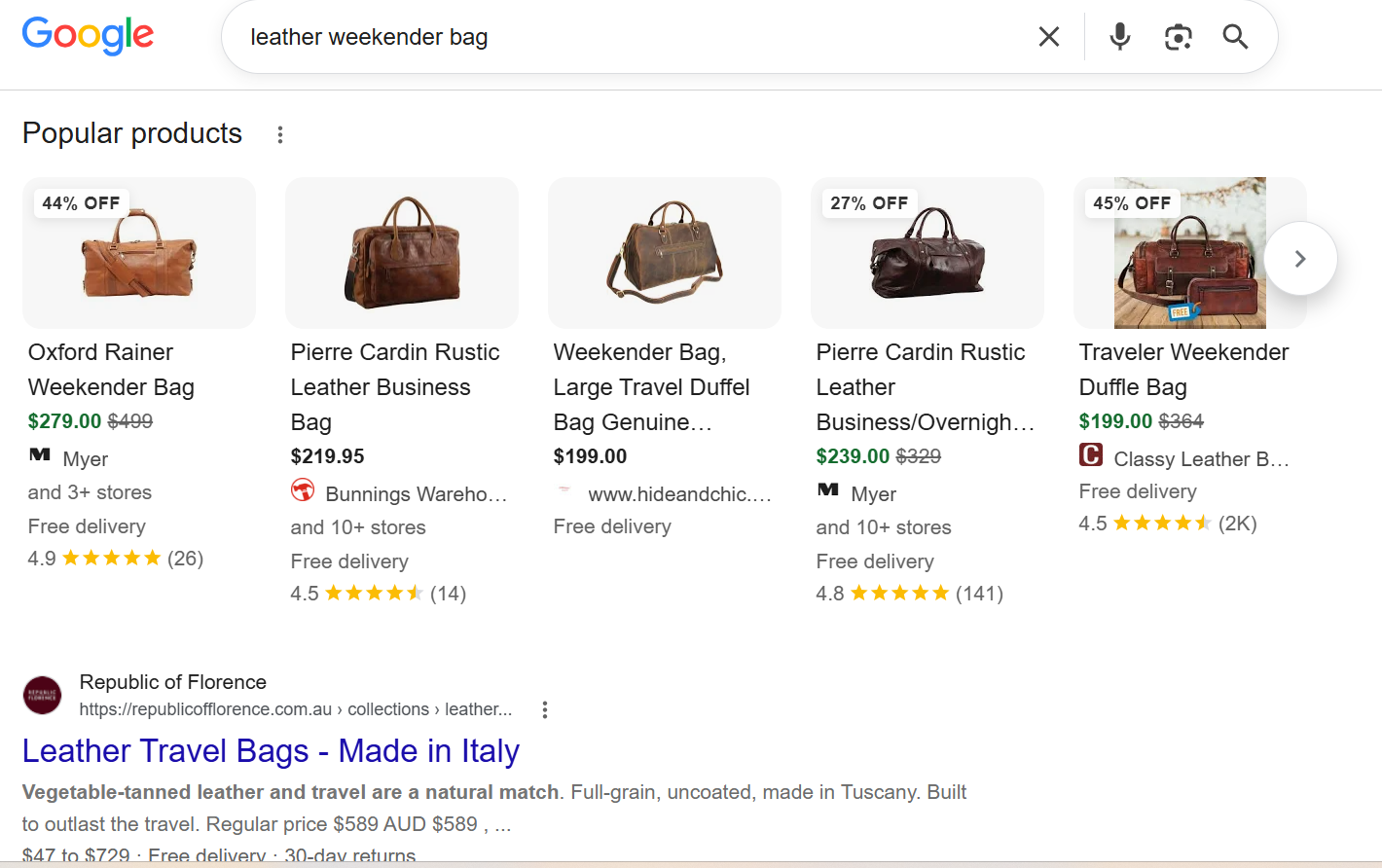
Someone types “leather weekender bag” into Google. If your store is optimised, your product page shows up, they click, they buy. No ad spend. No cost per click. Just a buyer who found you because you did the work to be found.
It splits into three buckets, and you’ll see them all through this guide:
- On-page SEO — optimising your actual pages: product titles, descriptions, collection pages, images, internal links.
- Technical SEO — the behind-the-scenes stuff: site speed, structure, how Google crawls and indexes your store.
- Off-page SEO — building authority through links and mentions from other websites.
The twist with Shopify is that you’re not optimising a blank website. You’re optimising products and collections inside a structure Shopify partly controls for you. That’s a blessing and a curse, and it’s the thread running through this whole guide.
Can You Really Do SEO on Shopify?
Yes — and Shopify is good at the basics out of the box. The catch is that a good foundation and a ranking are two very different things, and the gap between them is all you.
This is the question I get most: is Shopify even any good for SEO, or am I fighting the platform the whole way?
Straight answer: Shopify gives you a strong starting point. Fast, reliable hosting. Clean code. Mobile-responsive themes as standard. Automatic SSL. Auto-generated sitemaps and canonical tags. That’s more than a lot of custom-built sites can say, and it means you’re not starting in a hole.
But “good foundation” is not the same as “ranking.” Shopify laying the concrete slab doesn’t build the house. Everything that gets you to page one — the keywords, the content, the on-page work, the links — sits outside what Shopify does for you.
I’ve seen this from the inside. When I built the SEO strategy for that same Shark Tank–featured brand, the platform was never the thing holding them back. The strategy was. Once the plan was right, the results followed — and the platform just carried it.
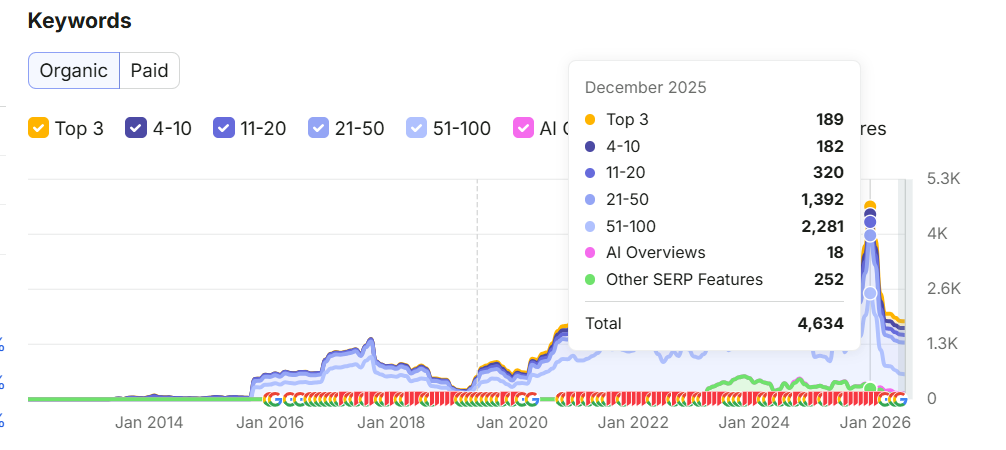
So yes, you can do SEO on Shopify. You just have to know the platform’s doing about 30% of the job and the other 70% is waiting for you.
Why Shopify SEO Is Worth It For Australian Stores
Every sale from SEO is a sale you didn’t pay a per-click fee for — and once you rank, the traffic keeps coming whether or not you’re spending. That’s the exact opposite of ads.
Think about what you’re doing with Meta or Google Ads. You pay for every single click. The moment you switch the budget off, the traffic dies with it. You’re renting attention.
Organic search is different. You do the work once, you rank, and the clicks keep landing — for free — month after month. You’re not renting. You own the spot.
And the intent is better. Someone searching “merino base layer mens” on Google is closer to buying than someone half-watching a video ad between reels.
They’ve already decided what they want. They’re just looking for who sells it. The top organic result on Google gets around 27.6% of all clicks — so ranking first for a term your buyers search is like having the busiest shopfront on the street, permanently.

Best part: it compounds. Content and links stack over time. A page you optimise today keeps earning years from now, and each new page makes the whole store a bit stronger.
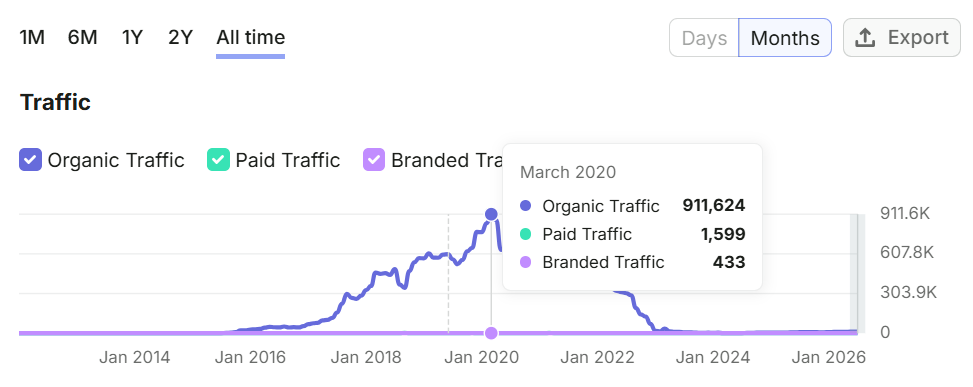
I’ve watched that compounding play out at a scale most store owners never see. One content site I worked on peaked at over 911,000 organic visits a month, ranking for 433,000 keywords — all organic, no ad spend.
That’s an extreme example, but the mechanism is identical for a Shopify store: do the work, let it stack, and the traffic becomes an asset instead of a bill. It’s the same reason SEO works for a small business as well as a giant one — the maths just scales down.
What Shopify Does Automatically vs What’s on You
Shopify handles a chunk of technical SEO for free — the plumbing. But everything that moves rankings is manual.
This is the single most useful thing to get straight before you start, because it tells you exactly where to spend your time. Stop worrying about the stuff Shopify already does. Pour your energy into the stuff it doesn’t.
Here’s the split:
| Shopify does this automatically | This is on you |
|---|---|
Generates your sitemap.xml | Keyword research |
| Adds canonical tags | Title tags + meta descriptions |
| Forces SSL (https) | Product + collection page copy |
Creates a basic robots.txt | Image alt text + file sizes |
| Mobile-responsive themes | Internal linking |
| Some basic structured data | Blog content + topic clusters |
| Backlinks / off-page authority | |
| Site speed management | |
| Working around Shopify’s own quirks |
Look at that right-hand column. That’s the actual work of SEO. Shopify gives you a clean, crawlable store — and then hands you the keys and walks off.
Everything that gets you ranked lives on your side of the line. If the technical column looks intimidating, don’t worry — most of it is simpler than it sounds, and I cover the technical side of SEO in its own guide.
How to Do SEO on Your Shopify Store
Good Shopify SEO isn’t 50 random tweaks. It’s a handful of steps done in the right order: find what people search, match it to your products and collections, back it with content and links, then tidy the technical layer.
This is the core of the whole guide. Work through these seven steps in order and you’ll have done more real SEO than 90% of Shopify stores out there.
Step 1: Do your keyword research
Keyword research is figuring out the exact words your buyers type into Google — then building your store around them.
It’s the foundation. Optimise for terms nobody searches and everything downstream is wasted.
How to do it:
- Brain-dump your terms. Write down every word a buyer might use for what you sell — product names, categories, materials, the problem your product solves.
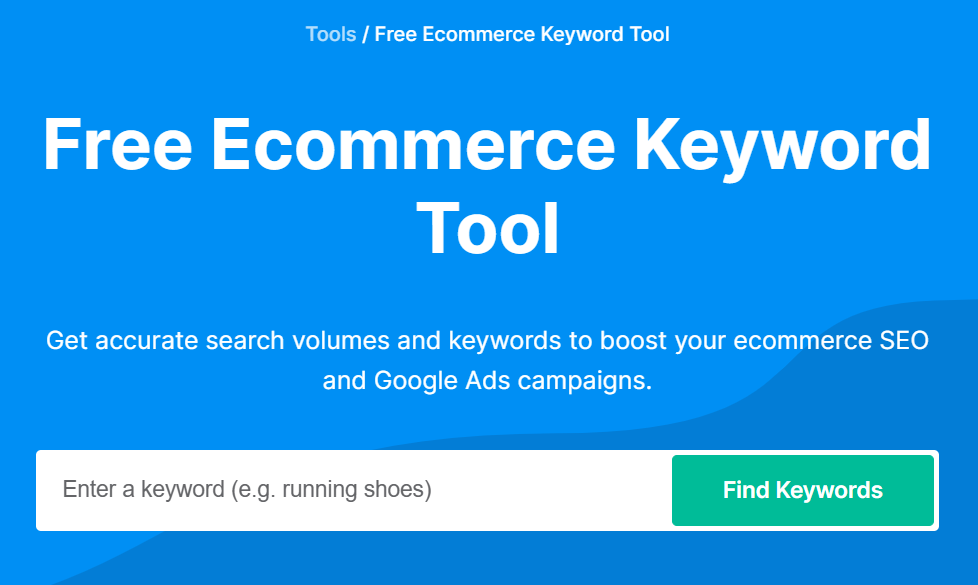
- Expand the list with a tool. Feed those seed terms into a keyword tool to find variations, related terms and rough search volume.
- Sort by intent. Split the list into two piles — broad “category” terms (for collection pages) and specific “buyer” terms (for product pages). That split drives the next two steps.
- Prioritise. Start with the terms that have real search volume and match what you sell.
Tools that make it easy:
- Google Keyword Planner — free (you need a Google Ads account). Shows real search volume and related terms. Set the location to Australia so you see Aussie numbers, not global ones.
- Google itself — type a seed term and read the autocomplete, the “People also ask” box, and the “Related searches” at the bottom. That’s real demand, for free.
- The ChatGPT deep research function — one of my favourites, especially if you’re not confident with keyword research. Prompt it: “Research the keywords Australian shoppers search when buying [your product category], grouped by buying intent.” It hands back a structured list you can work straight from. It’s the simplest way to get started when you don’t know where to begin.
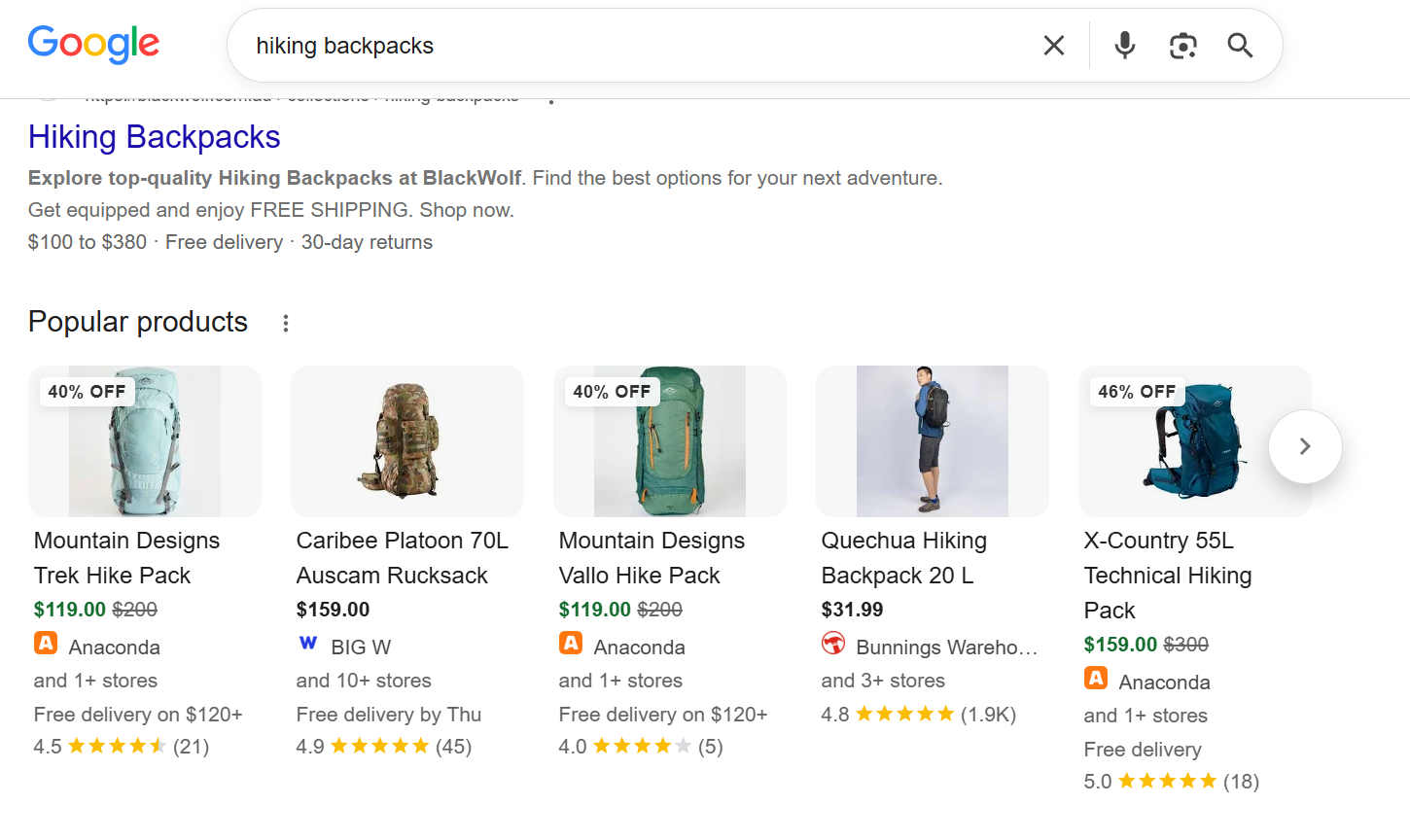
What it looks like in practice. Say you run an Australian Shopify store selling camping and hiking gear. Your research might surface two clear piles:
- Broad category terms → collection pages: “hiking backpacks,” “camping tents,” “womens hiking boots”
- Specific buyer terms → product pages: “70L waterproof hiking backpack,” “2 person lightweight tent,” “womens waterproof hiking boots size 8”
“Hiking backpacks” is a whole collection’s job. “70L waterproof hiking backpack” is one product’s job. Matching every term to the right page is exactly what the next two steps do.
Step 2: Optimise your product pages
Your product page is where the sale happens — and where a specific buyer term earns its ranking. Each page needs five things sorted.
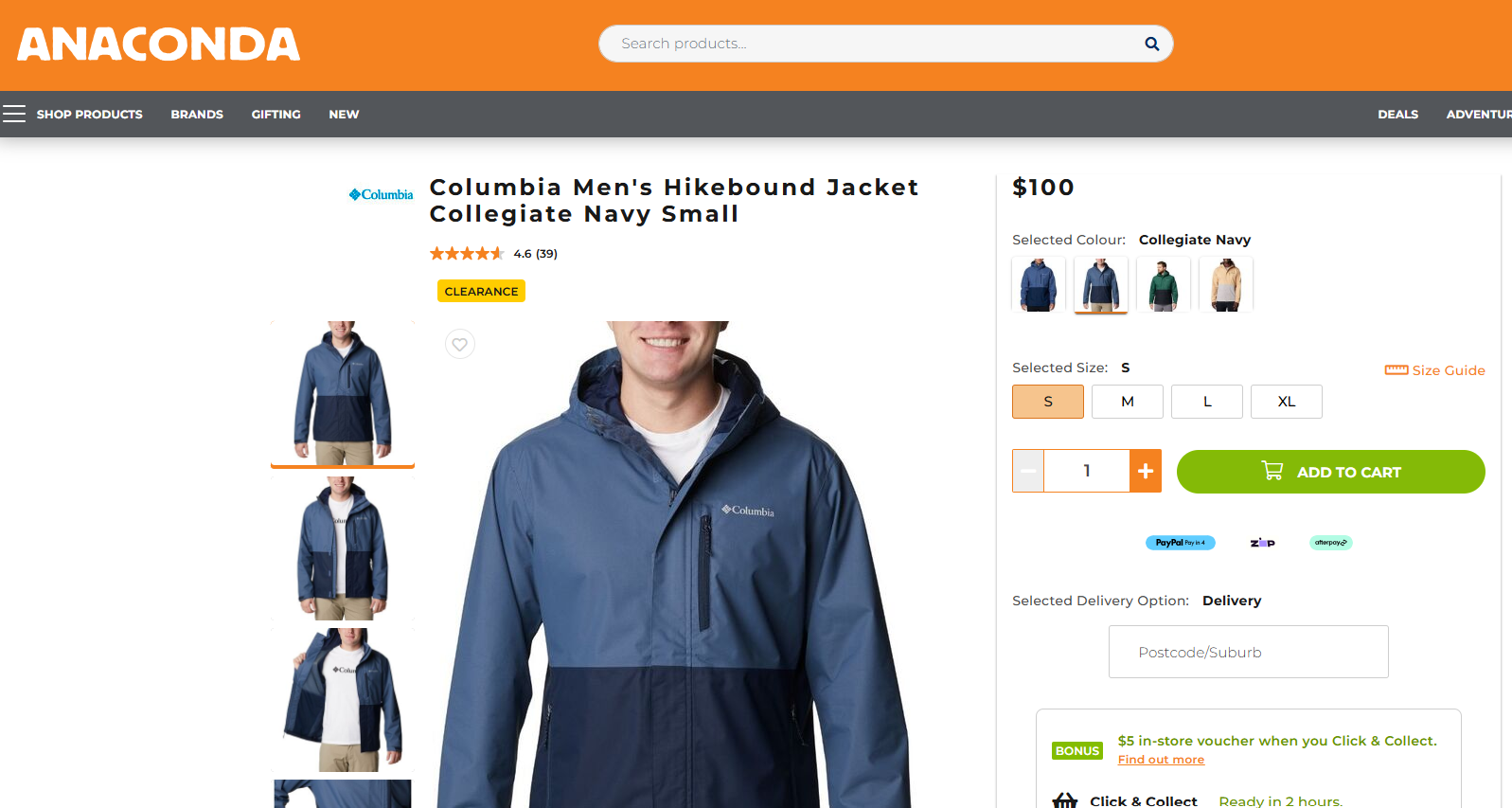
Take one product from that camping store — a men’s waterproof hiking jacket. Here’s the page done right:
- Title tag — keyword near the front.
Men's Waterproof Hiking Jacket – Lightweight | [Brand]beats[Brand] – Quality Outdoor Gear. Google reads left to right, so lead with the term. - Meta description — a short sell under ~155 characters: “Stay dry on the trail with our lightweight men’s waterproof hiking jacket. Breathable, packable, built for Aussie conditions. Free shipping over $100.” It won’t rank you, but it wins the click.
- H1 — usually the product title: “Men’s Waterproof Hiking Jacket.” One H1 per page.
- Product description — write your own. Never paste the manufacturer’s blurb — hundreds of stores use those exact words and Google ignores duplicates. Describe the fabric, the fit, what it’s for, who it suits. Aim for 150+ real words.
- Image alt text — describe the image plainly: “men’s navy waterproof hiking jacket, front view.” Helps accessibility and image search.
Where you do this in Shopify: open the product, scroll to the “Search engine listing” section and hit Edit — that’s where the page title, meta description and URL handle live.
Tools: Shopify’s built-in Search engine listing editor covers the basics.
For a store with hundreds of products, a bulk meta-editing app saves you doing it one page at a time (more on apps later). This is on-page SEO applied to a product.
Step 3: Optimise your collection pages
Collection pages are your biggest SEO opportunity and the most neglected.
They target the broad, high-volume terms — and most stores leave them bare: just a grid of products with no words on the page for Google to read.
The fix is simple. Add real copy: a few hundred words explaining the range, who it’s for and what to look for, placed above or below the product grid.
What it looks like. Take a Melbourne homewares store with a “Linen Bedding” collection targeting “linen sheets.” Instead of dropping the shopper straight into product tiles, the page opens with a short intro:
“Our linen sheets are made from stonewashed French flax — breathable in summer, warm in winter, and softer with every wash. Not sure which size or colour to pick? Here’s how to choose the right set for your bed.”
That paragraph does three jobs at once: it uses the target keyword naturally, it helps the shopper decide, and it gives Google something to rank. The product grid sits underneath it.
How to do it in Shopify: edit the collection, add your intro in the description field, then set the collection’s page title and meta description in the same “Search engine listing” section you used for products.
Tools: Shopify’s collection description editor handles it. Use your Step 1 research to pick the one clear keyword each collection targets — don’t stuff five in. That collection-page work is the kind of SEO I do for Melbourne businesses.
Step 4: Connect Google Search Console and submit your sitemap
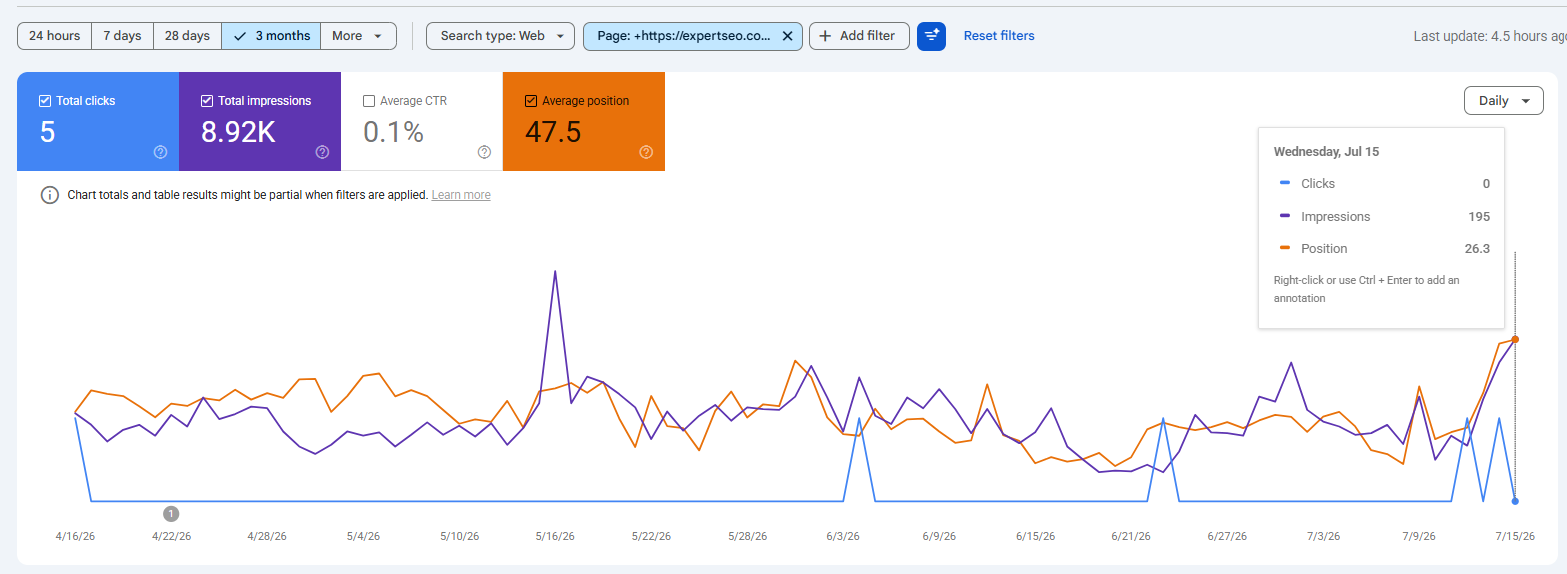
Google Search Console (GSC) is free, and it’s how you see what Google thinks of your store — which pages are indexed, what you rank for, and what’s broken. If you do one technical thing, do this.
How to set it up:
- Go to Google Search Console and add your store as a property.
- Verify you own it — Shopify supports verification via a meta tag or through your domain provider.
- Submit your sitemap by entering
yourstore.com/sitemap.xml. Shopify built the sitemap for you — you’re just pointing Google at it. - Open the Pages (Coverage) report to confirm your products and collections are indexed, and to spot any Google has excluded.
What to look for: if you’ve got 80 products but only 40 are indexed, something’s wrong — thin content, an accidental “no-index” setting, or duplicate pages. GSC is where you catch it before it costs you.
Tools: Google Search Console (free) plus Google Analytics (free) for the traffic side. That’s all you need to start measuring. Full walkthrough: setting up Google Search Console.
Step 5: Build content and internal links
This is the step that separates stores that rank from stores that don’t — and the one owners skip because it’s the most work.
Your product and collection pages can only target buying terms. But buyers search for a lot more on the way to a purchase: how-tos, comparisons, buying advice. A blog lets you catch all of it, then funnel those readers to your products.
How to do it:
- Find the questions. Use Google autocomplete, the “People also ask” box, and a tool like AnswerThePublic to surface what your buyers ask before they buy.
- Write useful posts answering them — proper guides, not thin 300-word filler.
- Link internally. Every post links to the relevant collection and two or three hero products. Collections link to hero products. This is internal linking, and it does two jobs: it guides shoppers deeper into your store, and it passes ranking strength to your money pages.
The top-voted answer on the r/shopify SEO threads is basically this: start a blog covering what your audience searches, and link to your products naturally. The community’s right — it’s the highest-leverage move most stores ignore.
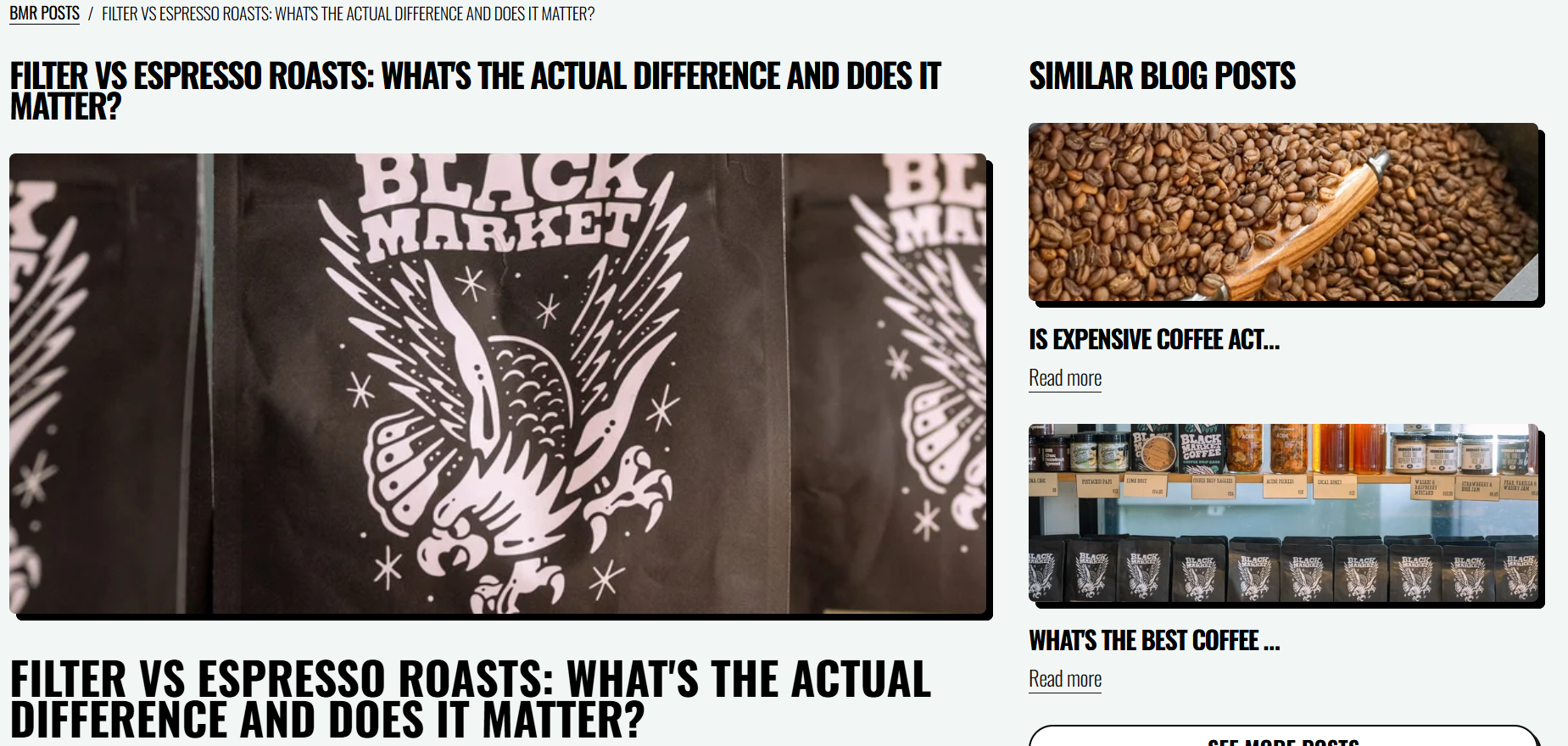
What it looks like. A Sydney store selling specialty coffee gear writes a guide: “Espresso vs Filter at Home: Which Is Right for You?”
That post links to their grinder collection, their espresso machines, and two hero products — turning a helpful read into a path to purchase.
Do that fifty times and you’ve built a content engine feeding every money page you’ve got. That’s the kind of SEO I do for Sydney stores.
Tools: Google autocomplete and “People also ask” (free), AnswerThePublic for question research, and your Step 4 GSC data to see which posts are gaining traction.

Step 6: Add structured data
Structured data (schema) is code that tells Google exactly what your page is — a product, its price, its availability, its review score. Get it right and Google can show rich results: star ratings, prices and stock status right in the search listing, which lifts your click rate.
How to do it:
- Check what you’ve got. Most good Shopify themes include basic Product schema already.
- Test a product URL in Google’s Rich Results Test. It tells you if Product schema is detected and flags any errors.
- Fill the gaps. If it’s missing or thin, add a dedicated schema app.
Tools: Google’s Rich Results Test (free) to check; a JSON-LD/schema app if your theme falls short.
Step 7: Improve your store speed
Speed is a ranking factor and a conversion factor. A slow store loses rankings and sales. On Shopify, three things usually cause the drag.
How to fix it:
- Test first. Run your homepage and a product page through Google PageSpeed Insights. It scores you and lists the biggest problems in order.
- Fix the top flags:
- Heavy theme — pick a lightweight, well-coded theme (Shopify’s own Dawn is a fast baseline).
- Huge images — compress them and use WebP, which is around 25–30% smaller than JPEG or PNG at the same quality. A 4MB hero image straight off a camera is the usual culprit.
- App bloat — every app injects code. Delete the ones you don’t use (covered next).
- Re-test and confirm the score moved.
Tools: Google PageSpeed Insights (free) to diagnose, and an image-compression app (like TinyIMG) to automate the WebP conversion across your whole catalogue.
Shopify’s SEO Limitations — and How to Work Around Each
Shopify isn’t a blank canvas. It forces a URL structure, duplicates your collection paths, and boxes in your blog — and the guides written by Shopify will never tell you. Here’s each limitation and the real fix.
This is the section no one ranking for “Shopify SEO” will write, because they’re either Shopify or a company selling you Shopify tools. I’m neither. So here’s the honest list.
1. Forced URL structure. Shopify locks you into /products/, /collections/, /pages/, and /blogs/. You can’t build clean flat URLs like yourstore.com/leather-bags. T
he workaround: accept it — it’s rarely a real ranking problem — but keep the final handle (the last part of the URL) short, keyword-focused, and clean. Don’t waste energy fighting the folder you can’t change; control the part you can.
2. Duplicate collection/product paths. This is the big one. Shopify can show the same product at two URLs — /products/leather-bag and /collections/bags/products/leather-bag.
Left alone, that’s duplicate content. The workaround: Shopify’s canonical tags usually point both back to the clean /products/ version automatically, which is why the automatic canonical matters — but verify it.
Check that your product links and canonicals resolve to the /products/ URL, not the nested collection path.
3. Faceted navigation and pagination bloat. Filters (by size, colour, price) and paginated collection pages can generate a swarm of thin, near-duplicate URLs for Google to crawl.
The workaround: make sure filtered URLs aren’t getting indexed, and keep your main collection pages the canonical version buyers and Google land on.
4. The boxed-in blog. Shopify’s blog is limited. It lives under /blogs/, the taxonomy is thin (just “blogs” and tags), and you don’t get the structural control a WordPress blog gives you. The workaround: work within it. Use a single well-named blog, tag intelligently, and lean on internal linking to build topic structure that the platform won’t build for you.
5. App bloat as an SEO tax. Every app you install adds code that can slow your store. The workaround: ruthless discipline — covered in the next section.
None of these are dealbreakers. But you have to know they exist to work around them, and the deeper ones (canonicals, crawl control, indexation) are where a lot of owners decide to bring in an SEO specialist rather than risk getting it wrong.
That’s a fair call — it’s the part where a mistake quietly costs you rankings for months.
The Best SEO Apps for Shopify — an Honest Verdict
You don’t need ten SEO apps. You need one or two that do a real job, and the discipline to skip the rest — because every app you install is more code slowing your store down.
The Shopify App Store is full of “SEO” apps promising to rank you. Most of them do very little, and a few actively hurt you by injecting slow scripts. Let me save you some money.
First, what apps can’t do: no app writes good product copy, earns you a backlink, or does your keyword research. The stuff that ranks you is still manual. Apps only help with mechanical, repetitive jobs.
Here’s the honest split:
Worth considering:
- Image compression — automatically compresses and converts images to WebP. A genuine speed win.
- Schema / structured data — if your theme’s schema is weak, a dedicated app fills the gaps for rich results.
- Redirect management — makes 301 redirects easy when you delete or change products (see the mistakes section — this one matters).
- Bulk meta editing — if you’ve got hundreds of products, an app that edits titles and metas in bulk saves real time.
Usually skip:
- All-in-one “SEO optimiser” apps that promise to rank you automatically. They mostly bundle features you can do yourself for free, plus a dashboard.
- Anything with overlapping features you already have in your theme.
- Any app you installed once and forgot — dead apps still load code. Audit and delete.
Rule of thumb: if an app isn’t doing a specific, measurable job, it’s just weight. Uninstall it.
Common Shopify SEO Mistakes to Avoid
Most Shopify SEO damage isn’t from doing too little. It’s from a few specific mistakes owners make without realising.
I see the same handful over and over:
- Deleting products with no redirect. You discontinue a product, delete the page, and now every link and ranking it had points at a 404. Fix: 301 redirect the old URL to the closest relevant product or collection. Shopify has a built-in URL redirect tool — use it every single time you delete a product.
- Duplicate or manufacturer product descriptions. Copy-pasting the supplier’s blurb means you’re one of hundreds of identical pages. Fix: write your own, even if it’s short.
- Letting out-of-stock products rot. Dead product pages that sit there out of stock frustrate shoppers and waste crawl budget. Fix: restock, redirect, or clearly show related in-stock options.
- App bloat. Covered above — it’s a mistake as much as a habit.
- Ignoring image sizes. Uploading 4MB hero images straight off a camera tanks your speed. Fix: compress before upload.
- Chasing meta tags while ignoring content and links. The classic. Owners spend weeks perfecting title tags and never write a single blog post or earn a single link. The meta tags are the trim. Content and links are the engine.
Get these six right and you’re already ahead of most stores in your niche.
Off-Page SEO: Building Authority for Your Store
On-page and technical get you eligible to rank. Backlinks are what push you past competitors — and stores earn them differently than blogs do.
A backlink is another website linking to yours. Google treats each one as a vote of confidence, and the sites with more quality votes tend to win the competitive terms. This part of SEO will always matter.
For a store, the best link angles are:
- Supplier and stockist links. If you stock other brands, many have a “where to buy” page. Get listed.
- Digital PR and product stories. An interesting product, founder story, or angle can earn coverage from blogs and local media.
- Linkable content. The guides you write in Step 5 are also link bait — other sites link to a great resource, not to a product page.
What to avoid: bought links, cheap link packages, and spammy directories. They don’t work anymore, and they can get you penalised. Slow, real links beat fast, fake ones every time.

Optimising Your Shopify Store for AI Search
Google’s AI Overviews and tools like ChatGPT are increasingly answering “what should I buy” questions. Getting surfaced there is the next version of ranking — and it rewards clear, structured, useful product content.
Search is changing. A shopper might ask ChatGPT “what’s the best merino base layer for skiing under $150” and get a shortlist.
Or they search Google and an AI Overview summarises the options before they scroll. If your store isn’t feeding those answers, a competitor’s is.
The good news: the work overlaps almost entirely with good SEO. AI systems pull from pages that are clear, well-structured, and trustworthy. To show up:
- Structured data matters even more. Schema helps AI understand your products — and it shows up disproportionately in AI-cited pages.
- Answer real questions clearly. FAQ-style content and useful buying guides are exactly what AI reaches for.
- Reviews and specs. Clear specifications and real customer reviews give AI the detail it needs to recommend you.

Thin, salesy product copy loses here just like it loses in normal search. Depth wins. The content site I mentioned earlier is still cited by AI tools years on — because good, structured content keeps earning long after you publish it.
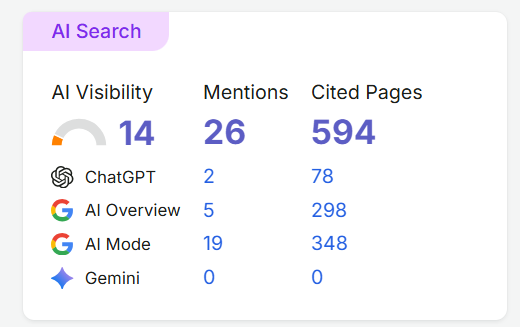
And no, this doesn’t mean SEO is dead. Google search volume grew through the rise of AI. The fundamentals — useful content, clean structure, real authority — are exactly what both Google and the AI tools reward. Do the work in this guide and you’re optimised for both at once.

How Much Does Shopify SEO Cost — and Is It Worth It?
You can do a lot of Shopify SEO yourself for the cost of your time. Hiring ranges from a few hundred to a few thousand a month — and whether it’s worth it comes down to your margins and how long you can wait for it to compound.
Three broad options:
- DIY. Free, except your time and maybe one or two apps. Everything in this guide, you can do yourself. It’s the slowest path, but for a new store with more time than money, it’s the right call.
- Freelancer or consultant. A few hundred to a couple of thousand a month, depending on scope. Good for filling specific gaps — technical fixes, content, links.
- Agency or specialist. More, but you’re buying strategy and execution done properly, faster.
Whatever you choose, be realistic about timeline. SEO is months, not weeks. You’ll usually see early movement around three months and solid results past six. Anyone promising page one in a fortnight is lying. For a full breakdown, here’s what SEO costs.
Is it worth it? For most stores, yes — because unlike ads, it keeps paying after you stop spending. The question isn’t really “can I afford SEO.” It’s “can I afford to keep renting all my traffic from Meta forever.”
Final Thoughts
Shopify hands you a strong SEO foundation for free. And that’s exactly the trap.
Most store owners mistake the foundation for the finish line. They see “built for SEO,” assume the platform’s got it handled, and never do the work that ranks a store. The foundation isn’t the finish line — it’s the starting line.
The stores that win treat Shopify’s automatic SEO as the floor, then build on top of it: real keyword research, product and collection pages written for humans and Google, content that catches buyers early, links that build authority, and the discipline to work around the platform’s limits.
None of it is complicated. It’s just work most people won’t do.
Do it, and you stop renting your traffic. That’s the whole game.