You’ve clicked a thousand of them without thinking about it.
That little row of links near the top of a page — Home > Blog > This Article — is a breadcrumb trail. It’s quietly telling you where you are on the site, and giving you a one-tap way back up.
Someone’s probably told you breadcrumbs are “good for SEO.” Maybe you’ve spotted the setting sitting in Yoast or Rank Math and flicked it on, no idea what it actually does.
Here’s the problem: a lot of the advice online is either surface-level or quietly out of date.
Plenty of guides still tell you breadcrumbs earn you a fancy path in Google’s results — and on mobile, that stopped being true in early 2025.
So let’s do this properly. What breadcrumbs are, the three types, whether your site actually needs them, and exactly how to add them — with a current, honest picture of how Google treats them.
What Are Breadcrumbs?
Breadcrumbs are a row of clickable links, usually near the top of a page, that show the path from your homepage to the page you’re on.
Say a Wellington law firm has a page about family law. The breadcrumb might read:
Home > Practice Areas > Family Law
Each step is a link back to that level, except the last one — the page you’re currently on, which stays as plain text. Click “Practice Areas” and you jump straight to the full list. Click “Home” and you’re back at the start.
That’s the whole idea. A trail that shows where a page sits in the structure of a site, and lets people climb back up it.

The name comes from Hansel and Gretel — the kids who dropped bread on the forest floor to find their way home. Same job here: a trail you can follow back.
The Three Types of Breadcrumbs
There are three types of breadcrumbs — hierarchy, attribute, and history — but for most New Zealand sites, only one of them is the right call.
Hierarchy-based breadcrumbs
These follow your actual site structure, and they’re the default for SEO.
They show where a page sits in your permanent hierarchy, regardless of how the visitor got there. A Hamilton building company might run:
Home > Services > New Builds
Every new-builds page links up to Services, and Services links up to Home. Predictable, consistent, and the same for every visitor. This is the one you want in nine cases out of ten.
Attribute-based breadcrumbs
These show up on ecommerce sites when someone filters a category. They describe the characteristics of what you’re looking at, not a fixed spot in the structure.
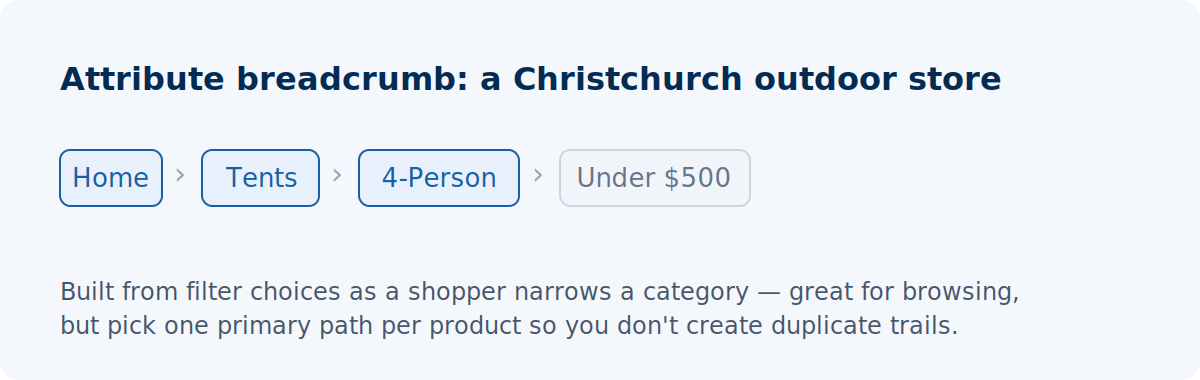
Picture a Christchurch outdoor store. A shopper filters tents down to four-person, under $500:
Home > Tents > 4-Person > Under $500
Useful for the shopper mid-browse. The catch is that the same tent can be reached through a dozen filter combinations, so if you’re not careful you end up with a pile of near-identical paths pointing at one product — which can create duplicate-content headaches. Handle with a bit of care, and pick one primary path per product.
History-based breadcrumbs
These follow the visitor’s own clicks — the pages they hit on the way to where they are now.
Skip them. They replicate the browser back button, they’re different for every visitor so they confuse more than they help, and because they’re random, you can’t mark them up with structured data (more on that shortly). No SEO value, so leave them alone.
Why Are Breadcrumbs Important for SEO?
Breadcrumbs aren’t a direct ranking factor. Their real value is structural — they’re internal links that map your site’s hierarchy for search engines — and that quietly strengthens three things Google does care about.
Let’s walk through them.
They add internal links automatically
Every breadcrumb level is a contextual internal link. Turn them on and, all at once, every page starts linking up to its parent categories without you writing a single one by hand.
Think about an Auckland ecommerce store with 3,000 products.
Switch breadcrumbs on and every product page instantly links to its subcategory, its category, and the homepage.
That’s thousands of tidy internal links flowing authority up from deep product pages toward the category pages you actually want to rank — built and maintained for you as the catalogue grows.
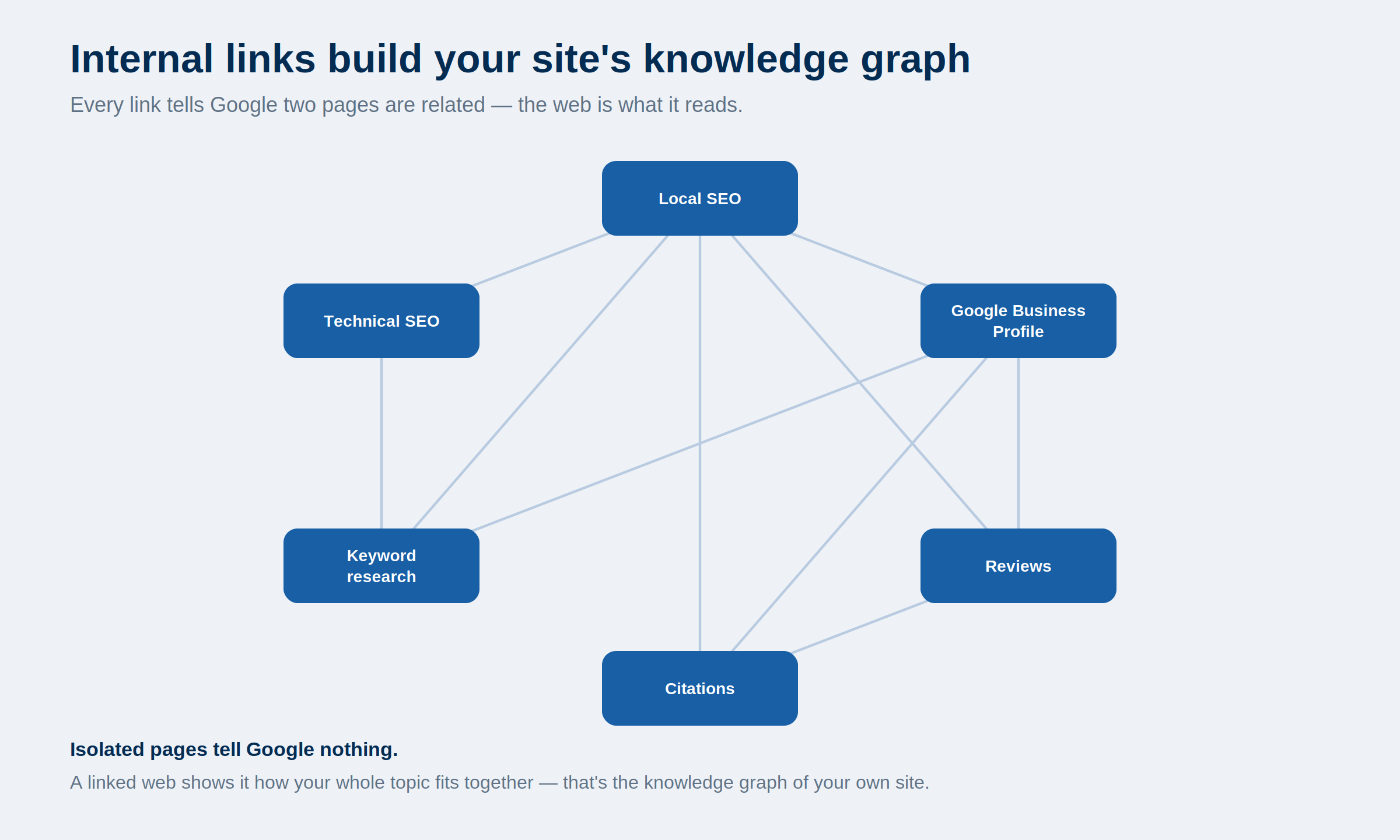
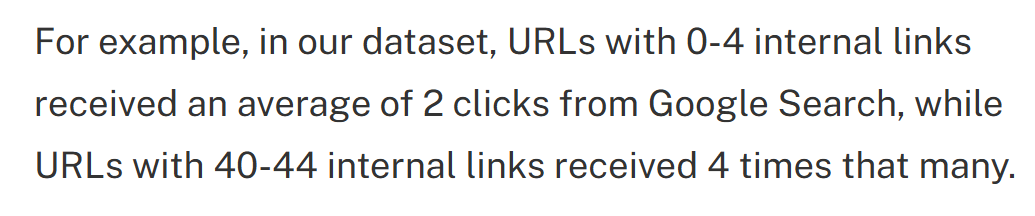
And internal links pull real weight (which is why they’re one of the key parts of our SEO packages). One Zyppy study of 23 million of them found pages with 40-plus internal links pulling in four times the search clicks of pages with barely any.
Breadcrumbs won’t get a page to forty on their own — but they’re a steady, automatic contribution to that count, on every page, for as long as the site exists.
They help search engines crawl your site
Those same links give search bots more paths into your deeper pages.
On a big site, some pages sit a long way from the homepage and don’t get much of a look-in during a crawl. Breadcrumb links shorten that distance and surface pages that might otherwise get missed.
They make your structure legible
Breadcrumbs spell out how your content is organised.
A trail like Home > SEO > Technical SEO > Core Web Vitals tells Google, in plain terms, that this page is a sub-topic of technical SEO, which is a sub-topic of SEO. That reinforces topical hierarchy — the kind of clear structure that supports topical authority.

Now the honest bit most guides skip: hardly anyone actually clicks breadcrumbs. One SEO team reported fewer than half a percent of visitors ever touched theirs.
So in 2026, breadcrumbs are mostly working for the crawlers, not for clicks — and that’s completely fine. That’s the point of them.
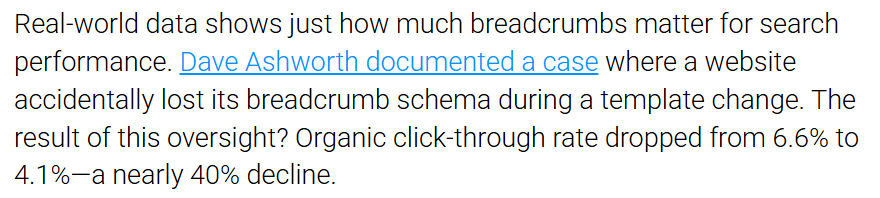
Which doesn’t mean they’re invisible to your bottom line. There’s a well-documented case where a site lost its breadcrumb schema during a template change and its organic click-through rate slid from 6.6% to 4.1% — nearly a 40% drop.
Once the breadcrumbs went back on, CTR climbed to 7%, better than where it started.
And there’s a user side too. When someone lands deep in your site from a search result — straight onto a product or a buried blog post — a breadcrumb gives them an instant sense of where they are and a one-click way to explore up a level instead of bouncing.
Do Breadcrumbs Still Show Up in Google Search?
On 23 January 2025, Google stopped showing breadcrumb trails in mobile search results. They still appear on desktop — but if you were adding breadcrumbs mainly for the search snippet, that reason largely disappeared on mobile.
For years, the pitch for breadcrumbs was partly cosmetic: mark them up and Google would show a clean path — example.co.nz > Services > SEO — under your title instead of a raw URL. Nicer listing, better click-through.
Then Google announced it was pulling breadcrumbs from mobile results, because the trail kept getting cut off on small screens. Mobile listings now show the domain only. Desktop keeps the full path.

This matters because most Kiwi web traffic is mobile. So for a big chunk of your visitors, the breadcrumb-in-search-results benefit is simply gone.
Here’s the part worth sitting with: the breadcrumb markup still works exactly as before, and Google confirmed there’s nothing you need to change.
The Search Console report and the Rich Results Test carry on as normal.
The change just strips away the shallowest reason to use breadcrumbs and leaves the real one standing.
Breadcrumbs were never mainly about looking tidy in search results. They’re about site structure, internal linking, and crawlability — and every bit of that still holds. If a guide is telling you to add breadcrumbs for the mobile rich snippet, it’s working off a 2024 playbook.
Do You Actually Need Breadcrumbs?
Whether breadcrumbs earn their place comes down to how deep and how big your site is. Real depth — categories, subcategories, lots of pages — and they pull their weight. A flat little site, and they do almost nothing.
This is the question the guides tend to dodge, so let’s answer it straight.
Breadcrumbs work by mapping hierarchy. No real hierarchy, nothing to map. That gives you a simple rule of thumb.
Add them if your site has genuine depth:
- Ecommerce stores with categories and subcategories — an Auckland homeware store with hundreds of products across dozens of categories is exactly what breadcrumbs are built for.
- Large content sites and blogs with topic clusters.
- Multi-service businesses with a proper services-and-sub-services structure.
- Directories, listings, documentation — anything with lots of nested pages.
Don’t bother, or make it a low priority, if your site is flat:
- A Tauranga café with a six-page site — Home, Menu, About, Gallery, Contact, Book a Table. There’s no hierarchy to speak of, so a breadcrumb has nothing to show. It’d just be a
Home >on repeat. - Single-level sites where every page hangs straight off the homepage.
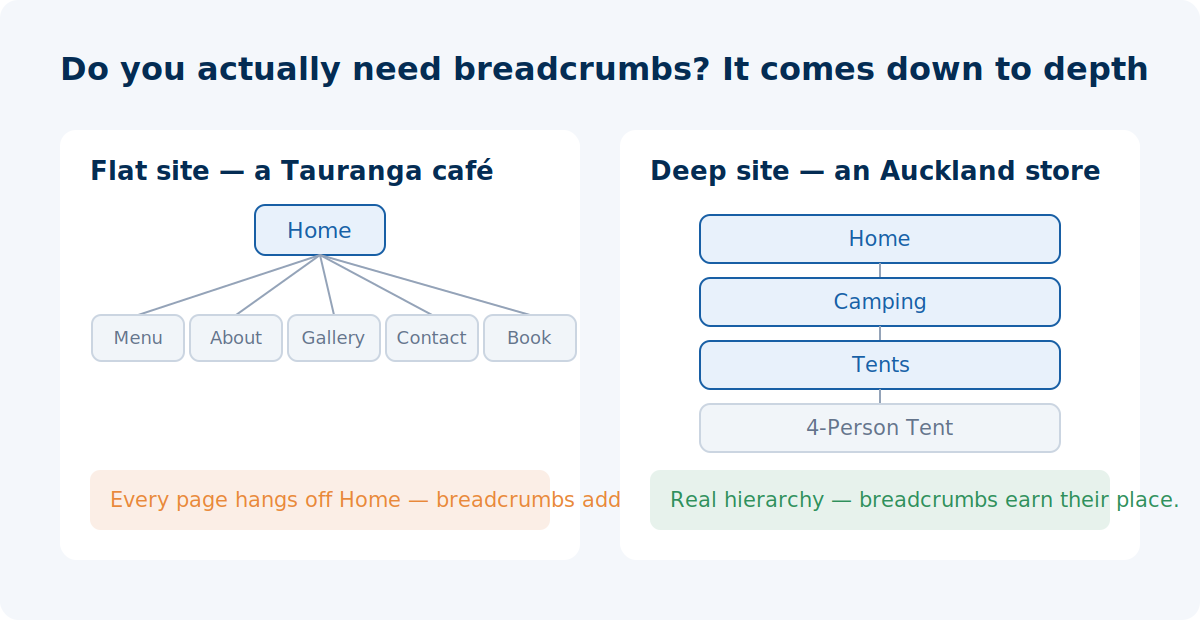
So, are breadcrumbs dead? Not even slightly. But the reason to use them shifted. They won’t rocket a small site up the rankings — they’re structural hygiene, most valuable exactly where structure gets complicated.
If your site is deep, they’re close to essential. If it’s flat, your effort is better spent elsewhere.
How to Add Breadcrumbs to Your Website
On most platforms you can switch breadcrumbs on without touching a line of code. The one thing to get right is making sure the structured data comes with them — that’s what search engines actually read.
How you do it depends on your platform.
WordPress with Yoast SEO
Yoast handles breadcrumbs for free.
Go to Yoast SEO > Settings, find the Breadcrumbs section, and toggle it on. Depending on your theme, you may need to drop a small code snippet into the template where you want the trail to appear — or, if you’re on a block theme, use the Yoast Breadcrumbs block: hit the + in the editor, search “breadcrumbs,” and place it where you want it.
The bonus is that Yoast adds the structured data — the BreadcrumbList markup — automatically. Enable the breadcrumbs and the schema rides along with them.
WordPress with Rank Math
Same story, different menu.
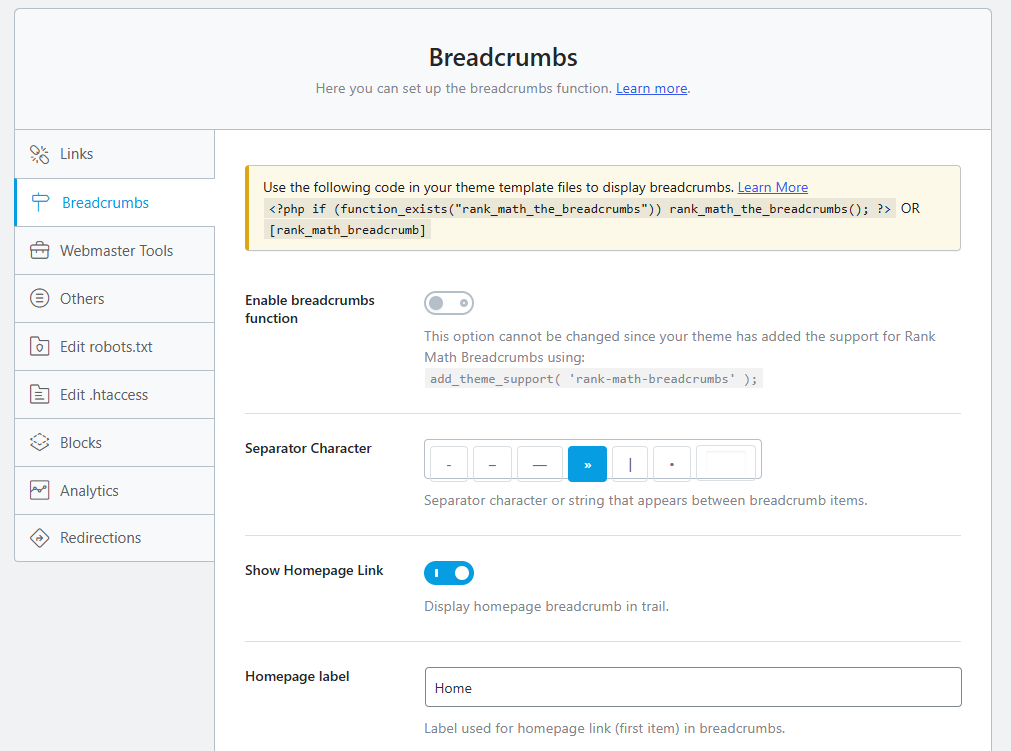
In Rank Math > General Settings > Breadcrumbs, flip it on. You can then either enable the theme option to show the trail automatically or paste Rank Math’s shortcode into your template. Rank Math generates the schema for you as well.
Shopify
Many Shopify themes include breadcrumb support out of the box — check your theme settings first. If yours doesn’t, you can add a breadcrumb snippet to your theme’s Liquid files, or use a schema app to handle the structured data.
On a big store, this is worth getting a developer to set up cleanly across all product and collection templates.
Squarespace and Wix
These are more limited. Neither gives you full native breadcrumb control the way WordPress does, so you’re often working within what the platform allows or leaning on a workaround.
On smaller sites — which is where a lot of Squarespace and Wix builds sit — this is usually a low priority anyway (see the section above).
Custom sites and other platforms
If you’re on a custom build or a CMS without a breadcrumb feature, you add the trail in your templates and include the BreadcrumbList structured data yourself in JSON-LD.
Google’s own documentation walks through the exact format — the short version is that you need a BreadcrumbList containing at least two list items, each with a name, a position, and a URL.
Check they’re actually working
Turning breadcrumbs on is one thing; confirming Google can read them is another.
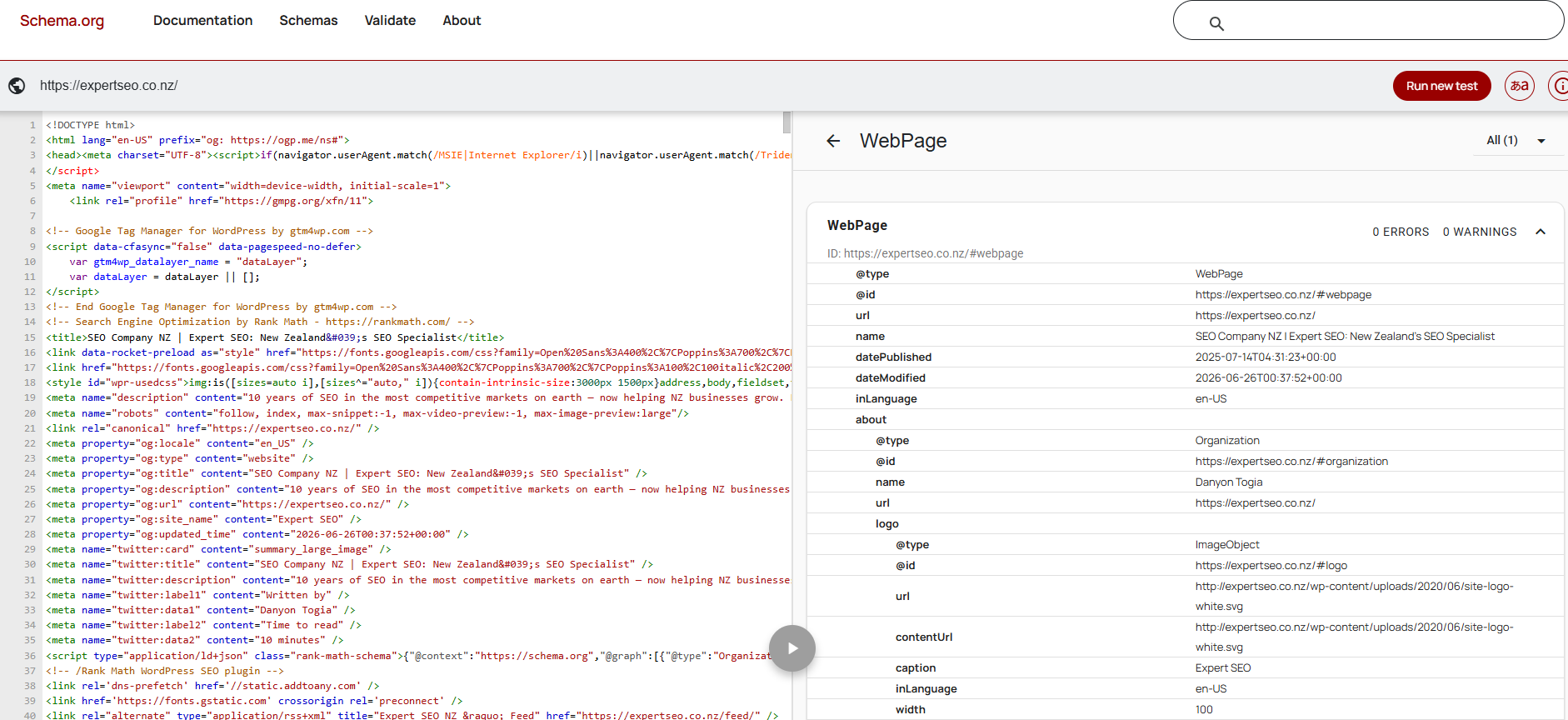
Two quick checks. First, run a page through Google’s Rich Results Test — paste the URL and it tells you whether your BreadcrumbList is detected and flags any errors.
The Schema.org Validator does the same job and shows your structured data parsing cleanly with zero errors.
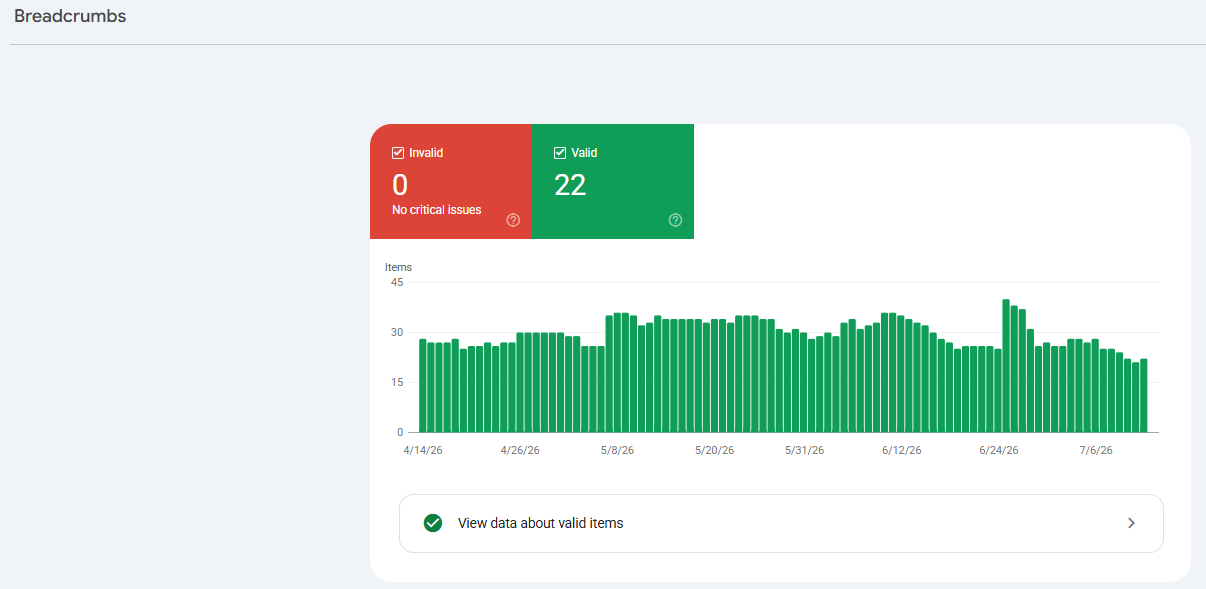
Second, once pages have been crawled, open Google Search Console > Enhancements > Breadcrumbs to see valid items, warnings, and errors across the whole site.
Breadcrumb Best Practices
Good breadcrumbs are consistent, clickable, and match your real site structure. Get those right and the rest is detail.
A handful of rules keep them clean and SEO-safe:
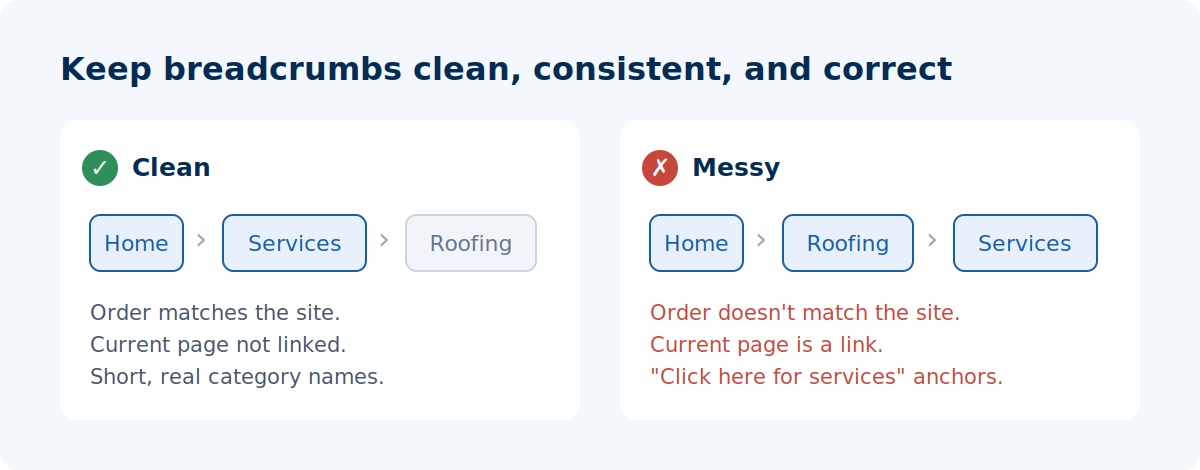
- Make every level clickable except the current page. The page you’re on stays as plain text — linking it to itself just confuses people.
- Keep anchor text short and natural. Mirror your real category names. A breadcrumb reading “Family Law” is doing quiet keyword work; one reading “Click here for our legal services page” is not.
- Match your actual hierarchy. If the trail says
Home > Services > Roofingbut the page lives somewhere else entirely, you’re sending mixed signals to both people and crawlers. The breadcrumb should reflect where the page really sits. - Place them top-left, above the fold. Just below the main navigation is where people expect to find them. Buried at the bottom, they may as well not exist.
- Use hierarchy-based for SEO. Attribute-based is fine on ecommerce with a bit of care around duplicate paths; history-based, leave out entirely.
- Keep them tidy on mobile. Even though they no longer show in mobile search results, on-page breadcrumbs still help people navigate on a small screen. If the trail’s long, consider a condensed version rather than letting it wrap into a mess.
Final Thoughts
Breadcrumbs are one of the easiest jobs in SEO to hand off completely.
There’s no strategy to agonise over. Flick the setting, check the schema validates, move on. The plugins do ninety-nine percent of the actual work now, and honestly, that’s exactly how it should be for something this mechanical.
So outsource it to the tools, and put your real thinking time where it still matters: your content marketing and your link building strategy.
That’s where rankings are actually won or lost — and no plugin’s doing that thinking for you.
Breadcrumbs SEO: FAQ
Are breadcrumbs good for SEO?
Yes, indirectly. Breadcrumbs aren't a direct ranking factor, but they add internal links, map your site's structure for search engines, and help both Google and visitors understand where a page sits. They're most valuable on deep sites.
What are the three types of breadcrumbs?
Hierarchy-based (follow your site structure — the SEO default), attribute-based (filters on ecommerce sites), and history-based (the visitor's own click path, which you should skip). For SEO, use hierarchy-based.
Do breadcrumbs still show in Google search results?
On desktop, yes. On mobile, no — Google stopped showing breadcrumb trails in mobile results on 23 January 2025. The markup still works exactly as before and needs no changes.
Do I need breadcrumbs on a small website?
Usually not. Breadcrumbs work by mapping hierarchy, so a flat six-page site gains almost nothing. They earn their place on deep sites — ecommerce stores, large blogs, and multi-service businesses.
How do I add breadcrumbs in WordPress?
Turn them on in Yoast (Yoast SEO → Settings → Breadcrumbs) or Rank Math (General Settings → Breadcrumbs). Both add the BreadcrumbList schema automatically when you enable them.
What is breadcrumb schema?
BreadcrumbList structured data is the code that tells search engines your breadcrumb trail exists and what each level is. Yoast and Rank Math generate it for you; on a custom site you add it yourself in JSON-LD.