You can write the best-researched page on the internet and still never rank.
I’ve watched it happen plenty of times.
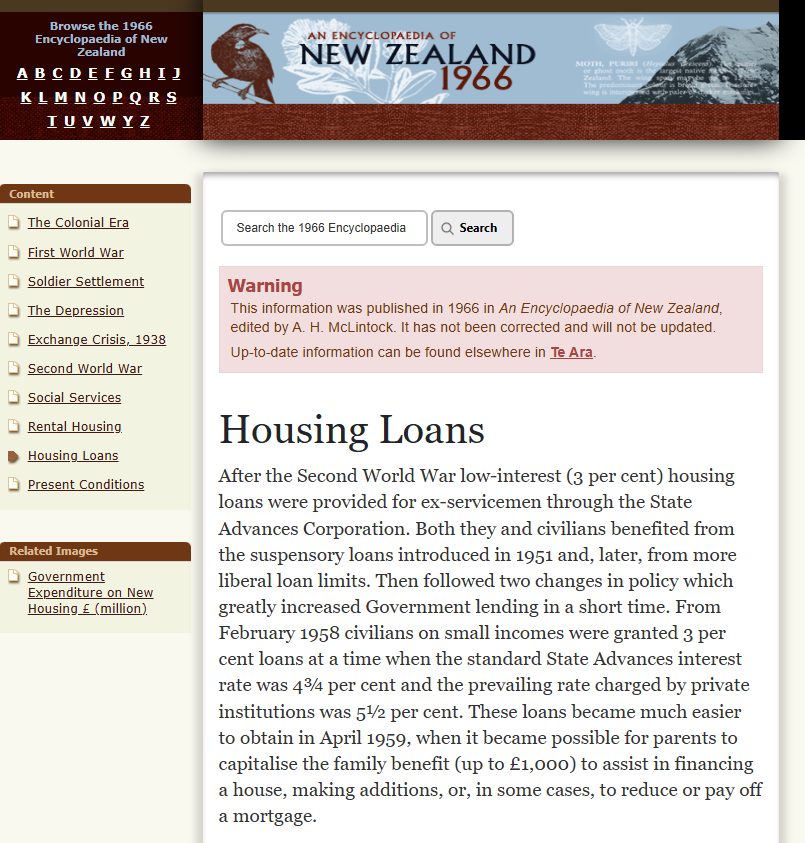
A mortgage broker publishes a lovely 2,000-word piece on the history of home loans in New Zealand, waits three months, and gets nothing. No rankings, no enquiries, no phone calls.
The content wasn’t the problem. The aim was.
That page was built for someone who wanted to learn, when the people searching that keyword wanted to hire. Wrong intent, wrong page, dead on arrival.
This guide is about the thing that decides whether your content ever gets a look: search intent.
What it is, why it quietly makes or breaks every page you publish, and exactly how to read it — with real NZ examples, and the same process I run before I write a single word of content.
What Is Search Intent?
Search intent is the reason behind a search — what a person actually wants when they type a query into Google. It’s also called user intent or keyword intent.
The keyword is just the clue. The intent is the job the searcher is trying to get done.
Let’s make it concrete. Say someone in Lower Hutt types “how does a hot water cylinder work.” They want to understand something — they’re at their kitchen table, curious, maybe troubleshooting.
Now take “emergency plumber Lower Hutt.” Same broad topic, completely different human: this one’s standing in a puddle, wallet already out.
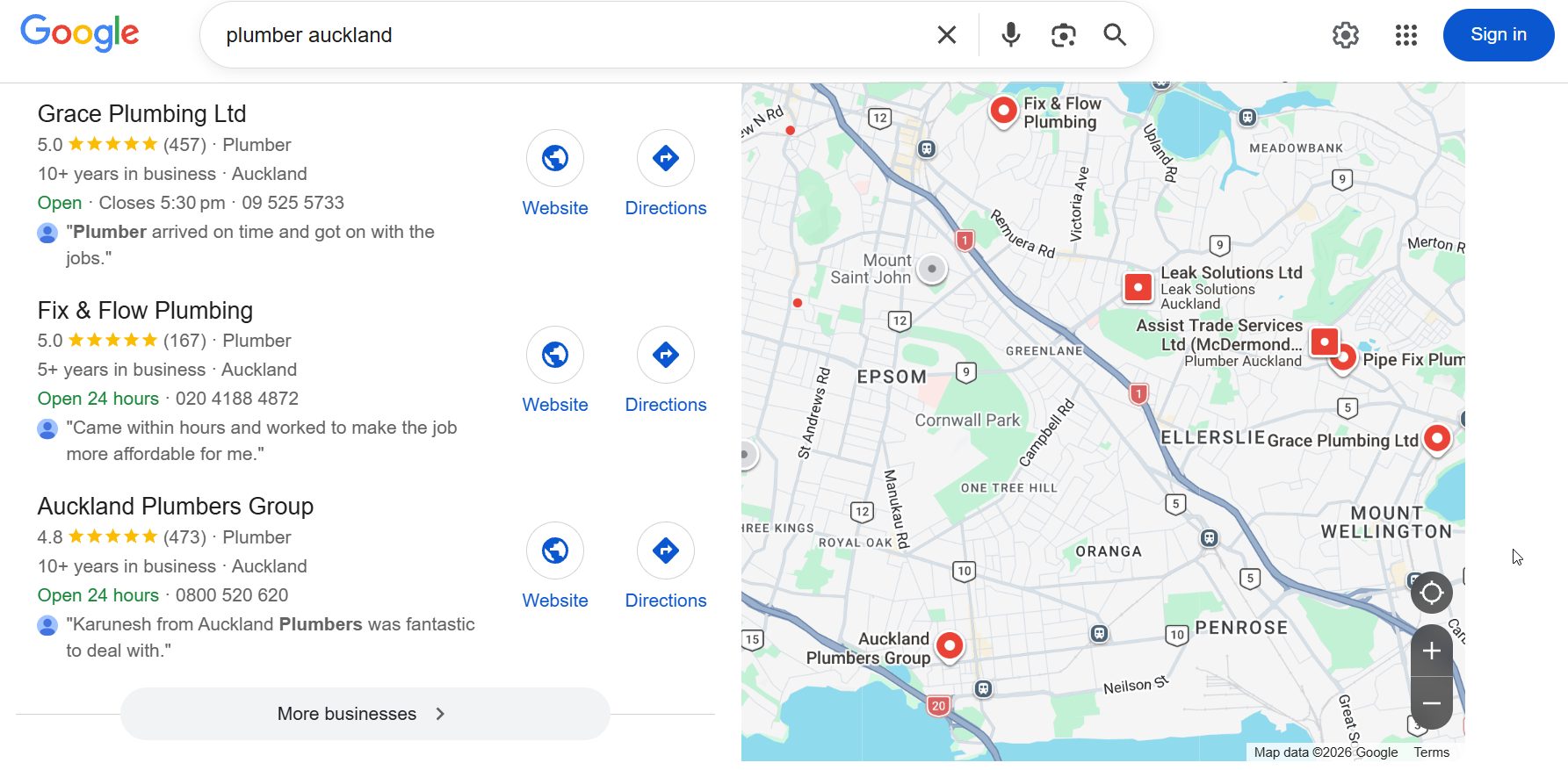
Same words about plumbing. Two totally different jobs. If you hand the curious one a booking page, or hand the flooded one a 3,000-word explainer, you’ve failed both.
Read the intent right, and everything downstream gets easier: the keyword research, the page type, the angle, the words on the page.
Why Is Search Intent Important?
Search intent matters because Google ranks the page that best matches what the searcher wants — so if your page fights the intent, it won’t rank, no matter how good it is. Match it, and the right customers land on the right page.
Here’s the mechanism. Google has already worked out what kind of content wins each query — it watches what people click, what they bounce from, what keeps them satisfied.
By the time you show up, the format is basically decided. You either line up with it or you lose.
That’s why intent is one of the actual jobs of SEO, not a nice-to-have. Skip it and you’ve skipped the foundation.
And the stakes aren’t small. The money sits in the commercial and transactional lanes: search behaviour data shows “best” searches convert around 30% higher than generic ones, and roughly three-quarters of searches carry some commercial intent.
Get a page aimed at the wrong lane and you either pull traffic that never buys, or you rank for nothing at all.

There’s a way I like to say it:
Informational keywords help you build authority; transactional keywords help you build revenue.
A NZ business needs both — aimed correctly.
I’ll give you proof this isn’t theory. My own site, Expert SEO, is under a year old. It’s up against companies who’ve been building their websites for a decade.
Despite that, it ranked above Ahrefs and Semrush in New Zealand for “local SEO” — two of the biggest names in the entire industry.

I didn’t beat them by out-spending them on backlinks — humbly, that’s a fight I’d lose. I beat them by nailing the intent behind that keyword and building the page that satisfied it better than theirs. That’s the whole game in one screenshot.
The little irony: the very pages sitting at the top for “search intent” right now are the ones I’ve out-ranked at home.
The 4 Types of Search Intent
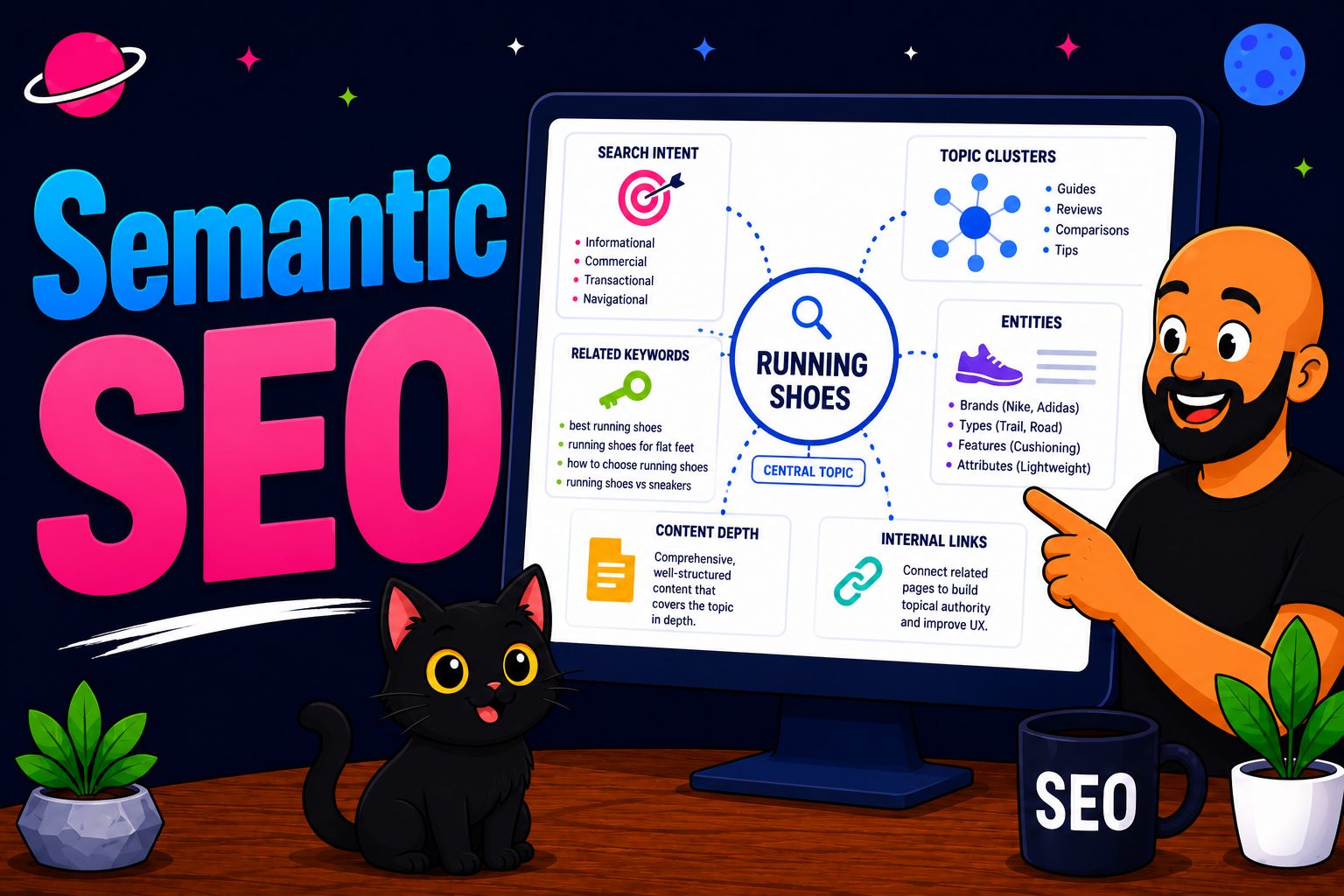
There are four types of search intent — informational, navigational, commercial, and transactional — and each one wants a different kind of page.
Get the type right and you know instantly what to build. Here’s each one, carried by a real NZ query instead of the recycled “buy nike running shoes” example every guide leans on.
Informational — the searcher wants to learn. Queries like “what is a mortgage broker” or “how does SEO work.” They’re not buying yet; they’ve got a question. The page that wins is a blog post or guide that answers it fully.
Navigational — the searcher wants to get to a specific place. “Kiwibank login,” “Trade Me,” “ASB internet banking.” They already know where they’re going and they’re using Google as a shortcut. The page that wins is the exact branded page they’re after.
Commercial — the searcher is comparing before they commit. “Best mortgage broker Auckland,” “Xero vs MYOB,” “top SEO agency NZ.” They’re close to spending, weighing options. The page that wins is a comparison, a listicle, or a well-reviewed service page.
Transactional — the searcher is ready to act. “SEO services Auckland,” “emergency electrician Hamilton,” “book dentist Tauranga.” Wallet’s out. The page that wins is a clean service or product page that makes acting dead easy.
| Intent | Example NZ query | What they want | Page to build |
|---|---|---|---|
| Informational | how does SEO work | To learn | Blog post / guide |
| Navigational | Kiwibank login | To reach a page | Branded / landing page |
| Commercial | best mortgage broker Auckland | To compare | Comparison / listicle |
| Transactional | SEO services Auckland | To act | Service / product page |
One quick note so you’re not thrown by other guides: Google’s own Search Quality Rater Guidelines split intent into four slightly different labels — know, do, website, and visit-in-person.
Same behaviour, different names. If you ever see those, they map neatly onto the four above.
Search Intent vs User Intent and Keyword Intent
Search intent and user intent are the same thing — two names for one idea. Keyword intent is subtly different, and knowing the difference makes your keyword research much faster.
Let’s clear the first one up, because it’s a common question. Search intent, user intent, audience intent — all synonyms. Don’t let the different labels confuse you; they all mean the purpose behind the search.
Keyword intent is where it gets interesting. This is the distinction Ahrefs recently drew a line under, and it’s worth understanding.
Keyword intent is what you can guess from the words alone, before you ever look at Google. “Buy,” “best,” “how to,” “near me” — the language tips its hand.
Search intent is what the actual search results confirm, after you look.
Why does that matter in the real world? Because keyword intent lets you sort thousands of keywords fast — you can label a whole list by their modifiers in one pass.
Then the SERP is your final fact-check on the ones that count. One’s the quick filter; the other’s the confirmation.
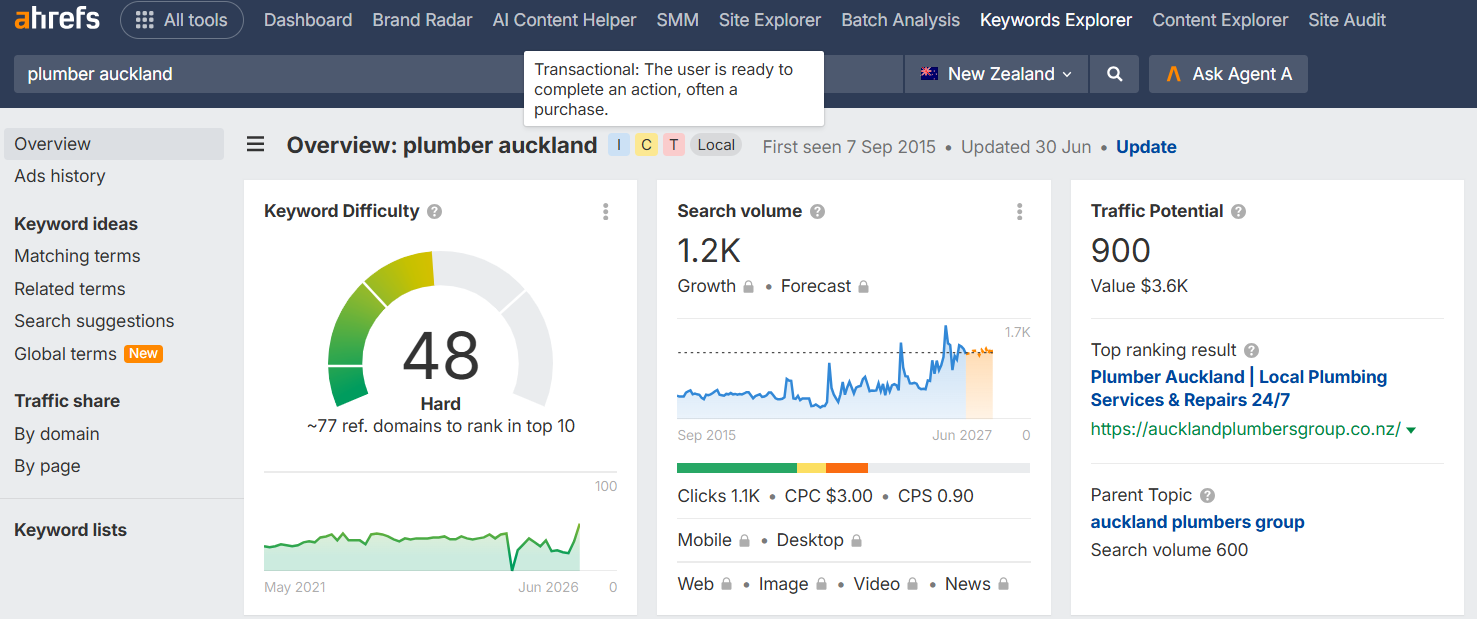
For the decade I’ve been doing SEO, mostly competing in the United States where the standard is brutal, this is the reflex that’s saved me the most wasted effort: infer from the words, confirm on the page.
How I Use Search Intent in My Own SEO Strategy
Let me show you exactly how this works on a live site, because that’s more useful than any definition.
At Expert SEO I target a broad spread of keywords on purpose. There are location keywords — the terms a business chases when it wants customers in its own city, like a firm going after SEO in Wellington. Informational ones like how to do keyword research.
Comparison keywords where people weigh one option against another. Straight commercial ones where someone’s ready to hire. Different lanes, different jobs, all feeding the same business.
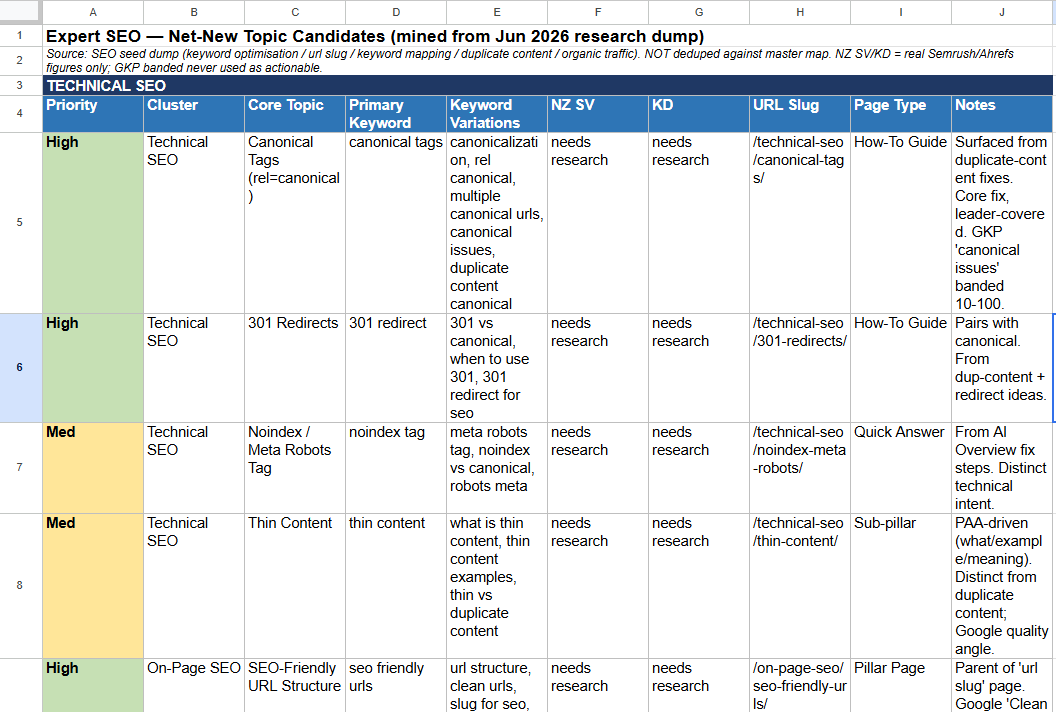
Here’s the rule I never break: before I create a single piece of content, I Google the exact keyword first. Every time. No exceptions.
I open a fresh search, type the keyword in, and just read what Google’s already rewarding. What’s ranking? Blog posts, or service pages? Guides, or comparison lists? That tells me what job searchers are really there to do — Google’s already done the research for me.
Then, in my head, I place it on a scale.
Because intent isn’t an on/off switch. It’s a spectrum — pure transactional at one end, pure informational at the other, and most keywords sitting somewhere along it with varying degrees of each.
“SEO services Auckland” sits hard at the transactional end. “What is SEO” sits hard at the informational end. Plenty live in the messy middle, and where a keyword lands decides how I gear the whole piece.
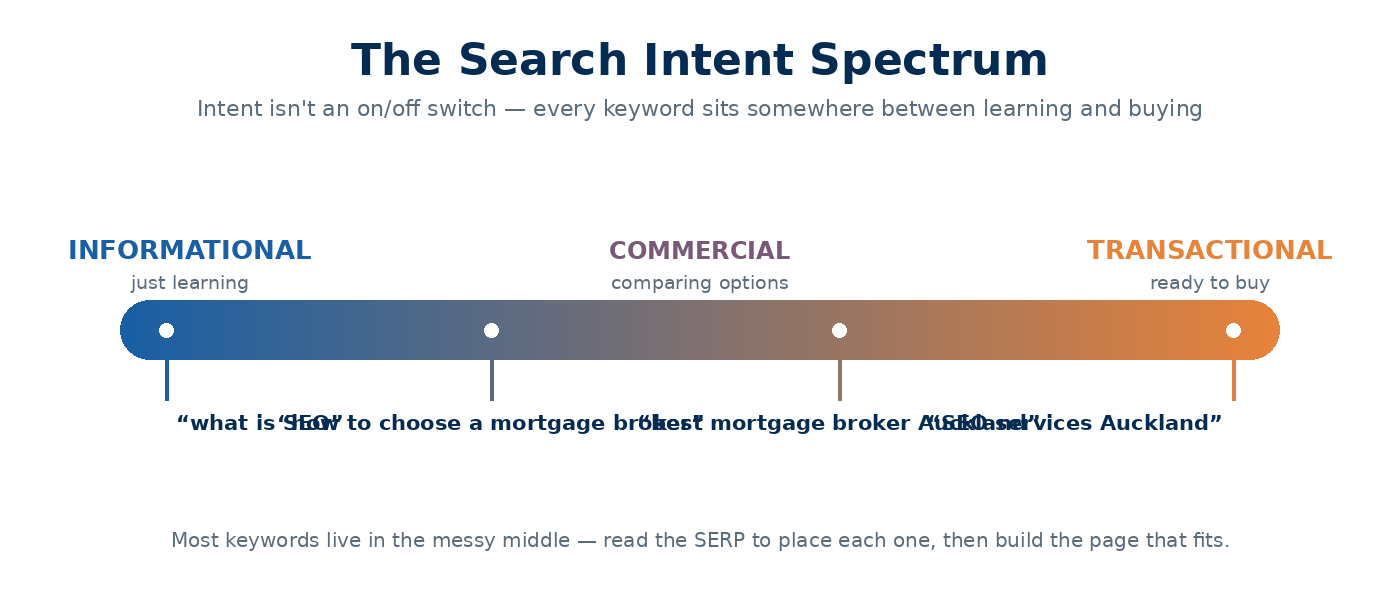
That’s the first move on every piece of content, before the outline, before a word gets written.
And it’s not busywork. If I get the intent wrong here, Google buries the page — I’ve skipped one of the main jobs of SEO, so no amount of clever writing saves it.
Get it right, and I’ve cleared the biggest hurdle before I’ve even started.
How to Optimise for Search Intent
To optimise for search intent, you identify what the searcher wants, match your page type to it, then build the page to satisfy that job completely.
That’s the loop. Here it is step by step, so you can run it on your own keywords tomorrow.
Step 1: Read the intent off the SERP
The fastest, most reliable way to know a keyword’s intent is to search it and read the results. Google’s ranking systems have already sorted out what satisfies searchers, so the SERP is a cheat sheet.
Say you’re a mortgage broker doing SEO in Auckland, deciding what to publish. Try three related keywords and watch them split:
- Google “how to choose a mortgage broker NZ” — you’ll see blog posts and guides. Informational.
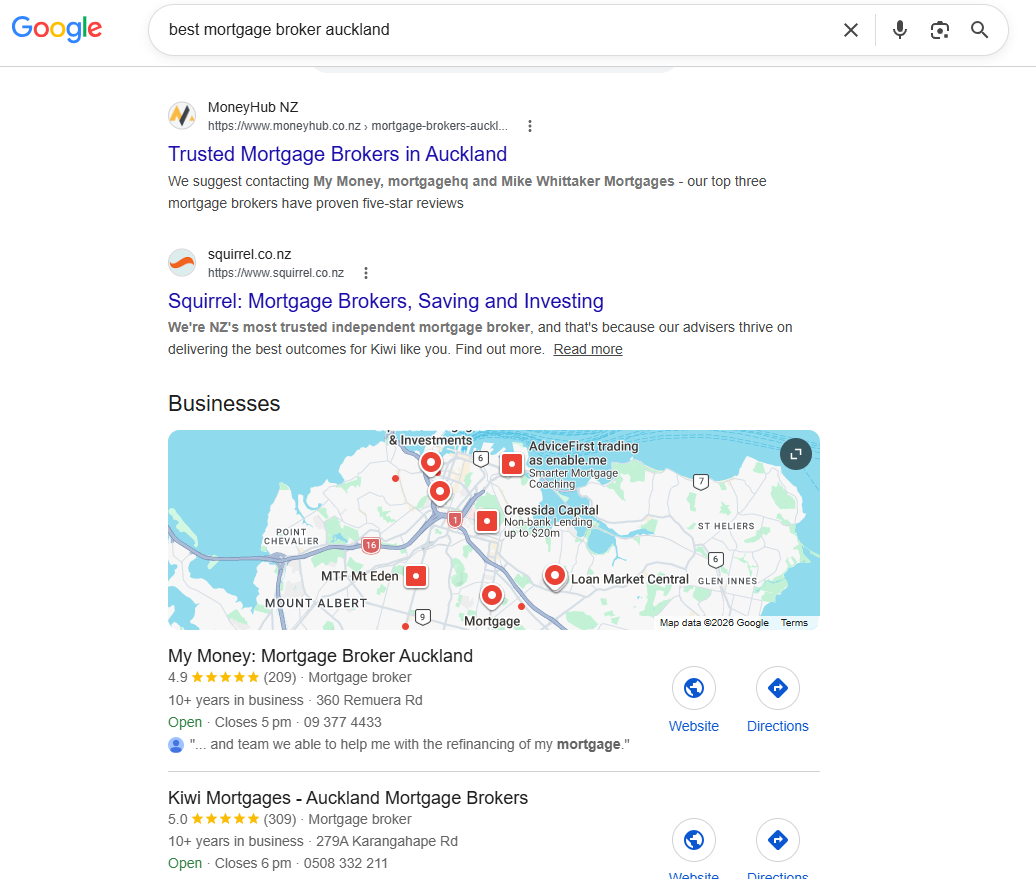
- Google “best mortgage broker Auckland” — you’ll see comparison lists and review-heavy pages. Commercial.
- Google “mortgage broker Auckland” — you’ll see service pages and a map pack. Transactional.
Same topic, three different pages needed. If you’d written one long article and tried to rank it for all three, you’d have missed two of them.

It’s the same read in any city you’re competing in. A firm chasing SEO in Christchurch, or a tourism operator down in Queenstown, runs the exact same three-search check before publishing a thing.
When you read the SERP, look for the three Cs — this is the checklist people ask about:
- Content type — is it blog posts, product pages, videos, tools?
- Content format — how-to guides, listicles, reviews, comparisons?
- Content angle — what slant do the top pages share? “Best,” “cheapest,” “for beginners,” “2026”?
Match those three and you’re aligned with what Google’s already rewarding.
Tools speed this up. Ahrefs’ Keywords Explorer and Semrush both tag keywords with an intent label, so you can sort a big list before you touch the SERP — that’s your keyword-intent filter doing the heavy lifting.
The average Google search is only three to four words long, so the modifiers (“best,” “buy,” “how”) carry most of the signal. Use the tool to filter, then confirm the important ones on the live SERP.
Step 2: Match your content type to the intent
Once you know the job, you build the page that does it. Informational goes to a guide or blog post. Commercial goes to a comparison. Transactional goes to a clean service page.
The clever part is what you do with all of it together — and here’s a real example.
I once built the keyword strategy for a brand you’d recognise. It’s been on Shark Tank, featured in Oprah’s magazine, and had a mini-documentary on the History Channel.
I can’t name it or its actual product, so I’ve swapped the product to running shoes to keep it confidential — the strategy is identical.
First, I found every direct commercial and buying keyword for the product: “buy running shoes,” “running shoes NZ,” “trail running shoes.” Those became the money pages — the category and product pages you actually want ringing the till.

Then I found the plethora of informational keywords around it: “best running shoes for a marathon,” “types of running shoes,” “running shoes for wide feet,” “how to break in running shoes.” That became a whole content campaign.

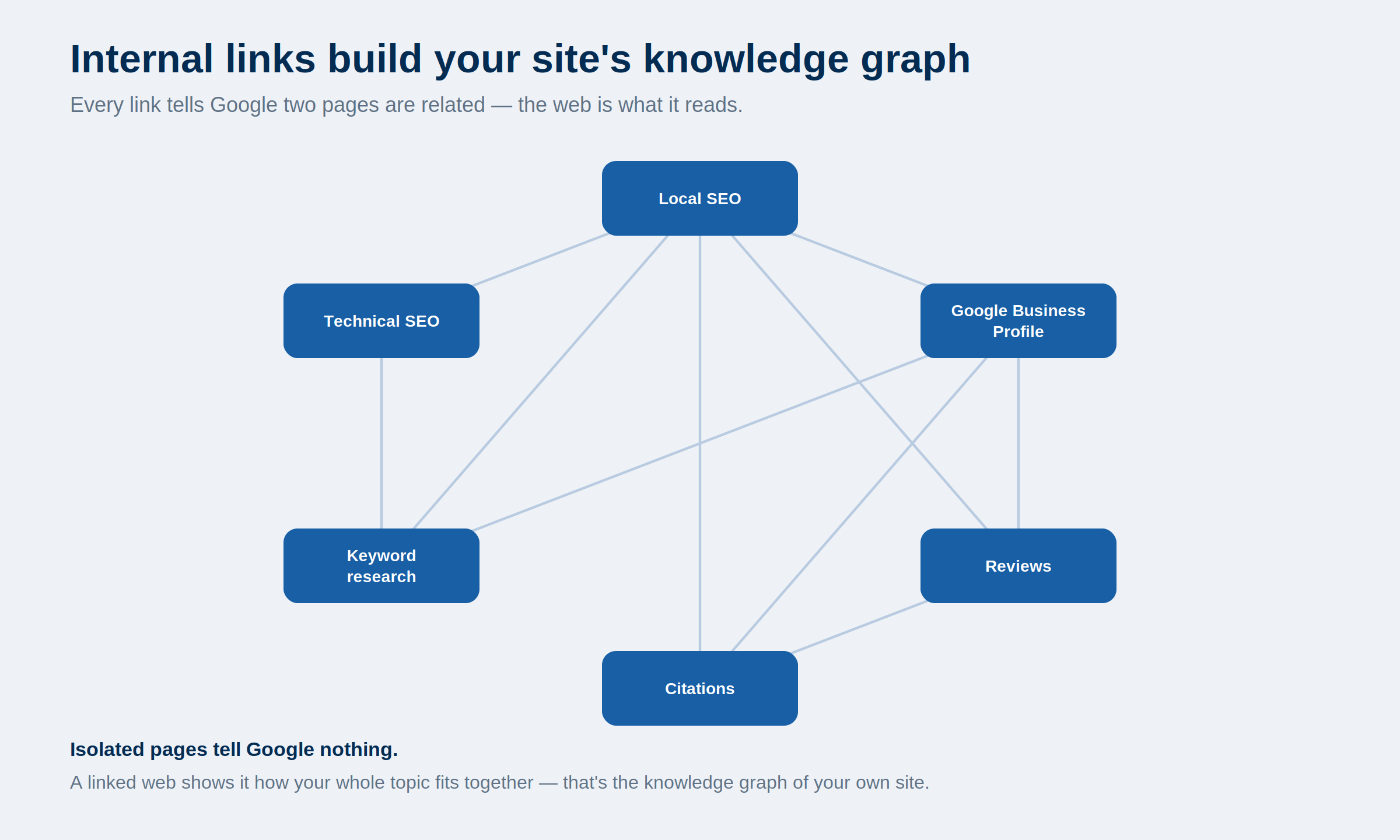
Then I built content across both — and this is the bit most people miss — I internally linked the informational cluster into the money pages.
So the authority you earn from all that helpful, top-of-funnel content flows straight into the commercial keywords you’re actually trying to rank. That’s internal linking doing its real job: passing power to the pages that make money.
Informational content builds the authority. Transactional pages bank the revenue. The links connect the two.
I’ve run this exact play at scale before. A health site I co-built with my former business partner and SEO mentor, Ian Pribyl, went from zero to over 20,000 monthly organic visitors — by building a keyword map that matched every keyword to its intent, then creating the right page for each one.

Step 3: Build the page to fully satisfy the intent
Matching the page type gets you in the game. Satisfying the job completely is what wins it.
Line up your on-page signals with the intent. Your title tag, meta description, H1 and headings should all speak to the same job, using the modifiers people actually searched.
If the intent is “best mortgage broker Auckland,” the word “best” and the location belong in your title — not buried on page two of the copy.
Then cover the whole topic. Look at what the top pages include and make sure you’re not missing the subtopics searchers expect.
A page that answers the full question — not 60% of it — is the one Google keeps at the top. This is the same on-page SEO discipline that carried my local-SEO page above the giants: right intent, fully answered.
Step 4: Handle mixed or unclear intent
Not every keyword sits in one neat bucket, and pretending otherwise gets you stuck.
Some queries are genuinely split. “Best air fryer” is informational, commercial, and transactional all at once — people want to learn, compare, and buy.
A NZ example: “home insurance NZ” pulls guides, comparison tables, and quote pages in the same SERP.
When intent is mixed, don’t panic. Read the SERP and lead with the dominant type Google’s showing, then cover the secondary intent inside the same page.
If the results skew toward comparison, build a comparison — but include a clear path to act for the ones who are ready. You’re serving the main job first, and catching the rest on the way through.
Search Intent in the AI-Search Era
Here’s the thing about AI search: it doesn’t change search intent. It raises the stakes.
AI Overviews and ChatGPT read the meaning of a query even more literally than the old ten blue links did. They’re trying to answer the exact job in the box, right there. So if your content doesn’t nail the intent, you don’t just lose a ranking — you lose the citation too.
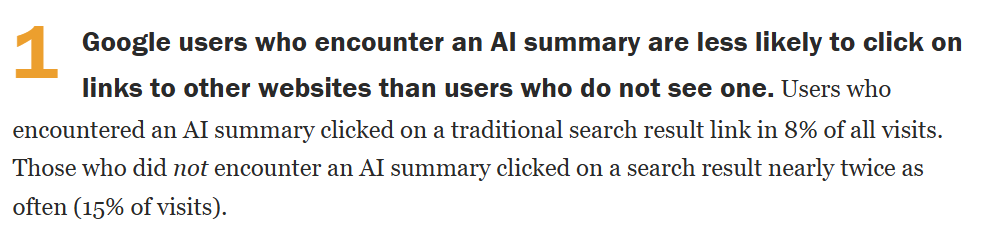
And the box is everywhere now. When Google shows an AI summary, users click a normal search result in just 8% of visits — versus 15% when there’s no summary, according to Pew Research Center. Nearly half the clicks, gone.
The clicks that remain increasingly go to the sources the AI cites. Pages cited inside Google’s AI Overviews pull around 120% more organic clicks than uncited ones, on Seer Interactive’s numbers. Being the cited source is the new front page.

So how do you get cited? By matching intent so cleanly that the AI can lift your answer whole. Answer the job in the first sentence or two, in plain language, then expand. That’s AI SEO in a nutshell, and it’s just intent-matching with the volume turned up.
I know it works because Expert SEO is already getting cited in Google’s AI Mode — an under-one-year-old NZ site, pulled into the AI answer ahead of far bigger names.

Same principle as always.
Read the job, answer it better than anyone. The surface changed; the game didn’t.
When to Do It Yourself vs Hire an SEO Expert
Reading intent for a handful of pages is absolutely something you can do yourself. Follow the process above — Google the keyword, check the three Cs, match the page type — and you’ll get it right most of the time.
Where it stops being a weekend job is scale. Mapping intent across a whole business’s keyword list, sorting the money-drivers from the authority-builders, and wiring the internal links so power flows to the pages that pay — that’s a full campaign, not an afternoon.
That’s the difference between knowing what search intent is and running an entire site around it.
Want help with your SEO? Sure — you could do all this yourself, and for a page or two that’s completely fine. If not, we can take it off your plate with our SEO services, or you can work with an SEO consultant one-on-one.
Search Intent: FAQ
What do you mean by search intent?
Search intent is the reason behind a search — what a person actually wants when they type a query into Google. The keyword is the clue; the intent is the job they're trying to get done.
What are the four types of search intent?
The four types are informational (learning something), navigational (reaching a specific site), commercial (comparing before buying), and transactional (ready to act). Each one needs a different kind of page.
What are the 3 C's of search intent?
The three Cs are content type, content format, and content angle. You read them straight off the SERP: what's ranking (blog posts, product pages), how it's shaped (guides, listicles, reviews), and the slant the top pages share (best, cheapest, for beginners).
Is search intent the same as user intent?
Yes. Search intent, user intent, and audience intent all mean the same thing: the purpose behind a search. Keyword intent is slightly different — it's what you infer from the words before you ever look at the SERP.
What is an example of search intent?
Searching “how does a hot water cylinder work” is informational — the person wants to learn. Searching “emergency plumber Lower Hutt” is transactional — they're ready to hire. Same topic, opposite intent.
How do you find the search intent of a keyword?
Google the keyword and read the results. Google has already ranked the page type that satisfies searchers, so the SERP tells you the intent: blog posts mean informational, comparison lists mean commercial, and service pages with a map pack mean transactional.