An on-page SEO checklist is only useful if it tells you two things: what to do, and what order to do it in.
Almost every checklist ranking on Google right now gives you the first and skips the second.
You get 20 or 30 items dumped in a list. No priority. No NZ context. No way of knowing whether you actually did them properly.
This one fixes that. It covers the 25 on-page tasks worth doing in 2026, grouped in the order you should work through them, with a New Zealand example for every step.
It also covers a few things the big international checklists have missed — including one major Google change from May 2026 that’s already made some of their advice wrong.
Work through it on any page on your site and you’ll have it properly optimised, from keyword to verification.
How to Use This Checklist
Work through the checklist top to bottom for every important page on your site.
The groups are sequenced deliberately — your keyword decisions shape your title tag, your title tag shapes your headings, and so on. Jumping around breaks that chain.
This page is the practical companion to my full on-page SEO guide. That guide explains the theory in depth. This one gives you the tasks.
You don’t need to do all 25 items on every page. Service pages, blog posts, and location pages each lean on different items, and I’ll flag which ones matter most as we go.
If you’re short on time, the 80/20 section near the end tells you exactly which items to do first.
What Does On-Page SEO Include?
On-page SEO includes everything you optimise on the page itself: your title tag, meta description, URL, headings, content, images, internal links, and schema markup.
xxx
It’s the part of SEO you have complete control over.
That’s also what separates it from the other two areas of SEO. Off-page SEO covers what happens away from your site, mainly backlinks. The technical side of SEO covers site-wide things like crawling, indexing, and speed.
On-page sits in the middle, and it’s where the fastest wins live. You can work through this entire checklist on a page in an afternoon, and Google typically re-crawls updated pages within days to a few weeks.
Keywords and Search Intent (Steps 1–4)
Every on-page decision flows from your keyword. Get this group wrong and the other 21 steps are optimising for the wrong target.
1. Confirm one primary keyword for the page
Every page should target exactly one primary keyword, not three keywords loosely related to what you do.
If you’re a Roofer In Hamilton, your main service page targets “Hamilton Roofing.”
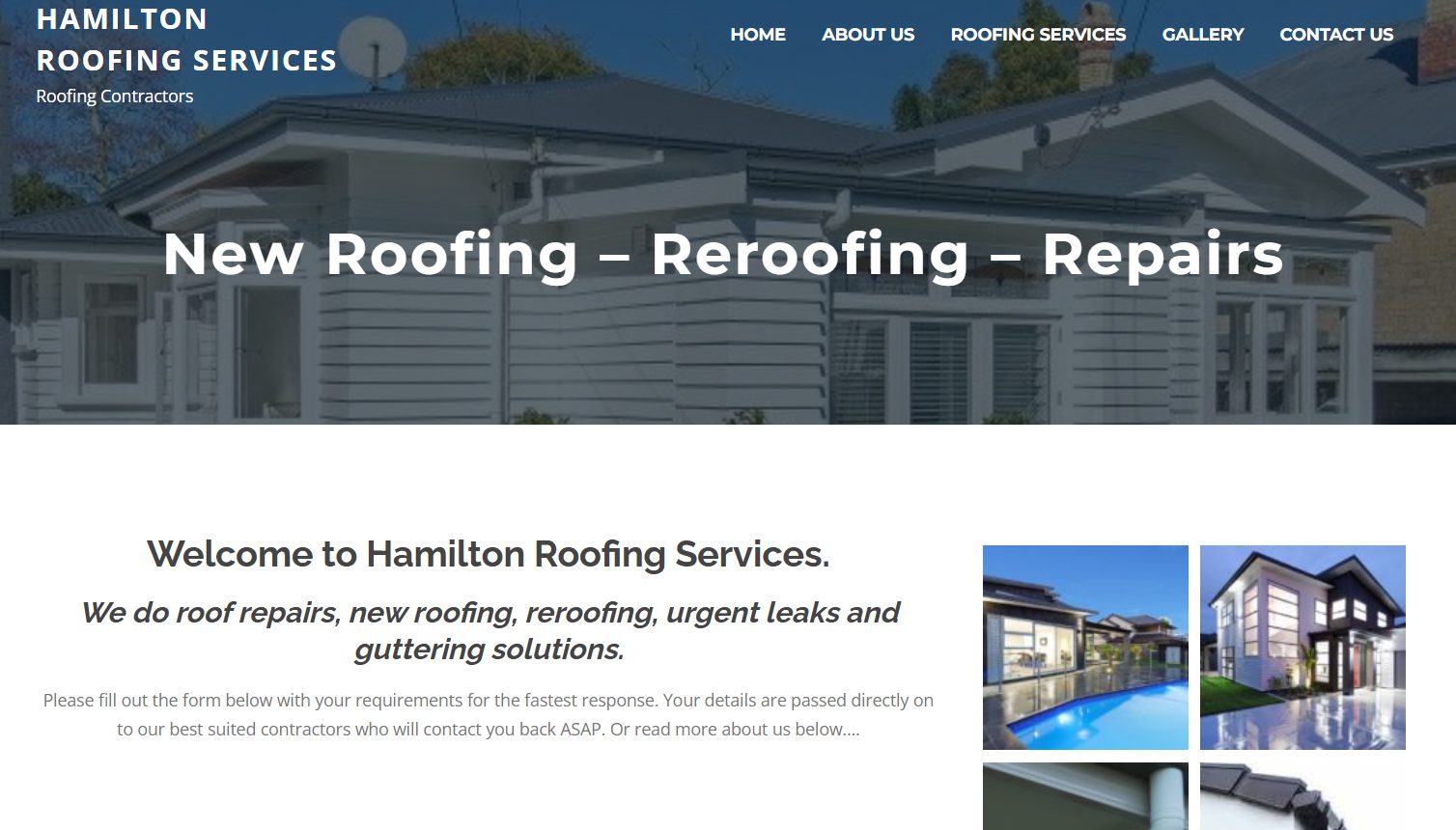
A separate page targets “roof repair Hamilton.” Trying to rank one page for both splits your signals and usually means ranking for neither.
Finding the right keywords comes before any page gets written. If you haven’t done that yet, do it first — this checklist assumes you know what each page is targeting.
2. Check the search intent in the live SERP
Google the keyword and look at what’s actually ranking. If the top results are service pages, Google wants a service page. If they’re guides, Google wants a guide.
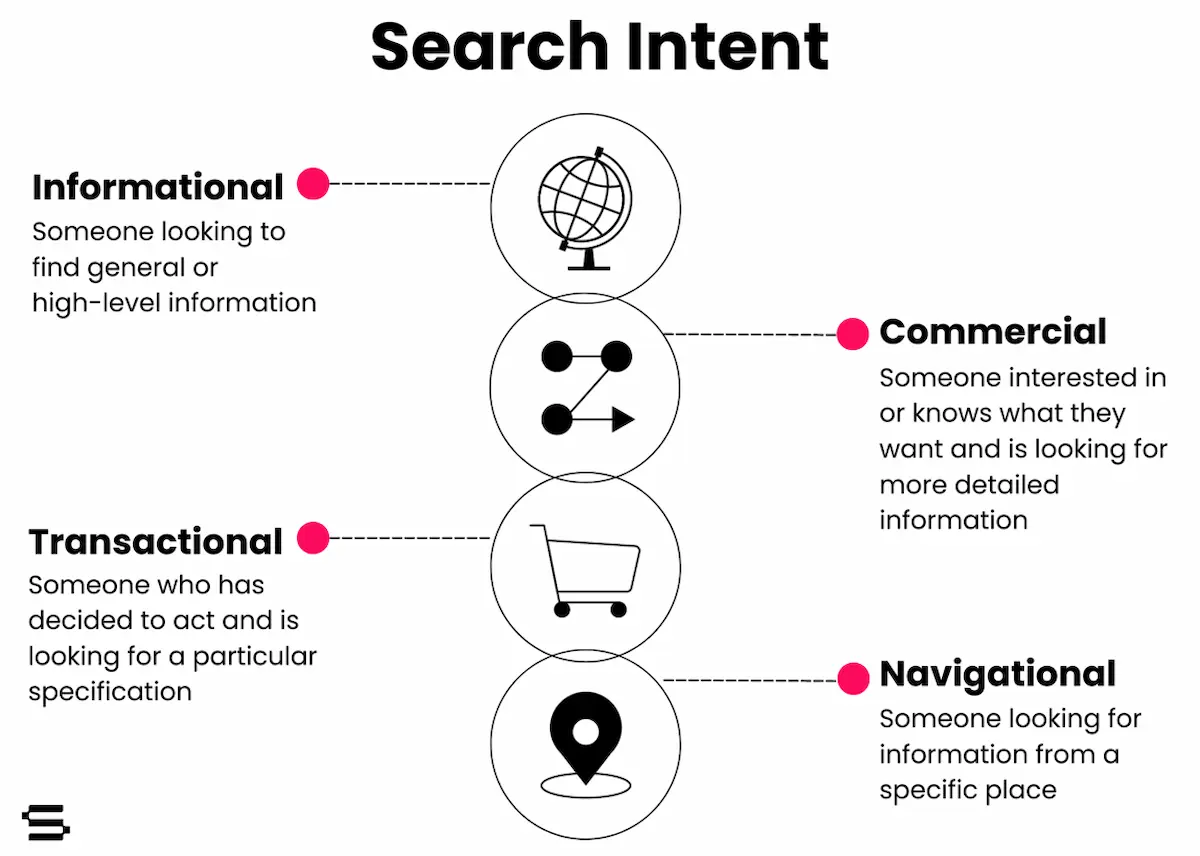
This takes two minutes and saves you from the most common on-page mistake in NZ: writing a blog post for a keyword Google treats as commercial, or building a service page for a keyword Google treats as informational. No amount of optimisation fixes an intent mismatch.
3. Map your secondary keywords
Alongside your primary keyword, pick two to four close variations to support it. For “plumber Lower Hutt” that might be “Lower Hutt plumbing services,” “emergency plumber Lower Hutt,” and “plumbers in Lower Hutt.”
Long-tail search terms like these get woven into your H2s and body content. They widen the net of searches the page can capture without diluting the main target.
4. Check you’re not competing with your own pages
Before optimising, search site:yourdomain.co.nz "your keyword" in Google.
If two of your pages target the same term, decide which one owns it and de-optimise the other.
I ran into this exact situation building this page.
My on-page SEO guide already had a checklist section in it, so before this page existed, I assigned each page its own lane: the guide owns the theory, this page owns the task list.
One keyword, one page. Do the same on your site before you create anything new.
Title Tag, Meta Description and URL (Steps 5–9)
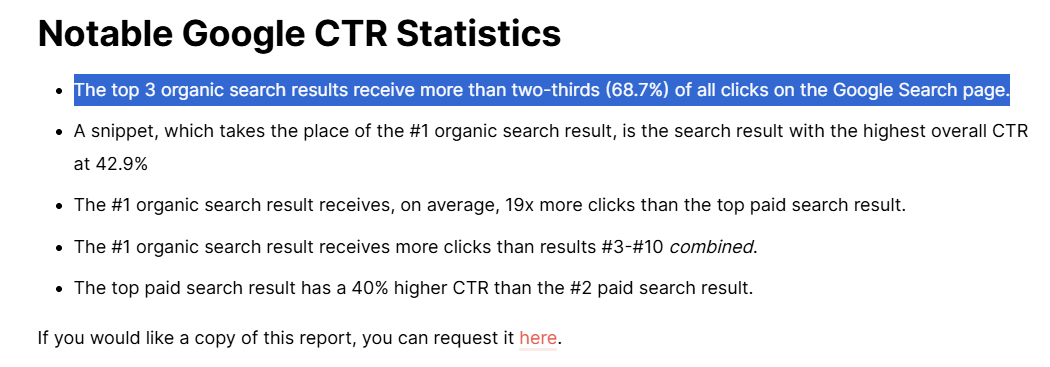
These three elements are your shop window in the search results. They decide whether your ranking actually turns into clicks — and the top of the SERP is where nearly all the clicks happen.
Backlinko’s analysis of 4 million search results found the top three positions take 68.7% of all clicks.
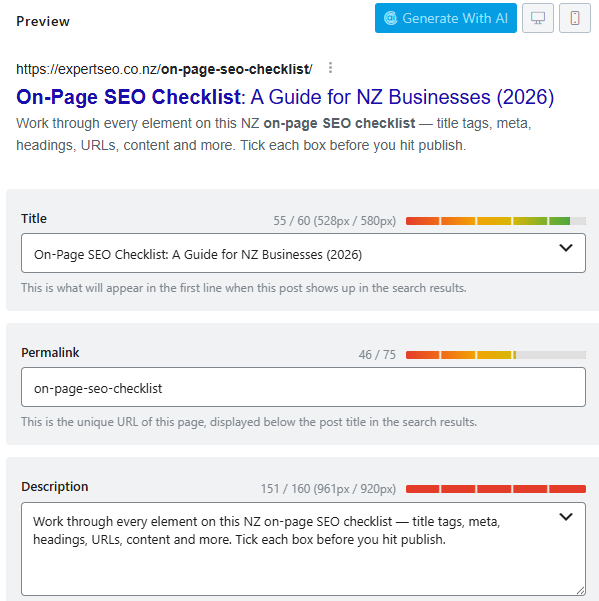
5. Put your primary keyword near the front of the title tag
Your title tag is the blue clickable headline in Google. Lead with the keyword: “Plumber Lower Hutt | Fast, Fixed-Price Plumbing” beats “Welcome to Smith Plumbing — Serving the Hutt Valley Since 1998.”
The keyword up front tells Google and the searcher instantly that your page matches the query.
The position-one prize is worth fighting for here — First Page Sage’s 2026 data shows the first organic result earns more clicks than results three through ten combined.
6. Keep the title under 60 characters
Google cuts titles off at roughly 60 characters. A truncated title with “…” looks unfinished and costs clicks. Count the characters — don’t eyeball it.
7. Write a meta description that earns the click
The meta description is your two-line pitch under the title.
Keep it between 150 and 160 characters, include the keyword naturally, and give the searcher a reason to choose you over the nine other results.
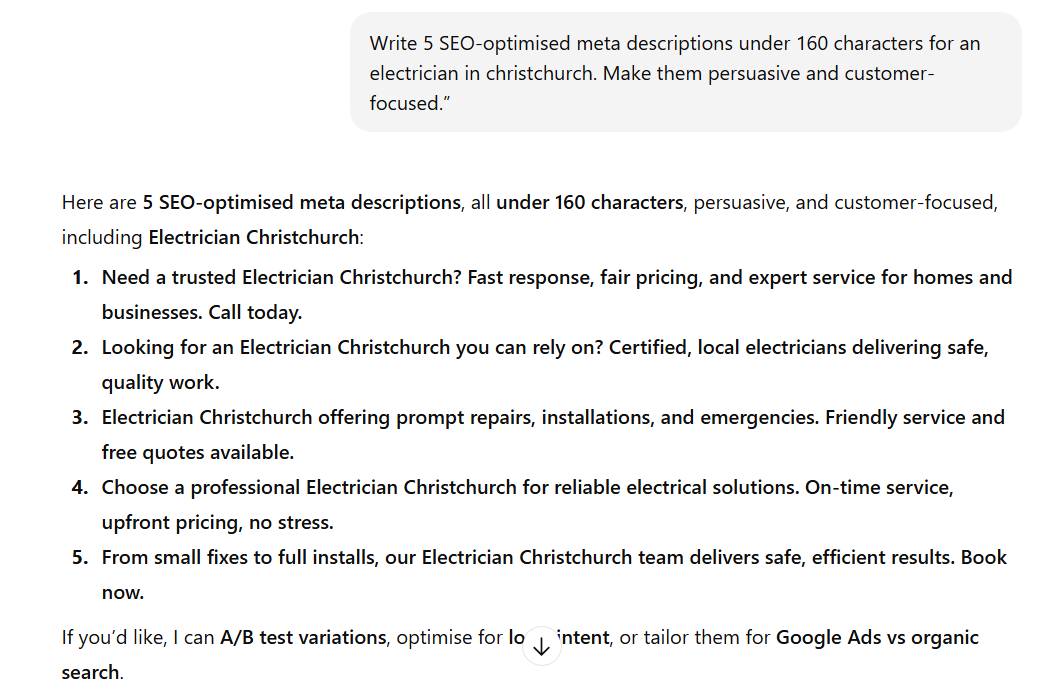
For a Hamilton dentist: “Need a dentist in Hamilton? Same-week appointments, transparent pricing, and gentle care for nervous patients. Book online in under a minute.”
That’s specific, it answers objections, and it ends with an action.
8. Make the URL short and keyword-aligned
Your slug should be the keyword, hyphenated, and nothing else: /plumber-lower-hutt/ rather than /services/plumbing-and-gasfitting-greater-wellington-2024/.
This matters more than people think. The same Backlinko study found URLs containing the search term had a 45% higher click-through rate than URLs without it.

9. Make every title and description unique
Duplicate titles across pages confuse Google about which page to rank and waste the click-through opportunity on every affected page. If you’re on WordPress, Rank Math flags duplicates for you. Fix every one.
Headings and Content (Steps 10–15)
Titles get the click. Content earns the ranking. This group is where the bulk of your time should go.
10. Use one H1 that includes your keyword
Every page gets exactly one H1 — usually the visible page headline — and it should contain your primary keyword. “Plumber Lower Hutt You Can Count On” does the job. Multiple H1s, or an H1 with no keyword, muddies the clearest signal on the page.
11. Structure the page with descriptive H2s and H3s
H2s are your chapter titles, H3s the sections within them. Use them to lay out the page logically, and write them so someone scanning only the headings still understands the whole page.
Question-style headings work especially well: “How Much Does a Plumber Cost in Lower Hutt?” matches how Kiwis actually search and sets the page up for the answer-first formatting in step 22.
12. Use your keyword in the first 100 words
Mention your primary keyword naturally within the opening paragraph. It confirms the page topic to Google early and reassures the reader they’ve landed in the right place. Once is enough.

13. Match the depth of what’s ranking — then beat it
Open the top three results for your keyword and look at what they cover. Your page needs everything they cover plus something they don’t. That extra layer is what gives Google a reason to rank you instead.

For NZ businesses, the easiest extra layer is local specificity: NZD pricing, real suburbs, NZ regulations, NZ suppliers. An Auckland café writing about brunch spots in the CBD will beat a generic international listicle for NZ searchers every time, because it’s simply more relevant to the person searching.
14. Use natural keyword variations, not repetition
Google understands that “implant dentist Auckland,” “dental implants in Auckland,” and “tooth replacement Auckland” all mean the same thing.
Rotate your secondary keywords through the body instead of repeating the primary keyword like a goose.
If the page reads awkwardly out loud, you’ve stuffed it. Rewrite.
15. Keep paragraphs short and the page scannable
Two to three sentences per paragraph. Tables and bullet lists where they genuinely organise information. White space everywhere.
This is partly for readers and partly for machines — clean, scannable structure is exactly what gets extracted into featured snippets and AI answers, which we’ll get to shortly.
Images (Steps 16–18)
Images are usually the heaviest thing on a page and the most neglected optimisation opportunity in NZ.
16. Compress every image before uploading
Aim for under 200KB per image, ideally in WebP format. Squoosh is free and does it in the browser; ShortPixel handles it automatically on WordPress. Heavy images slow the page, and slow pages lose both rankings and customers.

17. Rename files descriptively before uploading
plumber-lower-hutt-hot-water-repair.jpg tells Google what the image shows. IMG_4729.jpg tells it nothing. Rename before you upload — WordPress locks the filename in once it’s in the media library.
18. Write alt text that describes the image
Alt text is a plain-language description of what’s in the image: “Plumber repairing a hot water cylinder in a Lower Hutt home.”
It helps Google understand the image, improves accessibility, and gives you a natural spot for a keyword when one genuinely fits.
Skip the keyword stuffing here too. “Plumber plumber Lower Hutt plumbing services plumber” helps nobody.
Internal and External Links (Steps 19–21)
Links on the page tell Google how it fits into your site and how trustworthy your claims are.
19. Add internal links on descriptive anchor text
Every page should link to related pages on your site, with the link placed on the concept itself — “hot water cylinder repair” — never on “click here” or “read more.”

Linking your pages together properly does two jobs: it moves authority toward the pages you want ranking, and it shows Google the structure of your topics. Three to five internal links per 1,000 words is a sensible range.
20. Link blog posts to your money pages
Every supporting article should link to the service page it supports. A post about “how to fix a leaking tap” links to your plumbing services page.

This is the single most underused internal linking move on NZ small business sites — informational pages collect the readers, and the link hands them to the page that converts.
21. Link out to one or two authoritative sources
Where you make a factual claim, link the source.
Citing primary data — a Google announcement, an industry study, official statistics — strengthens the page’s credibility for readers, and gives Google and AI systems evidence your content is grounded in something real.
Schema and AI Extraction (Steps 22–25)
This is the group every checklist ranking for this keyword gets wrong or skips entirely. Search in 2026 includes AI Overviews, ChatGPT, and Gemini — and on-page structure is what determines whether they cite you.
22. Answer questions directly under question headings
When a heading asks a question, the first one or two sentences underneath must answer it completely. Expand after, not before.
So under “How much does a plumber cost in Lower Hutt?” the first sentence is the answer: “Most Lower Hutt plumbers charge $90–$130 per hour, with call-out fees of $50–$80.”
Then the detail follows.
This format is precisely what AI systems lift into their answers. Google’s AI Overviews now reach more than 2 billion users every month, which makes being the extractable answer a primary traffic channel in its own right.
23. Make your claims specific and citable
Vague pages don’t get cited. AI systems favour content with concrete numbers, named examples, and first-hand detail, because those are the claims worth quoting.
This works. Expert SEO is barely a year old, competing against NZ agencies with a decade’s head start, and pages from this site are already being cited in Google AI Overviews and ChatGPT answers — because every page follows the answer-first, specific-claims format in this checklist.

Getting cited by AI is mostly on-page SEO done at a higher standard.
24. Add schema markup that still matters
Schema is code that describes your page to machines in a structured format. For NZ businesses, the ones worth adding are LocalBusiness (name, address, hours, service area), Article for blog posts, and Product for ecommerce. Rank Math handles all three on WordPress without touching code.
25. Treat FAQ schema correctly after the 2026 change
Here’s the 2026 change other checklists haven’t caught up with: Google deprecated FAQ rich results on 7 May 2026.
The expandable question-and-answer dropdowns under search listings are gone, for every type of site, and the reporting tools follow over June and August.
Some NZ checklists published this year still recommend FAQ schema for “extra SERP real estate.” That advice is now outdated.
What you should do instead: keep writing genuine FAQ sections, formatted as proper headings with direct answers underneath.
The dropdowns are gone, but well-structured Q&A content is exactly what AI Overviews and chat assistants extract.
Existing FAQ markup can stay — Google has confirmed it causes no problems — but stop adding it expecting a visual reward.
Verify Your Work
Optimising blind is guessing. Two checks confirm everything landed.
First, if you’re on WordPress, check your Rank Math score for the page. Anything above 80 means the fundamentals are covered. Don’t chase 100 — past 80, your time is better spent on the content itself.
Second, open Google Search Console and run the URL through URL Inspection. It tells you whether the page is indexed and lets you request indexing after your changes, which speeds up how quickly Google sees the new version.
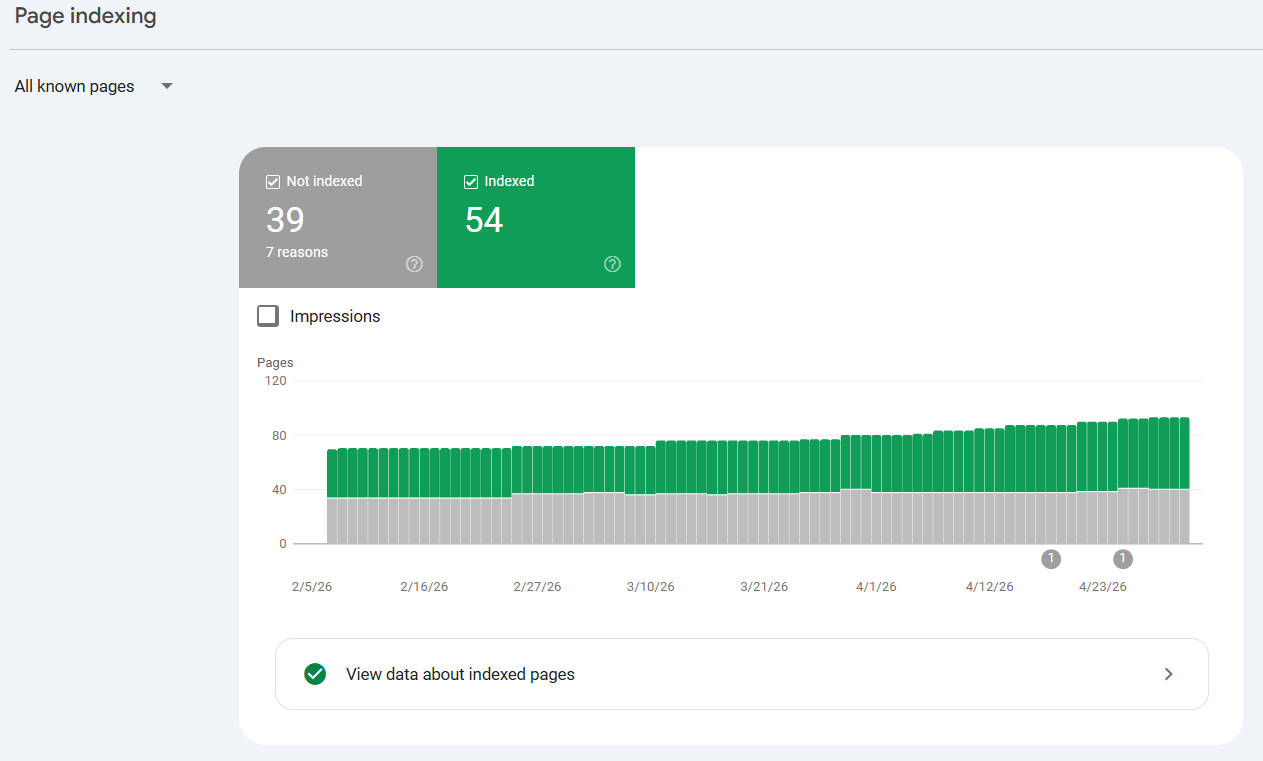
Then watch the page’s impressions and average position over the following weeks. This is how I verify every page on this site — the same process that took Expert SEO from a brand-new domain to consistent ranking growth against competitors ten years older.
If you’d rather have every page on your site checked in one pass instead of working URL by URL, that’s what an SEO audit does — it surfaces every on-page issue across the site, ranked by impact.
The 80/20 of On-Page SEO
If you only have an hour per page, four items deliver most of the result:
- Intent match (step 2). The wrong page type can’t rank no matter how polished it is.
- Title tag (steps 5–6). The biggest single lever for both rankings and clicks.
- Content depth (step 13). Cover what the top results cover, then add what they miss.
- Answer-first formatting (step 22). The difference between being read by AI systems and being cited by them.
Everything else on this checklist compounds the result, but these four create it. That’s the honest answer to the 80/20 question — the handful of inputs above produce the large majority of the output, and the remaining 21 items refine it.
When to Do It Yourself vs Hire an Expert
You can do everything on this checklist yourself. None of it requires code, and on WordPress, Rank Math walks you through half of it. Expect a learning curve on the content side — matching intent and beating the ranking pages takes practice.
The case for outsourcing is scale and speed. Optimising one page is an afternoon. Optimising forty pages while running a business usually means it never happens.
If you’d rather hand it off, an SEO consultant applies this checklist across your whole site, and handles the keyword research, content, and links around it.
That’s the difference between a few tidy pages and a site that actually ranks. It’s the same process our NZ SEO team runs for clients every week.
Happy to do it yourself? Work through the 25 steps page by page. Want it handled faster and across every page at once — that’s where done-for-you SEO comes in.