

You cover half of Auckland out of a van. No shopfront, no counter, no address on a door — just you, your tools, and a phone that needs to ring.
Then you go to set yourself up on Google, and it tells you to hide your address.
So now you’re staring at the screen wondering how anyone’s meant to find you on the map when Google’s just rubbed you off it.
That’s the service area business problem. Nearly every local SEO guide out there quietly assumes you’ve got a storefront to pin — and leaves you out.
This one doesn’t. I’ll walk you through how to rank on Google Maps and local search with no address to show, the honest truth about hiding it, and the one thing that actually decides whether building a page for every suburb is worth your time.
What Is a Service Area Business
A service area business (SAB) is one that travels to its customers instead of serving them at a public storefront.
Plumbers, electricians, builders, arborists, mobile mechanics, house cleaners — anyone who does the job at the customer’s place, not their own.
Google’s own definition is a business that “visits or delivers to customers directly, but doesn’t serve customers at its business address.”
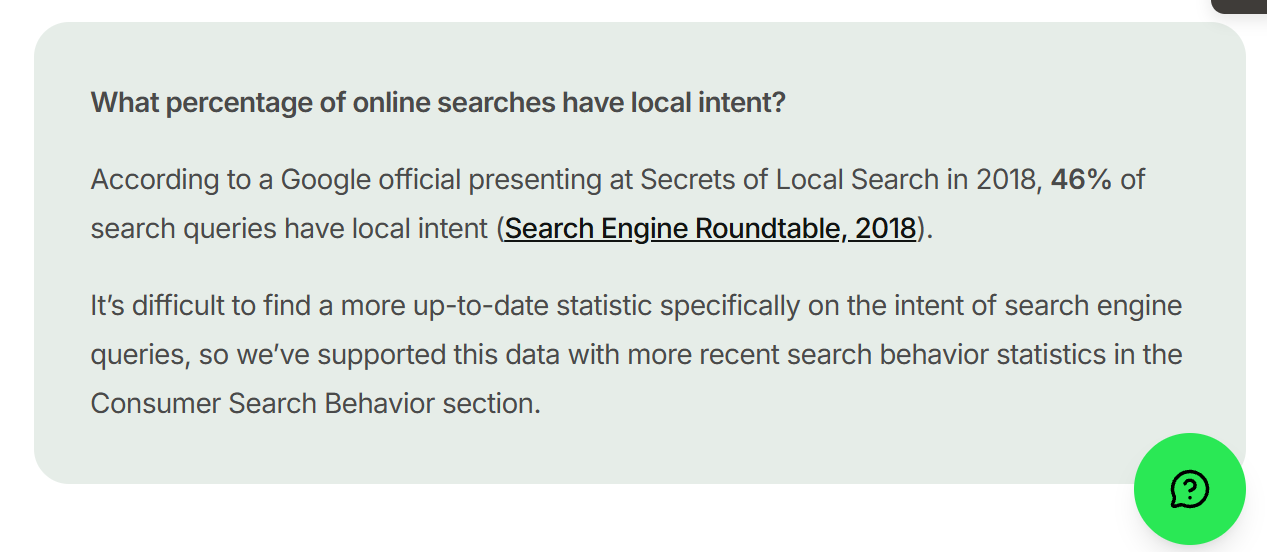
The reason this matters for SEO: with no public address, you’ve got nothing to pin to the map. And the map is where local customers are looking — 46% of all Google searches carry local intent, nearly half of everything people type in.
That changes how you approach local SEO from the ground up.
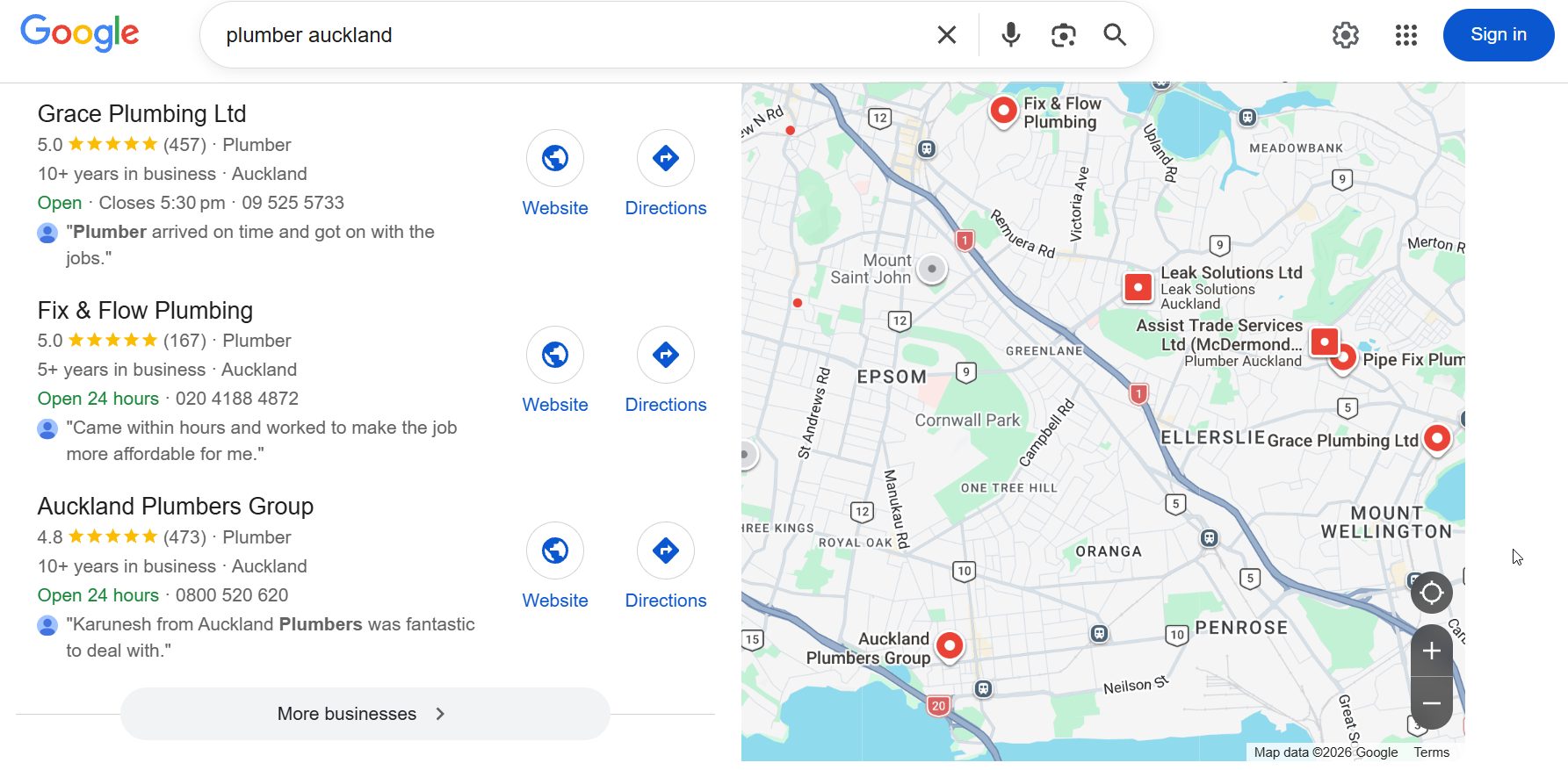
Here’s how Google decides who shows up in the local 3-pack — that little box of three businesses with the map beside it. Three signals do most of the work:
Relevance — how well what you do matches what they searched.
Proximity — how close Google thinks you are to the searcher.
Prominence — how known and trusted you are online (reviews, links, mentions).
A storefront gets to lean on proximity: there’s an address pinned to a spot, Google knows exactly where it is.
Take a plumber in Hamilton searching “plumber near me” — the bloke with a shop counter has his location nailed down.
You, running SEO for tradies-style out of a ute, don’t.
So the other two signals — relevance and prominence — have to carry more of your weight. Keep that in your back pocket; it’s the thread that runs through this whole guide.
Why Google Makes You Hide Your Address
Google’s rule is blunt: if customers don’t come to your address, you’re not allowed to show it. Clear it, or risk a suspension.
And here’s the part nobody says out loud — hiding it does cost you. A listing with a hidden address tends to sit lower on the map than a comparable one with a visible shopfront.
That’s the trade-off, and there’s no fixing it — it’s just how Google runs the map for businesses like yours.
And the map pack is worth the fight: the top three map results take around 42% of clicks on local searches. Slip below them and you’re scrapping over what’s left.

Why does Google do it? Because the map is meant to send people to a place. If there’s no place to send them, a pin on your home in a quiet cul-de-sac is misleading — and a magnet for dodgy operators spinning up fake “locations” to blanket a city.
So Google shuts the door on all of it.
What you don’t do is try to be clever. Renting a virtual office, dropping a pin on a mate’s address, listing your nan’s place as a “second location” — that’s the fast lane to a suspended profile, and getting reinstated is a genuine pain (grey hairs, the lot).
So if proximity is partly off the table, you win it back everywhere else: a razor-sharp service area, real content on your site, and a pile of trust signals.
For a SAB, your website does more of the heavy lifting than it ever would for a shopfront — which is exactly why the next few sections matter more for you than for the business down the road with a window display.
How to Set Up Your Google Business Profile as a Service Area Business
No storefront doesn’t mean no profile. A Google Business Profile is still the single most important asset you’ve got — without a verified one, you don’t appear in map results at all. Full stop. The trick is setting it up as a service area business, not fudging it as a storefront.
Complete profiles pull in around 70% more visits than half-finished ones, so this is worth doing properly, not in a rush between jobs.

Here’s the setup, in order:
- Claim or create the profile. Search your business name on Google, hit “Claim this business” (or add it if it’s not there yet).
- Clear the public address. In the profile, go to the address field and remove it. This is the “service area business” setting — you’re telling Google you go to customers, not the other way round.
- Set your service areas. Add the suburbs, towns or regions you actually cover. You can list up to 20. Don’t get greedy: keep it to a realistic radius — roughly what you’d drive for a normal job, not the whole island. Ten honest suburbs beat forty you’d never actually get to.
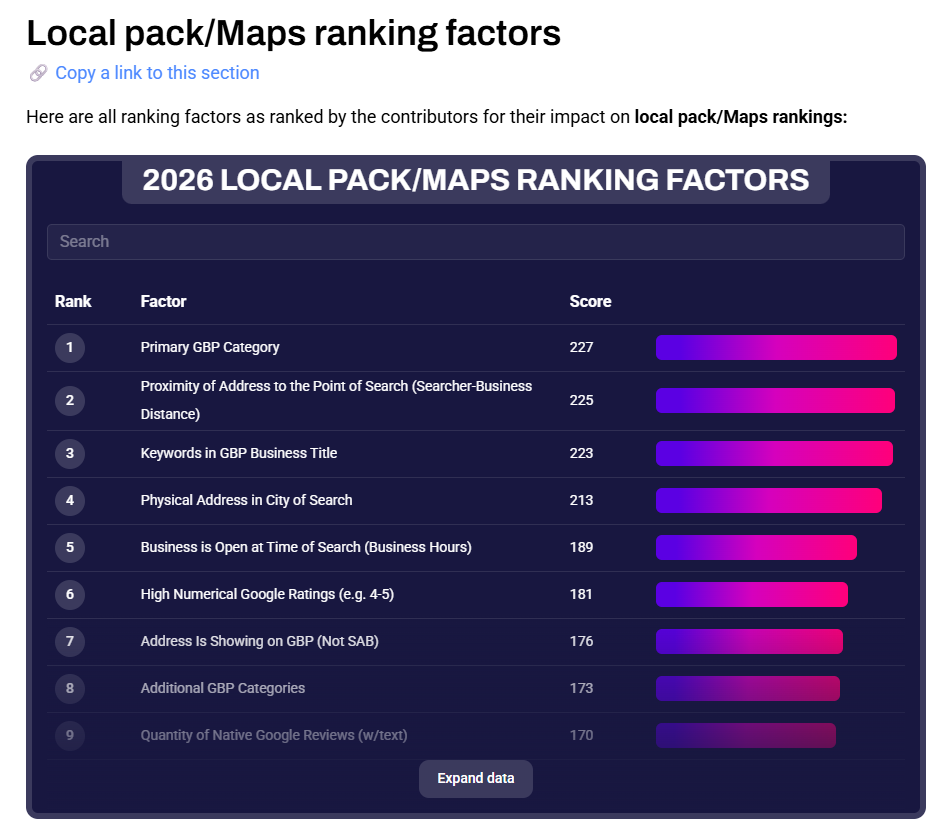
- Pick the exact primary category. This is the biggest lever in the list — the single most important factor for ranking in the map pack, per Whitespark’s 2026 data.
- Verify. Google will usually verify by video these days — a quick walkthrough of your van, your gear, your signage. Have it ready.
- Fill in the rest. Services, hours, photos of real jobs, a proper description. Every empty field is a signal you didn’t finish.
That primary category is the one to obsess over.
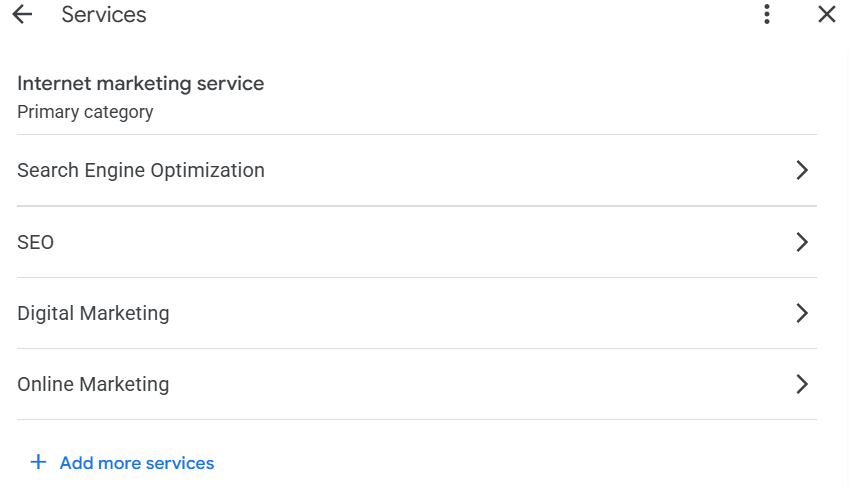
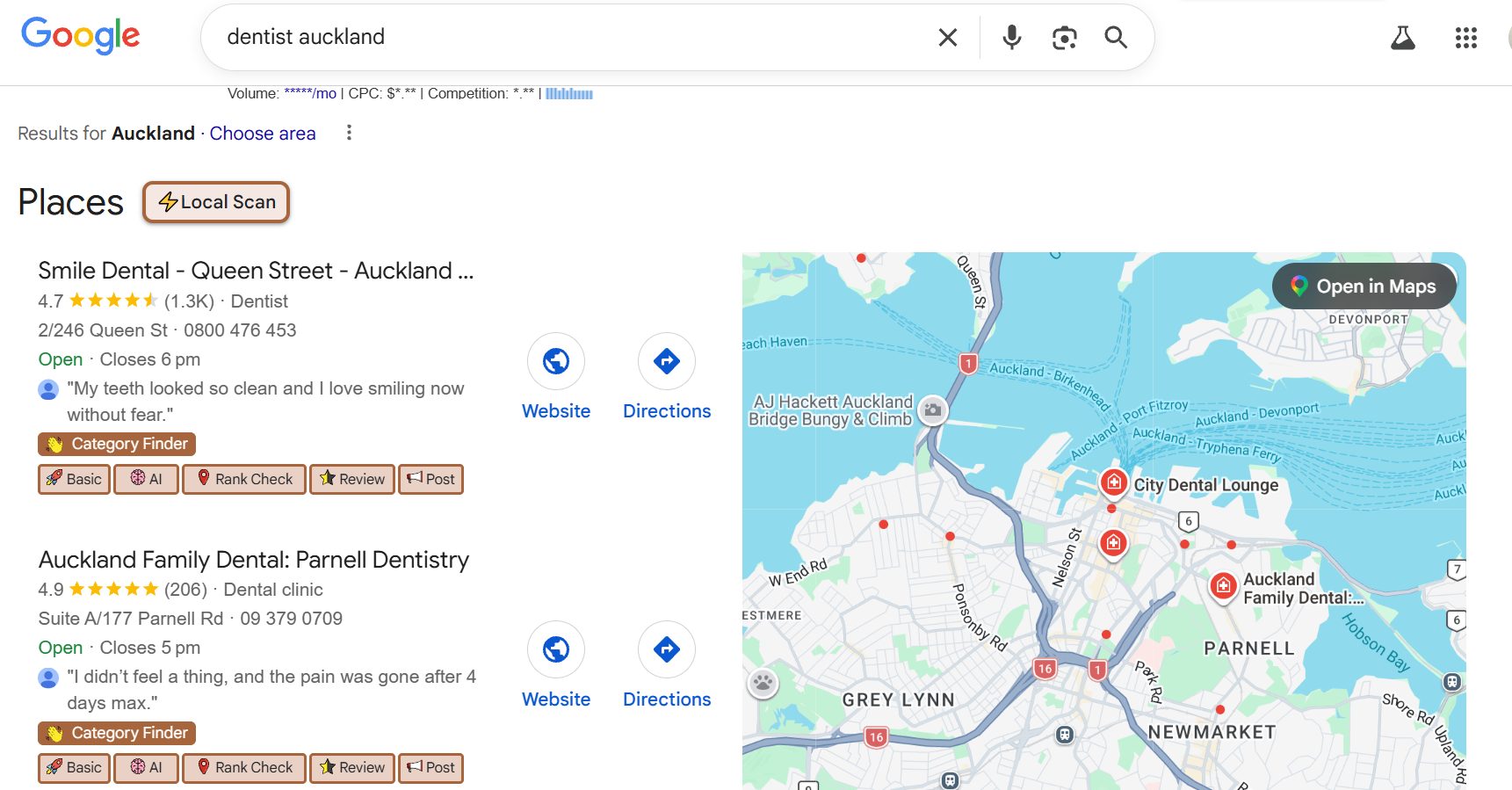
Set it to the exact type, not “close enough” — “Electrician,” not “Home Improvement.” “Emergency Plumber” if that’s what you are. Here’s where you set it:
One thing that trips people up: the difference between the “location” setting and the “service area” setting.
Location is a spot on the map (a shopfront). Service area is a list of places you travel to. As a SAB you use the second and clear the first — mixing them up is what gets profiles flagged.
Want to know what categories your competitors picked? Install the GMB Everywhere extension, open a rival’s profile, and it shows you their exact primary and secondary categories. Free, and it takes about ten seconds. Steal the ones that fit.
How Many Location Pages Should You Build
This is the question every service area business gets stuck on, and it’s the one the forums argue about endlessly: one page for everything, or a separate page for every suburb you serve?
I’ve watched that debate go 40 comments deep with no one landing the plane. And that’s because they’re all arguing about the wrong thing.
Page count was never the deciding factor — authority is.
Here’s the truth: an area page only ranks if your site has the authority to push it there. Build ten thin suburb pages on a weak site and you don’t get ten rankings — you get ten pages splitting the little authority you’ve got, and none of them move.
Spread butter that thin and you can’t taste it on any of the toast.
So the rule is simple. Start with one strong page. Then pour your energy into improving your local SEO — links, reviews, real jobs, a site Google actually trusts.
Then branch into area pages, for the places you genuinely serve and genuinely want to win. Authority first, area pages second. Do it the other way round and you’re just making pages.
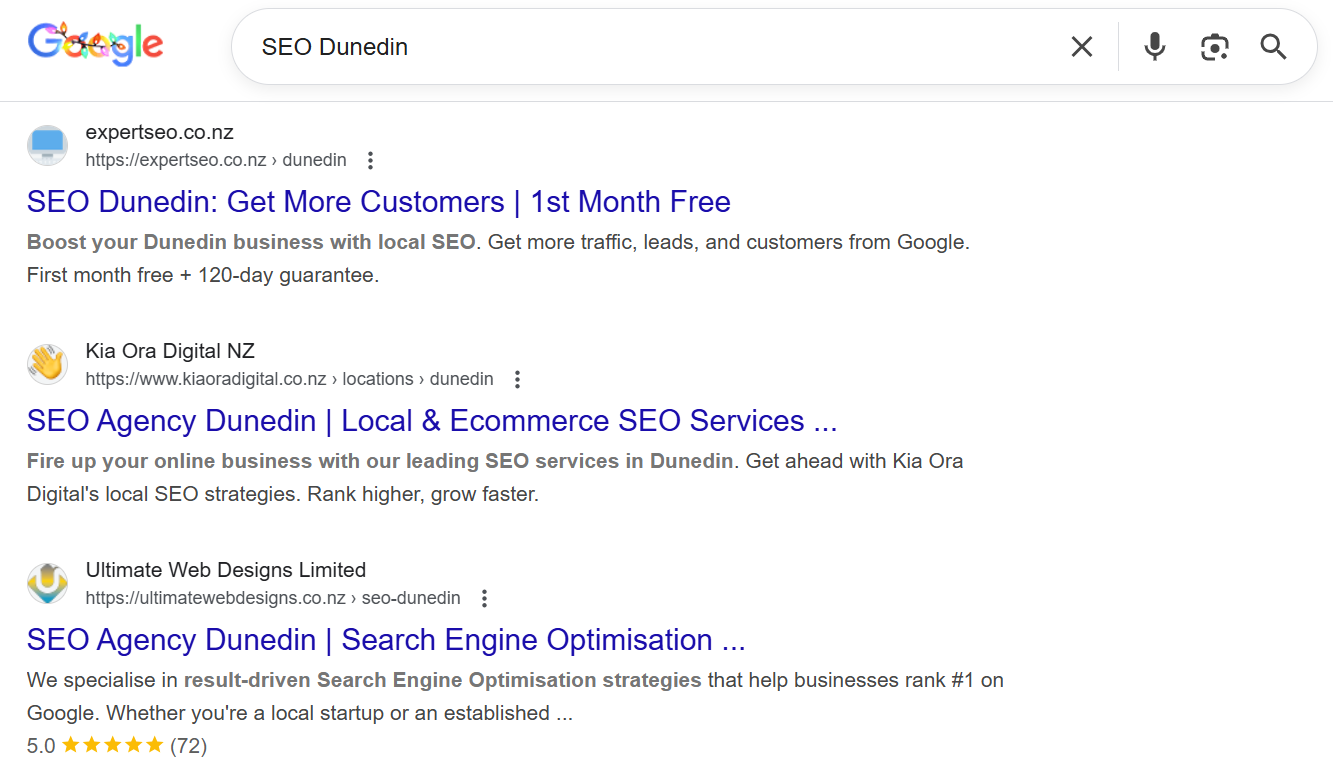
I can show you this one from my own back yard, because Expert SEO is itself a service area business — an SEO company serving clients across the country, no shopfront anyone walks into.
I built city pages for the places I wanted to rank. And because the authority was there to carry them, they ranked.
#1 for “SEO Dunedin,” and #2 for “SEO Hamilton” off the same site:
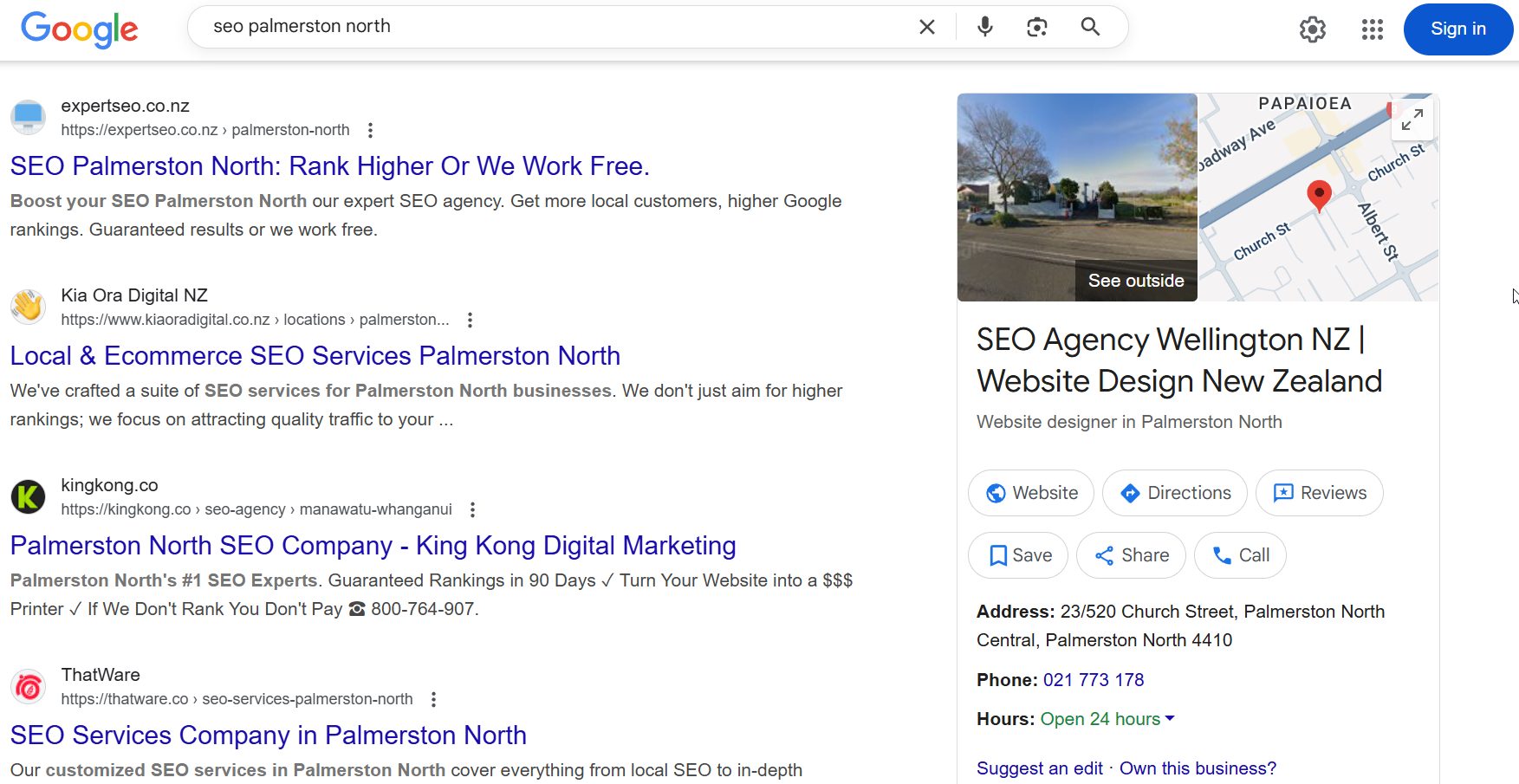
And #1 for “SEO Palmerston North”:
And it’s not a vanity ranking sitting there looking pretty. I’ve done SEO and Google Ads for a client down in Dunedin who found me through that SEO Dunedin page.
That’s the whole mechanic in one line: the authority made the page rank, the page did the finding, the ranking turned into real work.
So — should you build a page for every suburb? Build one for every area where you’ve got the authority to rank it and a real reason to target it. Not before.
How to Build a Location Page That Ranks
Say you’ve got the authority and you’re ready to add an area page. It only works if it’s genuinely about that area — not a find-and-replace job.
Copy your main page, swap “Auckland” for “Hamilton,” change nothing else? Google’s seen that trick a million times. It reads as duplicate, and duplicate pages don’t rank — sometimes they drag the original down with them.
A page that actually holds has real substance behind it. Start with the copy.
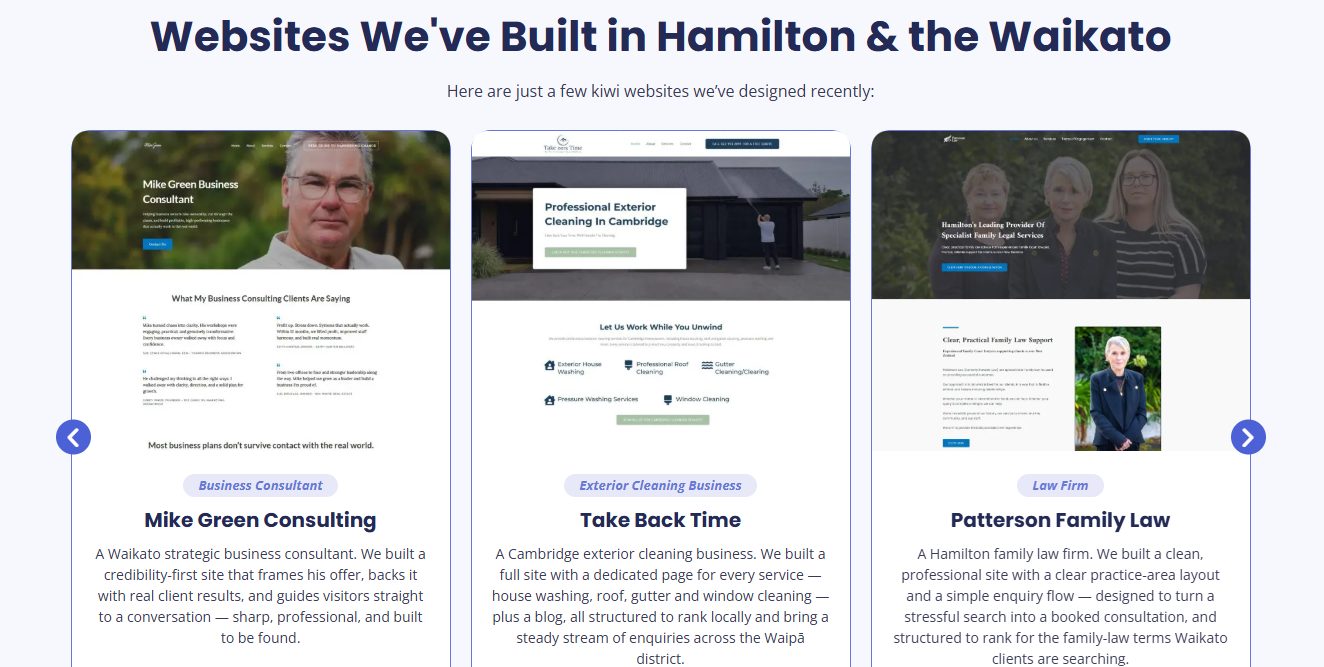
Unique copy, written for that area. Not spun, not swapped — actually different. Here’s the move in action: on our own Hamilton website design page, we name the real Hamilton clients we’ve built sites for and show the actual work.
That’s local content no find-and-replace can fake, and it’s the exact thing that makes Google read a page as genuinely about that place.
Then layer on the rest:
- Local proof. Photos from real jobs in that suburb, with the place named. A testimonial from a customer who lives there. An FAQ or two about the quirks of working in that area (parking, older housing stock, whatever’s true).
- Suburb-plus-service in the important spots. Your title, your H1, your first line. “Electrical Services, North Shore” — the language your customer actually types, front and centre. If you’re chasing SEO in Auckland specifically, that’s exactly how the area pages feed into it.
- The stuff that turns a visit into a call. Your process, a price range and why it’s a range, what to expect, how fast you turn up — the practical detail that decides whether a ranking becomes a booked job.
Reviews, Citations and NAP Without a Physical Address
With your address hidden, the trust signals have to work overtime. Reviews and citations are how Google confirms you’re a real, active business operating where you say you are — for a SAB, they matter more, not less.
Start with reviews, because they’re your biggest lever. Google reviews don’t just nudge rankings; they close the deal once someone finds you.
The numbers back it: 67% of people read reviews after a local search, and 54% go on to click through to the business. Reviews that mention the suburb (“great job in Papakura”) are a double win — trust signal and a location signal in one.

Getting them is a system, not a hope:
- Grab your review link straight from your profile — GBP has an “Ask for reviews” button that generates it for you.
- Turn it into a QR code. Stick it on the invoice, the back of the van, the receipt.
- Ask at the emotional high — right after you’ve finished the job and they’re happy, not three weeks later by email.
- One follow-up if they don’t bite. One. Not five.
- Reply to every review, good or bad. It shows Google (and the next customer) you’re switched on.
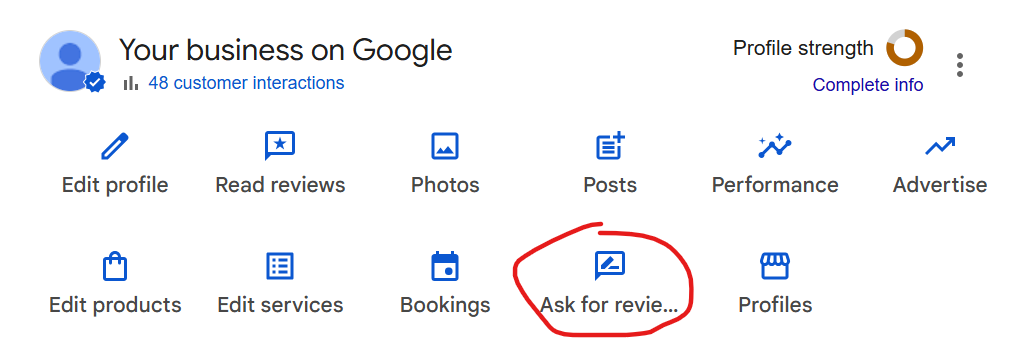
Then citations. A citation is just your business listed on another site — name, phone, service area. Consistency is the whole game: the same details, formatted the same way, everywhere they appear.
In NZ that means Neighbourly, the NZSB Directory, your local Chamber of Commerce, trade bodies, and any local sponsorships you can wrangle.
Doing it by hand across dozens of directories is soul-destroying, so most people use BrightLocal’s Citation Builder — enter your details once and it pushes a consistent listing out for you.
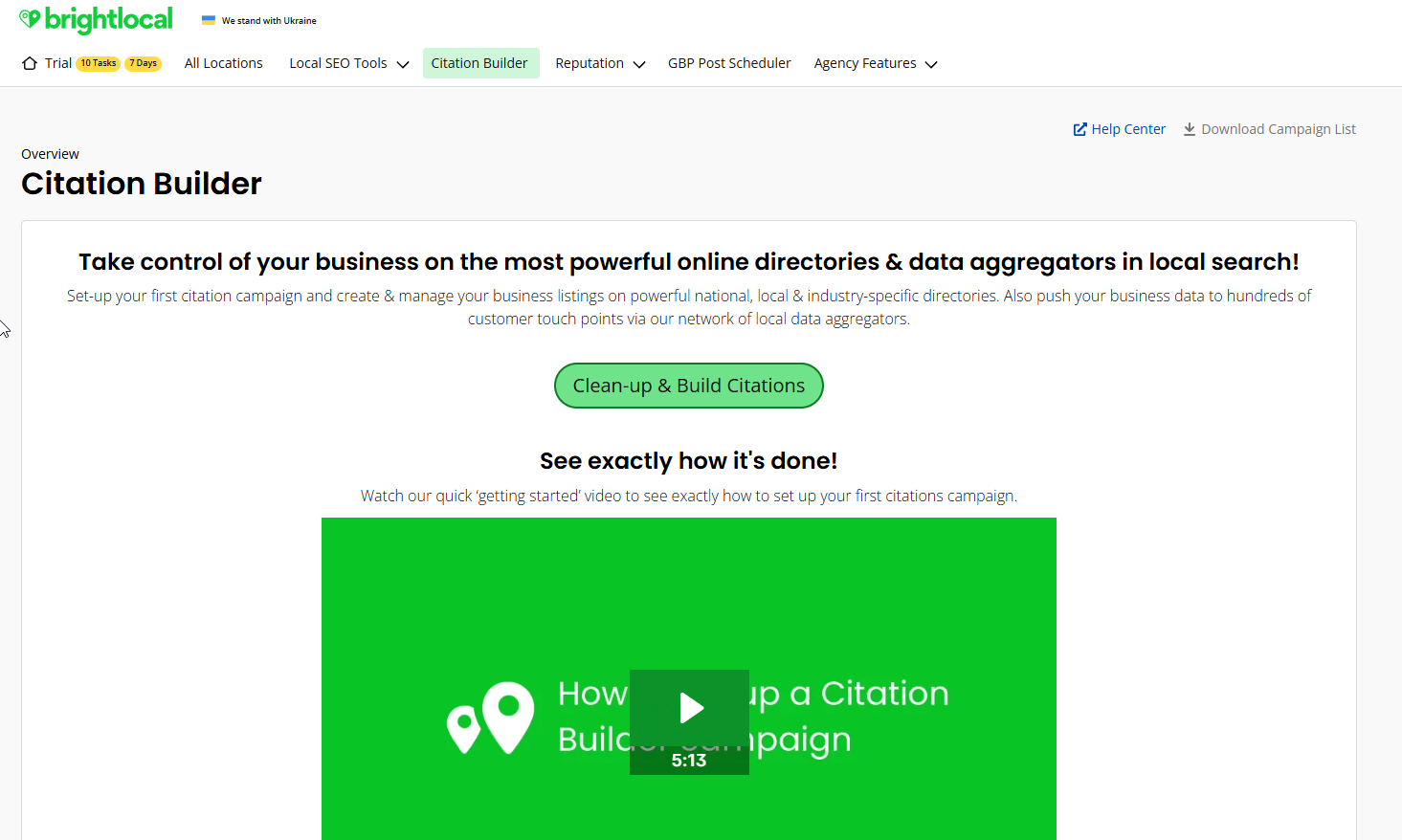
The NAP catch for a SAB: your “A” is a service area, not a street address. So keep the name and phone rock-solid consistent everywhere, and don’t accidentally let an old street address for your home leak onto a directory — that inconsistency is exactly what confuses Google and undoes the work.
Local Schema for Service Area Businesses
Schema markup is code you add to your site that spells out your business details in a language Google reads instantly — no guessing required. It’s a quick win most tradies never touch.
The one that earns its place for a SAB is LocalBusiness schema, and specifically the areaServed field. That’s where you list the suburbs and regions you cover — telling Google your service area in plain code, backing up what your GBP already says.
The trick for a SAB is what you leave out: skip the street address, keep the name, phone, service area and hours. It goes on your home page, your main service pages, and your area pages.
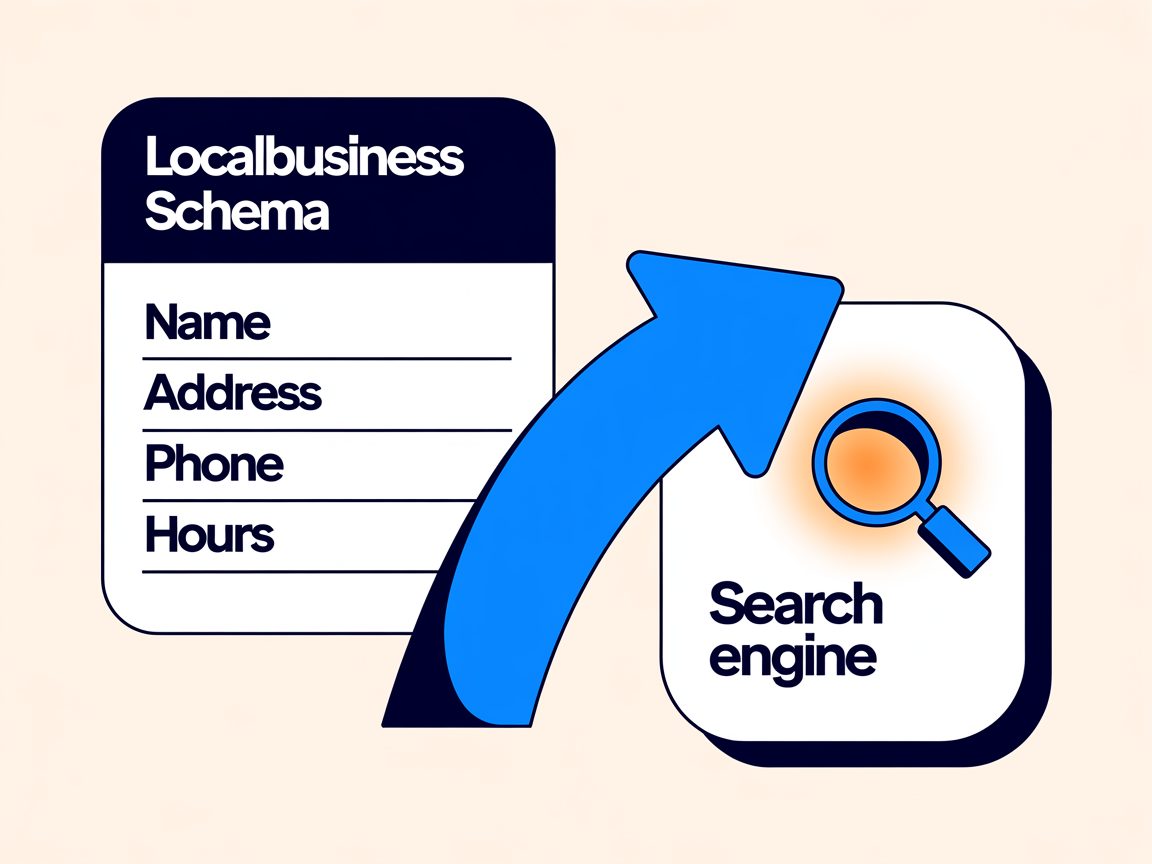
There’s a bonus, too. The same structured data that helps Google understand you also helps AI search — ChatGPT, Google’s AI answers — pull you in as a clean, trustworthy answer.
Given AI is fast becoming a real source of local recommendations, that’s worth having wired up early.
DIY vs Hiring an SEO Expert
Most of this you can do yourself. The GBP setup, the reviews system, a solid first page — none of it needs an agency. Roll your sleeves up and you’ll get real results.
Where service area businesses hit the wall is authority. That’s the deciding factor from earlier — the thing that determines whether your area pages ever rank — and it’s the hardest bit to build on your own while you’re flat out running the actual business.
Links, a genuinely strong site, competitive suburbs where everyone’s fighting for the same three map spots: that’s usually the point where bringing someone in pays for itself.
On cost, it varies more than most people admit, so it’s worth understanding what local SEO actually costs before you commit to anyone — DIY or hired.
If you’d rather hand the authority-building to someone who’s already ranking his own service area business #1 across the country, that’s where our done-for-you SEO comes in.
Local SEO for Service Area Businesses: FAQ
How do I rank on Google Maps without an address?
Set your Google Business Profile up as a service area business: clear the public address, list the suburbs you serve, and pick the exact primary category. Then lean on the signals a hidden address can't touch — reviews, consistent citations, and a website with real, area-specific content.
With no address to anchor you, those off-address signals do the ranking work.
Should I create a separate page for every suburb I serve?
Only for the areas where you've got the authority to rank the page and a genuine reason to target them. Start with one strong page, build your authority, then branch out.
Ten thin suburb pages on a weak site split your authority and none of them rank. A few genuine, well-built area pages beat a pile of shallow ones every time.
How many service areas can I add to my Google Business Profile?
Up to 20. Keep it to a realistic radius — roughly what you'd drive for a normal job — rather than claiming half the country.
Over-claiming your service area dilutes your relevance signal and rarely helps you rank in the places that matter.
What's the difference between the "location" and "service area" settings?
A location is a physical spot on the map (a shopfront customers visit). A service area is the list of places you travel to serve customers.
As a service area business you set the service areas and clear the public address. Mixing the two up is a common reason profiles get flagged.
How do I verify a service area business on Google?
Google most often verifies by video these days — a short walkthrough showing your branded van, your tools, and your signage to prove the business is real.
Have those ready before you start, and follow the prompts in your Google Business Profile dashboard.
Can I do local SEO for my service business myself?
Yes. The Google Business Profile setup, a reviews system, and a solid main page are all genuinely DIY.
Where most service area businesses get stuck is authority — the links and site strength that decide whether area pages ever rank. That's usually the point worth handing over.
How much does local SEO cost for a small NZ business?
It varies more than most providers admit, depending on how competitive your area is and how much authority-building you need.
Understand what local SEO actually costs before you commit to anyone — whether you're doing it yourself or hiring it out.
Recommended Reading
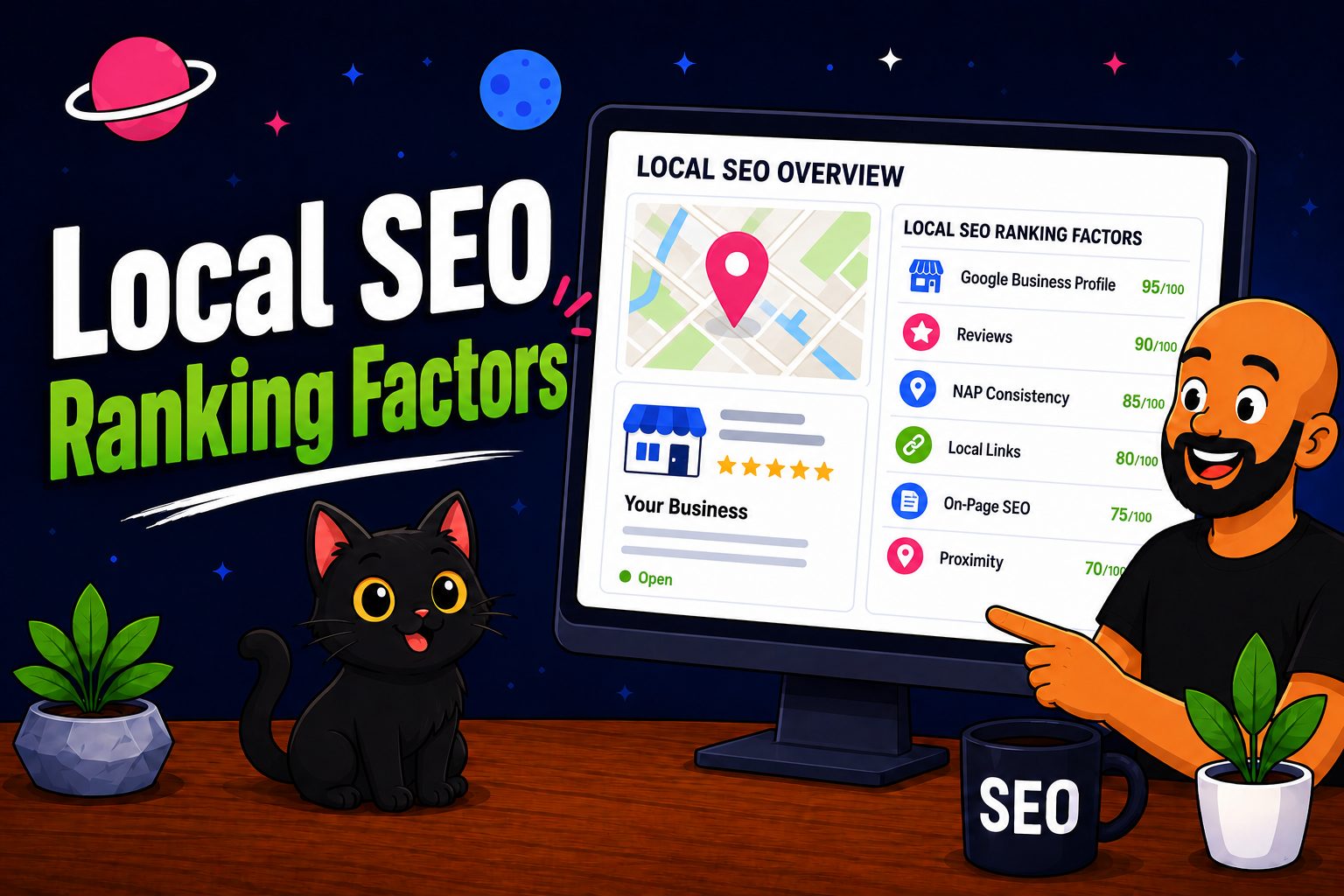
Local SEO Ranking Factors
The signals that actually decide where you land in the map pack — ranked by weight.
Google Business Profile Ranking Factors
What to optimise on your profile first — the parts that move your map ranking most.
Google Maps SEO
How to climb Google Maps specifically — the home turf of every service area business.