

You claimed the profile. Added the photos. Asked a few happy customers for reviews.
And you’re still sitting at position 7 in the map pack, watching a competitor with an uglier website and a smaller fit-out sit pretty in the top three.
It’s maddening, because every guide you’ve read handed you the same flat checklist: fill it out, add photos, get reviews. Tick, tick, tick. None of them told you which of those actually moves the needle, or what to do first.
That’s what this guide fixes.
I’m going to rank the Google Business Profile ranking factors by how much they genuinely shift your position — using the 2026 expert data, not made-up numbers — then walk you through actioning each one.
At the end I’ll cover the part nobody else touches: getting your business named in AI search, which now plays by different rules than the map pack.
Expert SEO itself sits in the local pack for competitive terms despite being a baby of a domain.
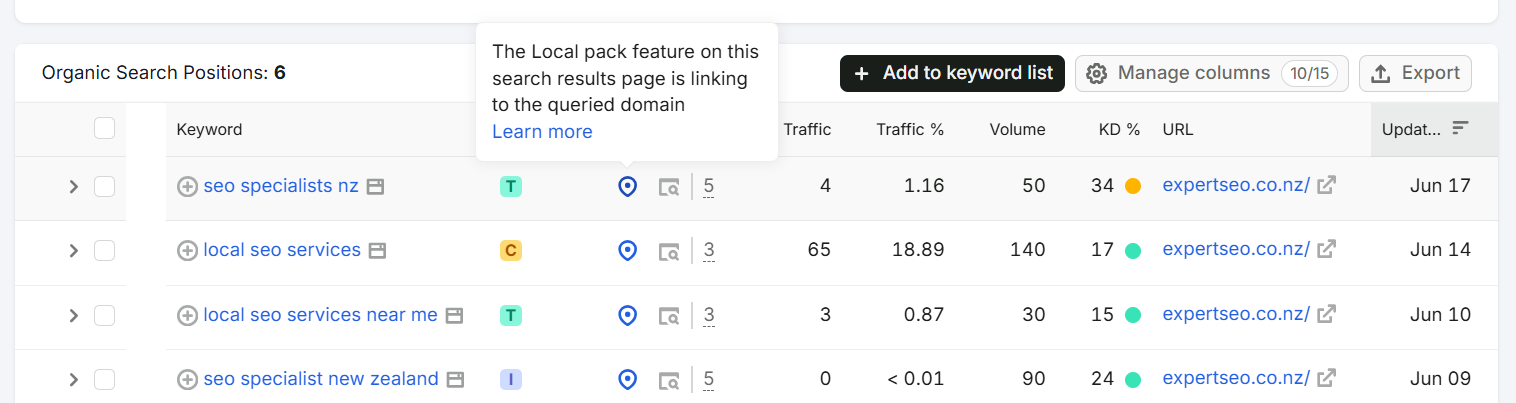
So this isn’t theory. It’s what’s worked.
Who this Google Business Profile Ranking Factors guide is for
This is built for the kind of business that lives or dies on local search — where one new customer is worth hundreds or thousands, and most of them find you on a map before they ever see your website.
If you run a dental practice and you want to learn SEO for dentists, a law firm chasing SEO for lawyers, or a brokerage after SEO for mortgage brokers, this is for you.
Same goes for the plumber, the café owner, the barber, the physio — anyone who needs to be the business locals find first.
The factors are the same across all of them. The order you tackle them in is what most people get wrong.
How Google decides which profiles rank
Three things decide your local ranking — relevance, distance, and prominence — and you can move two of them.
That’s Google’s own framework, stated plainly in their local ranking documentation.

Relevance is how well your profile matches the search. Distance is how close you are to the searcher. Prominence is how known and trusted your business is across the web.
Distance you mostly can’t control — you can’t pick up your dental clinic and shuffle it closer to whoever’s searching.
But relevance and prominence are where the whole game is won, and every factor below is just a lever on one of those two.
Here’s the thing the framework hides, though.
Knowing the three pillars exist is like knowing a car runs on petrol, an engine, and wheels. True, but useless for actually driving. What you need is the order of operations — which lever to pull first. So let’s rank them.
The factors aren’t equal, and you shouldn’t treat them equally.
The 2026 Whitespark and BrightLocal Local Search Ranking Factors survey — 47 local SEO experts scoring 187 factors — puts your Google Business Profile signals at 32% of local-pack ranking weight.
That’s the single biggest category, bigger than your website, your links, or your reviews on their own.
And within that 32%, the three heaviest individual levers are your primary category, your proximity, and the keywords in your business name.

So that’s the order we’ll go in — heaviest lever first. Not alphabetical, not whatever’s easiest to action. By impact.
Ranking Factor #1 — Your Primary Category
Your primary category tells Google what you fundamentally are, and getting it wrong can sink you before anything else even matters.

Here’s why it carries so much weight: Google uses it as the master filter. If a searcher types “emergency plumber” and your primary category is set to the vaguer “Plumber,” you can be edged out by a competitor whose category matches the intent more precisely.
Choose “Home improvement” when you should’ve chosen “Plumber” and you’ve handed the top spots away before the race starts.
How to set it properly:
- In Google Search, sign in to the account that manages your business and type your business name. You’ll see your profile panel with an Edit profile button.
- Click Edit profile, then Business category.
- Set your Primary category to the single most accurate description of your core service — the exact thing you most want to rank for.
- Add relevant Additional categories underneath for your other services (you get up to nine), but don’t dilute the primary with anything off-target.
The move most people miss is spying on what’s already winning. The top three businesses in your map pack are telling you the answer for free — you just need to read their categories.
A tool like GMB Everywhere (a free Chrome extension) shows you the exact primary and secondary categories any competitor has set. Install it, search your keyword, and it lays their categories out next to their listing.
Say you’re a dentist in Auckland chasing “dentist Auckland.” Run the search, open GMB Everywhere, and you might find the top three aren’t just set to “Dentist” — they’ve also added “Cosmetic dentist,” “Dental implants provider,” and “Teeth whitening service.”
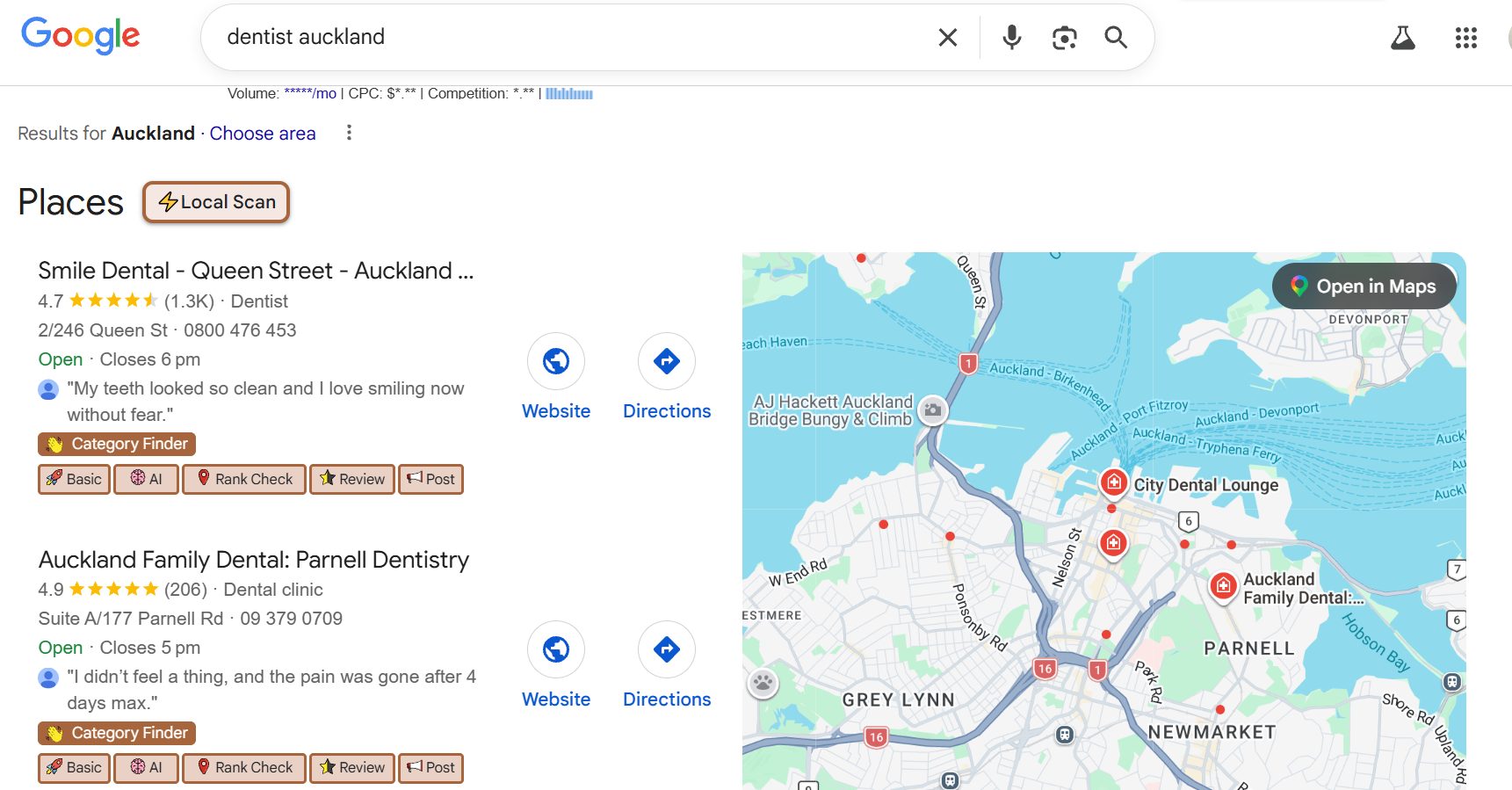
That’s your blueprint. Match the primary, then add the secondary categories you genuinely offer.
This is the same logic behind every winning local SEO campaign I run: don’t guess what Google wants, read it off the businesses Google already rewards.
Ranking Factor #2 — Proximity and Your Address
Proximity is how close your verified address is to the searcher, and while you can’t move your building, you can stop sabotaging this signal.
Why it matters: Google heavily favours nearby businesses, especially on mobile, because a “near me” search is a request for near me.
You won’t rank for “plumber Takapuna” from a workshop in Manukau the way a Takapuna-based plumber will — that’s structural, not a failure of your SEO.
What you actually control:
- Make your Name, Address and Phone number (NAP) identical everywhere it appears online — your profile, your website, every directory. Inconsistency here quietly erodes trust.
- Verify your business at the address you actually operate from, because your ranking is anchored to that verified address.
- If you travel to customers, set yourself up as a service-area business and define your areas — but know what that setting does and doesn’t do.
Here’s a myth worth killing, because half the guides get it wrong: your listed service area does not boost your ranking.
Testing by Sterling Sky (one of the most respected local SEO research teams going) confirmed that the service area you list doesn’t affect rankings — your rankings are based on the verified address, full stop.

The service area is there to tell customers where you go, not to widen where you rank. So a plumber covering all of West Auckland still ranks from their verified base, not across every suburb they’ve ticked.
That matters for expectations. If you’re a service-area business trying to rank in a suburb 30 minutes from your base, the answer isn’t ticking more service-area boxes — it’s building enough prominence (reviews, links, citations) to stretch your radius, or opening a genuine second location.
Ranking Factor #3 — Keywords in Your Business Name
A business name that naturally contains your service and city is a genuine ranking boost — and faking it is one of the fastest ways to get suspended.

Search “auckland plumbing” and the business sitting top of the pack is Auckland Plumbers Group — service and city built straight into the name, 4.8 stars across 487 reviews. That’s not a coincidence.
Why it works: Google reads your business name as a relevance signal. “Cambridge Emergency Plumbing” is telling Google exactly what it is and where, and that helps.
A name like “Smith & Co” gives Google nothing to work with.
The line you cannot cross: your Google Business Profile name must match your real-world, signage-and-paperwork name.
If your registered name genuinely is “Cambridge Emergency Plumbing,” brilliant — you’ve got a built-in advantage. But bolting keywords onto a name that isn’t real (“Smith Plumbing — Best Emergency Plumber Auckland Cheap Fast”) is against Google’s guidelines, and competitors can report it.
The penalty isn’t a slap on the wrist; it can mean a suspended profile and vanishing from the map entirely.
So the play here is narrow but real:
- If you’re naming or rebranding a business, factor your core service into the legal name from day one where it fits naturally.
- If your real name already includes a keyword, make sure your profile uses it exactly.
- If it doesn’t, leave it alone. Don’t risk the whole profile for a single signal you can earn elsewhere.
I’ve seen NZ businesses tank a perfectly good profile chasing this one. It’s not worth it — there are safer levers, and we’re about to hit the biggest of them.
Ranking Factor #4 — Reviews, Recency and the 4.5-Star Floor
Reviews feed both your ranking and your click-through rate, and in 2026 the rules shifted: recency now matters as much as raw count.
Why they’re so powerful: reviews are the clearest prominence signal Google has, and they’re also what convinces a human to tap your listing over the one above it.
They work twice. In that same 2026 survey, reviews are the second-biggest ranking category at 20% — behind only the profile itself.
But the bar has moved. BrightLocal’s 2026 consumer research found that 74% of consumers only want reviews from the last three months, and the share of people who’ll only use a business rated 4.5 stars or higher has jumped to 31% — nearly double the year before.

A profile with 500 reviews and nothing new in four months now reads as stale, both to Google and to customers. The target that falls out of this is roughly four fresh reviews a month, every month — a steady drip, not a one-off blitz.
Here’s the system that actually delivers that drip:
- Grab your direct review link. Search your business name while signed in, find the “Ask for reviews” button on your profile panel, and copy the link it generates — this opens the review box in one tap, instead of making customers hunt for your listing.
- Turn that link into a QR code with any free generator, and put it on your invoices, your van, your counter, your email signature.
- Ask at the emotional high — right after a job’s gone well and the customer’s happy. A quick text or email the same day, while the good feeling’s fresh.
- One polite follow-up if they don’t bite. No more.
- Reply to every review, good and bad. Responses are a signal too, and 89% of consumers read them.
Now the trap — because this is where one popular NZ guide is actively steering people wrong. They teach “review gating”: sending customers to a private page first, and only routing the happy ones (4-5 stars) to Google while diverting the unhappy ones to a complaint form.
It sounds clever. It’s also a direct violation of Google’s review policy and a genuine suspension risk. Don’t filter who gets to review you. Ask everyone, make it easy, and earn the stars honestly — that’s the version that doesn’t blow up in your face.
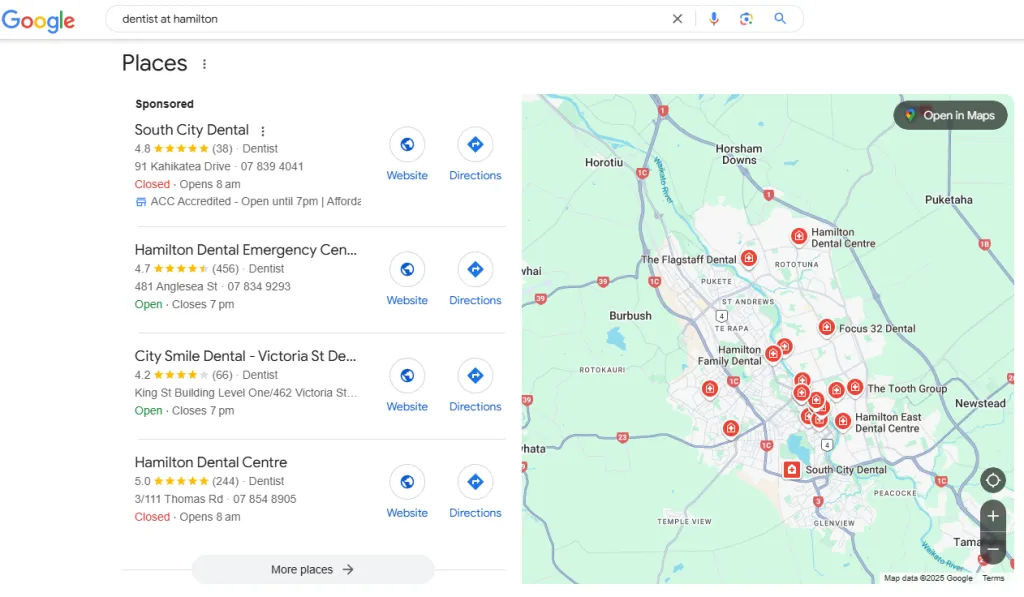
When you’re sizing up a market, reviews are also your competitive read. Search your keyword, look at the top three, and clock their review counts.
If the leaders in “dentist Hamilton” are sitting on a couple hundred reviews each and you’ve got eleven, you know the gap you’re closing.
Ranking Factor #5 — Profile Completeness
A complete, active profile outranks a half-finished one — but not every field is pulling its weight, and knowing the difference saves you hours.
Why completeness matters: Google rewards profiles that are fully filled out and regularly touched, because that signals a real, maintained business.
Complete profiles also earn 70% more location visits and are 2.7 times more likely to be seen as reputable, per Google’s own data.

The fields that genuinely move rankings — fill these properly:
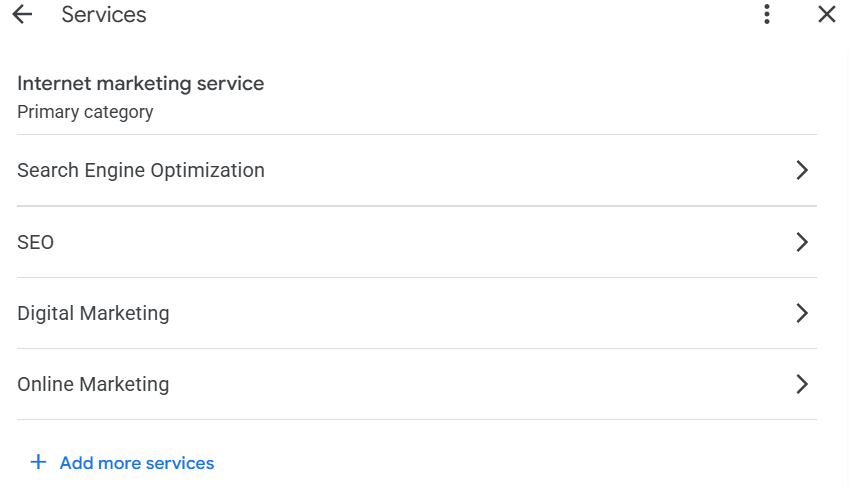
- Services. This one surprised the industry. Sterling Sky’s testing showed that adding specific services to a profile moved rankings within 24 to 72 hours, where an earlier test had found nothing. Go to Edit profile → Services, and add every service you offer with a real, plain-language description. A plumber should list “blocked drain repair,” “hot water cylinder installation,” “leak detection” — the exact phrases customers type.
- Photos. Add real ones regularly via the Photos tab. Fresh photos signal an active profile.
- Description. Write a clear, natural one under Edit profile → Description.
And the fields that don’t move rankings — useful for customers, but stop expecting them to lift you up the pack:
- Geotagging your photos (adding fake GPS data) does nothing for ranking. Skip it.
- Keywords stuffed into your business description don’t help rankings.
- The Q&A section and Google Posts won’t lift your position directly.
That last group still matters for engagement and conversions — Posts and Q&A help humans choose you. Just don’t pour hours into them expecting a ranking jump.
Spend that time on categories, services, and reviews instead.
Ranking Factor #6 — Business Hours and Activity
Being open at the moment someone searches can measurably lift your ranking, which makes accurate hours one of the easiest wins on the board.
This is the factor almost no NZ guide mentions, and it’s genuinely surprising.
Local Falcon’s testing found that Google Business Profile rankings shift depending on whether you’re open or closed at the time of the search — a business can drop out of the pack entirely when it’s closed, especially in a crowded market.
In the 2026 expert survey, business hours rank as the fifth-biggest individual factor across the whole system.

What to do:
- Go to Edit profile → Hours and set your regular hours accurately.
- Add special hours for public holidays — Waitangi Day, Easter, the long weekends — so you’re not showing as “open” when you’re shut, or vice versa.
- If it suits your business and you can resource it, genuinely wider hours mean you’re “open” for more searches through the day.
It costs you ten minutes and a bit of honesty about when you actually work. For that, you get a real edge during the hours that matter most.
Ranking Factor #7 — Off-Profile Prominence
Prominence doesn’t live entirely on your profile — your website’s authority, your backlinks, and your citations all feed it, which is why the strongest local players invest beyond Google.
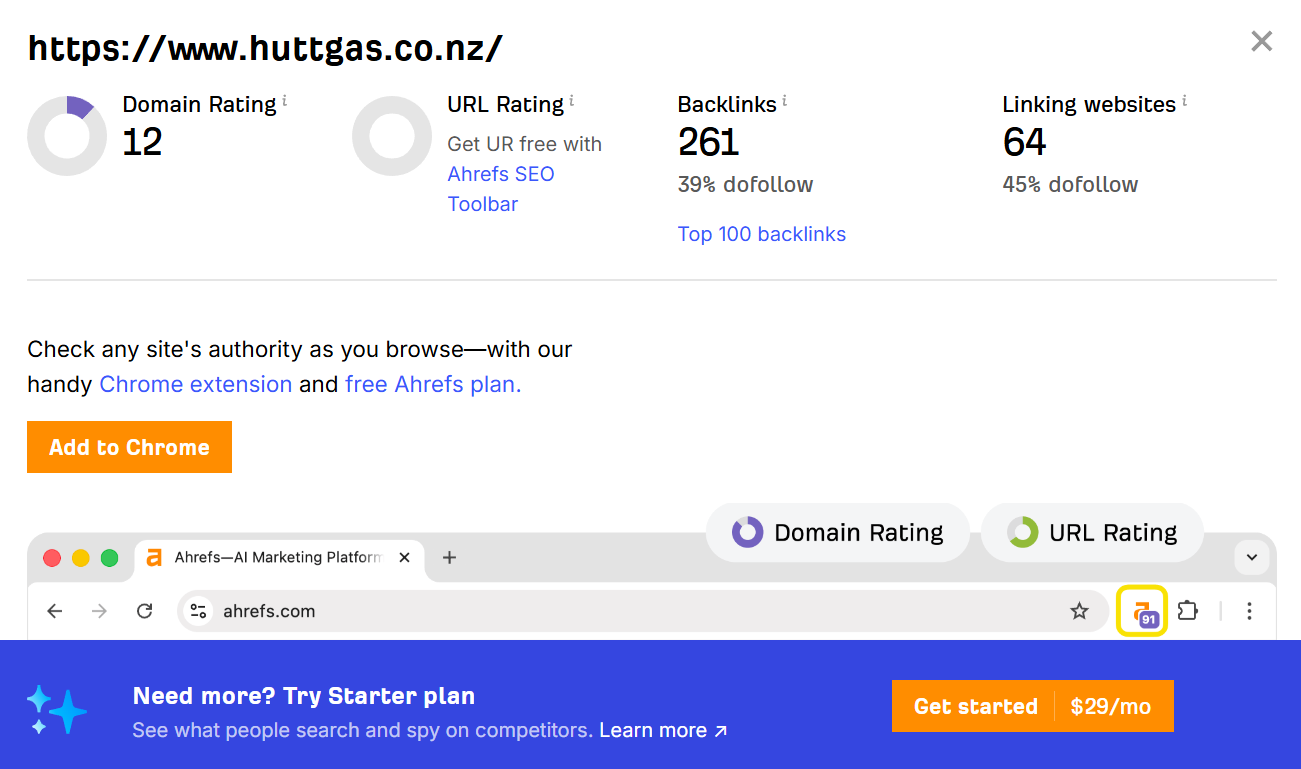
The short version: Google looks at the wider web to decide how prominent you are. A strong, fast website with local backlinks and consistent citations across NZ directories tells Google you’re a real, established business — and that lifts your whole profile.
The micro-steps here genuinely are their own discipline:
- Keep your NAP consistent across every directory. A tool like BrightLocal’s Citation Builder pushes a consistent listing out to the main directories for you, instead of you submitting to each by hand.
- Earn local backlinks — sponsor the local rugby club, get listed by the Chamber of Commerce, partner with nearby businesses.
- Make sure the website your profile links to is fast, mobile-friendly, and clearly about what you do.
This is where I’ll hand you off, because the link and on-page side is a full topic of its own — it’s the heart of broader Google Maps SEO and general how to rank higher on Google, and I’ve covered the website mechanics in depth there.
For this guide, the point is simply that your profile doesn’t operate in a vacuum: the stronger your website’s authority, the more your map-pack rankings have to draw on.
The mistakes that get NZ profiles buried or suspended
Most ranking problems aren’t missing tactics — they’re active mistakes quietly dragging the profile down or risking a ban.
Knowing what not to do is half the battle, because some of these don’t just fail to help — they get your profile suspended.
- Review gating. Filtering out unhappy customers before they reach Google breaches policy and risks suspension. Ask everyone.
- Keyword-stuffed business names. Adding “Best Cheap Auckland” to your real name is reportable and can get you suspended.
- Inconsistent NAP. Different addresses or phone numbers across directories confuse Google and weaken trust. Pick one format and make everything match.
- Two businesses at one address. If you share an address with another business in the same category, Google can filter one of you out of the pack entirely. Worth knowing before you set up in a shared office.
- A neglected profile. Set-and-forget is the most common one of all. A profile that hasn’t been touched in months reads as a business that might not even be operating.
Each of these is a self-inflicted wound. Fix them first — there’s no point optimising a profile that’s quietly breaking the rules.
How to check where you actually rank
Searching your own business name tells you almost nothing about your real ranking, because Google personalises results to you — so you need to check the way a stranger sees it.
This trips up nearly everyone. You search “plumber Auckland,” see yourself at the top, and assume you’re winning.
But Google knows it’s you, knows your location, knows you’ve visited your own profile a hundred times — so it shows you a flattering, personalised result that no actual customer sees.
The fix is a grid rank tracker:
- Use a tool like Local Falcon, which checks your ranking from dozens of points across a map, not just your own location.
- It returns a grid showing exactly where you rank in each part of your city — and you’ll usually see your position fade the further you get from your address (that’s proximity in action).
- Check every couple of weeks, and watch for sudden drops or unwanted “suggested edits” to your profile.

If you’d rather not get into the tools, a proper site audit covers where you genuinely stand and what’s holding the profile back — it’s the same starting point I use before any local campaign.
Doing it yourself vs hiring an expert
Plenty of this you can do yourself this week — setting your category properly, fixing your hours, building a review system, listing your services.
None of it requires an agency, and a motivated owner who works through this list in order will outrank most of their competitors. Nine times out of ten, the basics done properly beat a rival who’s paying someone and still cutting corners.
Where it gets worth handing over is the part that compounds: the website authority, the local link building, the citation consistency, and the AI-search optimisation that decides whether you show up for that growing half of searchers using AI.
That’s slower, more technical, and easy to get wrong — and it’s where our SEO services earns its keep.
If you’d rather have someone map out exactly what your profile and site need, that’s what an SEO consultant is for, and it’s the kind of SEO in Auckland and across NZ that we do every day.
Either way, you now know which factors actually move you up the map pack — and in what order to attack them. That’s more than most of your competitors will ever figure out.
Google Business Profile Ranking Factors: FAQ
What are the most important Google Business Profile ranking factors?
How do I get my Google Business Profile to rank higher?
How does Google rank Business Profiles?
Do keywords in my business name help rankings?
Do I need a physical address to rank in the map pack?
Recommended Reading

The step-by-step running order for improving a NZ site's SEO — the website-authority side that lifts your whole profile.

How citations, backlinks and mentions build the authority that lifts your whole profile.
The practical, do-it-yourself roadmap to ranking a small New Zealand business on Google.