

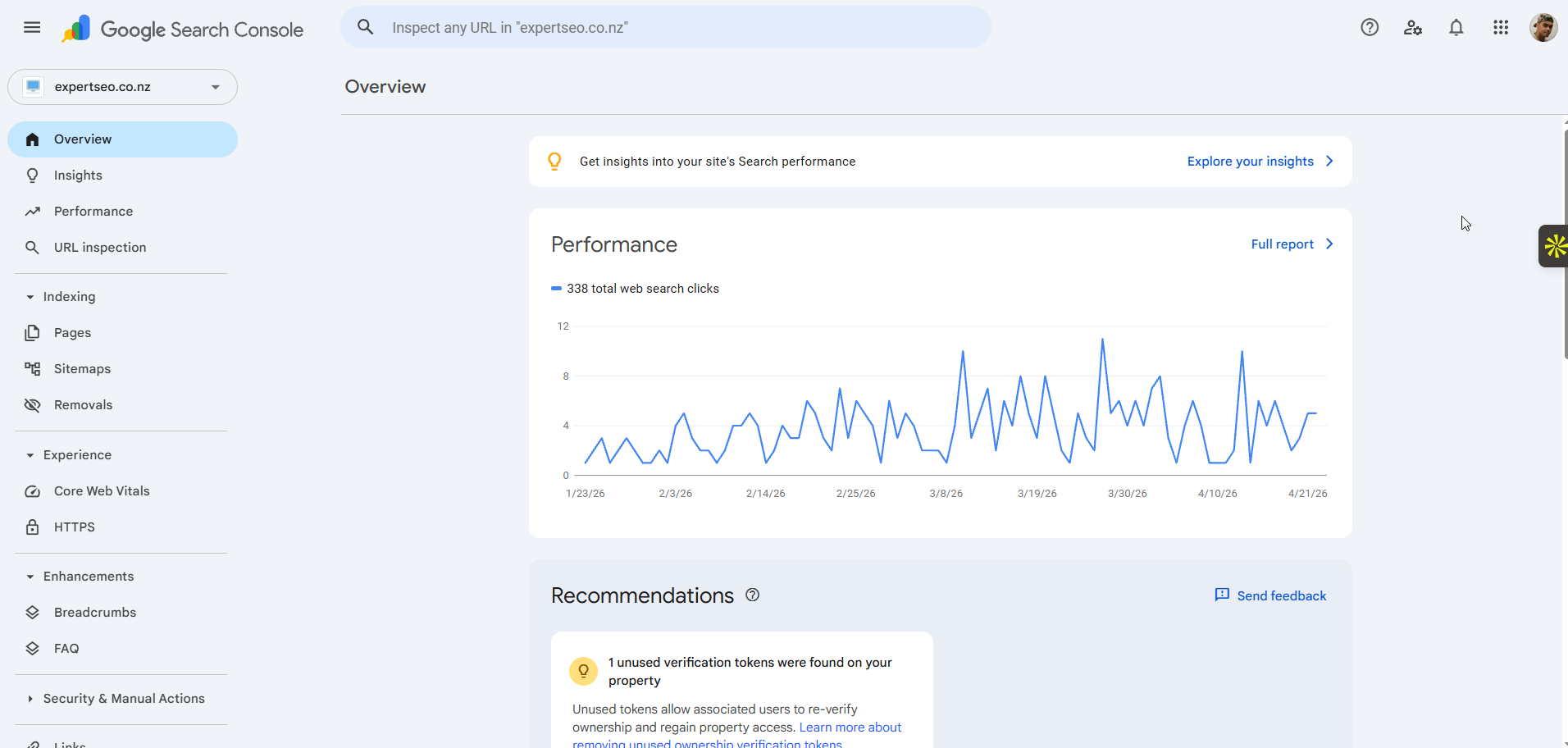
Here’s how to set it up:
- Search for Google Search Console and sign in with a Google account.
- Add your website as a property and verify you own it (the easiest way is usually through your domain provider or by pasting a verification tag into your site).
- If you don’t have a sitemap, create one — most platforms generate one automatically, or a plugin will. Find the URL (usually something like
yourdomain.co.nz/sitemap.xml). - In Search Console, go to “Sitemaps,” paste your sitemap URL, and submit.

Once that’s done, Google starts using your sitemap to find and crawl your pages faster.
From here on, you can actually measure whether your work is paying off instead of hoping it is.
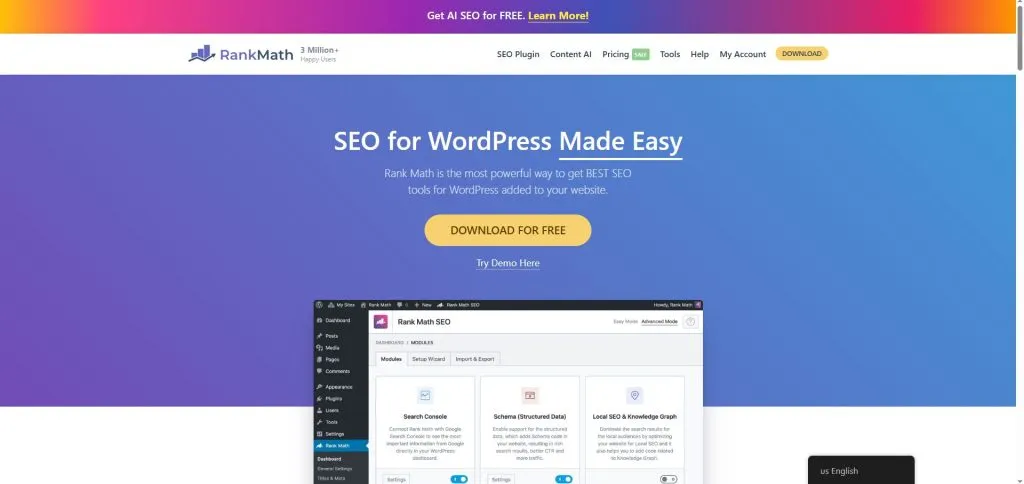
While you’re at it, if your site runs on WordPress, install Rank Math.
It handles your title tags, meta descriptions, sitemap, and most of the on-page basics you’ll need in Step 3, so it’s worth getting in early.
Step 2: Find the keywords worth targeting
Before you touch a single page, you need to know what your customers are actually typing into Google.
That’s keyword research, and it’s the difference between creating pages people search for and creating pages nobody wants.
Start with the services that make you money, plus the locations you serve. If you’re a plumber in Auckland, you’re thinking in terms of “plumber Auckland,” “emergency plumber Auckland,” “hot water cylinder repair Auckland.”
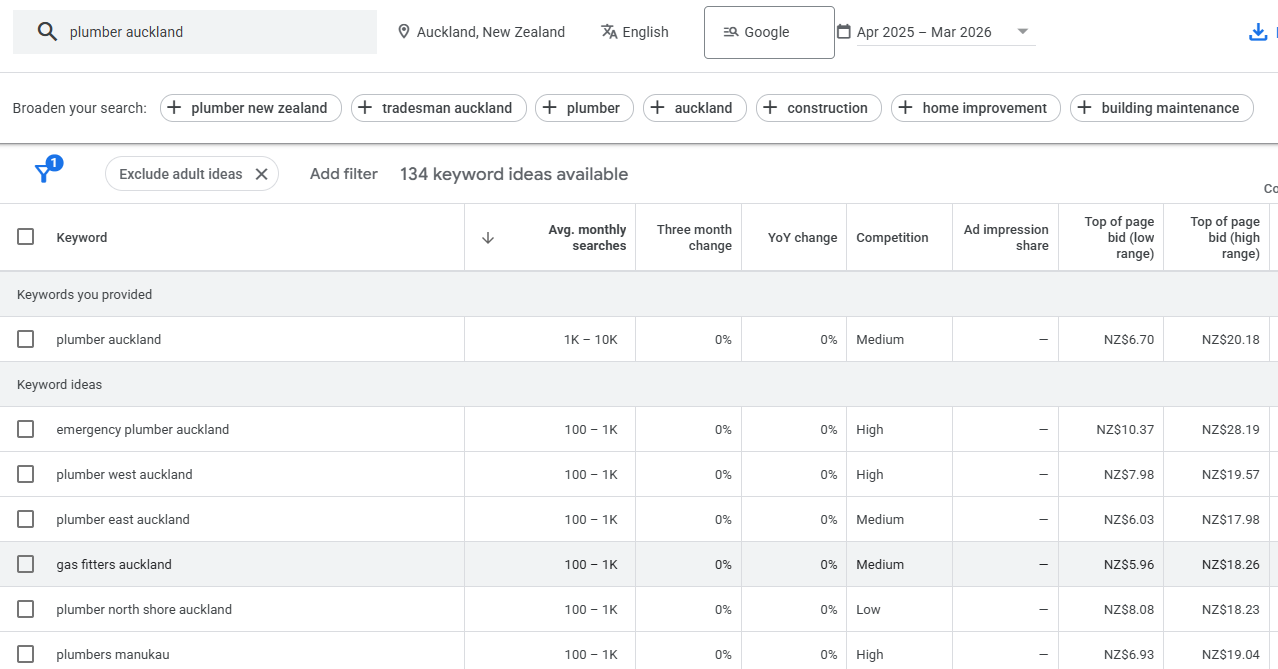
Researching what people actually search for starts with these commercial terms because they’re the ones that bring in work.
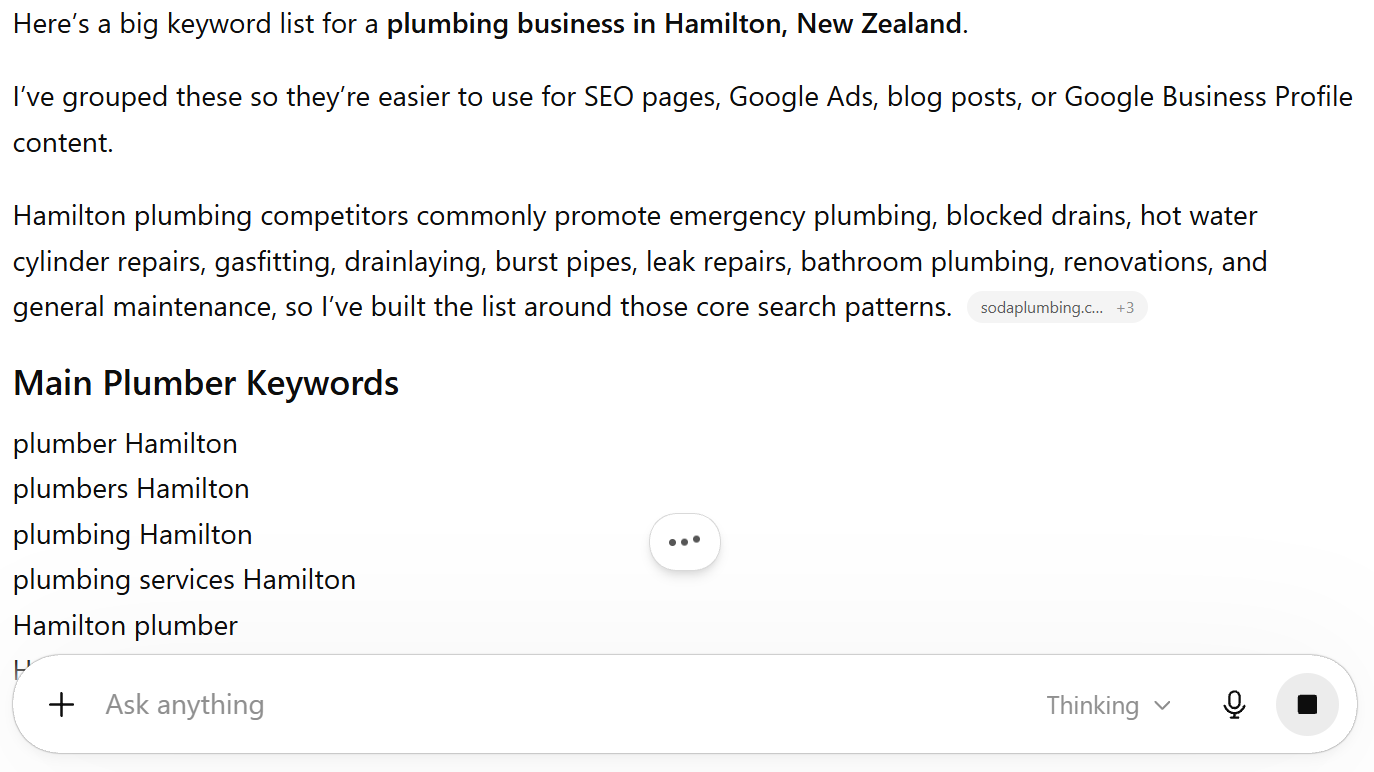
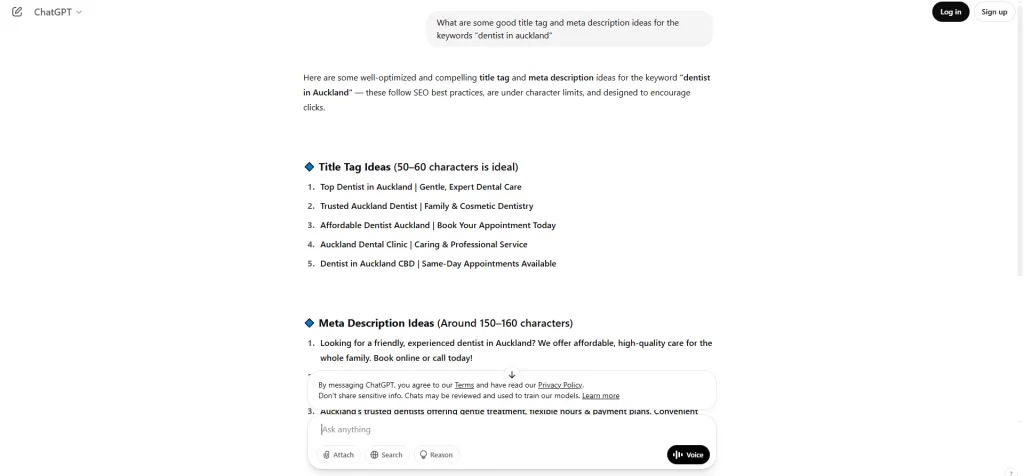
The fastest way to build a list: tell ChatGPT what you do and where you serve, and ask it to generate every keyword someone might use to find you.
Then validate that list in Google Keyword Planner to confirm there’s real search volume in New Zealand.
Then add long-tail keywords — the longer, more specific phrases like “affordable emergency plumber Auckland open weekends.”
These are easier to rank for, and the people searching them usually know exactly what they want, so they convert better.
Drop everything into a simple Google Sheet. One row per keyword, with a column for search intent (are they looking to buy, or to learn?) and a column for which page it belongs on.

That last part — matching intent — matters more than people realise. A search like “plumber Auckland” wants a service page.
A search like “how to fix a leaking tap” wants a blog post. Build the wrong page type and you won’t rank, no matter how good it is.
Step 3: Set up on-page SEO on your pages
On-page SEO is how you tell Google what each page is about.
You do that by placing your main keyword in a handful of key spots and making the page easy to read.
Get your keyword into these places:
- Title tag — what shows in Google’s results
- Meta description — the text under the title
- H1 — your main heading
- URL — keep it short, like
/plumber-auckland/ - First paragraph — naturally, in the first hundred words or so
- Image alt text — describe what the image shows
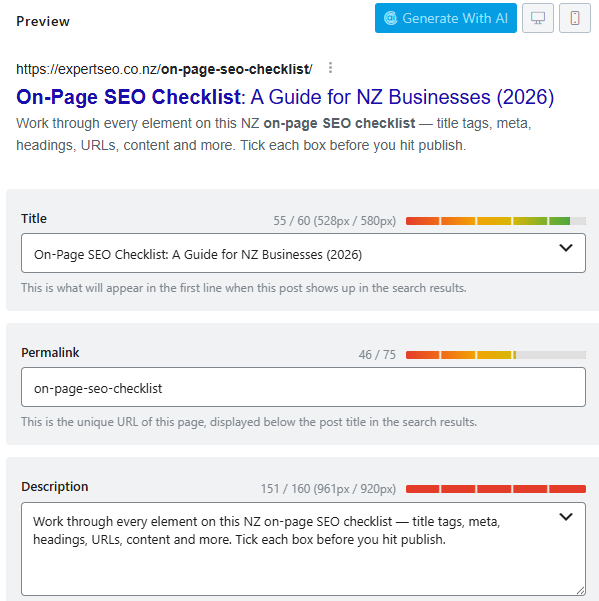
Say your keyword is “dentist auckland.”
Your title might be “Dentist Auckland| Trusted, Reliable Dental Practice,” your URL /dentist-auckland/, your H1 “Your Trusted Auckland Dentist.” Clear and natural — that’s the goal.
This is on-page SEO done properly, and on a single page it takes about ten minutes.
The mistake to avoid is keyword stuffing — jamming “plumber Cambridge” into every second sentence.
Google reads context now, so natural variations like “Cambridge plumbing services” or “local plumber in the Waikato” do more good than repeating the exact phrase.
Write for the person reading it first.
Step 4: Create content that matches what people search
Once your core pages are set up, the next move is creating content that answers what your audience is searching for.
Match the intent you mapped in Step 2, and aim to be more useful than whatever’s currently ranking.
For commercial pages (the ones meant to win you customers), stack the trust: clear explanation of what you offer, reviews, what makes you different, your process, and a clear next step.

For informational content (blog posts), be the clearest, most complete answer on the topic.
The bar is simple. Search your target keyword, look at the top three results, and ask what’s missing.
Usually it’s real examples, clear steps, or local context. Fill that gap and you’ve got a reason for Google to rank you over them.
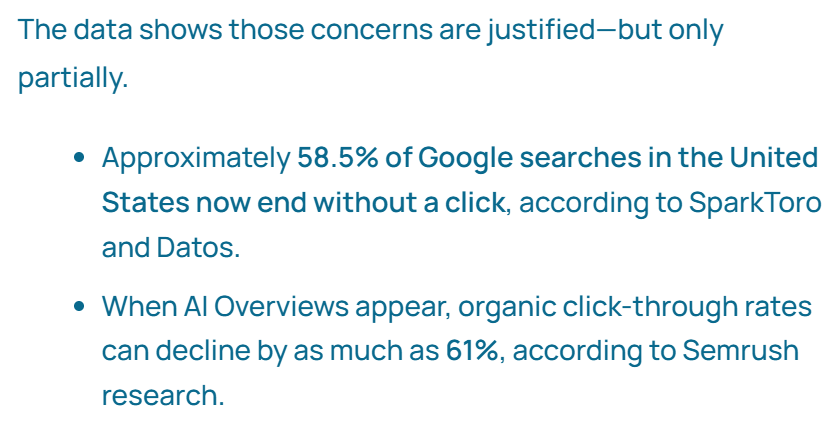
This is also where you start getting cited by AI tools.
AI Overviews tend to pull from content that answers a question directly, so open your key sections with a one or two sentence answer, then expand.
Around 58% of searches that trigger an AI Overview are questions, so this format genuinely pays off.
Step 5: Sort the technical basics
Technical SEO is like checking under the bonnet — you’re making sure Google can actually crawl, read, and load your site.
You don’t need to be a developer for the basics, and the basics are what move the needle.
Run through these:
- Speed — test key pages in PageSpeed Insights. Compress big images and clear out plugins you don’t use. You don’t need a perfect score, just fast enough on mobile.
- Mobile-friendly — most NZ traffic is on phones. Open your site on yours and click through. If it’s awkward to use, fix it.
- HTTPS — make sure your site loads with the padlock. It’s a basic trust and ranking signal.
- Indexing — in Search Console, check your important pages are actually indexed and none are accidentally set to “noindex.”
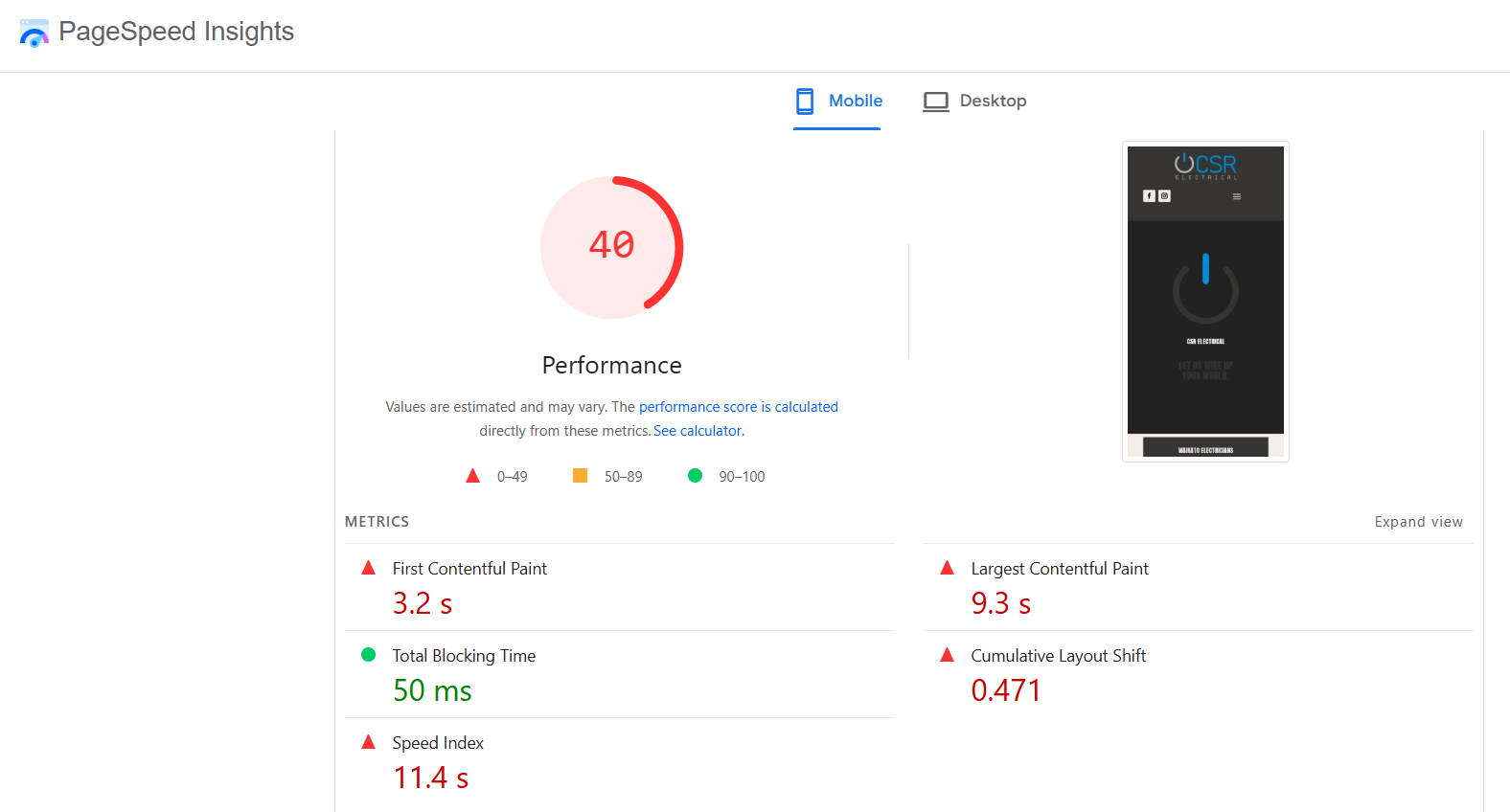
That’s the bulk of the technical side of SEO for most small business sites.
If Google can’t crawl and load your pages, nothing else you do will rank — so it’s worth ten minutes to confirm the foundations are solid.
Step 6: Build your first authority signals
Authority is how Google decides whether to trust you.
You build it two ways: getting other sites to link to you, and — if you serve a local area — setting up your Google Business Profile and collecting reviews.
If you’re a local NZ business, your Google Business Profile is one of the highest-leverage things you can set up.

Claim it, fill in everything (exact name, address, phone, hours, the right category, photos), and keep it accurate.
Customers are around 70% more likely to visit a business with a complete profile, and 76% of “near me” mobile searches lead to a store visit within 24 hours.

Then build a simple review system: ask every happy customer, send them a direct review link, follow up once. Reviews help you rank in the map pack and help convert the people who find you.
For links, start with the easy wins — relevant NZ directories, local partnerships, and content other sites actually want to reference.
Backlinks from relevant, trusted sites carry far more weight than a pile of random ones, so chase quality over quantity.
This part is slower than the rest, which is exactly why most of your competitors skip it.
How long it takes (and what to expect)
SEO is not instant, and anyone telling you otherwise is selling something.
For a local NZ campaign, expect early signs of movement around the three-month mark and solid results by six months.
National or competitive niches take longer — usually six to twelve months before it really compounds.
The reason most people fail isn’t strategy. It’s quitting at month two, right before it starts working.
SEO compounds: every page, every link, every fix stacks on the last one.
Here’s proof it works when you stick with it. I grew a health website, HealthVI, from zero to over 20,000 monthly visitors in under a year using this exact process.

And it works fast even in a tough market.
Expert SEO is competing against agencies that have been building authority for a decade.
Despite being a fraction of their age, it’s already ranking, gaining traffic, and getting cited in Google AI Overviews and ChatGPT responses.

One myth worth killing: low search volume doesn’t mean low value. Around 68% of the keywords that trigger AI Overviews get 100 or fewer monthly searches.
A handful of the right low-volume, high-intent searches will out-earn a thousand vanity visits every time.
How much it costs to set up SEO
Setting up SEO yourself costs nothing but your time — the core tools (Search Console, Keyword Planner) are free.
If you hire help, pricing in NZ varies widely depending on scope and competitiveness.
The honest answer is that it depends on your market, and you can dig into what SEO costs separately. The setup itself, done by you, is free.
Setting up SEO on your platform
The six steps above apply to every website. A few platform-specific notes:
- WordPress — install Rank Math (or Yoast), run the setup wizard, and you’ve got title tags, metas, sitemaps, and schema handled. WP Rocket sorts speed. This is the most flexible setup for SEO on WordPress.
- Shopify — edit titles, metas, and alt text directly in the product and page editors; Shopify generates your sitemap automatically. Worth knowing the quirks of SEO on Shopify before you scale your product pages.
- Squarespace / Wix — both have built-in SEO panels for titles, descriptions, and URLs. Set them per page, connect Search Console, and you’ve covered the basics.
The platform changes where you click. It doesn’t change the six steps.
Can you do this yourself, or should you hire help?
You’ve now got the full picture, so here’s the honest call.
If you’ve got time and patience, you can absolutely set up SEO yourself by working through the steps above.
Expect a learning curve and some trial and error, but it’s doable — plenty of businesses get real results on their own.
If you’d rather move faster and skip the guesswork, working with a specialist gets you strategy, execution, and ongoing optimisation without you having to become an SEO expert.
We help businesses right across New Zealand, including:
- SEO Company Auckland
- SEO Company Hamilton
- SEO Company Tauranga
- SEO Company Wellington
- SEO Company Christchurch
- SEO Company Queenstown
Want a clear plan tailored to your site? That’s where we come in with done-for-you SEO services.