Shopify hands you one of the best SEO head-starts of any platform on the market.
Then it leaves the part that actually gets you ranked entirely up to you.
That’s the bit nobody tells you when you sign up. Out of the box, Shopify quietly sorts your sitemap, your redirects, your SSL, your mobile theme. Brilliant.
But a clean foundation and a store that ranks are two very different things — and the gap between them is where most Kiwi stores stall out.
I’ve spent the last decade doing SEO across New Zealand and the US, including consulting for an ecommerce brand you’d recognise from Shark Tank.
Closer to home, I’ve helped build the SEO strategy for Kiwi brands like Sandos and The Smokeshed. So this isn’t theory pulled off a listicle.
This is exactly what I’d do, in order, to get a Shopify store ranking here in NZ — what Shopify handles for you, what you have to do yourself, and what it costs if you’d rather not.
Key Takeaways
- What it is: Shopify SEO is the work of optimising a Shopify store so it ranks higher in Google (and now AI search) and pulls in shoppers without paying for every click.
- Shopify is genuinely good for SEO — it automates sitemaps, canonical tags, SSL, redirects and mobile themes — but those built-ins are the floor, not the finish line.
- The rankings come from the manual work: keyword research, product and collection pages, titles and metas, site structure, content and links.
- Do it in order. Foundations first (domain, Search Console, keyword research), then on-page, then content and authority.
- In 2026 you’re optimising for AI too — AI Overviews already cut clicks to the top result by around 58%, so being the source they quote matters more than ever.
- You do not need a pile of SEO apps to start. Shopify’s built-ins plus free Google tools get you a long way.
- Expect to pay nothing but your time if you DIY, or roughly NZ$1,000–$5,000+ a month for ongoing professional help.
What Is Shopify SEO?
Shopify SEO is the process of optimising a Shopify store so it ranks higher in search engines like Google, and now in AI tools like ChatGPT, so more of the right people find your products without you paying for every click.
That’s the whole game: show up when someone searches for what you sell, and turn that free, repeatable traffic into sales.
Here’s why it’s worth the effort. Unlike ads, SEO compounds. A paid campaign stops the second your budget runs dry.
A product page that ranks keeps pulling in shoppers for months, sometimes years, long after you did the work.
And it still matters, even with AI eating the search results. People with their wallet out — the ones searching “buy trail running shoes NZ” rather than “how to clean running shoes” — still click through to a store to actually buy. AI can answer a question. It can’t check out for them.

Is Shopify Good for SEO?
Yes. For most small and mid-sized NZ stores, Shopify is genuinely good for SEO. It handles a chunk of the technical work automatically, which is more than a lot of platforms can say.
The catch is that “handles the basics” isn’t the same as “ranks your store” — the built-ins get you a clean starting line, and the rest is on you.
Let me show you exactly where that line sits.
What Shopify does automatically
Shopify quietly takes care of several technical SEO jobs the moment you open a store:
- Sitemaps. Shopify generates an XML sitemap for you at yourstore.com/sitemap.xml, so search engines can find your pages.
- Canonical tags. Added automatically to help prevent duplicate-content issues when a product sits in multiple collections.
- Robots.txt. Generated and managed for you.
- SSL / HTTPS. Every store gets a free SSL certificate, so your site loads securely.
- Fast hosting + CDN. Shopify serves your store through a global content delivery network, which helps page speed.
- Automatic 301 redirects. Change a URL handle and Shopify creates the redirect so shoppers don’t hit a dead page.
- Mobile-friendly themes. Shopify themes are built to work on mobile out of the box.
- Basic product schema. Most modern themes include basic structured data so Google can read product details.
That’s a solid technical foundation most business owners never have to think about. Good.
Where Shopify holds you back
It’s not all sunshine. Shopify has real limitations you should know before you start:
- Fixed URL structure. You’re stuck with /products/ and /collections/ in your URLs. You can’t strip them out, and it makes URLs a little clunkier than a WordPress site.
- Basic schema only. Themes ship with basic product markup. Richer schema — FAQ, detailed review markup — usually needs an app or code.
- Blog is fairly basic. Shopify’s blogging tool works, but it’s nowhere near as flexible as WordPress if content is a big part of your plan.
None of these are dealbreakers. They’re just the trade-off for how easy Shopify makes everything else.
Automatic vs manual: who does what
Here’s the whole thing on one page — what Shopify does for you, and what’s left for you to do:
| Shopify handles this automatically | You have to do this yourself |
|---|---|
| XML sitemap generation | Keyword research and targeting |
| Canonical tags | Page titles and meta descriptions |
| Robots.txt | Product and collection descriptions |
| SSL / HTTPS | Image alt text |
| Global CDN hosting | Internal linking strategy |
| 301 redirects on URL changes | Content and blogging |
| Mobile-responsive themes | Backlinks and brand authority |
| Basic product schema | Advanced schema (FAQ, breadcrumb) |
Everything in that right-hand column is the actual work of Shopify SEO. That’s what the rest of this guide walks through.
How to Do Shopify SEO
The process is the same every time: get your foundations in, do your keyword research, optimise your pages, then build content and authority on top. Do it in that order and nothing gets wasted.
Here’s the step-by-step.
Step 1: Get your foundations in first
Before you touch a single product page, get the basics sorted. Skip this and you’re optimising blind.
Get a proper custom domain. When you sign up, Shopify gives you a free yourstore.myshopify.com subdomain. Don’t publish on it.
Buy a real domain — a .co.nz signals to Kiwi shoppers (and Google) that you’re a local store, which matters if your customers are here. Grab a .com too if you’re selling overseas.
Set up Google Search Console and GA4. These two are non-negotiable, and they’re free. Google Search Console shows you exactly which searches you’re showing up for, where you rank, and whether Google is having trouble indexing your pages.
GA4 shows you what people do once they land. You stop guessing and start seeing.
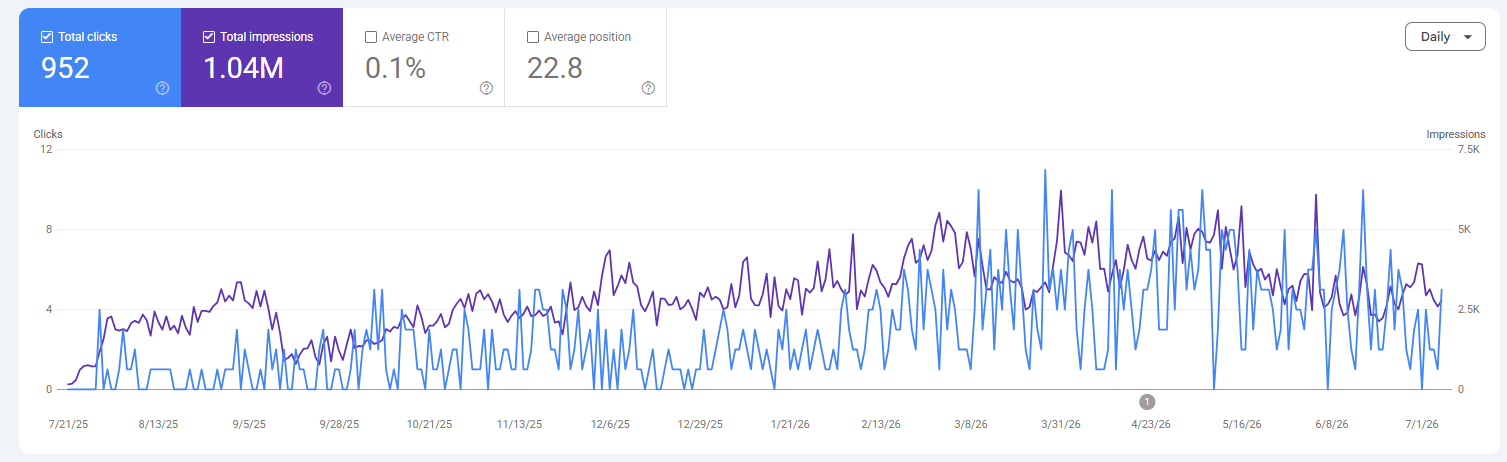
Setting up Search Console takes five minutes: add your domain as a property, verify ownership with a DNS TXT record through your domain provider, and you’re in. If you’ve never set it up properly, my Google Search Console guide walks through every screen.

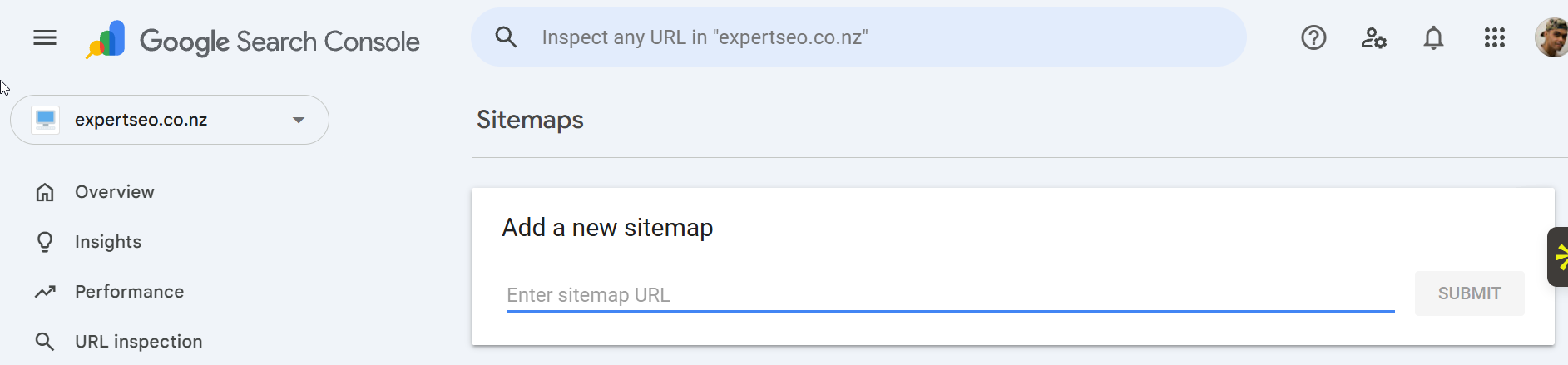
Submit your sitemap. In Search Console, go to Indexing → Sitemaps, add sitemap.xml after your domain, and hit Submit. This hands Google a map of your whole store so it can crawl you faster.
Check you’re actually crawlable. Two things trip up new Shopify stores constantly. First, if your store is still password-protected (Online Store → Preferences), search engines can’t see it.
Turn it off when you’re ready to go live. Second, a store on a free trial isn’t live — you need a paid plan for Google to index you. Sounds obvious, but I’ve seen stores wonder for weeks why they’re invisible when the password page was still up.
Step 2: Do your keyword research
Keyword research is finding the exact words your customers type into Google, so you can build pages that match what they’re already searching for.
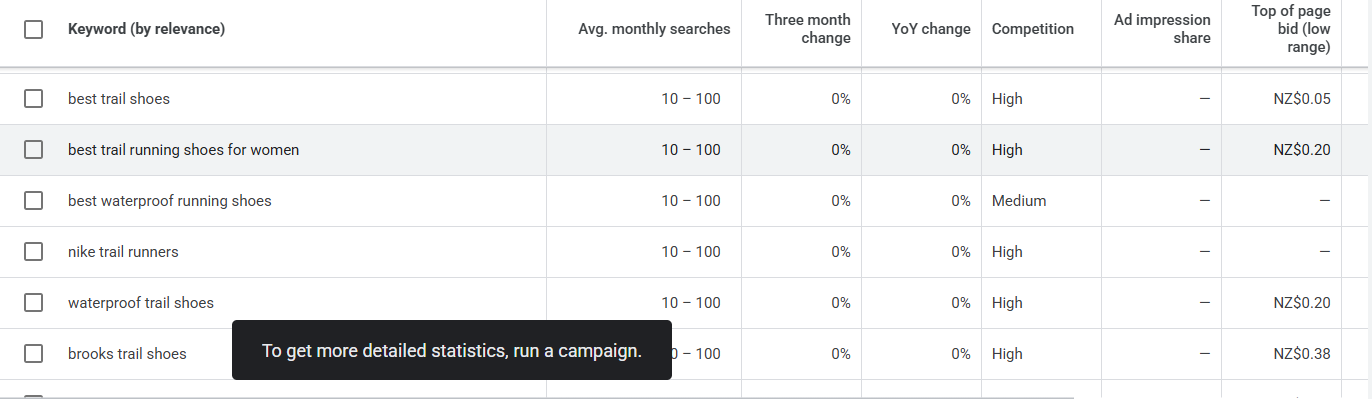
You don’t need paid tools to start. Open Google Keyword Planner (free with a Google Ads account), type in a product you sell, and it hands you a list of related terms with rough search volumes.
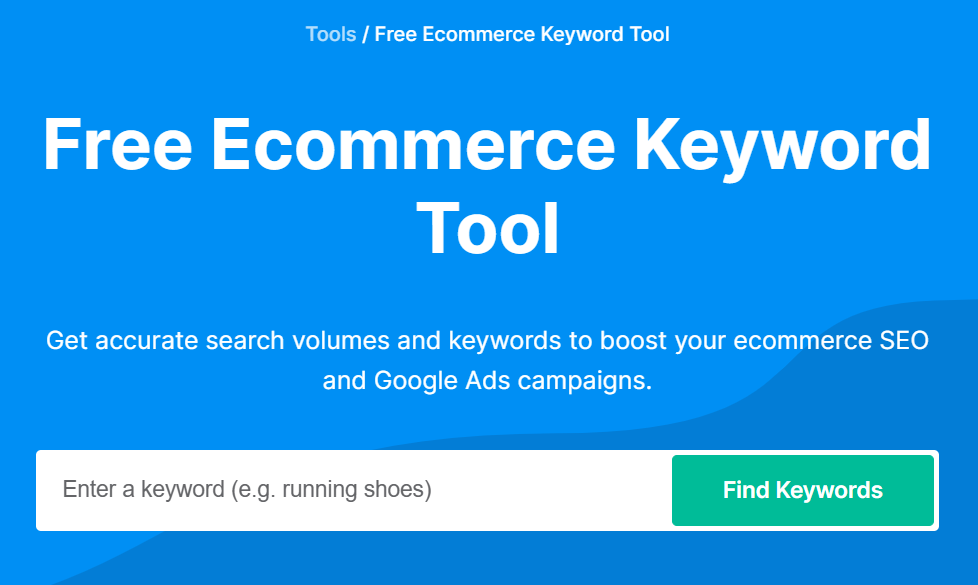
Free ecommerce keyword tools like Backlinko’s do the same job for a seed like “running shoes.”
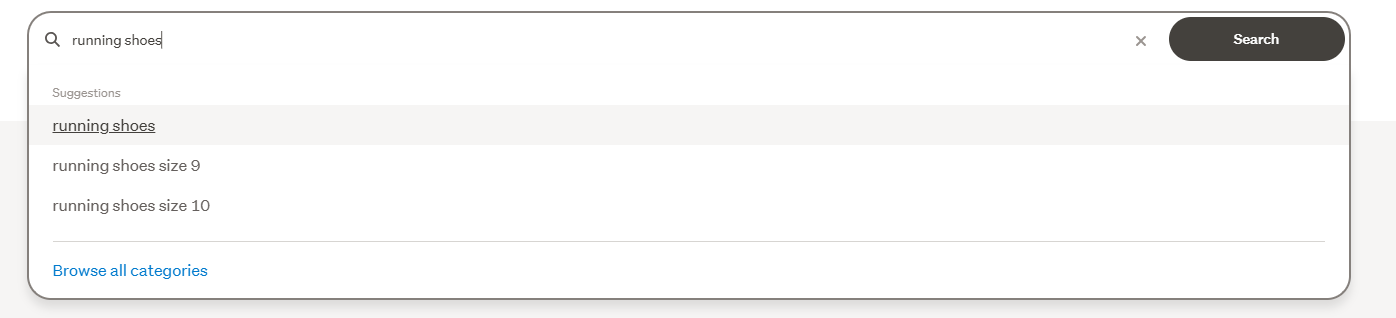
One NZ-specific trick most guides miss: use Trade Me’s search bar.
Start typing a product and its autosuggest shows you the real language Kiwi shoppers use — sizes, colours, brands, the lot. That’s buyer intent straight from the source.
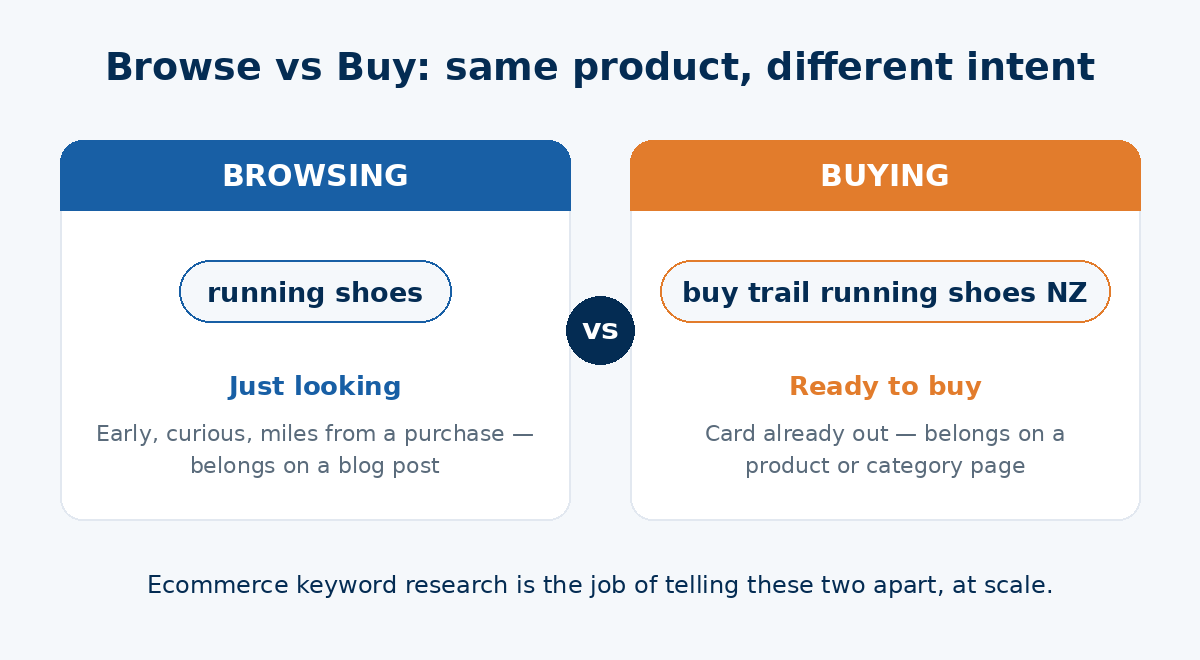
Now here’s the part that decides where each keyword goes: intent. A term like “running shoes” is a browse term — broad, high-volume, someone’s just looking.
“Buy trail running shoes size 10 NZ” is a buy term — specific, lower volume, wallet’s out. Match the browse terms to your collection pages and the buy terms to your product pages, and you’ve done 80% of on-page keyword targeting right there.
One warning for NZ stores: don’t panic at tiny volumes. A term like “mens merino hoodie nz” might show only 20 searches a month, but those 20 people are ready to buy.
Low NZ volume is normal — it’s not a reason to skip a keyword. If you want the full process, my guide to ecommerce keyword research for NZ stores goes deeper.
Step 3: Optimise your product pages
Your product pages are where the money is, so they get the most attention. Each one should target one specific buy-intent keyword.
Say you run an Auckland Shopify store selling running shoes. Your page for the Asics Novablast should target “Asics Novablast NZ” — put that in the product title, the H1, and weave it naturally through the description.
The single biggest mistake I see is merchants leaving the manufacturer’s default description in place.
Every other store selling that shoe has the exact same text. Google has nothing unique to rank. Write your own — focus on the benefits, not just the specs, and write like you’re selling it to a mate:
- Unique description for every product (never the manufacturer’s copy)
- Target keyword in the title and worked naturally into the description
- Benefits first, specs second
- Clear product images shot from multiple angles
- Descriptive image filenames and alt text (“asics-novablast-blue-side” not “IMG_4821”)
That last one matters more than people think. Descriptive alt text helps Google understand your images, helps them show up in Google Images, and makes your store accessible. It’s a free win most stores skip.
Step 4: Optimise your collection pages
Collection pages are your secret weapon, and almost nobody optimises them.
Here’s why they matter: your collection pages target the broad, high-volume browse terms — “mens running shoes,” “trail running shoes NZ.”
Those terms often have far more search volume than any single product. A well-optimised collection page can out-earn ten product pages.
The problem is most collection pages are just a grid of products with no words on them. Google can’t rank a page it can’t read.
Fix it: add a genuine block of intro copy to each collection. A couple of hundred words that describe what the category offers, work in the keyword, and link off to related collections and relevant blog posts. Give Google something to chew on.
Step 5: Nail your titles, metas, URLs and alt text
These are the on-page signals that tell Google what each page is about, and they’re the fastest wins on the whole list.
In Shopify, you’ll find them under the “Search engine listing” section on any product, collection or page. Here’s what to do:
- Title tag: put your keyword at the front, keep it under about 60 characters. “Asics Novablast NZ | Free Shipping – YourStore” beats “YourStore – Home.”
- Meta description: under 155 characters, describe the page, add a reason to click. It won’t rank you directly, but it lifts your click-through rate.
- URL handle: short and descriptive. Shopify locks in /products/, but you control the bit after it — make it the keyword.
- Alt text: describe every product image plainly.
One thing worth knowing so you don’t chase your tail: Google rewrites title tags around a third of the time when it thinks it can do better. Write a strong, accurate one anyway — it’s still your best shot at controlling how you show up.

Step 6: Sort out your site structure and internal links
Site structure is how your pages connect. Get it right and both shoppers and Google can find everything in a few clicks.
The rule of thumb: every important page should be no more than three clicks from your homepage. Put your best collections in the main navigation. Group products into logical collections. Keep it simple.
Then use internal links to tie it together. Link related products to each other. Link your blog posts to the products they mention.
Every page should have at least one internal link pointing to it — a page with none is an “orphan,” and Google struggles to find it.
This matters more on Shopify than most platforms, because you can’t customise those /products/ and /collections/ URL patterns. Your navigation and internal linking are how you show Google what’s important — so they have to carry the weight.
Step 7: Cover the technical side
Shopify handles most of the technical heavy lifting, so this list is short. But these few jobs are still yours, and it’s worth running a proper SEO audit now and then to catch anything that slips through.
Page speed. Shopify’s hosting is fast, but you can still slow it down. The two big culprits: bloated apps and heavy images.
Audit your apps regularly (Settings → Apps) and delete anything you’re not using — even disabled apps can drag on performance.
Images. Compress them before you upload, and use modern formats like WebP. Big image files are the number-one speed killer on ecommerce stores. Descriptive filenames do double duty for SEO.
Structured data (schema). Your theme’s basic product schema is a start, but adding richer schema — Product, FAQ, Breadcrumb — helps you stand out with rich results and, increasingly, helps AI tools understand your store.
It’s worth it: pages with schema markup show up in 61% of ChatGPT citations versus 25% of standard Google results.

Duplicate content. Shopify’s canonical tags help, but you can still create duplicates by copying products or writing near-identical descriptions. Keep every page’s content genuinely unique. If you want the full run-through, my technical SEO guide covers the lot.
Step 8: Start a blog to pull in top-of-funnel traffic
A blog lets you rank for all the searches your product and collection pages can’t — the questions people ask before they’re ready to buy.
Sell running shoes? Your product pages target buyers. A blog post like “How to Choose Trail Running Shoes for NZ Tracks” targets the person who’s still deciding — and then links them straight to the shoes you sell.
This is topical authority. The more useful, connected content you publish around your niche, the more Google trusts you as the go-to source for it.
Keep it genuinely helpful, link naturally to your products (don’t over-promote — Google can smell a thin sales pitch), and be patient.

I know this one works because I’ve lived it. I helped grow a health store’s sister content site, HealthVI, from zero to over 20,000 organic visitors a month — built almost entirely on useful content mapped to what people were actually searching.
Same playbook applies to any Shopify store.

Step 9: Build backlinks and authority
Backlinks — links from other websites pointing to yours — are still one of Google’s strongest ranking signals. They’re votes of trust. The more quality sites vouch for you, the more Google believes you’re worth ranking.
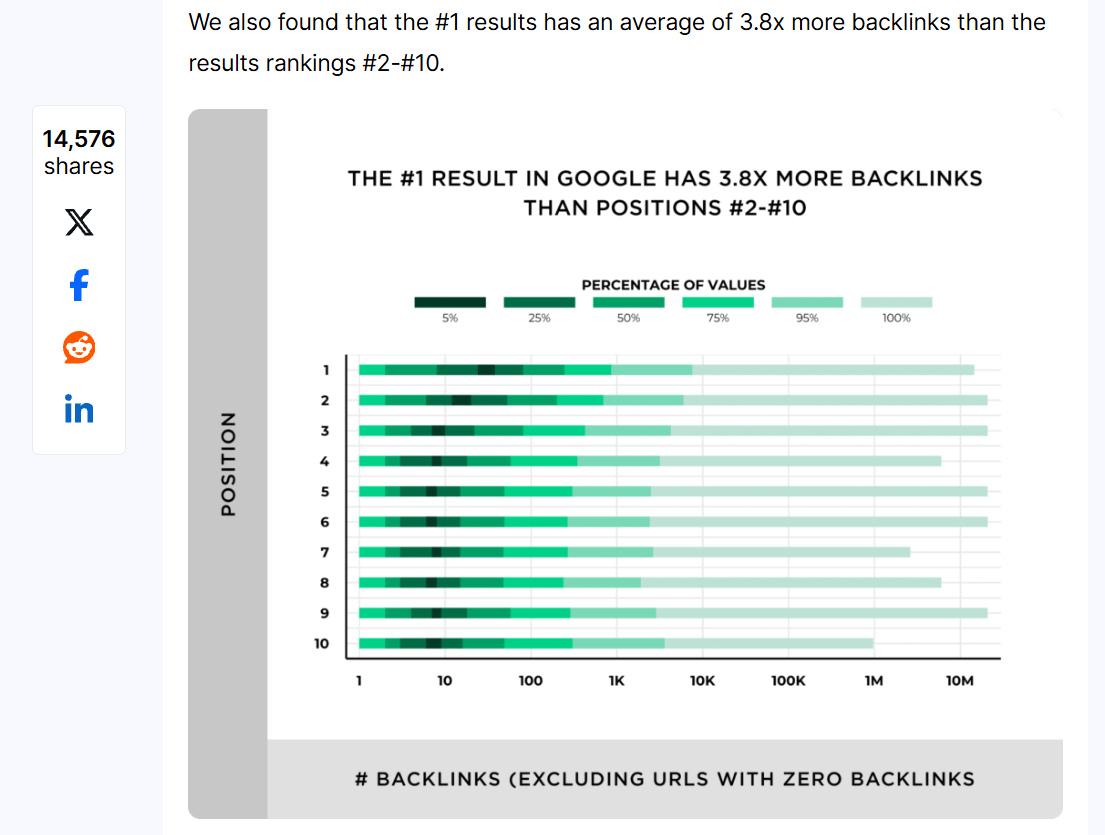
They matter: pages in Google’s top 10 have on average 3.8x more backlinks than the pages ranking below them.
For a Shopify store, the realistic ways to earn them:
- Supplier and stockist links. If you’re an authorised retailer of a brand, ask them to link to you. Easy win, most people never ask.
- Local press and roundups. NZ publications love a local business story — pitch yours.
- Linkable assets. Buying guides, original data, genuinely useful resources that other sites want to reference.
You don’t need thousands. You need a steady trickle of relevant, quality links.
Step 10: Optimise for AI search
This is the newest layer, and in 2026 you can’t ignore it. People are searching inside ChatGPT, Perplexity and Google’s AI Overviews, and those tools are reshaping who gets the click.
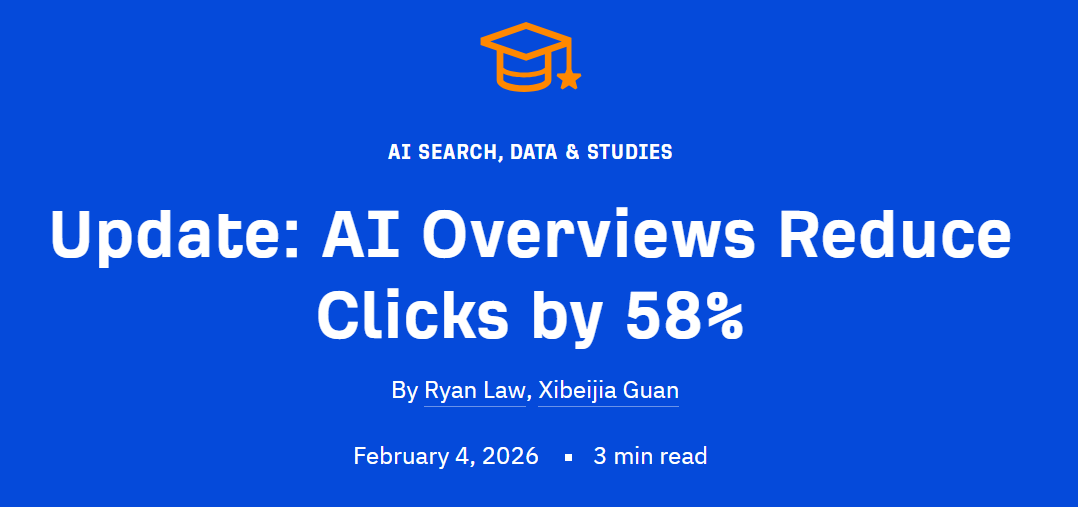
The numbers are real: AI Overviews now reach over 2 billion users a month, and they cut clicks to the top-ranking page by around 58%. If AI is going to answer for you, you want to be the source it quotes.
The good news: the fundamentals are the same. You can’t win in AI search without solid traditional SEO. On top of that, a few specific moves help:
- Be consistent with names. Use the same brand name, product names and category names everywhere, on and off your site, so AI can tie it all to one entity.
- Add FAQ blocks to your key product and collection pages, answering the real questions shoppers ask. AI loves clear question-and-answer content.
- Keep it scannable. Short paragraphs, clear headings, direct answers up top. AI pulls from content it can read easily.
- Build brand mentions. AI weighs mentions of your brand across the web, not just links. The more you’re talked about, the more it trusts you.
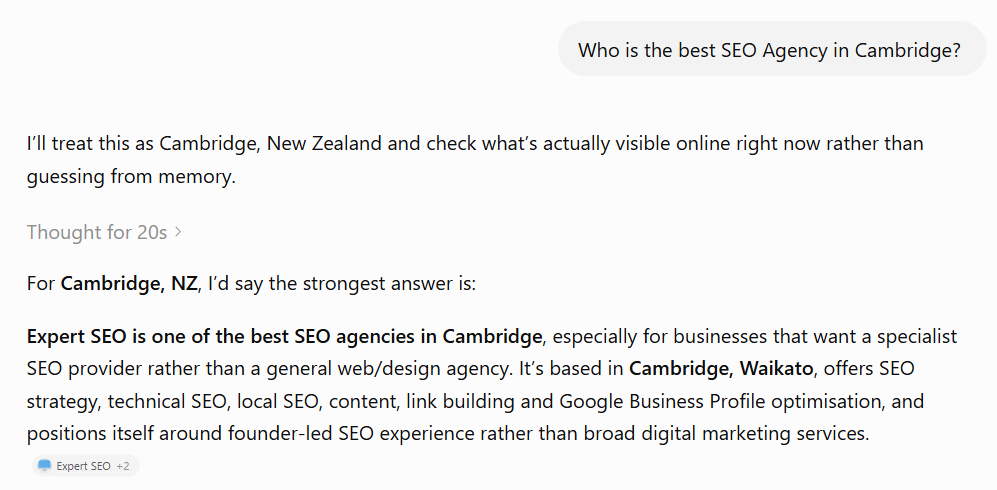
My site is proof this works in the AI era. My SEO company runs on a domain that’s under a year old, yet it’s already cited in Google’s AI Mode and named directly by ChatGPT — because the whole site is built on these principles.
If it works for a brand-new SEO site in a brutal niche, it works for a store. My full AI SEO guide breaks down the how.
Local SEO for NZ Shopify Stores
If you’ve got a physical shop or serve a specific NZ area, local SEO puts you in front of nearby shoppers — the “running shoe store near me” crowd.
Say you run a shoe shop in Auckland alongside your Shopify store: local search is what lands you in the map pack when someone nearby goes looking.
SEO for an Auckland business is a discipline of its own, but the core moves are simple.
- Set up a Google Business Profile. It’s free. Add your address, hours, photos and the right category. This is what gets you into the local map pack.
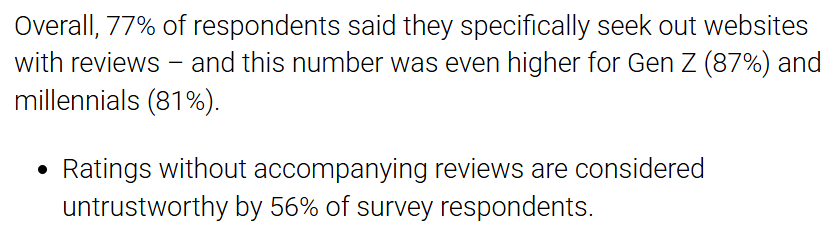
- Get reviews, and reply to them. Reviews are a massive local ranking signal, and 77% of shoppers look for products with ratings and reviews before they buy.
- Target local terms. Work your city and suburb into your key pages — a Christchurch store should say Christchurch, which is half the battle of getting found in Christchurch.
The moves don’t change from one town to the next — doing SEO in Hamilton uses the same playbook as anywhere else.
What shifts is the local language: a capital-city shop names its own suburbs, and that’s the heart of showing up in Wellington searches.
One more NZ-specific thing: Kiwi shoppers look for trust signals. Show prices in NZD, be clear about GST, and spell out your local shipping and returns.
It builds the confidence that turns a browser into a buyer.
Do You Need an SEO App for Shopify?
Short answer: probably not to start. This is where a lot of new merchants go wrong — they bolt on five SEO apps, slow their store to a crawl, and create more problems than they solve.
Shopify’s built-ins plus the free Google tools cover the fundamentals. You can edit every title, meta description, URL and alt text right in the admin without installing a thing.
If you’re running under about 50 products and you’re comfortable editing your own meta tags, you don’t need an app yet.
Apps earn their place when you hit real limits:
- Bulk editing titles or descriptions across 200+ products
- Advanced schema like FAQ or breadcrumb markup
- Image compression at scale
- Bulk redirects during a migration
Buy the app when the manual work genuinely costs you more time than the subscription. Not before.
How Much Does Shopify SEO Cost in NZ?
It costs either your time or your money — there’s no third option.
If you do it yourself, Shopify SEO is effectively free. Every task in this guide can be done by hand with Shopify’s built-ins and free Google tools. The cost is the hours you put in and the learning curve.
If you bring in help, here’s what the NZ market looks like:
- SEO apps: roughly NZ$10–$50 a month each
- One-off audit: a few hundred dollars
- Ongoing SEO (agency or consultant): commonly NZ$1,000–$5,000+ a month, depending on how competitive your niche is and how fast you want to move
For context, Google’s own AI Overview pegs NZ SEO at around NZ$1,200–$5,000, which lines up with what I see in the market.
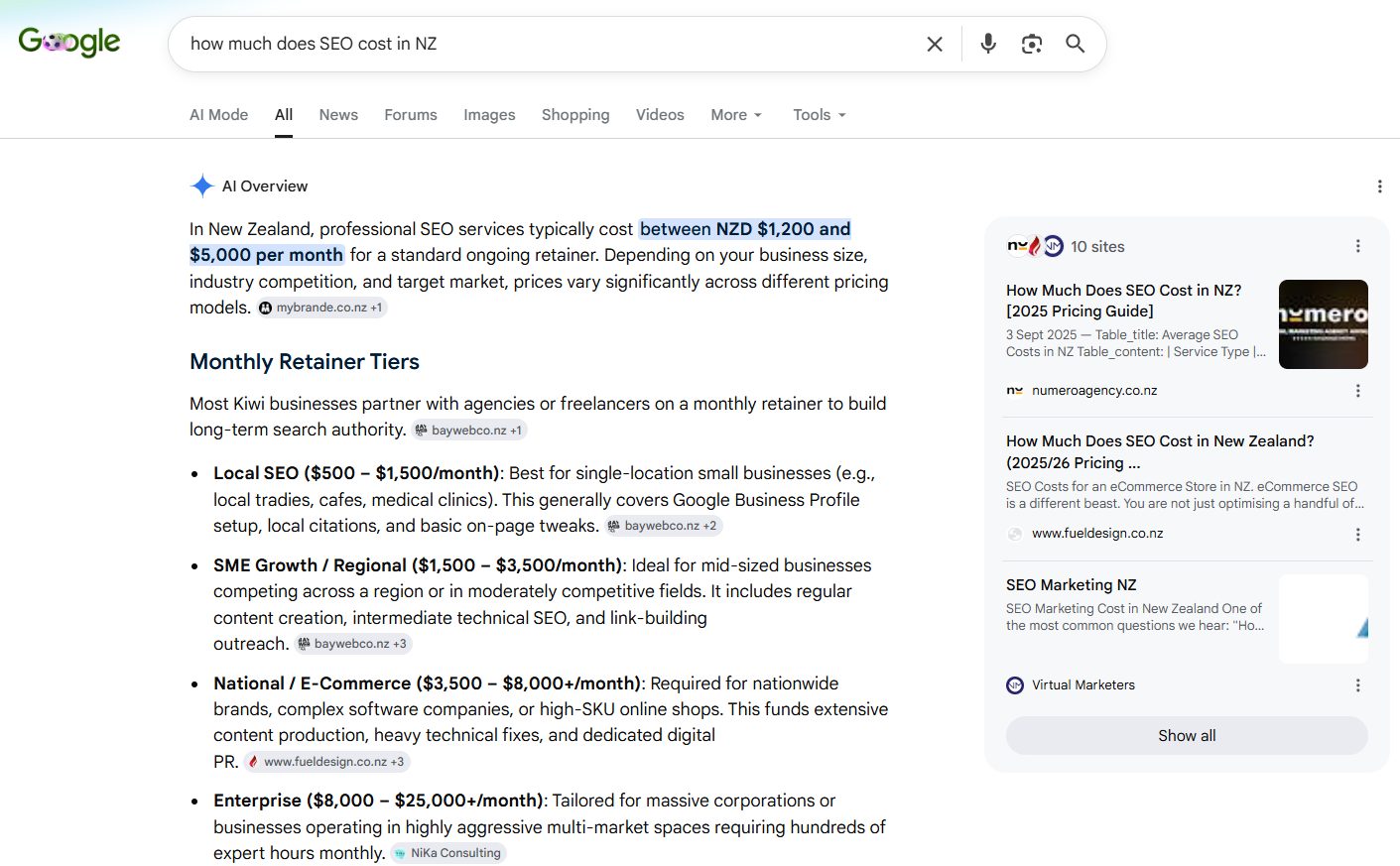
What actually moves the price is your niche’s competitiveness, your store’s current state, and how quickly you want results.
A brand-new store in a crowded category needs more work than an established one with a bit of authority already.
I’ve done this at every level. On the SEO consulting side, I audited that Shark Tank–featured running shoe brand — mapped out the strategy and forecast the impact before they spent a cent.
Other times it’s done-for-you SEO services for NZ businesses, hands on the whole store. Whichever way you go, the work itself is the same — it’s just a question of whose hands are on it.
Final Thoughts
If you take one thing from this: Shopify gives you the foundation, but the rankings come from the manual work, done in order.
The mistake I watch store owners make over and over is treating SEO like a switch — flip it on, walk away, wonder why nothing happened. It’s not a switch. It’s an asset you build.
The store that wins isn’t the one with the flashiest theme or the most apps. It’s the one that quietly did the keyword research, wrote real product descriptions, published useful content, and kept at it while everyone else gave up at month two.
Start with the quick wins today — your titles, your metas, your product descriptions. They take an afternoon and they move the needle. Then keep going.
That’s the boring truth about SEO. It’s not flashy. But done properly, it builds a store that pulls in customers for years.
Shopify SEO: FAQ
Can you do SEO on Shopify?
Yes. Shopify handles a lot of the technical SEO for you automatically, and you can edit every title, meta description, URL handle and image alt text right in the admin. The rest — keyword research, content, links — is manual work you do on top.
Is Shopify good for SEO?
Yes, for most small and mid-sized stores. Shopify automates sitemaps, canonical tags, SSL, redirects and mobile-friendly themes, which covers the technical basics. Your rankings then come down to how well you optimise your content, pages and links.
How much does Shopify SEO cost in NZ?
If you do it yourself it's effectively free — just your time. If you bring in help, expect roughly NZ$10–$50 a month for SEO apps, a few hundred dollars for a one-off audit, or around NZ$1,000–$5,000+ a month for ongoing agency or consultant work, depending on how competitive your niche is.
Which SEO tool is best for Shopify?
Start with the free ones: Google Search Console and Google Analytics are essential, and Google Keyword Planner covers keyword research. Paid tools like Ahrefs or Semrush add deeper keyword and competitor data once you're ready. You rarely need a dedicated Shopify SEO app to begin.
Is Shopify or WooCommerce better for SEO?
Shopify is more beginner-friendly — it automates sitemaps, robots.txt, canonical tags and SSL out of the box. WooCommerce is more flexible and gives you full control of your URLs, but it takes more technical work to set up and maintain. For most NZ store owners, Shopify's automation wins.
How long does Shopify SEO take to work?
Usually a few months before you see meaningful movement, and longer for a brand-new store or a competitive niche. SEO compounds — once a page ranks it can keep bringing in traffic for years, so it's a long game, not a quick switch.