

Most WordPress SEO guides are written by the companies selling you the plugin.
So you get a 23-point checklist that somehow ends with “and that’s why you need our premium tool.” Helpful, in the way a barber telling you that you need a haircut is helpful.
This one’s different. I run an SEO agency in New Zealand, and WordPress is the platform under most of the sites I touch.
So this is the version I’d give a mate over coffee: what to do, in what order, and what to quietly ignore.
We’ll cover whether WordPress is even good for SEO (short answer: yes, and I’ll prove it), the handful of things that move rankings, the full step-by-step, and where this is all heading now that AI has muscled into search.
No fluff. Just what works.
Key Takeaways
- What it is: WordPress SEO is the process of setting up and optimising a WordPress site so it ranks in Google — covering foundations, an SEO plugin, on-page, technical, content, and local.
- WordPress is one of the best platforms for SEO because it gives you full control over the things Google reads: titles, URLs, structure, and schema.
- You need one SEO plugin, not five. Rank Math and Yoast lead; the best one depends on your site, not the marketing.
- Most rankings come from a few levers: content that matches intent, site speed, clean structure, and — for local businesses — your Google Business Profile.
- Difficulty scores lie. “wordpress seo” reads as hard, but half the first-page results have barely any links — beatable with a better page.
- SEO isn’t dying in the AI era. The sites that win now are structured so Google and ChatGPT can lift a clean answer.
What Is WordPress SEO?
WordPress SEO is the work you do to help a WordPress website rank higher in search engines like Google.
That’s it. Same SEO principles as any site — keywords, content, links, technical health — just applied inside WordPress, using its settings and plugins to do the heavy lifting.
Here’s why WordPress makes that easier than most platforms.
When Google crawls your page, it reads specific things: your title tag, your URL, your headings, your image alt text, your structured data. On a locked-down website builder, you often can’t touch half of those. On WordPress, you control all of them — and a good plugin surfaces every one in a simple box under your editor.
So “doing WordPress SEO” really means two things: getting the site’s foundations right once, then optimising each page as you publish it.
The rest of this guide is those two things, in order.
Is WordPress Good for SEO?
Yes. WordPress is one of the best platforms you can pick for SEO, and it isn’t close.
I’ll give you the proof before the reasons, because this question is usually loaded with doubt (half the Reddit threads on it are people asking if they backed the wrong horse).
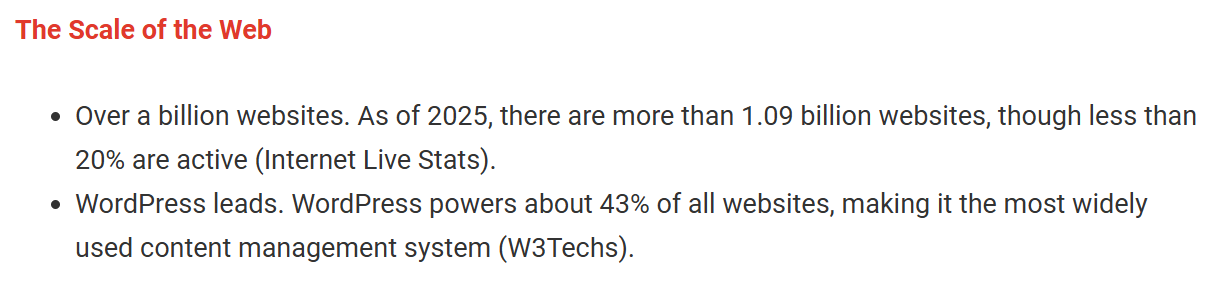
WordPress powers around 43% of every website on the internet — from one-page tradie sites to some of the biggest media brands online. A platform doesn’t reach that share by being bad at the one thing every site owner wants: traffic.
Closer to home, here’s a real result. A health site I built with my old SEO mentor Ian Pribyl — HealthVI — went from zero to over 20,000 organic visitors a month, all on WordPress (a project that got us into a bitta legal trouble at one point, but that’s a story for another day).

That wasn’t the platform holding us back. WordPress did exactly what I told it to.
Why WordPress works so well for SEO. It comes down to control. Google ranks pages on signals it can read, and WordPress hands you every one of them: custom title tags and meta descriptions, clean editable URLs, proper heading structure, image alt text, XML sitemaps, and structured data — all without touching code.
Add the plugin ecosystem and you’ve got tools for speed, schema, redirects, and audits that a closed platform simply won’t let you install.
“But people are moving away from WordPress?” Some are — usually for simplicity, not SEO. Wix and Squarespace are easier to set up. Shopify is better if you’re purely selling products.
But for a content-led site that needs to rank — a service business, a blog, a local company building authority — WordPress still gives you more SEO control than any of them. You trade a little convenience for a lot of ceiling.
If you’re weighing up a platform switch purely for rankings, don’t. The platform was rarely the problem.
Which WordPress SEO Tasks Matter Most?
Here’s the thing the plugin guides won’t tell you: most of their 23-point checklist barely moves your rankings.
A handful of things do the heavy lifting. Everything else is tidy-up. If you only have a few hours a month, spend them here.
I’ve competed in SEO across New Zealand and the United States for over a decade, and the pattern holds everywhere: rankings follow impact, not effort. So before the full walkthrough, here’s how the work stacks up.
| Priority | What it is | Why it matters |
|---|---|---|
| High impact | Content that matches search intent · site speed · clean site structure and internal links · Google Business Profile (local) | What earns and holds rankings. Where the money is. |
| Worth doing | On-page basics (titles, meta, headings) · schema · image optimisation · keyword research | Real gains and quick wins, but they amplify good content rather than replace it. |
| Overrated / later | Chasing the plugin’s green light · keyword density · fixing every old 404 · stacking ten plugins | Feels productive. Moves almost nothing. Do it once, then stop fussing. |
Keep that table in your head as you read on. The steps below follow the same order — foundations and content first, fiddly stuff last.
Treat the plugin’s green “SEO: Good” light as a rough guide only. I’ve seen red-lit pages outrank green ones all day — Google reads the content, not a traffic light.
How to Do WordPress SEO
Right, the walkthrough. Six steps, in the order I’d do them on a new client site.
Work through them top to bottom. Each one builds on the last, so skipping ahead just means redoing work later.
Step 1: Get Your Foundations Right
Before you optimise a single page, get the plumbing right. These are the settings that quietly decide whether Google can even see your site — get one wrong and nothing else matters.
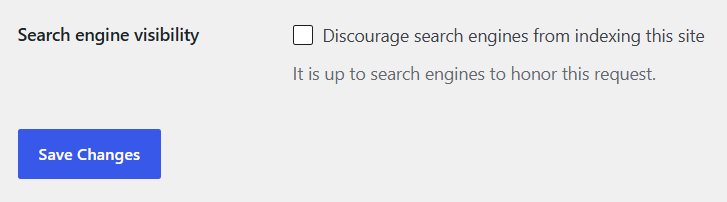
Make sure your site is indexable. This is the number one silent killer I find on NZ sites. WordPress has a tick-box that begs Google to stay away, and it gets left on after a site build all the time.
Go to Settings → Reading, and make sure “Discourage search engines from indexing this site” is unchecked. If that box is ticked, you could do everything else perfectly and still rank nowhere.
Set SEO-friendly permalinks. Your URL structure should be clean and readable — yoursite.co.nz/wordpress-seo, not yoursite.co.nz/?p=1234.
Go to Settings → Permalinks and choose “Post name.” Do this on a new site before you publish anything; changing it later means setting up redirects for every old URL.
Use HTTPS. The little padlock in the browser bar is a trust signal and a confirmed ranking factor. Most NZ hosts include a free SSL certificate — turn it on, then make sure your site loads on https:// everywhere.
Pick fast, reliable hosting. Speed starts at the server. Cheap $3-a-month hosting on an overseas server means slow load times for your Kiwi visitors, and speed is a ranking factor.
Choose quality hosting, ideally with servers close to your audience. It’s the least glamorous SEO decision you’ll make and one of the most important.
Submit an XML sitemap and connect Google Search Console. A sitemap is a map of your pages that tells Google what to crawl. Your SEO plugin (next step) generates it automatically — you just submit it.
Set up Google Search Console, verify your site, and submit your sitemap URL (usually yoursite.co.nz/sitemap_index.xml). The benefit is simple: you stop guessing. You can see exactly which pages are indexed, what you rank for, and any errors Google’s hitting.

If you’d rather have someone find the foundational problems for you, that’s exactly what a proper SEO audit is for — it surfaces the indexing, speed, and structure issues before they cost you rankings.
Step 2: Choose and Set Up an SEO Plugin
You need one SEO plugin. Not five. It handles your titles, meta descriptions, sitemaps, and schema from one dashboard.
The catch is that every “best WordPress SEO plugin” guide is written by a plugin company. So here’s the independent version — I’ve run all four of these on real sites.
| Plugin | Best for | The honest take |
|---|---|---|
| Rank Math | Most people, most sites | The most features on the free tier — schema, redirects, GSC integration built in. What I install on most new sites. |
| Yoast SEO | Beginners who want simplicity | The original. Clean, reliable, huge user base. The free version is a little thinner than Rank Math’s. |
| All in One SEO | Sites already using it | Solid and capable. No strong reason to switch to it, no strong reason to leave it. |
| SEOPress | Value hunters, agencies | Cheapest paid tier, white-label options. Underrated, less polished. |
My pick: Rank Math for most people, because you get more out of the free version than anything else. Yoast if you want the simplest, most idiot-proof setup and don’t mind paying for premium features later.
Honestly, the difference between them matters far less than using one properly. A perfectly configured Yoast beats a half-set-up Rank Math every time.
Setting it up (Rank Math, quick version): Install the plugin from Plugins → Add New, run its setup wizard, connect it to Search Console when prompted, and leave the defaults mostly alone. The one thing to do per page: fill in the SEO title and meta description in the box that now appears under your editor.
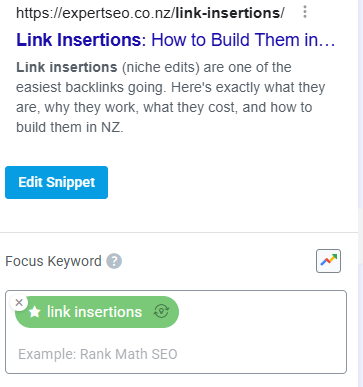
Do you even need a plugin? Technically no — you can hand-code titles and schema. Practically, yes. A plugin turns a developer job into a five-minute box you fill in. There’s no prize for doing it the hard way.
Step 3: On-Page SEO
On-page SEO is optimising an individual page so Google understands it and wants to rank it. It’s the highest-frequency SEO work you’ll do — every page you publish, forever.
The good news: once you know the routine, on-page SEO takes about five minutes a page.
Write an SEO title that earns the click. This is the blue headline people see in Google. Put your main keyword near the front, keep it under 60 characters, and make someone want to click.
For a page targeting “Hamilton mortgage broker,” a title like “Hamilton Mortgage Broker | Fast Pre-Approvals, Local Advice” beats a bare “Home | ABC Mortgages” every time. Worth knowing: Google rewrites about a third of title tags it doesn’t like, so write one that’s genuinely relevant and it’ll leave yours alone.

Write a meta description that sells the click. This is the grey text under the title. It’s not a direct ranking factor, but a good one lifts your click-through rate, and clicks matter. Keep it around 150–160 characters, describe the value, and add a reason to click.
Use your keyword naturally. Put it in the title, the URL, the first paragraph, and a heading or two. Then stop. Keyword stuffing — cramming it in 30 times — is a 2010 tactic that now gets you ignored. Write for the human; the keyword takes care of itself.
Structure with headings. One H1 (your page title), then H2s and H3s to break up the content logically. This helps readers skim and helps Google understand your structure.
Add internal links. Link from each new page to other relevant pages on your site. It passes authority, helps Google crawl, and keeps readers moving. It’s one of the highest-impact, most-ignored moves in on-page SEO — and it costs nothing but a few seconds per page.
Optimise your images. Compress them so they don’t slow the page (TinyPNG or a plugin like ShortPixel does it in bulk), give them descriptive filenames, and write alt text that describes the image. Alt text helps accessibility and gets you into Google Images.
Step 4: Technical SEO
Technical SEO is checking under the hood — making sure Google can crawl, render, and load your site without friction.
Think of it like servicing a car. The engine can be fine, but if the oil’s low and a belt’s loose, you’re not winning any races. Same with a site. Here’s what to check.
Site speed and Core Web Vitals. Slow sites rank worse and convert worse. Core Web Vitals are Google’s specific speed and stability metrics, and they’re a ranking factor.
The three biggest WordPress speed wins, in order: use quality hosting, install a caching plugin (WP Rocket is the gold standard; LiteSpeed Cache if your host supports it), and compress your images. Run your site through Google’s free PageSpeed Insights to see your scores. Most Kiwi visitors are on mobile — a site that takes six seconds to load on a phone is bleeding both rankings and customers.

Mobile-friendliness. Google indexes the mobile version of your site first. Pick a responsive theme (nearly all modern ones are) and check your pages work on a phone — buttons tappable, text readable, nothing cut off.
Schema markup. Schema is code that tells Google exactly what your content is — a local business, an article, a review, an FAQ. Your SEO plugin adds the main types automatically. It’s part of how you earn rich results (star ratings, FAQ dropdowns) and, increasingly, how AI understands and cites your page.

Redirects and broken links. When you change or delete a URL, set up a 301 redirect so the old link doesn’t hit a dead 404. Your SEO plugin has a redirect manager built in. Don’t obsess over every ancient 404, though — fix the ones on pages that matter and move on.
Canonical tags. These tell Google which version of a page is the main one, so you don’t compete against yourself with duplicate content. Your plugin handles this automatically for most sites; you only need to think about it if you’re running near-identical pages.
Step 5: Content and Keyword Strategy
This is the one that moves the needle. You can nail every setting above and still rank nowhere without content that answers what people are searching.
Here’s the order that works.
Do keyword research. Find the exact phrases your customers type into Google. Free tools like Google Keyword Planner and Google’s own autocomplete get you started; paid tools like Ahrefs and SEMrush go deeper.
Look for phrases with real demand and beatable competition. A quick note on the numbers: low-volume keywords are worth more than they look, because tools like Keyword Planner routinely under-report them — and long-tail phrases, the specific four and five-word searches, convert far better than broad ones.

Match content to search intent. This is where most pages die. Search intent is the reason behind the search — and if your page doesn’t match it, you won’t rank, no matter how good it is.
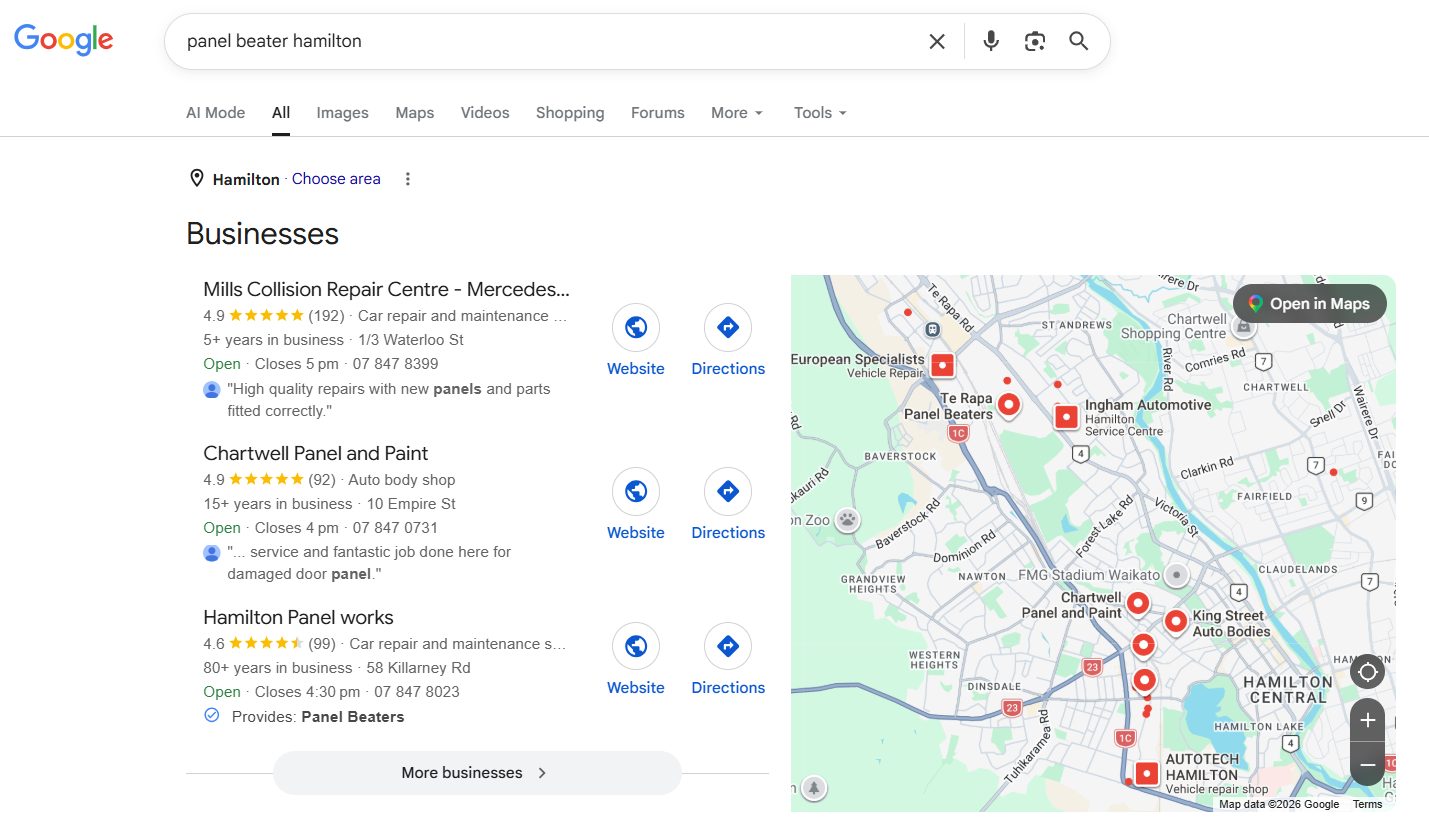
Someone searching “how does panel beating work” wants to learn — that’s a blog post. Someone searching “panel beater Hamilton quote” wants to buy — that’s a service page. Give each search what it’s after. Informational content builds your authority; commercial pages bring the money. You need both.
Build topic clusters. Create one big pillar page on your main topic, then supporting posts on the sub-topics, all linked together. It’s how you build authority in Google’s eyes for a competitive term — and it’s exactly how a young NZ site can outrank a decade-old competitor.

That’s not theory. My own agency site is under a year old and already outranks established NZ competitors, gets cited in Google’s AI Mode, and gets named by ChatGPT — built entirely on WordPress with this clustering approach.

Write for humans first. Google’s helpful content guidance rewards genuine expertise and experience — what it calls E-E-A-T. Write like you’ve done the thing, because thin, generic content is exactly what gets buried now. And here’s the bonus: the same depth that ranks in Google is what gets you quoted by AI.
Step 6: Local SEO for New Zealand Businesses
If you serve customers in a specific place — a clinic, a trade, a firm — local SEO is likely your single biggest lever. This is the part no international WordPress guide covers, and it’s where most Kiwi businesses win or lose.
Set up and optimise your Google Business Profile. This is the free listing that puts you in Google Maps and the local 3-pack. It often matters more than your website for local searches.
Go to google.com/business, claim or create your listing, and fill in everything: exact business name, address, phone, website, hours, and the right category. Then keep it active — post updates, add photos, and reply to every review.
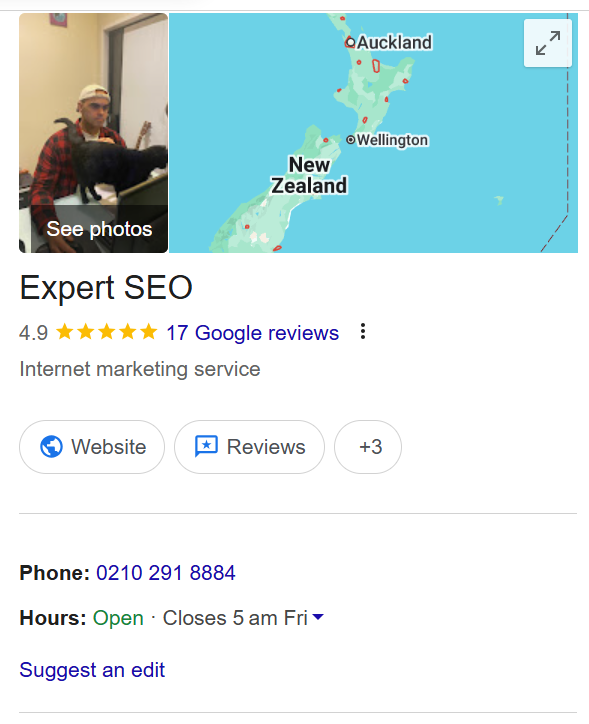
Keep your NAP consistent. Your Name, Address, and Phone number should be identical everywhere they appear online — your site, your GBP, every directory. Google uses that consistency as a trust signal.

Build local landing pages. If you serve multiple areas, build a genuine page for each — real content, not a doorway page with the town name swapped out. A mortgage broker serving the Waikato might have separate, useful pages for each town they cover.
Add local business schema. This tells Google your location, hours, and service area in code it trusts. Your SEO plugin can add it, or a dedicated tool makes it point-and-click.
Local SEO is where I’ve seen the clearest results for NZ businesses — it’s the backbone of the work we do from Auckland SEO to Hamilton SEO and everywhere between: get the profile right, stay consistent, and the local rankings follow.
We ranked our own site at number one in New Zealand for “local SEO” — above Ahrefs and SEMrush — using exactly this approach on a WordPress site.

Different industries carry their own local quirks, too — the competition and customer behaviour for a dental clinic look nothing like a mortgage broker’s, so tailor your profile, categories, and content to your trade.
Is WordPress SEO Still Worth It in 2026?
Yes — and if anything, doing it well matters more now than it did two years ago.
The fear is understandable. AI Overviews sit at the top of Google, ChatGPT answers questions that used to be searches, and every second LinkedIn post declares SEO dead. I get why people are nervous.
But the data doesn’t back the panic. Google search isn’t shrinking, and SEO is very much alive — it’s evolving. What’s changed is where you need to show up: not just in the ten blue links, but in the AI answer above them.
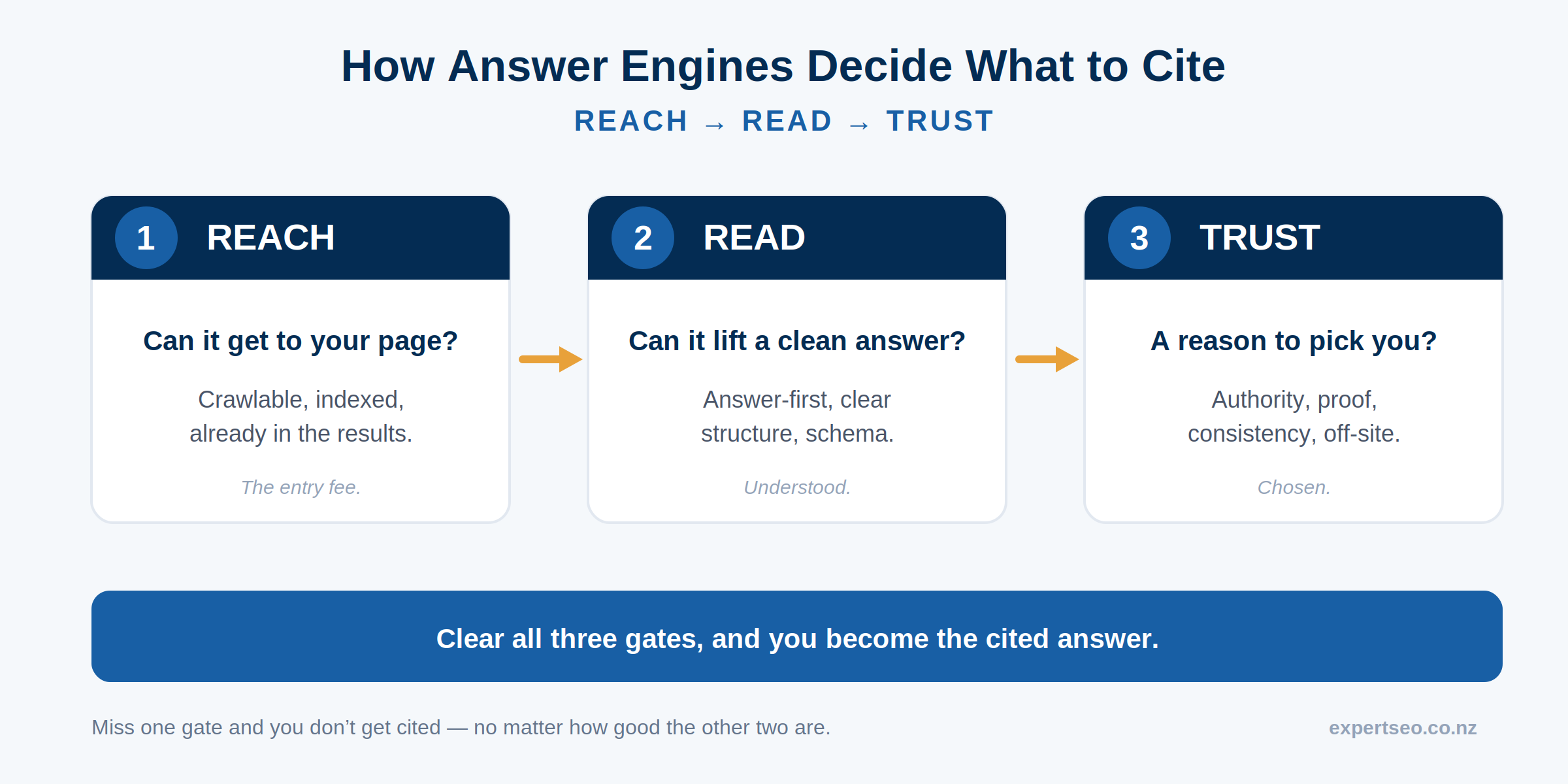
What’s changed: AEO. The new game is Answer Engine Optimisation — getting your content cited inside AI answers, whether that’s Google’s AI Overviews, ChatGPT, or Claude. And here’s the good news for WordPress users: the things that get you cited are things WordPress does brilliantly.
Clear structure. Direct answers to real questions. Clean schema. Genuine expertise. AI systems lift content that’s easy to parse and clearly authoritative — which is what good WordPress SEO produces anyway.
What to do differently. Not much, and that’s the point. Answer questions directly and early on the page (a one or two-sentence answer right under the heading). Keep using schema. Structure content with clear headings. Build real topical authority instead of one thin page.
Do the fundamentals well and you’re already optimised for AI — the sites getting cited aren’t doing something exotic, they’re doing the basics better. This article is structured exactly that way, on purpose.
Final Thoughts
If you forget everything else, remember this: WordPress isn’t what’s holding your rankings back, and no plugin is going to save you. The platform is already better at SEO than you need it to be.
What matters is doing the few things that count — content that matches intent, a fast well-structured site, and a properly optimised Google Business Profile — and doing them consistently, while ignoring the busywork the plugin dashboards guilt you into.
The mistake I watch people make over and over is fiddling with the green light while their content answers nobody’s question. Don’t be that person. Get the foundations right once, then pour your energy into genuinely useful pages.
You can absolutely do all of this yourself — that’s the whole point of the guide. But if you’d rather hand it to someone who does it every day, that’s what our SEO services are for, and you can always bring in an SEO consultant for your specific site.
Either way, the sooner you start, the sooner it compounds. SEO rewards the people who begin before they feel ready.
WordPress SEO: FAQ
Is WordPress good for SEO?
Yes — it’s one of the best platforms for SEO. WordPress gives you full control over the signals Google reads (titles, URLs, structure, schema) and a plugin ecosystem no closed builder can match. It powers around 43% of the web for exactly that reason.
What is the best WordPress SEO plugin?
For most sites, Rank Math — you get the most out of its free version, including schema and redirects. Yoast is the simplest option if you want a more idiot-proof setup. Honestly, using one properly matters more than which one you pick.
Can you do WordPress SEO without a plugin?
Technically yes — you can hand-code titles, meta tags and schema. In practice, a plugin turns a developer job into a five-minute box you fill in per page, so there’s little reason to do it the hard way.
How long does WordPress SEO take to work?
Usually three to six months for real movement, longer for competitive terms. SEO compounds — the early stretch feels flat, then rankings and traffic build on each other. It’s a slow burn that keeps paying once it lands.
Is WordPress SEO free?
The tools can be. WordPress, a free plugin like Rank Math, Google Search Console and Google Business Profile all cost nothing. What it really costs is your time — or a fee if you hand it to someone.
Is WordPress or Shopify better for SEO?
For content-led SEO — service businesses, blogs, local companies building authority — WordPress gives you more control and wins. Shopify is the better pick if you’re primarily running an online store. Match the platform to the job.


