A while back, a woman from Taranaki came to us after spending $15,000 on a website.
Not $15k for some sprawling online store with thousands of products. $15k for a small business website that should have cost around $3,000.
She’d been told she “needed” a branding and marketing package bolted on top.
She didn’t. She was also told they’d done SEO work on the site so it would show up on Google. They hadn’t — not a scrap of it.
So she paid roughly five times the going rate, and part of what she paid for was never done at all.
The worst part wasn’t the money. It was that she had no way of knowing.
She didn’t know what the website design process was supposed to look like, so she couldn’t tell real work from a sales pitch wearing a high-vis vest.
That’s what this guide fixes.
By the end you’ll know exactly what happens at each stage of building a website, what good looks like, what it should cost and how long it should take here in New Zealand — and how to spot the moment someone starts charging you for things you don’t need.
What the Website Design Process Actually Is
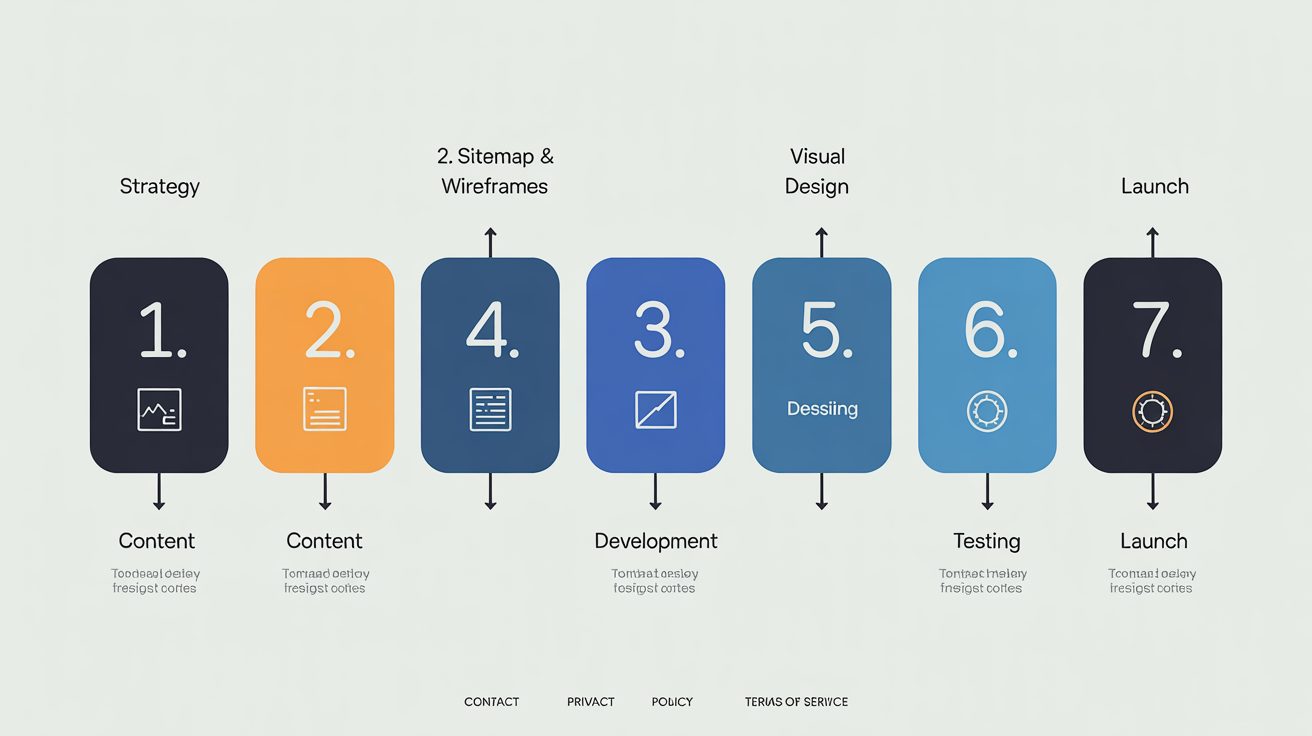
The website design process is the step-by-step path a website takes from an idea to a live site: strategy, structure, content, design, build, testing, then launch. Each stage feeds the next.
Here’s the honest version of why it exists.
A real process forces the right decisions in the right order, so the expensive surprises get caught while they’re still cheap to fix.
Skip the order and you find out your whole layout doesn’t fit the content after the design’s already signed off — and now you’re paying to redo it.
Quick note on the term, because it trips people up: web design means the entire build, not just how the thing looks. Strategy, copy, code and testing are all part of it, even though only one of those stages is about colours and fonts.
This matters more than it sounds.
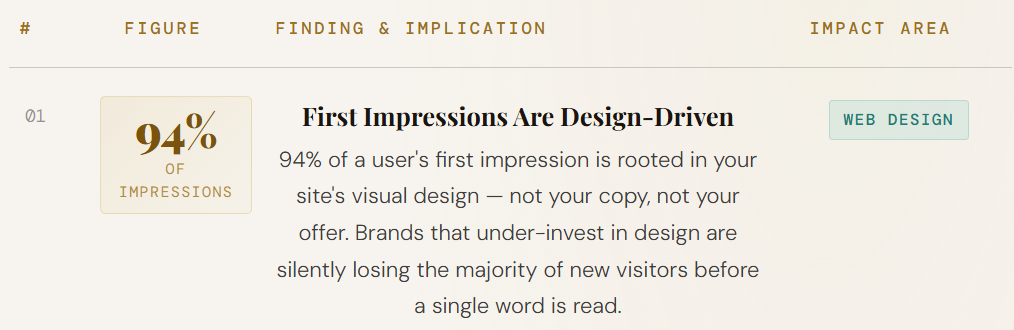
Visitors form an opinion about your site in roughly 0.05 seconds, and around 94% of that first impression comes down to design.
On top of that, 75% of people admit they judge a business’s credibility on its website alone. A process is how you make that half-second land in your favour instead of leaving it to luck.
The Website Design Process, Start to Finish
Every solid build moves through the same stages. What separates a website that earns its keep from a few thousand dollars set on fire is what happens inside each one. Here’s the full run, and what good looks like at each step.
1. Strategy and Planning
Before anyone touches a design, you work out what the site is actually for. Who’s it talking to, and what do you want them to do — call you, book a job, buy something?
This is also where the groundwork for getting found should start.
The keywords your customers type into Google, the pages you’ll need to rank for them, the way the site will be structured — that thinking belongs here, at the start, not bolted on after launch like the Taranaki job.
A site planned around how people actually search has a head start nothing else can buy back later.
2. Sitemap and Wireframes
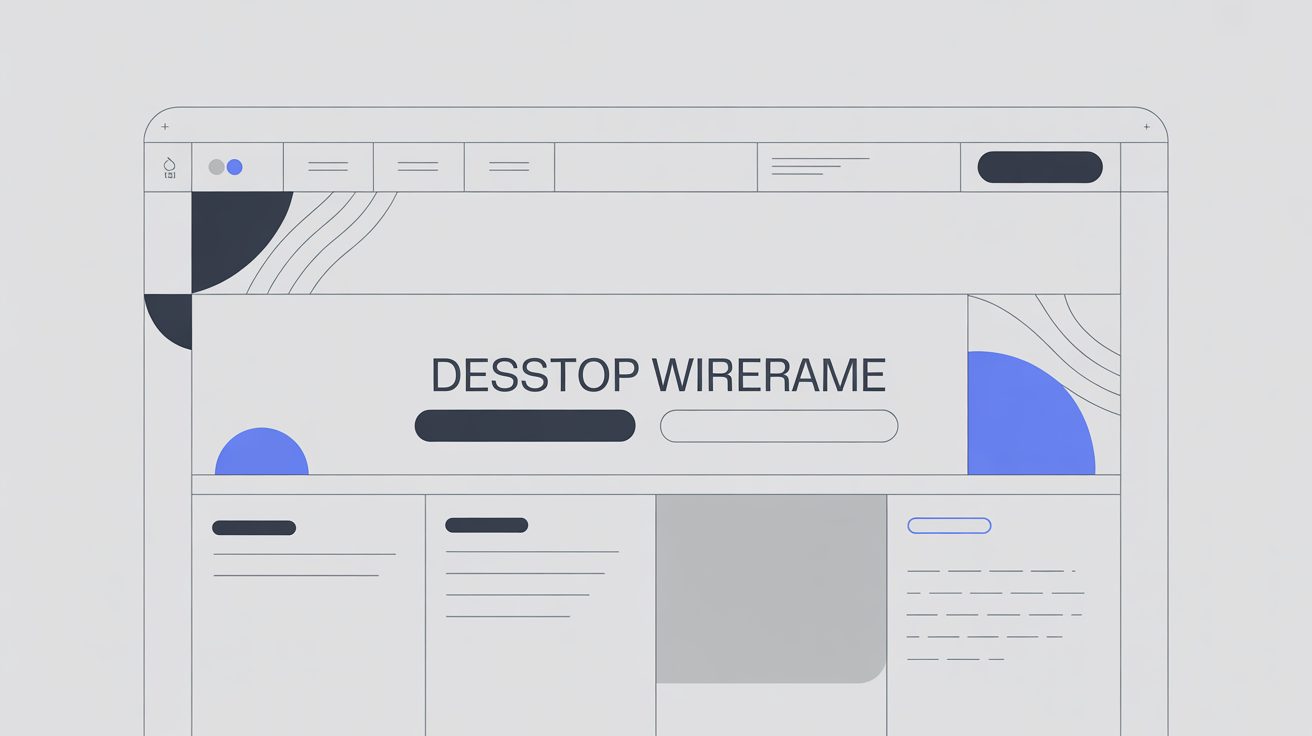
Next you map the site’s structure, then sketch each page as a wireframe — a rough, no-styling layout showing where the core design elements sit: the headings, buttons, images, navigation and white space that make up every page.
The reason you do this before any pretty design is simple: moving a button on a wireframe takes ten seconds; moving it after the page is designed and built takes an invoice.
Get the bones right while they’re still just boxes on a screen.
3. Content
Content is the part that does the actual selling — the words, images and structure that turn a visitor into an enquiry. It’s also, quietly, the stage that holds up nearly every project (more on that shortly).
Good content isn’t filler written to fill a box. It answers the questions your customer is already asking and points them toward the next step. A gorgeous site with vague, waffly copy is a sports car with no petrol in it.
4. Visual Design
This is where the brand comes to life: typography, colour, imagery, the feel of the thing. The wireframes get turned into a real, high-fidelity design you can react to.
The best designers lean on established design principles here — hierarchy, contrast, balance, consistency — the things that guide the eye and make a page feel effortless to use.
It’s also, conveniently, the stage where the “you need a full $X branding package” upsell tends to appear.
Sometimes a brand refresh genuinely helps. Often it’s a simple business website being sold the trimmings of a national rebrand. A good designer tells you which one you actually are.
5. Development
Development is the coding stage, where the design becomes a working, responsive site that loads fast and behaves itself on every device.
This is where “built to look nice” and “built to work” split apart. A site can look identical in two builds and perform nothing alike underneath.
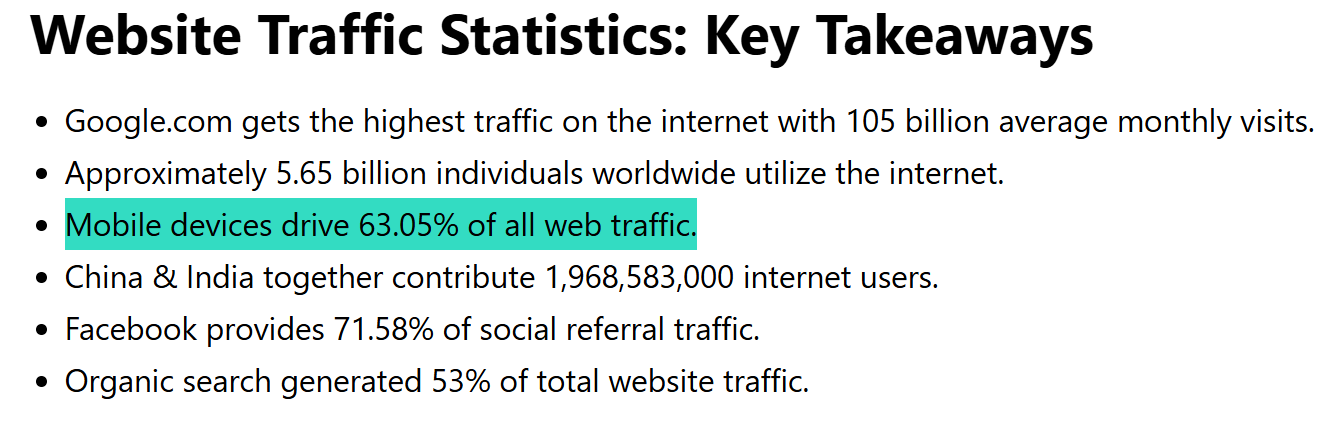
With around 60% of web traffic now coming from phones, a build that isn’t genuinely mobile-first is leaking customers before they read a word.
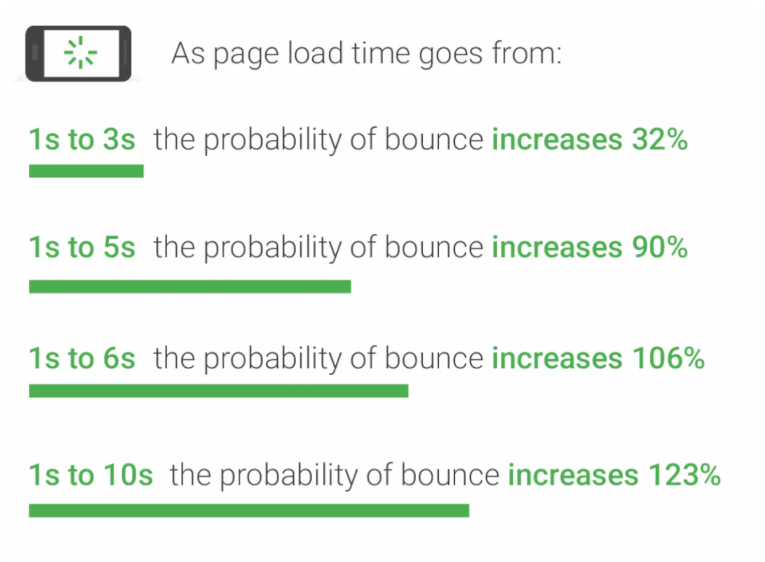
Speed matters just as hard: Google’s own research found that as a page’s load time climbs from one second to ten, the chance of a mobile visitor bouncing jumps 123%.
The clean code, sensible structure and technical foundations laid here are what let a site rank later, not just sit there looking pretty.
6. Testing and Quality Assurance
Before anything goes live, you test it properly: every device, every browser, every form, every link, and the load speed under real conditions.
Skipping this is how a site launches with a contact form that quietly emails nobody for three months. It’s the least glamorous stage and the one that saves you the most embarrassment.
7. Launch and Beyond
Launch day is the starting gun, not the finish line. The site goes live, gets submitted to Google for indexing, and then the real work begins: watching how people use it and improving from there.
This is the difference between a website and a billboard. A billboard you put up and forget.
A website that’s meant to bring in business gets watched, measured and sharpened over time. We grew a health website from zero to over 20,000 visitors a month by treating launch as day one, not the end.

And our SEO company — on a domain less than a year old — is already outranking New Zealand agencies with a decade’s head start, because the site was built to be found from the first stage, not patched afterwards.

So What Are the “7 Steps” Everyone Asks About?
People search “7 steps to web design,” “7 stages of web development,” even “the 7 C’s.”
Here’s the honest answer: whether someone calls it six steps, seven or nine, every real process covers the same ground.
The number is marketing. The order is what counts.
Line the popular “7 steps” up against the stages above and they’re the same journey: strategy, structure, content, visual design, development, testing, launch.
Agencies pick round numbers because seven sounds tidier on a sales page than “it depends.”
Don’t get hung up on the count — get hung up on whether each stage is actually being done.
What Tools Are Used in the Website Design Process?
Across the stages you’ll see a familiar toolkit: planning and sitemaps in something like Figma or a whiteboard, design in Figma, the build in WordPress, Squarespace or Framer, then analytics and Google Search Console once you’re live.
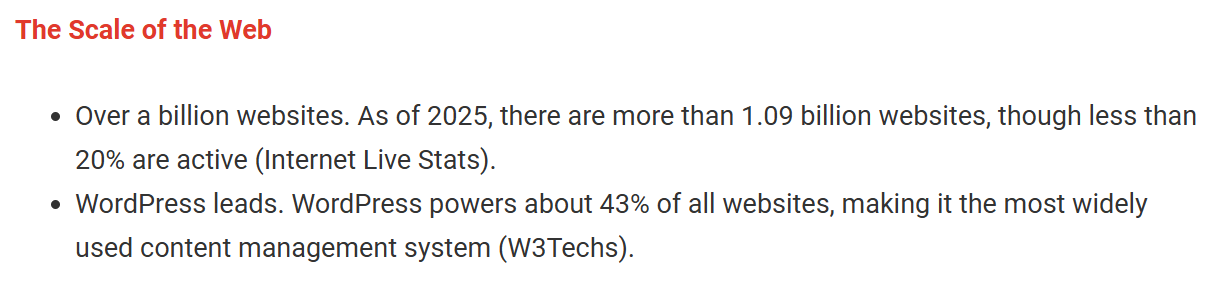
In New Zealand, most small-business sites land on WordPress or Squarespace — and there’s a reason WordPress alone powers around 43% of all websites on the internet.
WordPress gives you more control and better SEO headroom; Squarespace is simpler to run yourself. Neither is “the best.” The right one depends on who’s maintaining the site after launch.
One thing worth saying plainly: the tool matters far less than the hand using it. A top-shelf platform in the wrong hands still ships a slow, badly-structured site. Don’t let anyone sell you on the software when the thinking is what you’re really paying for.
Can You Skip the Process with AI or a Website Builder?
Yes, you can spin up a website in an afternoon with an AI builder or a drag-and-drop tool. Whether it does anything for your business is a completely different question.
What AI and builders genuinely do well: speed, cost, and simple sites. A one-page site to test an idea, a holding page, a personal portfolio — go for it. They’ve gotten genuinely good.
What they skip is the part that makes money: the strategy, the customer-focused content, the search foundations, the conversion thinking. They’ll hand you something that looks like a website.
They won’t tell you it’s pointed at the wrong audience, or that nothing on it will ever rank. Fast to build and effective at bringing in work are not the same thing — and the gap between them is the whole reason this process exists.
Why the Build Always Stalls on Content (and How Not to Be the Bottleneck)
Here’s the thing no agency warns you about: the designer is almost never what holds a project up. Unfinished content from the client is.
Nearly every web project that runs late runs late for the same reason — the words, photos and details weren’t ready when the build needed them.
The designer’s sitting there ready to go, waiting on your “about us” paragraph and a decent logo file. Everything downstream waits on content, so the moment it stalls, the whole project stalls.
The fix is to have your material sorted before you start: your copy or at least clear notes, your logo and brand colours, real photos, and a few example sites you like.
A good designer will help you pull this together — chasing you for it, even — rather than letting the project quietly drift for a month while everyone blames “the build.”
How Long Does the Website Design Process Take in NZ?
Most New Zealand small-business websites take roughly three to eight weeks end to end. The two things that move that number are how big the site is and how quickly you get content and feedback back.
Rough guide from real jobs: a tidy one-pager can be a week or two. A standard small-business site of five to ten pages usually runs three to six weeks.
Ecommerce, or anything with custom features, stretches longer. A café after website design in Hamilton will move a lot faster than an Auckland retailer launching an online store with three hundred products.
A redesign of an existing site can be quicker on the discovery side — you’ve already got content and a structure to work from — but it adds its own work: migrating pages and setting up redirects so you don’t torch the rankings you already have.
Whatever the project, the honest variable is you. The fastest builds happen when the client turns feedback around in days, not weeks.
What It Costs in NZ — and Where You Get Overcharged
A small-business website in New Zealand typically runs from a few hundred dollars at the DIY end to several thousand for a professionally built site.
What blows that figure up is scope you don’t need — and the worst of it gets sold to you as scope you supposedly can’t do without.
Which brings us back to Taranaki. That $15,000 site should have been a $3,000 job. The damage wasn’t one big lie; it was two quiet ones.
First, a branding and marketing package she was told she “needed” — a simple service business sold the works of a corporate rebrand. Second, “SEO work” she paid for that was never done. None of it. She had no way to check, so she didn’t.
Those are the two upsells to watch for. A branding package welded onto a straightforward site, and “SEO included” with nothing behind the words.
If you ever want to know whether real search work was actually done on a site, an honest SEO audit shows it in minutes — you can’t fake the things that leave a trail.
Our take is the opposite of that job, and it costs us money on purpose: we advise and build what’s genuinely best for the client, even when that means a smaller invoice.
If you don’t need the branding package, we’ll tell you. A web designer who only ever adds things, and never once says “you don’t need that,” is telling you exactly who the process is built to serve.
How to Choose a Web Designer by Their Process
You can’t judge a web designer on their portfolio alone, because a pretty site can hide a weak process. The fastest way to size someone up is to ask how they work — the answers tell you whether you’re hiring a partner or walking into a pitch.
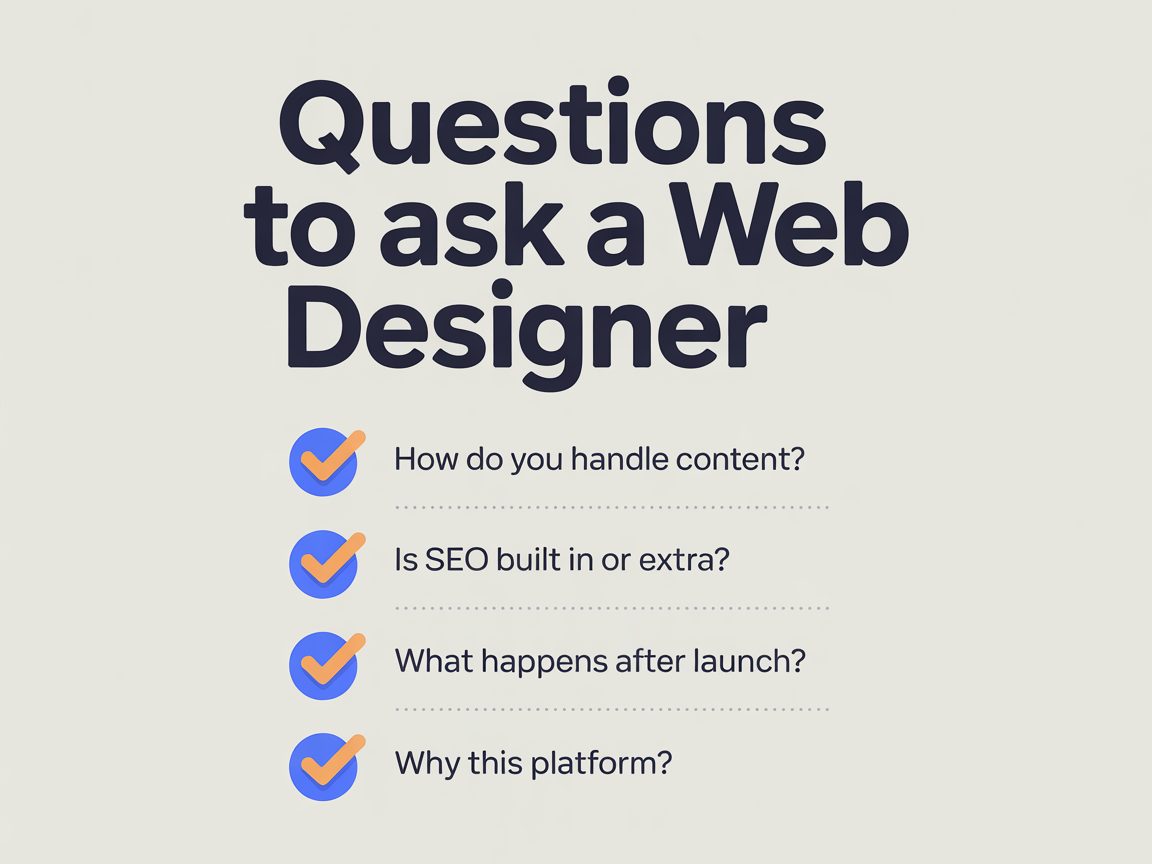
Ask these, and listen to how they answer:
- “How do you handle content?” A good answer involves helping you get it ready. A vague one means you’ll be the bottleneck and they know it.
- “Is SEO built into the process, or is it extra?” Built in is the right answer. “It’s an add-on” usually means it’s either a line item or a fairy tale.
- “What happens after launch?” If launch is where they vanish, the site will stagnate. The work shouldn’t stop at go-live.
- “Why this platform?” You want a reason tied to who’ll maintain the site — not just “it’s what we always use.”
The green flags are clear stages, honest “you don’t need that” moments, and a process explained in plain English. The red flags are a fuzzy process and a quote where absolutely everything is an add-on.
And yes — you can absolutely hire one local agency to run the whole thing end to end. A good one manages strategy, design, content, build and launch under one roof, so you’re not stitching three suppliers together yourself.
Should You DIY Your Website or Hire a Designer?
If you’re validating an idea or working with almost no budget, a DIY build is a perfectly reasonable place to start. Once the website actually has to bring in leads or sales, the process is worth paying for.
DIY genuinely works when the stakes are low: a side project, a quick test, a one-pager you’ll replace later.
It stops working the moment the cost of getting it wrong — a slow site, a structure that can’t rank, a layout that doesn’t convert — quietly outweighs what you saved.
At that point you’re not saving money; you’re delaying the proper build and paying for two.
If you’re at the stage where the site needs to pull its weight, that’s where a real process pays for itself — and where professional website design built around getting found, not just looking good, is the difference between a site that sits there and one that brings in work.
Whether you’re a tradie after Auckland web design or a shop wanting Christchurch web design, the principle’s the same: a site built to a proper process earns its keep.