

You open Google Search Console, head into the Pages report, and there it is: a clump of your URLs sitting under a status called “Duplicate without user-selected canonical.”
No green tick. Not indexed. Stomach drops a little.
I’ve watched that exact moment land on plenty of NZ business owners. The word “duplicate” gets whispered around SEO like it’s a contagion — penalties, deindexing, the whole site sinking overnight.
Most of that fear is wrong.
Duplicate content is real, and it can quietly cost you rankings. But it rarely works the way people think.
There’s no hidden penalty waiting to nuke your site, and the fixes are usually a ten-minute job once you know which lever to pull. It’s one of the most common problems on the technical side of SEO, and easily one of the most over-feared.
This guide covers the lot: what duplicate content actually is, whether it’ll hurt you, how to find it on your own site, and exactly how to fix every cause — canonical tag, redirect, or noindex. NZ examples throughout, no jargon wall.
What Is Duplicate Content?
Duplicate content is the same — or nearly the same — content sitting at more than one web address. That can be two pages on your own site, or your content turning up on someone else’s.
Here’s the bit most people miss: to a search engine, the URL is the page. Not the page in your head.
Say you run a landscaping business and you’ve got one services page. To you, that’s one page.
But if it loads at http://yoursite.co.nz/services, https://yoursite.co.nz/services and https://www.yoursite.co.nz/services, Google sees three pages with identical content.
Same words, three different doors. That’s duplicate content — and you made it without writing a single extra sentence.
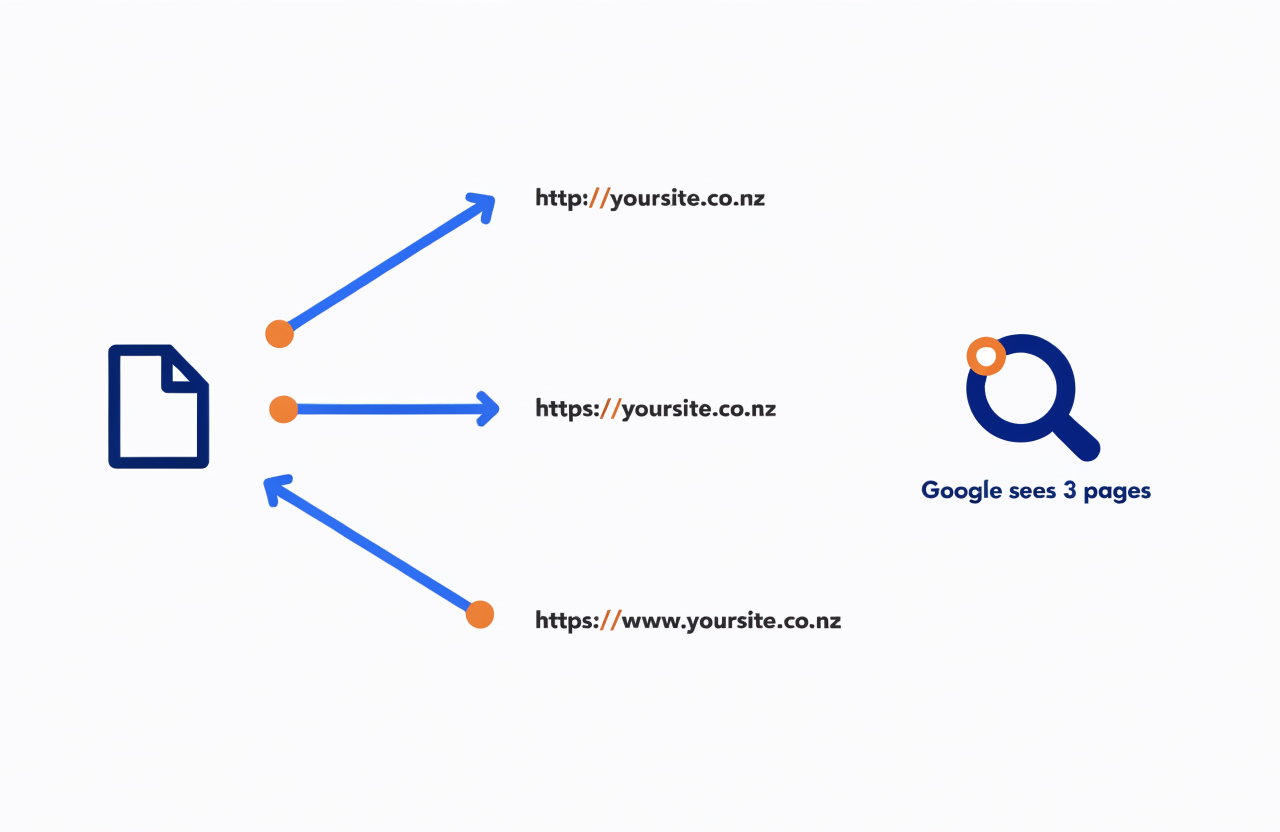
Most duplicate content is exactly that: accidental, internal, and technical. It’s not someone pinching your blog posts (that happens, but it’s rare). It’s your own site quietly serving the same thing through multiple addresses.
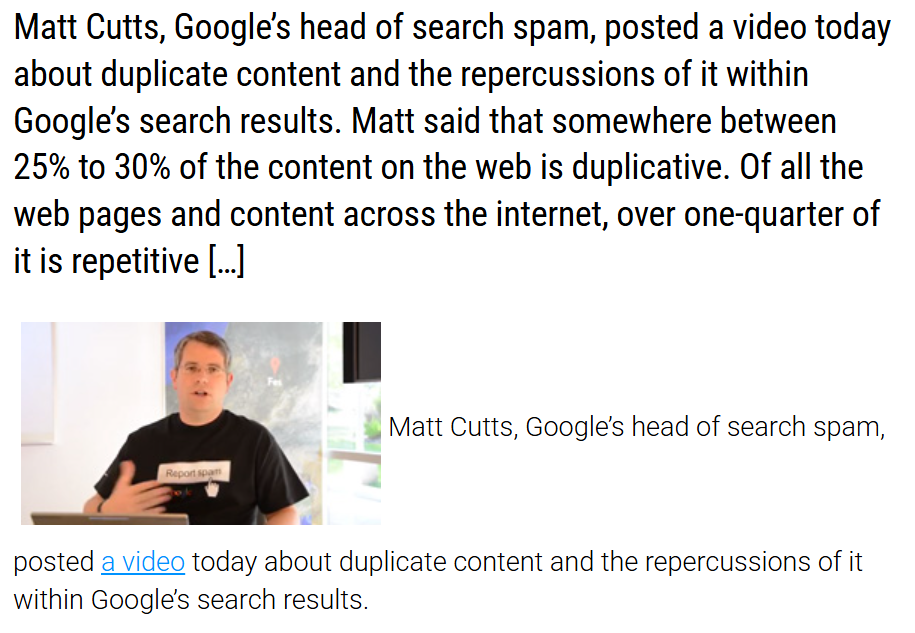
And it’s everywhere. According to Google’s Matt Cutts, somewhere between a quarter and a third of the entire web is duplicate content.
A quarter of the web. So if you’ve found some on your site, breathe — you’re in very normal company.
Duplicate vs Similar vs Thin Content
People lump three different problems under one scary word. They overlap, but they’re not the same thing — and they’re fixed differently, so it’s worth pulling them apart.
| Type | What it is | Typical cause | How you fix it |
|---|---|---|---|
| Duplicate | The exact same content at two or more URLs | www/https variants, URL parameters, product variants | Canonical tag or 301 redirect |
| Similar | Lightly reworded near-copies of each other | Thin location pages with the town name swapped, spun content | Rewrite so each page stands on its own, or consolidate |
| Thin | A page with little real value of its own | Auto-generated tag archives, doorway pages, empty category pages | Add real content, noindex, or remove |
Quick example of all three on one site:
A Tauranga plumber whose booking page loads on both www and non-www (duplicate), who also runs near-identical “emergency plumber” and “24/7 plumber” pages with a few words swapped (similar), sitting next to a blog tag archive that lists a grand total of one post (thin).
Three different issues, three different fixes.
Does Duplicate Content Actually Get You Penalised?
No. Google has said it plainly and repeatedly: there’s no such thing as a duplicate content penalty for the ordinary, accidental kind.
You will not get punished because your site serves the same page on www and non-www.

Google’s own Susan Moskwa put it about as bluntly as a search engineer ever does: let’s put this to bed, there’s no duplicate content penalty. John Mueller and Gary Illyes have repeated it for years since.
It feels like a penalty because of what Google does instead. When it finds duplicates, it doesn’t punish them — it filters them.
It picks one version to show and quietly hides the rest. If the version it picks isn’t the one you wanted ranking, it can look like you’ve been demoted, when really you’ve just been de-duplicated.
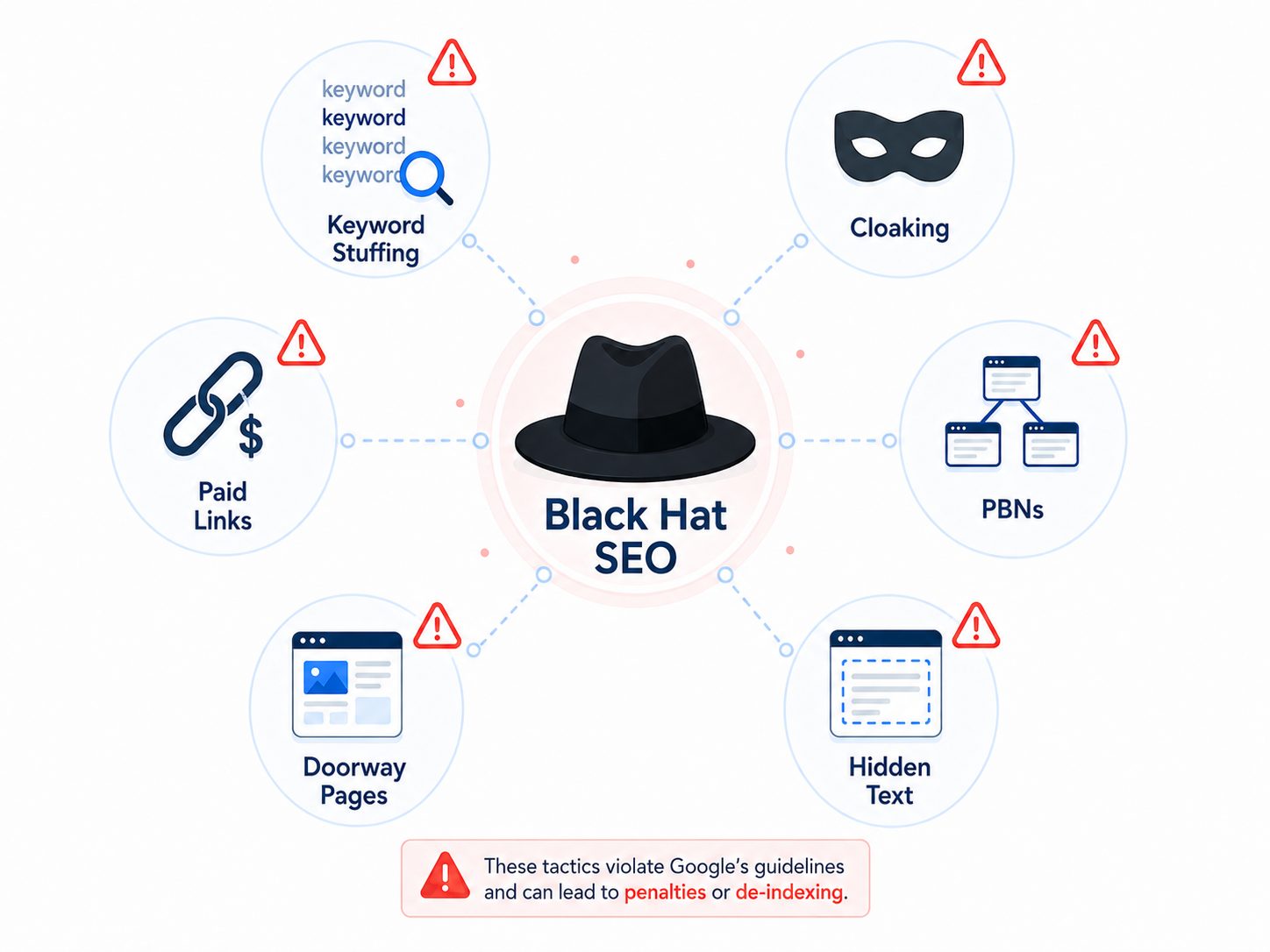
There is one exception, and it’s worth being clear about. If you’re deliberately copying or scraping other people’s content to game the rankings, that’s a different animal — that’s black hat SEO, and Google will act on it.
But “I accidentally have three versions of my homepage” and “I built a site out of stolen articles” are not the same crime. The first is a tidy-up job. The second is asking for trouble.
Why Duplicate Content Still Hurts Your Rankings
No penalty doesn’t mean no problem. Even when Google handles it gracefully, duplicate content costs you in three quiet ways.
First, Google has to guess which URL to show. When the same content sits at several addresses, Google clusters them and picks one to rank — and it doesn’t always pick yours.
A messier URL, the one with ?ref=facebook stuck on the end, can end up being the version people see, and a clunky URL gets fewer clicks.
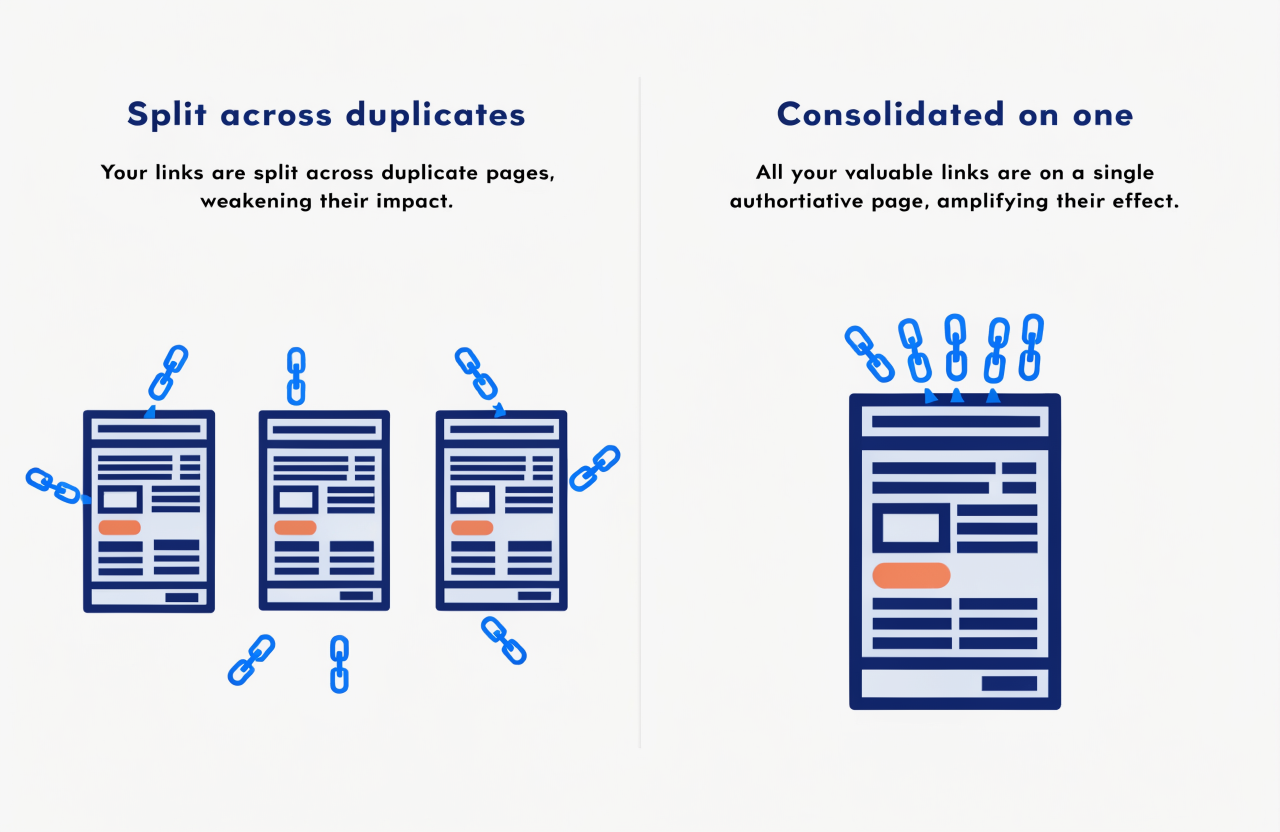
Second, your backlinks get diluted. If other sites link to your content, but that content lives at three URLs, those links scatter across all three instead of stacking on one.
Ten links pointing at one page is a strong signal; ten links split three ways is three weak ones. You’ve watered down your own authority.
Third, you burn crawl budget. Google only gives your site so much crawling attention. Every duplicate it has to crawl is time it didn’t spend on your real pages — which can mean new content takes longer to get found and indexed.
On a small brochure site that barely matters; on a 5,000-page store it matters a lot.
What Actually Causes Duplicate Content
Almost all of it is accidental and technical. Your site isn’t being sabotaged — it’s just handing out the same page through more doors than you realised.
Google groups the usual culprits into a handful of recognised variants, and these are the ones that bite Kiwi sites most.
- URL versions — http vs https, www vs non-www, with or without a trailing slash. The classic, and the subject of the next section.
- URL parameters — tracking tags (?utm_source=…), plus sorting and filtering on category pages. Same content, brand-new address every time.
- Session IDs — older systems that bolt a unique ID onto every URL to track a visitor, spawning a fresh “page” per session.
- Ecommerce product variants — the same shirt in five colours generating five URLs instead of one. A constant on poorly set-up stores, and a core ecommerce SEO headache.
- WordPress archives — category, tag and author pages that republish your post excerpts across dozens of URLs. Worth knowing if you’re tackling WordPress SEO yourself.
- Scraped or syndicated content — your article republished on another domain, with or without your permission.
The Duplicate Content Issue I See Most on NZ Sites
Of all those causes, one shows up more than the rest on New Zealand websites — and it’s not the scary one. It’s the site resolving on multiple versions of its own address because nobody ever set the redirects.
http, https, www, non-www, trailing slash or not — left unmanaged, a single homepage can load at four or more URLs, each one a perfect copy of the others.
The site looks completely normal to you. Google sees a pile of duplicates and has to pick a favourite.
It’s so common because most small-business sites get built once, fast, and nobody circles back to lock the canonical version down.
Doesn’t matter if it’s a quiet local site or a business clawing for rankings where SEO in Auckland gets genuinely cutthroat — it’s the first thing I check, the same way I’d check it on our own site here at our SEO company.
Here’s a thirty-second gut-check you can run right now. Type your domain into the browser four ways:
- http://yoursite.co.nz
- http://www.yoursite.co.nz
- https://yoursite.co.nz
- https://www.yoursite.co.nz
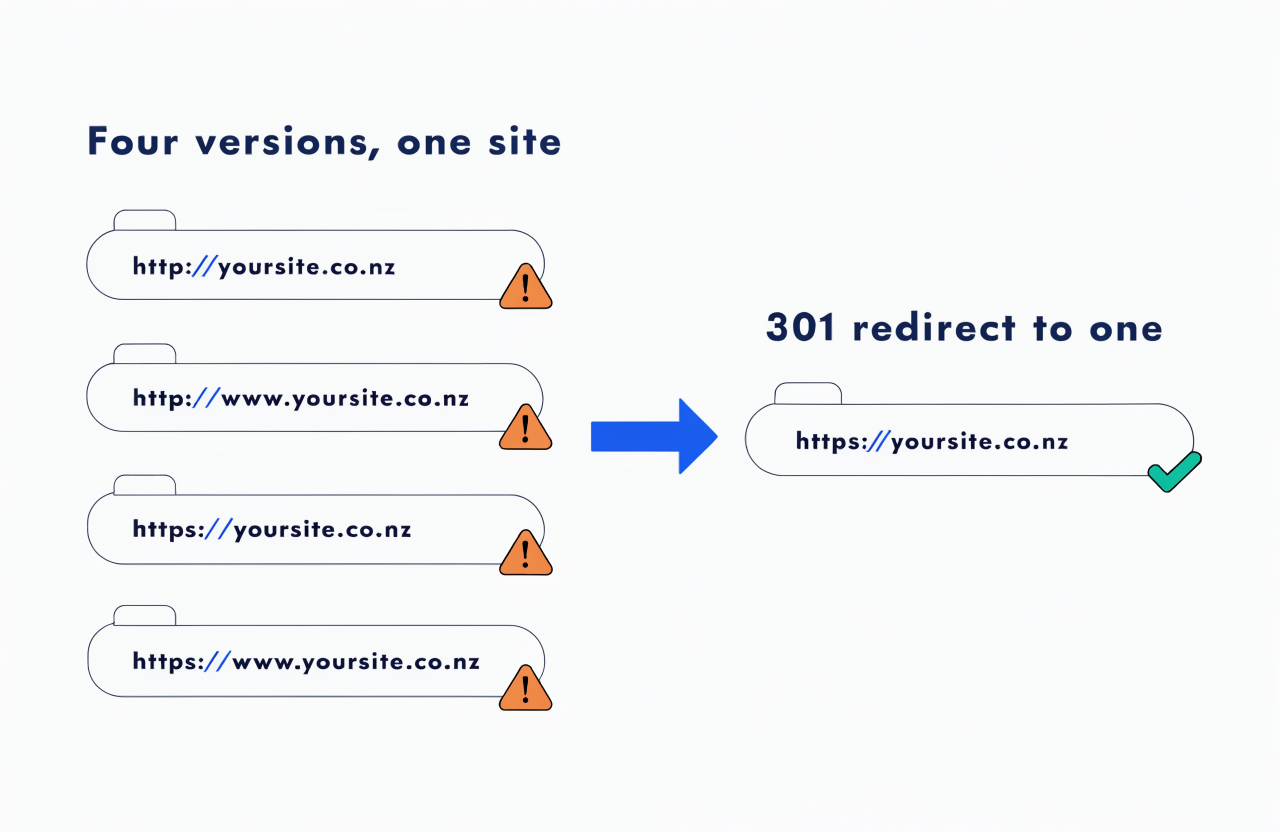
Every one of them should end up on the same single address. If they each load and stay on their own version, your authority is being split four ways — and you’ve just found your biggest duplicate content problem in under a minute.
How to Find Duplicate Content on Your Site
You don’t have to guess. The fastest way to find duplicate content is Google Search Console’s Pages report — Google tells you, in writing, which URLs it’s treating as duplicates.
Open the Pages report, scroll to “Why pages aren’t indexed,” and look for these three statuses:
- Duplicate without user-selected canonical — Google found copies and you didn’t tell it which one’s the master, so it picked for you.
- Alternate page with proper canonical tag — the good outcome: you pointed at a master, Google agreed, and it’s filing the duplicates under it.
- Duplicate, Google chose different canonical than user — you picked a master, Google overruled you. Worth a look at why.
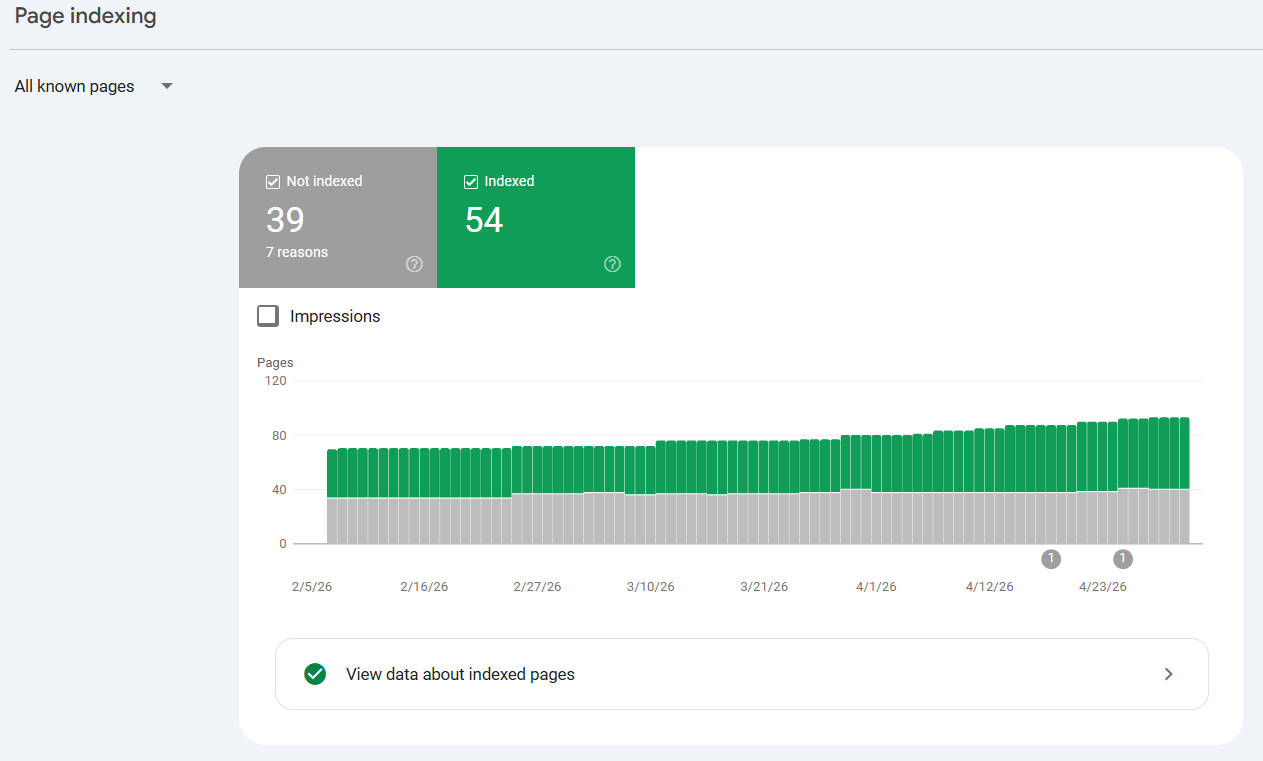
For a second angle, search site:yoursite.co.nz in Google. The number of results should roughly match the number of pages you actually built.
If you made 40 pages and Google shows 400, something’s generating URLs automatically — and it’s almost certainly duplicate content.
On bigger sites, a crawler like Screaming Frog or Semrush will flag duplicate titles, descriptions and body text in bulk. And if you’d rather not go spelunking through reports at all, a proper SEO audit surfaces the lot in one pass.
How to Fix It: Canonical vs 301 vs Noindex
Nearly every duplicate content problem is solved with one of three tools: a canonical tag, a 301 redirect, or a noindex.
The skill isn’t knowing the tools — it’s knowing which one each situation needs. And that comes down to one question: do both URLs actually need to exist?
| Situation | Use | Why |
|---|---|---|
| Only one version should ever exist (http to https, www to non-www, old URL to new) | 301 redirect | Permanently sends users and Google to the one real page, and passes the ranking signals across |
| Both URLs need to stay live, but one is the master (product variants, tracking parameters, syndicated copies) | Canonical tag | Keeps the page reachable while telling Google which version to index and credit |
| The page should exist for people but not in search (internal search results, thin archives) | Noindex | Lets visitors use it, keeps it out of the index entirely |
The canonical tag does most of the heavy lifting. A canonical tag is a single line in your page’s code that tells Google “this other URL is the real version — credit that one.”
It keeps the duplicate reachable for users while pointing all the ranking signals at the master. It’s the right call for product variants (the bane of every Shopify SEO setup), tracking parameters, and syndicated copies.
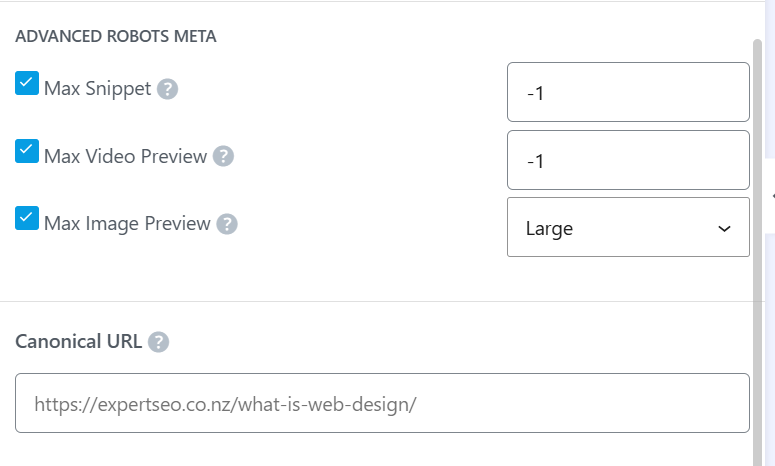
A 301 redirect is for when the duplicate shouldn’t exist at all. The www-versus-non-www mess from earlier? That’s a redirect job — send every version to one canonical address and the problem’s gone for good.
Google treats a redirect as its strongest signal of which URL is the real one, stronger even than a canonical tag.
Noindex is the odd one out: it’s for pages that should exist for people but not in search. Internal search results, thin tag archives, thank-you pages. The page stays live; it just drops out of the index.
A worked example. Say a builder has spun up a page for every town they cover — Builder Cambridge, Builder Te Awamutu, Builder Ōtorohanga — each one the same 500 words with the place name swapped.
That’s the near-duplication that quietly drags down a tradie’s whole site, and it’s a recurring theme in SEO for builders.
The fix isn’t a canonical (the pages are meant to be separate); it’s writing each one to genuinely stand on its own, or consolidating them into a single strong page.
How Much Duplicate Content Is Acceptable?
There’s no magic number. Google has never published a percentage, and no threshold flips a switch from “fine” to “penalised.” Anyone quoting you a hard figure is guessing.
The thing that actually matters: shared boilerplate is completely normal. Your nav menu, footer, disclaimers and contact details repeat on every page, and Google knows that — it explicitly says some duplication is normal and not a spam problem.
What counts is whether each page’s main content — the bit in the middle that’s the actual reason the page exists — is genuinely its own.
This is where service businesses trip up. A dentist with a separate page for every suburb they cover, each one 90% identical with the suburb name swapped, doesn’t have a boilerplate problem — they’ve got near-duplicate main content, and it’s a familiar snag in SEO for dentists.
Same goes for a firm doing SEO in Hamilton with a page per surrounding town. The test is simple: strip out the shared furniture, and ask whether what’s left gives the reader a real reason to be on that page rather than another one.
Does Duplicate Content Affect AI Search and AI Overviews?
Yes — and in much the same way it affects normal search. AI systems consolidate duplicates down to one version, so scattered or copied pages dilute your odds of being the one that gets cited.
When an AI Overview or a tool like ChatGPT pulls an answer, it’s drawing on the consolidated, canonical version of your content — not all the duplicates of it.
If your authority is split across three URLs, you’ve made it three times harder to be the source it picks. Clean canonical signals don’t just help you rank; they help you get quoted.
This matters more every month. Expert SEO is barely a year old and already getting pulled into AI Overviews and cited in ChatGPT answers, competing against agencies with a decade’s head start — and a big part of that is a clean, consolidated site where every page sends one clear signal.
If you’re thinking seriously about ranking in AI search, sorting your duplicate content is table stakes.

Sorting Duplicate Content Yourself vs Getting Help
Most of this you can handle yourself in an afternoon. If it’s a redirect or a canonical tag, you’ve got it — the four-URL homepage fix alone sorts the single most common problem on NZ sites, and you don’t need anyone for that.
Where it’s worth getting help is when the scale gets away from you.
A 5,000-product store generating thousands of parameter URLs, a site that’s just been migrated and is throwing duplicate statuses everywhere, an indexed-page count that’s wildly higher than the number of pages you built — that’s when guessing gets expensive.
An SEO consultant who’s untangled it before will move faster than a week of trial and error, and proper professional SEO help fixes the cause rather than chasing the symptoms.
Either way, don’t let the word “duplicate” scare you. It’s one of the most fixable problems in SEO — and now you know exactly which lever to pull.
Duplicate Content: FAQ
What does duplicate content mean?
Duplicate content is the same or nearly identical content appearing at more than one URL — either on your own website or across different sites. To a search engine, each URL counts as a separate page, even when the content behind them is the same.
Does duplicate content hurt your SEO?
It can, but not through a penalty. It splits your backlink signals across multiple URLs, wastes crawl budget, and leaves Google to pick which version to show — which may not be the one you want ranking.
How do I check for duplicate content on my website?
The quickest way is Google Search Console's Pages report, which flags duplicate URLs directly under "Why pages aren't indexed." A site:yourdomain.co.nz search and a crawler like Screaming Frog or Semrush will also surface duplicates.
How do I fix duplicate content?
With one of three tools: a 301 redirect when only one URL should exist, a canonical tag when both URLs stay but one is the master, or a noindex when a page should exist for users but not in search results.
Is duplicate content against Google's rules?
Accidental duplication isn't — it's normal and Google handles it. Deliberately copying or scraping other people's content to manipulate rankings is against the rules, and Google can act on that.
How much duplicate content is too much?
There's no set percentage. Shared boilerplate like your nav, footer and disclaimers is completely fine. The problem starts when a page's main content — the actual reason the page exists — isn't genuinely its own.
Recommended Reading
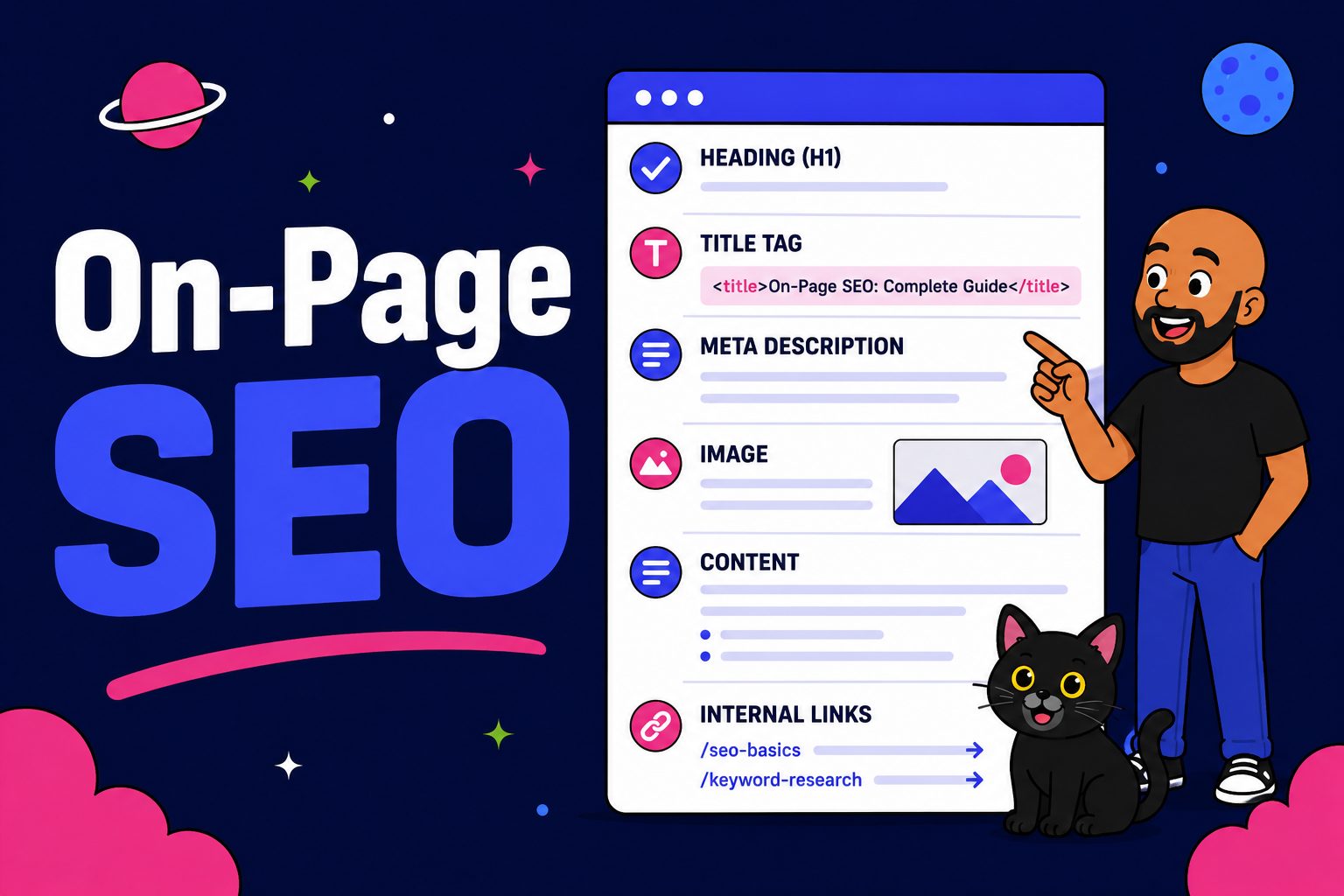
How to optimise each page so search engines understand exactly what it's about.

How to control what Google crawls and indexes on your site without losing rankings.

How XML sitemaps help Google find and index the right pages on your website.