
SEO Basics: A Beginner's Guide for NZ Businesses (2026)

You’ve heard that SEO is important. But every guide you find is written by an American software company trying to sell you their tools.
None of it feels relevant to your business in New Zealand.
This guide is different.
It breaks down every SEO fundamental in plain language, with NZ-specific examples, so you can understand what matters, what to focus on first, and how to start getting results.
Each section covers one core area of SEO marketing — from keyword research and on-page optimisation through to link building, local SEO, and AI SEO. You’ll get the concept, why it matters, and how to actually do it.
Let’s get into it.
What Is SEO?
SEO (search engine optimisation) is the process of improving your website so it shows up higher on Google when people search for what you offer.
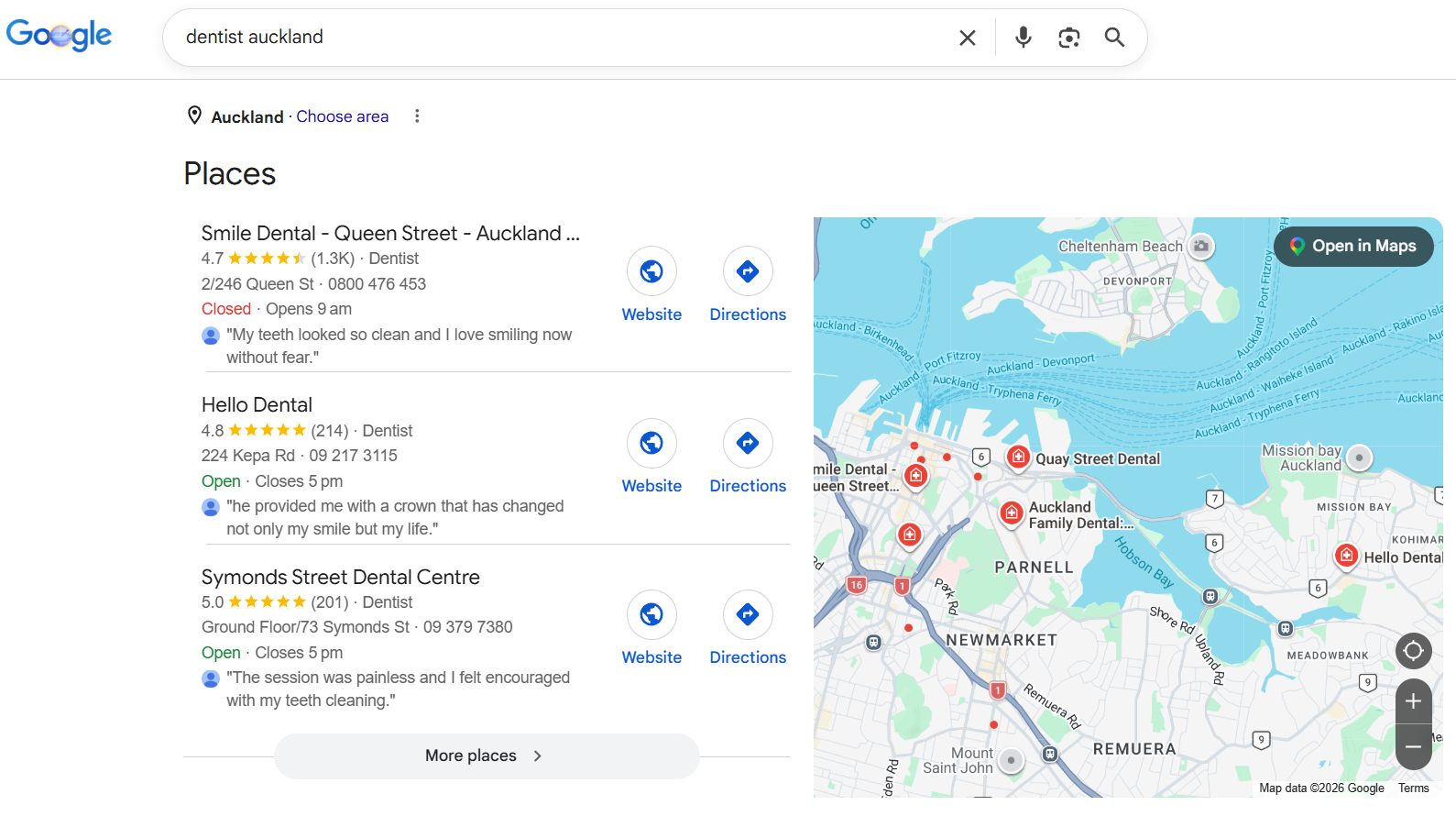
The goal is simple. When someone in New Zealand types “plumber Hamilton” or “dentist Auckland” into Google, you want your business to appear — without paying for ads.
And in New Zealand, this matters more than most people realise. Google holds almost 90% of the search engine market share in NZ.
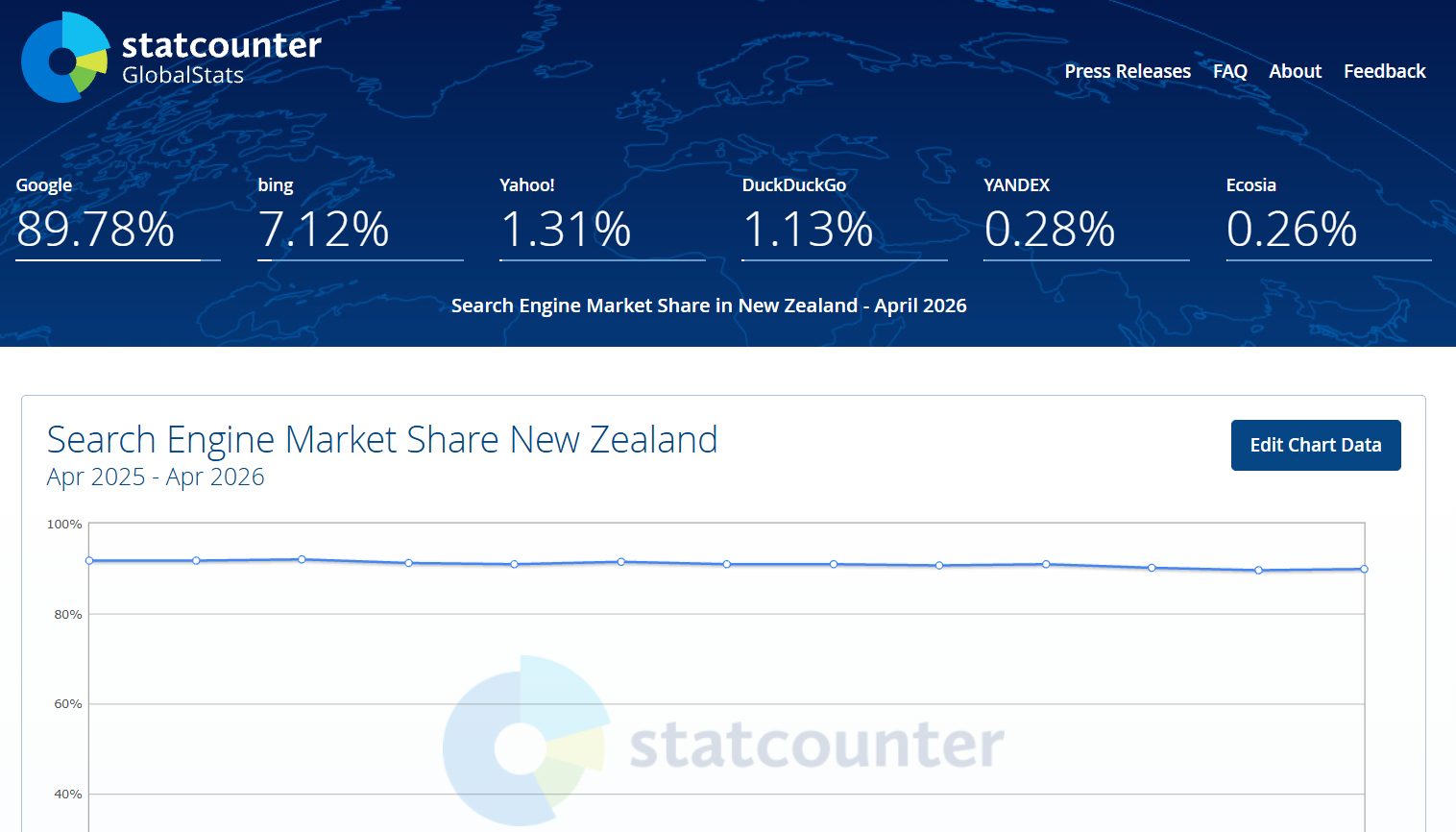
If your customers are looking for what you sell, they’re almost certainly starting on Google.
Organic search drives around 53% of all website traffic across industries.
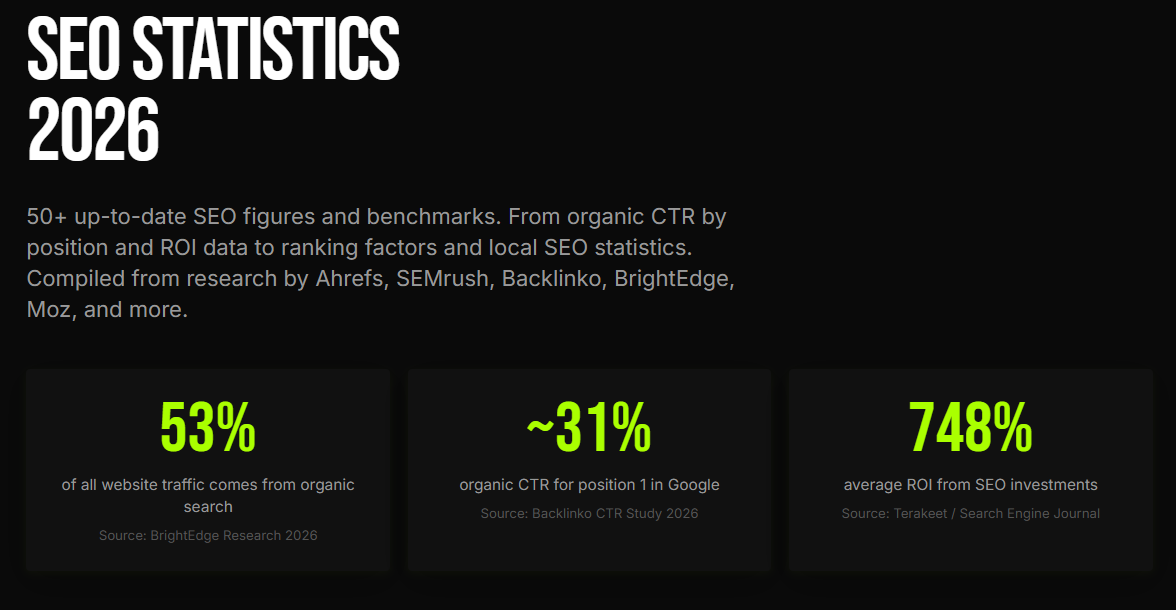
That’s more than paid ads, social media, email, and direct traffic combined.
So if your website isn’t showing up, you’re invisible to the majority of people looking for businesses like yours.
Is SEO Still Worth It in 2026?
SEO is not dead. It’s changing. And the change is actually good news for businesses that do it properly.
You might have heard that AI tools like ChatGPT and Google AI Overviews are “killing SEO.” That’s not what’s happening.
Search is expanding. People are finding businesses through traditional Google results, AI-generated answers, voice search, and AI assistants — all at the same time. That means there are more ways to be found, not fewer.
The fundamentals haven’t changed. Quality content, clear structure, and real authority still win. The businesses that build these things properly are now showing up in both Google and AI platforms.
And the ROI is hard to argue with. A well-executed SEO campaign delivers a median ROI of around 748% — roughly $7.48 back for every $1 invested.
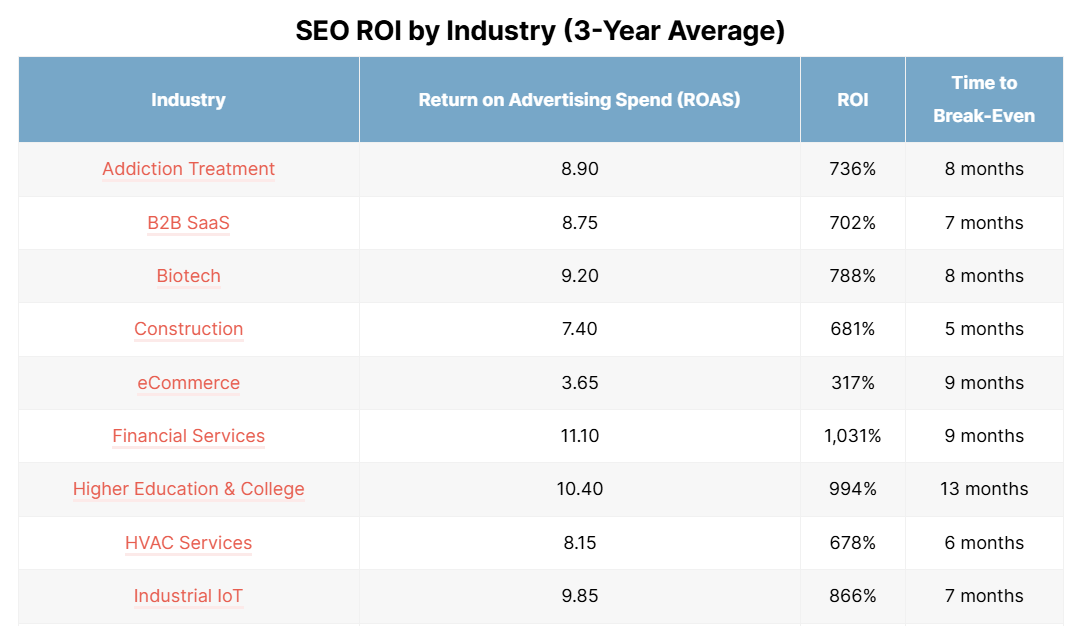
SEO leads also close at a 14.6% rate, compared to just 1.7% for outbound marketing.
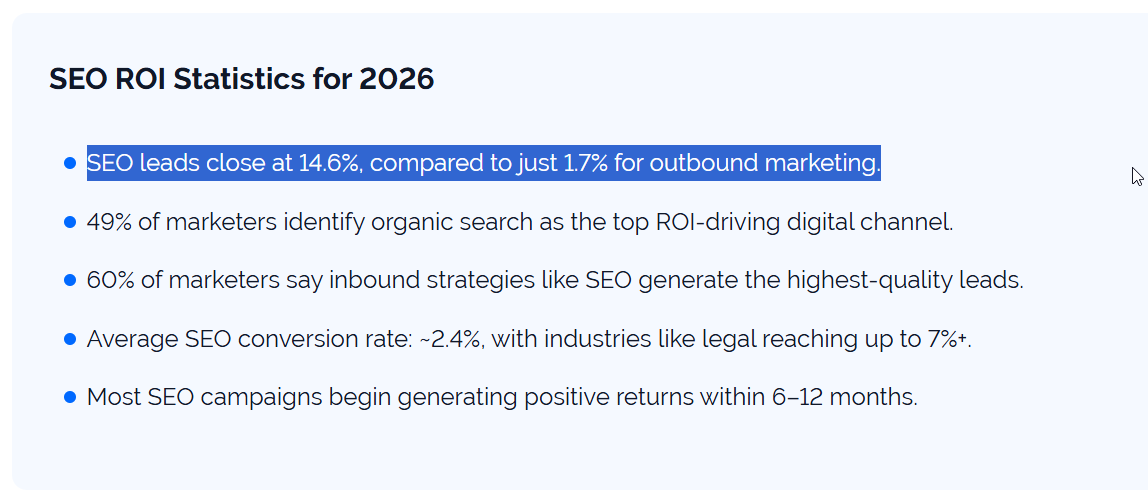
SEO isn’t dying. It’s compounding. And the businesses that start now will have a significant advantage over those still waiting.
How Search Engines Actually Work
Google works in three steps: it crawls your website (finds your pages), indexes them (stores them in its database), and ranks them (decides which pages to show for each search).
Here’s what each step means.
Crawling. Google sends out bots (called crawlers) to discover pages on the internet. They follow links from page to page, reading the content they find. Think of it like Google sending out scouts to map the web.
Indexing. Once Google finds a page, it stores it in a massive database called the index. This is Google’s library. If your page isn’t in the index, it can’t show up in search results.
Ranking. When someone types a search query, Google scans its index and decides which pages are the best match. It ranks them based on hundreds of factors — things like relevance, authority, page speed, and user experience.
Your job with SEO is to make all three of those steps as easy as possible. You want Google to find your pages quickly, understand what they’re about, and see enough signals to rank them above your competitors.
How SEO Priorities Change by Business Type
Not every NZ business should approach SEO the same way. Your priorities depend on what you do and how your customers find you.
Local service businesses (plumbers, dentists, lawyers, electricians) should focus on local SEO first.
That means setting up your Google Business Profile, getting reviews, and building service pages that target your location plus your service.
If you’re a plumber in Lower Hutt, ranking for “plumber Lower Hutt” matters more than ranking for a generic blog post about plumbing tips.

Ecommerce stores should start with product and category page optimisation, then build supporting content around what people search before they buy.
If you sell running shoes online, you want your product pages to rank for “best trail running shoes” and your blog posts to capture searches like “best hiking trails in New Zealand.”

New websites need to get the foundations right before worrying about advanced tactics. That means setting up Google Search Console, making sure your site is mobile-friendly, and starting with your most important pages. You don’t need to do everything at once.
Established websites often have the most to gain from optimising what’s already there. Look at pages that are getting impressions but not clicks. Update content that’s gone stale. Fix technical issues that have built up over time. Sometimes the biggest wins come from improving existing pages, not creating new ones.
Whatever type of business you run, the step-by-step SEO process is the same. The difference is where you start.
Keyword Research: Find What People Actually Search For
Keyword research is the process of finding the exact words and phrases your customers type into Google. It’s the foundation of everything else in SEO.
Without it, you’re guessing. With it, you know exactly what to create and who you’re trying to reach.
Here’s how to do it.
Start With What You Know
Think about your business from your customer’s perspective. What would they type into Google if they were looking for what you offer?
If you run a café in Auckland, your customers might search for things like “cafe Auckland CBD,” “best brunch Auckland,” or “coffee near me.”
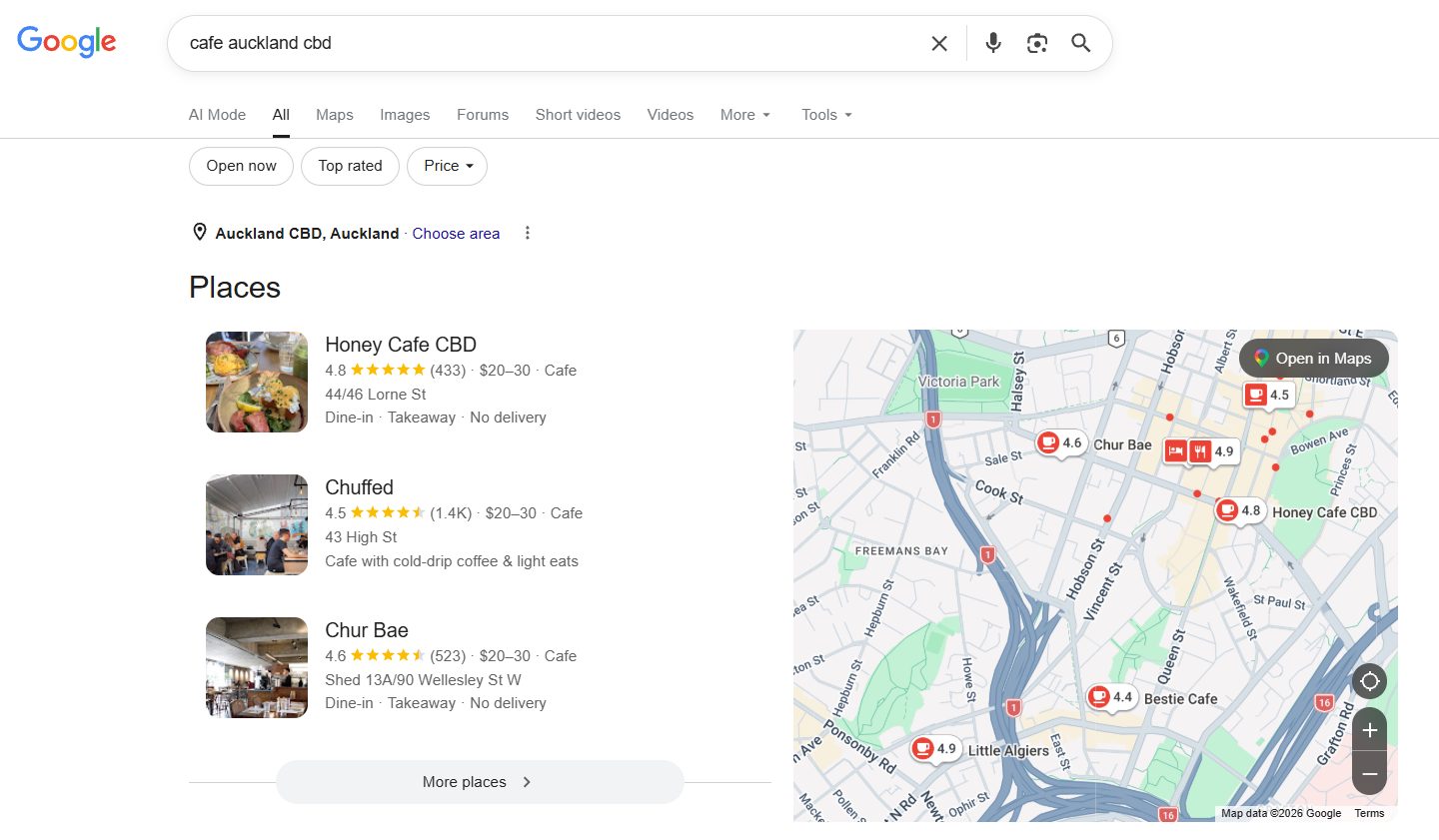
If you’re a dentist in Hamilton, they might search “dentist Hamilton,” “teeth whitening Hamilton,” or “dental implants cost NZ.”
Write down every phrase you can think of. Don’t overthink it. Just get them out of your head and onto paper or into a spreadsheet.
Expand Your List
Once you have a starting list, expand it using free tools.
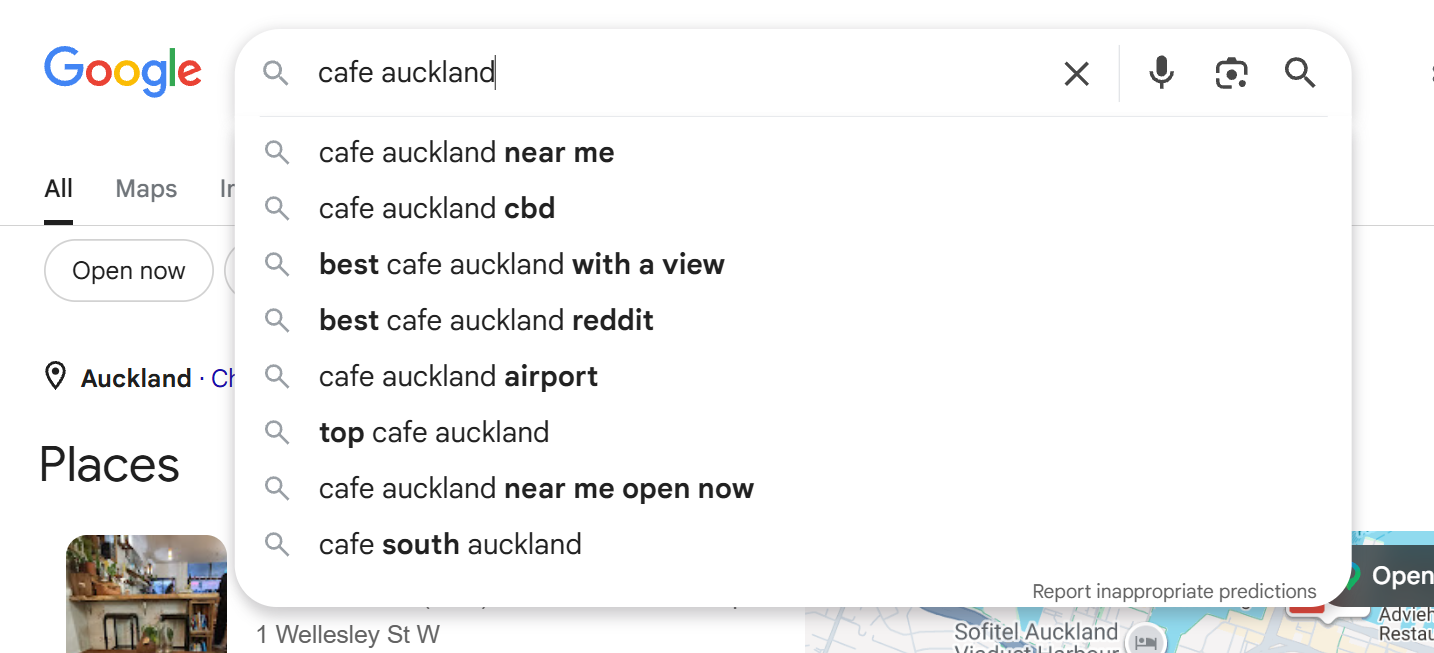
Google autocomplete is one of the simplest. Start typing your keyword into Google and look at the suggestions that appear. These are real searches people make.
Try going through the alphabet — type “cafe auckland a,” then “cafe auckland b,” and so on. You’ll find long-tail variations you never would have thought of.
Google Keyword Planner is free inside Google Ads. Enter your keyword, set the location to New Zealand, and it shows you search volume and related keyword ideas based on real Google data.
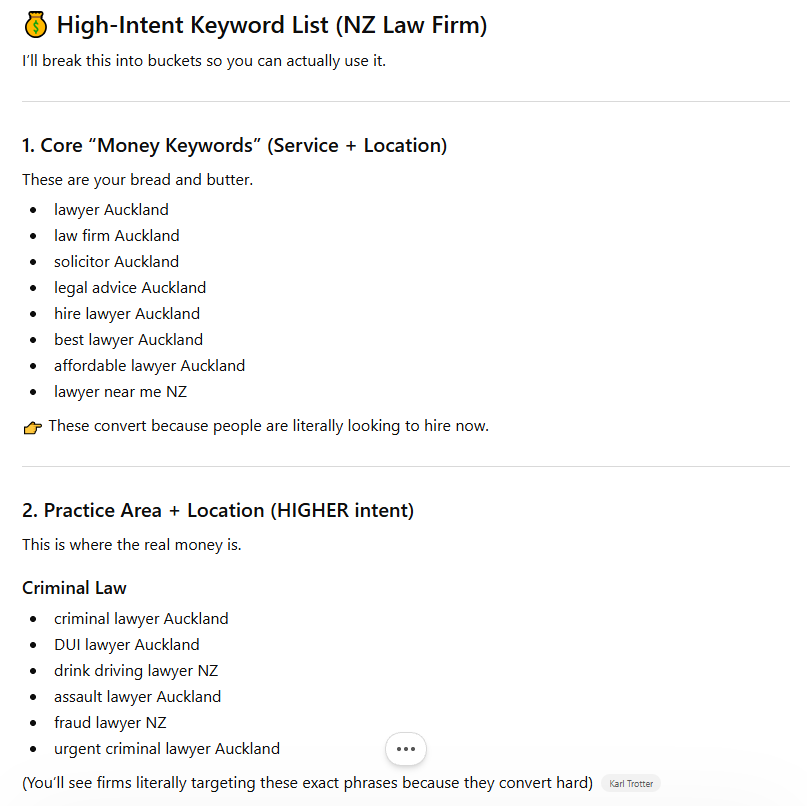
ChatGPT is surprisingly useful for brainstorming. Try a prompt like: “I run a law firm in Auckland CBD. List all the keywords people might search to find my business.” Then validate those ideas in Keyword Planner to check they have real search volume.
Understand Broad vs Long-Tail Keywords
Broad keywords like “dentist Auckland” get more searches but are harder to rank for.
Long-tail keywords like “affordable dentist Auckland CBD open weekends” get fewer searches but attract more qualified traffic. These people know exactly what they want, and they’re closer to taking action.
| Broad Keyword | Long-Tail Keyword |
|---|---|
| cafe Auckland | best brunch cafe Auckland CBD open early |
| dentist Hamilton | affordable dentist Hamilton open Saturdays |
| plumber Wellington | emergency plumber Wellington available today |
For most NZ businesses, especially new ones, long-tail keywords are where the fastest wins live. Less competition, higher intent, and better conversion rates.
Organise Everything in a Spreadsheet
Once you’ve got your list, put it all into a Google Sheet. Include columns for the keyword, search volume (from Keyword Planner), and what type of page you’d create for it.

This becomes your SEO roadmap. Instead of guessing what to write or build, you have a clear list of pages that match real demand.
Search Intent: Give Google What It Wants
Search intent is the reason behind a search. It tells you what the person is actually trying to achieve when they type a keyword into Google.
This matters because Google ranks pages that match intent. If your page doesn’t give the searcher what they’re looking for, it won’t rank — no matter how well-optimised it is.
The Two Main Types
You can simplify intent into two main categories.
Buying keywords (commercial intent). These people are ready to take action. They want a service, a product, or a provider. Examples: “accountant Hamilton,” “SEO agency Auckland,” “buy running shoes NZ.” These should be your service or product pages.
Learning keywords (informational intent). These people are looking for answers. They’re researching, comparing, or trying to solve a problem. Examples: “how to file a tax return NZ,” “what does an SEO consultant do,” “best coffee beans in NZ.” These should be your blog posts or guides.
How to Figure Out Intent
The easiest method is to just Google the keyword and look at what’s already ranking.
If you search “accountant Hamilton” and see accounting firm websites, service pages, and Google Maps listings — that’s commercial intent. Google wants a service page.

If you search “how to file a tax return NZ” and see blog posts, guides, and step-by-step articles — that’s informational intent. Google wants educational content.
Google is showing you what it wants to rank. Your job is to match it.
Apply This to Your Keyword List
Go back to your spreadsheet and add a column for intent next to each keyword. Mark it as “commercial” or “informational.” This tells you exactly what type of page to create for each keyword and stops you from building the wrong thing.
On-Page SEO: Optimise Your Pages So Google Understands Them
On-page SEO is what tells Google what your page is about. It’s the process of placing your keyword in the right spots and making the page clear, structured, and easy to read.
Even great content can underperform if Google doesn’t understand the topic. On-page SEO makes the topic unmistakable.
Where to Put Your Keyword
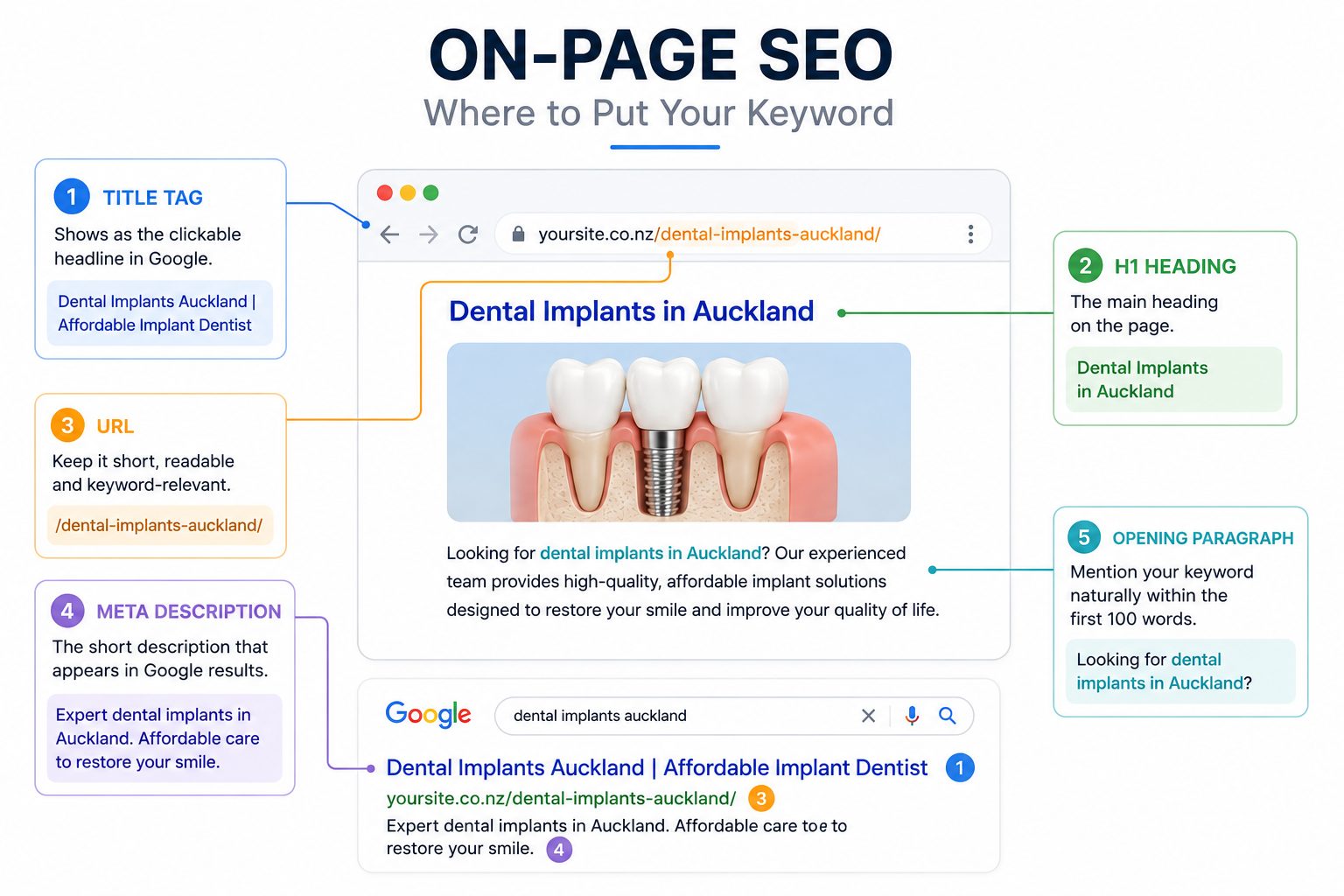
Your primary keyword should appear naturally in these places:
- Title tag — this is what shows up as the clickable headline in Google search results. Include your keyword and make it compelling enough to click.
- H1 heading — the main heading on the page. This should clearly state the topic.
- URL — keep it short, readable, and keyword-relevant.
- Meta description — the short description that appears under your title in Google. It doesn’t directly affect rankings, but it affects whether people click. Include your keyword and explain what the page offers.
- Opening paragraph — mention your keyword naturally within the first 100 words so Google (and the reader) immediately knows what the page is about.
Structure With Headings
Use one H1 for the main topic, then break the page into H2s and H3s for subtopics. This makes the page easier for both Google and the reader to scan.
For a dental implants page, your H2s might be:
- “What Are Dental Implants?”,
- “How Much Do Dental Implants Cost in Auckland?”, and
- “Who Is a Good Candidate?”
Keep It Natural
The biggest mistake beginners make is keyword stuffing — forcing the same phrase into the page over and over.
That used to work years ago. Now it makes the page feel awkward and can actually hurt your rankings.
Use your keyword where it fits naturally. Use variations and related terms. If the page reads well to a human, Google will understand it too.
Content: Create Pages That Deserve to Rank
Content is what actually ranks on Google. It’s how you show up when people search, and how you build trust before someone ever contacts you.
Your job is to create pages that directly answer what your target market is looking for — and do it better than what’s already ranking.
Start With Your Money Pages
These are the pages that drive revenue. Service pages, product pages, location pages. They should map directly to the commercial keywords you identified during keyword research.
If you’re a café in Auckland, this means creating a strong page for “cafe Auckland CBD.”
That page should clearly explain what you offer, where you are, why someone should choose you, and how to take the next step.
One clear page per core keyword, written properly, will outperform ten thin pages every time.
Then Build Supporting Content
Once your core pages are live, start building SEO content around the informational keywords in your list. These are the questions and topics people search before they’re ready to buy.
For example, a café might write posts about “best brunch spots Auckland CBD” or “how to choose good coffee beans.”
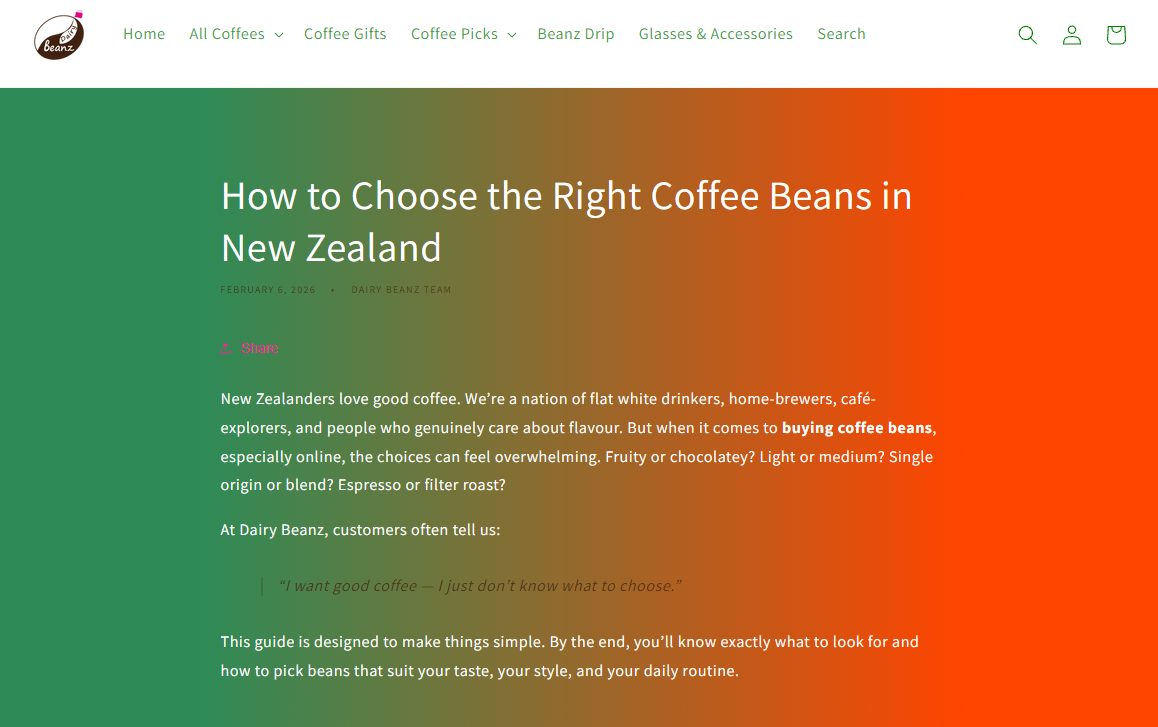
These articles attract people earlier in their journey and build your authority on the topic.
Make It Better Than What’s Ranking
Before you publish anything, search your target keyword and look at the top results. Ask yourself: what are they doing well? What’s missing? How can I make this more useful?
Better doesn’t mean longer. It means clearer, more helpful, and more trustworthy. You can improve your content by explaining things more simply, adding real examples, including proof like reviews or photos, and making it easier to read and navigate.
If your page is more useful than what’s currently ranking, you give yourself a real chance of competing.
Technical SEO: Make Sure Your Site Actually Works
Technical SEO is the behind-the-scenes stuff that makes sure Google can access, crawl, and understand your site properly. If the foundation is broken, nothing else works.
Think of it like checking under the hood of your car. The engine, the oil, the coolant. If something’s off, the car might still run — but not well. Your website is the same.
Set Up Google Search Console
Do this first. Google Search Console is a free tool that shows you how Google sees your website.

It tells you which pages are indexed, what keywords you’re showing up for, and whether Google is running into any errors.
Go to Google Search Console, add your website, and verify ownership. This takes a few minutes and gives you access to data you can’t get anywhere else.
Make Your Site Mobile-Friendly
More than 52% of web traffic now comes from mobile devices.
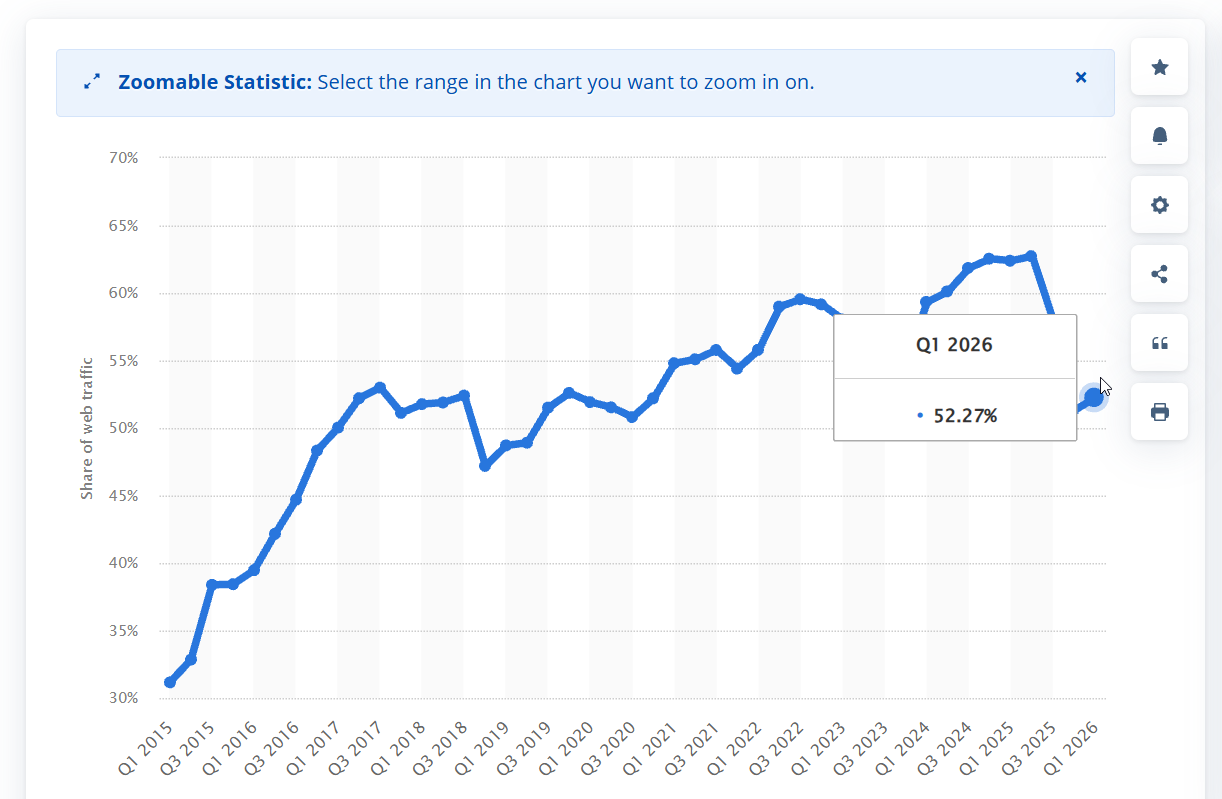
Google uses mobile-first indexing, which means it looks at the mobile version of your site first when deciding how to rank you.
Open your site on your phone. Click through the key pages. If text is too small, buttons are too close together, or the layout breaks — fix it. If it’s hard to use on mobile, it will struggle to rank.
Improve Page Speed
Slow pages create a bad user experience and can hurt your rankings.
The quickest wins are compressing large images, enabling caching (WP Rocket handles this on WordPress), and removing unnecessary plugins or scripts. You don’t need a perfect score on Google PageSpeed Insights. Just make sure pages load quickly on mobile.
Fix Broken Links and Errors
Broken pages (404 errors) waste Google’s crawl budget and frustrate visitors. Use an SEO tool like SEMrush or Screaming Frog to find them.
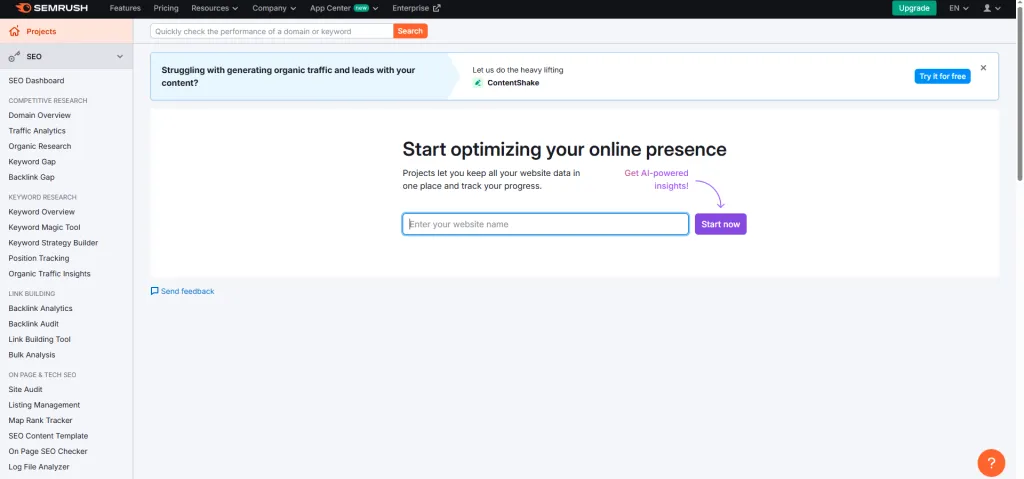
If a page should exist, fix it. If it’s no longer needed, redirect it to the most relevant live page.
Check Your Indexing
Open Google Search Console and go to the Pages/Indexing report. Make sure your important pages are indexed and your unimportant ones aren’t. If a page isn’t indexed, it can’t rank. Simple as that.
Link Building: Build Authority So Google Trusts You
Link building is the process of getting other websites to link to yours. These links act as votes of trust. The more quality links pointing to your site, the more Google sees you as credible and worth ranking higher.
It’s one of the most important ranking factors in SEO, and it’s the area most NZ businesses underinvest in.
Why Links Matter
Think of it this way. If ten reputable websites in your industry all link to your page, Google takes that as a strong signal that your content is trustworthy. It’s like getting a referral from someone respected in your field.

Without links, SEO often hits a ceiling. You can optimise pages and publish great content, but without authority, Google has little reason to rank you ahead of competitors who already have it.
How to Start Building Links
Get listed on NZ directories. Submit your business to relevant New Zealand directories and industry-specific listing sites. Make sure your details are consistent (name, address, phone, website). This builds a base of links and local trust signals.
Create content worth linking to. If you publish something genuinely useful — a detailed guide, a local resource, a piece of original research — other websites are more likely to reference and link to it naturally.
Build local partnerships. Partner with other local businesses, sponsor community events, or collaborate with organisations in your area. These relationships often lead to natural links from their websites.
Guest posting. Find websites that accept external content, pitch a relevant topic, and write an article for them. In return, you typically get a link back to your site.
Quality Over Quantity
One relevant, high-quality link is worth more than a hundred random ones. Avoid buying cheap backlinks or using spammy directories. These can do more harm than good.
Focus on links from real, relevant websites. That’s how you build authority the right way.
Local SEO: Get Found by Customers in Your Area
Local SEO is how you appear when someone searches for a business in a specific location — like “plumber near me” or “dentist Hamilton.”
For small and local NZ businesses serving a specific area, this is where the majority of customers come from.
If you’re not showing up in Google Maps and local search results, you’re handing those customers to competitors who are.
Set Up Your Google Business Profile
This is the single most important thing you can do for local SEO. Your Google Business Profile is the listing that appears in Google Maps and the local pack (the map section at the top of search results).
Go to Google Business Profile, create or claim your listing, and fill in everything properly. That includes your exact business name, address, phone number, website, opening hours, and business category.

Choosing the right category matters. It helps Google understand what your business actually does and which searches to show you for.
Get Reviews Consistently
Reviews help your visibility in local search and help convert people once they find you.
The key is to make it systematic. After completing a job or serving a customer, ask for a review. Send them a direct Google review link. If they don’t leave one, follow up once.
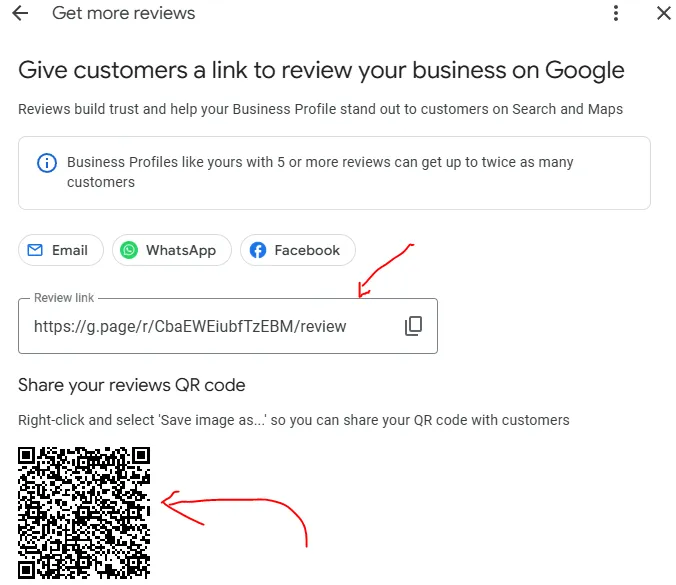
The businesses that win at local SEO aren’t doing anything fancy. They just ask consistently. One clear ask, one direct link, one follow-up.
Build Local Citations
Citations are mentions of your business name, address, and phone number on other websites — things like NZ directories, industry associations, and local listing sites.
Consistency matters here. Your details should be exactly the same across every listing. Inconsistent information confuses Google and can hurt your local rankings.
Create Location-Focused Pages
If you serve multiple areas, create pages that target each location you genuinely operate in. A plumber in Auckland might have a main service page for “plumber Auckland” plus supporting pages for “emergency plumber West Auckland” and “hot water repairs North Shore.”
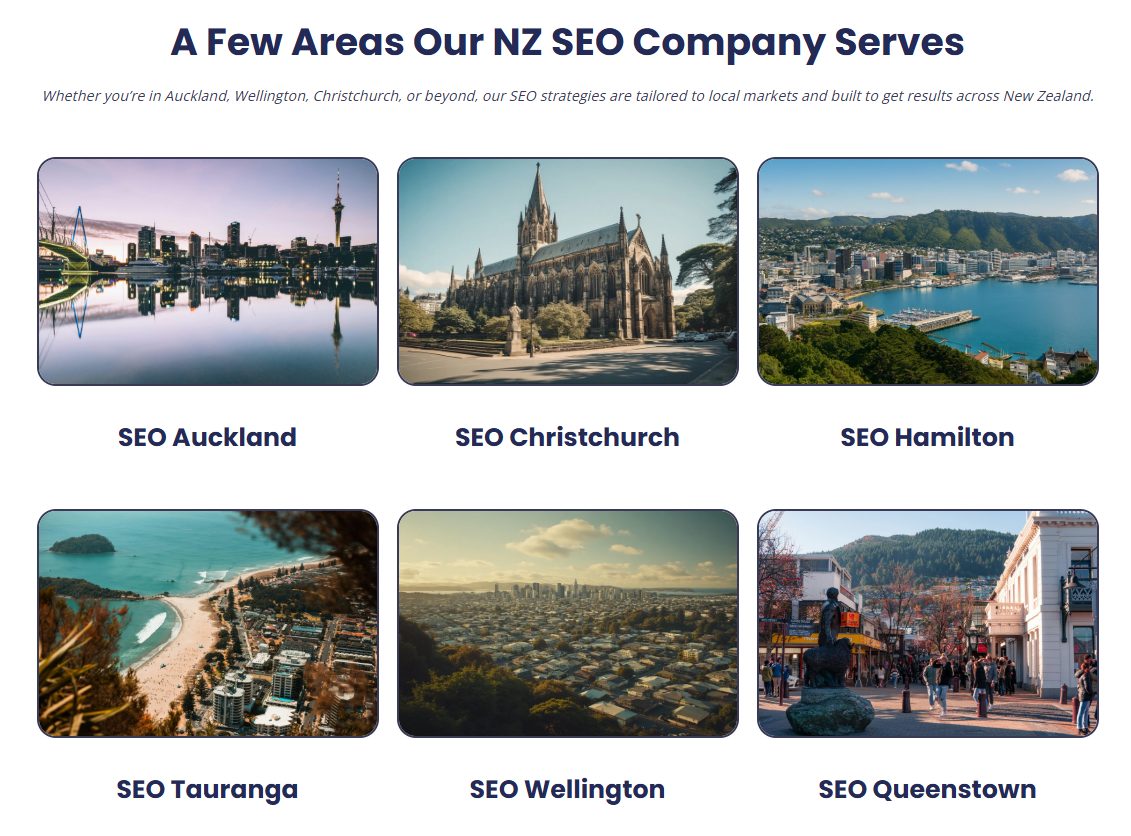
Keep these pages genuinely useful. Don’t just swap out suburb names on duplicate pages. Explain the service, mention the location naturally, and make it clear why someone in that area should choose you.
AI SEO: How to Show Up in ChatGPT and AI Overviews
AI SEO is about making sure your content gets picked up by platforms like ChatGPT and Google AI Overviews — not just traditional search results.
This isn’t a completely separate strategy. It’s SEO done properly, with extra emphasis on clarity, structure, and usefulness.
Why It Matters
Search behaviour is changing. More people are getting answers directly from AI instead of clicking through multiple websites.
Combined traffic to AI platforms like ChatGPT and Perplexity surged by 66%:
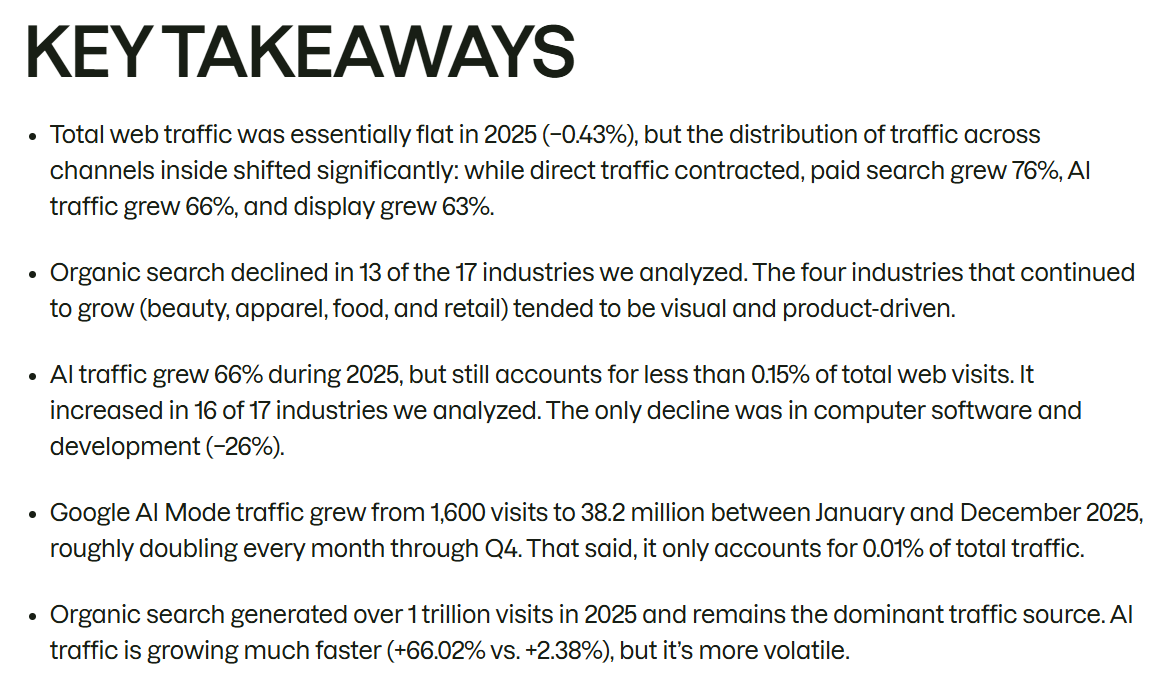
Google AI Overviews now appear in a growing percentage of search results, summarising answers before users even click.
If your content isn’t being used in those answers, you’re missing a growing slice of visibility.
How to Optimise for AI
The good news is that optimising for AI platforms overlaps heavily with doing SEO well. Here’s what matters most.
- Answer questions directly. Start each section with a clear, direct answer. Then expand with explanation. AI systems are built to extract and summarise clear answers.
- Use clean structure. Clear H2 and H3 headings, short paragraphs, bullet points where they help. AI scans, extracts, and summarises. Messy content gets skipped.
- Build topical authority. Cover your topic from multiple angles. Don’t just write one article — build a cluster of related content. AI systems tend to trust sites that show depth.
- Get reviews and links. External validation matters for AI platforms too. Businesses with strong reputations, reviews, and backlinks are more likely to be referenced in AI-generated answers.
Here’s a real example.
My SEO company, Expert SEO, is just over six months old and competing against businesses with ten years of authority.
Despite that, it’s already appearing in Google AI Overviews and being cited in ChatGPT responses — because the content is clear, structured, and backed by real results.

That’s the playbook. Clear content, strong structure, real proof.
How to Track Your SEO Results
You need to know if your SEO is actually working. The good news is the main tool you need is free.
Google Search Console shows you how your website is performing in Google search results. It tells you what keywords you’re showing up for, how many people are seeing your site, and how many are clicking through.
Focus on three metrics:
- Impressions — how many times your site appeared in search results. This tells you whether Google is starting to notice you.
- Clicks — how many people actually visited your site from Google. This is the traffic SEO generates.
- Average position — roughly where your pages rank for your keywords. Lower numbers are better.
As long as these are trending upward over time, your SEO is working.
One thing to know early on: if you have a new website, clicks can take time. That’s normal. Google doesn’t have much data on your site yet, so it needs time to build trust.
Focus on impressions first. If those are increasing, clicks will follow.
Common SEO Mistakes Beginners Make
Before you start, know what not to do. These mistakes cost real time and money, and I see them on NZ websites constantly.
Targeting keywords with no search volume. If nobody is searching for it, ranking for it won’t bring any traffic. Always validate your keywords in Google Keyword Planner before building a page.
Ignoring search intent. Writing a blog post when Google wants a service page (or vice versa) means you’re creating the wrong type of content. Always check what’s already ranking before you build.
Keyword stuffing. Forcing the same phrase into every sentence doesn’t help. It makes the page awkward and can hurt performance. Write naturally.
Expecting results in weeks. SEO compounds over time. If you quit after a month because nothing happened, you stopped before the engine even warmed up.
Buying cheap backlinks. A hundred low-quality links from random websites won’t help you rank. They can actually get your site penalised. Focus on earning links from real, relevant websites.
Ignoring mobile. If your site is hard to use on a phone, it will struggle to rank. Most of your visitors are on mobile. Test it.
Not setting up Google Search Console. This is free and takes five minutes. Without it, you’re flying blind. Set it up on day one.
Trying to do everything at once. SEO has a lot of moving parts. Don’t try to tackle all of it simultaneously. Work through it section by section, starting with the foundations.
How Long Does SEO Take to Work?
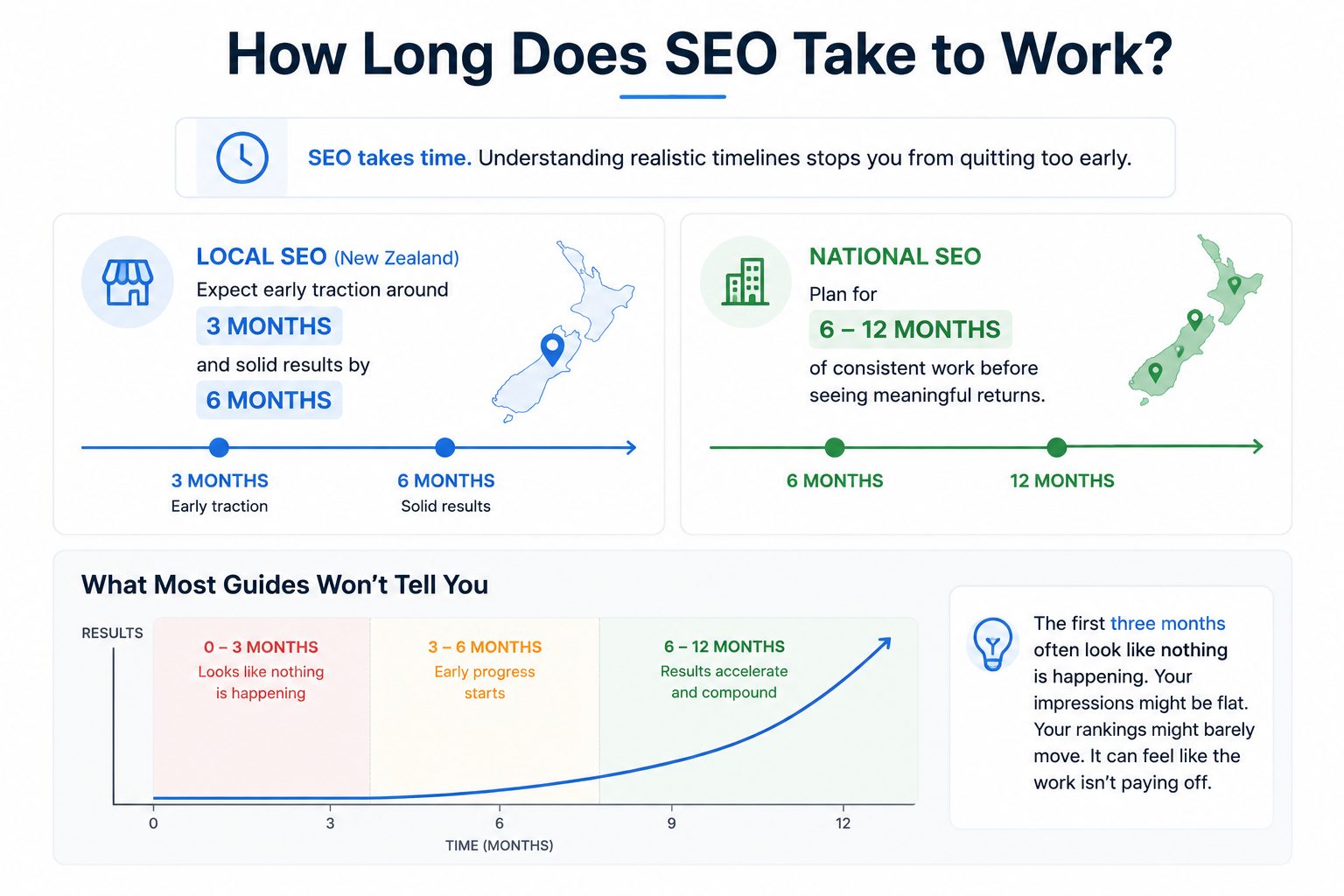
SEO takes time. Understanding realistic timelines stops you from quitting too early.
For local SEO in New Zealand, expect early traction around three months and solid results by six months. Local markets are smaller, competition is more contained, and Google Business Profile optimisation can produce visible improvements relatively quickly.
For national SEO campaigns, plan for six to twelve months of consistent work before seeing meaningful returns. The more competitive the industry, the longer it takes. That’s the reality.
Here’s what most guides won’t tell you: the first three months often look like nothing is happening. Your impressions might be flat. Your rankings might barely move. It can feel like the work isn’t paying off.
But it is. Google is processing your content, building trust in your site, and slowly adjusting your rankings.
This is the phase where most businesses quit — right before things start to work.
SEO compounds. Every piece of content, every link, every technical improvement stacks on top of the last one. The results don’t come in a straight line. They come slowly at first, then accelerate.
For example, we grew a health website (HealthVI) from zero organic presence to over 23,000 monthly visitors within 12 months.
The first few months were quiet. Then the compound effect kicked in, and the traffic grew faster every month.

The businesses that win at SEO are the ones that stay consistent long enough to let the results build.
When to Do SEO Yourself vs Hire an Expert
You’ve got the fundamentals. From here, you have two clear paths.
Option 1: Do it yourself.
Follow the steps in this guide, put in the time, and you can get results. The basics are all learnable. Just expect a learning curve, consistent effort, and some trial and error along the way.
Start with our SEO checklist, do your keyword research, build your core pages, and work through each area systematically. You don’t need to do everything at once — just keep moving forward.
Option 2: Work with an SEO expert.
If you want faster, more predictable results — or you’re in a competitive market where the margins for error are slim — working with someone who does this every day can shortcut the process.
You get strategy, execution, and ongoing optimisation without having to figure everything out yourself.
We help businesses across New Zealand with their SEO, including:
If you’re happy to DIY, use this guide and work through it properly. If you want it done right and done faster, that’s where we come in.
SEO Basics: FAQ
What are the basics of SEO?
SEO basics include keyword research, on-page optimisation, content creation, technical SEO, link building, and local SEO. These are the core areas that determine how well your website ranks on Google.
What are the 4 pillars of SEO?
On-page SEO (optimising your content and page elements), technical SEO (making sure your site works properly), off-page SEO (building authority through links and mentions), and content (creating pages that match what people search for).
What are the 5 important concepts of SEO?
Keyword research, search intent, on-page SEO, link building, and content quality. Master these five and you’ll be ahead of most competitors.
How much does SEO cost in NZ?
It depends on your goals and competition. You can handle the basics for free using Google Search Console and Google Keyword Planner. Professional SEO services in New Zealand typically start from $1,000 to $3,000+ per month depending on scope.
Can I do SEO myself?
Yes. The basics covered in this guide are things any business owner can implement. For competitive markets or faster results, working with an expert can shortcut the learning curve.
What is the difference between SEO and SEM?
SEO earns organic (free) traffic through better rankings. SEM (search engine marketing) uses paid advertising like Google Ads, where you pay per click. SEO takes longer but builds lasting traffic. SEM delivers instant results but stops when you stop paying.