

Every guide makes on-page SEO sound like a second job.
Sixteen techniques. A sixty-five-minute read. A checklist that never quite ends, and a paid tool waiting at the bottom of every step.
Here’s the truth after a decade of doing this: on-page SEO for a single page takes about five minutes now. ChatGPT drafts it, Rank Math checks it, you hit publish.
It’s the foundation — get it wrong and nothing above it works — but it is not where the SEO game is won. Treating it like a weekend project is the actual mistake.
So this guide does two things nobody else bothers with. It shows you exactly what good on-page SEO looks like on a real New Zealand page — an Auckland dentist, start to finish.
And it tells you the honest version of how little time it should take, so you can nail it and get on with the work that actually moves rankings.
Key Takeaways
- What it is: On-page SEO is optimising everything on a webpage — the words, the HTML, the structure — so Google and AI tools understand what the page is about and rank it.
- With ChatGPT and Rank Math, optimising one page is a five-minute job, not a day-long checklist.
- It’s foundational — a page can’t rank without it — but it’s the floor, not the ceiling. Content and authority win the bigger battles.
- The highest-impact moves are matching the page to search intent, the title tag, and the heading structure. The rest is tidy-up.
- On-page SEO is different for a service page, a blog post, and a location page — the generic checklist ignores this, and it’s why most advice half-works.
- You can audit on-page SEO for free with Google Search Console and your browser. You do not need a paid subscription.
- The mistake isn’t skipping on-page SEO. It’s marinating in it while your competitors build content and links.
What Is On-Page SEO?
On-page SEO is the practice of optimising the content and HTML of an individual page so search engines and AI tools can understand it and rank it.
That’s everything you control on the page itself: the title, the headings, the words, the images, the URL, the internal links, the way it’s structured.
Think of it as labelling. Google’s crawler lands on your page and has to work out, in a fraction of a second, what this page is about and who it should show it to.
On-page SEO is you making that job dead easy — putting clear labels on every shelf instead of making Google guess.
Here’s the part most guides skip: on-page SEO now has two audiences, not one. There’s Google’s ranking system, and there’s the AI layer sitting on top of it — the AI Overviews and ChatGPT answers that increasingly decide what a searcher sees before they click anything.
Both read the same signals. Get the page clear enough for one and you’ve usually served the other.
Why Is On-Page SEO Important
On-page SEO matters because it’s the one part of SEO you have total control over — and it’s the price of entry for ranking at all.
You can’t force other websites to link to you. You can’t rewrite Google’s algorithm. But you can control every word and tag on your own page, today, for free. That makes it the highest-leverage starting point there is.
But here’s where I’ll break from every other guide on this topic.
On-page SEO is foundational, not decisive.
It’s the floor you stand on, not the ceiling you’re reaching for.
A perfectly optimised page with weak content and no authority is a beautifully labelled shelf in a shop nobody visits.
I’ve watched people spend a fortnight tweaking title tags and meta descriptions on a site that needed better content and a few good links. They polished the foundation while the house stayed one storey tall.
A decent SEO consultant would’ve told them to stop after ten minutes and go build something.
The move is to get on-page right — quickly — and then spend your real hours on the things that compound: genuinely useful content, topical depth, and authority. That’s the actual SEO strategy most NZ businesses get backwards.
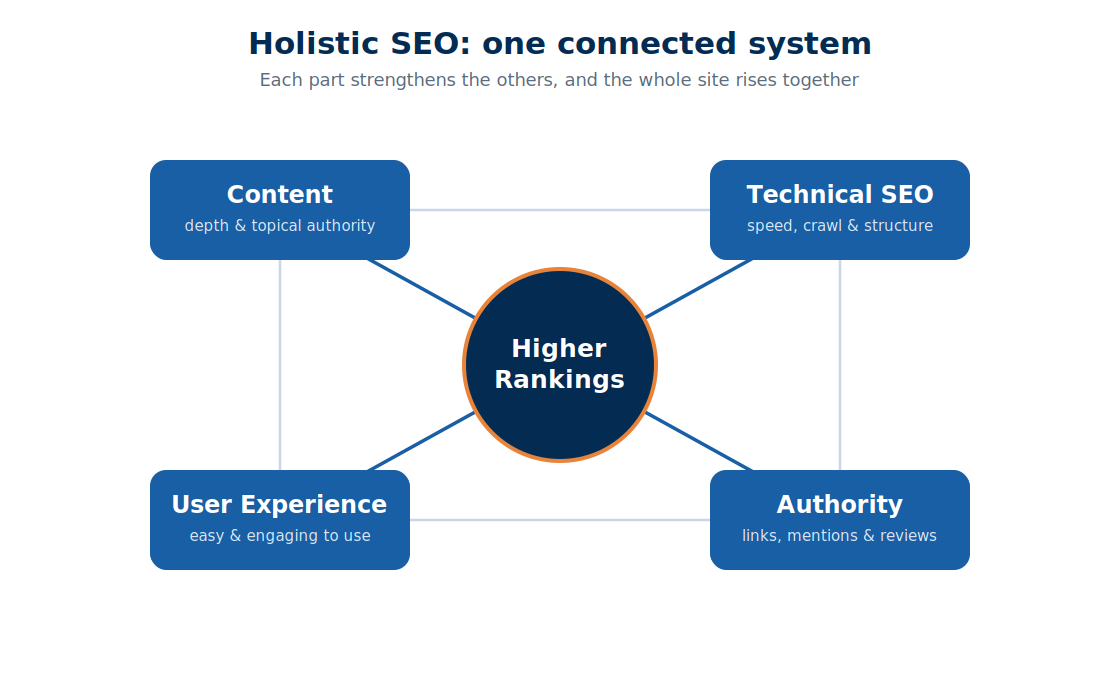
On-Page SEO vs Off-Page SEO vs Technical SEO
The quickest way to understand on-page SEO is to see what it isn’t.
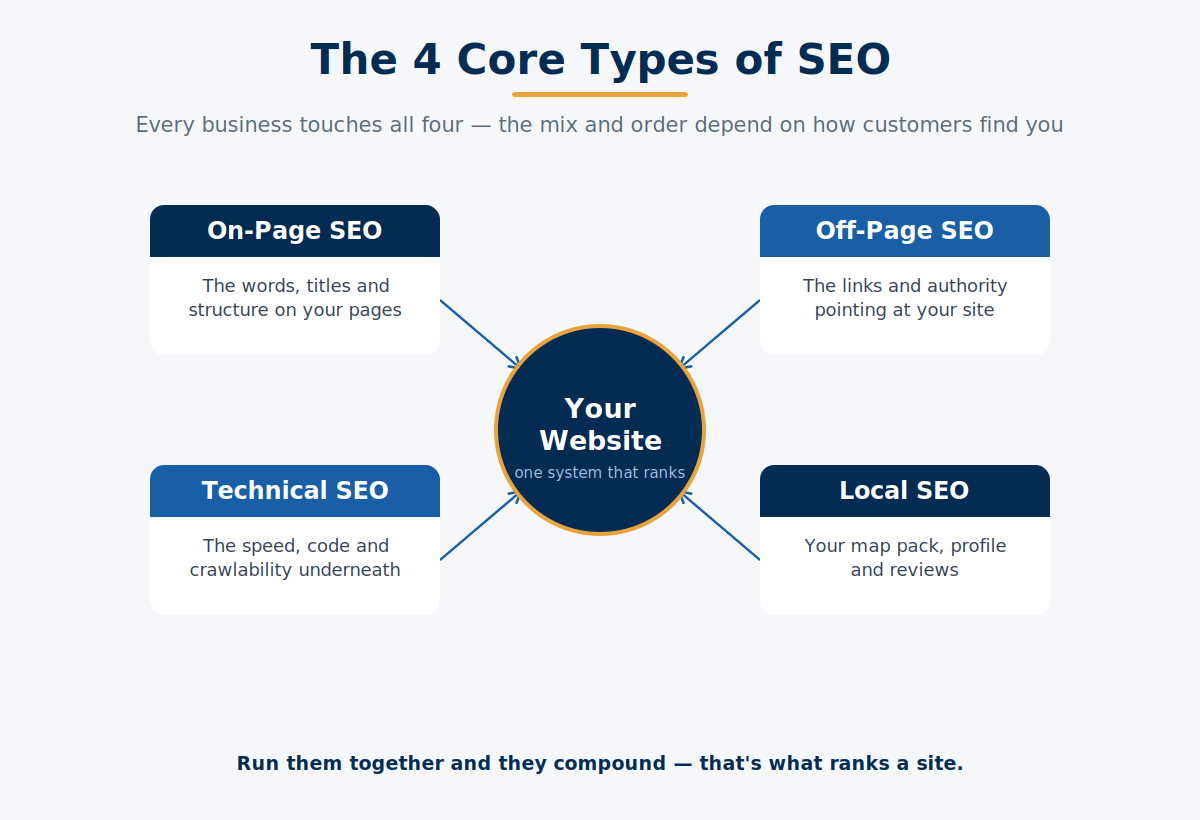
Most guides give you a two-box model — on-page and off-page — and that’s exactly why people stay confused and keep asking “what are the four types of SEO?” There are really three buckets that matter, and they split cleanly:
On-page SEO is everything on the page: content, title tags, headings, internal links, images. You control it directly.
Off-page SEO is everything that happens off your site to build authority — mainly backlinks from other websites, plus mentions and reviews. It’s the votes of trust that tell Google you’re credible.
Technical SEO is the plumbing: site speed, mobile-friendliness, crawlability, indexing, HTTPS. It’s how well search engines can access the page in the first place.
Here’s the boundary test that sorts any factor in seconds. Ask: is this on the page, off the page, or under the page? A heading is on it. A backlink is off it. A slow server is under it.
The lines blur at the edges — page speed is technical but lives on the page, and that’s fine. You don’t need a perfect taxonomy. You need to know that on-page is the bit you can fix yourself this afternoon, and the other two are separate jobs.
On-Page SEO Ranking Factors, Ranked by Impact
Not all on-page factors are worth equal time — and no guide ever tells you that. They hand you a flat list of sixteen things as if getting your alt text perfect matters as much as matching the page to what people are actually searching.
It doesn’t. Here’s the honest ranking, heaviest first.
Tier 1 — the ones that decide whether you rank at all:
- Search intent match. Does the page give searchers the type of thing they want — a guide, a service page, a comparison? Get this wrong and nothing else saves you.
- Content that actually answers the query. Depth, clarity, covering the question fully.
- Title tag. Still one of the strongest on-page signals, and the thing that wins or loses the click.
Tier 2 — the ones that meaningfully help:
- Heading structure (a clean H1 → H2 → H3 tree).
- Keyword placement in the H1, first 100 words, and subheadings.
- Internal links pointing to and from the page.
Tier 3 — the tidy-up that matters at the margins:
- URL slug, image optimisation, schema markup, meta description.
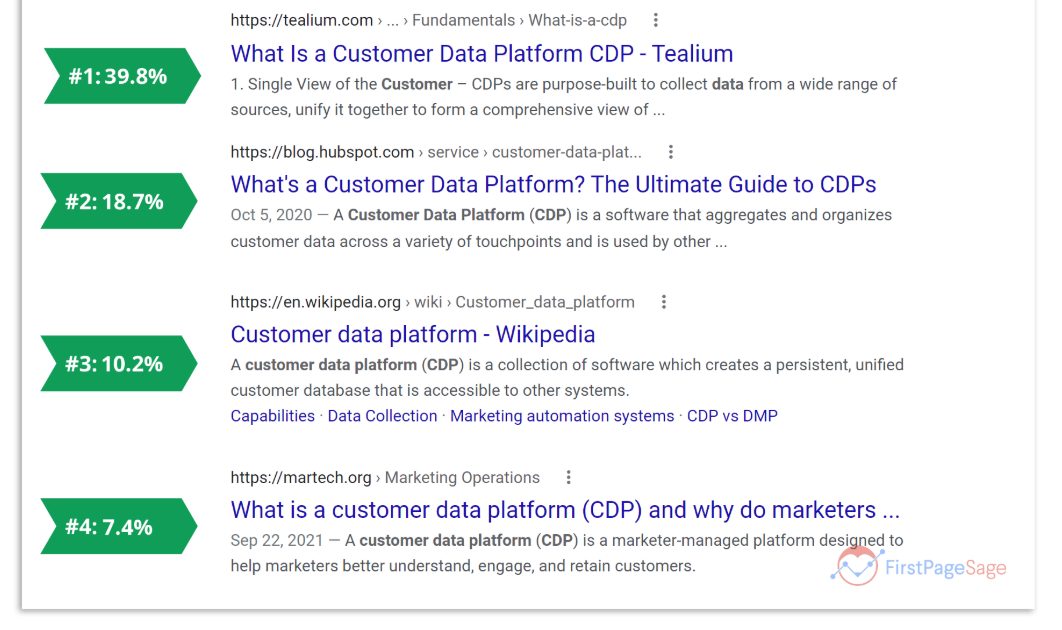
The meta description is the one everyone frets over that barely moves rankings directly — Google rewrites the description it shows around 63% of the time anyway. Write a good one for the click-through, then stop worrying about it.
Spend your five minutes top-heavy. Nail Tier 1, do Tier 2 properly, let the tools handle Tier 3.
How to Do On-Page SEO in Five Minutes
Here’s the whole workflow on one page, start to finish. I’ll use an Auckland dentist’s “Dental Implants Auckland” page as the running example.
The shift that makes this fast: you’re not writing any of this from scratch or counting characters by hand anymore. ChatGPT drafts, Rank Math scores it live in your editor, you approve.
Green lights, not an endless checklist.
Step 1: Confirm one page owns the keyword
Before you touch anything, make sure you don’t already have two pages fighting over the same term. That’s keyword cannibalisation, and it quietly holds both pages back.
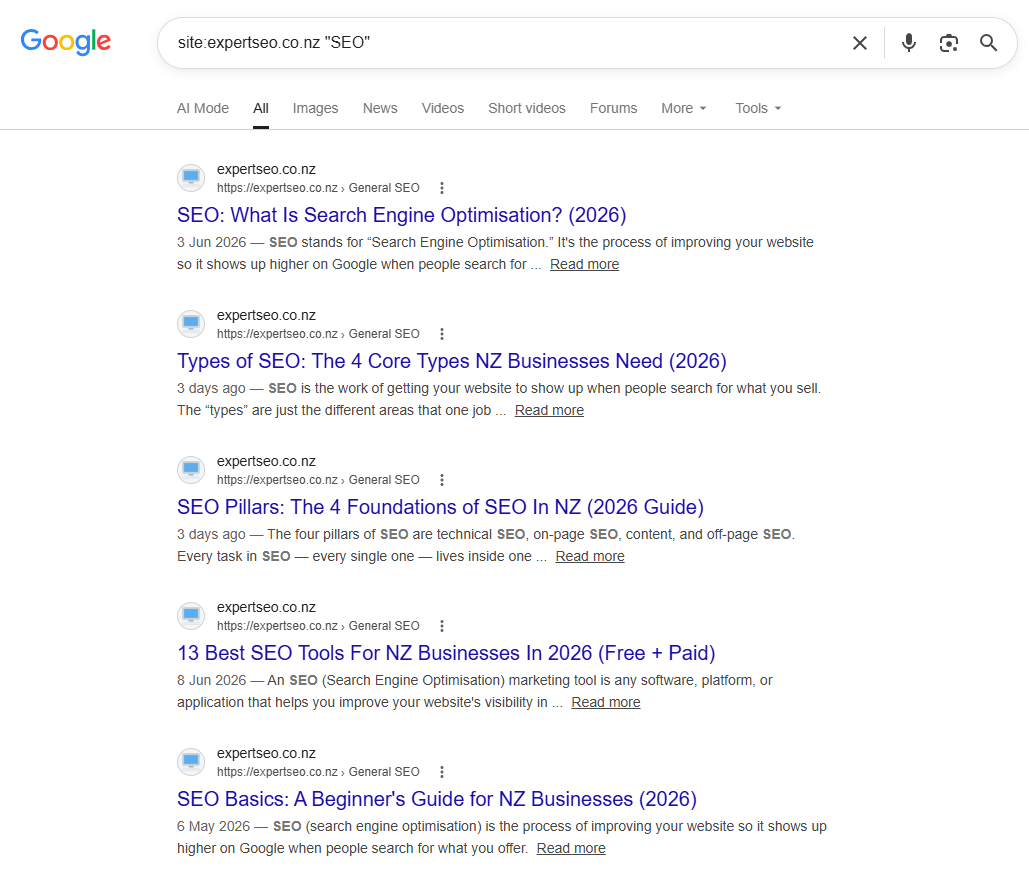
Go to Google and search site:yourwebsite.co.nz dental implants. If two of your own pages show up targeting the same keyword, you’ve found the problem — pick one to be the main page and point the other at it.
Thirty seconds, and it saves you optimising a page that was never going to win.
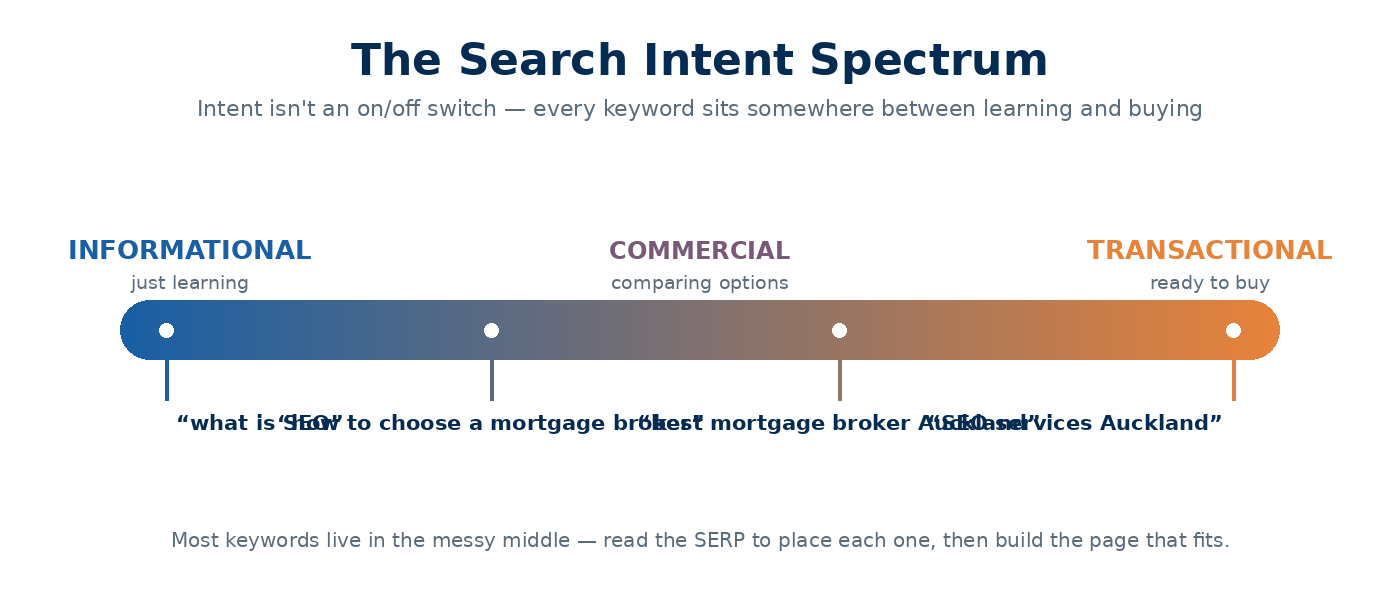
Step 2: Match the page to search intent
This is the most valuable thirty seconds in the whole process. Search your keyword in Google and look at what’s ranking.
For “dental implants Auckland,” the results are service pages from dental clinics — not blog posts explaining what an implant is. Google has told you exactly what it wants: a commercial page for someone ready to book, not an encyclopaedia entry.
If your page is a 2,000-word history of dentistry, it will never rank here no matter how clean your tags are. Match the format first. Everything after this is polishing a page that’s aimed at the right target.
Step 3: Draft the title, meta and URL in one ChatGPT prompt
Now open ChatGPT and give it the job in one go:
“Write an SEO title tag (under 60 characters), a meta description (155 characters), and a URL slug for a page targeting ‘dental implants Auckland’ for a dental clinic. The page is for people ready to book a consultation.”
You’ll get something like: title “Dental Implants Auckland | Free Consultation | [Clinic]”, slug /dental-implants-auckland/, and a click-worthy description.
Now the important bit: don’t count the characters. Paste it into Rank Math and use its live SERP preview.
It shows you exactly how the title renders and flags if it’ll get cut off — because Google truncates on pixel width, not character count, which is the thing three of the top-ranking guides on this very topic each get slightly wrong and none of them reconcile.
Worth knowing why the title matters this much: Google rewrites title tags about 62% of the time when it thinks yours is weak. A clear, specific title is you keeping control of the first thing every searcher reads.
Step 4: Structure the headings
Ask ChatGPT to outline the page’s headings while you’re there. You want one H1 (the page’s main title — “Dental Implants in Auckland”), then H2s for the real questions a patient has: cost, the procedure, recovery, why choose this clinic.
One H1 per page. Everything else nests underneath it. This is the skeleton Google and AI tools read to understand how the page is organised — and a clean structure is what lets an AI Overview lift your cost section as the answer.
Step 5: Place the keyword where it counts (without stuffing)
Your keyword should appear naturally in the H1, somewhere in the first 100 words, and in a couple of subheadings. That’s it.
Rank Math flags this live — a green light when it’s present, a warning if you’ve jammed it in fifteen times.
Write for the patient reading it; let the plugin confirm you’ve hit the signals. If a sentence reads like it was written for a robot, it’s wrong, and Google’s smart enough to know.
Step 6: Add internal links
Link the page to and from other relevant pages on your site.
The dentist’s “Dental Implants Auckland” page should link out to a related blog post on implant cost, and that blog post should link back to this service page.
Internal links do two jobs: they help visitors navigate, and they pass ranking authority around your site. Point them on descriptive anchor text (“dental implant cost”), never “click here.”
Step 7: Sort the images
Give every image a descriptive filename (dental-implants-auckland-clinic.jpg, not IMG_4821.jpg) and alt text that describes what it shows. ChatGPT can draft the alt text in the same session. Compress anything heavy so the page stays fast.
Step 8: Get Rank Math into the green, then stop
This is the moment the whole thing pays off. Rank Math gives you a live on-page score out of 100 and a short list of anything still missing.
Work the list until it’s green. Then — and this is the part nobody tells you — stop. You do not need 100/100. You need the fundamentals in place so you can move on to the work that actually wins.
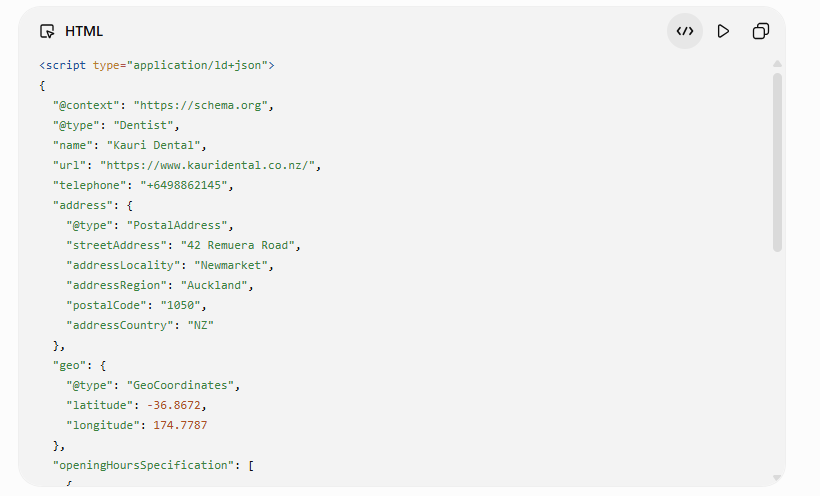
Step 9: Add schema if the page type calls for it
For a local business page like our dentist, add LocalBusiness schema — structured data that spells out the business name, address, and services in a format machines read perfectly. Rank Math has it built in; you fill in the fields.
One trap to avoid: don’t hand-add FAQ schema and switch on Rank Math’s FAQ block — you’ll get duplicate schema and Google may ignore both. Pick one.
Pages with valid structured data can earn markedly higher click-through rates through rich results — Google’s own case studies show jumps well past 30%.
Step 10: Publish and note the date
Hit publish and jot down the date and what you changed. When you check results in a few weeks, you’ll know exactly what moved them.
That’s on-page SEO. One prompt, one plugin, five minutes — versus the sixteen-technique marathon everyone else sells.
On-Page SEO for Different Page Types
Here’s what the generic checklist completely misses: on-page SEO is not the same job on every page. Google even flags this itself — ask it about on-page SEO and its AI Overview asks you back whether you’re optimising a blog post, a product page, or a service page.
Good question. The answer changes what you do. Let’s stay with our Auckland dentist and walk their main page types.
Service pages (e.g. “Dental Implants Auckland”). Commercial intent — the person is close to booking. The title and content should signal location, service, and trust (price, free consult, credentials).
This is where LocalBusiness schema and a clear call to action earn their keep. It’s the SEO for dentists bread and butter: the page that turns a searcher into a phone call.
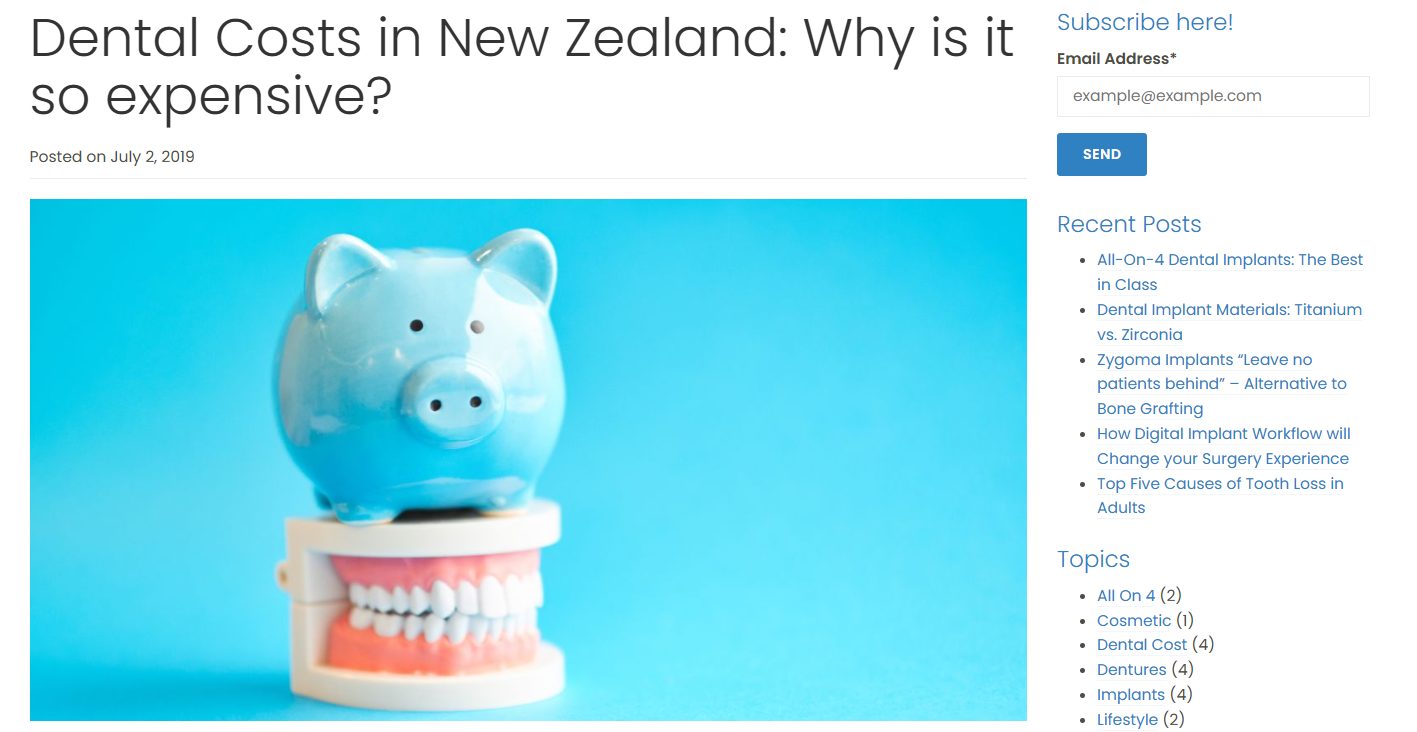
Blog posts (e.g. “How Much Do Dental Implants Cost in NZ?”). Informational intent — the person is researching, not booking yet. Here you go deep: answer the question fully, structure it for extraction, and link up to the money page.
These posts build the topical authority that makes the whole site stronger, and they’re what AI answers pull from.
Location pages (e.g. a Ponsonby page separate from the CBD page). The trap here is publishing the same page five times with the suburb swapped out. Google sees straight through it.
Each location page needs genuinely different content — real detail about that area, that clinic, those patients — or it’s thin duplicate content that drags the site down. This is the whole game for a clinic chasing SEO in Auckland: one strong page per real location, not a template with the suburb find-and-replaced.
Near-identical service pages (e.g. “Teeth Whitening” and “Professional Whitening”). This is the classic duplicate-content trap. Two pages saying almost the same thing compete with each other and confuse Google. Merge them, or make each genuinely distinct.
Same ten-minute workflow, different emphasis each time. That’s the nuance that turns “I did the checklist” into “the page actually ranks.”
How to Optimise On-Page SEO for AI Overviews and ChatGPT
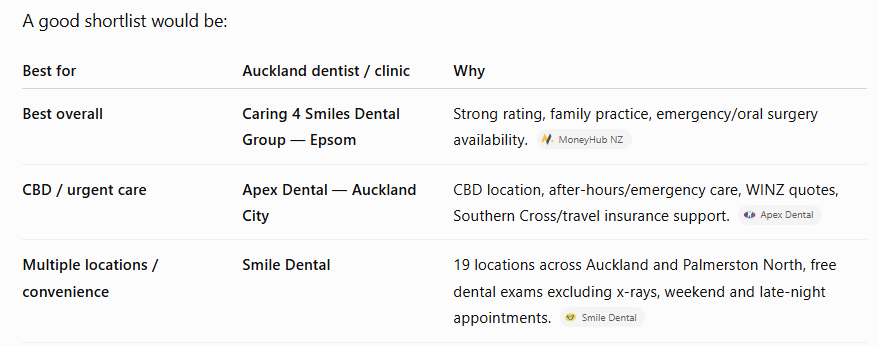
On-page SEO is now the main lever for getting cited in AI answers — and this is where it stops being optional.
More than two-thirds of Google searches now end without a click, because the AI Overview answered the question on the results page. If you’re not the source that AI pulls from, you’re invisible for a growing share of searches, even when you rank.
The good news: the same on-page work that ranks you also gets you cited. AI systems pull answers from clearly structured, well-labelled pages — exactly what you just built.
A few moves push it further:
Answer the question in the first sentence. Under each heading, lead with a direct one-to-two-sentence answer, then expand. “Dental implants cost between $4,000 and $6,500 per tooth in New Zealand” is liftable. A meandering intro is not.
Use real questions as headings. “How much do dental implants cost in NZ?” is how people ask ChatGPT — mirror it.
Be the clearest source, not the longest. AI favours pages that answer cleanly. This is entity SEO territory: say plainly what things are, so machines can connect them.
I’ll put my money where my mouth is here. My own NZ SEO agency is a sub-one-year-old site, and it’s already getting cited in Google’s AI Mode and pulled into ChatGPT answers for NZ SEO queries — built on exactly this kind of clean, structured on-page work, not a big backlink budget.
How to Audit On-Page SEO for Free
You can check the on-page SEO of any page without paying for a single tool — and it’s worth knowing, because every other guide funnels you straight into a paid checker.
Here’s the free stack that actually does the job.
Google Search Console (free, and non-negotiable). This is Google telling you directly how your pages perform. Set it up, then look at two reports: the Performance report shows which pages get impressions but few clicks (usually a weak title), and the URL Inspection tool tells you whether a page is even indexed.

View source / right-click inspect (free, built into your browser). Right-click a page, hit “View Page Source,” and search for <title> and <h1>. You’ll see exactly what Google sees. It’s the fastest way to check whether your title and heading are actually what you think they are.
The Google search itself (free). The site: search from Step 1, the SERP for your keyword, the SERP features showing up — reading the results page is competitive research. It shows you what Google rewards for that term.
Rank Math (free tier). If you’re on WordPress, the free version scores every page live as you edit. That’s your on-page checklist, automated, at no cost.
Paid tools like Ahrefs and Semrush are genuinely useful once you’re auditing a whole site or tracking rankings at scale. For checking and fixing a handful of pages, the free stack above is all you need. Don’t let anyone tell you otherwise.
If you’d rather have someone run a proper site-wide audit and hand you the fixes, that’s what our SEO audit is for — but you can absolutely start here yourself.
On-Page SEO Mistakes That Hurt Rankings
Most on-page damage comes from a handful of repeat offenders. Here are the ones I see constantly on NZ websites.
Keyword stuffing. Cramming the keyword in unnaturally. It reads badly and Google penalises it. Write for humans.
Duplicate title tags. Ten pages all titled “Home | Auckland Dentist.” Every page needs a unique, specific title.
One giant H1 or none at all. Multiple H1s or a missing H1 confuses the page structure. One clear H1 per page.
Thin, duplicated location pages. The suburb-swap trap again — it creates thin content that Google quietly discounts.
Slow, heavy pages. If the page loads slowly, visitors bounce straight back to Google — pogo-sticking — and that tells Google your page didn’t satisfy them. Google’s Core Web Vitals set the bar: a largest contentful paint under 2.5 seconds, and worth noting for NZ, where nearly 60% of browsing is still on desktop — higher than most markets — but mobile speed still can’t be ignored.
And the mistake this whole guide is about: spending days on on-page SEO. Getting the fundamentals right is a five-minute job. Perfecting them for a week is procrastination dressed up as work.
How Long On-Page SEO Takes to Work
Doing the on-page work on one page takes about five minutes. Seeing the results takes longer — and that’s the part people get impatient about.
Two different clocks, and it’s worth separating them:
Time to do it: five to ten minutes per page with ChatGPT and Rank Math. A whole small site — say fifteen pages — is an afternoon, once.
Time to see results: typically a few weeks to a few months. Google has to recrawl the page, reassess it, and move it. On a fresh page with little authority, longer.
This is exactly why logging the date in Step 10 matters. On-page changes are one of the few SEO moves where you can often see a clean before-and-after — a page climbing after a title fix — because you changed one thing on one date.
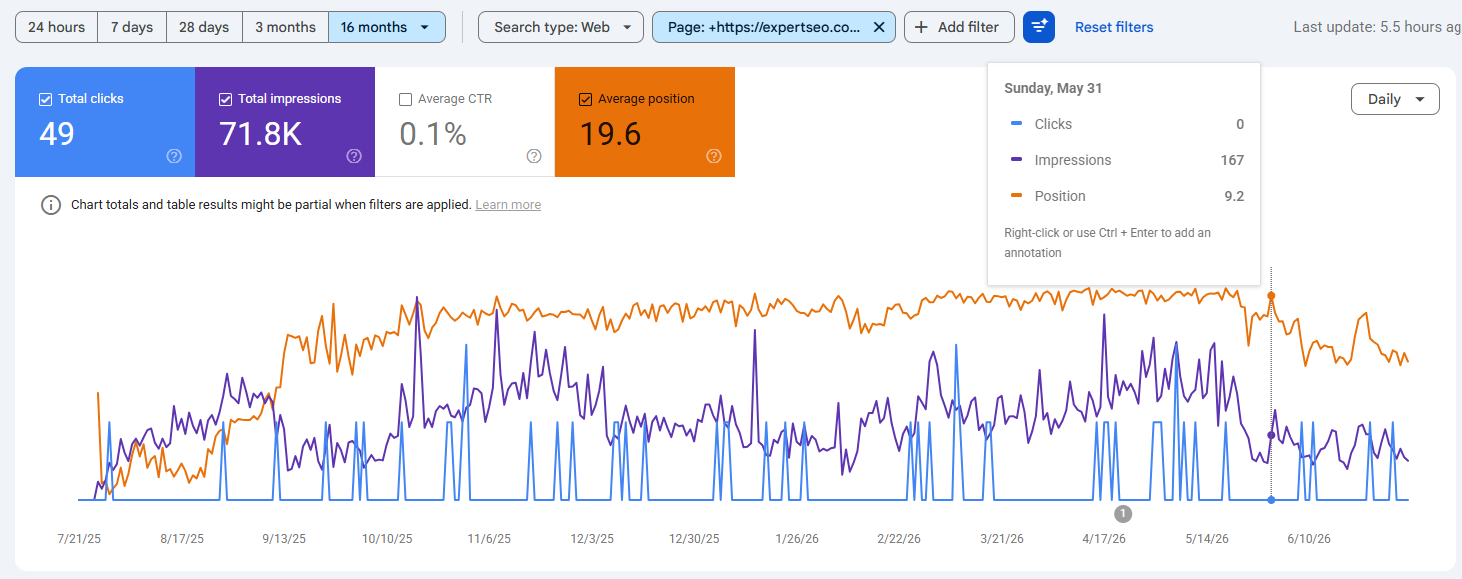
But don’t sit refreshing Search Console. Do the on-page work, note it, and go build the content and authority that actually move the needle while Google catches up.
Final Thoughts
If you take one thing from this: on-page SEO is the foundation, and foundations are meant to be laid quickly and then built on.
The whole industry has an incentive to make it look hard — there’s a subscription to sell at the end of every “ultimate guide.” But the honest version is that ChatGPT and Rank Math have turned what used to be a fiddly manual checklist into a five-minute job. Get the page matched to intent, nail the title and structure, get the plugin green, and move on.
The businesses that win in NZ search aren’t the ones with the most perfectly optimised title tags. They’re the ones who got on-page right fast, then poured their real energy into genuinely useful content and earning authority.
Do the foundation properly. Then go build the house. If you’d rather hand the whole thing off and skip straight to the results, that’s what our SEO services are for.
On-Page SEO: FAQ
What are the 4 types of SEO?
The four types of SEO are on-page SEO (optimising the content and HTML on your page), off-page SEO (building authority through backlinks and mentions), technical SEO (site speed, crawlability and indexing), and local SEO (ranking in map results and local searches). On-page is the one you control entirely and can start on today.
Can ChatGPT do on-page SEO for me?
ChatGPT can do most of the drafting — title tags, meta descriptions, heading structures, and alt text — in a single prompt. It can't judge search intent or check how a title renders in Google, so you still pair it with a tool like Rank Math and your own eyes. Used together, they turn on-page SEO into a five-minute job.
Is on-page SEO still relevant in 2026?
Yes — arguably more than ever. With more than two-thirds of searches now ending in an AI Overview or zero-click answer, clean on-page structure is what gets your page cited by AI as well as ranked by Google. The same on-page work now serves two audiences instead of one.
How much does on-page SEO cost in NZ?
Doing it yourself with ChatGPT and Rank Math costs nothing but time — about five minutes a page. A one-off professional on-page tune-up from a New Zealand agency typically runs around $1,000 to $1,500 plus GST, and ongoing SEO packages that include on-page work usually start a few hundred dollars a month.
What are the 4 pillars of SEO?
The four pillars of SEO are content, on-page optimisation, technical SEO, and off-page authority (links). On-page sits in the middle — it's how you signal to Google what your content is about, and it's the pillar you can fix fastest without a budget.
Is on-page or off-page SEO more important?
They do different jobs, but on-page is where you start because you control it completely and it's the price of entry for ranking at all. Off-page authority (backlinks) is what wins competitive keywords once your on-page is right. Get on-page sorted quickly, then invest your real effort in off-page.
Recommended Reading
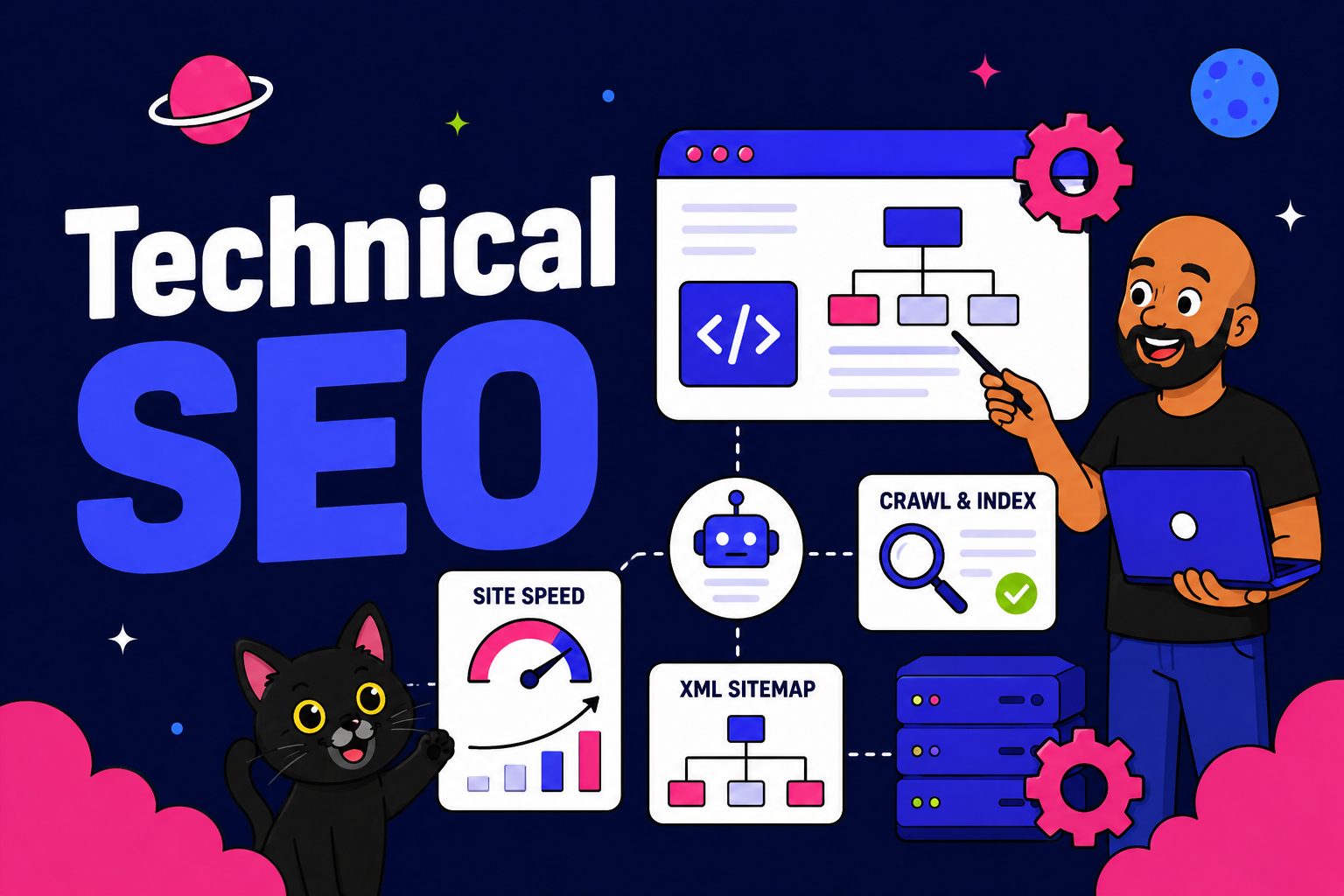 Technical SEO
The plumbing behind on-page: find and fix the technical issues quietly holding your rankings back.

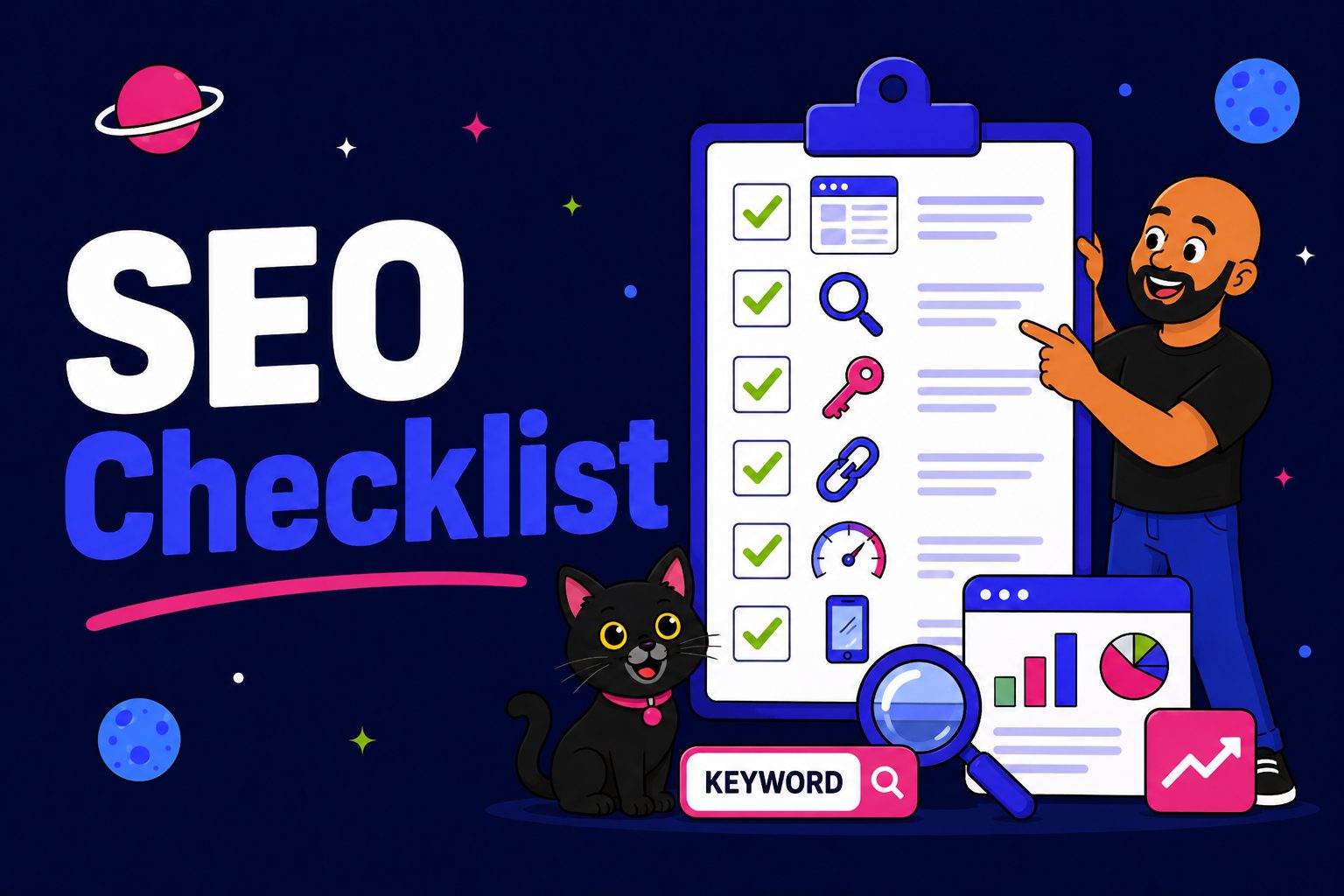 SEO Checklist
The full step-by-step checklist to get an NZ site ranking from scratch — on-page and beyond.