

You run your website through Google PageSpeed Insights, and there it is: a big red number staring back at you. Maybe a 38. Maybe a 51. And somewhere along the way someone told you that’s the reason you’re not ranking.
So you panic. You start Googling plugins, swapping hosts, compressing images at 2am.

Here’s what almost no one will tell you, because half the people writing about page speed are trying to sell you a tool or a service to fix it: past a certain point, all that effort does nothing for your rankings.
Page speed matters, but it matters far less than the panic suggests — and there’s a clear line where you should stop fiddling and go do the work that actually moves the needle.
This guide covers what page speed actually is, how fast you genuinely need to be, how to find what’s slowing your site down, how to fix the handful of things that matter — and the exact point where you should walk away and spend that time on content and links instead.
What Page Speed Actually Is
Page speed is how long a single web page takes to load and become usable for the person visiting it, usually measured in seconds.
That’s it. Someone clicks your link, and page speed is the gap between that click and the moment they can actually read, scroll, and tap without staring at a blank screen or a spinning wheel.
One thing trips people up: page speed and site speed aren’t the same. Page speed is one specific page.
Site speed is the average across your whole website. Your home page can fly while your service page crawls, so always test the page you actually care about, not just the home page.
There are also two ways speed gets measured, and the difference matters later:
- Lab data is a test run in controlled conditions — a tool loads your page on a set connection and gives you a score. Clean, repeatable, but artificial.
- Field data is what real visitors actually experienced on their own phones and connections over the last month. Messier, but it’s the truth.
Google cares about the field data. So should you. It’s part of the technical foundation that quietly decides whether your site feels fast or feels like wading through wet concrete — and it sits inside the broader world of the technical side of SEO, alongside crawling, indexing, and site structure.
Why Page Speed Matters (But Only Up to a Point)
Page speed matters because slow pages lose visitors, lose sales, and hand Google a reason to favour a competitor. But it’s a tiebreaker, not the main event.
Let’s run the why, because the numbers are genuinely sobering.
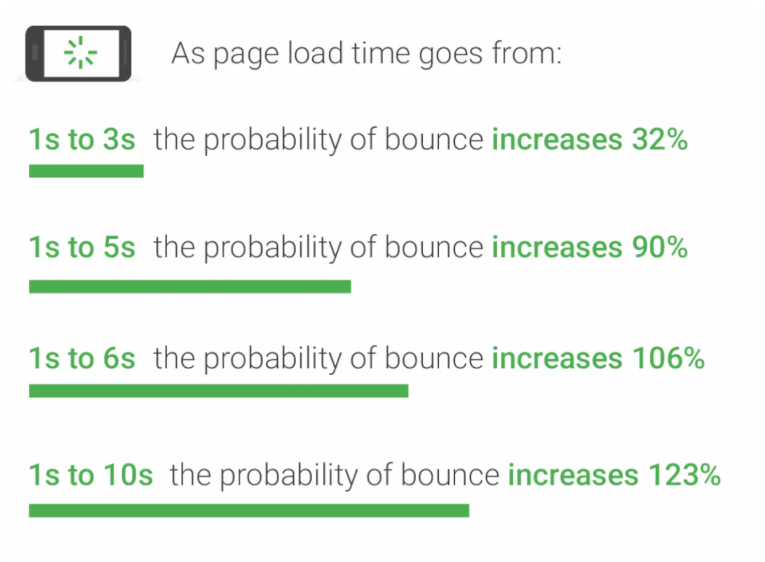
When a page slows from one second to three, the probability of a visitor bouncing jumps by 32%.
Stretch that to five seconds and it climbs past 90%. People don’t wait around. They tap back and try the next result, and on mobile especially, three seconds is roughly the patience ceiling.
It hits the money too. A site that loads in one second converts around 2.5 times better than one dragging along at five.
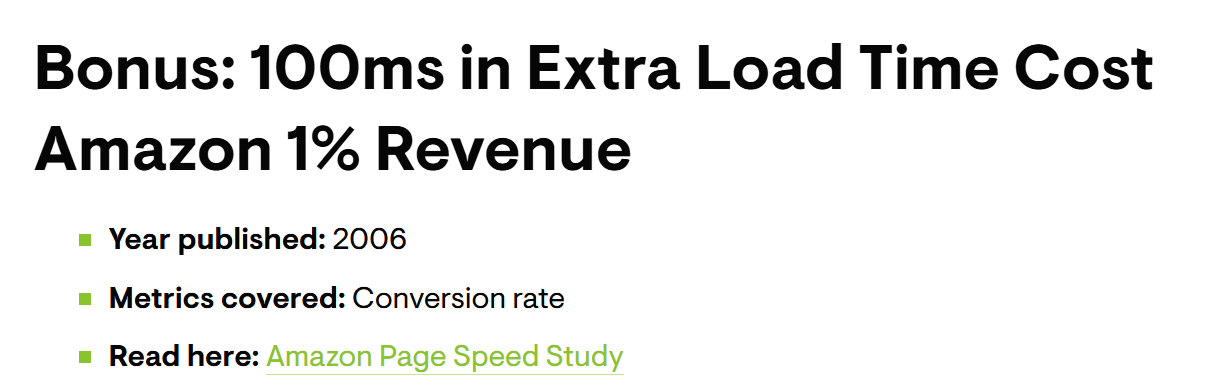
Amazon worked this out years ago — every 100 milliseconds of delay was costing them sales.
For a smaller NZ business the same effect just shows up quieter, usually on the page that takes bookings — a dental practice can nail everything SEO for dentists asks for and still lose the patient if the appointment page won’t load before they give up.
Then there’s rankings, which is usually what brought you here. Yes, page speed is a Google ranking factor — it’s baked into Core Web Vitals, which became part of the algorithm in 2021.
But read Google’s own wording carefully: there is no single signal, and speed is one of many. Data backs that up — pages that fail a Core Web Vitals threshold rank, on average, about 3.7 percentage points worse. Real, but small.
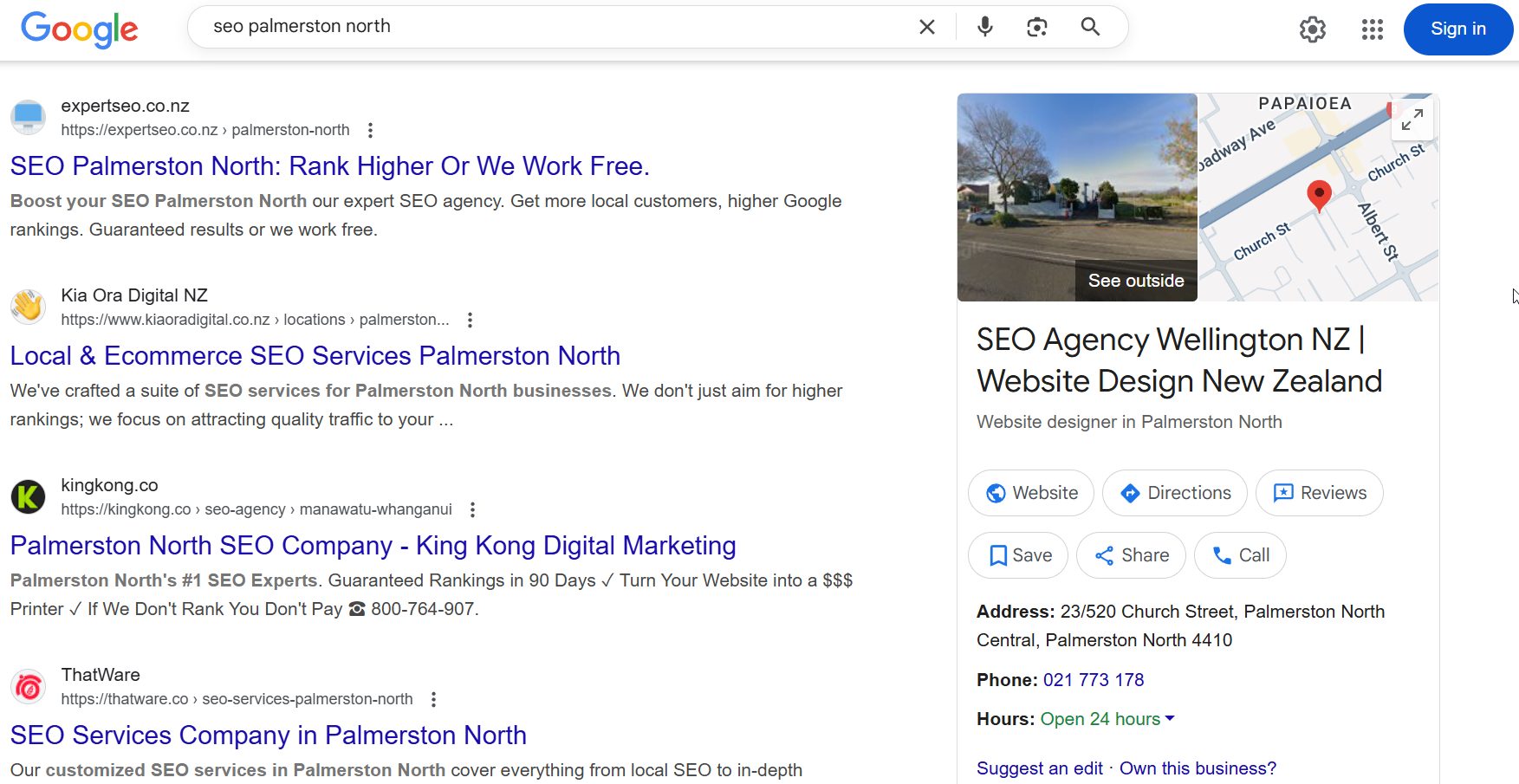
Here’s the proof that speed doesn’t win on its own: Expert SEO — our own SEO company — is a sub-one-year-old domain outranking NZ agencies with a decade’s head start.
We didn’t win those spots with a flawless speed score. We won them with better content and stronger authority. Speed got us in the door; it was never what got us the seat.
So care about it — just don’t mistake it for the thing that’ll grow your traffic on its own. It won’t.
What a Good Page Speed Actually Looks Like
A good page loads in under about three seconds. You don’t need a perfect 100 — you need fast enough that visitors don’t bail before they see what you offer.
Hold onto that three-second figure, because it’s the one that matters in the real world. Everything past it is the zone where you start losing people; everything comfortably under it is fine.
Google measures the experience through three Core Web Vitals, and they’re simpler than the jargon makes them sound:
| Core Web Vital | What it measures | “Good” score |
|---|---|---|
| Largest Contentful Paint (LCP) | Loading — how long until the biggest thing on screen (usually your main image or headline) shows up | Under 2.5 seconds |
| Interaction to Next Paint (INP) | Responsiveness — when someone taps a button, how fast the page reacts | Under 200 milliseconds |
| Cumulative Layout Shift (CLS) | Stability — how much the page jumps around as it loads (you go to tap a button, an ad loads, the button moves, you tap the wrong thing) | Under 0.1 |
Now the trap nobody warns you about: the score is not the same as how fast your site actually feels.
I’ve seen sites sitting on a 70 in PageSpeed Insights that load beautifully for real visitors, and sites flexing a 95 that still feel sluggish on a phone in Te Awamutu with two bars of signal.
The score is a guide. The real target is the field data and that three-second feel — not a number you’re chasing for bragging rights.
Aim for “good.” Stop short of “perfect.” We’ll come back to exactly why that line matters.
How to Check Your Page Speed
You check your page speed by running your URL through a free tool — Google PageSpeed Insights is the default, because it’s Google’s own and it shows you both the real-visitor field data and a list of what’s slowing you down.
The process is dead simple:
First, go to PageSpeed Insights, paste in the exact page you want to test, and hit Analyze. Don’t just test the home page — test the page that earns you money, like your main service or product page.
After it runs, look at the mobile tab first. Most of your visitors are on phones, and mobile is almost always the slower, more brutal number. Desktop tends to flatter you.

Within the report, skip past the big score and scroll to two things: the Core Web Vitals assessment at the top (pass or fail, based on real users), and the “Diagnostics” and “Opportunities” lower down.
That second list is the gold — it literally tells you what’s eating your load time, biggest culprit first.
A couple of other tools worth knowing. GTmetrix gives you a waterfall chart that shows exactly which file loaded when, which is handy when you want to see what’s hanging things up.
Pingdom and WebPageTest do similar jobs. But for 90% of NZ business owners, PageSpeed Insights alone tells you everything you need.
What to ignore: don’t obsess over getting every line green. You’re hunting for the two or three big problems, not a clean sweep.
And remember a speed check is only one slice of your site’s health — a proper SEO audit looks at indexing, on-page issues, and a stack of things a speed test never touches.
What’s Actually Slowing Your Site Down
Most slow websites are slow for the same handful of reasons: oversized images, autoplay video, plugin and script bloat, and cheap or far-away hosting. Sort those and you’ve fixed the bulk of it.
Let me walk through the usual suspects, because once you can spot them you stop guessing.
Oversized images. This is the number one culprit, by a mile. Images are the single largest part of most web pages — and on a typical WordPress site they’re often well over half the total weight.
The classic mistake: someone uploads a 4MB photo straight off their phone or camera as a hero image, and the browser has to drag that whole thing down before the page settles.
Autoplay video and heavy media. A background video that starts playing the moment the page loads looks slick and absolutely tanks your speed. Same with carousels stuffed with full-size images.
Plugin and script bloat. Every plugin you install adds code that has to load. Ten plugins you actually use is fine. Thirty, half of them abandoned, three doing the same job — that’s a problem. WordPress sites are notorious for this.
Too much stuff. Pop-ups, live-chat widgets, tracking pixels, social feeds, three different analytics scripts. Each one is another thing the browser fetches before your visitor can get on with it.
Slow or far-away hosting. Cheap shared hosting gives your server a slow response time before a single image even loads. And if your host’s servers sit overseas while your customers are in NZ, every page has further to travel. More on that next.
Here’s how it stacks up in real life. Picture a building company in Hamilton — exactly the kind of business where SEO for builders lives or dies on local relevance, not a flashy site.
Their web designer gave them a gorgeous home page: a 5MB hero photo of a finished build, an autoplay drone video behind the header, a slider with eight project shots, fourteen plugins, all hosted on a budget overseas plan to save twenty bucks a month.
That site loads in about seven seconds on mobile. Not because anything’s broken — because every single one of those choices added a second or two, and they piled on top of each other.
The fix isn’t a rebuild. It’s compressing one photo, killing the video, and moving to a decent host. We’ll get to it.
How to Fix the Things That Matter
You fix page speed by going after the heavy hitters first, in order: compress your images, cut the dead weight, turn on caching, then clean up your code. The first two get you most of the way there.
This is the 20% of effort that delivers 80% of the gain. Work top to bottom and stop when you’re under three seconds.
1. Compress and right-size your images. Biggest win, least effort. Resize images to the dimensions they actually display at (a photo shown at 800px wide doesn’t need to be 4000px), then compress them, ideally into a next-gen format like WebP.
On WordPress, an image plugin does this automatically for every upload from now on. Also turn on lazy loading, so images below the fold only load as the visitor scrolls to them.

2. Kill the dead weight. Delete the autoplay video, or swap it for a static image with a play button. Audit your plugins and remove anything you don’t use. Bin the carousel if it’s just decoration. Every item you remove is load time you get back for free.
3. Turn on caching. Caching saves a ready-made version of your page so the server doesn’t rebuild it from scratch for every visitor. On WordPress, a caching plugin handles this in a few clicks and the difference is immediate.
4. Minify and tidy your code. Minifying strips the unnecessary characters out of your CSS and JavaScript files so they’re smaller and load faster. Most caching plugins do this too. This is the last 10% — don’t start here.
A quick word on platforms, because your control depends on what you’re built on. If you’re on WordPress, a caching plugin plus an image plugin does most of the heavy lifting on their own — the rest of SEO on WordPress builds on that foundation.
On Shopify you can’t touch the server, so your levers are images, the apps you install, and a lean theme; SEO on Shopify leans heavily on keeping those tidy.
On Wix you’ve got the least control, so just do what you can with images and content and don’t lose sleep over the rest.
Back to that Hamilton builder. Compress the hero image, drop the autoplay video, switch on caching, move to a decent host — four jobs, an afternoon’s work.
The site went from about seven seconds to roughly two and a half. They never touched the minification, never chased a perfect score, and never needed to.
The New Zealand Factor: Hosting, Server Location and CDNs
If your visitors are in New Zealand but your website is hosted overseas, every page has further to travel — and that’s load time you simply can’t compress away.
Hosting and server location are the lever most page speed guides ignore, and for Kiwi businesses they matter more than people realise.
Here’s the why. When someone in Tauranga loads your site, the data physically travels from wherever your server lives to their phone. If that server’s in NZ or Australia, the trip is short.
If it’s in a cheap data centre in the US or Europe, every request makes a round-the-world journey, and that latency stacks up on top of everything else.
This is the part image compression can’t help with. You can have the leanest, best-optimised page in the country and still feel slow because the server’s twelve thousand kilometres from your customers.
Two fixes worth knowing:
- Use NZ or Australia-based hosting if your audience is local. A good local host with a fast server response time fixes the part of speed that on-page tweaks never reach.
- Add a CDN (content delivery network) if you serve a wider or international audience. A CDN keeps copies of your site on servers around the world and serves each visitor from the nearest one. For a purely local NZ business, good local hosting often does the job without one; for anyone selling across borders, a CDN earns its keep.
That overseas-hosted Hamilton builder from earlier? Moving to a decent local host shaved a chunk off their load time before they optimised a single image. Sometimes the fastest fix isn’t on the page at all.
When to Stop (and What to Do Instead)
Once your site loads in under about three seconds and your Core Web Vitals are in the “good” range, stop optimising. Pushing a 94 up to a 99 will not move your rankings — and the hours you’d burn doing it are worth ten times more spent on content and links.
This is the part the rest of the internet won’t tell you, and it’s the most important thing in this guide.
Page speed has a hard ceiling on what it does for SEO, and it’s not me saying it — it’s the data.
Core Web Vitals aren’t a switch that keeps paying out the more you optimise.
Once your metrics are all in the “good” range, further improvements stop yielding any SEO benefit at all. Green is green. Google doesn’t hand out bonus rankings for a prettier number behind it.
So picture the curve. Going from a seven-second site to a three-second site is enormous — you claw back bounced visitors and lost enquiries.
Going from three seconds to two is nice. Going from a 92 score to a 98 is a weekend you’ll never get back, for nothing.
And here’s the trap underneath it all: a lightning-fast site with thin content still won’t rank. Speed is the tiebreaker between two strong pages competing for the same spot — it is not a substitute for being the better page.
In a market as contested as SEO in Auckland, a faster site might edge you ahead of an equal rival; it will never lift a weak page over a genuinely good one.
Closer to home, the same holds for Hamilton SEO — being quick doesn’t matter if your page isn’t the one that actually answers the question.
So once you’re fast enough, take the energy you were about to pour into chasing a perfect score and put it where rankings actually come from: content marketing that answers what your customers are searching for, and building links that tell Google you’re worth trusting.
That’s the work that compounds.
I’ll give you the clearest proof I’ve got. I grew a health website, HealthVI, from zero to over 20,000 monthly visitors. Page speed was part of keeping it healthy, sure — but it was never the engine.
Content and links drove that growth, full stop. If I’d spent those years obsessing over shaving milliseconds instead of publishing and earning authority, the HealthVI results simply wouldn’t exist.

The rule is simple: fix the obvious stuff once, get comfortably under three seconds, then walk away and go do something that matters more.
DIY vs Hiring an Expert
Most page speed wins — compressing images, deleting plugins, switching on caching — you can do yourself in an afternoon.
It’s worth paying someone when the problem lives deeper in the server or the code, or when your time is genuinely better spent running the business.
Be honest about which camp you’re in. If your slowness is a bloated home page and a cheap host, that’s a DIY job and this guide has given you the steps. You don’t need to hire anyone to compress a photo.
Where an expert earns their keep is the messier stuff: a tangled theme, render-blocking scripts you can’t identify, a database that needs cleaning, or a site where speed is genuinely one symptom of bigger technical problems.
That’s also the point where SEO consulting pays off — someone who can tell you whether speed is even your real issue, or whether you’re about to waste a weekend on the wrong thing.
And there’s the bigger picture. Speed is the easy part. The real SEO work — the content and the authority that actually grow a business — is where bringing in professional SEO help changes the trajectory.
We see it constantly: a business arrives convinced their speed is the problem, when the truth is their pages just aren’t good enough to win yet. Speed was never going to fix that.
Get your site fast enough, then let’s go win on the things that count. That’s where we come in.
Page Speed: FAQ
What is a good page speed score?
Aim for a page that loads in under about three seconds and Core Web Vitals in the "good" range. You don't need a perfect 100 in PageSpeed Insights — "good" is the target, and anything beyond it gives you no extra SEO benefit.
How do I check my website's page speed?
Run your URL through Google PageSpeed Insights for free. Test the page that matters most (not just the home page), look at the mobile result first, and focus on the Diagnostics and Opportunities list to see what's slowing you down.
Does page speed affect SEO?
Yes, but less than most people think. It's a confirmed Google ranking factor through Core Web Vitals, but it acts as a tiebreaker between strong pages rather than a main driver. Content and links matter far more.
How do I improve page speed on WordPress?
Install a caching plugin and an image optimisation plugin, delete plugins you don't use, and switch to a decent host. Those few changes fix most slow WordPress sites without touching any code.
Does my hosting affect my page speed in New Zealand?
A lot. If your server is overseas and your customers are in NZ, every page has further to travel, which adds load time you can't compress away. Local NZ or Australian hosting fixes the part of speed that on-page tweaks can't reach.
How fast should my website load?
Under three seconds is the real-world target, ideally closer to two on mobile. Past that point you hit diminishing returns — get there, then spend your effort on content and links instead.
Recommended Reading

The free and paid tools worth using for speed checks, audits, and keyword research.
Where rankings actually come from once your site is already fast enough.

The step-by-step list to work through after speed is sorted.