

Right now, someone in your suburb is typing “plumber near me” into their phone.
In about two seconds, they’ll tap one of the three businesses Google shows them on the map. The other results might as well not exist.
Your Google Business Profile decides whether you’re one of those three.
Most Australian business owners know they’re “meant to be on Google Maps.” Fewer know how the thing actually works — how to set it up properly, why some businesses sit at the top of the map and others never show, and what quietly gets a profile suspended overnight.
That’s the gap this guide closes. No fluff. Just what a Google Business Profile is, how to set one up, and how to optimise it so it actually brings you calls, directions and customers.
Quick note on where this comes from. We run Expert SEO, and we’ve ranked businesses #1 in some of the most brutal markets on earth — then brought that same firepower to Aussie businesses. So what’s below isn’t theory pulled off another blog. It’s what actually works.
Key Takeaways
- What it is: A Google Business Profile is the free listing that controls how your business shows up on Google Search and Google Maps — the map pack, your hours, reviews, photos and the “call” and “directions” buttons.
- It’s completely free. If anyone’s charging you a monthly fee just to “manage your Google listing,” ask what they’re actually doing.
- For a local business, the profile pulls in more real customers than your website does — because it owns the map pack and the “near me” results.
- Your primary category is the single biggest lever you have. Pick it wrong and you’re invisible for the searches that matter.
- Reviews are the tiebreaker. In a close race between two similar businesses, the one with more (and fresher) reviews usually wins the tap.
- A handful of avoidable mistakes — a keyword-stuffed business name, a fake address, changing key details too fast — will get your profile suspended.
- A profile isn’t set-and-forget. The businesses that win local are the ones that keep it active.
What Is a Google Business Profile?
A Google Business Profile is the free listing that controls how your business appears on Google Search and Google Maps. It’s what shows your name, location, hours, phone number, photos and reviews when someone looks you up — or searches for what you do nearby.
You’ve seen it a hundred times without naming it. Search “café Fitzroy” and that block of three businesses on a map at the top?
Those are Business Profiles. Tap one and the panel that slides in with the photos, the star rating, the “Directions” and “Call” buttons — that’s the profile too.
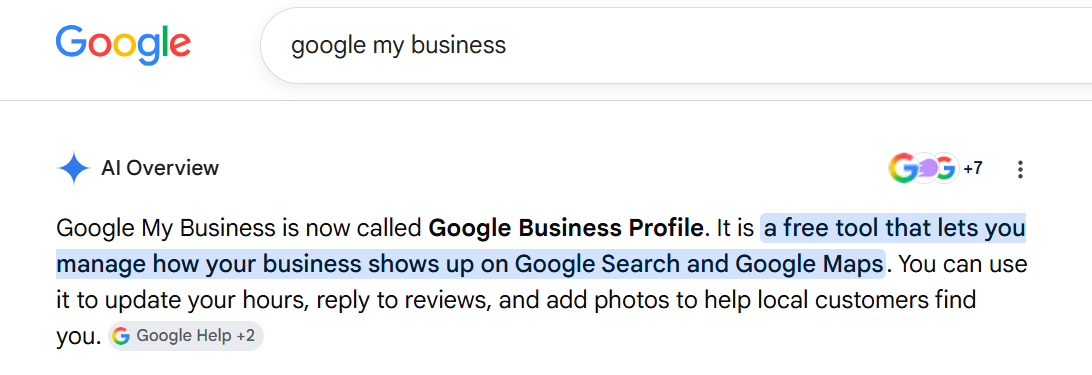
It used to be called Google My Business. Google renamed it to Google Business Profile back in 2021, so if you see “GMB” floating around in older guides, it’s the same thing.
Here’s the part people miss: it’s free. Genuinely free. You don’t pay Google a cent to claim it, fill it in, or keep it running. It’s the single highest-value free marketing asset a local business has, and most treat it like an afterthought.
Why Your Google Business Profile Matters for Australian Businesses
For a local business, your Google Business Profile often brings in more customers than your website — because it owns the two places people actually look: the map pack and “near me” searches.
Think about how you search when you need something local. You don’t scroll to page two. You glance at the map, look at the three results, check the star ratings, and tap one. That whole decision happens in the profile — most people never reach a website at all.
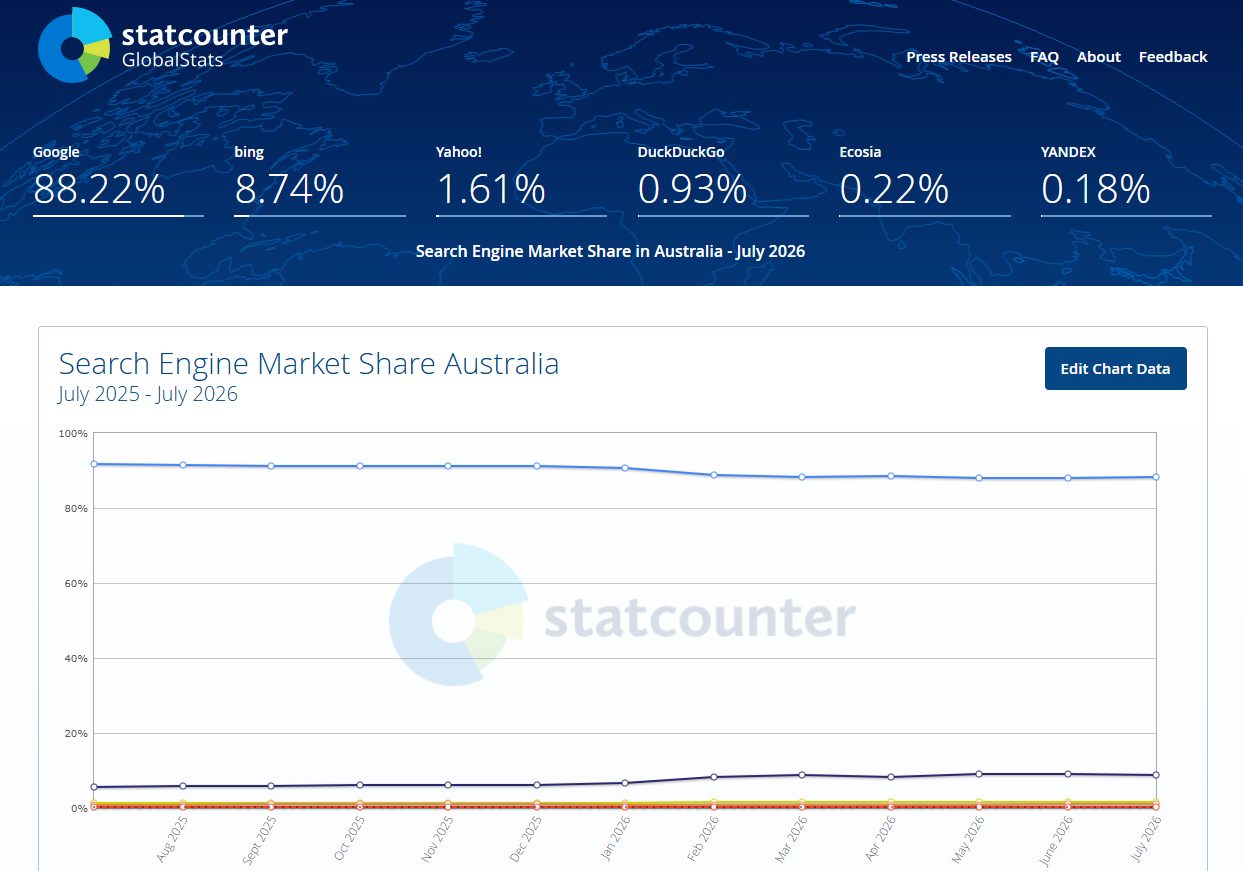
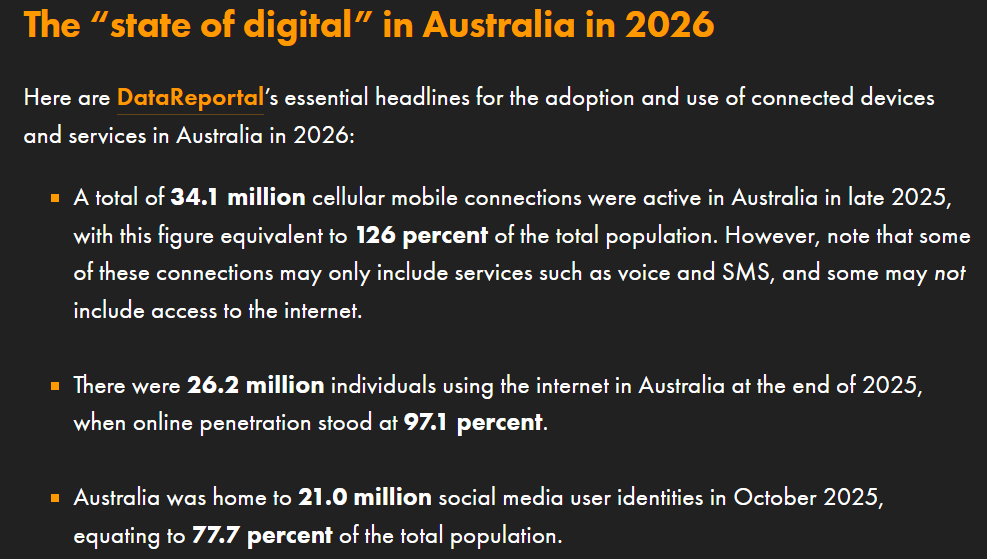
And in Australia, that traffic is enormous. Around 88% of all searches here go through Google, and roughly 26.2 million Australians are online.
When nearly everyone searches on Google and a big chunk of those searches are local, the map pack is prime real estate — and your profile is your ticket into it.
The reviews on that profile do a lot of the heavy lifting too. 85% of consumers use Google to find reviews of local businesses, more than any other platform.
That means the star rating on your profile is often the first — and sometimes only — impression a customer gets of you.
Picture two dentists in Fremantle. Same street, near-identical websites, similar prices. One has a complete, active Business Profile with a wall of reviews at 4.9 stars, real photos, and up-to-date hours. The other set theirs up in 2019 and never touched it.
Guess which one fills the appointment book from “dentist near me.” It’s not close. That gap is exactly what good SEO for Perth businesses is built to open up — and it starts with the profile.

The kicker: Google’s own data shows customers are 70% more likely to visit a business with a complete Business Profile, and 50% more likely to consider buying from it. Filling the thing in properly isn’t busywork. It’s the difference between showing up and getting skipped.

How to Set Up and Verify a Google Business Profile (Step by Step)
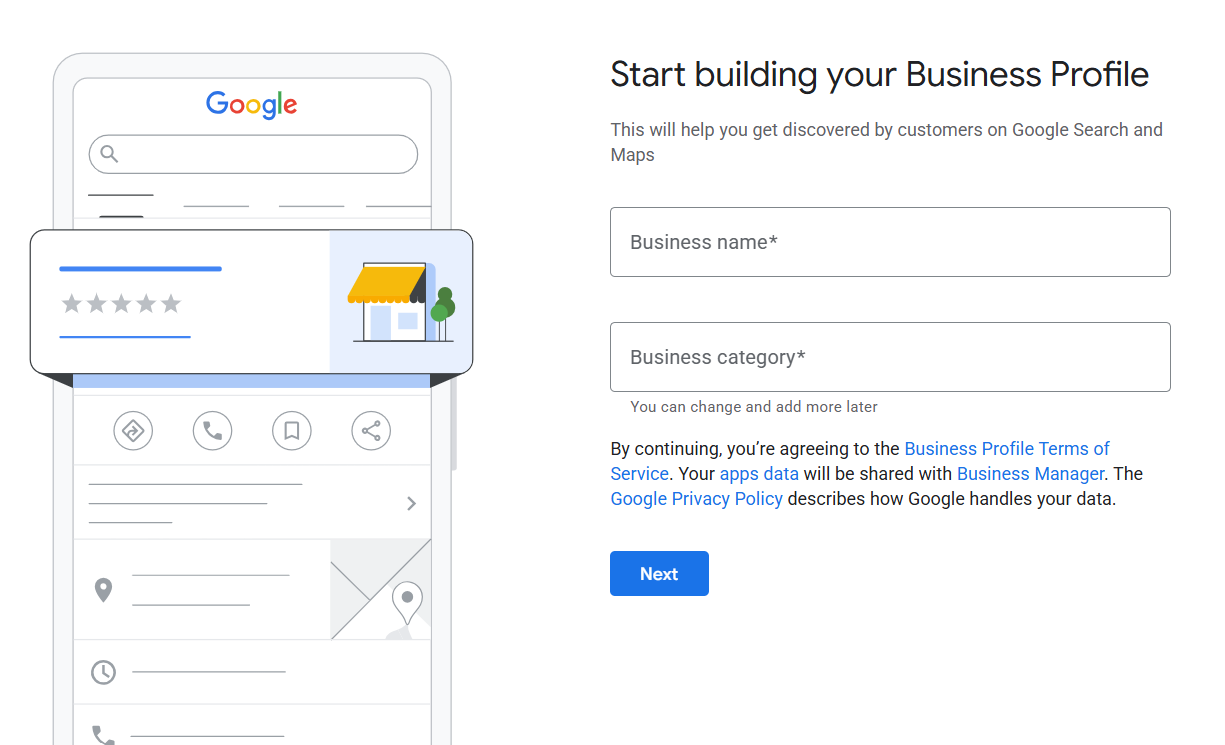
Setting up a Google Business Profile takes about 15 minutes: create or claim the listing, fill in your details, then verify you own the business. Here’s the exact path.
1. Sign in with the right Google account. Use the Google account you want tied to the business long-term — not a personal Gmail you might lose access to. Go to google.com/business and click “Manage now.”
2. Search for your business first. Before you create anything, type your business name and address into the search box. Google often auto-creates a basic listing from public data, so yours might already exist. If it comes up, you claim it instead of making a duplicate.
3. Create it if it’s not there. Enter your exact business name — the real one, no keywords jammed in (more on that in the mistakes section, because this one gets people suspended).
4. Choose your primary category. Google asks what your business is; the category you pick shapes what you can rank for. Be specific — “Italian restaurant,” not just “restaurant.” We go deep on this in the next section.
5. Add your location — or your service area. Got a shopfront customers visit? Add the address. No storefront — a plumber, a mobile mechanic, a sparky who travels to jobs? Choose “service area” instead and list the suburbs you cover.
6. Add your phone and website. Use a local Australian number (0X format) and make sure it matches what’s on your website exactly.
7. Verify. This proves you own the business. Google offers a few methods depending on your business type — video verification (a short clip of your premises, signage and equipment), phone, email, or a postcard with a code (5–14 days by mail). Video is now the most common prompt. Whatever you’re offered, do it — an unverified profile won’t rank.
That’s it. Take a plumber in Parramatta claiming the listing Google auto-generated from an old directory entry. They claim it, fix the category, add their service suburbs, verify by video, and they’re live in the map results for Western Sydney within days. That’s the foundation every bit of SEO for a Sydney business is built on.
How to Optimise Your Google Business Profile
A complete, active profile in the right category beats a half-finished, set-and-forget one every single time. Setting it up gets you in the game. Optimising it is how you climb the map pack. Here’s what actually moves the needle, in order of impact.
Nail your primary category (this is the #1 lever)
Your primary category is the strongest ranking signal you control.
Whitespark’s 2026 Local Search Ranking Factors study puts it at the top of the list for the map pack — above reviews, above proximity, above everything else you can touch.
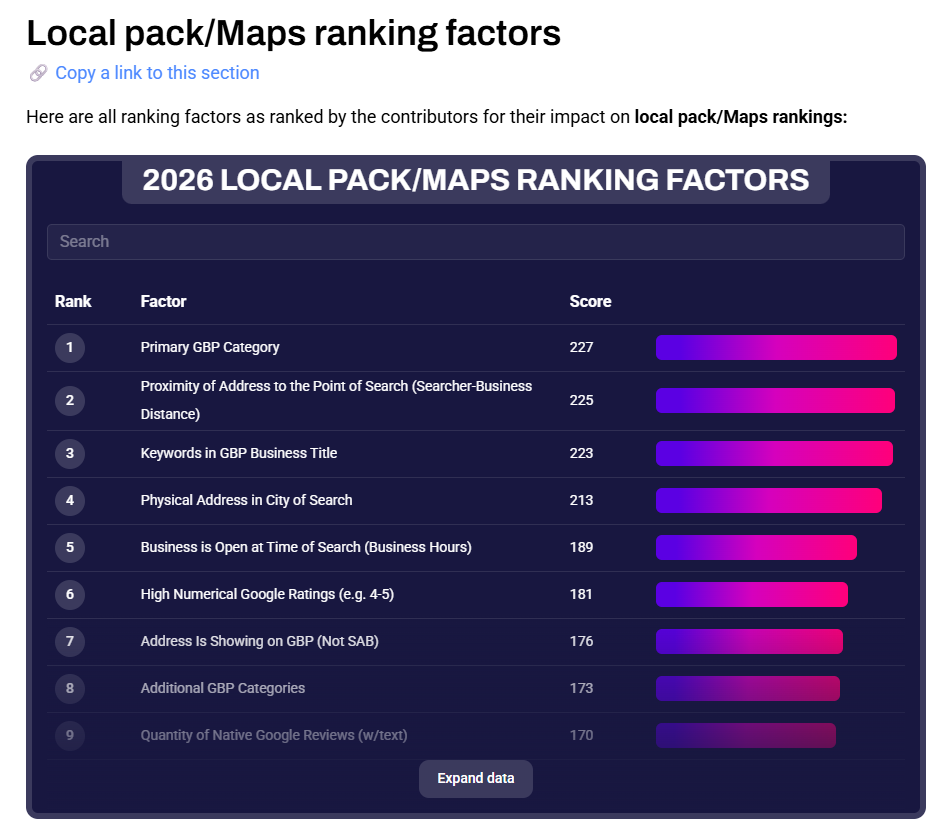
So don’t guess. Here’s how to get it right:
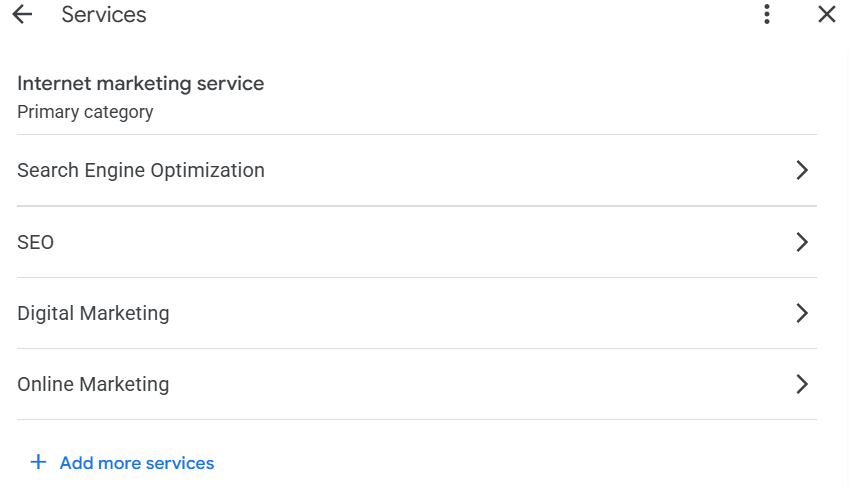
- Think about the exact service that makes you money and match the category to it. A cosmetic clinic ranks very differently as “Skin care clinic” versus “Medical spa.”
- Check what the businesses already ranking above you are using. A free browser extension called GMB Everywhere reveals any competitor’s primary and secondary categories — install it, click a listing, and it shows you exactly how they’re set up.
- Add relevant secondary categories too. A café that also does catering should list both.
Nine times out of ten, the quickest ranking win hiding on a profile is a wrong or lazy primary category. Fix that and you’ll often move before you’ve done anything else.
Keep your name, address and phone identical everywhere
Your business name, address and phone number — your “NAP” — has to match exactly across your website, your profile, and every directory you’re listed in.
“St” on one and “Street” on another, an old mobile number floating around on Yellow Pages — small mismatches chip away at Google’s trust that you’re a real, consistent business.
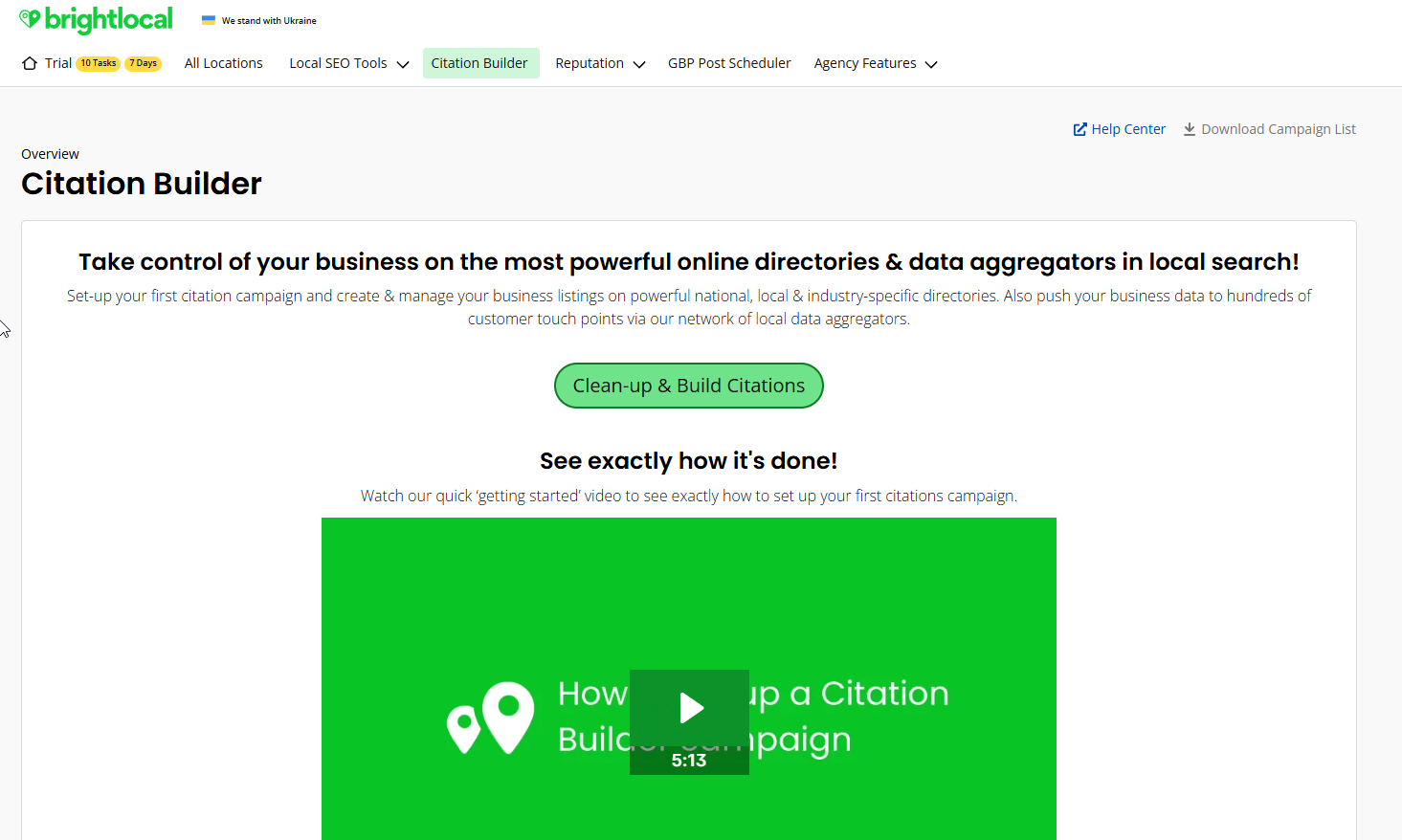
Fix your own website and profile first, then clean up the big Australian directories: True Local, Yellow Pages Australia, Hotfrog and Yelp. A tool like BrightLocal’s Citation Builder pushes one consistent listing out to the main directories for you, so you’re not doing it by hand.
Fill in every field — services, description, attributes
Every empty field is a search term you can’t rank for and a reason for the customer to pick someone else.
- Services: list them all, in the plain words customers actually use.
- Description: write a real one that says what you do and where. No keyword soup.
- Attributes: “wheelchair accessible,” payment types, “women-owned,” “free quotes” — tick everything that applies.
Add real photos, and keep adding them
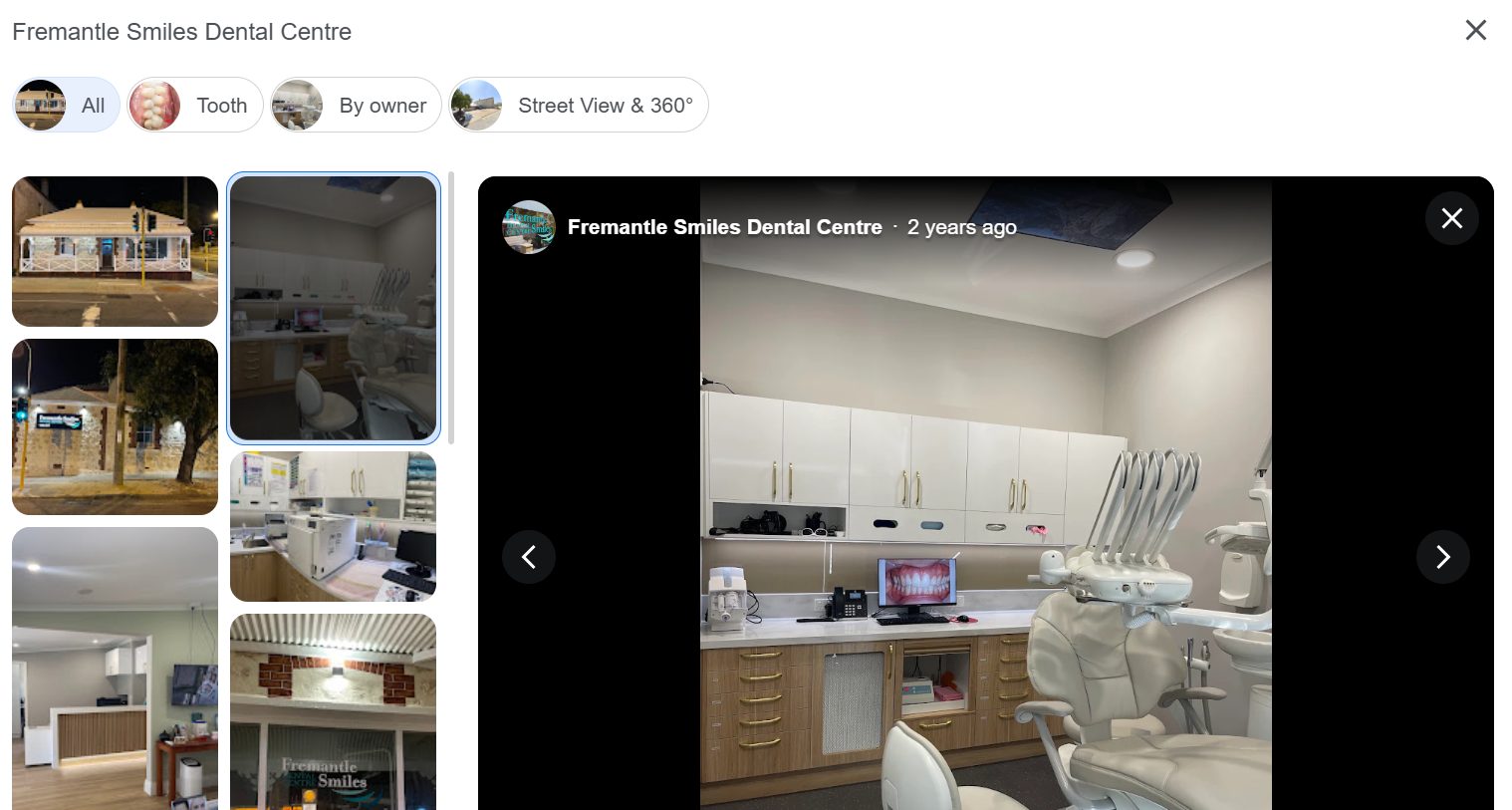
Profiles with photos get more clicks, directions and calls than bare ones. Upload real shots — your storefront, your team, your work, your fitout.
Genuine photos of a Fremantle clinic’s actual rooms beat any stock image, and they keep the profile looking alive. Add a few every month.
Build a steady flow of reviews (and reply to all of them)
Google reviews are the tiebreaker in the map pack, and they’re often what decides which listing a customer taps. 63% of people say they’re more likely to use a business that responds to all its reviews — good and bad.
Don’t leave them to chance. Build a simple system:
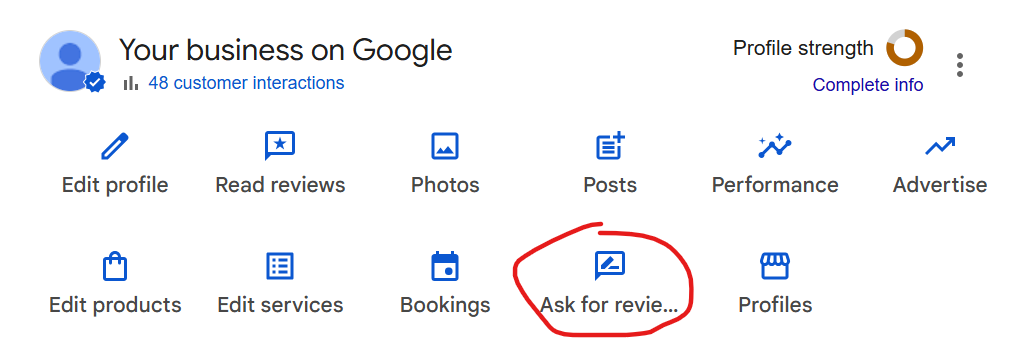
- Grab your Google review link from inside your profile (the “Ask for reviews” button generates it) and turn it into a QR code — stick it on invoices, receipts and the counter.
- Ask right after a good job, while the customer’s happy. That’s the emotional high point.
- Send the link by SMS or email the same day — 40% of people leave a review when asked by email.
- One polite follow-up if they don’t. Then reply to every review that comes in, even the one-liners.
Post updates, and answer questions
Use Google Posts to share offers, news and updates — they show right on your profile and signal to Google that you’re active. And seed your own Q&A: add the questions customers actually ask (parking, after-hours, pricing) and answer them, before someone else answers them wrong.
Set your hours — and your Australian public holidays
Nothing burns trust like a customer driving to a “closed” business that’s showing as open. Keep your regular hours accurate, and set special hours for the holidays that matter here:
Australia Day, ANZAC Day, Easter, Christmas, plus your state’s public holidays — Labour Day, Melbourne Cup Day in Victoria, and the rest. Set them a week ahead.
That’s a lot to keep on top of, every week, forever. It’s the part most owners start strong on and quietly drop after a month — which is exactly the ongoing work our done-for-you SEO services are built to carry, so the profile stays optimised instead of going stale.
And themed properly, this is the engine behind ranking a Melbourne business in a crowded map pack.
How Google Decides Who Shows Up in the Map Pack
Google ranks the map pack on three things: relevance, distance and prominence. You can only really influence two of them — so that’s where the work goes.
Here’s what each one means in plain English:
- Relevance — how well your profile matches what the person searched. This is your category, your services, your description. Get these right and Google understands what you actually do. This one you control.
- Distance — how close you are to the searcher (or to the area they searched). You can’t move your business, but a properly set service area tells Google which suburbs you’re relevant for. Partial control.
- Prominence — how well-known and trusted you are. Reviews, review scores, citations across those Australian directories, photos, activity, and links to your site all feed this. This one you build over time.
This is why the closest business doesn’t always win. A plumber two suburbs away with thousands of reviews, the right category and a tidy profile will regularly outrank the one around the corner who set theirs up once and walked away.
Distance matters, but relevance and prominence decide the tie — and profile-side signals carry the heaviest weight of all in the map pack.
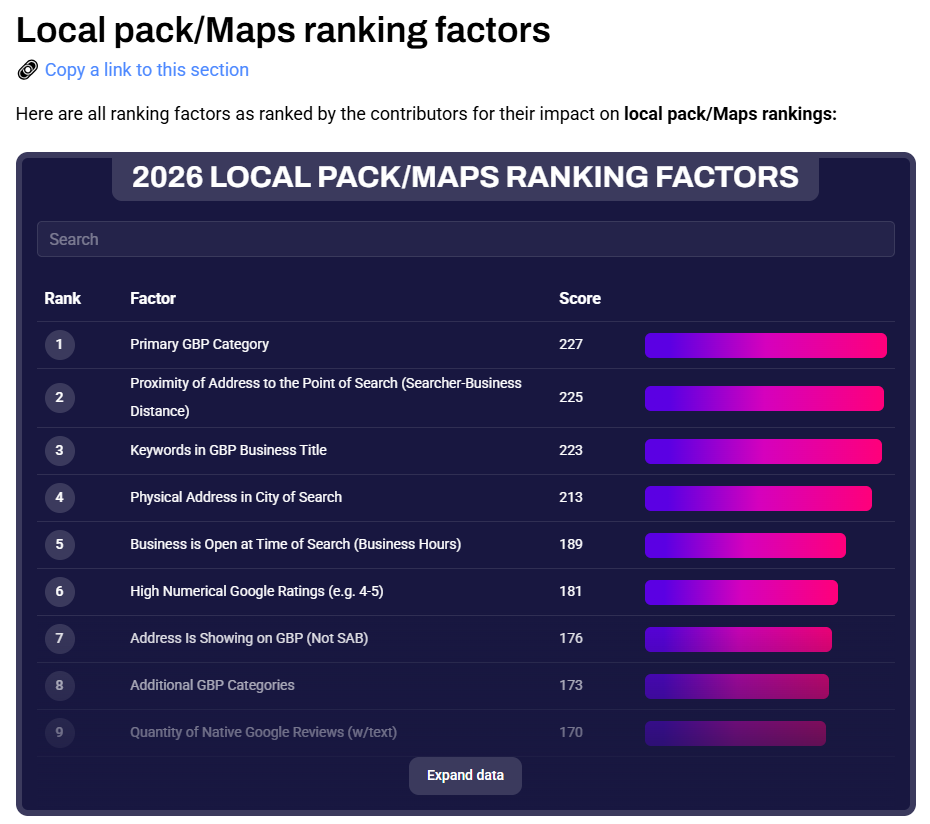
For most businesses, nailing the category, the reviews and a complete profile is the whole game.
Google Business Profile for Service-Area Businesses (No Shopfront)
No storefront? No problem. Set a service area instead of a street address, and you can rank across every suburb you serve.
This is bread and butter for tradies and mobile businesses — the mechanic who comes to you, the sparky, the mobile dog groomer, the plumber running out of a home base.
Here’s how it works. During setup (or in your profile settings), you choose “I deliver goods and services to my customers” and hide the address.
Then you list the suburbs or regions you cover. Google keeps your home address private but still shows you in results across those areas.
A few things to get right:
- List the suburbs you genuinely service — not the entire state. Padding your service area with places you’d never drive to weakens your relevance, and Google can flag it.
- You can list up to 20 areas. Pick the ones that actually bring work.
- You still need a real address to verify, even though it stays hidden.
Take a mobile mechanic based in Brisbane’s inner north, servicing the northern suburbs. They hide the home address, set their service area to the suburbs they cover, pick “Mechanic” as the primary category, and they start showing for “mobile mechanic near me” across that patch.
That’s the same play behind getting a Brisbane business found when there’s no shopfront to point to.
The Mistakes That Get Google Business Profiles Suspended
Most suspensions come from a short list of avoidable mistakes — and the frustrating part is that owners usually have no idea they’re breaking the rules. A suspension can wipe you off the map overnight, so it’s worth knowing the tripwires.
The big ones:
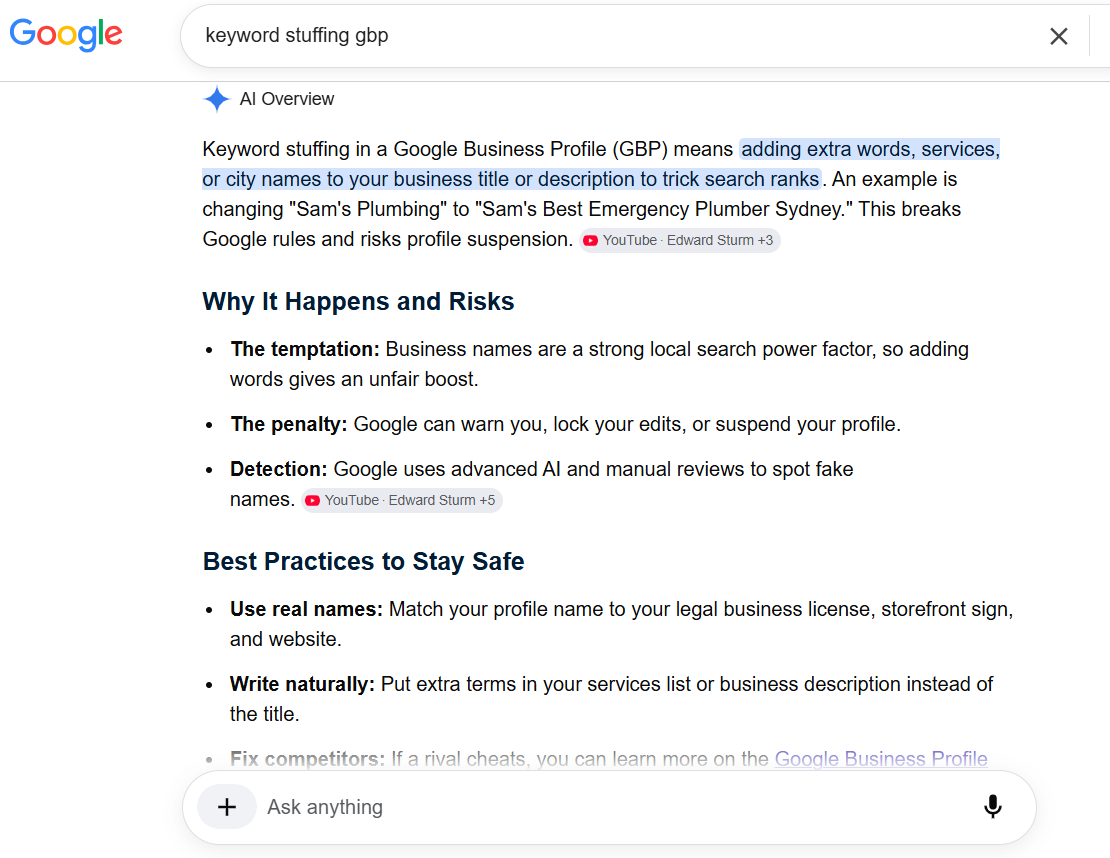
- Keyword-stuffing your business name. Your profile name must be your real business name. “Dave’s Plumbing” is fine. “Dave’s Plumbing | Emergency Plumber Sydney 24/7 Cheap” is a suspension waiting to happen. This is the most common one by far.
- A fake or virtual address. Using a mailbox, a co-working space you don’t operate from, or a home you don’t actually work from to fake a location Google can check. If it can’t verify a real presence, it pulls the listing.
- Changing key details too fast, too soon. Editing your name, address or category repeatedly — especially right after verifying — trips Google’s fraud filters. Make big changes carefully and spaced out.
- PO boxes as an address. Not allowed. Ever.
- Running two profiles for one business. Duplicates get flagged and can take both listings down.
If you do get suspended, don’t panic and don’t spam-submit ten reinstatement requests.
Fix whatever broke the rule first — change the stuffed name back, remove the dodgy address — then submit one reinstatement request through Google’s form, with a clear explanation and proof you’re a real business (photos, a utility bill, signage).
It can take a couple of weeks. Getting it right the first time beats firing off requests that just get auto-denied.
How to Tell If Your Google Business Profile Is Working
Don’t guess whether it’s working — the profile’s own performance data plus a quick map-pack check tell you exactly how it’s tracking. Most owners set the thing up and never look at the numbers. The numbers are right there, and they’re the difference between “I think it’s helping” and knowing.
Three things to watch:
- Your profile’s performance data. Inside your profile, the performance tab shows how many people called, asked for directions, clicked to your website, and what searches they used to find you. Month on month, those trends tell you if you’re growing.
- Your actual map-pack position. Open an incognito window, search your main terms (“physio Norwood,” “plumber near me” from your area) and see where you land. Do it monthly. A grid tool like Local Falcon maps your ranking across a whole suburb, not just one spot.
- Calls and enquiries you can trace back. The realest metric of all — are more people actually calling?
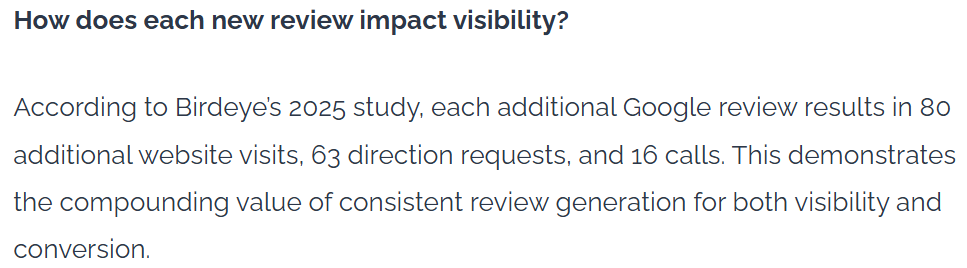
The individual reviews pull real weight here too.
Birdeye’s data puts each additional Google review at roughly 80 more website visits, 63 more direction requests and 16 more calls over its life — so watching the review count climb alongside the performance tab tells you the flywheel’s turning.
What does “working” look like? For most businesses, three months of steady optimisation should show up as a visible lift in profile views, direction requests and calls.
A physio in Norwood checking their performance tab each month can watch direction requests climb as the reviews and photos build up — that’s the feedback loop that makes SEO for an Adelaide business something you can measure instead of hope for.
Google Business Profile and AI Search
The same signals that win the map pack are increasingly what feed AI answers — so an optimised profile is now an AI-visibility play, not just a Maps one.
When someone asks Google’s AI Overview, Gemini or ChatGPT for “the best café near me” or “a good plumber in Parramatta,” those tools lean on the same structured local data your profile holds: category, reviews, location, hours.
A complete, well-reviewed, accurate profile is exactly the kind of trustworthy source AI systems pull from. A thin, out-of-date one gets skipped — by the map pack and the AI both.
We watch this play out first-hand. Getting cited by AI is its own discipline that goes well beyond the profile — but the foundation is the same boring, unglamorous work: be the most complete, most trusted, most active listing for what you do.
Do that, and you’re not just ranking on the map. You’re becoming the answer the AI gives.
Final Thoughts
The businesses that win local search aren’t the biggest, and they’re rarely the ones with the flashiest websites.
They’re the most consistent.
They picked the right category, they keep the reviews coming, they answer them, they update the photos, and they treat the profile like a live asset instead of a form they filled in once. That’s it. That’s the edge.
If you do one thing after reading this, open your profile and check your primary category. Then look at your review count next to the business ranking above you. Those two moves alone put you ahead of most of your competition — because most of them never bothered.