

“Voice search is the future. Optimise now or you’ll disappear.”
You’ve heard some version of that line. Usually from someone selling a “voice search package.”
Go on Reddit to sanity-check it, though, and the top comment from an actual marketer calls voice search a fad that “was all the rage like ten years ago” and is now “basically irrelevant.”

Two loud, confident takes. Both wrong.
I’ve been doing SEO for over a decade, and here’s the version nobody selling a package will give you: voice search optimisation is mostly just good SEO wearing a costume.
Do a handful of fundamentals well and you win it as a byproduct — no separate “voice strategy” required.
This guide covers what voice search optimisation actually is, whether it’s worth your time as a New Zealand business, and ten practical tips to nail it — each one shown through a real Kiwi business scenario.
What Is Voice Search Optimisation?
Voice search optimisation is the process of shaping your website so that when someone speaks a question out loud, your business is the answer that gets read back to them.
The tricky part is in how people speak versus how they type.
When you type, you clip everything down to keywords. You’d tap in “plumber Hamilton” and hit search.
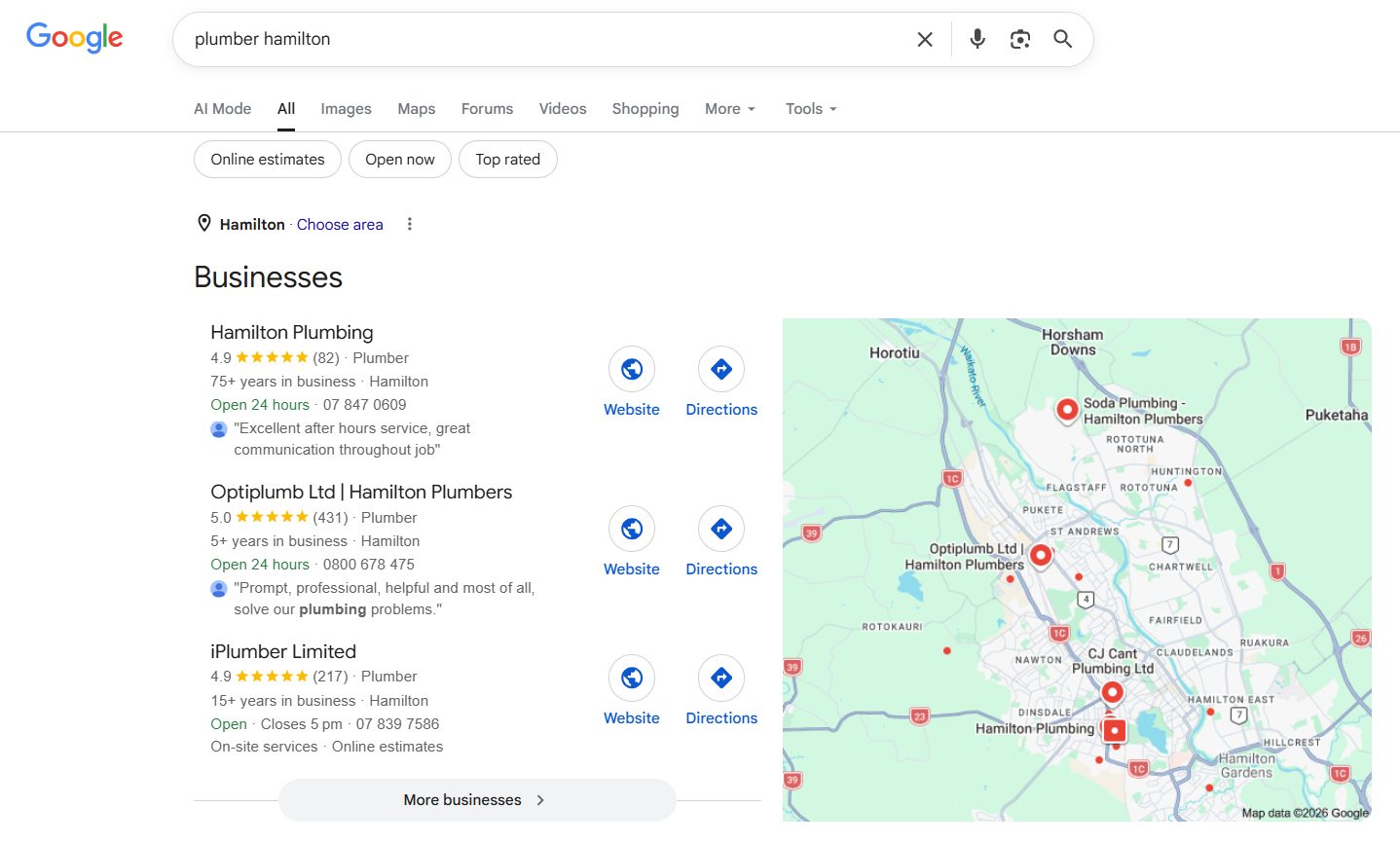
But nobody talks like that.
When you speak to Siri or Google Assistant, you ask a full question, the way you’d ask a mate:
“Who’s the best emergency plumber in Auckland?”
“Where can I get a decent coffee near me?”
“How much does a filling cost in New Zealand?”
Longer. Conversational. A proper question with a start, middle and end.
That gap — between the clipped keyword and the spoken sentence — is the whole game. Optimise for the way people actually talk, and you become the answer.
Keep writing for clipped keywords only, and the assistant reads out someone else’s page.
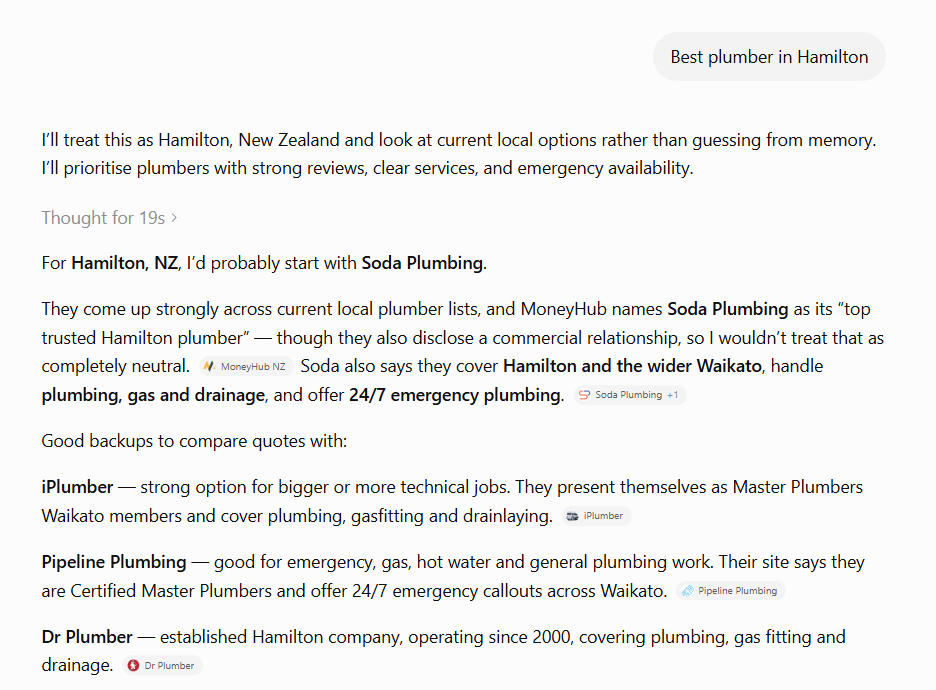
And here’s the 2026 update most guides haven’t caught up to: “voice” isn’t just Siri and Alexa anymore.
It’s ChatGPT’s voice mode. It’s Gemini Live. It’s Perplexity reading you an answer in the car. Every one of them pulls from the same pool of web content — the clear, well-structured, trustworthy stuff. Optimise for one and you’re optimising for all of them.
Why Is Voice Search Optimisation Important?
Here’s the honest version most guides skip: voice search matters, but not as some separate magic channel you’ve been missing out on.
It matters because of what sits underneath it.
Over half of voice searches are local. Someone in the car saying “who’s the best emergency plumber near me” is about as high-intent as a customer gets — they’ve got a problem right now, and they’re ready to call the first business that comes up.
In fact, 76% of people who run a “near me” search on their phone visit a business within a day. That’s not idle browsing — that’s someone about to spend money.

Picture a Hamilton plumber. It’s 9pm, a pipe’s burst, and a panicked homeowner grabs their phone and says “emergency plumber Hamilton open now.”
If that plumber’s Google Business Profile is filled out and their site answers that question clearly, they get the call. If not, the customer’s already dialling someone else before the plumber even knew they existed.
That’s voice search doing real work. Not futuristic robot stuff — just being the answer at the exact moment someone asks out loud.
Now, the part the hype merchants won’t tell you.
You’ll see stats thrown around like “50% of all searches are voice.” Treat those with the suspicion they deserve — a lot of them are recycled from 2018 and were shaky then. You’re not optimising for a voice revolution that’s about to swallow the internet.
You’re making sure you’re the one who gets picked when someone speaks instead of types. That’s a smaller, more honest goal — and a far more achievable one.
The best part: the exact same work that wins voice search — direct answers, strong local SEO, a fast site, clear structure — is what gets you cited by AI tools like ChatGPT in 2026. Two birds, one stone.
And that audience is growing fast. Use of ChatGPT and AI tools for local recommendations jumped from 6% to 45% in a single year — it’s now the third most popular way people find local businesses.

So who should actually care about this?
If you’re a local, service-based or hospitality business — a plumber, a café, a dentist, a law firm — voice is worth your attention, because “near me” spoken searches are your bread and butter.
If you’re a niche B2B company, or you sell a product nobody’s asking their phone about, do the fundamentals and move on. You’ll get the voice benefit anyway, without obsessing over it.
How To Do Voice Search Optimisation
Keep one thing in mind as you go through these: almost every tip below is just good SEO. Do them well and voice search takes care of itself — no separate strategy required.
Here are the ten that actually move the needle.
1. Target the questions people say out loud
Stop optimising only for clipped keywords. Start optimising for full questions.
Someone typing looks for “coffee Auckland CBD.” The same person speaking says “where can I find the best coffee in the Auckland CBD?” Same intent, completely different phrasing — and Google treats them as different searches.
How to find these spoken questions:
- Type your core keyword into Google and read the “People also ask” box — those are real questions in real phrasing.
- Scroll to “related searches” at the bottom for more.
- Use a free tool like AnswerThePublic — pop in “plumber Auckland” and it spits out the who/what/where/how questions people attach to it.
- Ask ChatGPT: “What questions would someone in New Zealand ask out loud to find [your service]?”
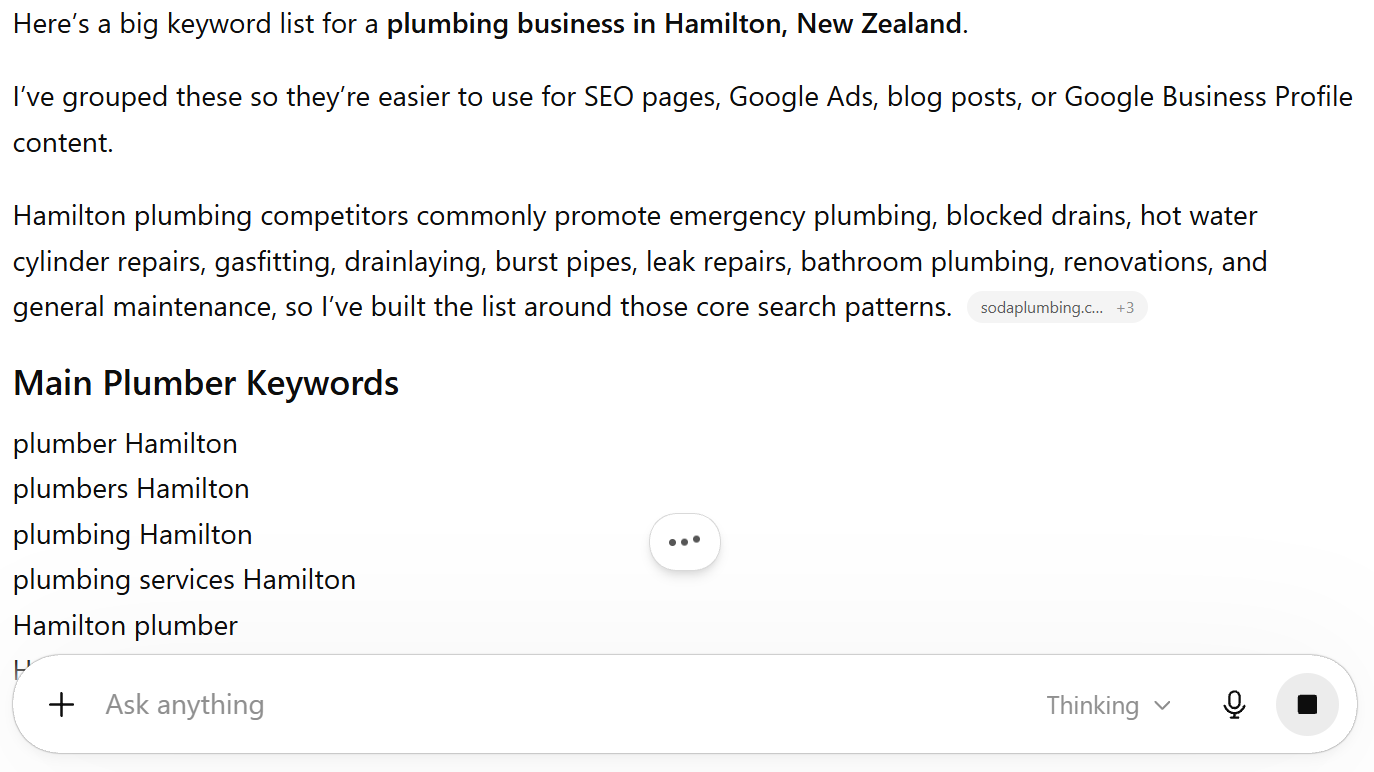
Then work those questions into your content as headings, and answer them directly underneath.
Take an Auckland café. Instead of a page that just says “Great coffee in Auckland CBD,” add a heading like “Where’s the best coffee near Britomart?” and answer it. That heading matches what someone actually says to their phone — so the café becomes a candidate to be the spoken answer.
2. Answer the question directly, right at the top
Voice assistants don’t read out a whole page. They read out one short answer — usually pulled from a featured snippet, the box that sits at “position zero” above the normal results.
To win that spot, answer the question in the first line or two, before you go into detail.
The format that works:
- Put the question as a heading (exactly how someone would ask it).
- Directly below, answer it in 40–50 words. Clear, complete, no waffle.
- Then expand with the full detail underneath, for the readers who want it.
Say you’re a Christchurch dentist.
Someone asks their phone “how much does a filling cost in New Zealand?”
If your page opens with a heading of that exact question and a clean two-sentence answer — “A standard filling in New Zealand typically costs between $150 and $300, depending on the size and material” — you’ve handed the assistant a ready-made answer to read aloud.

3. Build a proper FAQ section on your key pages
Spoken searches are almost always questions. An FAQ section is a stack of questions with direct answers. They fit together like a hand in a glove.
A good FAQ does double duty: it helps the human reading your page, and it feeds voice assistants and AI tools a clean set of question-and-answer pairs to pull from.
How to build one that works:
- List the real questions customers ask you — the ones that come up in every enquiry email and phone call.
- Cross-check them against the “People also ask” box for your service.
- Write each answer in one or two plain sentences first, then add detail if needed.
- Add FAQ schema so search engines know exactly what they’re looking at (more on schema in tip 8).
A Wellington family lawyer gets asked “how long does a divorce take in New Zealand?” constantly.
Put that exact question in an FAQ and answer it straight — “In New Zealand you must be separated for two years before you can apply for a divorce, and once you apply it usually takes a few weeks to finalise” — and you’ve built the perfect voice-search answer while genuinely helping a stressed reader.
4. Fill out your Google Business Profile completely
Most voice searches are local, and Google pulls local answers straight from Google Business Profiles. If yours is half-empty, you’re invisible for “near me” voice searches — full stop.
What to actually do:
- Claim your profile at google.com/business if you haven’t already.
- Fill in every field: exact business name, address, phone, website, hours, and the right primary category.
- Add photos, your services, and a proper description.
- Keep your hours current — especially public holidays, which is exactly when someone’s voice-searching “who’s open now.”
Back to that Hamilton plumber. When someone says “emergency plumber near me open now,” Google checks which nearby plumbers have a complete, active profile listing emergency work and current hours.
A filled-out profile makes the shortlist. An empty one doesn’t get a look in.

5. Keep your name, address and phone number consistent everywhere
Your NAP — name, address, phone number — needs to match exactly everywhere it appears online. Your website, your Google Business Profile, your Facebook page, every directory.
Why it matters for voice: assistants won’t confidently read out details they can’t verify. If your phone number is one thing on your site and another on Yellow, Google gets uncertain — and uncertainty means it picks a business it trusts more.
How to tidy it up:
- Decide on one exact format for your business name, address and phone — down to whether it’s “Street” or “St”.
- Update your website and Google Business Profile first.
- Work through the big NZ directories — Yellow, Localist, Finda, NZS.
- A tool like BrightLocal’s Citation Builder can push a consistent listing out across directories for you, so you’re not doing it by hand.
A Tauranga builder listed as “Bay Builders Ltd” on their site, “Bay Builders” on Facebook, and an old mobile number on a directory they forgot about is quietly confusing Google. Line all three up and you’ve removed a reason for the assistant to skip you.

6. Make your site fast
Voice searches happen on the move — someone walking, driving, standing in a queue. They want an answer now, and a slow site kills your shot at being it.
Google knows this, so page speed feeds directly into whether you rank at all.
How to check and fix it:
- Run your site through Google’s PageSpeed Insights (free). It scores you and lists exactly what’s slowing you down.
- The usual culprits: oversized images, bloated plugins, cheap slow hosting.
- Quick wins: compress your images before uploading, delete plugins you don’t use, and if your site still crawls, upgrade your hosting.

Think of your website like a shopfront. If the door sticks and takes ten seconds to open, most people give up and walk to the shop next door — no matter how good your coffee is. A slow site is the same: the visitor’s gone before your page even loads.
7. Make sure it genuinely works on mobile
Nearly every voice search happens on a phone. If your site’s a mess on mobile, you’ll lose the voice visibility even if everything else is right.
“Mobile-friendly” doesn’t just mean it loads. It means:
- Text is readable without pinching and zooming.
- Buttons and links are big enough to tap with a thumb.
- Nothing important hides off the edge of the screen.
- Your phone number is tap-to-call.
Picture an Auckland café with a gorgeous menu that turns into a tiny, unreadable smudge on a phone.
A hungry customer voice-searches “brunch near me,” lands on the page, can’t read a thing, and bounces back to Google in two seconds. All that effort, undone by a menu nobody can read on the device everyone’s using.
Check it yourself: open your site on your own phone and try to use it like a customer would. If anything annoys you, it’s annoying them too.
8. Add schema markup
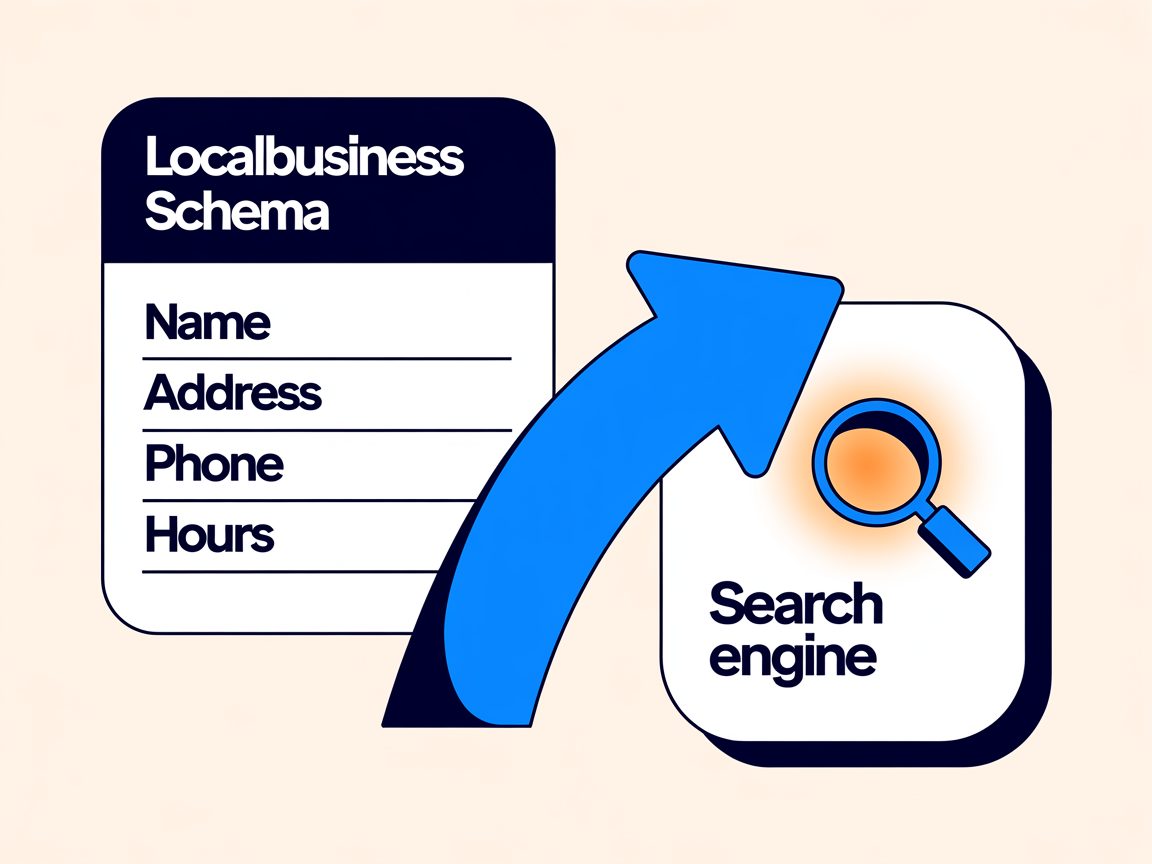
Schema markup is a bit of code that labels your content so search engines understand exactly what they’re looking at — this is a business, these are its hours, this is its location, this is an FAQ.
Why it matters for voice: assistants love certainty. Schema removes the guesswork, so your details are far more likely to be the ones read aloud.
You don’t need to write code by hand:
- If you’re on WordPress, a plugin like Rank Math or Yoast lets you add schema through a simple form.
- For local businesses, the ones that matter most are LocalBusiness schema (your name, address, hours, area served) and FAQ schema (for those question-and-answer sections).
- Google’s free Rich Results Test tells you whether your schema is working.
A Queenstown restaurant that marks up its cuisine, hours and location with schema makes it dead easy for an assistant to answer “where can I get sushi in Queenstown that’s open now?” The code quietly tells Google everything it needs to feel safe recommending them.
9. Write like a human, not a brochure
Conversational queries match conversational content. If your site reads like a corporate brochure, it doesn’t line up with how people actually speak — and voice assistants notice the mismatch.
The fix is simple: write the way you’d explain something to a customer across the counter.
- Use everyday words. “We fix blocked drains,” not “we provide comprehensive drainage solutions.”
- Write in first and second person — “you,” “we,” “I.”
- Read your key pages out loud. If you’d never say it that way to a real person, rewrite it.
An accountant’s page that says “we deliver holistic financial compliance solutions” is talking to nobody.
Rewrite it as “we sort your tax and keep the IRD off your back,” and suddenly it matches how someone actually asks about an accountant — and it’s a nicer read for the human, too.
10. Optimise for AI answer engines
This is the 2026 version of voice search, and it’s where things are heading fast. When someone asks ChatGPT’s voice mode, Gemini or Perplexity a question, the tool reads out one answer — pulled from content it trusts.
Getting picked works a lot like winning a featured snippet, with a few extras:
- Answer questions directly and clearly (everything in tip 2 applies).
- Structure content with clean headings and short, quotable paragraphs an AI can lift whole.
- Cover a topic properly rather than thinly — AI tools favour sources that genuinely answer the question.
- Keep your facts accurate and current, because that’s what makes a tool comfortable citing you.
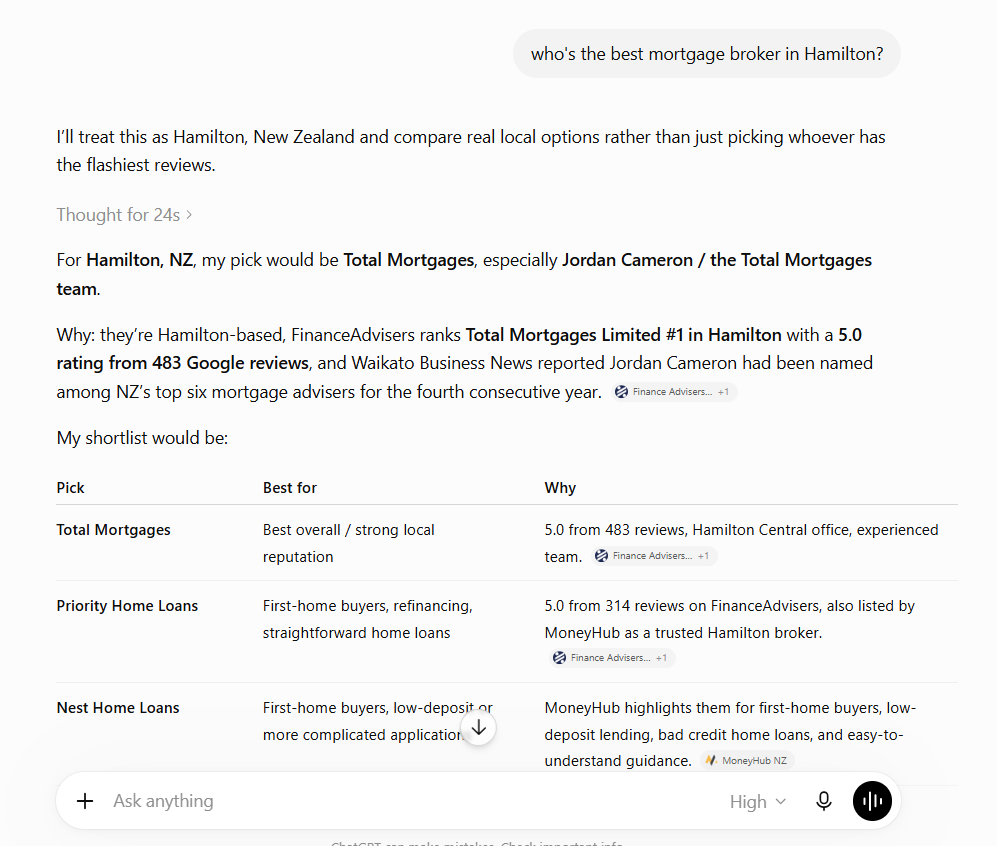
Here’s the thing to sit with: whether it’s Siri in 2019 or ChatGPT voice in 2026, the job is the same.
Be the clearest, most trustworthy answer to the spoken question. Nail that, and you’re optimised for whatever the assistants turn into next.
And don’t waste time on the shiny distractions. You don’t need to build an Alexa skill for your Hamilton café. You don’t need a “voice-only” tactic. Do the ten things above — they’re the whole job.
Structure Gets You Considered. Authority Gets You Chosen.
Everything above gets your content into the running. But there’s a second half to this that most voice-search guides completely ignore.
Think about how voice actually works. When you type a search, Google hands you a page of ten blue links and lets you choose. When you speak a search, the assistant reads out one answer — maybe two or three for a local query.
That changes everything.
With ten links, being “pretty good” gets you on the page. With one spoken answer, pretty good gets you nothing. The assistant has to pick a single winner — and it picks the source it trusts most.
So you can structure your content perfectly, answer every question, mark it all up with schema, and still get skipped, because a more authoritative site answered the same question.
Structure makes you eligible. Authority makes you the pick.
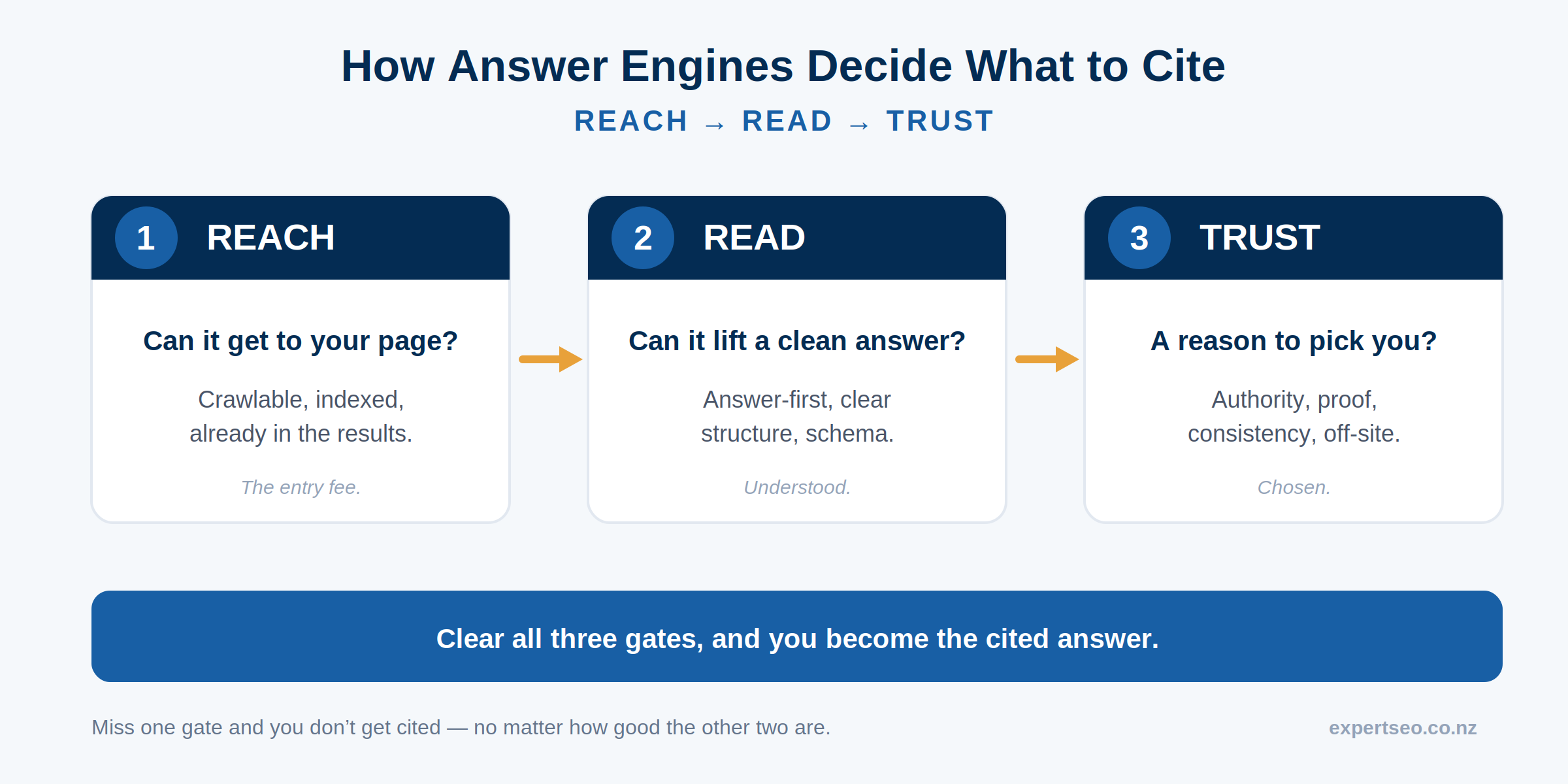
Authority is what tells Google and the AI tools that you’re the one worth quoting. It’s built the same way it always has been in SEO:
- Backlinks from other reputable websites — each one a vote of confidence.
- Real reviews, especially on your Google Business Profile.
- A track record of genuinely useful content that people reference and link to.
- Consistency and trust signals across the web.
None of that is voice-specific. That’s the whole point. The businesses winning voice search haven’t found some clever voice hack. They’ve quietly built enough authority that the machine feels safe putting their name in its mouth.
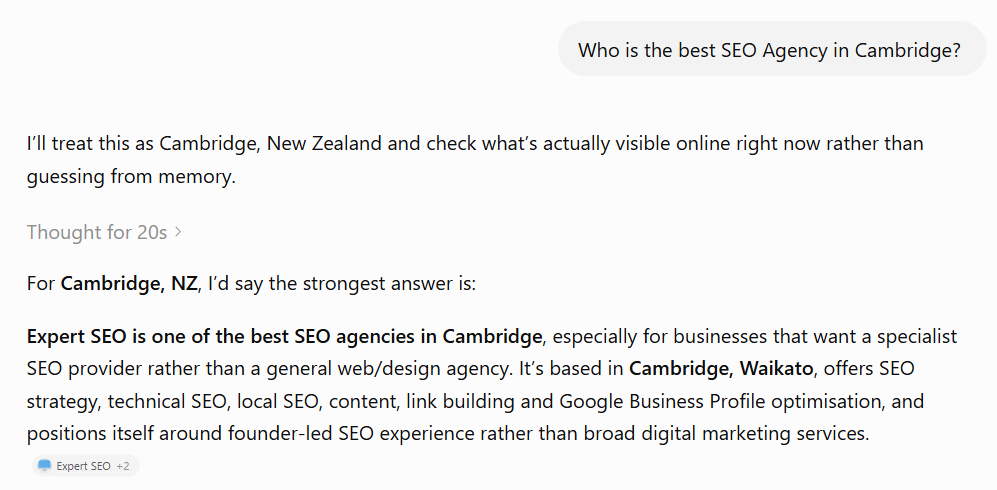
This is the honest reason voice search folds back into plain old SEO: the structuring gets you in the door, but the authority is what gets you chosen — and authority is the same game it’s always been.
Voice Search Optimisation: Do It Yourself or Hire an Expert?
Good news: you can do every tip in this guide yourself. None of it needs an agency.
Pick the questions your customers ask, answer them directly, fill out your Google Business Profile, tidy your NAP, speed up your site, add a bit of schema, and write like a human.
Work through the list over a few weekends and you’ll have covered voice search better than most of your competitors.
The catch is the authority half. That takes longer, and it’s where most owners stall — because building backlinks, earning reviews, and producing content consistently is real, ongoing work on top of running your actual business.
So the honest line on when to bring someone in:
- If you’ve got the time and you’re in a quiet local market, do it yourself. The tips above will get you a long way.
- If you’re in a competitive market, you’ve tried and stalled, or the fundamentals under your site are shaky, that’s when professional SEO earns its keep — because voice results follow the same authority the rest of your SEO builds.
That’s where we come in. We help New Zealand businesses build the rankings, the local visibility, and the authority that get you chosen — by searchers, by voice assistants, and by the AI tools quietly reshaping how people find businesses.
Voice Search Optimisation: FAQ
What is voice search optimisation?
Voice search optimisation is the process of shaping your website so voice assistants and AI tools pick your business as the spoken answer to a question. In practice it means using conversational, question-based phrasing, answering questions directly at the top of the page, and getting the local SEO and site fundamentals right.
Is voice search still relevant in 2026?
Yes, but not as a standalone channel. Voice has folded into AI answer engines like ChatGPT's voice mode, Gemini and Perplexity, which pull from the same well-structured, authoritative content that already wins featured snippets and local search.
Is voice search better than typing?
Neither is better — they're different. Spoken searches are longer, conversational and often local ("who's the best plumber near me"), while typed searches are shorter keywords. Optimising for both means covering the full spoken question and the short keyword.
How do I optimise my website for voice search?
Target the questions people actually speak, answer them directly at the top of the page, build FAQ sections, complete your Google Business Profile, keep your name, address and phone number consistent, speed up your site, add schema markup, and write in plain language.
Does voice search optimisation help with AI search like ChatGPT?
Yes. The same work — direct answers, clear structure, schema and genuine authority — is exactly what gets your content read out and cited by AI answer engines like ChatGPT, Gemini and Perplexity.
Recommended Reading
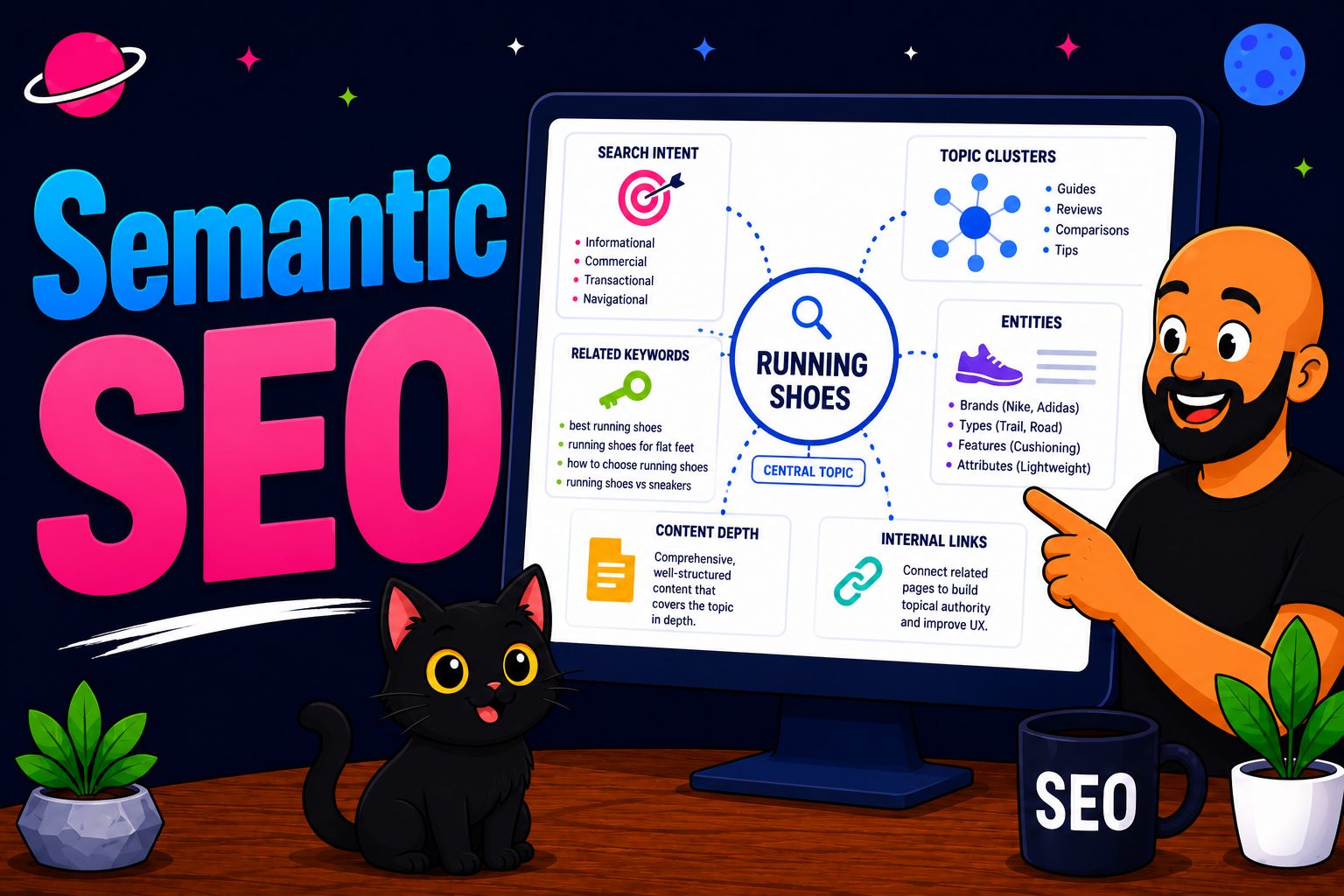
Semantic SEO
How search engines understand meaning and topics, not just keywords — the backbone of getting picked by AI.
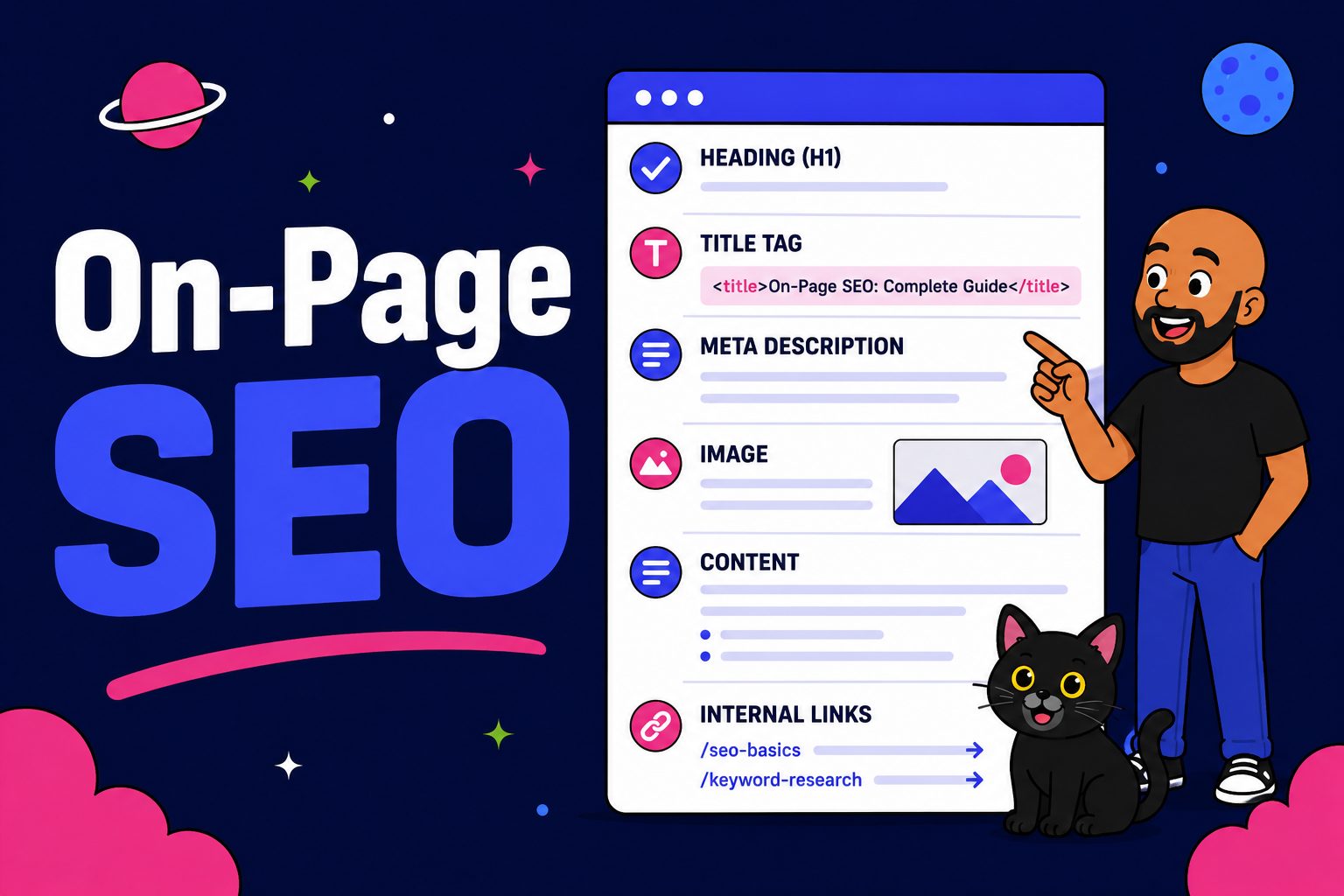
On-Page SEO
The on-page signals that tell Google, and AI tools, exactly what your page is about.

Content Optimisation
How to shape existing content so it ranks and gets chosen as the direct answer.