
How to Rank Higher on Google in NZ (2026)

Most New Zealand businesses have a website. Very few are actually getting found on Google.
They’ve published a few pages, maybe written a blog post or two, and set up a Google Business Profile. But traffic stays flat. Rankings don’t move. And the leads that should be coming through the website go to competitors instead.
The problem isn’t effort. It’s the lack of a clear system.
This guide gives you one.
I’m going to teach you how to rank higher on Google in 2026 — the same process I use with SEO clients across New Zealand and the same approach I used to rank #1 for my target keywords like “local SEO”:

How Google Decides What Ranks (Quick Primer)
Before getting into the steps, it helps to understand what Google is actually looking for.
Every time someone types a search into Google, it compares millions of pages and decides which ones deserve to show up first. That decision comes down to three things.
Relevance. Does your page match what the person is searching for? If someone searches “plumber Auckland” and your page is about plumbing in Christchurch, it’s not relevant enough.
Authority. Does Google trust your website? Authority is built over time through quality content, backlinks from other websites, reviews, and consistent online presence.
User experience. Is the page fast, mobile-friendly, and easy to use? Google pays attention to whether people stay on your page or bounce straight back to the search results.

Every step in this guide is designed to improve at least one of these three Google SEO signals. That’s how you move up.
Now let’s get into the steps.
Step 1: Find the Right Keywords
The first step is to identify the exact keywords your target customers are searching for on Google.
Keyword research is the foundation of everything that follows. Your content, your page structure, your internal links — they all depend on knowing what people are actually typing into Google.
If you skip this step, you’re guessing. And guessing is why most NZ businesses don’t get results from SEO.
How to Find Your Core Keywords
Start with what you already know about your business.
Think about the services you offer and the locations you serve. For most NZ businesses, your core keywords are some combination of your service plus your city or region.

For example, if you’re a plumber in Hamilton, your core keywords might include:
- plumber Hamilton
- emergency plumber Hamilton
- hot water cylinder repair Hamilton
If you run a café in Auckland CBD, you’d think about:
- cafe Auckland CBD
- best brunch Auckland CBD
- coffee shop Auckland
These are the keywords that directly connect to revenue. Start here.
Expand Your List with ChatGPT and Google Keyword Planner
Once you’ve brainstormed the obvious ones, expand using two free tools.
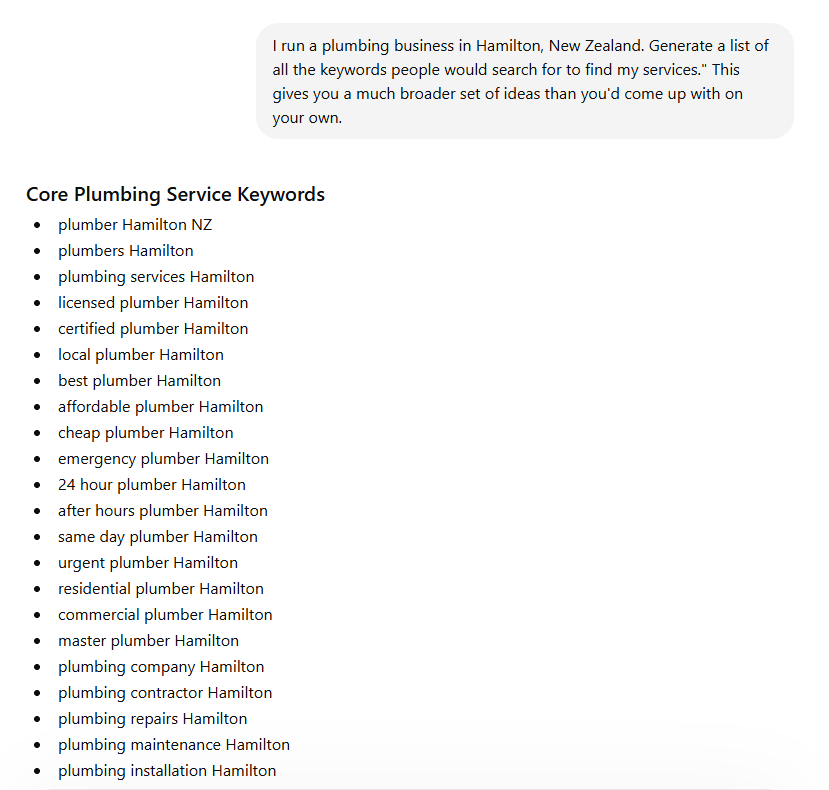
ChatGPT: Use a prompt like “I run a plumbing business in Hamilton, New Zealand. Generate a list of all the keywords people would search for to find my services.” This gives you a much broader set of ideas than you’d come up with on your own.
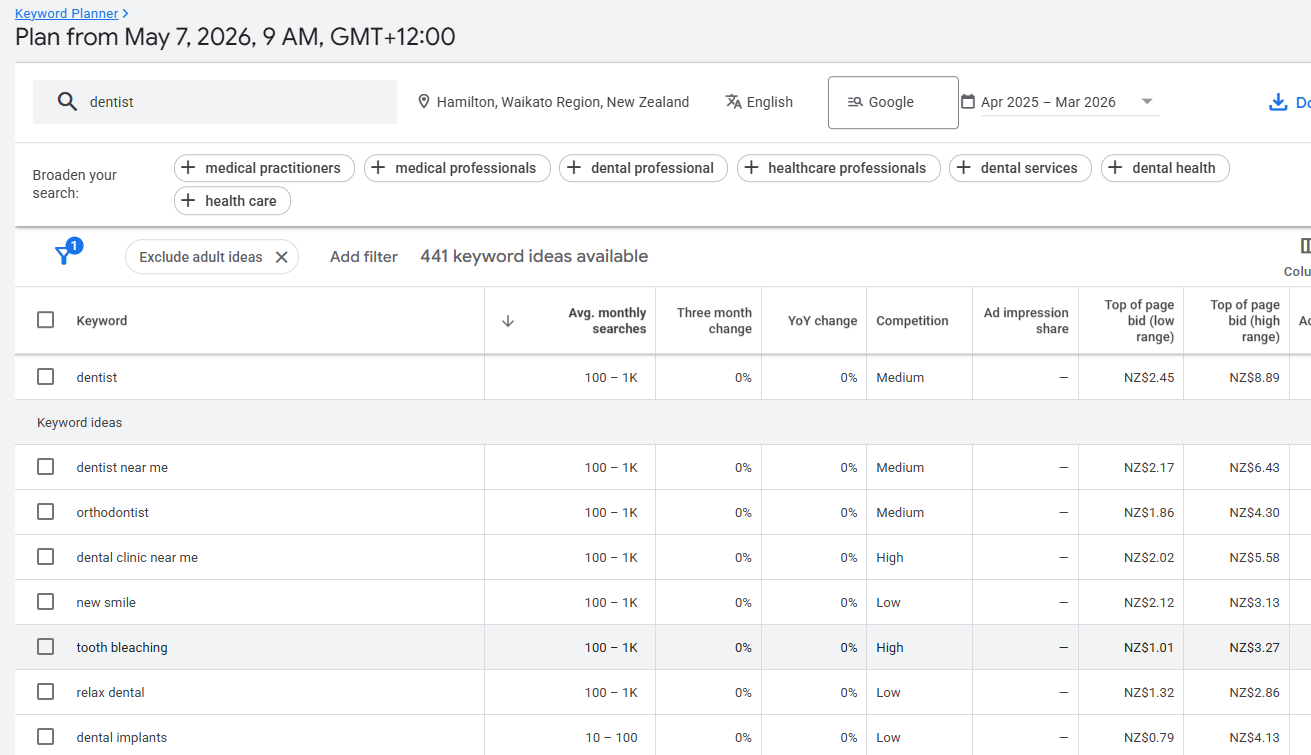
Google Keyword Planner: Take your list and plug it into Google Keyword Planner to check real search volumes. This tells you which keywords people are actually searching and how competitive they are. Set the location to New Zealand for accurate data.
Why Long-Tail Keywords Are Your Fastest Wins
Long-tail keywords are more specific versions of your main terms. Instead of “plumber Hamilton,” you might target “emergency plumber Hamilton open weekends.”
Here’s why they matter:
- They’re easier to rank for because there’s less competition
- They bring in more qualified traffic — people who know exactly what they want
- They convert better because the intent is stronger
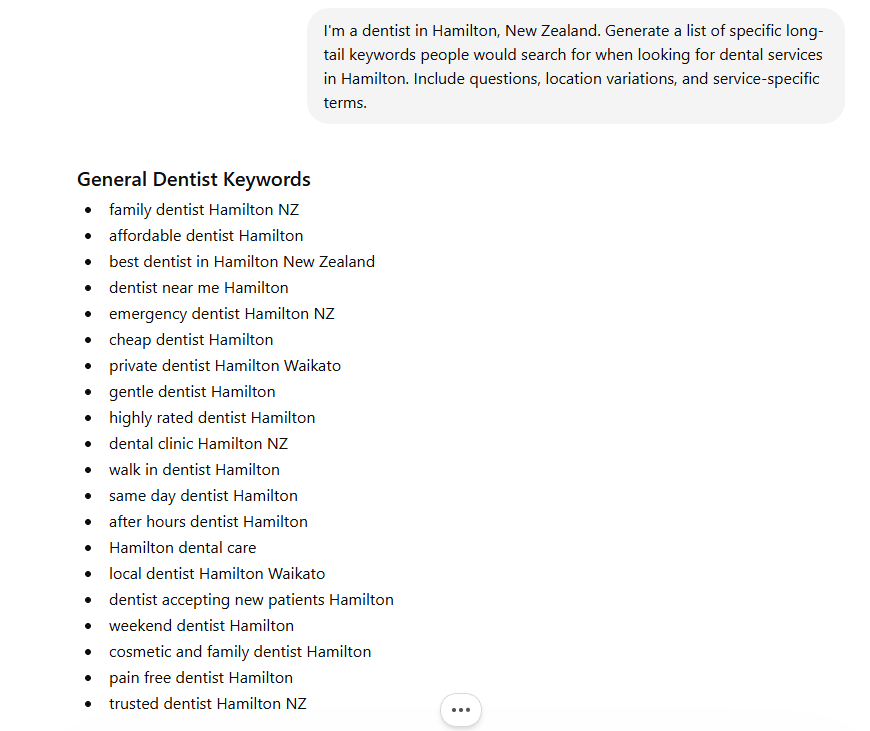
These are usually the keywords that drive the fastest results, especially for newer websites.
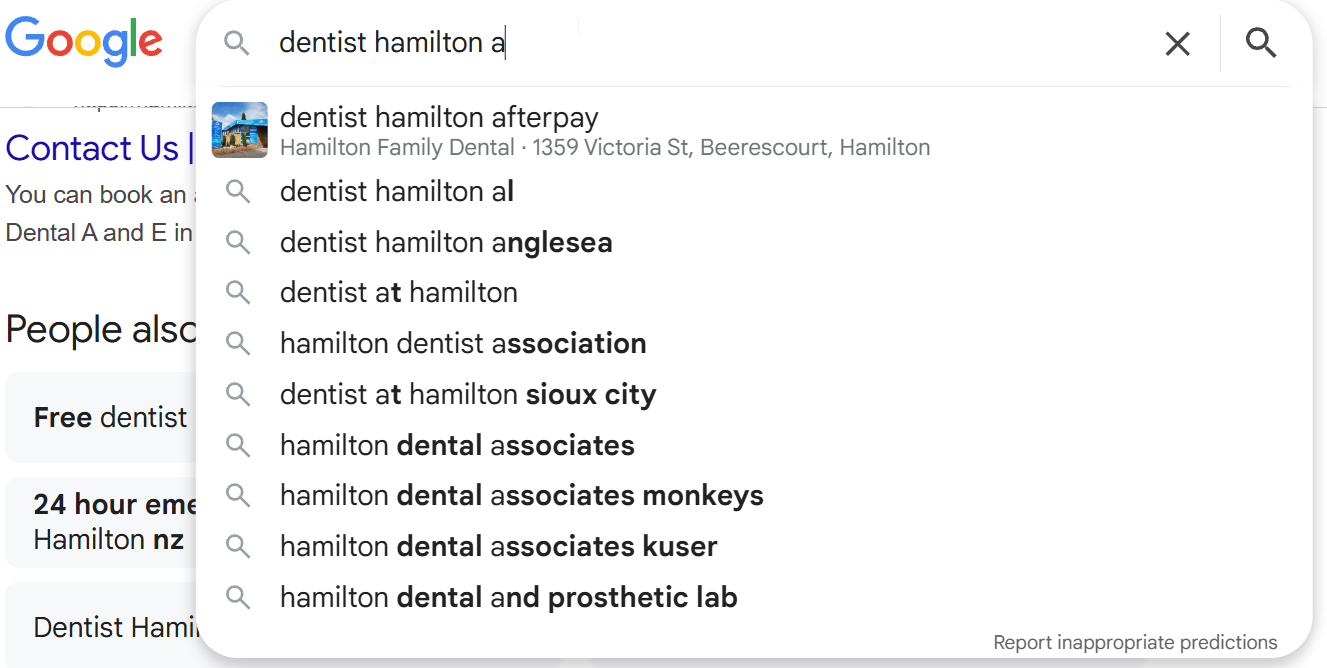
A simple way to find them: type your core keyword into Google and go through the alphabet. Type “plumber Hamilton a”, then “plumber Hamilton b”, and so on. Google will suggest real searches for each variation.
Store Everything in One Place
Put all your keywords into a Google Sheet. Nothing fancy — just the keyword, search volume, and a column for the page you’ll assign it to later.

This becomes your roadmap for everything that follows.
Step 2: Match Search Intent
Now that you have your keywords, the next step is understanding why people are searching for them.
Search intent is the reason behind the search. The keyword itself is just a clue. Your job is to figure out what the person actually wants.
This matters because Google ranks pages that match intent. If your page doesn’t give the searcher what they’re looking for, it won’t rank — no matter how well optimised it is.
The Two Main Types
You can simplify this into two categories.
Buying keywords (commercial intent). These people are ready to take action. They want a service or product. Keywords like “plumber Hamilton” or “dentist Auckland CBD” are buying keywords. These should be your service pages.
Educational keywords (informational intent). These people are looking for answers. Keywords like “how to fix a leaking tap” or “how much does a dentist cost in NZ” are educational. These should be your blog content.

How to Check Intent (The Easy Way)
Just Google the keyword.
Look at what’s already ranking. If the top results are service pages and Google Maps listings, the intent is commercial. If the top results are blog posts and guides, the intent is informational.
For example, search “accountant Hamilton” and you’ll see accounting firms and service pages. That’s commercial intent.

Search “how to file a tax return NZ” and you’ll see guides, step-by-step articles, and IRD pages. That’s informational intent.

Google is literally showing you what it wants. Your job is to match it.
Apply This to Your Keyword List
Go back to your Google Sheet. Next to each keyword, add a column for intent — buying or educational. This tells you exactly what type of page to create for each keyword.
Here’s what that looks like in practice for a plumber in Hamilton:
| Keyword | Search Intent | What to Create |
|---|---|---|
| plumber Hamilton | Commercial | Service page |
| emergency plumber Hamilton | Commercial | Service page |
| how to fix a leaking tap | Informational | Blog post |
| plumber cost NZ | Informational | Blog post / pricing page |
| book plumber Hamilton | Transactional | Booking / contact page |
Getting this right is the difference between a page that ranks and one that doesn’t.
Step 3: Create Better Content Than What’s Ranking
You’ve found your keywords. You know the intent. Now it’s time to create the content.
The goal here is simple: create something better than what’s currently on page one of Google.
Not longer. Not fancier. Better. That means clearer, more useful, and more trustworthy. Research shows that 96.55% of all pages get zero traffic from Google.
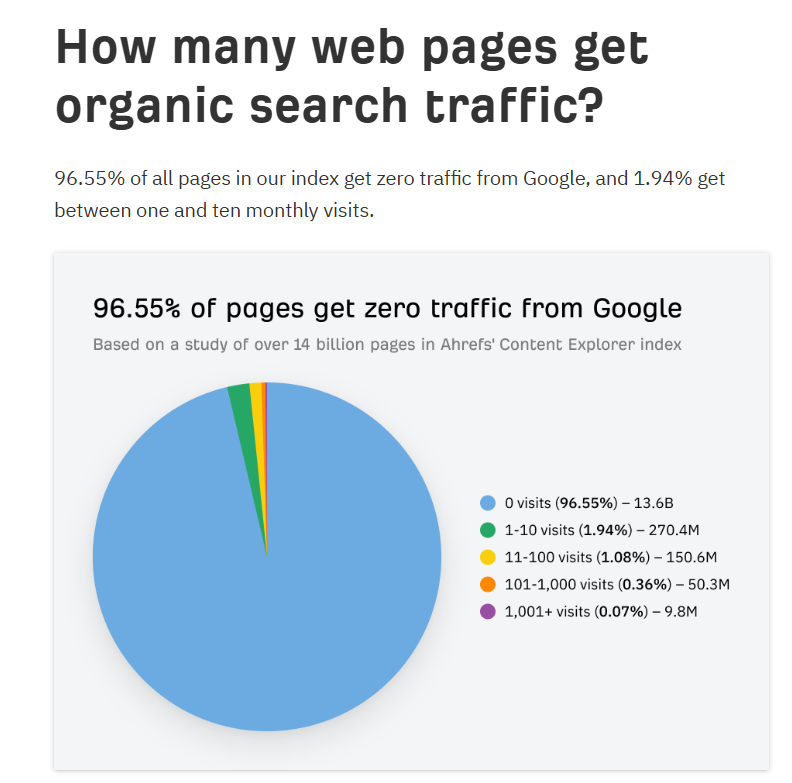
The ones that do get traffic earn it by being genuinely better than the alternatives.
How to Analyse What’s Already Ranking
Before you write anything, search your target keyword and open the top three to five results.
Ask yourself:
- How detailed is the content?
- Does it actually answer the question properly?
- Is it easy to read?
- Does it include real examples, steps, or data?
- What’s missing?
A lot of pages ranking right now are honestly average. That’s your opportunity.
For Commercial Pages: Stack Trust Signals
If you’re targeting a buying keyword, your page needs to convert. These people are ready to take action — they just need a reason to choose you.
Include things like:
- Customer reviews and testimonials
- Clear explanation of your process
- How long you’ve been in business
- How many clients you’ve helped
- Photos of your work or team
- A clear call to action

You’re not just explaining what you do. You’re proving why you’re the best option.
For Informational Pages: Stack Value
If you’re targeting an educational keyword, your page needs to be the best explanation on the internet for that topic.
Include:
- Clear, simple explanations
- Step-by-step processes
- Real examples
- Data or statistics where relevant
- Answers to related questions

This is exactly what I did with HealthVI.
We published over 100 articles in the health and weight loss space, and every single one was designed to be genuinely more useful than what was already ranking.
The result? The site went from zero to over 20,000 monthly visitors in about 12 months, ranking for over 7,500 keywords with a traffic value of over $30,000 per month.

The content wasn’t flashy. It was just better than the competition. That’s what Google rewards.
Step 4: Nail Your On-Page SEO
You can write the best piece of content for your keyword, but if your on-page SEO isn’t set up properly, Google won’t fully understand what the page is about.
On-page SEO is what tells Google: this is what my page covers, this is the keyword I’m targeting, and this is when it should show up in search results.
Think of it as giving Google clear instructions.
Where to Place Your Keyword
Your primary keyword should appear naturally in these key places:
- Title tag — this is what shows up in Google search results. It’s one of the strongest ranking signals. Include your keyword and make it compelling enough to click.
- H1 heading — the main heading on your page. Should include your keyword and clearly describe what the page is about.
- URL — keep it short and include the keyword. For example: /plumber-hamilton/
- Opening paragraph — mention your keyword within the first 100 words so Google knows the topic immediately.
- Subheadings (H2s) — use your keyword and variations naturally in your subheadings where it makes sense.
- Image alt text — describe your images using relevant keywords. Instead of uploading “IMG4729.jpg”, rename it to something like “plumber-hamilton-fixing-leak.jpg”.
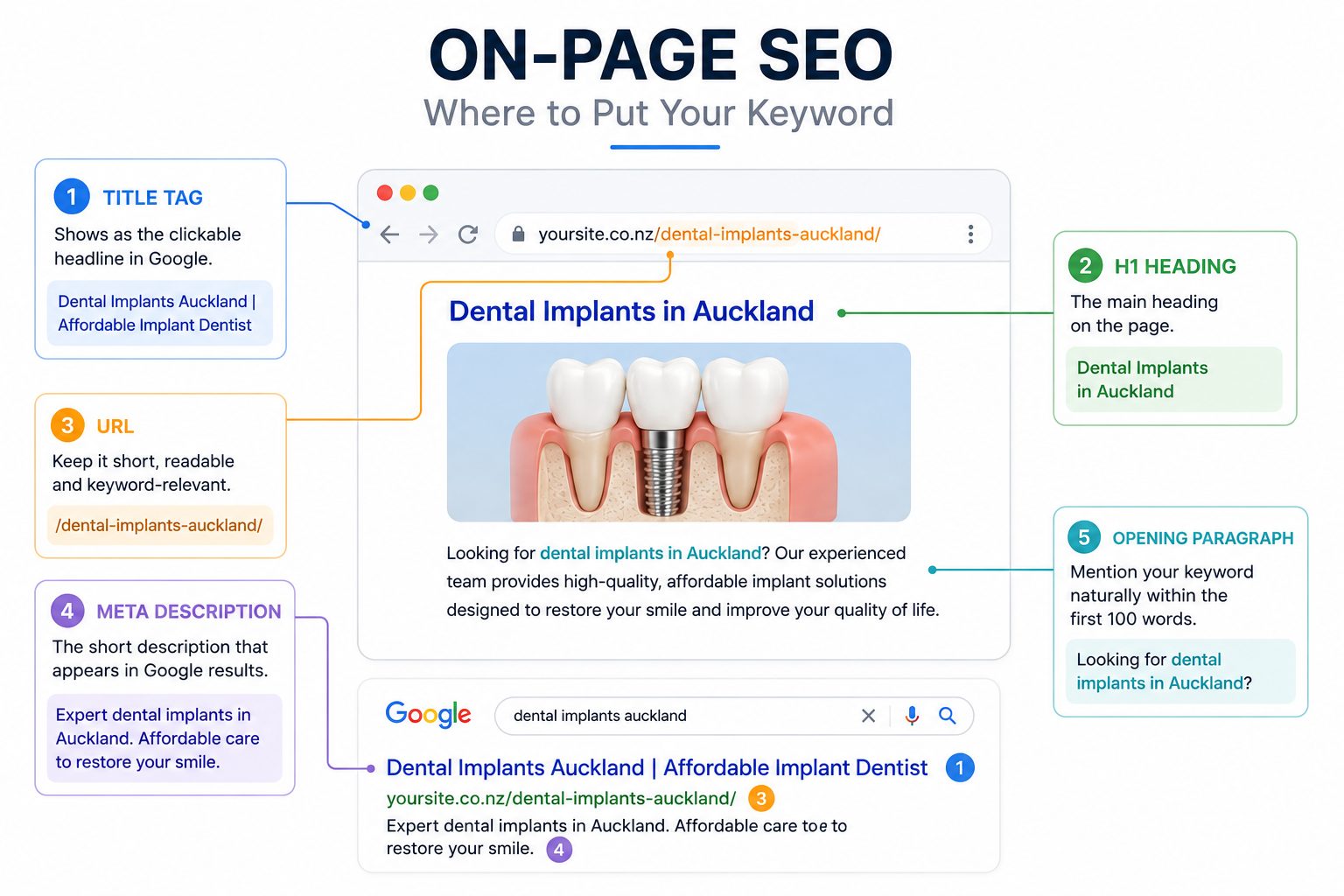
What This Looks Like in Practice
Let’s say your keyword is “dentist Auckland CBD.”
Your page might look like this:
- Title tag: Dentist Auckland CBD | Trusted Family Dental Care
- H1: Your Trusted Dentist in Auckland CBD
- URL: /dentist-auckland-cbd/
- Opening paragraph: mentions “dentist Auckland CBD” naturally
- H2s: “Our Auckland CBD Dental Services”, “Why Choose Our Auckland CBD Practice”
You’re not forcing it. You’re just making it clear.
How to Do This the Easy Way
If your site is on WordPress, use Rank Math. It’s an SEO plugin that walks you through the whole process — it tells you where to include your keyword, what you’re missing, and gives you a score out of 100.
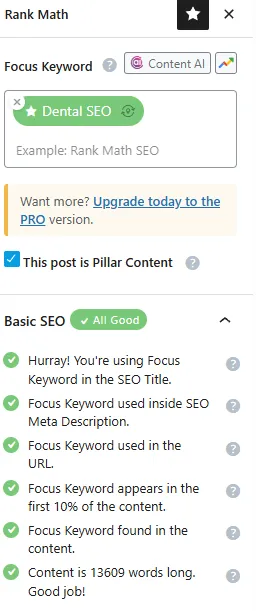
As a general rule, if your Rank Math score is above 80, you’ve covered the fundamentals properly. Don’t obsess over getting 100. Focus on good content and clear keyword placement.
Keep It Natural
This is where a lot of people mess up. They try to jam the keyword into every sentence.
You don’t need to do that. Google is smart enough to understand context.
Instead of repeating “dentist Auckland CBD” ten times, use natural variations like “dental clinic in the CBD”, “Auckland CBD dental care”, or “our dental practice in central Auckland.”
Write naturally. Focus on clarity. If it sounds robotic, you’ve gone too far.
Step 5: Fix Technical Issues
Technical SEO is like checking under the hood of your car. You want everything running smoothly behind the scenes.
You can have great content and solid on-page SEO, but if your site is slow, broken, or hard for Google to crawl, it’s going to hold you back.
Here’s what to focus on.
Run a Site Audit
Start by getting a clear picture of what’s broken.
Use an SEO tool like SEMrush to run a site audit. Enter your website, let it crawl your site, and review the issues it finds — broken links, missing tags, crawl errors, duplicate content.
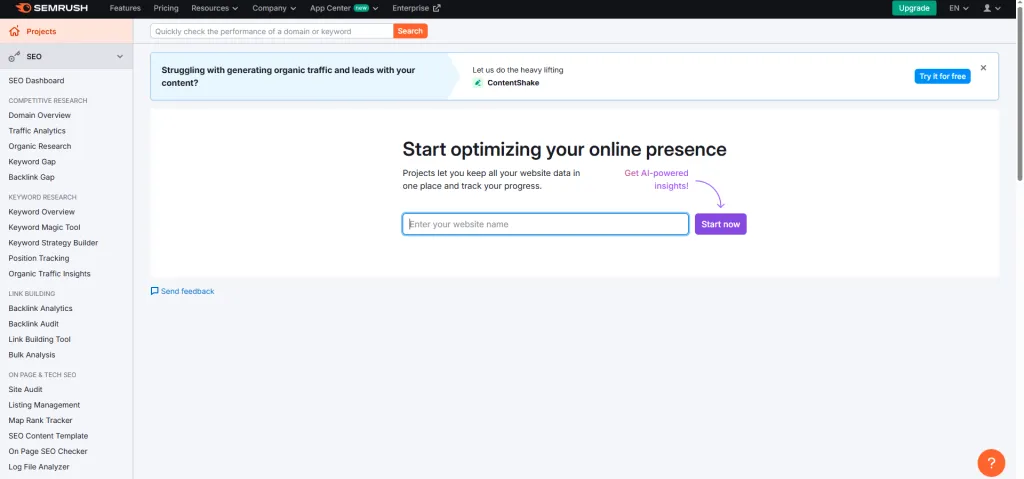
Don’t try to fix everything at once. Focus on the biggest errors first.
Check Your Site Speed
Speed matters for both rankings and conversions. A slow site frustrates visitors and sends them back to Google — which tells Google your page wasn’t good enough.
Use Google’s free PageSpeed Insights tool. Test your key pages and focus on:
- Compressing large images
- Enabling caching (WP Rocket if you’re on WordPress)
- Removing unnecessary plugins and scripts

You don’t need perfect scores. Just make sure pages load quickly on mobile.
Make Sure Your Site Is Mobile-Friendly
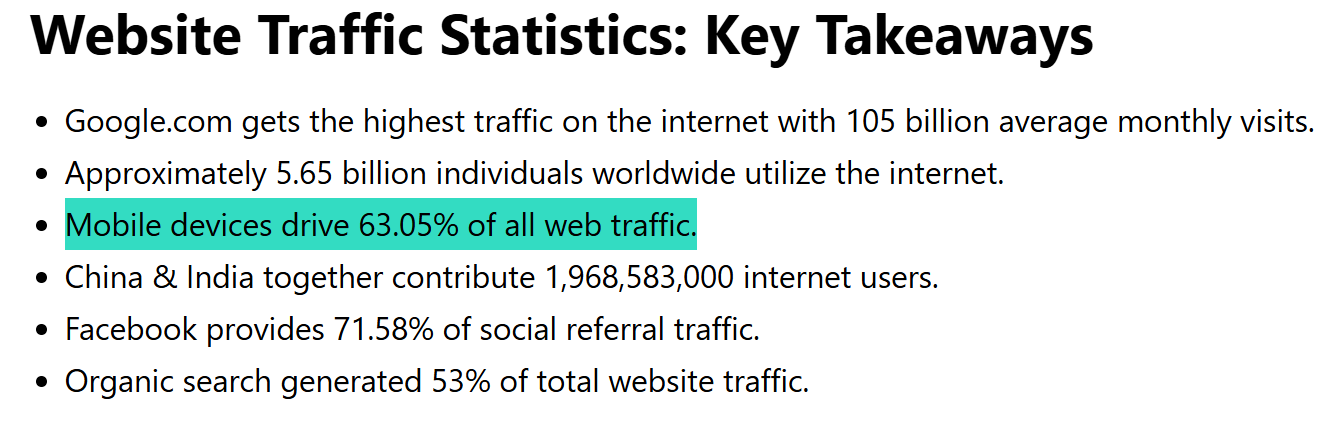
Google uses mobile-first indexing, which means it primarily looks at the mobile version of your site when deciding rankings. Mobile devices now account for over 60% of all web traffic globally, so this isn’t optional.
Pull up your site on your phone. Can you read the text easily? Are buttons easy to tap? Does the layout look right?
If it’s hard to use on mobile, it will struggle to rank.
Check Indexing
Open Google Search Console and go to the Pages/Indexing section.
Check which pages are indexed (showing up in Google) and which aren’t. Make sure your important pages — service pages, key blog posts, location pages — are not set to “noindex.”
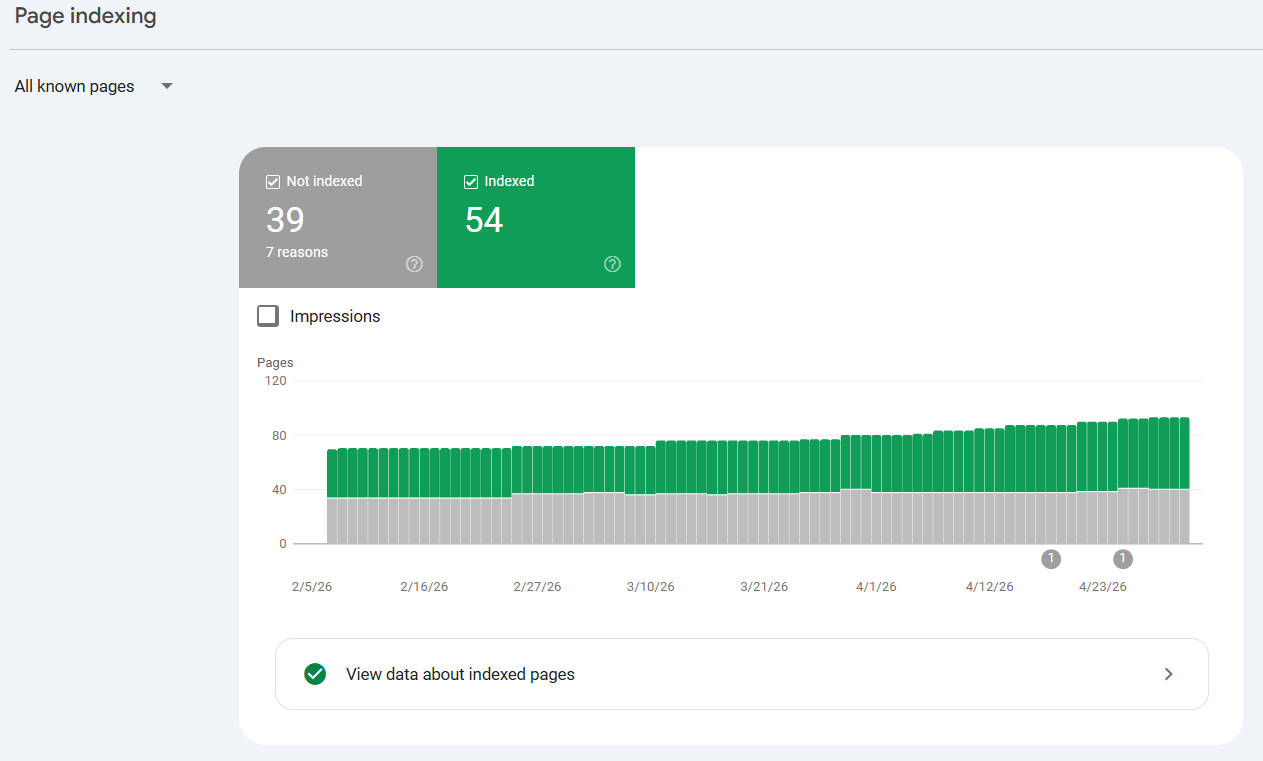
If a page isn’t indexed, it can’t rank. Simple as that.
Clean Up Your URLs
Your URLs should be short, readable, and include your keyword where relevant.
Good: /dentist-auckland-cbd/
Bad: /page?id=123&cat=services
Remove unnecessary parameters and keep things clean.
Step 6: Build Authority with Links
Backlinks are links from other websites pointing to yours. They act as votes of trust.
The more quality websites that link to you, the more Google sees your site as credible and worth ranking higher. This is still one of the most important ranking factors in 2026 — pages ranking in position one have on average 3.8 times more backlinks than pages in positions two through ten.
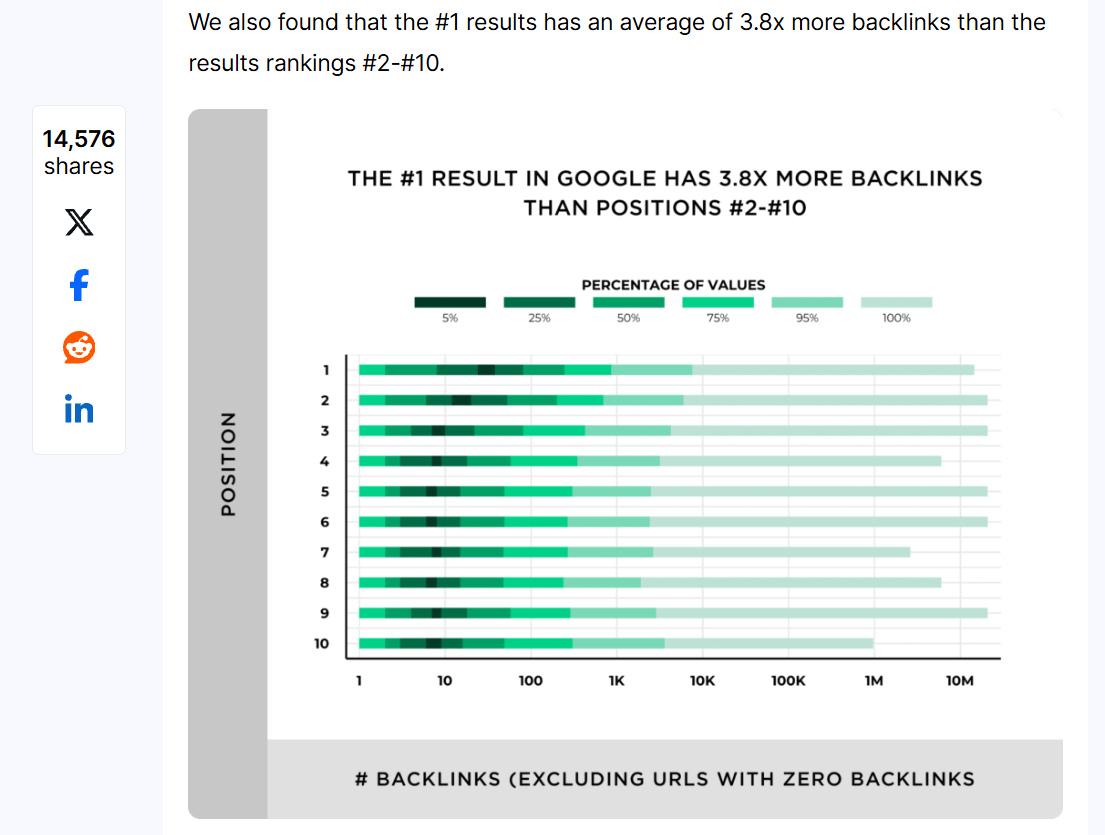
And yet, 95% of all pages have zero backlinks at all. That’s a massive opportunity if you’re willing to put in the work.
Two Ways to Build Links
1. Create Link-Worthy Content (Passive)
High-quality content naturally attracts links over time. When you create something genuinely useful — a comprehensive guide, a local resource, original data — other websites are more likely to reference and link to it.
For example, this SEO guide has earned links from other websites simply because they found it useful.

The better your content, the more links you’ll earn. This approach compounds over time.
2. Manual Outreach (Active)
You can also go out and actively build links. This is faster but requires more effort.
Some effective methods:
- NZ directories. Get listed on relevant New Zealand business directories. Industry associations, local business directories, and trusted listing sites all count. Make sure your details are consistent everywhere.
- Local partnerships. Partner with other local businesses, suppliers, or community organisations. Sponsor a local event, collaborate on a project, or get featured on a partner’s website. These relationships naturally lead to links.
- Guest posting. Find websites in your niche that accept guest content. Write a useful article for their audience and get a link back to your site.
What to Avoid
Not all links are good links.
Avoid buying cheap backlinks, using spammy directories, or anything that looks unnatural. These can do more harm than good.
Focus on relevant websites, real businesses, and genuine mentions. That’s how you build authority the right way.
Step 7: Set Up Local SEO (If You Serve a Specific Area)
If you’re a New Zealand business serving a local area, creating a local SEO strategy is one of the biggest opportunities you have.
A large portion of NZ searches have local intent — even when the person doesn’t type the suburb or city into Google. When someone searches “plumber napier” or “best café Auckland,” Google is trying to show them local results.

Here’s how to show up.
Set Up Your Google Business Profile
This is the single most important step for local visibility.
Search for Google Business Profile, create or claim your listing, and fill it in properly. That means:
- Your exact business name
- Correct address
- Phone number
- Website
- Opening hours
- The most accurate business category

Choosing the right category matters because it helps Google understand what your business does and which searches to show you for.
Build a Review System
Reviews do two jobs. They improve your visibility in local search and they help convert people once they find you.
The key is to make it systematic, not random.
After a job is done and the customer is happy, send them a direct Google review link by text or email. If they don’t leave one, follow up once. One clear ask, one direct link, one follow-up.
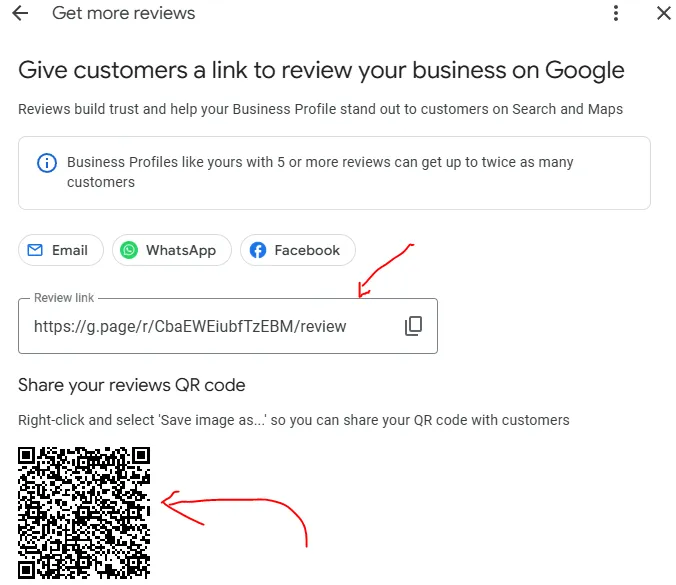
The businesses that win at local SEO aren’t doing anything fancy. They just ask consistently.
Create Location Pages
If you serve multiple areas, create pages targeting each location you actually work in.
A plumber in Auckland might have a main service page for “plumber Auckland” plus supporting pages for “plumber West Auckland” and “plumber North Shore.”
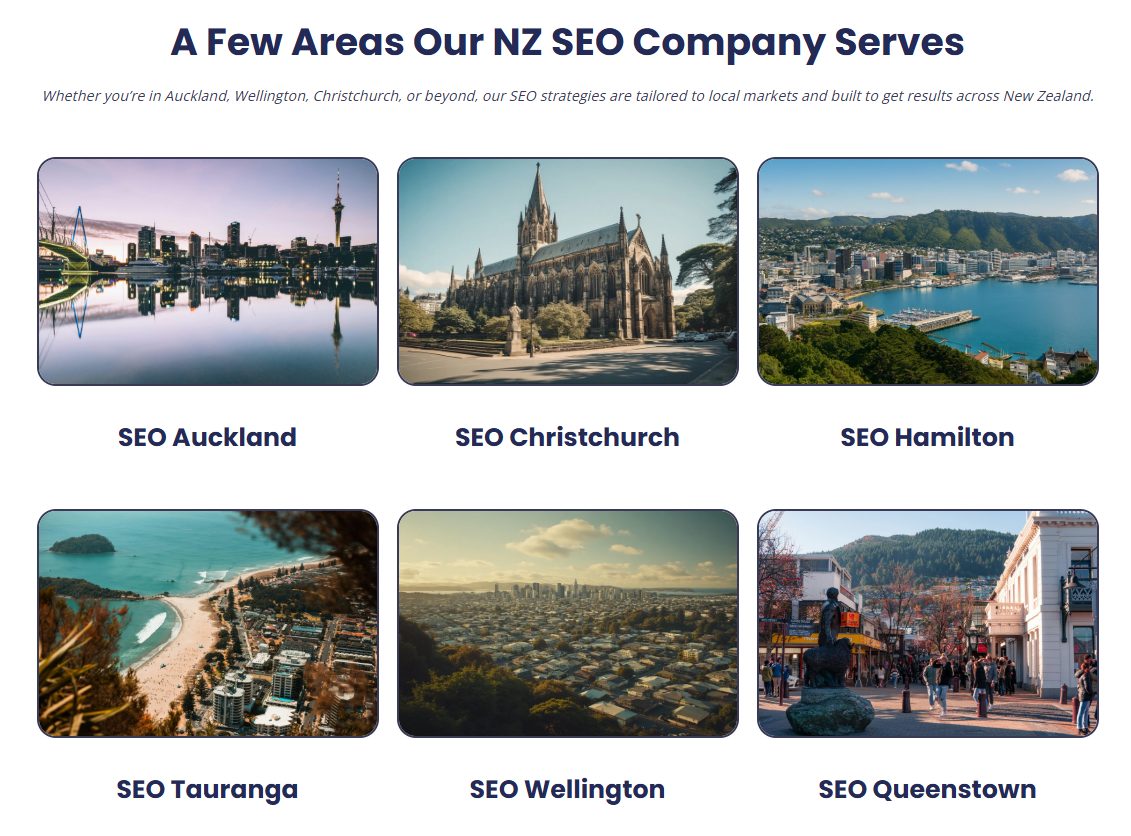
Keep these pages genuinely useful. Don’t just swap out suburb names on duplicate pages. Explain the service, mention the location naturally, and make it clear why someone in that area should choose you.
Build Local Authority Signals
Google wants proof that your business is real and relevant in your area.
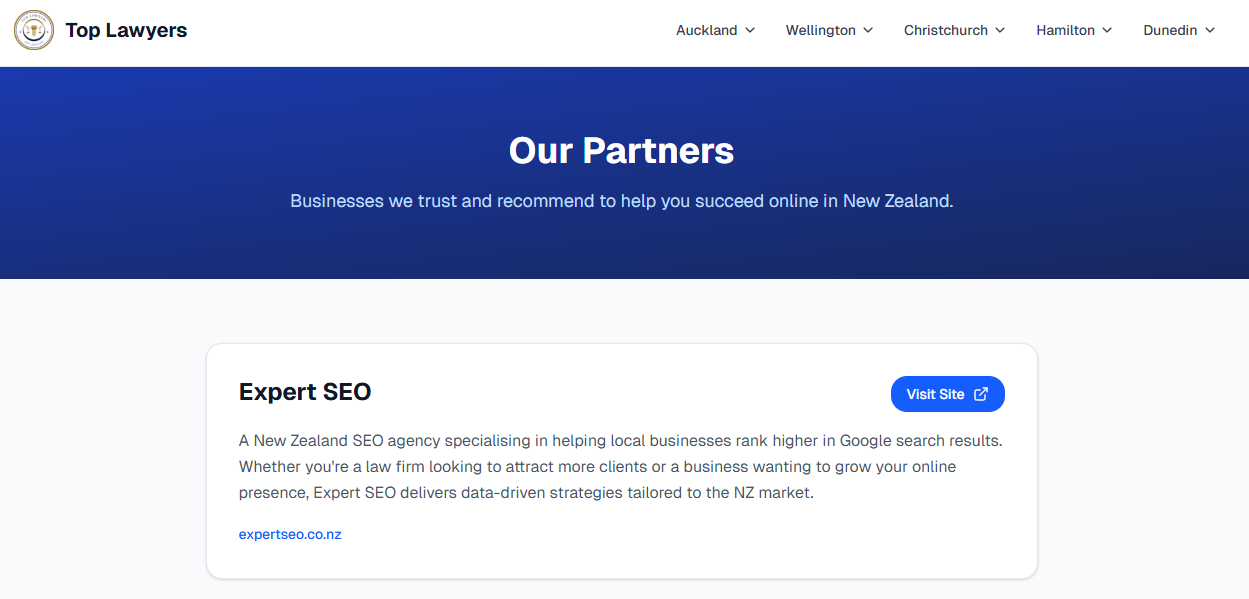
You build this through NZ directories, local sponsorships, partnerships, community organisations, chambers of commerce, and local blogs. Any time another local website mentions your business and links to you, it reinforces your local presence.
Step 8: Optimise for AI Search
SEO isn’t just about the ten blue links anymore.
More people are getting answers directly from AI — platforms like ChatGPT, Google AI Overviews, and Gemini. AI search traffic has grown by over 500% year-on-year, and AI Overviews now appear on roughly 20% of all Google searches.

If your content isn’t being used in those answers, you’re missing out on visibility. This is what AI SEO is all about.
My own site, Expert SEO, is just over six months old and it’s already being cited in Google AI Overviews and ChatGPT responses.

That’s not by accident. It’s the result of applying solid SEO fundamentals with a focus on clarity and structure.
Here’s how to optimise for it.
Answer Questions Clearly and Directly
AI tools are built to answer questions. So your content needs to start with a clear answer, then expand.
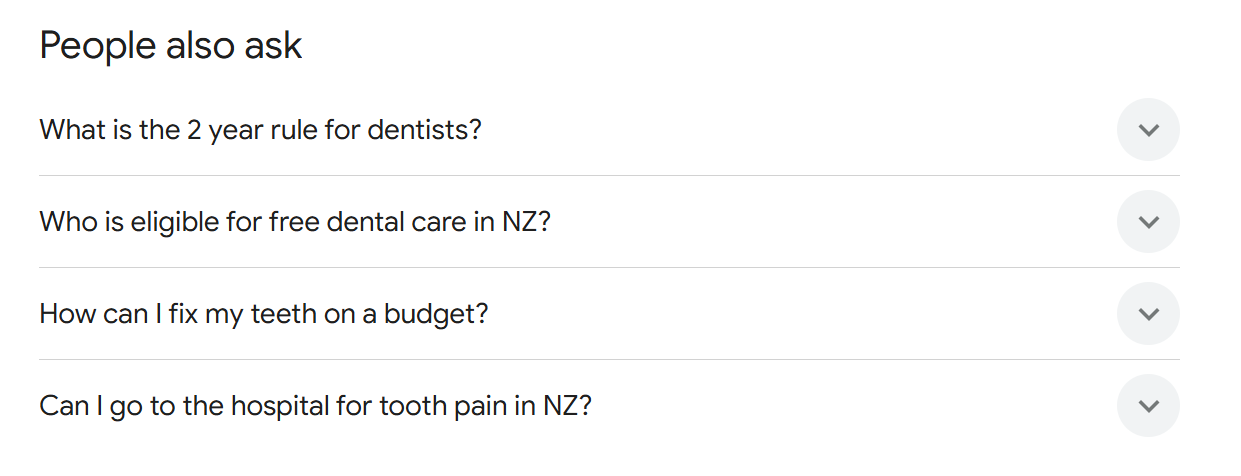
Find real questions people are asking about your topic using Google’s “People also ask” section, autocomplete suggestions, or ChatGPT. Then answer them directly in your content.
For example:
Question: How long does it take to rank higher on Google?
Direct answer: Most businesses start seeing meaningful results in 3–6 months for local SEO, and 6–12 months for broader national campaigns.
Then expand: Explain the variables, give context, provide examples.
This structure increases your chances of being pulled into AI-generated answers.
Use Clear Structure and Formatting
AI systems scan, extract, and summarise. If your content is messy or hard to follow, it’s less likely to be used.
Use clear H2 and H3 headings. Keep paragraphs short. Use lists and tables where they genuinely help. Remove unnecessary filler.
The clearer your content is, the easier it is for AI to understand and reference.
Build Topical Authority
AI systems tend to trust websites that show depth on a topic. That means covering a subject from multiple angles, not just writing one page and hoping for the best.
For example, if you’re an SEO company, you’d have pages covering keyword research, on-page SEO, technical SEO, link building, local SEO, and AI SEO — all linked together. This builds a signal that your site is a genuine authority on the topic.

Include Real-World Proof
Generic content is everywhere now. Real detail stands out.
Use examples, photos, reviews, case studies, and practitioner-level explanations. The kind of real-world results that AI can reference and that builds trust with both readers and search engines.
Step 9: Track Your Results and Keep Improving
There’s no point doing all this work if you’re not tracking what’s happening. The good news is this part is simple.
Set Up Google Search Console
Google Search Console is a free tool that shows you how your website is performing in search results. It tells you what keywords you’re showing up for, how many people are seeing your site, and how many are clicking through.
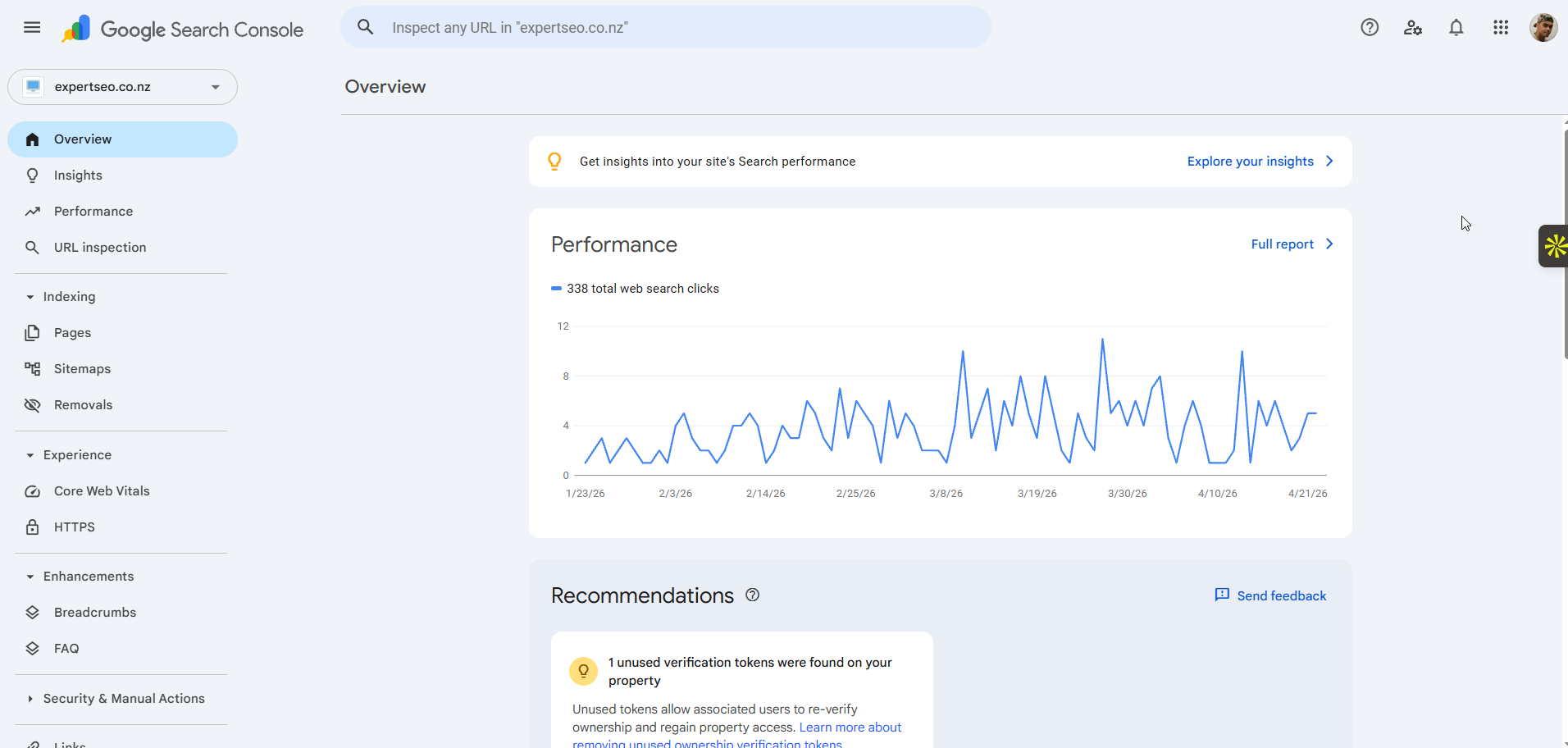
Add your website, verify ownership, and start watching the data.
Focus on Three Metrics
Impressions — how many times your site is being shown in search results. If this is growing, Google is starting to notice you.
Clicks — how many people are actually visiting from Google. This follows impressions over time.
Average position — roughly where your pages are ranking. Watch this trend downward (lower number = higher ranking).

As long as these are moving in the right direction, your SEO is working.
Pro tip: In the early stages, especially with a new website, don’t stress about clicks. Focus on impressions first. If Google is showing your site more, clicks will follow naturally.
Update Old Content
Some of your easiest wins will come from improving pages you already have.
Look in Google Search Console for pages getting impressions but not many clicks, or pages ranking on page two. These are close to breaking through. Update the content, improve the title tag, strengthen internal links, and refresh anything outdated.
Build Internal Links as Your Site Grows
Once your site has multiple pages, internal linking becomes increasingly important.
Link your blog posts to your service pages. Link related articles to each other. Use natural anchor text that describes what the linked page is about.
This helps Google understand what your most important pages are and distributes authority across your site.
Stay Consistent
SEO compounds. Every piece of content, every link, every improvement stacks on top of the last one.
The businesses that get results are the ones that keep showing up. The ones that fail are the ones that stop after two months because they haven’t hit page one yet.
What to Do Once You’re Ranking
Getting to page one is only half the job. Staying there is the other half.
Once a page is ranking well, don’t just leave it and move on. Your competitors are still publishing, still building links, and still improving their content. If you stop, they’ll overtake you.
Here’s what to focus on:
- Keep the content fresh. Update stats, add new sections, and remove anything outdated. A “last updated” date signals to both Google and readers that the content is current.
- Monitor your rankings monthly. If a page drops from position 3 to position 7, that’s your cue to revisit it. Check whether a competitor published something better, or whether the page needs a content refresh.
- Keep building links to your best pages. A page that ranked with five backlinks might need ten to stay there as competition increases.
- Expand around the topic. If your main page ranks well, create supporting content that links back to it. This strengthens topical authority and makes the main page harder to displace.
Ranking isn’t a finish line. It’s a position you maintain through consistent effort.
Common SEO Mistakes That Waste Your Time
Before you start working through the steps above, it’s worth knowing what trips most people up. These are the mistakes I see NZ businesses make over and over again.
Targeting Keywords Nobody Searches For
It doesn’t matter how well you optimise a page if nobody is searching for that keyword. Always validate your keywords with real data — Google Keyword Planner, SEMrush, or Ahrefs — before you spend time creating content around them.
Ignoring Search Intent
This is probably the most common mistake. You create a blog post for a keyword that Google clearly wants a service page for, or vice versa. Always check what’s ranking before you decide what type of page to build. Google has already told you what it wants.
Publishing Thin Content and Hoping for the Best
A 300-word page with no examples, no depth, and no real value isn’t going to rank. The top results for most keywords are comprehensive, well-structured, and genuinely useful. If your page doesn’t match that standard, it won’t compete.
Buying Cheap Backlinks
This is a shortcut that almost always backfires. Google is very good at identifying unnatural link patterns. Cheap backlinks from irrelevant or spammy websites can actually hurt your rankings instead of helping them. Build links the right way — through quality content, real relationships, and genuine outreach.
Skipping Technical Basics
You can have the best content in the world, but if your site is slow, broken on mobile, or blocking Google from crawling important pages, you won’t rank. Run a site audit before you invest heavily in content.
Giving Up After Two Months
SEO takes time. If you publish a few pages, wait six weeks, see no movement, and quit — you’ve wasted that entire effort. The results are coming, but they compound over months, not days. The businesses that win at SEO are the ones that stay consistent long enough for the work to pay off.
How Long Does It Take to Rank Higher on Google?
This depends on two things: how well you execute, and how competitive your market is.
A 2025 Ahrefs study analysing millions of URLs found that only 1.74% of newly published pages reach the top 10 within a year, and the average page ranking in position one is around five years old.

That sounds discouraging, but it’s actually good news for NZ businesses — because most of your local competitors aren’t doing SEO properly either. If you follow a clear process, you can move much faster than the global average.
For local SEO campaigns (targeting a specific city or region), you should start seeing solid improvements around the three-month mark. By six months, you should have real momentum if you’re doing things properly.
For national or broader SEO campaigns, don’t expect meaningful results in a few weeks. Six months is usually the minimum to start seeing traction, and the best results often come after 12 months of consistent work.
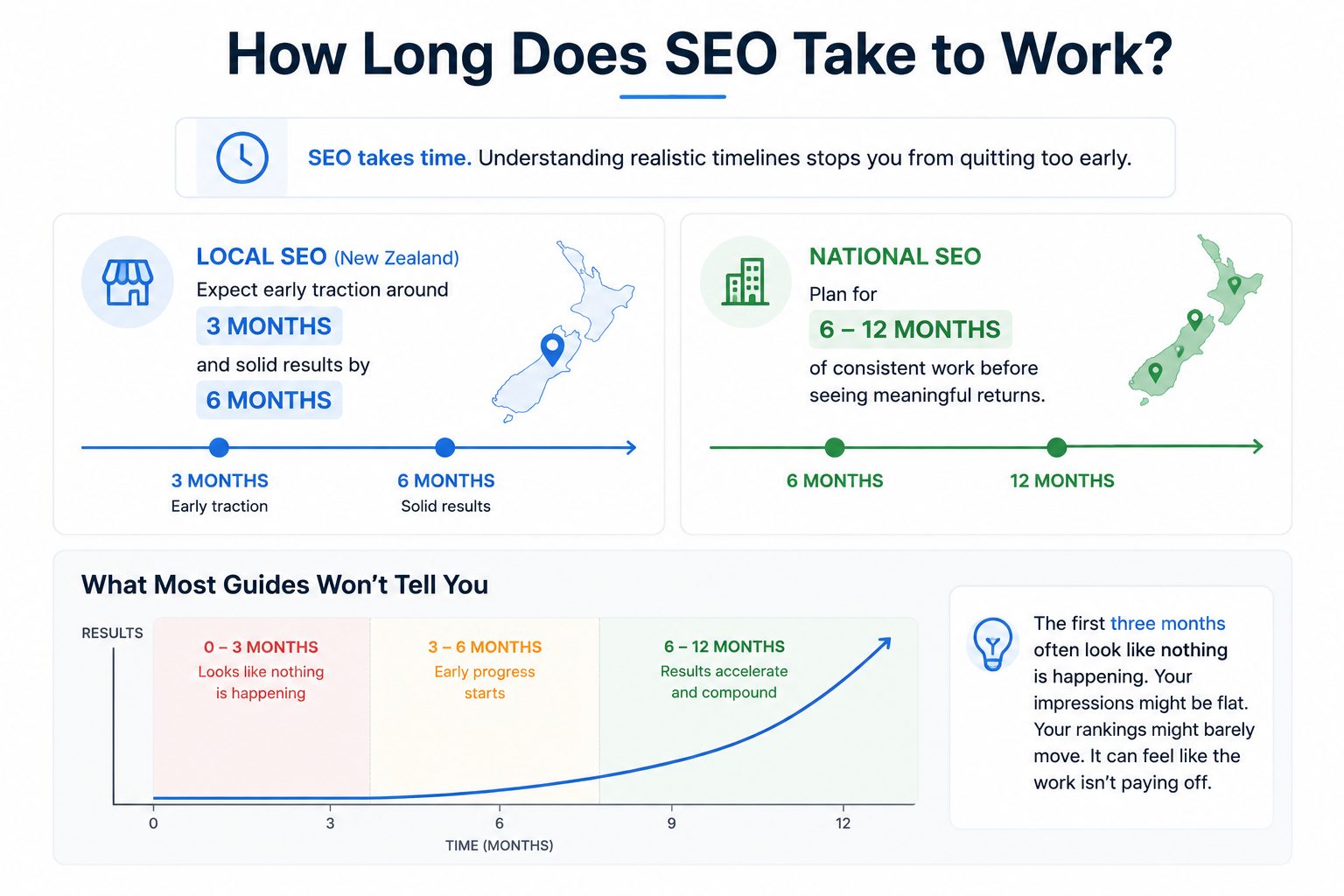
The key thing to understand is that SEO compounds. The more you do it, the better it gets. Every piece of content, every link, every update builds on what came before.
This is where most people fail. They stop right before things start working. SEO has the ability to fuel your business long term — consistent traffic, leads, and customers without paying for ads.
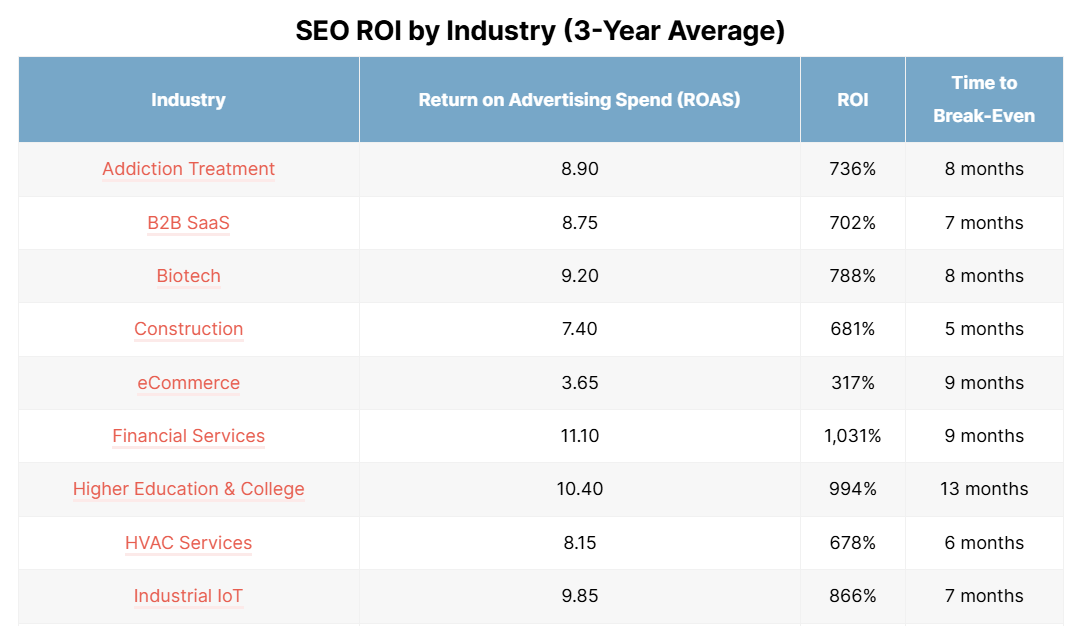
When done properly, SEO can deliver up to 700% ROI over time. But you only get that outcome if you commit to it.
Is SEO Still Worth It in 2026?
This is the question I get asked more than almost anything else right now. With ChatGPT, AI Overviews, and voice search changing how people find information, is it still worth investing in SEO?
The short answer: yes. And arguably more than ever.
Here’s why.
AI search tools still need sources.
When ChatGPT answers a question about plumbing in Hamilton, it’s pulling that information from somewhere — usually from websites that have strong content, clear structure, and real authority. The sites doing good SEO are the ones getting cited.
Google isn’t going anywhere either.
Despite all the noise about AI replacing search, Google still processes billions of searches every day. People still Google “plumber near me” and “best dentist Auckland.” That behaviour isn’t disappearing anytime soon.
What has changed is that SEO done poorly is now worthless. Thin content, keyword stuffing, and spammy backlinks don’t just underperform — they get filtered out entirely. The bar for quality has gone up, which means the businesses doing it properly have less competition, not more.
The real risk isn’t that SEO stops working. It’s that you wait too long to start while your competitors build an advantage that becomes harder to close.
Do It Yourself vs Hire an SEO Expert
You’ve got the full system now. From here, you have two paths.
Option 1: Do it yourself. Follow the steps in this guide, put in the time, and you can absolutely get results. Just expect a learning curve, consistent effort, and some trial and error along the way.
Option 2: Work with an SEO expert. If you want faster, more predictable results without having to figure everything out yourself, you can outsource it. You get strategy, execution, and ongoing optimisation handled for you.
We help businesses across New Zealand rank higher on Google, including:
If you’re happy to DIY, use this guide and work through it properly. If you want it done right and done faster, get in touch.
How to Rank Higher on Google: FAQ
How much does it cost to rank higher on Google?
You can improve your rankings for free using the steps in this guide and tools like Google Search Console, Google Keyword Planner, and ChatGPT. If you hire an SEO professional in New Zealand, expect to invest anywhere from $1,000 to $5,000+ per month depending on the scope and competitiveness of your market.
Can I rank on Google for free?
Yes. SEO is fundamentally about earning organic rankings, not paying for them. The tools you need to get started — Google Search Console, Google Keyword Planner, and your own knowledge of your business — are all free. What you invest is your time and effort.
What is the most important factor for ranking higher on Google?
There isn’t one single factor. Google evaluates a combination of content quality, relevance to search intent, website authority, technical health, and user experience. If forced to pick the most important starting point, it’s creating content that genuinely matches what the searcher is looking for — better than what’s already ranking.
Does AI-generated content rank on Google?
AI can help with research and drafting, but purely AI-generated content often underperforms. Google prioritises content that demonstrates real experience, expertise, and genuine value. The best approach is to use AI as a tool to speed up your process, but make sure the final content includes your own insight, examples, and perspective.
How do I know if my SEO is working?
Track three metrics in Google Search Console: impressions (is Google showing your site more?), clicks (are people visiting from search?), and average position (are your rankings improving?). If these trend upward over time, your SEO is working. For local businesses, also monitor your Google Business Profile insights for views, calls, and direction requests.
How long does it take to rank higher on Google?
For local SEO, expect to see meaningful improvements around 3 months, with strong momentum by 6 months. For national campaigns, 6 months is typically the minimum for traction, with the best results coming after 12 months of consistent effort. SEO compounds over time — the longer you stay consistent, the stronger your results become.