

If you’ve spent any time reading about SEO, you’ve probably run into keyword cannibalisation twice — and been told two completely opposite things.
One article says it’s quietly strangling your rankings and you need to fix it now.
The next says it’s overblown nonsense that barely moves the needle.
So which is it?
Both, sort of. And that’s the real problem: almost nobody gives you a straight answer on when it’s worth your time and when it’s fine to leave alone.
That’s what this guide fixes. I’ll show you what keyword cannibalisation actually is, why it messes with your SEO, how to check your own site for it in about ten minutes, and how to sort it out — including the times when the smartest move is to do nothing at all.
I run an SEO company here in NZ, and I think about this stuff basically every time I sit down to write a new piece of content (yes, it’s a bit of an obsession). So everything here is the process I actually use, not textbook theory.
Let’s get into it.
What Is Keyword Cannibalisation?
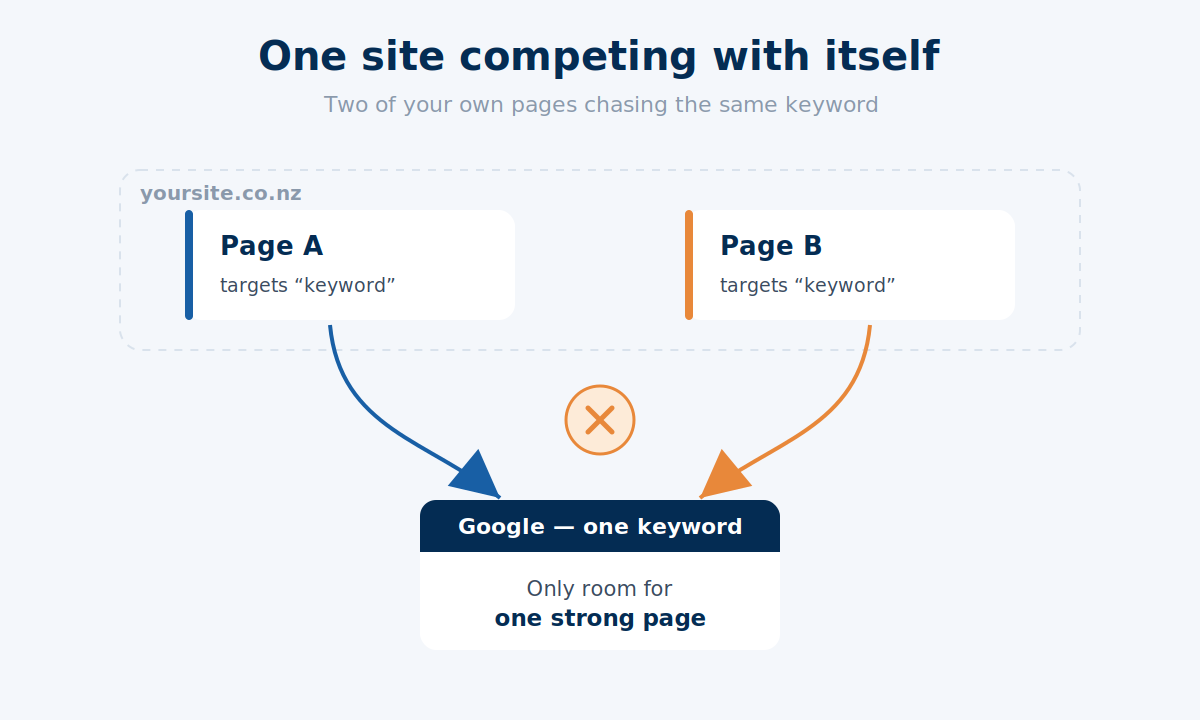
Keyword cannibalisation is when two or more pages on your own website target the same keyword and the same search intent, so they end up competing against each other instead of one strong page ranking on its own.
In plain terms: your site is competing with itself.
Here’s how it usually happens. Say you’re doing SEO in Auckland for a dentist.
You write one page targeting “dentist Auckland,” and months later you — or someone on your team — publish another that quietly drifts into the same territory.
Now you’ve got two pages chasing the same term, and Google has to pick between them, or split the difference and rank neither one well.
It’s worth knowing there are two flavours of this, because people mix them up.
Keyword cannibalisation is the narrow version: two pages going after the exact same keyword.
Content cannibalisation is the broader one: two pages covering the same topic, even when the exact keywords differ.
The fix is much the same for both, so don’t get hung up on the label. If two pages are fighting over the same ground, you’ve got something worth a look.
Why Does Keyword Cannibalisation Hurt Your SEO?
When two of your pages chase the same keyword, you hand Google a muddy signal about which one to trust — and muddy signals are the enemy of good rankings.
Think about what you actually want from a healthy site.
One core keyword. One piece of content built to target it. One clear answer to the searcher’s problem. That’s a clean signal, and Google rewards clean signals with better rankings.
Cannibalisation breaks that flow. Instead of one confident page, you’ve got two half-confident ones, and a few things start to go wrong.
Your authority gets split. Backlinks and internal links that should be stacking up behind one page get spread across two, so neither builds the strength it could.
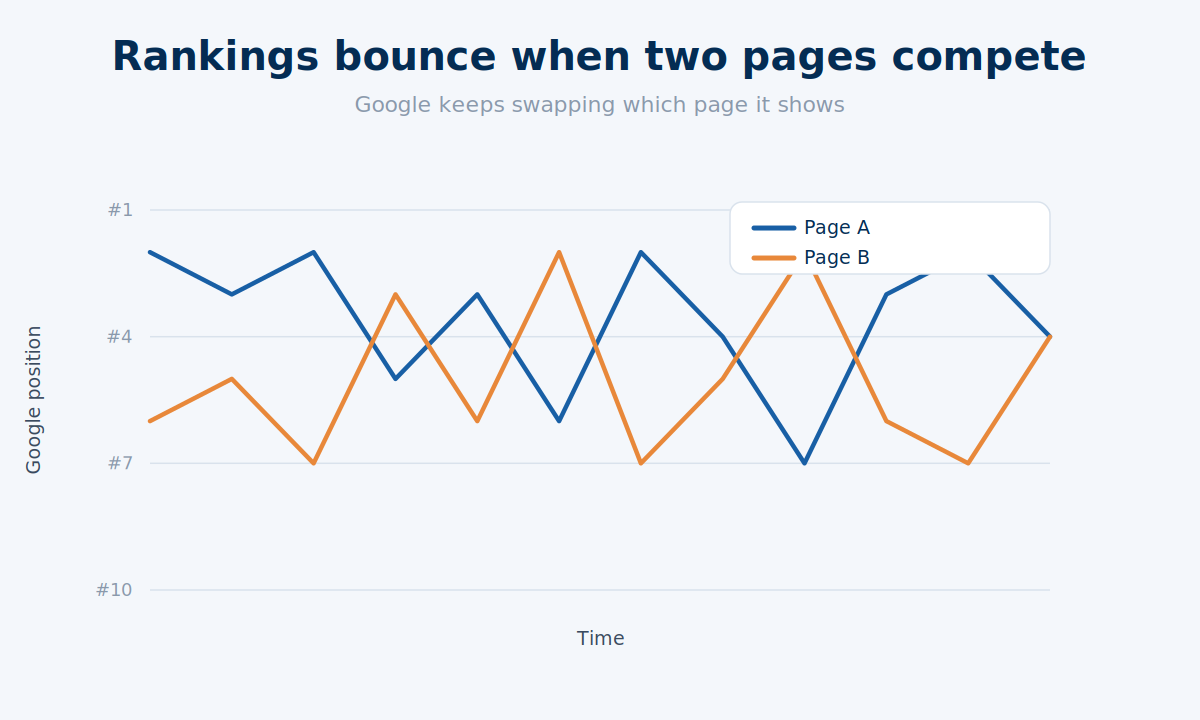
Your rankings get twitchy. Google keeps swapping which page it shows, so your position wobbles like a supermarket trolley with a dodgy wheel instead of settling into place.
Your click-through rate takes a hit. When Google serves the “wrong” one of your two pages, it might not be the version that best answers the query, and people scroll straight past.
There’s also a hard ceiling working against you.
Since 2019, Google usually shows no more than two results from the same domain for a given search. So when two of your own pages compete for one keyword, you’re not just confusing Google — you’re burning one of your two precious slots fighting yourself.

Keep it clean and the opposite happens: every page has one job, the signals stack up behind it, and your best content gets the room to climb.
When Is Keyword Cannibalisation Actually a Problem?
Here’s the part most guides skip: a lot of what gets flagged as cannibalisation isn’t worth fixing at all.
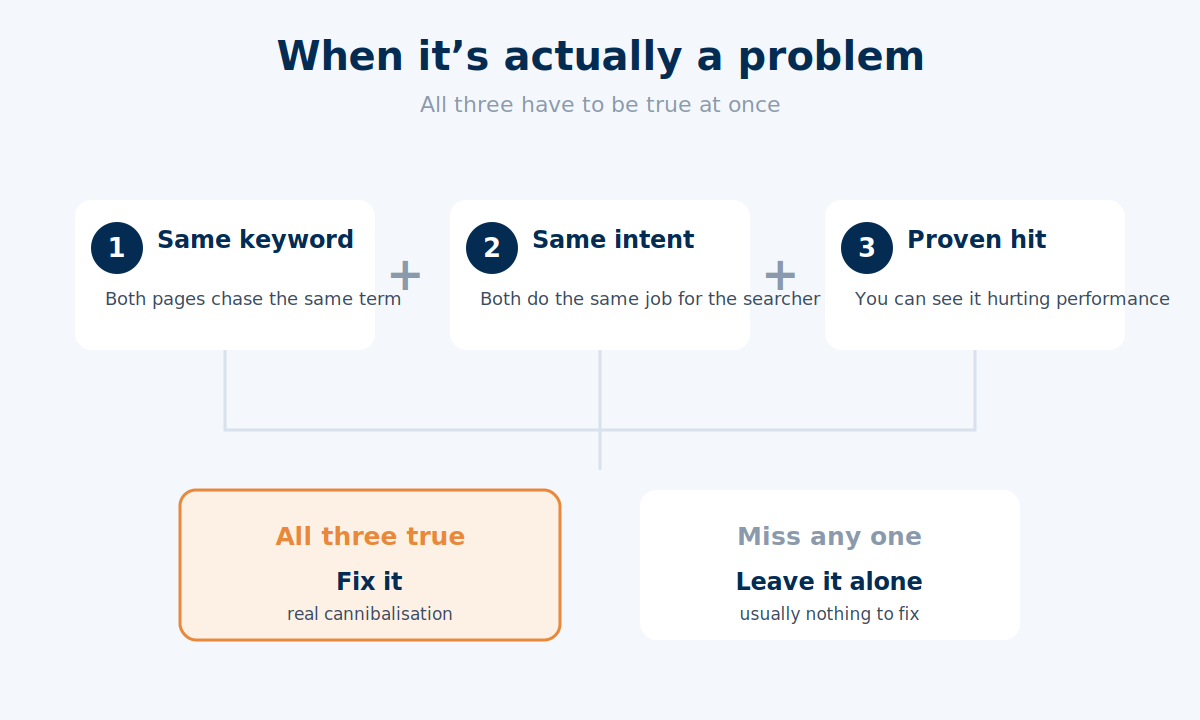
It’s only a real problem when three things are true at the same time:
- The pages target the same keyword.
- The pages serve the same intent — they’re trying to do the same job for the same searcher.
- You can see it hurting you — split rankings, one page dragging the other down, less traffic than a single strong page would pull.
Miss any one of those, and there’s usually nothing to fix.
This matters because the panic around cannibalisation is overblown. Ahrefs looked at their own site and found thousands of “cannibalisation” cases — and almost none of them needed fixing.
Their own Patrick Stox called the idea that Google simply ranks the “wrong” page and you must scramble to fix it “preposterous.” He’s right.
Here’s one of their own examples: a glossary article and a tool page that have both ranked for the same term for over half a year, side by side, no swapping and no problem.

So let me clear up the two situations that look like cannibalisation but aren’t.
Different intent, same keyword — totally fine. Two pages can target the same keyword happily if they’re answering different needs.
Picture SEO for a Wellington business that installs heat pumps: a blog post explaining how heat pumps work and a service page selling the installation can both rank for related terms, because one informs and one sells. Different jobs, no fight.
Natural topic overlap — also fine. This one trips people up, so here’s a real example from my own site.
My link building guide mentions guest posting. Of course it does — you can’t talk about link building without it. But it only touches on guest posting briefly.
That doesn’t stop me writing a dedicated guest posting guide that goes deep. The link building guide gives guest posting a sentence; the guest posting guide gives it the full treatment.
Different depth, different target keyword, different intent — so the two don’t cannibalise each other. They actually support each other.

That’s the mindset shift.
Overlap isn’t the enemy. Two pages fighting for the same keyword, the same intent, and losing because of it — that’s the enemy.
How to Find Keyword Cannibalisation
The quickest way to check is a Google site search; the most reliable is Google Search Console. Both are free, and between them you’ll know in about ten minutes whether you’ve got a problem.
The Site Search Method
Go to Google and type this, swapping in your own domain and keyword:
site:yourdomain.co.nz "your keyword"
That tells Google to show you every page on your site that targets that phrase. If two or more of your own URLs come back looking like they’re going after the same thing, that’s your first flag.
Say you’re doing SEO in Christchurch for a builder. You’d run site:yoursite.co.nz "builder christchurch" and see whether two of your pages come back — an old blog post and a service page, say, both chasing the same term.
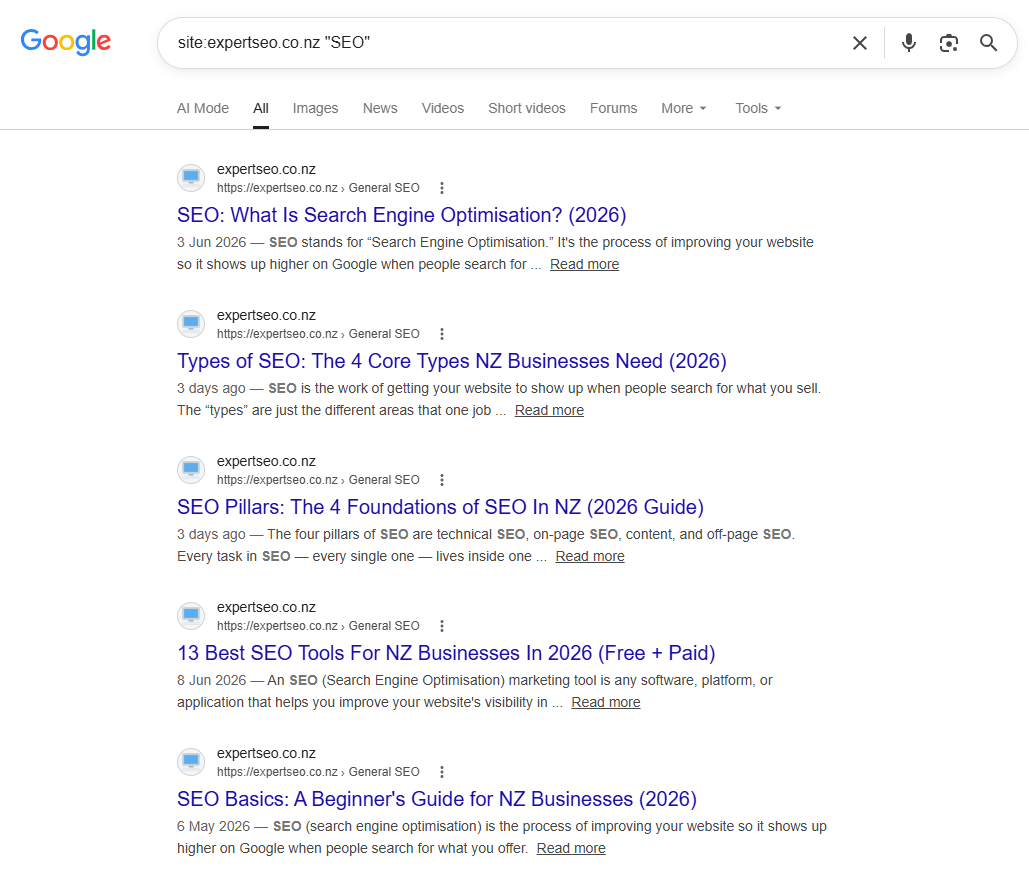
Fair warning: this is a rough check, not a verdict. Google will surface any page that so much as mentions the phrase, so use it to spot suspects, not to convict them.
The Google Search Console Method
This is the one I trust, because it runs on your actual ranking data.
Here’s the walk-through:
- Open Google Search Console and click Performance, then Search results.
- Set the date range to the last three or six months so you’ve got enough data to work with.
- Find a keyword you care about in the Queries list and click it — that filters everything down to just that query.
- Now click the Pages tab.
If one URL shows up for that query, you’re clean. If two or more of your pages are pulling impressions and clicks for the same query, you’ve likely got competing pages.
Then do the human bit: open both pages and ask whether they’re honestly trying to do the same job. If they are, you’ve found real cannibalisation. If they’re serving different intents, leave them be — remember the rule.
The Fluctuation Tell
There’s one more signal worth watching: rankings that bounce around for no obvious reason.
If a page’s position for a keyword keeps jumping — top of page one one week, buried the next — that’s often Google flip-flopping between two of your pages because it can’t decide which one deserves the spot.
Paid tools make this easier to see. Ahrefs’ Site Explorer has a “multiple URLs” toggle that surfaces terms where more than one of your pages ranks, and Semrush has a dedicated cannibalisation report inside its Position Tracking tool. But you don’t need to spend a cent to get started — Search Console does the job.
How to Fix Keyword Cannibalisation
There’s no single fix, and that’s the bit people get wrong — they merge everything in a panic. The right move depends on whether both pages earn their keep, and whether they share the same intent.
None of these are hard, but they take a careful hand — pick the wrong one and you can knock out a page that was ranking fine.
That’s where done-for-you SEO earns its keep, though there’s nothing here you can’t do yourself.
Here’s how to choose:
| Situation | The fix |
|---|---|
| Both pages cover the same ground, one’s clearly stronger | Merge and redirect |
| Both pages deserve to exist but overlap too much | Re-target one around a different keyword |
| Both must stay live (common in ecommerce) | Canonical tag |
| A page needs to exist for users but shouldn’t rank | Noindex |
| The pages are fine, the signals just need tidying | Internal links |
Let me walk through each one.
Merge and Redirect
This is the go-to when two pages are basically doing the same job and one’s outperforming the other.
Say you’re doing SEO for a Tauranga business with two pages both chasing “kitchen renovations tauranga” — an old blog post and a newer service page.
Take the best bits of the weaker one, fold them into the stronger page so nothing useful gets lost, then set up a 301 redirect from the old URL to the page you’re keeping.
The redirect passes the old page’s authority across, so you’re consolidating strength rather than binning it.
Re-target Around a Different Keyword
Sometimes both pages deserve to live — they’ve just ended up aimed at the same term by accident.
In that case, pick the page ranking best and let it keep the keyword. Then re-optimise the other one around a related but distinct term with its own intent. Two pages, two keywords, no more fighting.
Canonical Tag
If both pages genuinely need to stay live — which happens a lot on ecommerce sites with near-identical product pages — a canonical tag tells Google which version is the boss.
You add a rel="canonical" tag on the weaker page pointing at the main one. Google then rolls the ranking signals up to your preferred page instead of splitting them.
Noindex
Every so often you’ve got a page that has to exist for users but has no business competing in search — a thin variant, a print version, that kind of thing.
A noindex tag keeps it out of the results entirely, so it can’t cannibalise anything. Use this one sparingly, though; it’s a scalpel, not a hammer.
Tidy Your Internal Links
Even after you’ve picked a winner, your own internal links can keep confusing Google if they point all over the place.
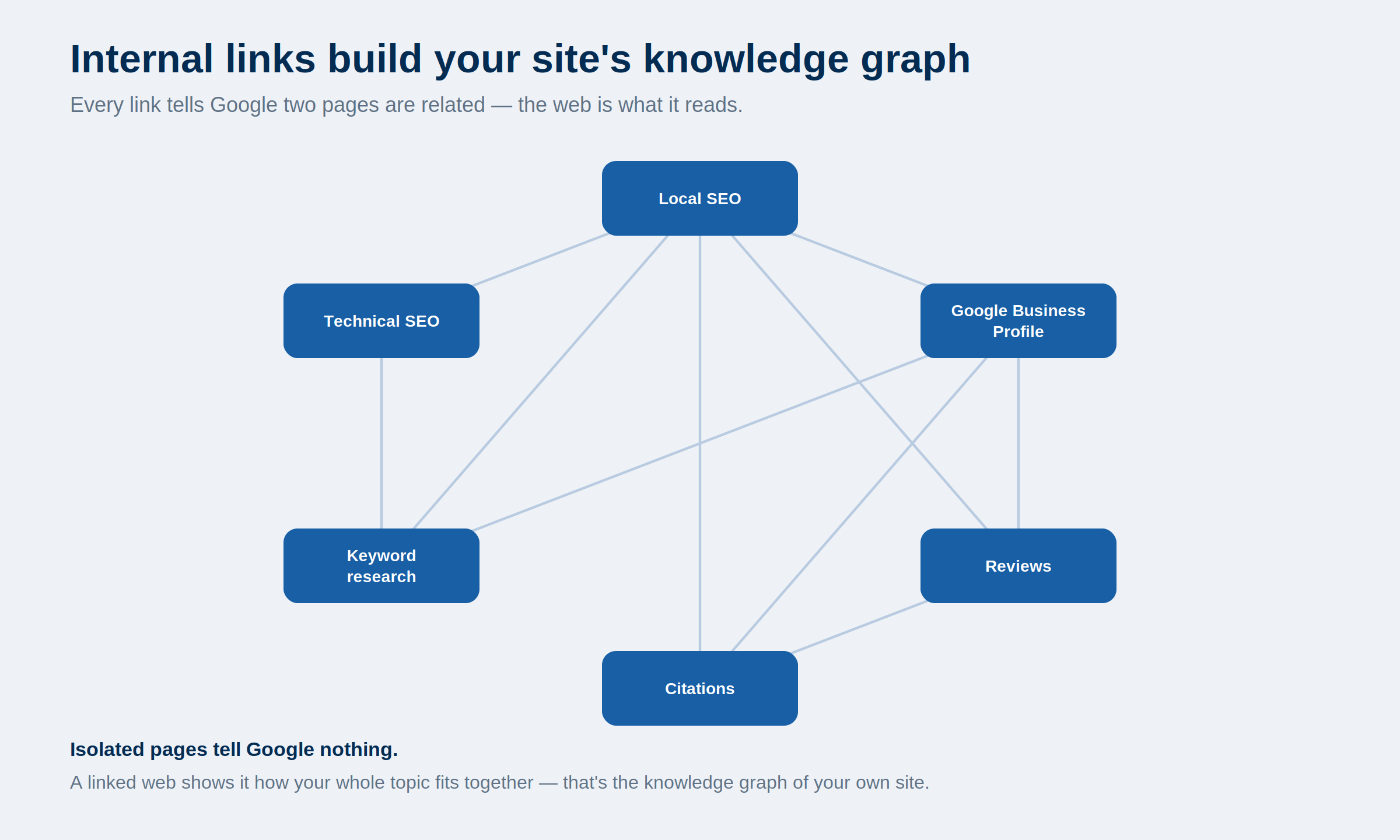
Link to the page you want ranking using clear, consistent anchor text, and point your other relevant pages at it too. It’s a small nudge, but it tells Google exactly which page you’re backing.
A Real Example From My Own Site
Let me show you a cannibalisation call I’m making on Expert SEO right now, because it’s cleaner than any made-up scenario.
When I wrote my original keyword research guide, I included a decent chunk on building a keyword research checklist. Made sense at the time — a checklist sits naturally inside a guide about keyword research.
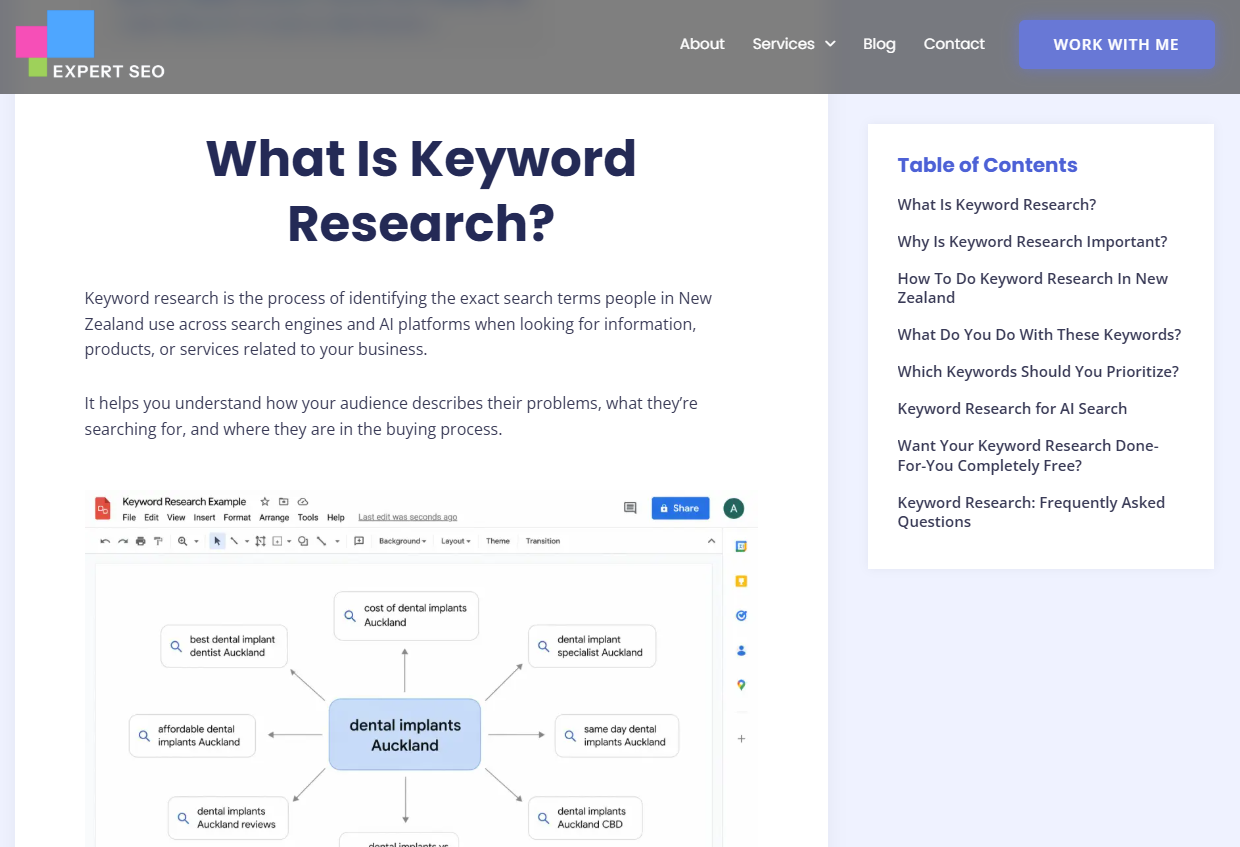
Here’s the problem. I’m now building a separate, dedicated guide targeting “keyword research checklist” as its own keyword.
If I leave that big checklist section sitting inside the original guide, I’ve handed myself a cannibalisation problem before the new guide is even published.
Two of my pages would be going after the same keyword and the same intent — the exact thing I’ve spent this whole article telling you to avoid.
So I’m pulling the checklist section out of the original guide and letting the dedicated guide own that keyword cleanly.
That’s the whole game: I’m dealing with cannibalisation by preventing it, not by cleaning it up later. The original guide stays focused on keyword research. The new guide owns the checklist keyword. Each page has one job.
This is the kind of call I’m weighing constantly — which brings me to the best way to handle cannibalisation, which is to never let it happen in the first place.
How to Prevent Keyword Cannibalisation
The best fix for cannibalisation is never needing one. Give every page a single keyword and a single job, and vet new content before you write it — not after it’s live and already competing.
Two habits do most of the heavy lifting.
Keep a Keyword Map
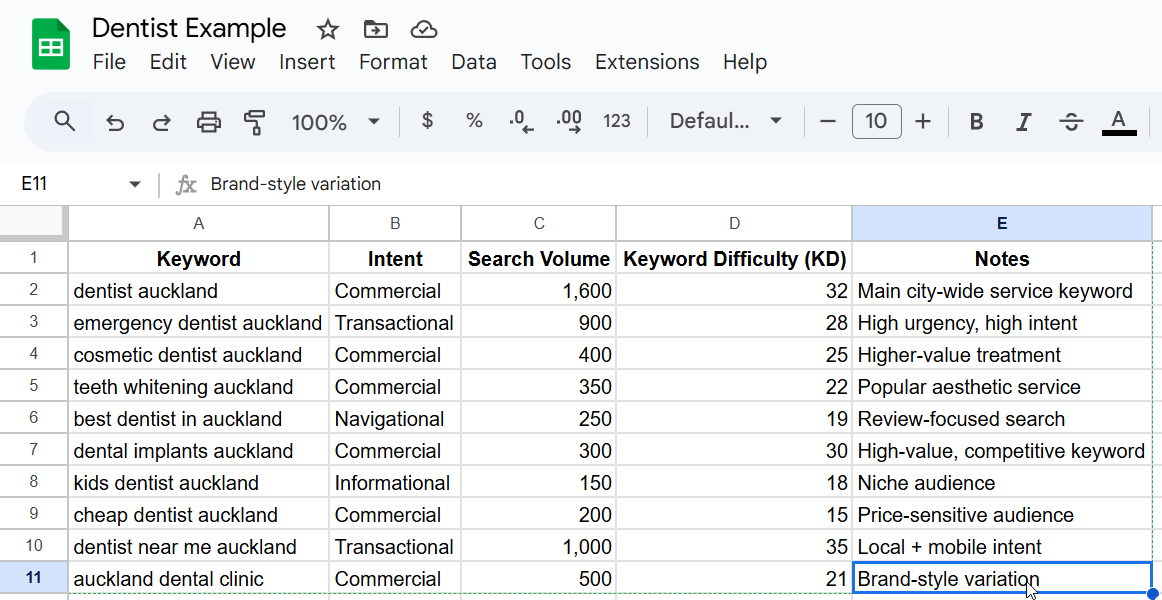
A keyword map is just a simple record of which page owns which keyword. A spreadsheet is plenty: one column for the keyword, one for the URL that targets it, one for the intent, one for the content type.
The rule is one keyword to one URL. Before you publish anything new, glance at the map. If the keyword’s already taken, you’ve caught the problem before it started.
Do the Gut-Check Every Time
This is the habit I lean on most. Before I write a single new piece, I ask one question: is this genuinely new, or does it already live on another page?
If it’s already covered, I’ve got a decision to make. Either the topic deserves its own dedicated page — in which case I pull it out of wherever it currently lives, exactly like I’m doing with the checklist — or it doesn’t, and I leave it where it is and go deeper elsewhere.
That second option is the one people forget. You don’t need a separate page for every subtopic.
Let a big guide mention something briefly, and save the deep dive for a page that genuinely deserves its own keyword. That’s how you cover a topic fully without turning your own pages into rivals.
Do this consistently and cannibalisation mostly stops being something you fix. It becomes something you designed out from the start.
Final Thoughts
If I had to leave you with one thing, it’s this: don’t lose sleep over cannibalisation.
Unless you’ve got two pages directly targeting the same keyword with near-identical content, you probably don’t have a real problem. The scary version — where your site quietly tanks itself — is far rarer than the internet makes out.
Follow the simple rule and most of it takes care of itself: one keyword, one piece of content, one job.
You’ll still get some natural overlap — a guide mentioning a subtopic here and there — and that’s completely fine.
The trap isn’t overlap. It’s building two pages that chase the exact same thing, then wondering why neither ranks.
Checking for it and cleaning it up is well within reach for most people. But if you’d rather talk it through before you start merging and redirecting, that’s what an SEO consultant is for. Keep your targeting clean, and your rankings will thank you for it.
Keyword Cannibalisation: FAQ
Is keyword cannibalisation still a thing?
Yes, but it's far less common and less damaging than most guides suggest. It's only a genuine problem when two pages target the same keyword and the same intent and you can see it hurting performance — most overlap on a well-structured site is harmless.
What's the difference between keyword cannibalisation and keyword stuffing?
They're unrelated. Keyword cannibalisation is two of your own pages competing for the same keyword; keyword stuffing is cramming a keyword unnaturally into a single page. One is a site-structure issue, the other is an on-page over-optimisation issue.
What does cannibalisation mean in business, outside SEO?
In general business, cannibalisation is when a company's new product eats into the sales of its own existing product. In SEO the idea is the same, just applied to pages — one of your pages eats into another's ability to rank.
Can two pages rank for the same keyword without it being a problem?
Yes. If the two pages serve different intents — say an informational guide and a product page — they can both rank happily, because they're doing different jobs for different searchers.
How often should I check for keyword cannibalisation?
For most sites, a quick check every few months is plenty, plus a look whenever you publish content close to an existing page. If you map one keyword to one URL as you go, you'll rarely need a big clean-up.
Recommended Reading
 Duplicate Content
The close cousin of cannibalisation — how to spot and fix genuinely duplicated pages.
 Keyword Strategy
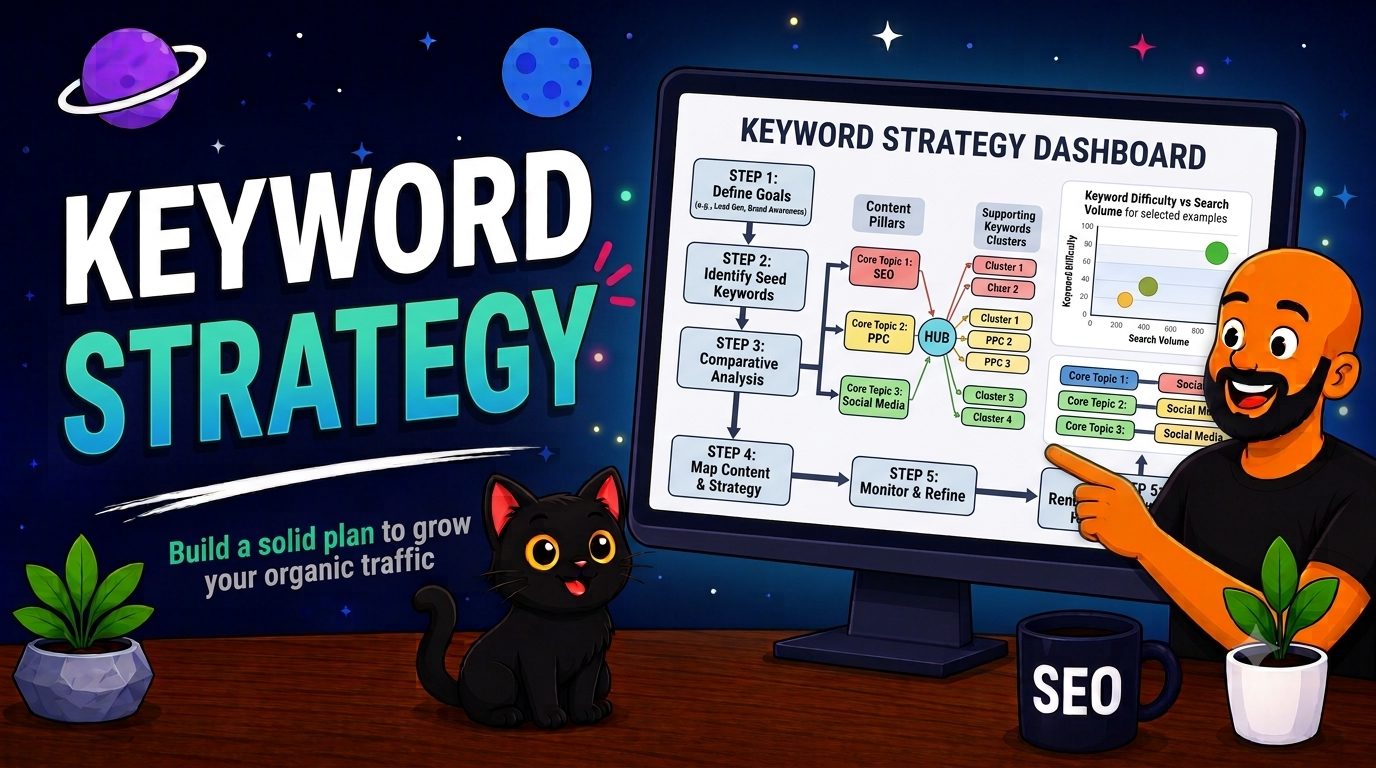
How to map keywords to pages so nothing on your site ends up competing with itself.
