

You search “plumber near me” in Auckland.
Before a single blue link loads, you get a little map and three businesses sitting under it — names, star ratings, a call button.
You tap the first one. You never scroll past the map.
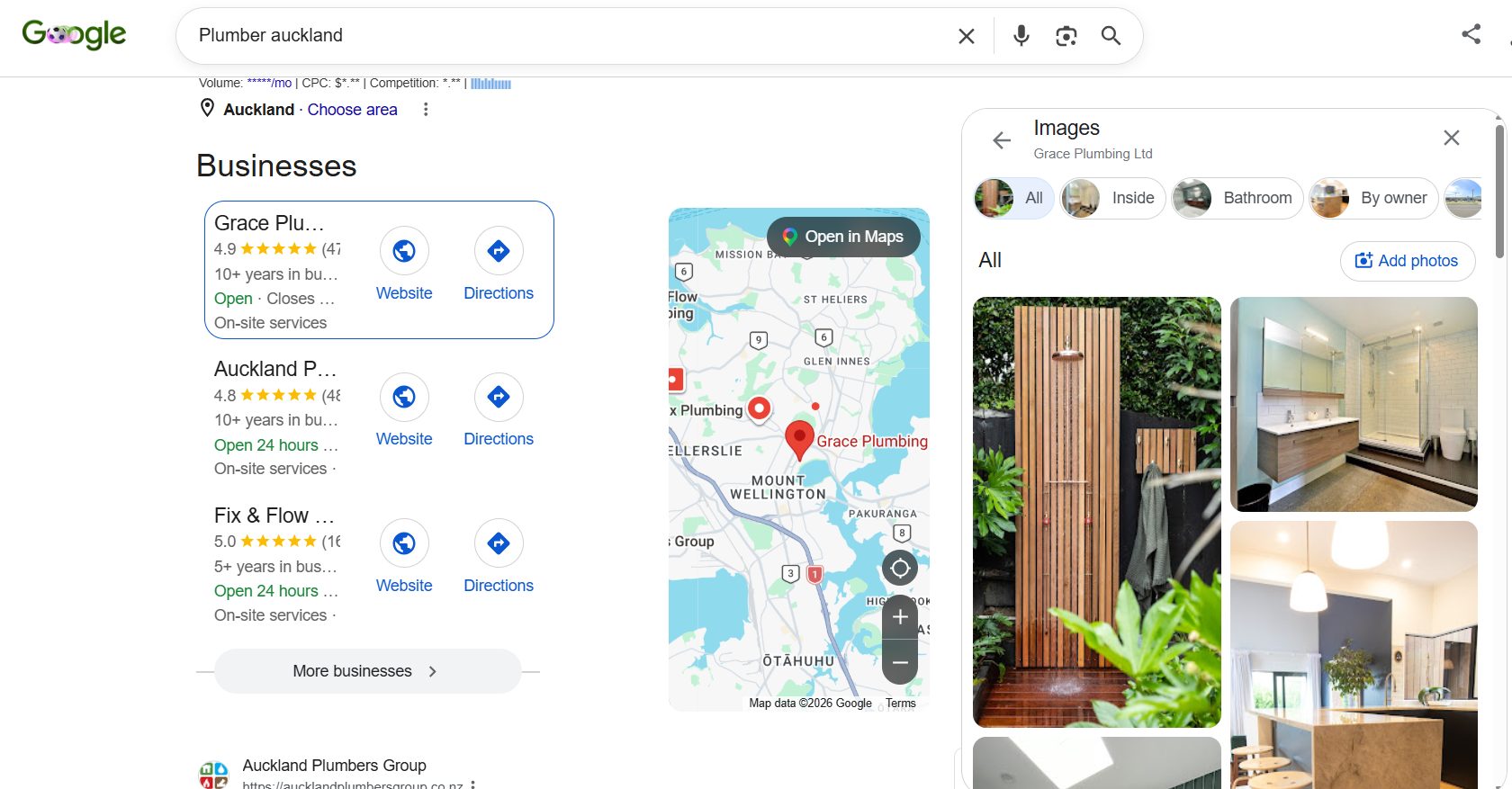
That block is the Google Map Pack, and for a local business it’s the most valuable spot in all of search. Not position #1. The map.
Here’s the part that stings: most of the businesses missing from those three spots are better than the ones in them. They just never set up the right signals, so Google can’t see them.
This guide fixes that. I’ll explain exactly what the Map Pack is, why it beats ranking #1, and the step-by-step process to get an NZ business into it — the same local SEO work I’ve used to take sites from nothing to thousands of visitors a day.
What Is the Google Map Pack
The Google Map Pack is the block of three local business listings that appears with a map at the top of the results when someone searches for something nearby.
It’s also called the Local Pack, the Local 3-Pack, or the Google 3-Pack. Same thing.
Each listing shows your business name, star rating and review count, address, opening hours, and a click-to-call or directions button. All of it pulled straight from your Google Business Profile — not your website.
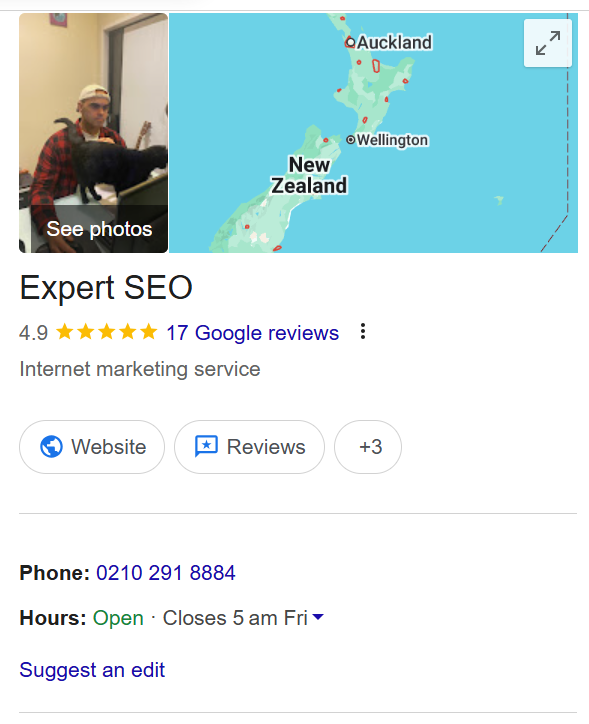
That last point matters more than anything else in this guide, so I’ll say it plainly: the Map Pack runs on your Google Business Profile. Your website supports it, but the profile is the engine.
The pack shows up whenever Google reads “local intent” in a search — a service plus a place (“electrician Tauranga”), or the magic two words, “near me.”
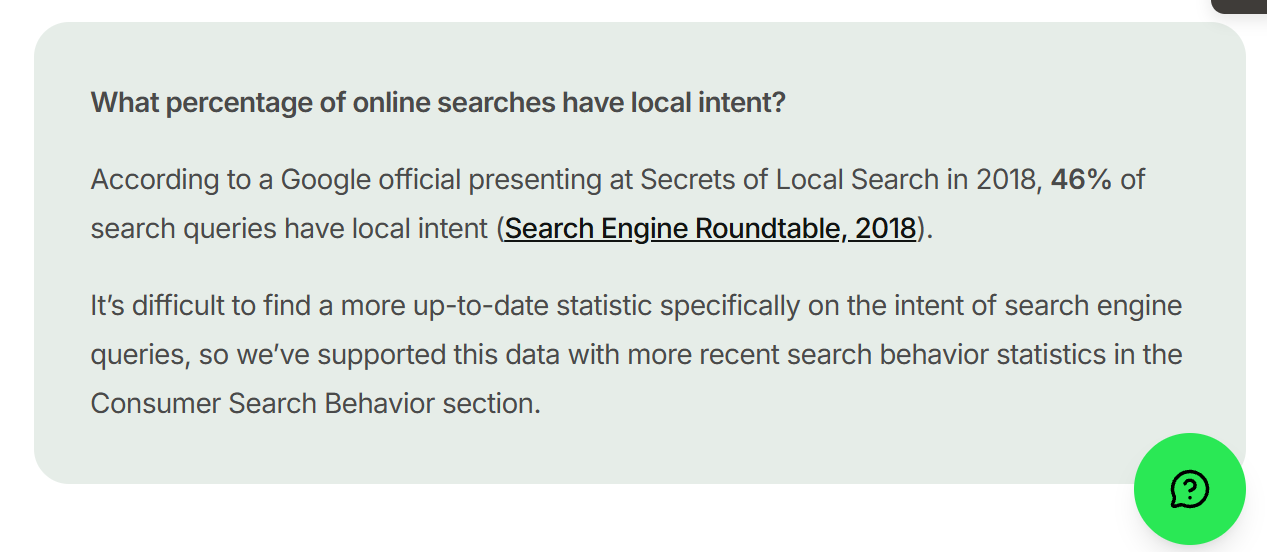
Roughly 46% of all Google searches carry local intent, so this is happening constantly, all day, for searches that turn into phone calls.
Why the Map Pack Beats Ranking #1
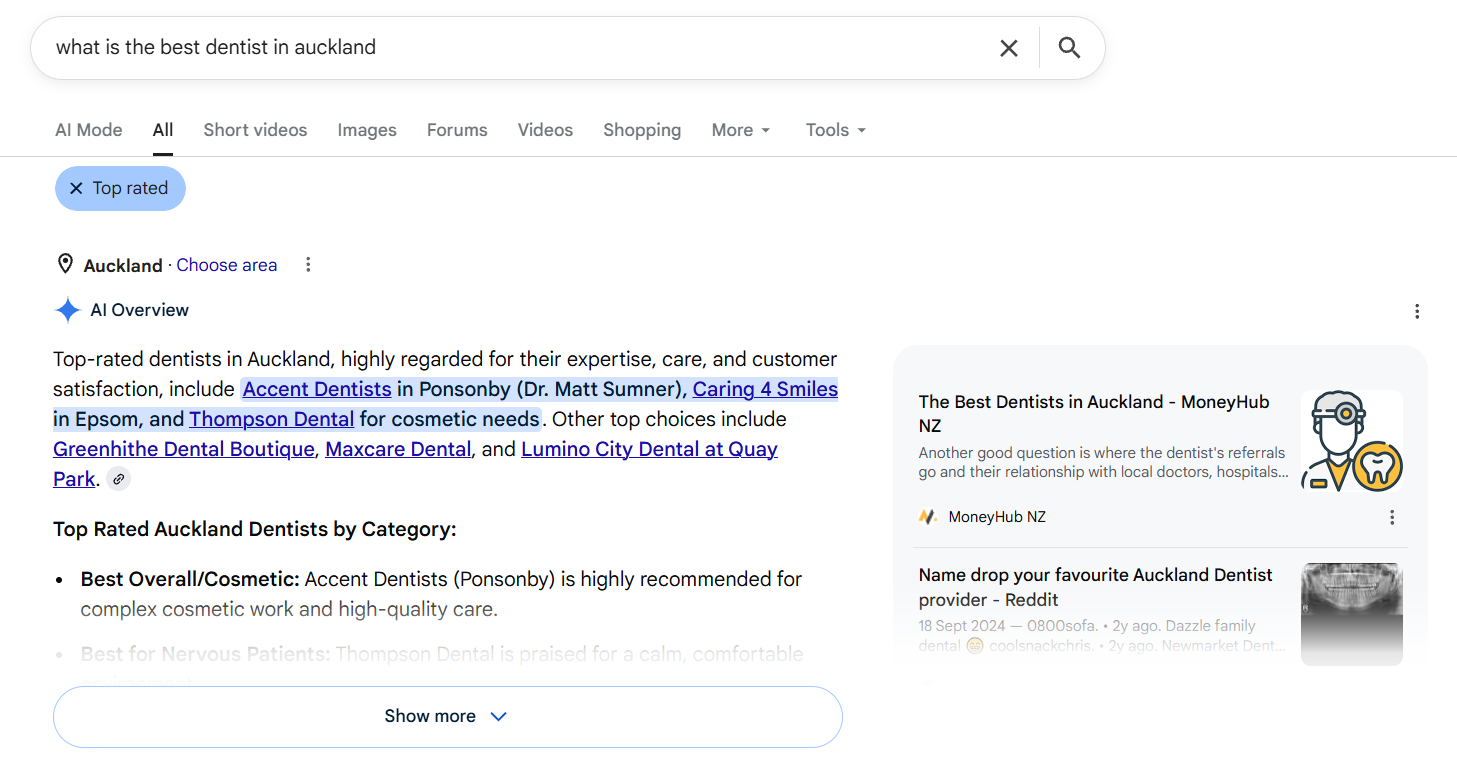
Think about what’s stacked above the old blue links now: ads, then the AI Overview, then the Map Pack.
By the time someone reaches the #1 organic result, they’ve already scrolled past the three businesses getting all the calls.
The numbers back it up. Businesses that crack the pack get 93% more actions — calls, clicks and direction requests than those ranking below it. And these are buyers, not browsers: 76% of local searches end in a visit within a day.

So you can rank #1 organically and still be invisible to buyers, because the buyers tapped a map listing and called someone before your link ever entered the picture.
There’s a second reason worth knowing, because almost no one in NZ talks about it. Google has started demoting a business’s organic listing when that same business already holds a Map Pack spot for the search — a shift local SEOs named the diversity update.
So winning businesses are increasingly getting the map or the blue link for a given search, not both. Owning the pack isn’t a nice bonus anymore. It’s the position.
Map Pack vs Google Maps vs Local Finder
People mix these three up constantly, so here’s the difference in one breath each.
The Map Pack is those three results inside a normal Google search.
Google Maps is the separate Maps app or maps.google.com — its own search engine for places, with its own full list of results. If that’s where most of your customers find you, ranking higher in Google Maps is its own job worth doing properly.
Local Finder is what you get when you tap “More businesses” under the Map Pack — an expanded list that lives inside Google Search, not the Maps app.
Why care? Because your ranking can differ across all three, and the tools you use to check your position need to be looking at the right one.
Ranking third in the Map Pack but eleventh in Maps tells you something specific about where your signals are strong and where they’re thin.
How Google Picks the Three: Relevance, Distance, Prominence
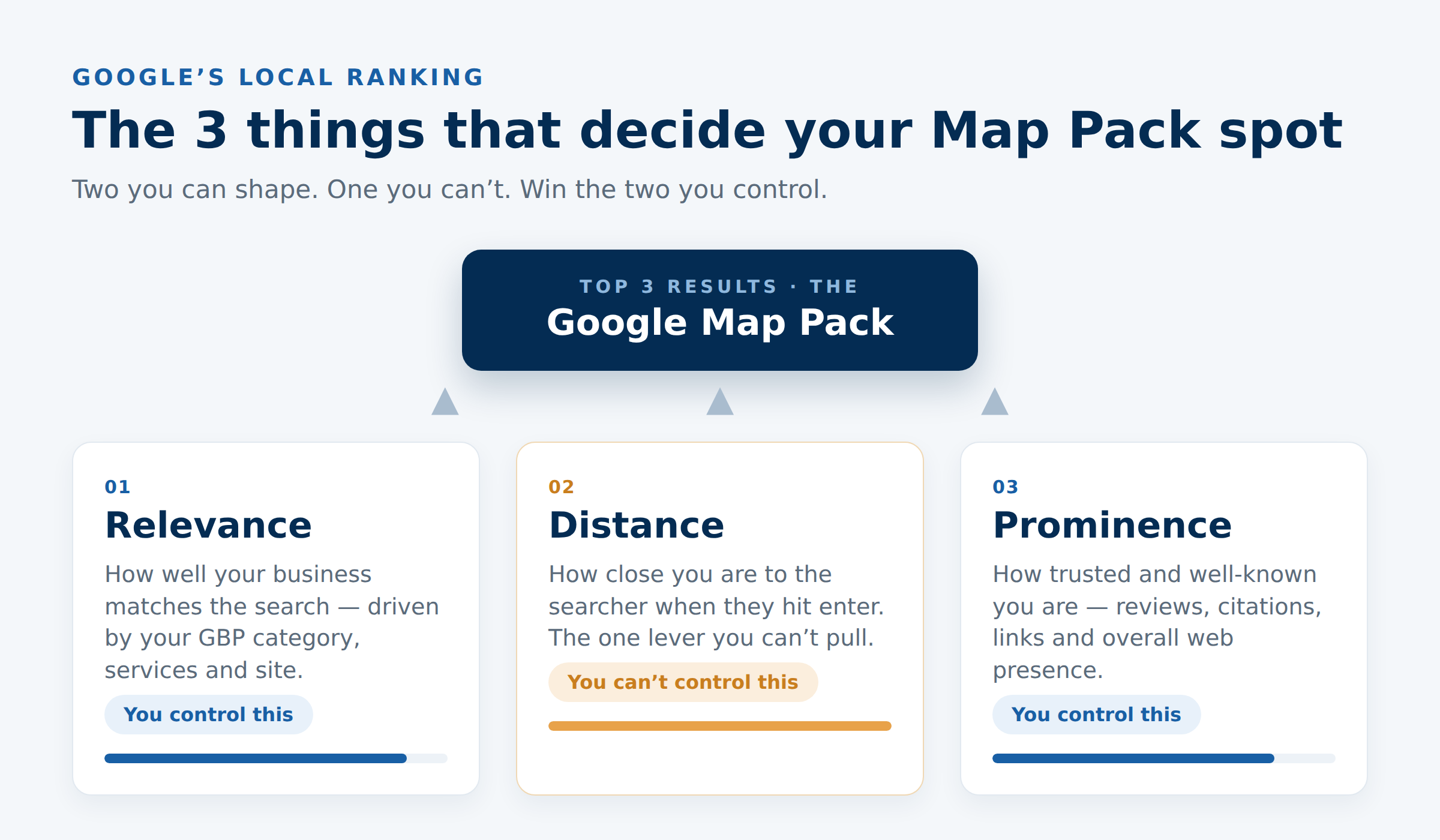
Google has openly said it ranks the Map Pack on three factors. Get these three right and you’re in the conversation. Here’s what each one actually means.
Relevance is how well your business matches the search. This is driven by your Google Business Profile category, your listed services, your description, and the content on your site.
Search “emergency plumber” — if your profile says “Plumber” with emergency work listed, you’re relevant. If it just says “Plumber,” Google’s less sure.
Distance is how close you are to the searcher when they hit enter. Proximity is one of the heaviest factors, and it’s the one you can’t control. You can’t pick your building up and move it 5km closer to town.
Prominence is how well-known and trusted your business is: your review count and quality, your citations, your backlinks, your overall web presence. This is where most of the real work happens, because it’s the part you can move.
Here’s the bit that gives you a fighting chance against a closer competitor: distance isn’t the whole game.
I’ve seen businesses consistently pull into the Map Pack for searches 10–15km away because their profile, reviews and website were simply stronger than the closer options. You can’t out-distance them. You can out-everything-else them.
How to Rank in the Google Map Pack: The NZ Playbook
This is the part most guides skip past with a tidy bullet list. We’re going deeper, because “get more reviews” is the kind of advice you could pull from any ChatGPT prompt — and it’s exactly why most businesses do it badly.
The order matters too. Do these in sequence.
Optimise Your Google Business Profile First
Your profile is the foundation, and it’s not close. Surveys of local SEOs put eight of the top ten Map Pack signals inside your Google Business Profile, and name your primary category the single most important field of all.
Before you touch your website, get this right.
Start here:
- Go to google.com/business and claim or create your listing.
- Verify it (Google will post a code, ask for a video, or verify by phone depending on your business).
- Open the profile and work top to bottom.
The single highest-leverage field is your primary category. That one dropdown decides which searches you’re even eligible to appear for.
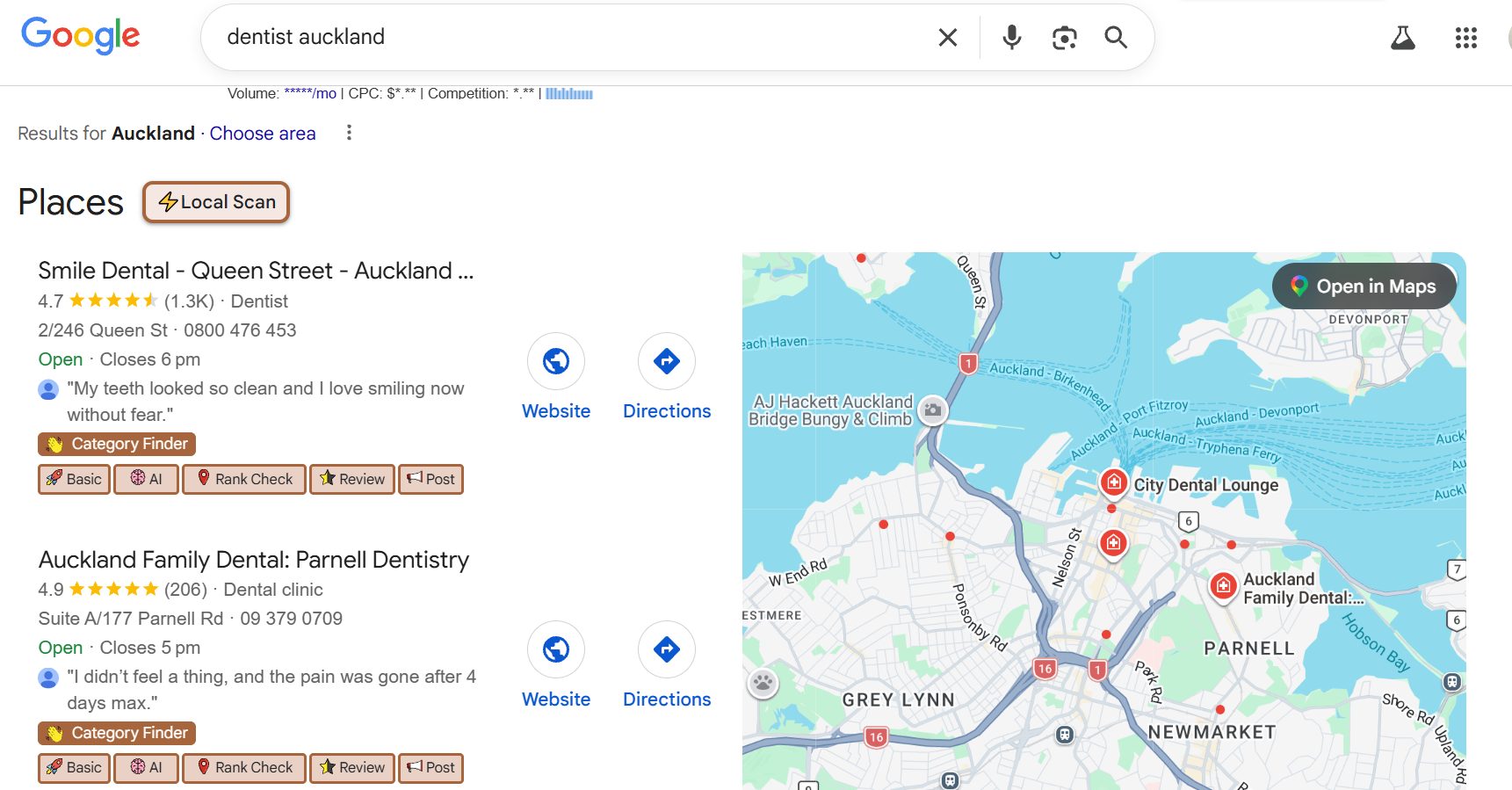
Pick the most specific category that’s true. “Dentist” beats “Health Consultant.” If you’re mostly emergency work, “Emergency Dental Service” beats “Dentist.”
Then add every relevant secondary category — a dental practice might add “Cosmetic Dentist,” “Teeth Whitening Service,” “Emergency Dental Service” — each one widens the range of searches you can show up for without weakening your main signal.
A tool that helps here: GMB Everywhere. It’s a free Chrome extension that shows you the exact categories your competitors are using.
If the practice ranking #1 for “dentist Auckland” is using a category you’re not, that’s a five-minute fix.
After categories, fill the rest properly:
- Services and products — list every service with a short description. More detail means Google can match you to more specific searches.
- Business description — you get 750 characters. Say what you do, who you serve, and where, in plain language. Lead with your main service and your city.
- Photos — upload real ones. Your shopfront from the street so people can find you, your team, your work. Google’s image AI now reads signage and branded uniforms in photos, so authentic shots build trust with the algorithm as well as the customer.
- Hours and attributes — get them exactly right, including public holidays, and tick the attributes that apply (wheelchair access, free parking, that sort of thing).
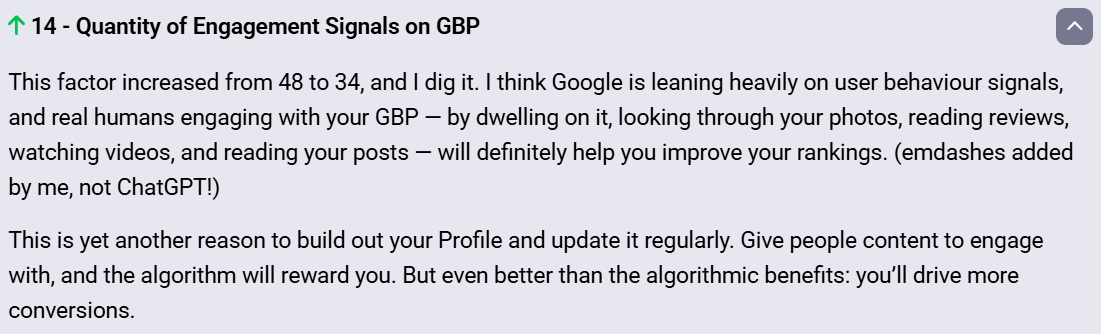
Then keep it alive. Post to your profile, add fresh photos, answer questions. An active profile signals a real, current business — and a profile that hasn’t been touched in eight months signals the opposite.
Get Reviews the Right Way
Reviews are the most visible prominence signal there is, and the most controllable. But the advice “get more reviews” misses where businesses actually fall down.
It’s not a one-off push. It’s a system you run on every job. Here’s the one I’d set up for an Auckland sparky:
- Grab your review link from inside your Google Business Profile (there’s a “Get more reviews” button that hands you a short link).
- Turn it into a QR code with any free generator, and stick it on your invoices and the back of the van.
- The moment a job wraps and the customer’s happy — that’s the emotional high — send the link by text or email. Not three days later when the glow’s gone. Now.
- One gentle follow-up a couple of days on if they haven’t left one.
- Reply to every review, good and bad. A steady stream of owner responses is its own ranking and trust signal.
Two things matter more than chasing a big number. Recency — Google wants to see reviews arriving steadily, not 200 from two years ago and silence since.
And content — a review that says “fixed our leaking hot water cylinder in Mount Eden, fast” carries the service and the suburb, which is far more useful to Google than a bare “Great service!”
Picture two Auckland dentists. One has 180 reviews but the last one landed seven months ago.
The other has 70, with a fresh one most weeks, half of them mentioning the actual treatment and the area. The second one is the safer bet for the pack — consistency beats a stale pile every time.
This is the kind of edge that wins competitive markets, and it’s a big part of how we approach SEO in Auckland for local clients.

Build Consistent Citations
A citation is any mention of your business name, address and phone number on another site — directories, your local Chamber of Commerce, industry listings.
They back up the location data Google’s already reading from your profile.
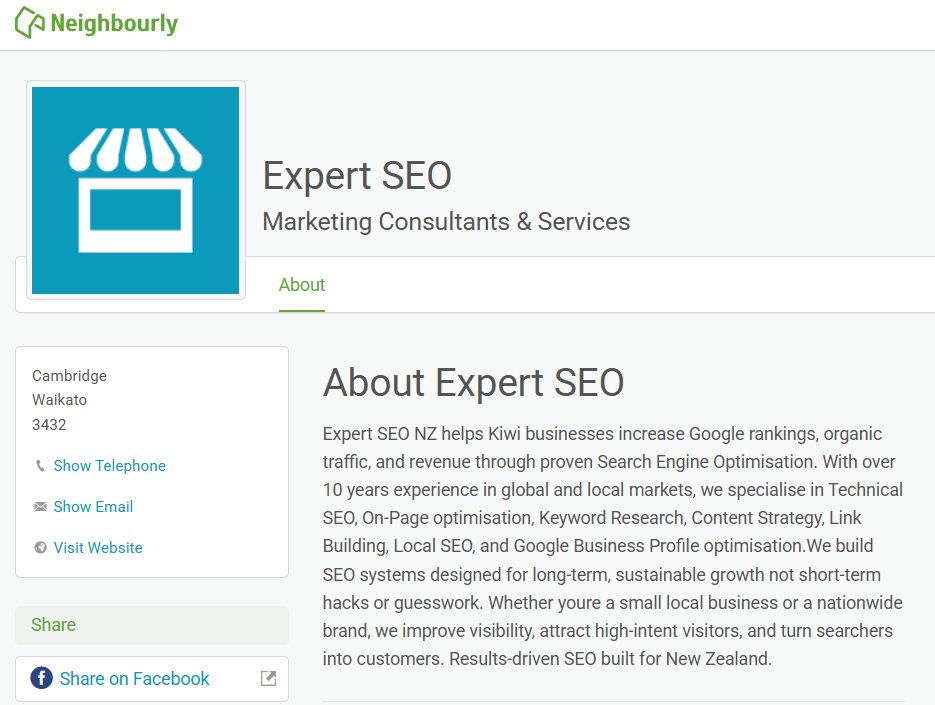
The one rule that matters: consistency. Your name, address and phone number have to be identical everywhere.
“Street” on one listing and “St” on another, two different phone numbers across two directories — small mismatches like that create doubt, and doubt suppresses your ranking even when you’re geographically close.
Don’t go and manually list yourself on 200 random directories. That does nothing. Get the core NZ ones right — Yellow, Finda, Localist, NZS, your industry bodies — and make sure they all read the same.
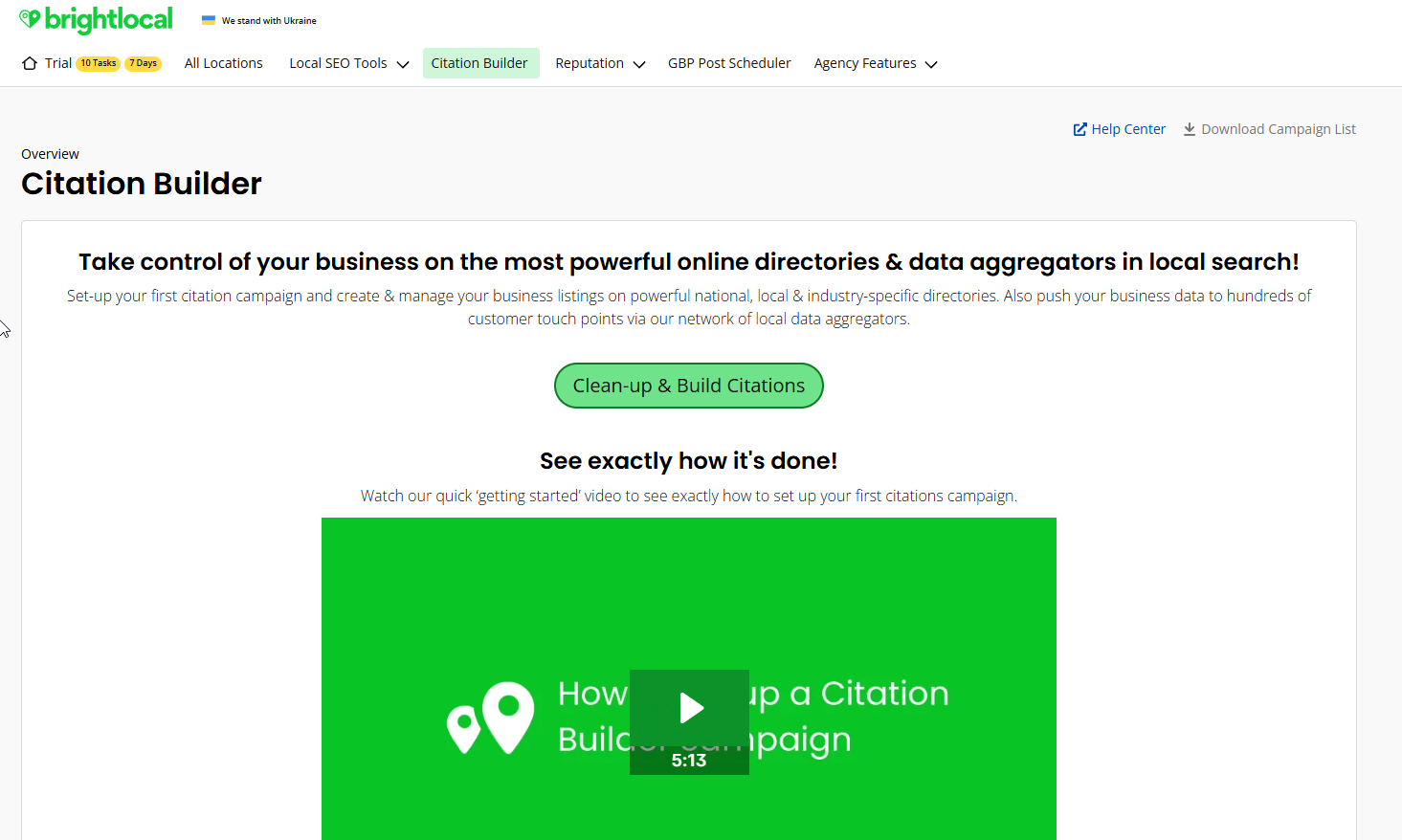
A tool like BrightLocal’s Citation Builder pushes one consistent set of details out to the main directories for you, so you’re not copy-pasting your way through forty forms.
Make Your Website Back Up Your Profile
Your site doesn’t run the Map Pack, but it confirms everything your profile claims — and a strong, locally-relevant site lifts your prominence.
The fixes that pull weight:
- Put your full business name, address and phone number in your site footer, matching your profile exactly.
- On each main service page, get the service and the location into the page title, the H1, and the first paragraph.
- Build dedicated service-area pages for the suburbs or towns you serve, so you can show up for searches beyond your office’s immediate patch.
- Add LocalBusiness schema markup so the data is machine-readable.
If your website is dated, slow, or built on a platform that fights you on any of this, that’s a genuine ceiling on your local results — and the point where a website design built to rank earns its keep.
And if you’re not sure what’s dragging your local visibility down, a proper free website audit will show you exactly where the profile and the site are telling Google two different stories.
This whole stack — profile, reviews, citations, site — is the same process behind Expert SEO ranking #1 in New Zealand for “local seo,” sitting above the likes of Ahrefs and Semrush on a site under two years old.

Can You Rank in the Map Pack Without a Physical Address
Yes — with one catch.
If you go to the customer rather than them coming to you (a plumber, a mobile mechanic, a house painter), you’re a service-area business.
You can hide your street address from public view in your profile and define the suburbs or towns you cover instead.
The catch: you still have to verify a real address with Google privately, even though customers won’t see it. No verified location, no Map Pack — Google won’t show a business it can’t place on the map.
Service-area businesses do carry a proximity disadvantage against a competitor with a verified shopfront right in the centre of town.
The answer is the same as always: out-review and out-optimise them until your prominence overcomes the distance gap.
It’s harder. It’s far from impossible — I’ve watched Wellington service businesses with no public address outrank shopfront competitors purely on the strength of their reviews and profile.
What Doesn’t Move the Needle
Plenty of businesses pour effort into things that do nothing — or actively get them in trouble. Don’t be one of them.
Stuffing keywords into your business name. Changing “Smith Plumbing” to “Smith Plumbing | Best Emergency Plumber Auckland” on your profile breaks Google’s guidelines and is one of the fastest ways to get suspended. Use your real, registered name.
Buying 200 cheap citations. Volume isn’t the signal — consistency is. A pile of low-quality directory listings with slightly different details actively hurts you.
Chasing a perfect 5.0. The gap between 4.6 and 4.8 stars does almost nothing for ranking. Below about 3.9 is where you start losing visibility; above 4.2 you’re in good shape. Spend the energy on volume and recency, not on protecting a flawless score.
Throwing money at Google Ads to rank. Ads and the Map Pack are separate systems. You can spend $1,000 a month on ads and stay invisible in the pack — the moment the budget stops, you’re gone. The pack keeps working without paying per click.
The Map Pack and AI Search
Everyone’s panicking that AI is eating search. For a local business, it’s the opposite — and the reason is simple.
The exact same work wins both. A complete, well-categorised Google Business Profile with a strong, recent stream of reviews is precisely what AI engines like ChatGPT, Gemini and
Google’s own AI answers pull from when someone asks them for a local recommendation. Optimise for the Map Pack and you’re optimising for AI citation at the same time — local SEOs now track AI visibility as its own ranking category, and it runs on the same signals you’re already building.
So there’s no separate AI playbook to buy. The profile, the reviews and the consistent details that put you in the three-pack are the same things that get your business named when the answer comes from a chatbot instead of a list.
I don’t say that as theory. Expert SEO’s own local SEO content is already being cited in Google’s AI Mode, on a site barely past its first birthday.

How Long the Map Pack Takes in NZ
Local search is faster than people expect, and far faster than regular organic SEO.
If your profile is set up properly and you’re driving steady, quality reviews, you can see movement in weeks, not months — a jump from page two into the top few is realistic inside 4 to 8 weeks in a quieter market.
Breaking into the pack in a genuinely competitive Auckland niche takes longer: think 3 to 6 months of consistent work.
In a smaller town or a low-competition trade, it can happen faster than that. It’s the same pattern across everything we do to rank higher on Google — early signals first, real momentum a few months in.
The businesses that win aren’t the ones who do a big burst and stop.
They’re the ones who keep the reviews coming, the profile active, and the details consistent — month after month. I grew a health site (HealthVI) from zero to over 20,000 monthly visitors on exactly that kind of patient, compounding work, and local SEO rewards the same temperament.

Do It Yourself or Hire Someone
Everything above is doable on your own. Claiming the profile, picking the right category, building a review system, cleaning up your citations — none of it is locked behind an agency.
What it takes is time and consistency, week in and week out, which is the thing most business owners run out of first.
If you’d rather have it done properly and kept that way while you run the business, that’s where our done-for-you SEO services comes in. We handle the profile, the reviews system, the citations and the website signals as one connected job — for tradies, dentists, law firms, mortgage brokers and everyone in between.
If you’d rather keep your hands on the wheel and just want the strategy, working with an SEO consultant gets you the plan without handing over the whole job. Most of this happens on a phone, too, so a fast, mobile-friendly site underneath it all is non-negotiable.
Either way, the businesses sitting in those three spots aren’t lucky. They got the signals right and kept them right. Now you know exactly which ones.
Google Map Pack: FAQ
How do I get my business into the Google Map Pack?
Claim and fully optimise your Google Business Profile, starting with the most specific primary category, then build a steady stream of genuine reviews, keep your name, address and phone number identical across directories, and back it with a locally-relevant website. The profile does most of the heavy lifting — around eight of the top ten Map Pack signals come straight from it.
What's the difference between the Map Pack and Google Maps?
The Map Pack is the block of three local listings that shows inside a normal Google search. Google Maps is the separate Maps app with its own full list of results. Your ranking can differ between the two, so it's worth checking both.
Can I rank in the Map Pack without a physical address?
Yes. As a service-area business you can hide your public street address and list the suburbs or towns you cover instead. The catch: you still have to verify a real address with Google privately, or your business won't appear in the Map Pack at all.
How long does it take to rank in the Google Map Pack?
Faster than regular SEO. With a properly set-up profile and steady reviews, you can see movement within 4 to 8 weeks in a quieter market. Breaking into a competitive Auckland niche usually takes 3 to 6 months of consistent work.
Why is the Map Pack called the 3-pack?
Because it shows three businesses. Google trimmed its local results from seven listings down to three back in 2015, and the nickname stuck. It's also called the local pack or local 3-pack — all the same feature.
Does paying for Google Ads help you rank in the Map Pack?
No. Google Ads and the Map Pack are separate systems. Paid ads don't lift your organic Map Pack position, and the moment your budget stops, that visibility disappears. The pack keeps working without paying per click.
Recommended Reading

Turn the profile that runs your Map Pack into a lead magnet — the categories, photos, posts and settings that move you up.

What a Business Profile is, how to claim and verify it, and how to set it up to show in local search.
The signals that actually decide where you rank in New Zealand — and where the Map Pack fits in the bigger picture.