
Local Keyword Research: How To Do It In New Zealand (2026)

You search for your own service on Google.
Your competitor shows up. You don’t.
Their website isn’t even that good. But they’re on page one, sitting in the map pack, getting the calls that should be coming to you.
The difference is that they targeted the right keywords. You didn’t.
That’s what local keyword research fixes. It tells you exactly what your potential customers are typing into Google so you can create pages that match those searches and actually show up when it matters.
This guide walks you through exactly how to do it for a New Zealand business.
What Is Local Keyword Research?
Local keyword research is the process of finding the exact search terms people use when looking for products or services in a specific area.
Instead of guessing what your customers might search for, you’re using real data to find out what they actually type into Google.
Things like “plumber Hamilton,” “dentist Auckland CBD,” or “best café near me.”
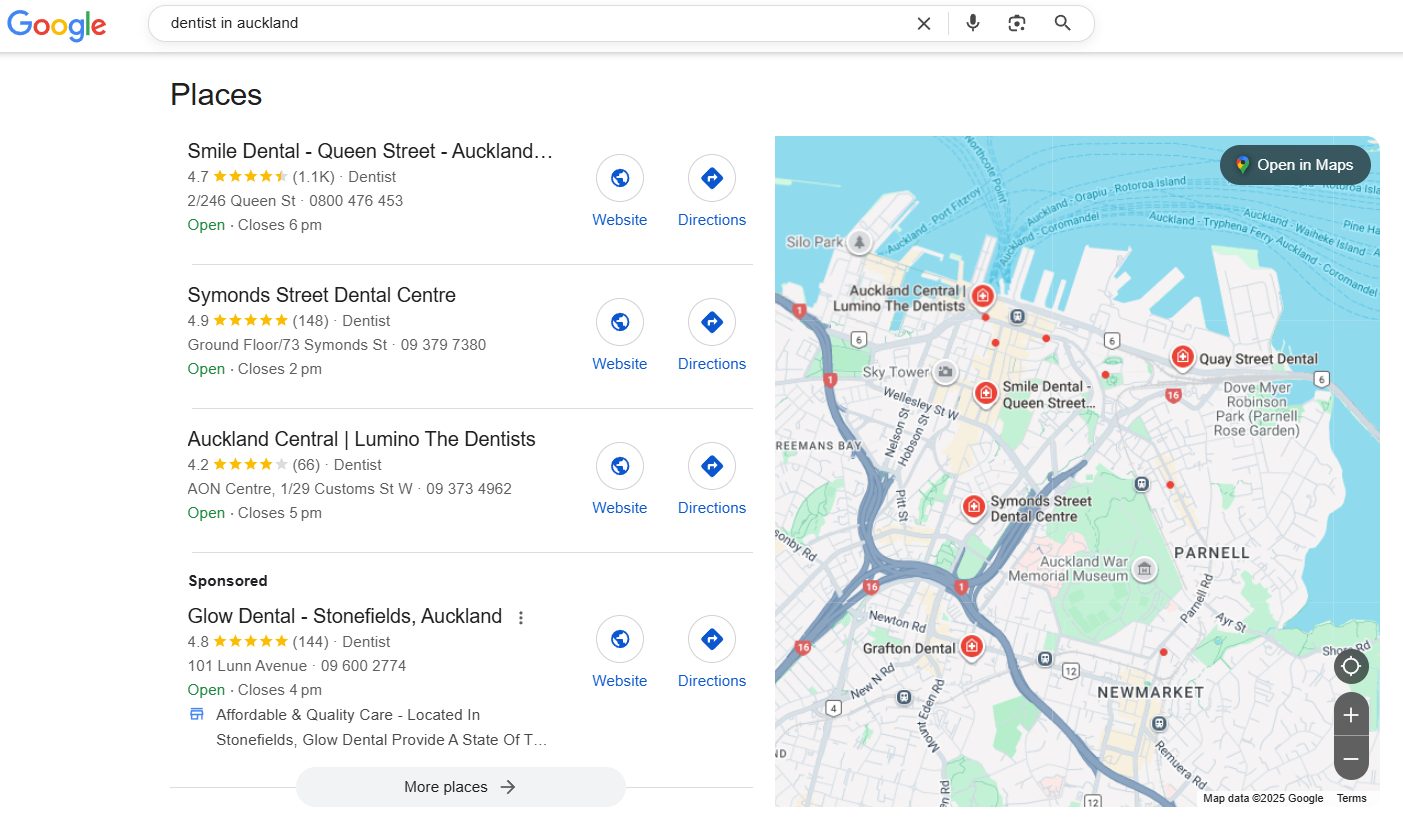
The output is simple: a list of keywords, each one mapped to a specific page you need to create on your website.
That becomes your roadmap for ranking in your area.
Why Local Keyword Research Matters for NZ Businesses
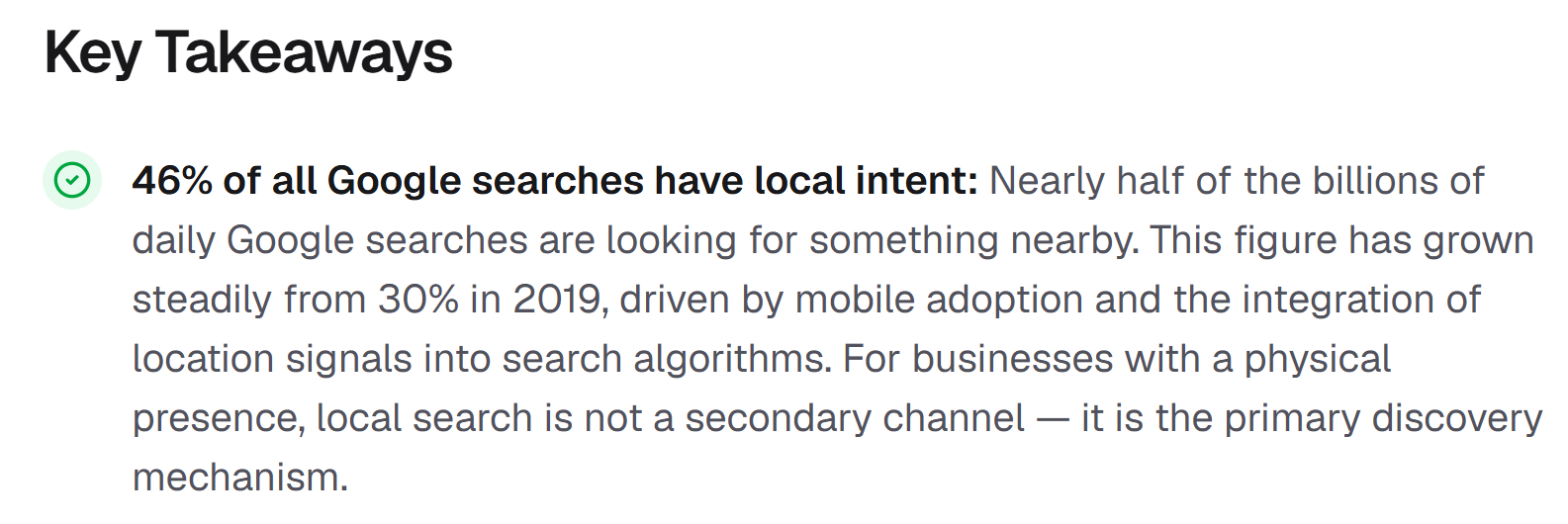
That means roughly one in every two searches is someone looking for a product, service, or business near them.
And these aren’t casual browsers. 88% of consumers who do a local search on mobile visit or call a business within 24 hours.

That’s high-intent traffic — people who are ready to call, visit, or buy.
In a small market like New Zealand, this matters even more. There’s less search volume than the US or UK, which means every keyword counts.
If you’re targeting the wrong terms — or worse, not targeting any — you’re handing customers to competitors who are.
Here’s what it looks like in practice:
We used local keyword research to identify the right terms for our own city SEO service pages.
We now rank #2 for “seo Tauranga:”

As well as rank #2 for “SEO Hamilton:”

And #1 in New Zealand for “Local SEO:”
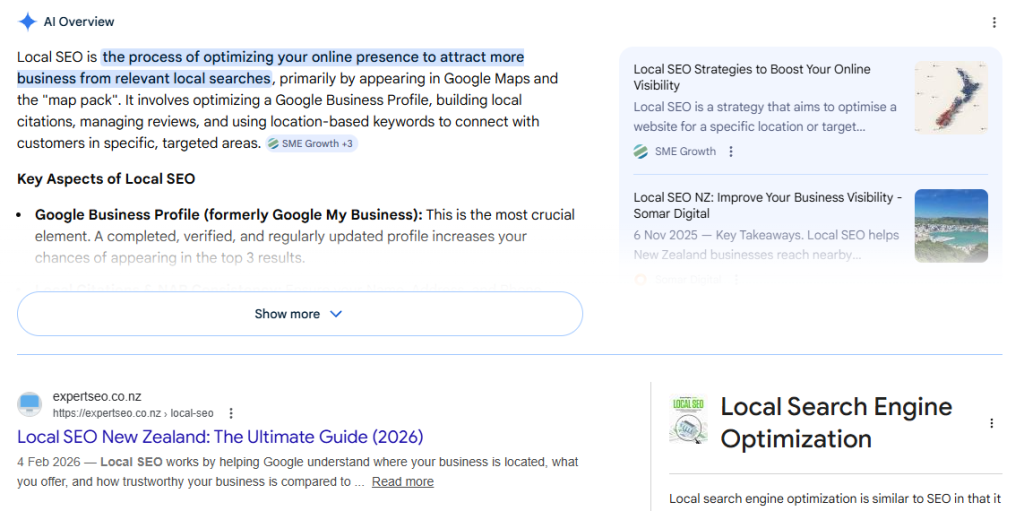
Those rankings started with local keyword research — finding the exact terms people were searching, then building pages to match.
The Two Types of Local Keywords (Implicit vs Explicit)
Before you start researching, you need to understand how local keywords actually work. There are two types, and you need to target both.
Explicit local keywords include a place name. The searcher is telling Google exactly where they want results.
Examples:
- “dentist Auckland”
- “plumber Lower Hutt”
- “café Ponsonby”
- “electrician Christchurch”
Implicit local keywords don’t mention a location at all, but Google still shows local results because it knows the searcher wants something nearby.
Examples:
- “emergency plumber”
- “dentist near me”
- “best coffee”
Here’s why this matters: most keyword tools only show national search volume for implicit keywords.
So “emergency plumber” might show 1,000 monthly searches nationally, but the actual volume in your city is much smaller.
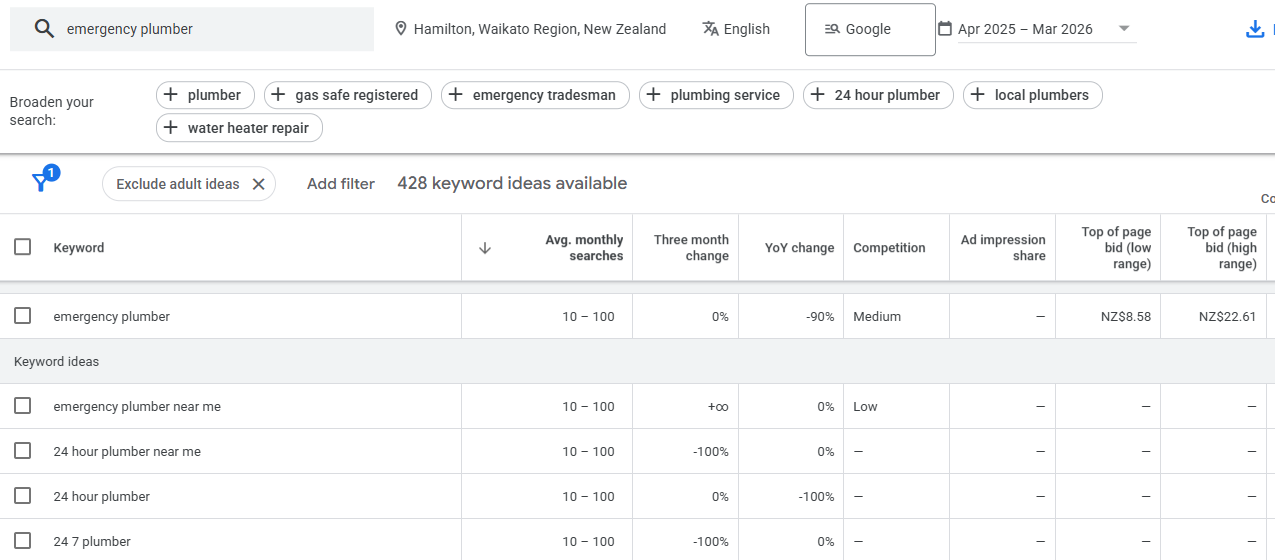
Meanwhile, “emergency plumber Hamilton” might show 10–100 searches, but it’s far more targeted and valuable for your business.
If you only target explicit keywords (the ones with city names), you’ll miss the implicit searches that make up a huge chunk of local traffic. Target both.
How to Do Local Keyword Research (Step by Step)
Here’s the exact process. Work through each step in order.
Step 1: List Every Service You Offer
Your keywords come from your services. So start there.
The biggest mistake NZ business owners make is thinking too broadly. A plumber doesn’t just rank for “plumber.” They also need pages for:
- Hot water cylinder installation
- Drain unblocking
- Gas fitting
- Burst pipe repair
- Bathroom renovations
- Tap repairs
Each of those is a separate keyword target.
How to do it:
Write down every service your business offers. Don’t just list your job title — break it down into every specific thing a customer could pay you for.
Then add your locations. List the city or cities you serve, and the key suburbs or areas where you get the most work.
For example, an Auckland plumber might list:
| Service | Location |
|---|---|
| Hot water cylinder repair | Auckland CBD |
| Drain unblocking | West Auckland |
| Gas fitting | North Shore |
| Emergency plumber | Auckland (all areas) |
This gives you a grid of potential keyword combinations to research in the next step.
Pro tip: Check your competitors’ websites. Look at their service pages and navigation menus. You’ll often spot services you forgot to list. If they have a page for it, there’s probably search demand.
Step 2: Find Local Keywords Using the Right Tools
Now take your service list and run it through these tools to find every keyword variation your customers are actually searching.
Google Keyword Planner (free)
This is the simplest starting point. Open Google Keyword Planner, enter your service + location (e.g., “plumber Auckland”), set the location to New Zealand, and look at what comes back.
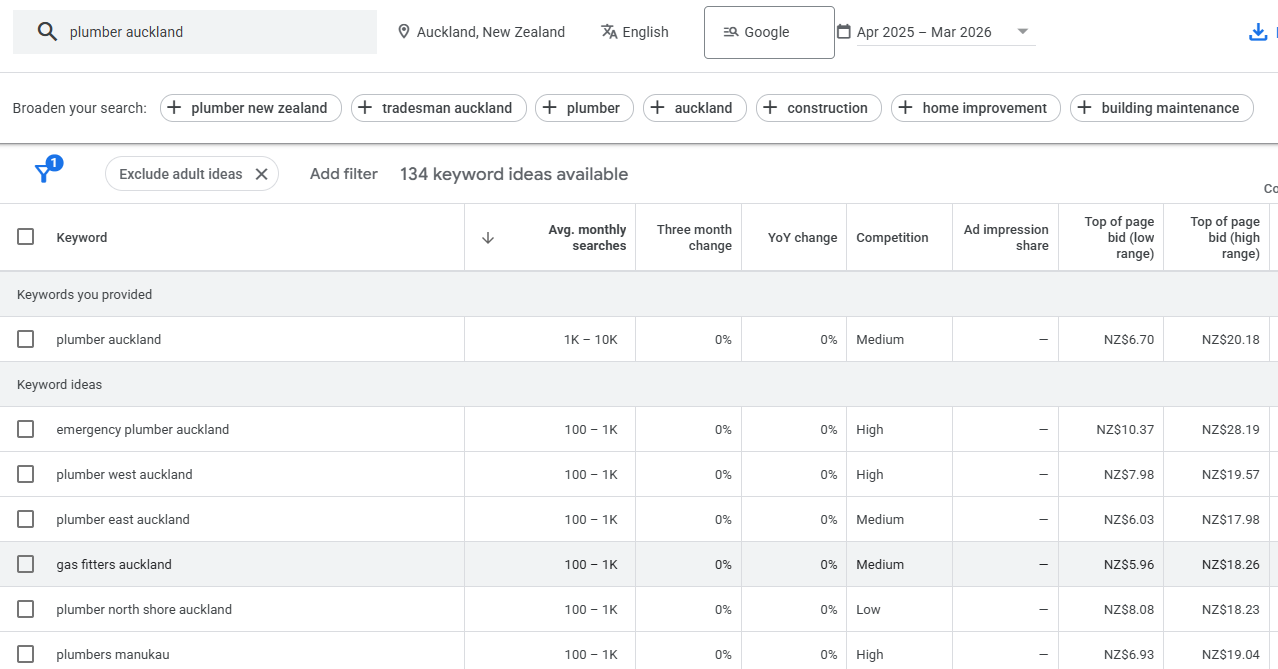
You’ll get a list of related keywords with search volume ranges. The volumes are broad (e.g., “10–100” instead of exact numbers), but it gives you a solid starting point and often surfaces keyword ideas you hadn’t considered.
SEMrush or Ahrefs (paid)
If you have access to either of these SEO tools, they’re more powerful. Enter your core keyword into the Keyword Magic Tool (SEMrush) or Keywords Explorer (Ahrefs), set the country to New Zealand, and export the results.

You’ll get exact search volumes, keyword difficulty scores, and hundreds of variations you can filter by location.
Google autocomplete + People Also Ask (free)
This one is underrated. Go to Google and start typing your keyword. Watch what Google suggests.
Try this: type “plumber Auckland” and then add each letter of the alphabet after it. “Plumber Auckland a” gives you “plumber Auckland affordable.” “Plumber Auckland e” gives you “plumber Auckland emergency.” And so on.
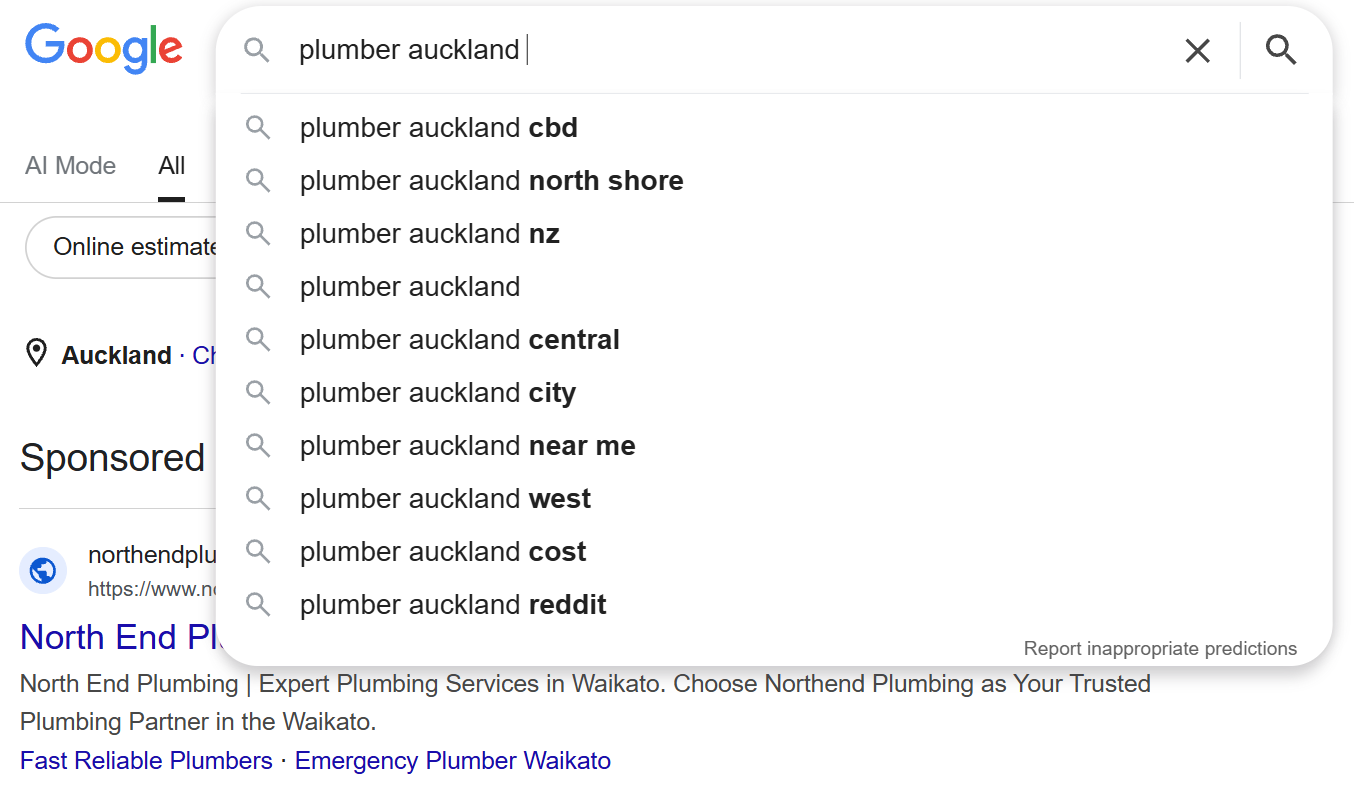
Also scroll down to the “People also ask” section and copy every question. These are real questions your customers are asking — and each one is a potential keyword or blog topic.
ChatGPT (free)
This is a method most competitors don’t mention, but it’s one of the most useful for NZ businesses.
Use a prompt like:
“I run a plumbing business in Hamilton, New Zealand. List every keyword a potential customer might search on Google to find my services. Include service-specific terms, location variations, and question-based searches.”
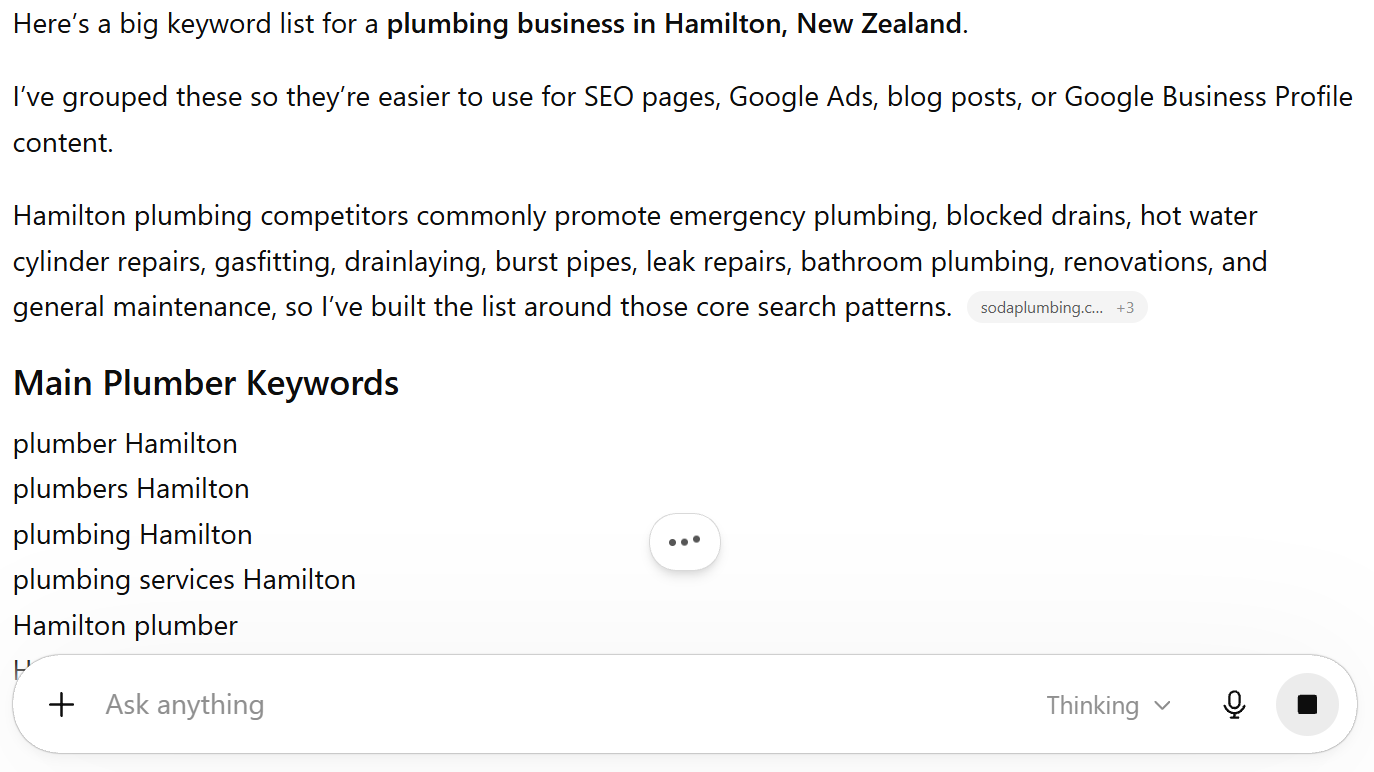
ChatGPT won’t give you search volumes, but it will generate a broader list of keyword ideas faster than any other method. You can then validate the best ones in Google Keyword Planner.
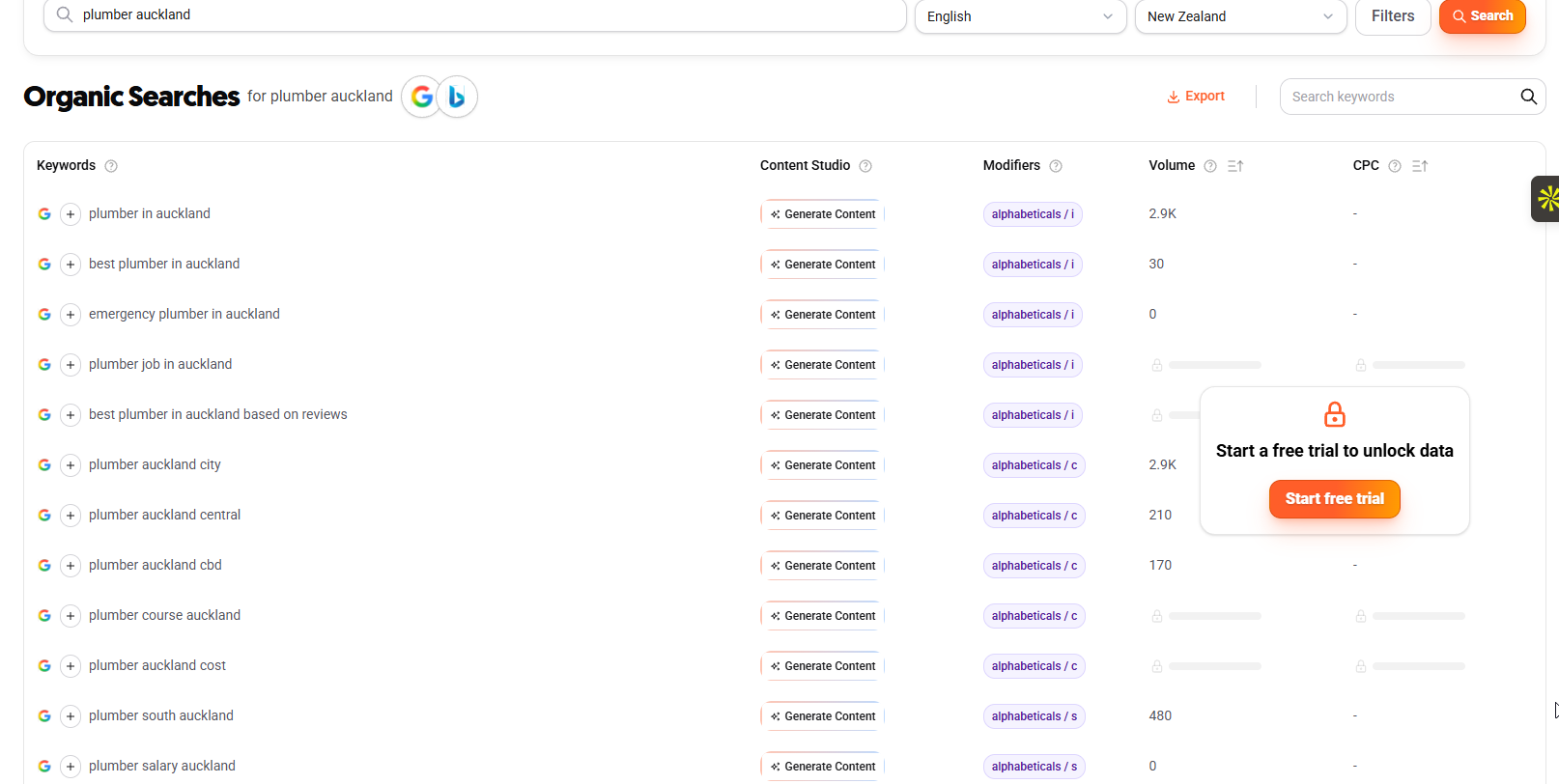
AnswerThePublic (free, limited searches)
Enter your core keyword and it will generate clusters of question-based searches. These are especially useful for blog content ideas.
Step 3: Check Which Keywords Have Local Intent
Not every keyword triggers local results. Before you build a page around a keyword, check that Google actually shows local businesses for it.
The process is simple. Search the keyword on Google from your location and look at the results.
Signs of local intent:
- A map pack appears (the section with 3 business listings and a map)
- Local business websites rank in the organic results
- Google shows “near me” or location-specific results
Signs of no local intent:
- Results are all informational articles, Wikipedia, or national brands
- No map pack
- No local businesses ranking
For example, “electrician Wellington” shows a map pack and local electricians — clear local intent.

But “how does electrical wiring work” shows educational articles — that’s informational intent, not local.

Mark each keyword in your spreadsheet: local intent = yes or no.
Only target the “yes” keywords with service and location pages. The “no” keywords might still work as blog content, but they won’t get you into the map pack.
Step 4: Understand Search Volumes in NZ (Why the Numbers Look Small)
This is where most NZ business owners get discouraged — and it’s where most international guides get it wrong.
If you’re looking at NZ keyword data and thinking the volumes are too small to bother with, you’re reading it wrong.
Here’s the reality:
New Zealand has a population of about 5.3 million. The US has 330 million. So naturally, NZ search volumes are a fraction of what you’d see in American keyword tools.
A keyword showing “10–100” monthly searches in Google Keyword Planner might only get 30 actual searches per month. But think about what that means for a local business:
- 30 searches/month = 360 searches/year
- These are high-intent searchers actively looking for your service
- Even a 10% conversion rate = 36 new customers per year from one keyword
That’s not small. That’s meaningful revenue.
The other problem: most keyword tools default to US data or national averages. They often underreport NZ volumes, especially for location-specific terms. A keyword showing “0–10” searches might actually get 20–30 searches per month in your city — the tools just can’t measure it accurately at that level.
The practical rule: if there’s a map pack showing when you search the keyword, and competitors have pages targeting it, the keyword matters. Don’t skip it just because a tool shows low volume.
We target keywords in the 40–150 monthly search range across NZ cities and they consistently drive real traffic and leads.
Our Tauranga page targets terms with 80–300 monthly searches and ranks in the top 3 for multiple keywords.
The volume looks small on paper. The results aren’t.
Step 5: Map Keywords to Pages (Service Pages, Location Pages, Blog Posts)
Now you’ve got a list of validated keywords. The next step is deciding where each one goes.
Every keyword needs a home — a specific page on your website. This is called keyword mapping, and it’s what stops your pages competing against each other.
Service pages are your money pages. These target your core service + main city.
- “plumber Auckland”
- “dentist Hamilton”
- “electrician Wellington”
Location pages target specific suburbs or secondary areas you serve.
- “plumber West Auckland”
- “emergency dentist Ponsonby”
- “electrician Lower Hutt”
Blog posts target informational and question-based keywords. This is your SEO content — the articles that attract people earlier in the buying journey.
- “how much does a plumber cost in Auckland”
- “signs you need a new hot water cylinder”
- “best time to get a dental check-up”
How to decide which type of page to create:
| If the keyword is… | Create a… |
|---|---|
| [Service] + [city] | Service page or location page |
| [Service] + [suburb] | Location page |
| A question or “how to” | Blog post |
| “Near me” or “[service] near me” | Optimise your main service page + Google Business Profile |
Set it up in a spreadsheet. Create columns for: keyword, monthly search volume, search intent, page type, target URL, and whether it’s the primary or secondary keyword for that page.
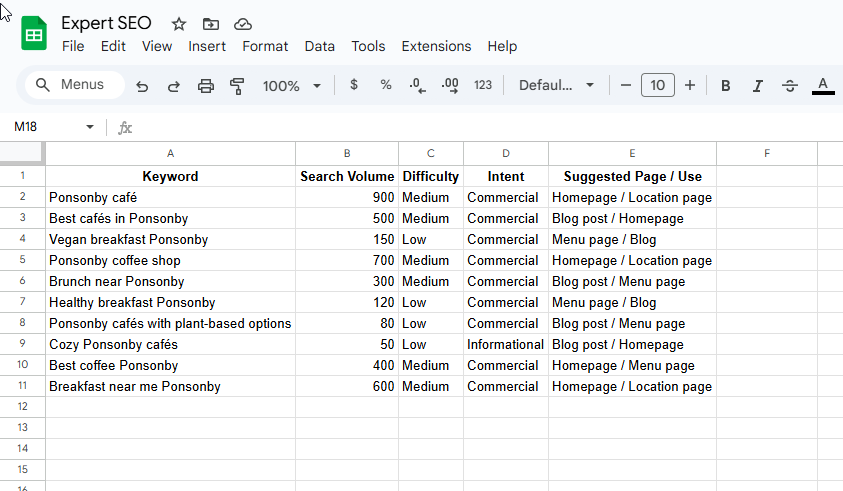
One primary keyword per page. Group close variations together on the same page — you don’t need separate pages for “plumber Hamilton” and “Hamilton plumber.” Those are the same search.
This is exactly how we structure our own site. Each city page (/auckland/, /hamilton/, /tauranga/) targets location-specific keywords identified through this process.
Step 6: Spy on Your Competitors’ Keywords
The fastest shortcut in local keyword research is looking at what your competitors already rank for.
Your competitors have already done keyword research for you. You just need to see what they rank for and find what they missed.
How to do it:
If you have SEMrush or Ahrefs, plug a local competitor’s domain into Site Explorer and look at their organic keywords. Filter by your city or region.

You’re looking for two things:
- Keywords they rank for that you don’t have pages for. These are opportunities. If a competitor has a page for “emergency plumber Hamilton” and you don’t, that’s a keyword to add to your list.
- Keywords they’re missing that you could target. Maybe they haven’t created suburb-level pages, or they’re not covering question-based searches. Those gaps are your advantage.
You can also do this without paid tools. Just Google your main keywords and look at the top 3–5 competitors. Check their site navigation, service pages, and blog content. Note every topic and location they cover, then compare it to your own list.
How to Find Keywords You’re Already Ranking For
If your website is live, you already have keyword data that most NZ businesses are ignoring.
Google Search Console (GSC) is a free tool that shows you exactly what search queries are driving impressions and clicks to your site — and most NZ businesses aren’t using it for keyword research.
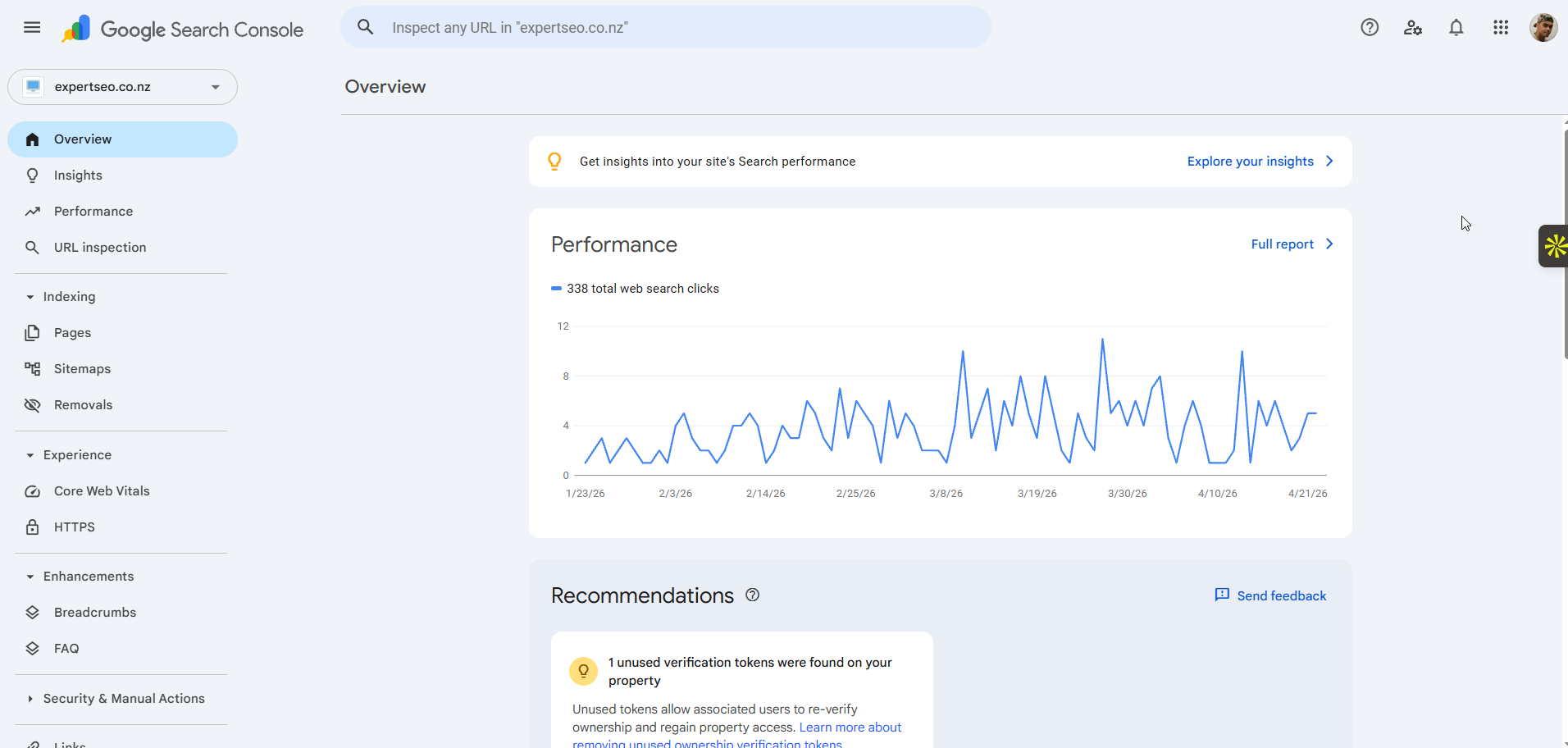
How to use it:
- Go to Google Search Console → Performance → Search Results
- Look at the Queries tab
- Sort by impressions (highest first)
What you’re looking for:
- Queries with high impressions but low clicks. These are keywords where Google is showing your site, but people aren’t clicking. That usually means you’re ranking on page 2 or 3, or your title tag isn’t compelling enough. Either way, it’s a keyword worth optimising for.
- Local queries you didn’t know you were ranking for. You’ll often find suburb-level or long-tail keywords appearing that you never specifically targeted. These are signals telling you where to build more content.
- Question-based queries. If people are finding you through questions like “how much does a plumber cost in Hamilton,” that’s a clear signal to create a blog post answering that question.
Check GSC monthly. As your site grows, new queries appear. This is ongoing keyword research that costs nothing and uses real data from your actual audience.
Local Keyword Research for Multiple NZ Locations
If your business serves more than one city or region, your keyword research needs to account for each location separately.
Serving Auckland and Hamilton doesn’t mean you do keyword research once and swap city names. Each location has different competitors, different search volumes, and different opportunities.
How to approach it:
- Run the full six-step process for each location
- Prioritise locations by commercial value — where do you get the most customers?
- Create separate pages for each commercially viable location
Should you create separate pages for each suburb?
This comes up a lot for NZ businesses, and the answer depends on three things:
- Is there search volume for “[service] + [suburb]”? (Even 10–100 counts)
- Do competitors have suburb-level pages?
- Can you create a genuinely useful page for that area — not just the same content with the suburb name swapped in?
If yes to all three, create the page. If the answer to the third question is no, you’ll end up with thin, duplicate content that does more harm than good.
For example, we’ve built city-level pages for Auckland, Hamilton, Tauranga, Christchurch, Wellington, Queenstown, Dunedin, Whangarei, and Palmerston North.
Each page targets location-specific keywords and includes content relevant to that area. The result is rankings across all of those cities — not because we duplicated content, but because we did the keyword research for each one.

Common Local Keyword Research Mistakes
Here are the mistakes that cost NZ businesses the most time and results.
Only targeting broad keywords. “Plumber” is a keyword, but it’s not a local keyword strategy. You need service-specific, location-specific terms to rank in your area.
Ignoring keywords because the volume looks small. In NZ, a keyword with 30 monthly searches can drive real revenue. Don’t compare NZ volumes to US benchmarks — they’re completely different markets.
Creating duplicate pages for the same keyword. If you have two pages targeting “plumber Auckland,” they’ll compete against each other. One keyword, one page.
Skipping competitor analysis. Your competitors have already found keywords that work. Use their research as a starting point, then find the gaps they’ve missed.
Not checking local intent. Not every keyword triggers local results. If you build a service page for a keyword that Google treats as informational, you won’t rank. Always check the SERP first.
Doing keyword research once and never coming back. Search behaviour changes. New competitors appear. Seasonal trends shift. Review your SEO strategy every quarter using Google Search Console data.
When to Do It Yourself vs Hire an SEO Expert
You’ve got two paths from here.
Option 1: Do it yourself. This guide gives you everything you need. Follow the steps, use the free tools, and build your keyword list. Expect a learning curve and some trial and error, but you can absolutely get results on your own.
Option 2: Work with an SEO expert. If you want faster, more precise results without the learning curve, that’s where working with an SEO agency makes sense.
We help businesses across New Zealand with local SEO and keyword research, including:
If you’re happy to DIY, use this guide and work through it step by step. If you want it done properly and done faster, that’s where we come in.
Local Keyword Research: FAQ
What is local keyword research?
Local keyword research is the process of finding the search terms people use when looking for businesses, products, or services in a specific area. The goal is to identify which keywords to target so your website shows up in local search results.
How do I find local keywords for free?
Use Google Keyword Planner (set location to NZ), Google autocomplete (type your keyword and note the suggestions), Google Search Console (see what queries you already rank for), and ChatGPT (generate keyword ideas based on your business and location).
What's the difference between local and regular keyword research?
Keyword research without a location focus targets keywords regardless of geography. Local keyword research specifically targets keywords with geographic intent — the ones people use when they want a product or service near them.
What tools are best for local keyword research?
For free options: Google Keyword Planner, Google Search Console, Google autocomplete, and ChatGPT. For paid options: SEMrush and Ahrefs both offer detailed keyword data with location filtering.
How many keywords should I target?
One primary keyword per page is a core on-page SEO principle, with close variations grouped together as secondary keywords. A typical local business website might target 20–50 keywords across service pages, location pages, and blog content.
How often should I redo local keyword research?
Review your keyword strategy quarterly. Use Google Search Console to check what’s working, find new keyword opportunities, and adjust your content plan based on real data.