

A website nobody finds on Google is a shop on a dead-end road.
You built it. You stocked it. You turned the lights on. And every day it sits there, silent, while people who want exactly what you sell drive straight past to the busy street one block over.
That busy street is Google’s first page. And you’ve probably been told getting onto it takes a fat budget and a two-year wait.
Half the people telling you that want the contract.
Here’s the honest version.
To get your website on Google’s first page, you make sure Google can find and index it, you target a search you can realistically win, you build the best page on the internet for that search, you optimise it on-page and technically, and you earn a few quality links — then you track it and keep sharpening.
Local businesses get a second, faster door: the Google map pack.
That’s the whole game. Below is how each piece works, what it really costs, how long it really takes — and proof it works, from a New Zealand site less than two years old that now sits at #1 nationally and gets quoted inside Google’s own AI answers.
Let’s get into it.
Why Getting on Google’s First Page Matters
Page one gets the clicks. Everything past it is a ghost town.
Think about how you search. You type something in, glance at the first few results, click one, and you’re gone.
You almost never scroll to the bottom, and you’d have to be desperate to click through to page two. Everyone searches like that — which means if your business isn’t on page one, you’re invisible to the exact people already looking for you.
The click-through data backs it up: the #1 organic result pulls around 27.6% of all clicks, and it drops off a cliff from there. Position one gets a feast. Position eleven — the top of page two — gets crumbs.

Let me make it real with my own example.
My Dunedin page ranks #1. I didn’t pay for that spot and I don’t pay to keep it. It just sits there on page one, working while I sleep (and the same, with time, will happen with my SEO in Wellington and Christchurch pages).
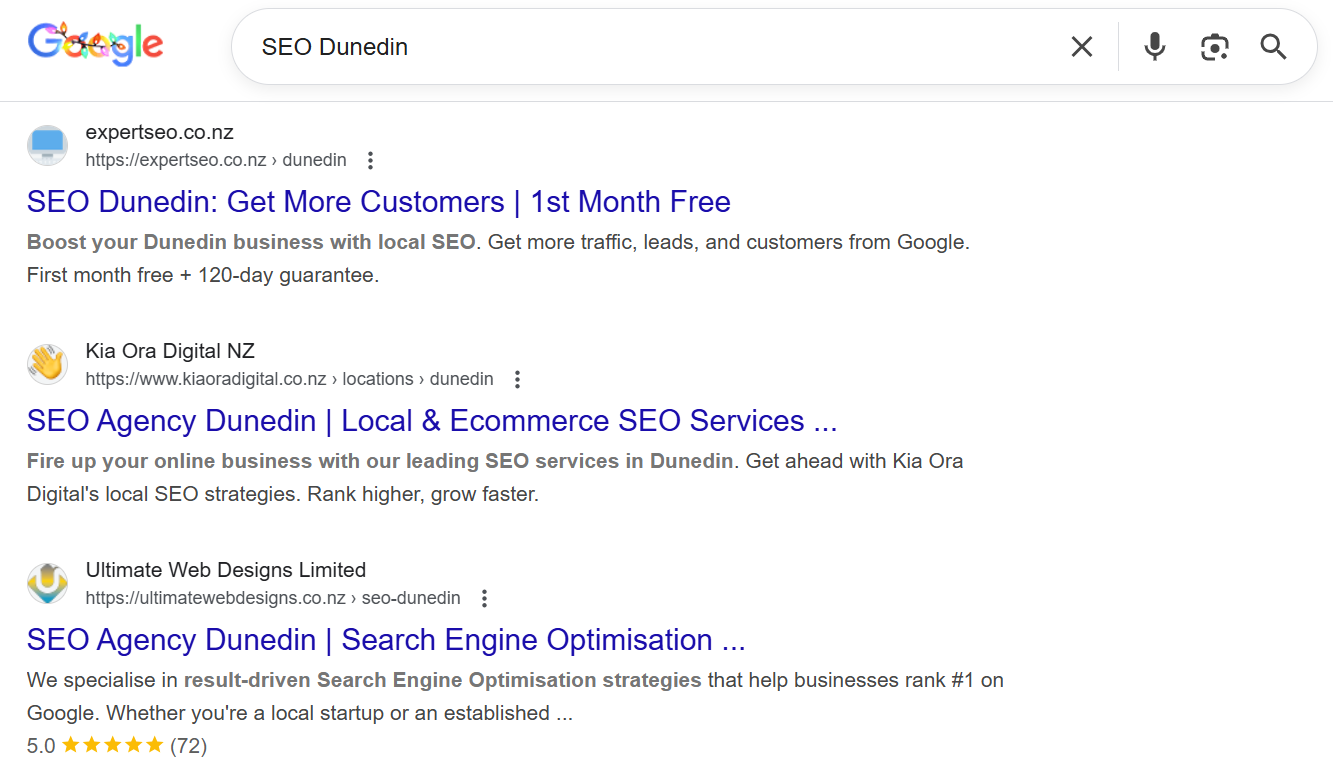
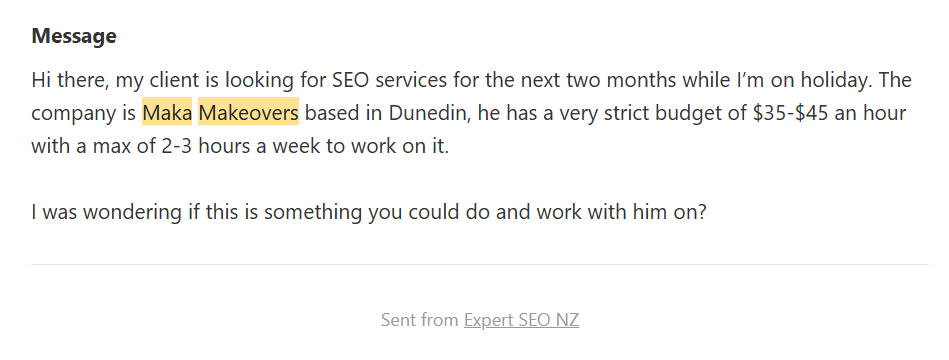
And because it’s there, NZ businesses message me most weeks — builders, clinics, trades, agencies — asking for help with their SEO.
I’m not chasing them. They found the page, read it, and reached out. One message was even a whole agency wanting to hand over their Dunedin client.
One of those inbound messages turned into a consulting client — the Smoke Shed, who filled out the audit form straight off the back of the rankings. A cold lead, off a page that ranks, that became real revenue.
That’s page one doing its job: the customer comes to you, pre-sold, at the moment they’re looking.
Now flip it. When you’re not on page one, that enquiry doesn’t vanish. It goes to the competitor who is. Every day you’re on page two is a day someone else is answering the phone to your customer.
That’s why this matters. Not vanity — leads.
Proof This Works
I’m not going to hand you a checklist I’ve never run myself. So before the steps, here’s the evidence it works — because every other guide ranking for this topic is written from theory, with a hypothetical “plumber in Auckland” and zero proof behind it.
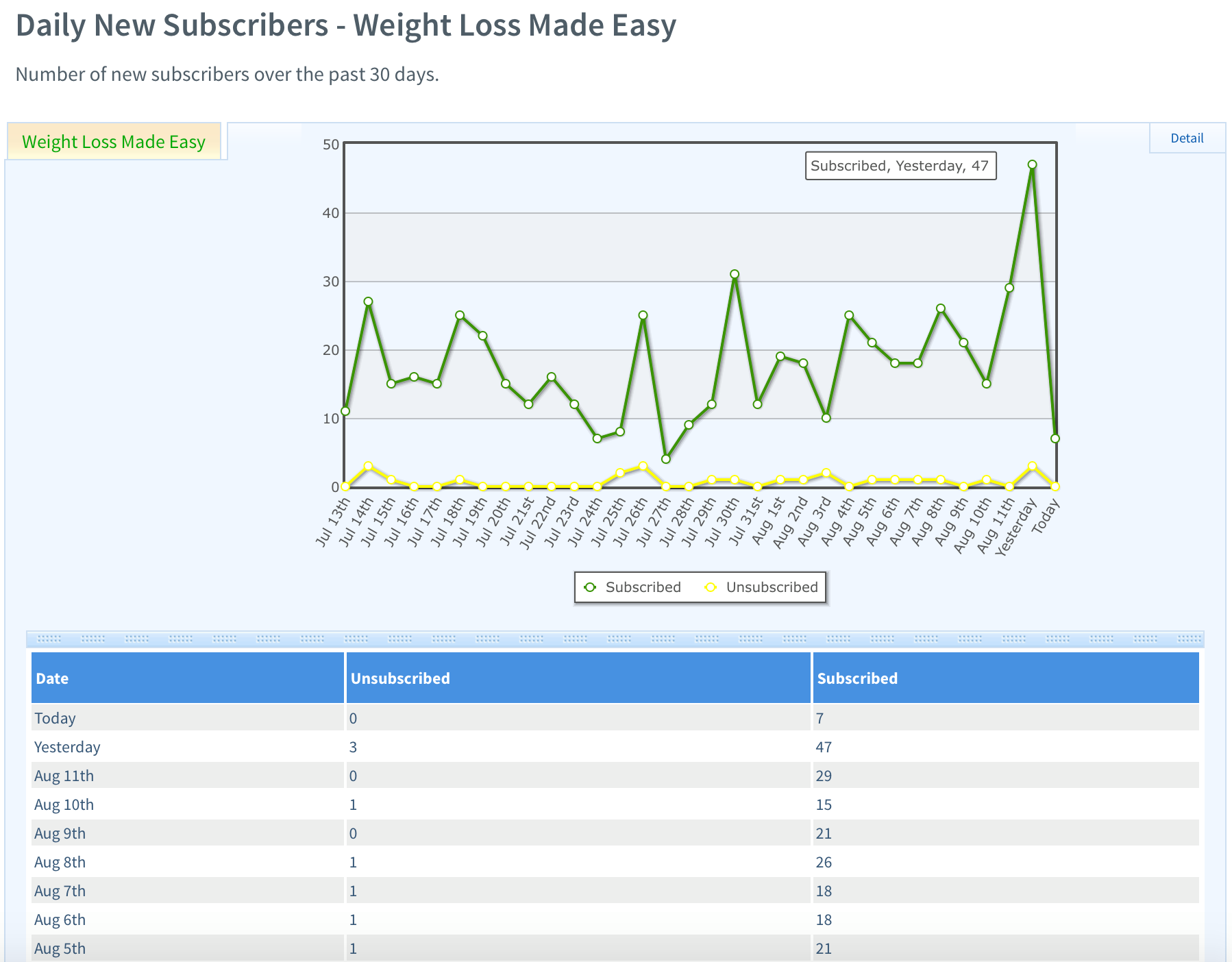
HealthVI: 0 to 20,000+ visitors a month. I built a health site from a standing start to over 20,000 monthly organic visitors. It ranked for thousands of keywords, several of them pulling thousands of searches a month each.

And that traffic did more than sit there. At its peak it was feeding us 10 to sometimes hundreds of email signups a day — real people joining a list so we could keep the relationship going. That’s page one at scale.
Expert SEO: #1 in NZ for “local SEO”, on a domain under two years old. My own NZ SEO company ranks #1 in New Zealand for “local SEO” — above Ahrefs and Semrush, two of the biggest names in the industry, sitting on domains a decade older than mine.

It goes one step further: Google’s AI Mode quotes the page directly in its answers. If you want proof that page one is reachable fast in New Zealand, even against giants, this is it.

Real page-one rankings across real NZ cities. #1 for SEO Dunedin. #1 for SEO Palmerston North. #2 for SEO Hamilton. Different cities, same process, page-one results — and that SEO Hamilton spot is against agencies that have been at it far longer than I have.

Palmerston North tells the same story — top of page one, in a city where I’m the newcomer.
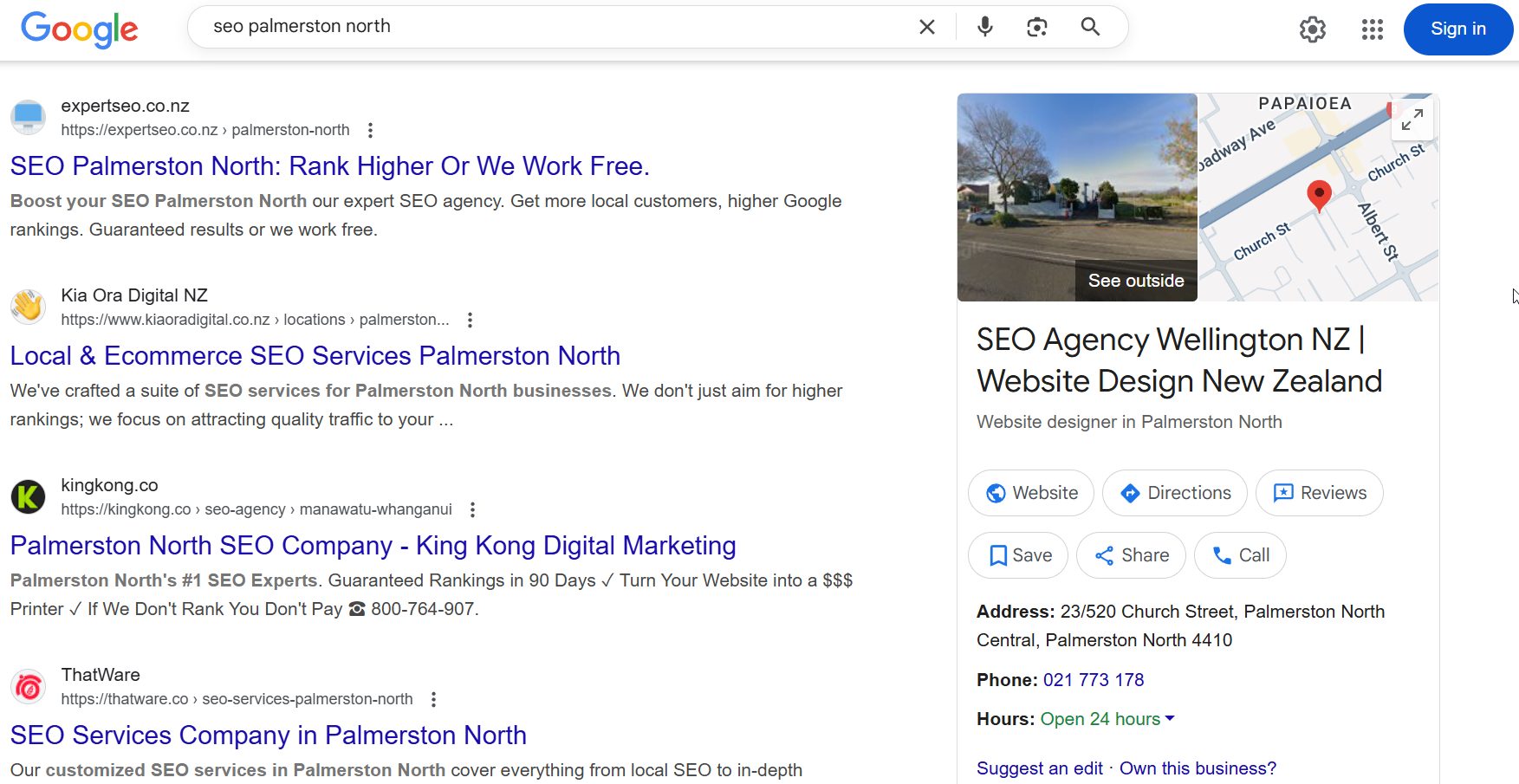
None of that is theory. It’s the exact process below, run on real sites, producing real page-one rankings. That’s the difference between this guide and every generic list you’ve read.
First, Know Which “Page One” You’re Chasing
Here’s the thing nobody tells you up front: page one has two doors, and they run on different rules.
The map pack. The little block of three businesses with the map, sitting near the top when you search something local. That’s driven almost entirely by your Google Business Profile. For a business that serves an area, this is the fast door — often weeks, not months.
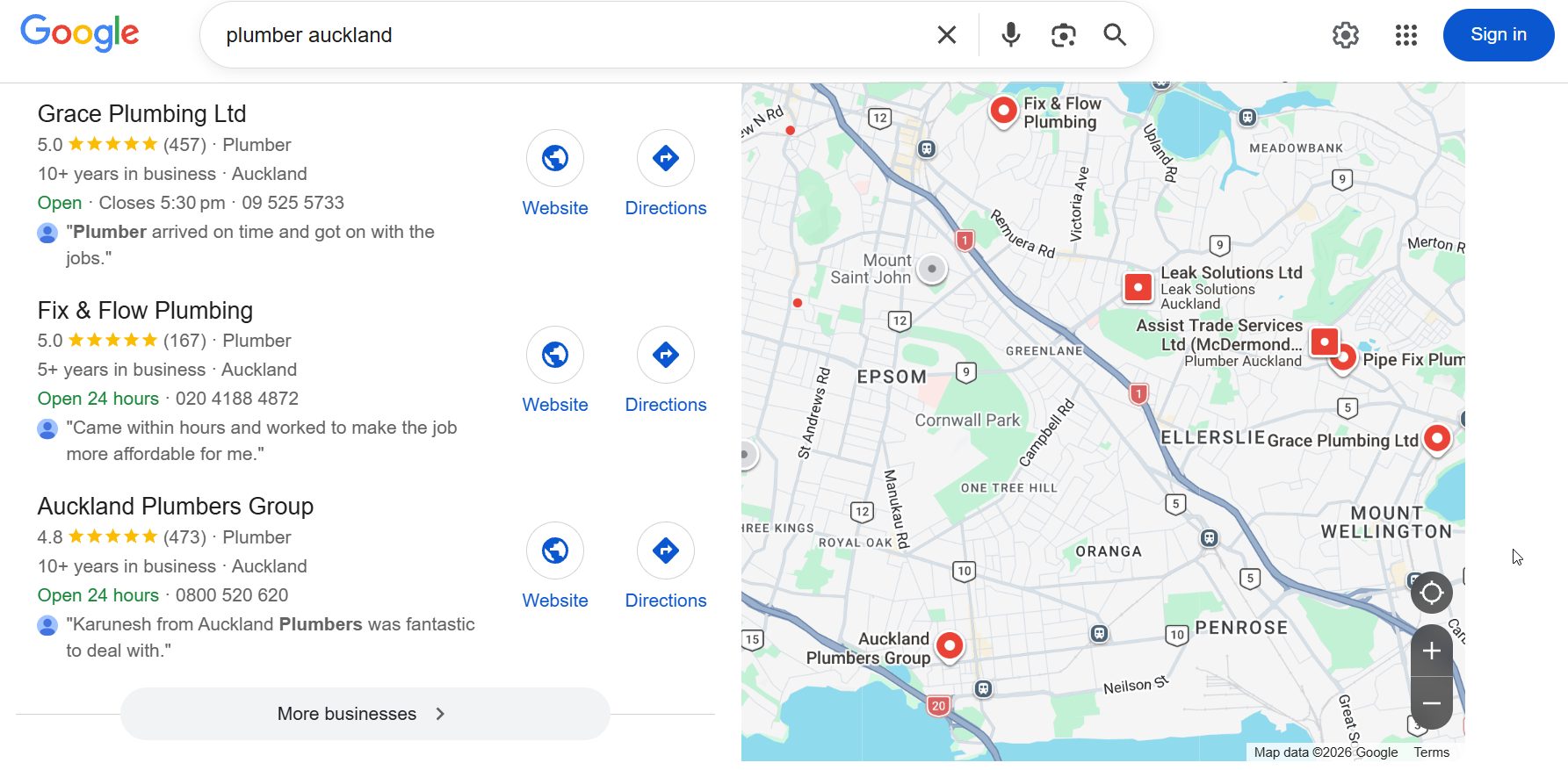
The organic results. The classic blue links below it. These are open to anyone — a blog, a shop, a national brand — and they’re driven by content, on-page SEO, and links. This door takes longer to walk through, but it’s the one that ranks a page for a search nationwide.
Why does this matter before you do anything else? Because it decides where you spend your effort.
A local plumber chasing the map pack should pour energy into their Google Business Profile. A national blog competing in the blue links should pour it into content and links. Aim at the wrong door and you’ll work hard for nothing.
One quick clear-up, because it trips people up: if you searched this hoping to pin a website to your browser’s start page — the page that opens in Chrome — that’s a different thing entirely. Here, “getting on Google” means ranking in the search results people see when they look for what you sell.
Right. You know which door you’re aiming at. Here’s how to walk through it, step by step.
Step 1 — Make Sure Google Can Find Your Site
You can’t rank if you’re not in the index. So the very first check is the simplest one: does Google even know your pages exist?
Here’s why it comes first. Google finds pages by crawling the web with automated bots, then filing what it finds in a giant index. If a page isn’t in that index, it can’t rank — end of story.
It’s not on page two. It’s on no page. And brand-new NZ sites are the worst offenders, because Google hasn’t got around to crawling them properly yet.
The two-minute check: go to Google and search site:yourdomain.co.nz (swap in your real domain).
What comes back is every page of yours Google has indexed. If you see your key pages, good.
If you see nothing, or only your homepage, or the wrong pages — that’s your problem, and it’s fixable in minutes. You can see the same picture in more detail inside Google Search Console’s Pages report.
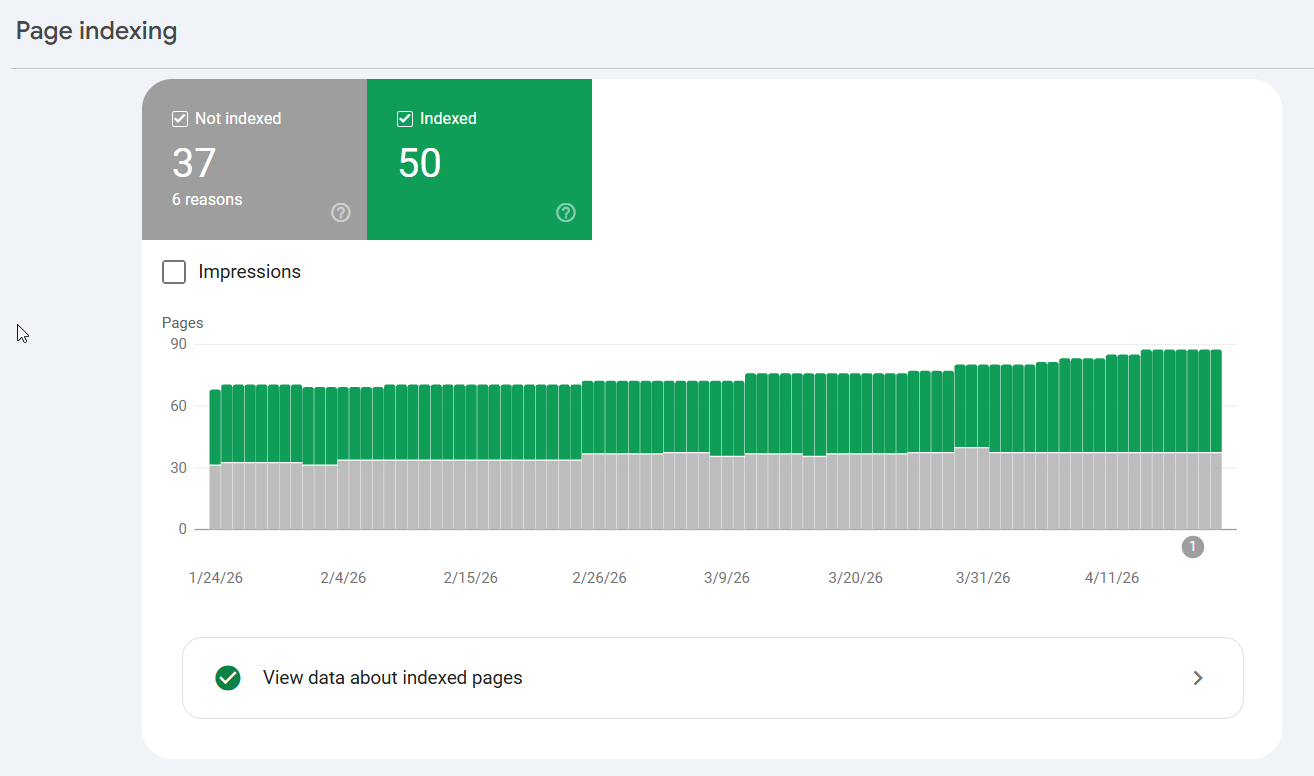
The fix, click by click:
- Set up Google Search Console (it’s free) and verify your site — the setup wizard walks you through it.
- In the left menu, click Sitemaps, and submit your sitemap URL (usually
yourdomain.co.nz/sitemap_index.xml). If you’re on WordPress, Rank Math or Yoast generates this for you automatically.
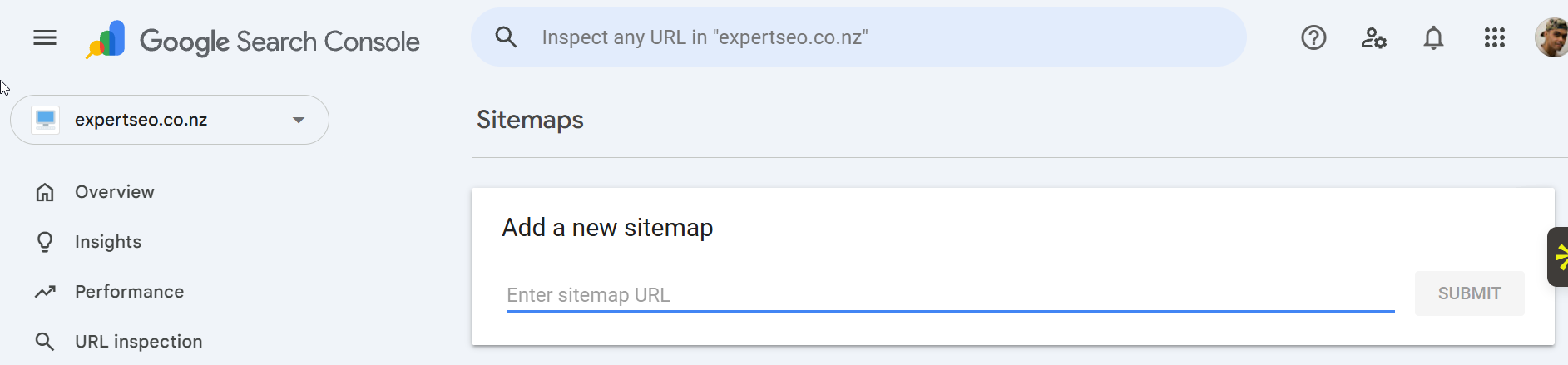
- For any single page you want indexed now, paste its URL into the search bar at the top (the URL Inspection tool), then click Request Indexing. That’s you personally tapping Google on the shoulder.
This is the step people skip and then wonder why they’re invisible. Sort it first. If Google can’t find you, nothing else on this list will save you.
Step 2 — Target Keywords You Can Win
The fastest way onto page one is to stop fighting for the keyword everyone wants.
Every new business owner does the same thing: they want to rank for the big, fat, two-word term. Something like “SEO Auckland” or “Auckland plumber.”
The problem is that every established competitor with a ten-year-old site and a pile of backlinks wants it too. On paper, a new site trying to muscle in there has about as much chance as a go-kart entering Bathurst.
So you don’t start there. You start low and climb.
The move is to chase specific, lower-competition searches you can realistically win — the long, specific phrases people type when they know what they want.
Not “plumber Auckland” but “emergency hot water cylinder repair Mt Eden.” Fewer people search it, sure. But the ones who do are ready to buy, and you can rank for it.
Here’s the micro-process:
- Brainstorm like your customer, not like an insider. List every service you offer and every area you serve. Don’t overthink it — a dentist might write “dental implants,” but their customer is Googling “replace missing tooth.”
- Expand the list with a tool. Drop your seed terms into Google Keyword Planner (free) to pull related searches and rough volumes. Ahrefs or Semrush go further, adding a keyword difficulty score for each.
- Filter for winnable. In Ahrefs or Semrush, sort by difficulty and start with the “easy” range. A low-difficulty term with modest volume beats a high-difficulty term you’ll never crack.
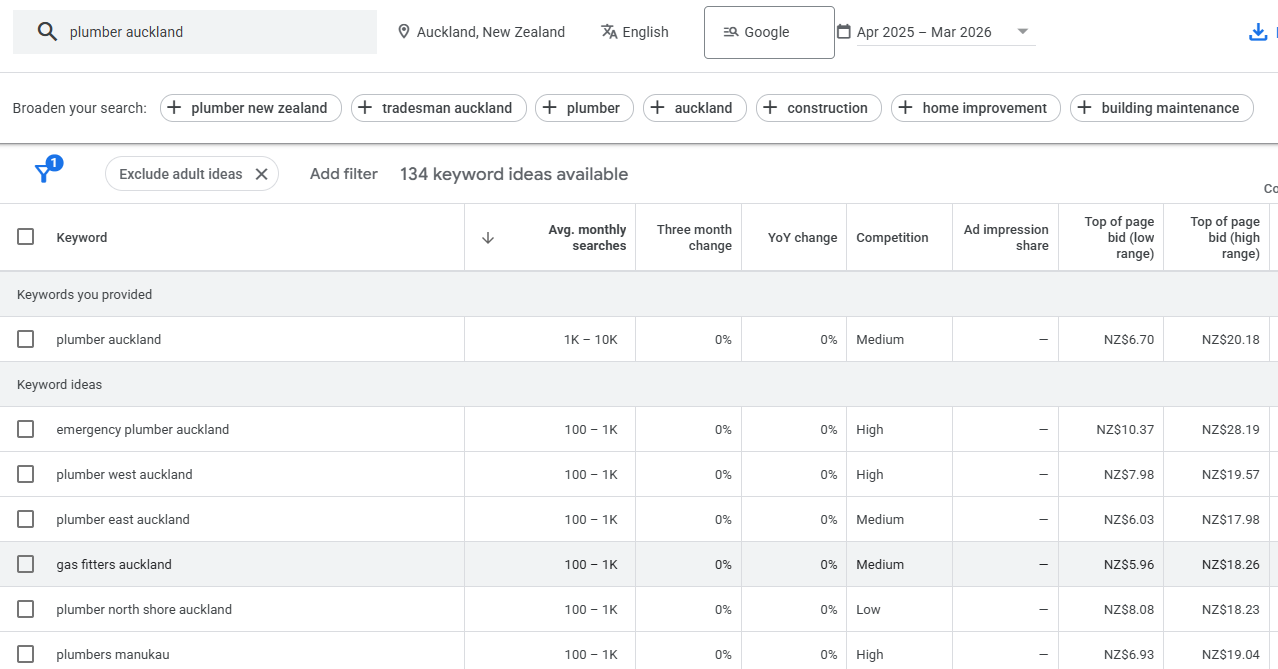
For the tools themselves — which to use, free versus paid, what each is good at — I’ve broken down the full stack of SEO tools I use.
A real NZ example: say you run a small accounting firm in Hamilton. Instead of throwing yourself at “accountant Hamilton” (brutal), you’d target “small business accountant Hamilton,” “rental property tax accountant Waikato,” “Xero setup help Hamilton.”
Each one’s winnable, each one brings someone who’s ready to talk, and each ranking makes the next one easier. That’s how a small site snowballs — and it’s the backbone of any real small business SEO plan.
Nail this step and everything after it gets easier. Pick the wrong keyword and the best content in the world won’t rank.
Step 3 — Match What the Searcher Is Really Looking For
Before you write a single word, look at what’s already ranking. Google has already decided what kind of page wins that search — your job is to match it, not argue with it.
Here’s why. Google’s whole business is serving the result that best fits what the searcher wants. Search “how to file a tax return” and the whole first page is guides and how-tos, because that’s what people want for that phrase.
Publish a service page there and you’re invisible, no matter how good it is.

So you read the room. Open an incognito tab, search your target keyword, and look at the top few results:
- Type — are they blog posts, product pages, service pages, or videos?
- Format — if they’re blog posts, are they how-to guides, listicles, comparisons?
- Angle — what’s the common hook? Beginner-focused? “2026” freshness? Cheapest option?
Then you build the same type of page, better.
Another quick example: search “best coffee beans NZ” and the whole first page is listicles — “10 Best…” roundups.
That’s Google telling you exactly what to make. Write a service page there and you’re done before you start. Write the most useful roundup on the internet and you’ve got a shot. Getting this match right is half of writing content that ranks.
Fighting the intent is the most common own-goal in SEO. Don’t do it. Give Google the format it’s already rewarding.
Step 4 — Build the Page That Deserves to Rank
Now you build the best answer on the internet for that search. Not a good answer. The best one.
Google’s goal is to serve the most useful, most trustworthy result. So the page that most completely answers the question — from someone who clearly knows their stuff — is the page that earns the ranking. Your job is to be that page.
Here’s how to do it:
Cover everything the top pages cover, then go further. Open the current top three or four results and note every point they make.
That’s your baseline — miss any of it and you look incomplete. Then add what they left out: the NZ context, the real example, the question they dodged. Being more complete than the competition is most of the battle.
Prove you’ve done this. Google leans on E-E-A-T — Experience, Expertise, Authoritativeness, Trustworthiness. In plain terms: show you’ve done the thing. A real example, a real screenshot, a real result, a named author who exists.
A tradie writing “here’s the decking timber that survived three Waikato winters on my own deck” beats a faceless page reciting theory every time.
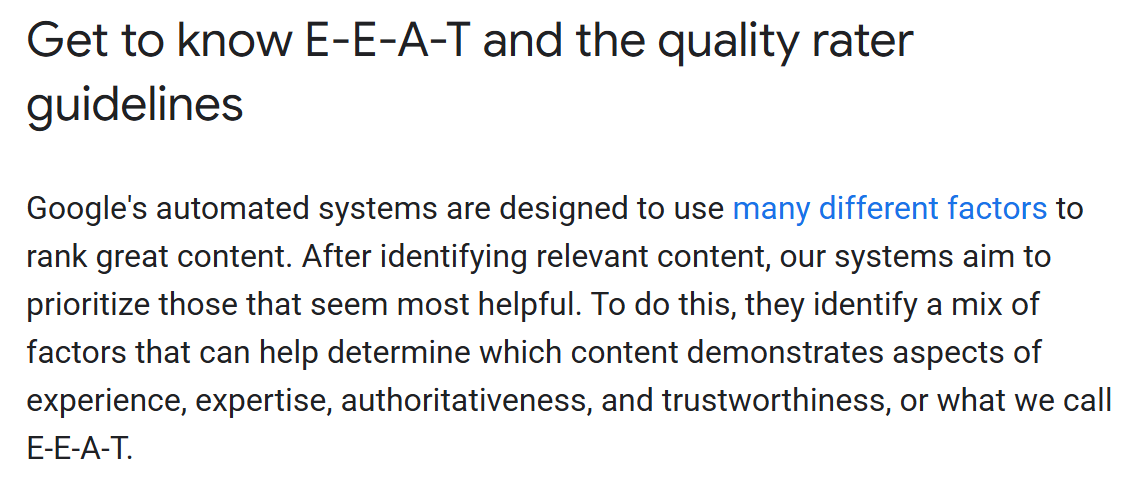
Write it for a human and for the AI reading over their shoulder. Lead each section with the direct answer, then expand.
Use clear headings. Keep it scannable. This is the same structure that gets you quoted in AI Overviews — a clean, direct answer up top is exactly what the AI lifts.
That last point is worth sitting with. The reason my pages get pulled into Google’s AI answers is they answer the question plainly, right away, before waffling. Do that and you’re not just ranking — you’re the source the AI trusts.
Step 5 — Optimise the Page So Google Understands It
You’ve got a genuinely great page. Now make it obvious to Google what it’s about. This is on-page SEO, and it takes about twenty minutes.
Why it matters: Google is smart, but it still relies on signals to be sure what a page is for and who it’s for. On-page SEO is you spelling it out plainly so there’s no guesswork. Get it right and you tip a close call in your favour.
Here’s where your target keyword goes:
- Title tag — the clickable headline in the search results. Keyword near the front.
- Meta description — the blurb underneath. Doesn’t directly rank you, but a good one wins the click.
- URL slug — short, clean, includes the keyword (
/bathroom-renovation-cost-nz/, not/page-id-4471/). - H1 and first paragraph — say what the page is about early.
- Image alt text — describe the image, keyword where it fits naturally.
- Internal links — link to this page from other relevant pages on your site so Google (and readers) can find it.
If you’re on WordPress, Rank Math makes this close to foolproof. It grades your page as you edit — a little panel that flags a missing keyword in the title, a too-long meta description, a missing alt tag — and turns green when you’ve covered the basics.
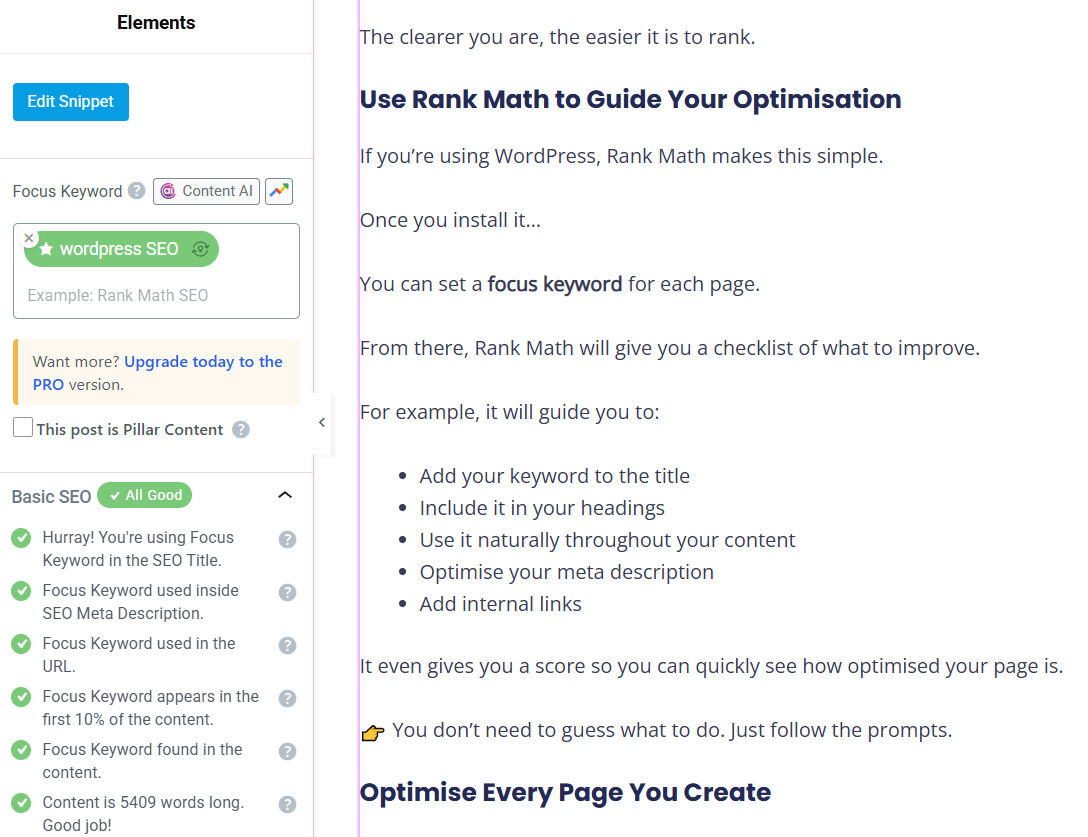
Twenty minutes a page. It’s the highest-return twenty minutes in SEO.
Step 6 — Sort Your Technical and Mobile Foundation
A slow, clunky, hard-to-use site gets held back no matter how good the writing is. So you sort the foundation.
Think of it like the engine under a car. The paint job is your content — it’s what people see. But if the engine’s shot, the car won’t move, and it doesn’t matter how good it looks.
Google won’t rank a page that’s painful to use, because its users would hate it.
Three things carry most of the weight:
Speed. Run your site through Google PageSpeed Insights (free). It scores you and lists the fixes — usually oversized images, slow hosting, or bloated plugins. You don’t need a perfect 100. You need “not painfully slow.”

Mobile. More than half of NZ searches happen on a phone, so Google judges the mobile version of your site first. Pull your site up on your own phone. Can you read it without pinching to zoom? Are the buttons easy to tap? If not, that’s costing you rankings.
Security. Your site needs HTTPS — the little padlock in the address bar. No padlock, and both Google and visitors treat you as dodgy. Most hosts add this free in a couple of clicks.
This is the least glamorous step and one of the most important. A fast, mobile-friendly, secure site is the ground everything else stands on — and if you want the full rundown, it lives in technical SEO.
Step 7 — Claim Your Google Business Profile (The Fast Lane)
If you serve a local area, this is your shortcut onto page one. A complete, optimised Google Business Profile can land you in the map pack — page one — in weeks, not months.
Here’s why it’s the fast lane. The map pack sits above the organic blue links, and it takes a huge share of the clicks on local searches. Nearly half of all Google searches carry local intent, and the top three map results — that pack — pull the lion’s share of those local clicks.

The click-by-click:
- Claim and verify. Go to Google Business Profile, search your business, and claim it (or create it). Verify by the method Google offers — usually a code.
- Nail your NAP. Name, Address, Phone — exactly as they appear on your website, character for character. Consistency is a trust signal; mismatches confuse Google.
- Choose the right primary category. This is the single biggest lever. Pick the category that describes your main service — “Dentist,” “Plumber,” “Accountant” — then add relevant secondary ones.
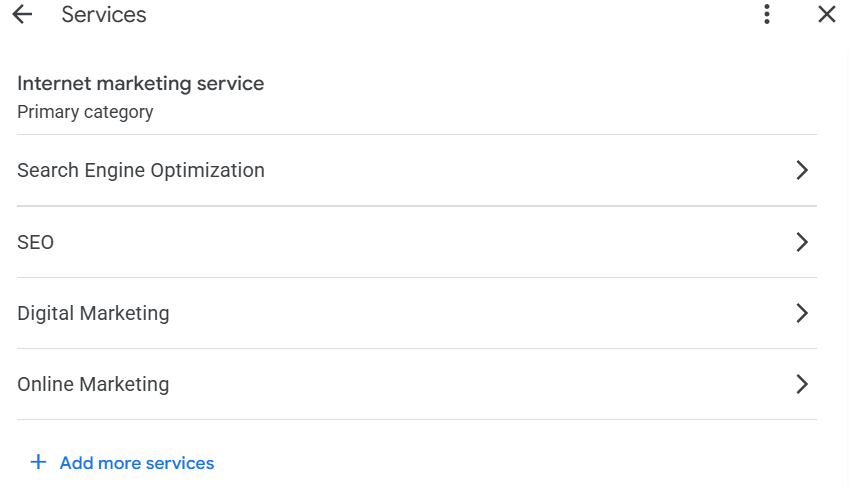
- Fill it out completely. Photos, services, hours, service areas. A complete profile gets meaningfully more views than a bare one — Google rewards the businesses that give its users the full picture.

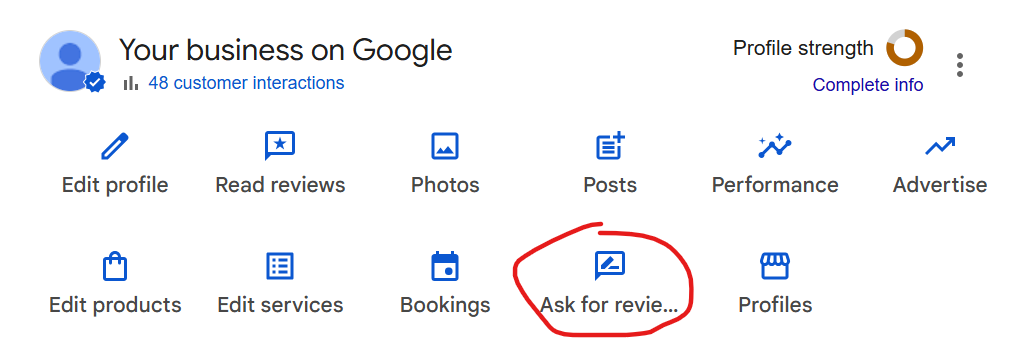
- Get reviews, on purpose. Reviews are both a ranking signal and the thing that makes someone choose you. Grab your review link straight from your profile (the “Ask for reviews” button hands it to you), turn it into a QR code for your invoices and van, and text it to a happy customer right after a good job — while they’re still buzzing. One polite follow-up. Reply to every review that comes in.
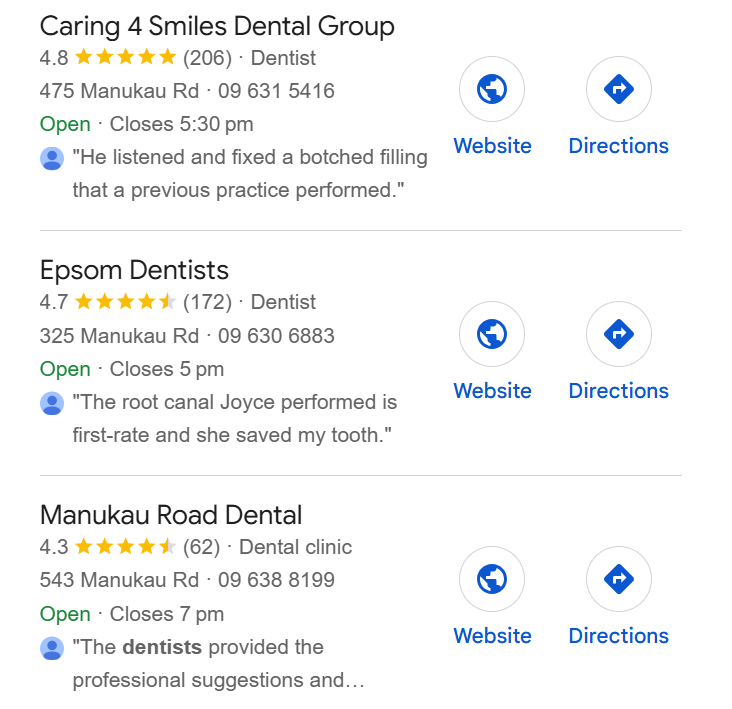
Here’s the reality check that makes this concrete. Search “dentist Auckland” and look at the map pack: Caring 4 Smiles sits on 206 reviews, Epsom Dental on 172, the next on 62.
That’s your target — not to match a national brand’s backlinks, but to out-review the three businesses in your suburb. That’s a fight you can win.
The map pack is the closest thing to a fast win in this whole guide. If you’re local, start here. The full playbook — categories, citations, reviews, the lot — is in my local SEO guide.
Step 8 — Build Authority With Quality Backlinks
Backlinks are other websites vouching for you. They’re one of the strongest ranking signals there is — but quality crushes quantity, and cheap links can actively sink you.
Here’s the model. Every link from another site is a vote of trust. When a respected NZ news site or a well-known industry blog links to you, Google reads it as a credible source saying “this business is legit.”
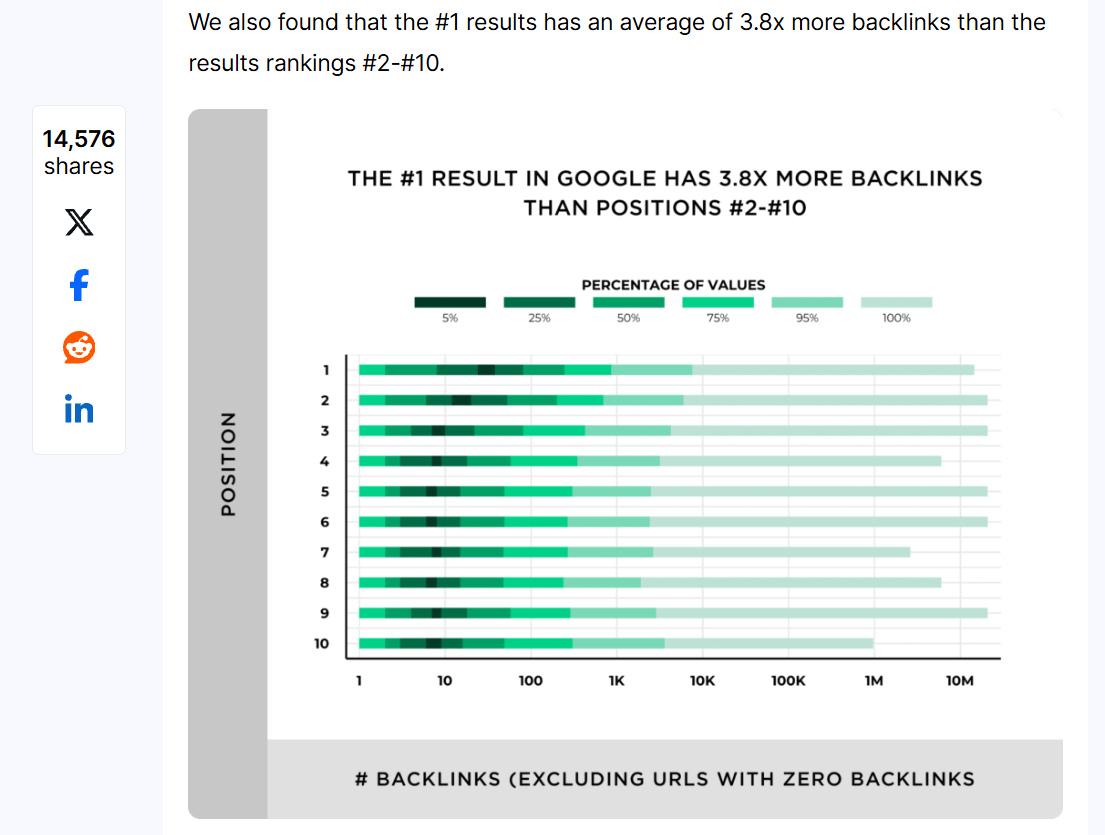
Rack up enough of those votes and Google pushes you up. Pages in Google’s top 10 have, on average, far more of these votes than the pages below them — it’s one of the most consistent patterns in ranking data.
But the votes aren’t equal. One link from a trusted, relevant NZ site is worth more than fifty from spammy directories nobody reads.
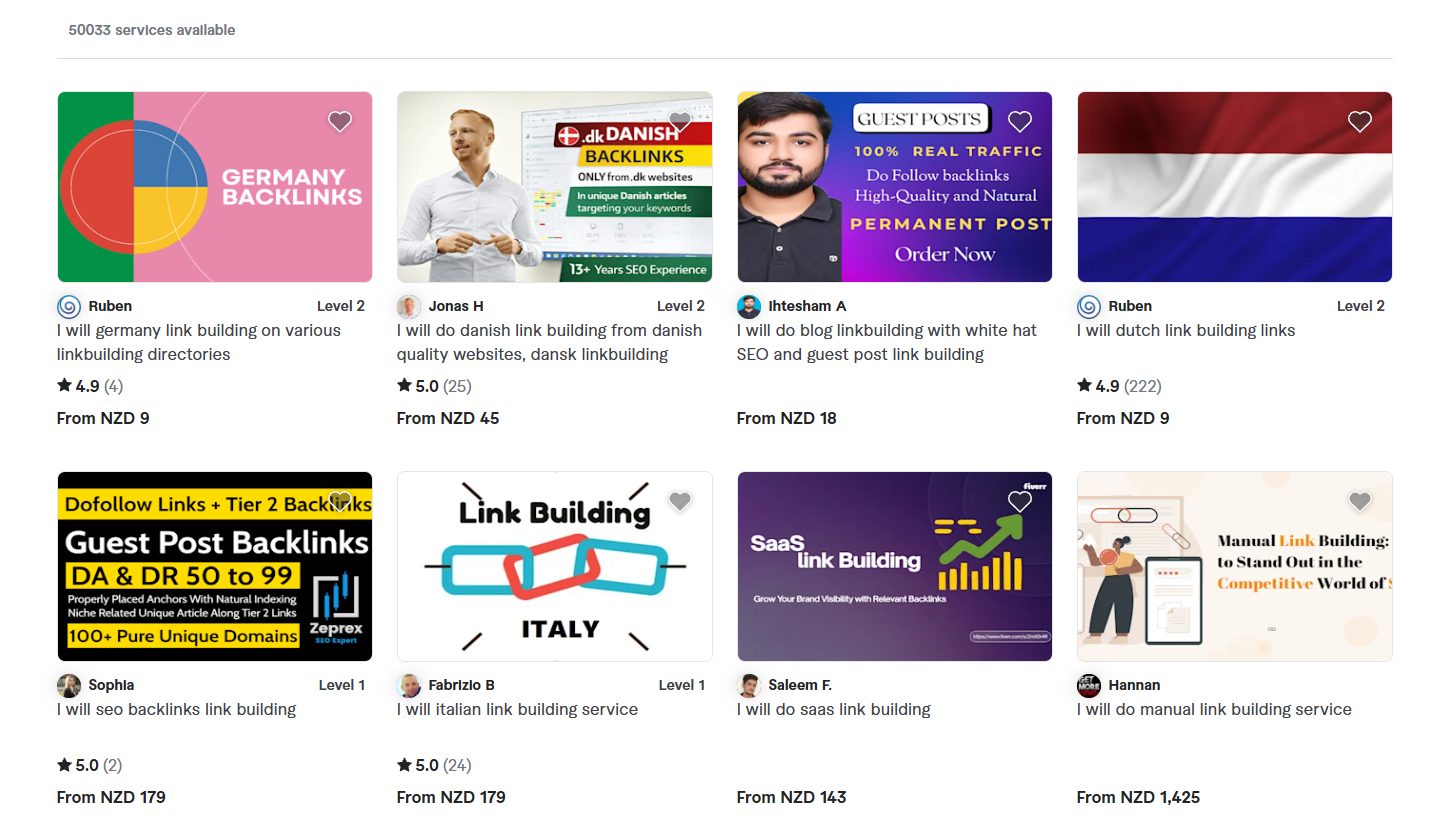
And those fifty cheap links? They can get you penalised. This is the step where people buy a “1,000 backlinks for $50” package and torch their own rankings — so don’t.
How to earn the good ones, NZ-style:
- Be linkable. Publish something worth citing — a real guide, real data, a genuinely useful tool. Nobody links to a thin service page.
- Tap your local network. Sponsor a local club or charity and ask for a link. Partner with a complementary local business. Join your industry association’s member directory.
- Get into quality NZ directories — the reputable ones, not link farms.
- Guest post on relevant NZ trade blogs and publications, with a natural link back.
A handful of genuinely good ones will move you further than a hundred you paid for.
Step 9 — Track Your Rankings and Keep Improving
Page one isn’t set-and-forget. You measure where you stand, watch what’s climbing, and keep sharpening the pages that are almost there.
Why bother tracking? Because SEO is a moving target — competitors publish, Google updates, rankings shift.
Without measurement you’re flying blind, doubling down on things that aren’t working and ignoring the pages that are one nudge from the top.
Here’s what to watch, and where:
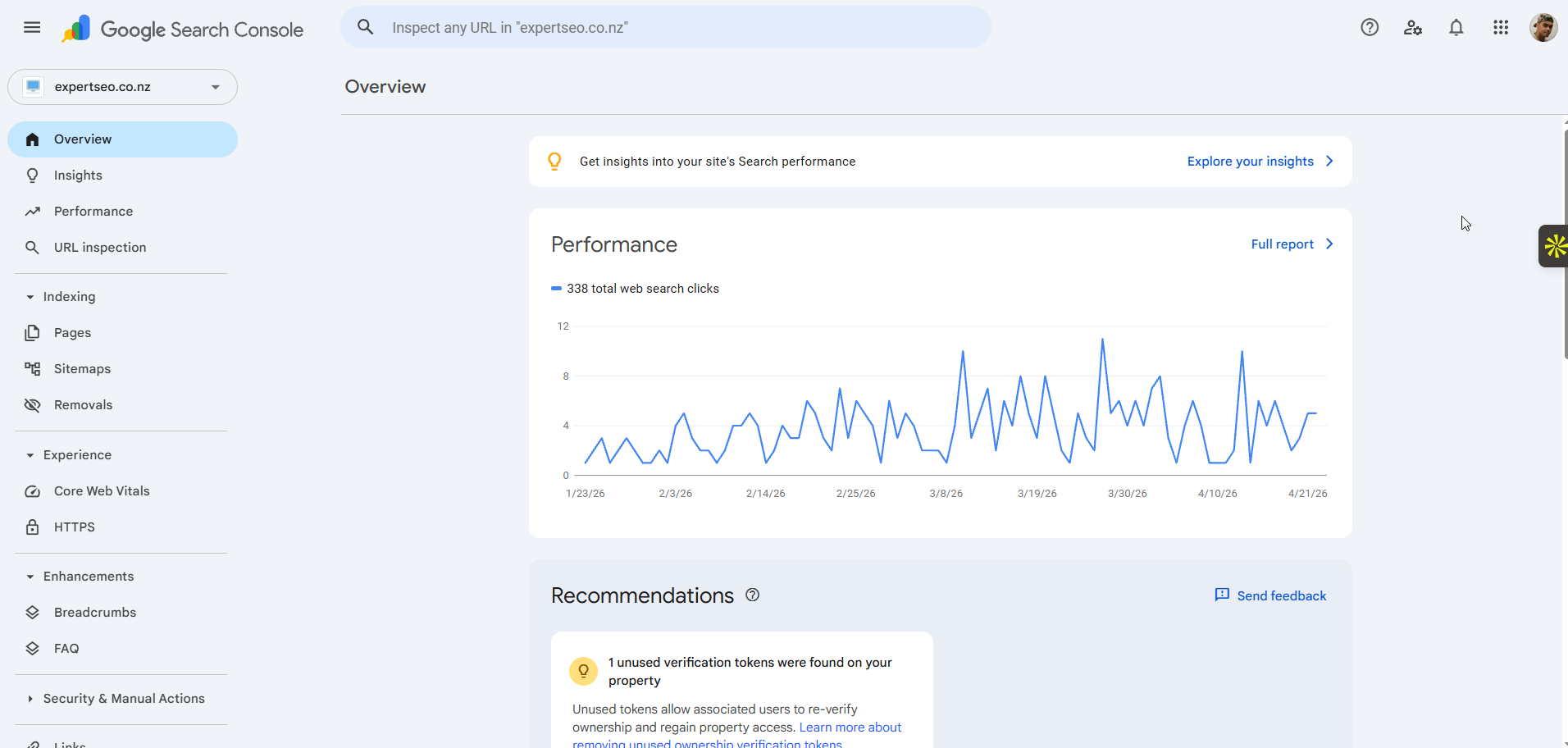
- Google Search Console (free) is your dashboard. Check the Performance report for impressions, average position, and — the gold — pages sitting at positions 8 to 15. Those are your “so close” pages. A little more content, a couple of internal links, and they jump onto page one.
- Refresh what’s stalled. A page that climbed then flatlined usually needs updating — fresher information, a better answer to the question, a few more of the sub-topics competitors now cover.
- Give it time to compound. The first few months often look like nothing’s happening. That’s normal, not failure — early rankings are quietly building before they break through.
The businesses that win at SEO aren’t the ones who do it once. They’re the ones who keep tightening the pages that are nearly there. If you want a structured way to run this ongoing, that’s the heart of a real SEO strategy.
How Long Does It Take to Reach Page One?
Straight answer: the local map pack can happen in weeks. Competitive organic rankings usually take three to six months for real traction, and they compound from there.
Two timelines, because there are two doors. An optimised Google Business Profile in a suburb that isn’t fiercely contested can surface in the map pack surprisingly fast — sometimes a few weeks.
A blog post or service page competing in the organic blue links for a decent keyword is a longer game: a few months to gain ground, six-plus to lock in solid rankings.
Here’s the part most guides won’t tell you: the first two or three months usually look like nothing is working.
No movement, no traffic, nothing. That’s not failure — that’s the runway. Google is crawling, indexing, and slowly building trust in your pages before it rewards them. The people who quit at month two are the ones who never see month six.
I’ve watched this curve play out over and over. My own site looked like nothing for its first stretch — then in about eight months it was ranking for 233 keywords and pulling roughly $3,500 a month in traffic value, on a domain barely out of nappies.
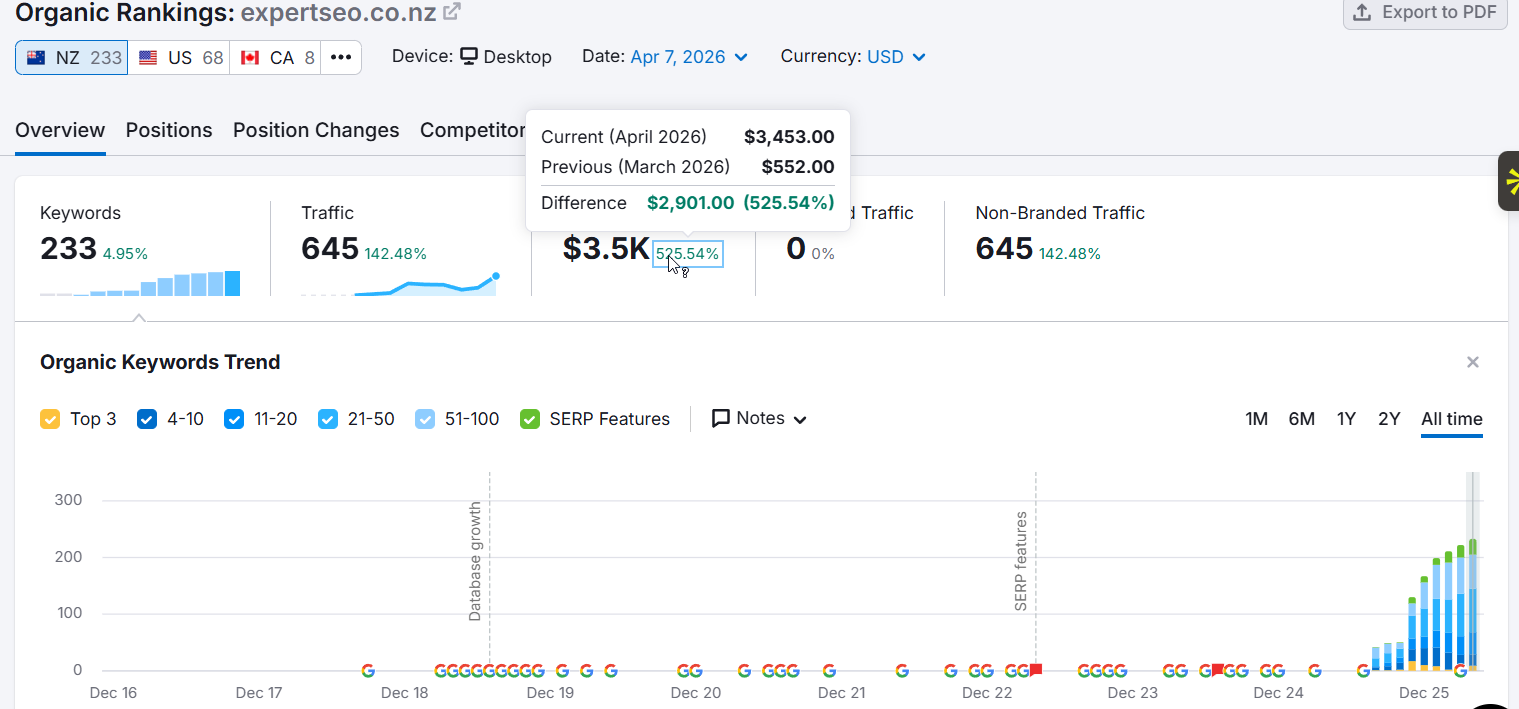
The climb is real. It’s just back-loaded.
How Much Does It Cost to Get on Google’s First Page in NZ?
The honest answer: it depends entirely on whether you do it yourself, use tools, or hire someone.
This is the question every other guide dodges, so here are real New Zealand numbers.
Doing it yourself: free in dollars, expensive in time. Everything in this guide, you can do with $0 of software — Google Keyword Planner, Search Console, and PageSpeed Insights are all free. What it costs you is time and a learning curve. For a patient owner chasing a few local keywords, it’s genuinely doable.
DIY plus tools: roughly NZ$150–500 a month. Add a paid tool like Ahrefs or Semrush and the keyword research, competitor spying, and rank tracking get far faster and clearer. This is the sweet spot for a hands-on owner who wants to move quicker without hiring out.
Hiring an SEO expert: from around NZ$800–3,000+ a month. Most NZ businesses working with an agency or consultant sit in this range, scaling with competition and goals. You’re paying for experience, speed, and someone doing the work while you run your business.
| Route | Cost | Speed | Best for |
|---|---|---|---|
| Do it yourself | $0 (just your time) | Slowest | Patient owners chasing a few local keywords |
| DIY + tools | ~NZ$150–500/mo | Faster | Hands-on owners who want to move quicker |
| Hire an expert | from ~NZ$800–3,000+/mo | Fastest | Competitive markets, time-poor owners, done right first time |
And the “can I do it for free?” question, answered plainly: yes, the work itself can cost nothing but your time.
What you can’t buy for free is the years of knowing which twenty percent of the work moves the needle. That’s the real trade-off — money versus time versus expertise.
Should You Do This Yourself or Hire an SEO Expert?
You’ve now got the full playbook. So which is it — roll your sleeves up, or bring someone in?
Do it yourself if you’ve got the time, you’re chasing a handful of local or low-competition keywords, and you’re happy to learn as you go.
This guide is your map. Plenty of NZ business owners get real results doing exactly that, and there’s no shame in the DIY route — it’s how I started.
Bring in help when the stakes are higher: you’re in a competitive market, you’ve no time to spare, or you just want it done properly the first time instead of learning through expensive mistakes.
That’s when done-for-you SEO pays for itself — the work gets handled, and it gets handled by someone who’s ranked sites in far harder markets than yours.
If you’d rather talk it through than hand it over straight away, that’s what a no-pressure chat with an SEO consultant is for.
Either way, the path to page one is the same nine steps. Whether you walk it yourself or get a hand, now you know exactly what it takes — and you’ve seen the proof it works.
If you’d rather have it handled, that’s where we come in.
How to Get Your Website on Google's First Page: FAQ
Can you get your website on Google's first page for free?
Yes. The work itself can cost nothing but your time — Google Keyword Planner, Search Console and PageSpeed Insights are all free, and every step in this guide can be done without paid software. Paid tools and hiring an expert just make it faster.
How much does it cost to get on the first page of Google in NZ?
Doing it yourself is free in dollars (it costs time). Adding paid tools like Ahrefs or Semrush runs roughly NZ$150–500 a month. Hiring an SEO agency or consultant in New Zealand typically starts from around NZ$800–3,000+ a month, scaling with competition and goals.
How long does it take to get on the first page of Google?
It depends which "page one" you're chasing. The local map pack can happen in weeks for a well-optimised Google Business Profile in a less competitive area. Competitive organic rankings usually take three to six months for real traction, then compound from there.
Why isn't my website showing up on Google at all?
It's probably not indexed yet. Search site:yourdomain.co.nz in Google — if nothing shows up, Google hasn't stored your pages. Set up Google Search Console, submit your sitemap, and request indexing to fix it.
How do I force Google to crawl my website?
Open Google Search Console, paste the page URL into the URL Inspection tool at the top, and click "Request Indexing." Also submit your sitemap under the Sitemaps section so Google can find every page on your site.
Is being in the map pack the same as being on page one?
Yes — the map pack sits on page one, above the organic blue links. It's a separate, faster route for local businesses, driven mainly by your Google Business Profile rather than by content and backlinks.
How do I add my website to the Google start page?
That's a different thing to ranking on Google. Pinning a site to your browser's start page (the page that opens in Chrome) is a browser setting, not search. This guide is about ranking your website in Google's search results so customers find you.
Recommended Reading

DIY SEO: How To Do Your Own SEO in NZ
The full do-it-yourself playbook — every step to run your own SEO from scratch.
SEO Campaign: How to Run One in NZ
How to run a full SEO campaign start to finish, in the right order.

Google Business Profile Optimisation
Go deeper on the map pack's biggest lever — the fast lane onto page one.