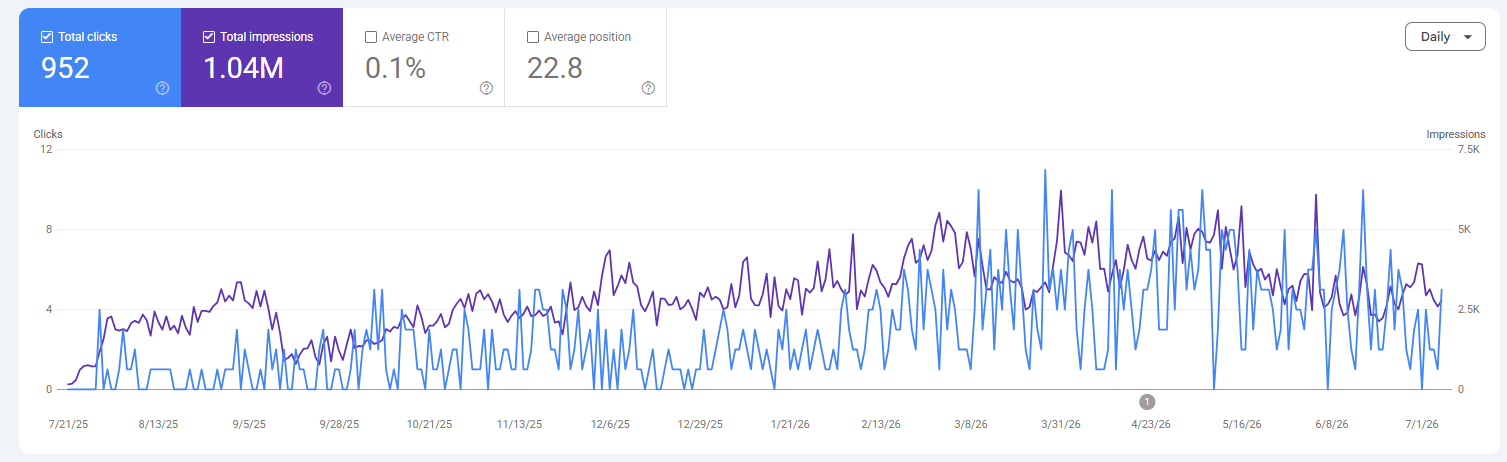
You open Google Search Console, click into your best page, and there it is: a column called CTR sitting at 2.1%.
Good? Bad? Something to panic about?
That 2.1% is your click-through rate, and nearly every guide that explains it stops right at the formula — leaving you no clearer on whether your number is any good, or what on earth to do about it.
So let’s do the whole thing properly.
I’ll show you what click-through rate actually is, what a good one looks like for a New Zealand business, how to find yours in about thirty seconds, and how to lift it: more traffic from rankings you already have, without climbing a single spot higher.
What Is Click-Through Rate?
Click-through rate is the percentage of people who click your link after seeing it.
You take the clicks you got, divide by the number of times you showed up (impressions), and turn it into a percentage:
Clicks ÷ Impressions × 100 = CTR
Say you’re doing SEO in Auckland for a plumber. Their website shows up in Google 4,000 times this month for various searches, and 120 of those people click through.
120 ÷ 4,000 × 100 = 3% CTR.
Three out of every hundred people who saw the listing clicked. The other 97 scrolled past and picked someone else.
You’ll run into CTR in a few places: your organic Google rankings, your Google Ads, your email campaigns. Same maths every time — clicks over impressions — just a different place it’s happening.
This guide plants its flag in organic search, because that’s where the free traffic lives. Every click you earn from a Google ranking is a click you didn’t pay for, and lifting your CTR is one of the fastest ways to get more of them.
It’s a core part of search engine optimisation that most people never touch.
CTR vs Click Rate vs Conversion Rate
These three get mixed up constantly, so here’s the clean version: CTR measures the click, conversion rate measures what happens after the click, and email “click rate” is a different sum again.
They sound the same. They’re not.
| Metric | What it measures | The sum |
|---|---|---|
| Click-through rate | How often people click your listing | clicks ÷ impressions |
| Conversion rate | How often those clickers then do something (buy, enquire, book) | conversions ÷ clicks |
| Click rate (email) | How often people click a link in your email | clicks ÷ emails delivered |
Here’s why the difference matters: you can have a brilliant CTR and a broken business.
Picture a dentist whose search result is so tempting everyone clicks — a 12% CTR, miles above average. But the landing page is a mess, so nobody books. Great CTR, zero patients.
CTR gets them in the door. Conversion rate is whether they buy once they’re inside. You want both, and you never judge one by the other.
Why Is Click-Through Rate Important?
Click-through rate matters because it’s the fastest free-traffic lever you’ve got: lift it, and you win more visitors from the exact same ranking — no extra SEO required.
Think about what that actually means.
You’re sitting at position 4 for a keyword. You don’t move an inch in the rankings, but you rewrite your title and your CTR jumps from 3% to 6%.
You just doubled that page’s traffic. Same position. Same effort from Google’s side. Twice the clicks.
That’s the part people miss. Everyone’s obsessed with ranking higher on Google, which is hard and slow — meanwhile there’s free traffic sitting in the pages they already rank for, going unclaimed because the listing doesn’t sell the click.
I’ve watched this compound.
When I built HealthVI from 0 to over 20,000 monthly organic visitors, a big chunk of the later growth wasn’t new rankings — it was squeezing more clicks out of the rankings we already had.

And the stakes are real, because clicks are wildly uneven across the results page.
Backlinko’s analysis of four million search results found the number-one organic result pulls an average CTR of 27.6%, while First Page Sage puts the top three results at a combined 68.7% of all clicks. Miss the top few spots and you’re fighting over scraps.

One thing to clear up while we’re here: is CTR a Google ranking factor?
Officially, Google says no — they’ve stated many times that they don’t use click-through rate directly in their ranking algorithm.
Plenty of SEOs push back and point to correlation studies suggesting pages with higher-than-expected CTR tend to rank better. The honest answer is that it’s debated, and I won’t pretend it’s settled.
But here’s what isn’t debated: better CTR at a given rank means more visits, full stop. You don’t need the ranking-factor argument to win — the traffic argument does the job on its own.
What Is a Good Click-Through Rate?
There’s no single magic number — a good CTR depends on your channel, your position, and whether the search is branded — but here are the real benchmarks to measure yourself against.
Anyone who gives you one number is guessing. That said, “it depends” is a useless answer on its own, so here’s what the data actually shows across channels:
| Channel | Average CTR | What “good” looks like |
|---|---|---|
| Organic search (overall) | ~1–2% | Anything above 2% is solid; the top positions run far higher |
| Organic position 1 | ~27.6% | This is the prize — position drives everything |
| Google Search Ads | ~3–5% | Above 6% is strong |
| Google Display Ads | ~0.5% | Above 1% is exceptional |
| ~2–3% | Above 3.5% puts you in the top tier |
A few things move that number around a lot:
Branded vs non-branded. If someone searches your business name and clicks you, of course the CTR is huge — they were looking for you.
Non-branded terms, where you’re one of ten options, run much lower. Don’t let your branded searches flatter your average.
Informational vs commercial. “How does CTR work” gets browsed; someone ready to hire a Wellington SEO agency is clicking with intent. Different jobs, different rates.
And now the bit no international guide will tell you.
In a small New Zealand market, national benchmarks can be close to meaningless. The keyword “click through rate” itself gets about 40 searches a month in NZ.
A local term might get 20. When the whole keyword is that small, a “3% national average” tells you nothing useful.
So don’t chase a number off a US chart. Benchmark against your own trend and your own position: is this page’s CTR climbing month on month, and is it in the right range for the spot it sits in? That’s the yardstick that matters here.
Organic CTR by Google Position
Your ranking position is the single biggest thing controlling your organic CTR — the number-one spot pulls roughly a quarter of all clicks, and it drops off a cliff from there.
Here’s the rough curve the major 2026 studies land on:
| Position | Average organic CTR |
|---|---|
| 1 | ~27.6% |
| 2 | ~15% |
| 3 | ~10% |
| 4 | ~7% |
| 5 | ~5% |
| 6–10 | ~2–4% |
Read that top to bottom and the lesson jumps out: the climb from page-two obscurity to the top three is where nearly all the traffic is won.
Let’s make it real. Say you’re doing SEO in Christchurch for a dentist, sitting at position 5 for “dentist Christchurch,” a term getting 500 searches a month.
At roughly 5% CTR, position 5 sends you about 25 clicks.
Move up to position 3 — around 10% CTR — and you’re on about 50 clicks. You doubled your traffic by climbing two spots, without the search getting any bigger.
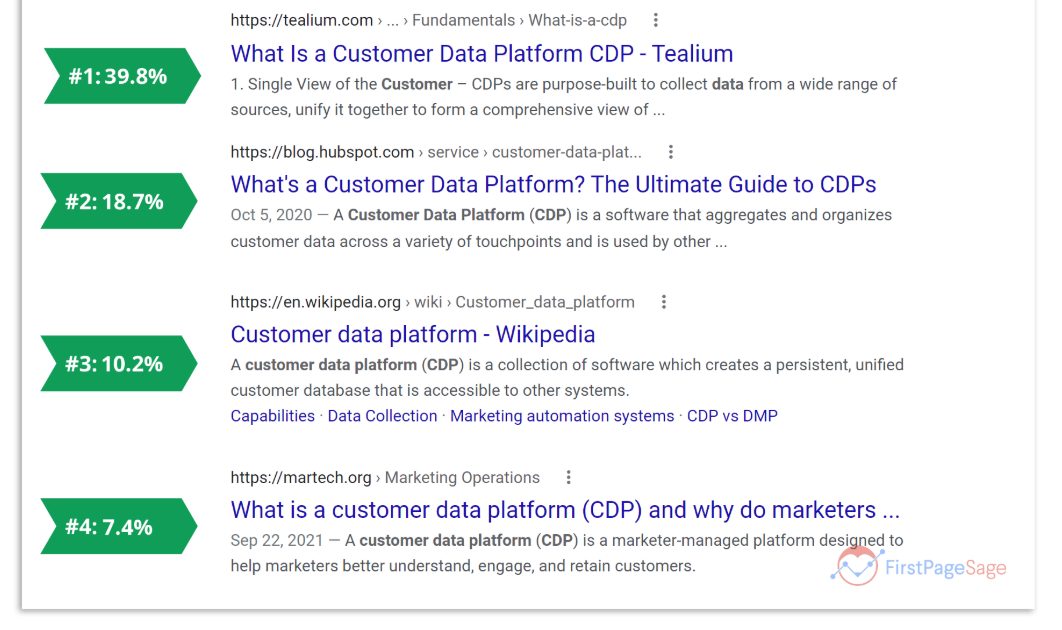
One catch worth knowing: that curve is flattening in 2026. Google keeps stuffing more above the old blue links — ads, map packs, and now AI Overviews — so the top spots don’t hoover up quite as many clicks as they used to.
GrowthSRC’s study of 200,000 keywords found position-1 CTR fell from 28% to 19% in a single year. More on the AI side of that shortly.
How to Find Your Click-Through Rate in Google Search Console
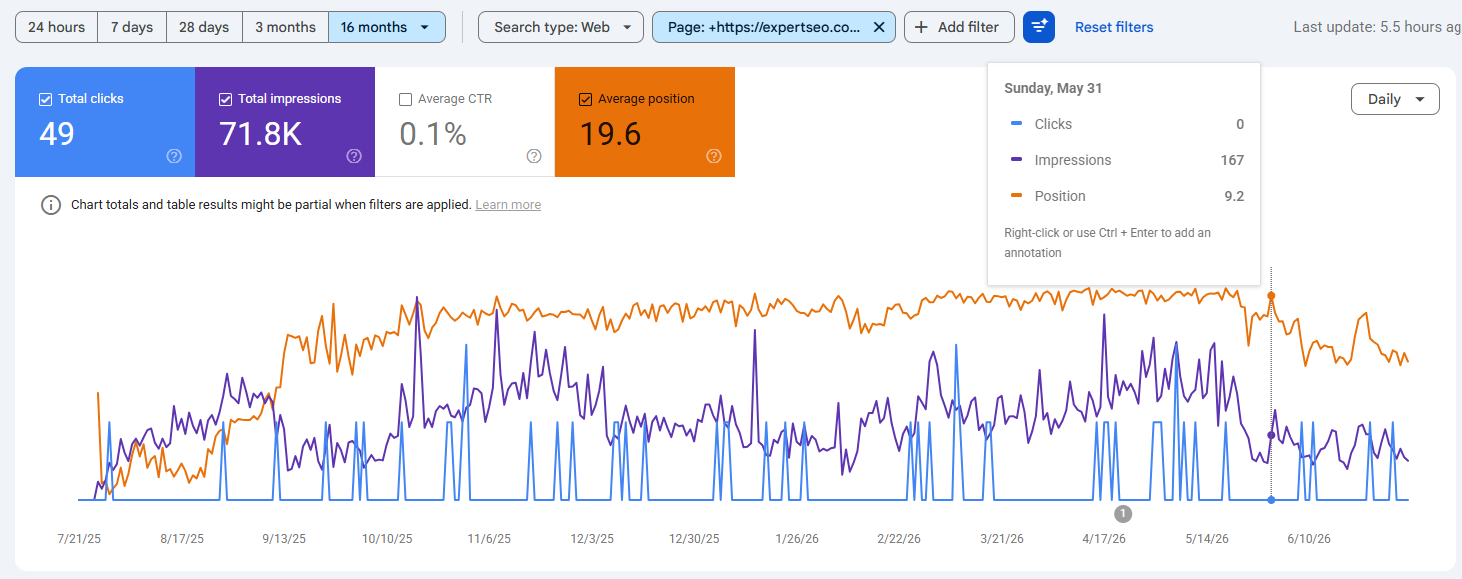
Your real organic CTR lives in Google Search Console — it’s free, it’s per-page and per-query, and it takes about thirty seconds to pull up.
No guessing off benchmark charts; this is your actual number.
Here’s the click path:
- Open Google Search Console and select your site.
- In the left menu, click Performance → Search results.
- At the top you’ll see four boxes — Total clicks, Total impressions, Average CTR, Average position. Tick Average CTR (and Average position while you’re there).
- Scroll down and switch between the Queries and Pages tabs to see CTR for each search term and each page.
- Click the CTR column header to sort.

Now here’s the actual money move, and it’s dead simple.
Sort your pages and hunt for high impressions with low CTR. That combination is Google shouting at you: “Loads of people are seeing this page, and almost none of them are clicking.”
Read it as a pile of free traffic sitting there waiting for a better listing.
Say you find a page pulling 8,000 impressions a month at a limp 1.9% CTR. That’s about 152 clicks.
Lift that page to a very achievable 4%, and you’re on 320 clicks — you’ve more than doubled the traffic on one page, off work you can do in an afternoon. Those are exactly the pages sitting on page one but underperforming that reward the least effort.
How to Improve Your Click-Through Rate
You improve organic CTR by making your search listing the most clickable thing on the page: a sharper title, a meta description that actually pitches, a clean URL, rich results, and a promise that matches what the searcher wants.
Here’s each lever, in the order I’d pull them.
Write a title tag that earns the click
Your title tag is the big blue headline in Google. It does about 80% of the work of winning the click, so it’s where you start.
Why it matters: it’s the first thing — often the only thing — a searcher reads before deciding between you and nine competitors. A dull title loses to a sharp one every time, even at the same position.
How to do it:
- Front-load your keyword so it’s the first thing they see.
- Keep it under about 60 characters (or 580 pixels) so Google doesn’t chop it off mid-word.
- Make your title tag match your on-page H1 — Ahrefs found Google rewrites titles it doesn’t trust 33.4% of the time across a study of 953,276 pages, and a mismatch is a fast way to get yours rewritten.
- Add a reason to click without tipping into clickbait — a year, a number, a benefit.

Real example. A boring title for a Queenstown SEO agency:
SEO Services | Peak Digital
The rewrite:
SEO Queenstown — Get Found by Local Customers | Peak Digital
Same page. One reads like a filing cabinet; the other gives someone chasing SEO in Queenstown a reason to tap. This is the heart of on-page SEO, and it’s the highest-leverage fifteen minutes you’ll spend.
Rewrite the meta description as a pitch, not a summary
Your meta description is the grey text under the title. Google doesn’t use it to rank you, but people use it to choose you — so it’s a sales pitch, not a summary.
Most descriptions fail because they describe the page instead of selling the click. Flip that.
How to do it:
- Lead with the benefit or the answer, not “Welcome to our website.”
- Write in the active voice, like you’re talking to one person.
- Keep it under about 155 characters so it survives on mobile.
- Put the most important promise in the first line, in case Google trims the rest.
For that plumber: Need a Lower Hutt plumber, fast? Same-day callouts, upfront pricing, no mess left behind. Get a free quote today. — a description that hands the reader a reason, not a shrug.
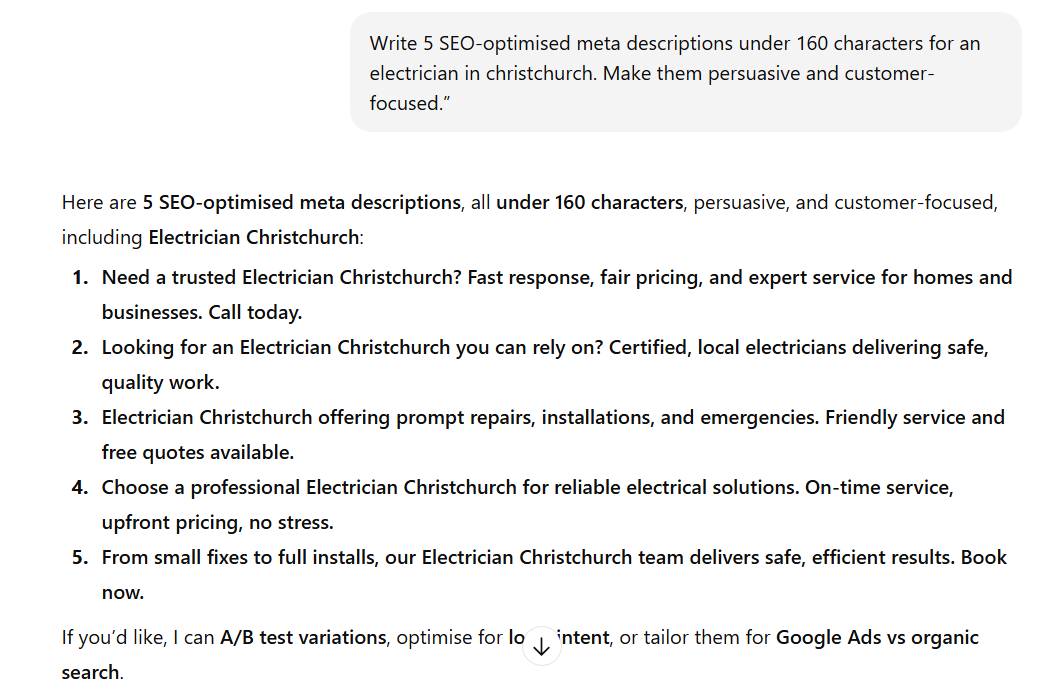
If writing these from scratch is a slog, get a head start: paste your keyword into ChatGPT and ask for a few title-and-description options under the character limits, then sharpen the best one by hand.
Clean up the URL slug
The URL shows in the result too, and a clean one quietly builds trust.
yoursite.co.nz/plumber-lower-hutt reads like a real page about a real thing. yoursite.co.nz/p?id=88422&cat=7 reads like a robot wrote it. Short, readable, keyword where it fits naturally — that’s the whole rule.
Add schema for rich results
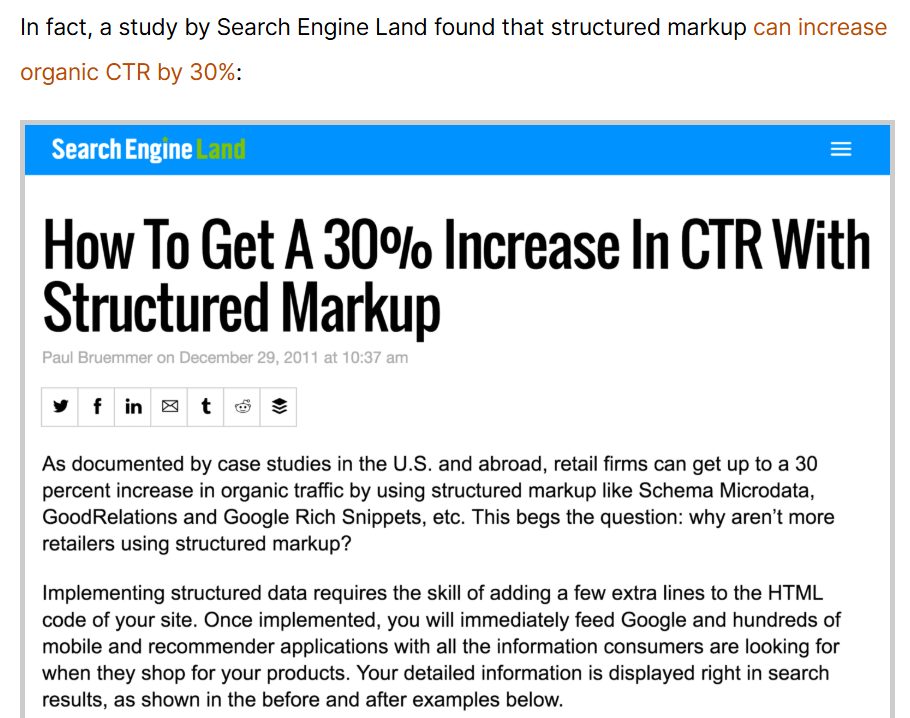
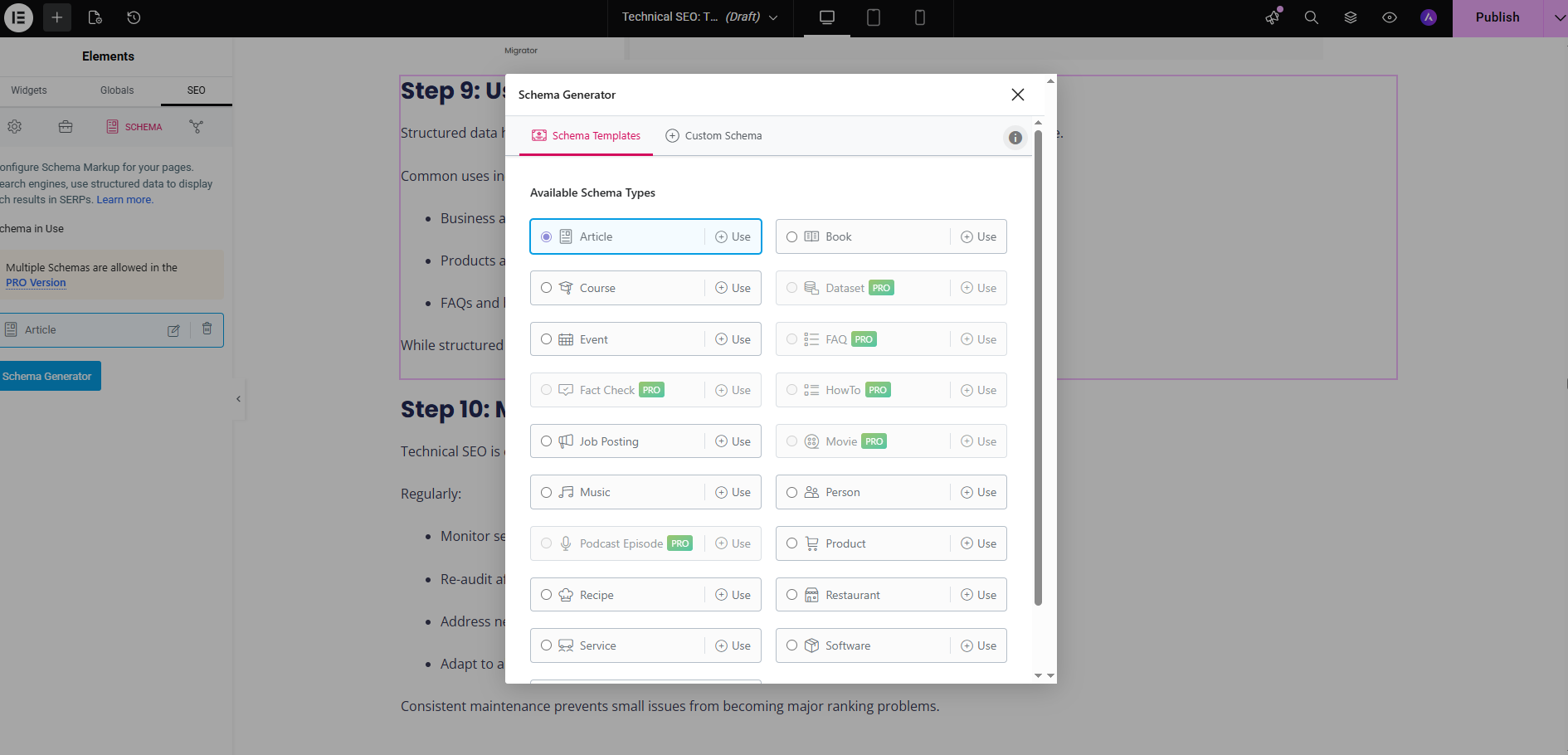
Schema markup is code that lets Google show extra detail in your result — star ratings, review counts, FAQ dropdowns, prices. Those little gold stars are click magnets.
Why it works: a result showing 4.8 stars and 130 reviews stands out on a page of plain blue links, and standing out wins the click.
How to do it without touching code: if you’re on WordPress, Rank Math lets you add review, FAQ, and how-to schema from a dropdown while you edit the page. Add it, then confirm it’s working in Google’s Rich Results Test.
Match what the searcher wants
Here’s the lever nobody frames as CTR: if your title promises the wrong thing, you lose the click even at position 1.
Someone searching “cost of dental implants NZ” wants a price. If your title screams “Book Your Implant Consult,” you’ve answered a question they didn’t ask, and they’ll scroll to the result that talks about cost. Read the intent behind the search, then promise exactly that.
Win featured snippets and People Also Ask
The box at the very top of many results — the featured snippet — sits above position 1.
Structure a clean, direct answer to the question (a one-to-two-sentence definition, or a numbered list) and you can grab that box, pulling clicks before the normal listings even start.
Do these in order, re-check your CTR in Search Console a few weeks later, and you’ll usually see the needle move.
How AI Overviews Are Changing CTR in 2026
*AI Overviews — the AI-written answers now sitting above many Google results — are pulling clicks away from even the number-one spot, and getting cited inside them is how you win those clicks back.*
This is the biggest shift in organic CTR in years, and most guides are pretending it isn’t happening.
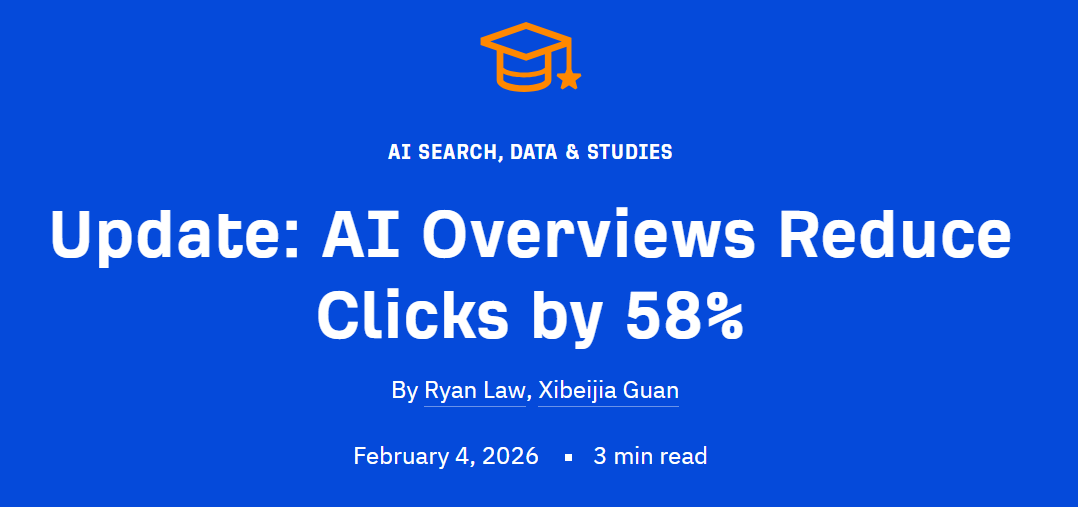
The hit is real and it’s brutal. Ahrefs’ February 2026 study found that when an AI Overview appears, the click-through rate for the top-ranking page drops by about 58%.
Their line sums it up: for every 100 clicks a top page could once earn, Google now keeps 58. Informational searches — the “what is / how does” queries — get hit hardest, because the AI just answers them on the spot.
The move is simple: stop fighting to be ranked and start fighting to be cited.
When Google builds an AI Overview, it pulls from a handful of sources and names them, with a link.
Land in that citation list and you claw back the click the summary would’ve stolen — plus a chunk of trust, because Google just vouched for you as the answer.
The numbers back this up: Seer Interactive found pages cited inside AI Overviews earn around 120% more organic clicks than the ones left out. The citation more than pays for the click the summary took.

You earn those citations the same way you win featured snippets: clear, direct answers, clean structure, real data, specific claims an AI can lift whole. That’s the core of getting cited by AI, and it’s not theory to me.
Expert SEO is under a year old, competing against agencies with a decade’s head start — and it’s already being cited in Google’s AI Mode for “local SEO.” The offset works. I’m the proof.

Click-Through Rate for Google Ads and Email
Outside organic search, CTR uses the same formula but does a slightly different job — in Google Ads it controls your costs, and in email it measures how well your campaign landed. Quick tour, because the organic stuff above is where your focus should sit.
Google Ads. Here CTR feeds your Quality Score, Google’s rating of how relevant your ad is. A higher CTR lifts your Quality Score, which lifts your ad position and lowers your cost per click.
In paid search, a better CTR literally makes every click cheaper — real money off your monthly ad bill.
Email. Email CTR (clicks ÷ emails delivered) tells you whether your campaign actually drove people to act, not just open. Around 2–3% is typical; above 3.5% is strong. It’s the truest measure of whether your email did its job.
When a High Click-Through Rate Isn’t Good News
A high CTR only helps if it’s pulling the right people — a clickbait title that oversells will spike your CTR and quietly wreck your conversions and your rankings.
A click only counts when it’s the right person; volume for its own sake does nothing.
Promise “Free SEO Audit” in your title to juice the clicks, then hit people with a sales page, and two things happen.
They bounce straight back to Google, annoyed — and that pogo-sticking tells Google your page didn’t deliver. You bought a high CTR with a lie, and it cost you trust on both ends.
That’s why you never read CTR alone. You read it next to conversion rate. A high CTR sitting on top of rubbish conversions should worry you: it means your listing is writing cheques your page can’t cash.
Doing It Yourself vs Hiring an SEO
You can absolutely do the core of this yourself — rewrite your titles and metas, tidy your URLs, and hunt down your low-CTR pages in Search Console.
The fundamentals are learnable, and pairing them with proper, high-quality SEO only makes the results better.
If you’d rather have it handled, we can help — with our professional SEO services or one-on-one SEO consultancy.
Click-Through Rate: FAQ
What is a good click-through rate?
It depends on position and query, but organic CTR averages roughly 1–2% across all positions, while the #1 result averages around 27.6%. Above about 2% overall is solid.
Is a 3% CTR good?
For an organic result sitting outside the top few positions, 3% is above average and solid. In Google Ads, 3% is around the typical benchmark rather than exceptional.
What's the difference between CTR and CPC?
CTR (click-through rate) is the percentage of people who click after seeing your listing. CPC (cost per click) is what you pay for each click on a paid ad. One measures performance, the other measures cost.
How do you calculate click-through rate?
Divide your clicks by your impressions and multiply by 100. For example, 120 clicks from 4,000 impressions is a 3% CTR.
Does CTR affect SEO rankings?
Google says it doesn't use CTR directly as a ranking factor, though some studies suggest a correlation. Either way, a higher CTR earns you more traffic from the same ranking.
What's a good CTR on YouTube?
YouTube treats an impressions click-through rate of roughly 4–10% as healthy for most videos, though it varies with channel size and how the video is surfaced.