
Internal Links: The Complete Guide for NZ Websites (2026)

You’ve published content. It’s sitting on your website. And it’s not ranking.
Most NZ business owners assume the problem is the content itself — it’s not good enough, not long enough, not optimised enough. So they write more. And that doesn’t work either.
Here’s what’s actually going on in a lot of cases: Google can find your pages, but it has no idea which ones matter. Your content is published in isolation.
That’s an internal linking problem. And it’s one of the easiest things to fix.
Internal linking is one of the highest-leverage, lowest-cost SEO activities available to any NZ business.
By the end of this guide, you’ll know exactly how to build an internal linking strategy from scratch — including how to structure your links, write anchor text that helps rankings, find pages Google can’t see, and more.
What Is Internal Linking?
An internal link is a hyperlink that connects one page on your website to another page on the same website.
Think of internal links as road signs inside your website.
When Google crawls your site, it follows these links to discover and understand your pages. When a reader visits your site, they follow these links to find more of what they need.
Both outcomes matter for SEO.

Internal links are different from backlinks.
A backlink comes from another website linking to yours — that’s off-page SEO, and it takes time to build.
An internal link is something you control entirely. You can add them today, right now, at no cost.

So why do most NZ sites get this wrong?
Because SEO content gets published in isolation.
A business writes a blog post, hits publish, and moves on. Nobody goes back and links to it from existing pages.
Nobody adds links from it to the service pages that need authority. Over time, the site fills up with disconnected pages that Google struggles to make sense of.
Here’s a real example:
An Auckland accountant publishes 10 blog posts and a services page.
None of them link to each other.
Google crawls the site, finds 10 isolated pages, and has no idea which one matters most.
The services page — the one that should be driving leads — gets no internal authority flowing to it.

Why Internal Linking Matters for Your Rankings
Internal linking does three concrete things that directly affect where your pages show up on Google.
It Helps Google Find and Index Your Pages
Google discovers pages by following links. If a page has no links pointing to it — from anywhere on your site — there’s a real chance Google never finds it at all.
These are called orphan pages, and we’ll cover how to fix them later.

For now, the key point is this: a page Google hasn’t crawled cannot rank. Internal links are how you make sure Google can reach every page on your site.
The data backs this up.
JetOctopus, a technical SEO platform that has analysed hundreds of large websites, found that improving internal linking can result in 30% more pages being crawled by Googlebot.
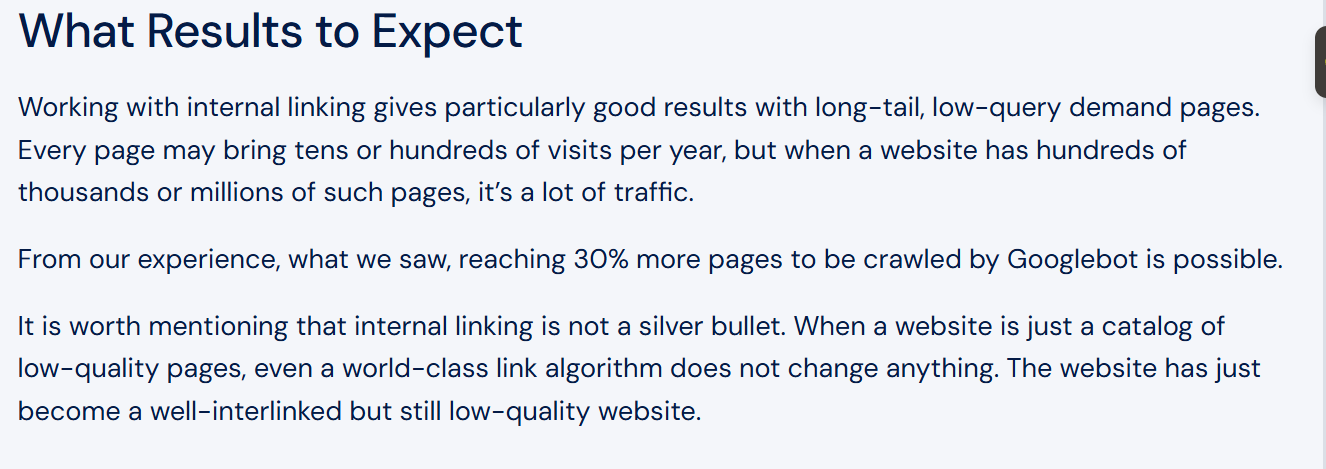
That’s pages that weren’t being discovered at all — now getting indexed, just from fixing the link structure.
It Passes Authority to Your Most Important Pages
Every page on your site has some level of authority — built up through backlinks, content quality, and age. Internal links distribute that authority around your site.
When you link from a high-authority page to a lower-authority page, some of that value flows through.
This is why your service pages should be receiving internal links from your blog posts and guides, not the other way around.
The numbers on this are clear.
A study by Zyppy analysed 23 million internal links across 1,800 websites and compared the data against Google Search Console traffic.
The result: URLs with 40–44 internal links pointing to them received four times more search clicks than URLs with just 0–4 internal links.
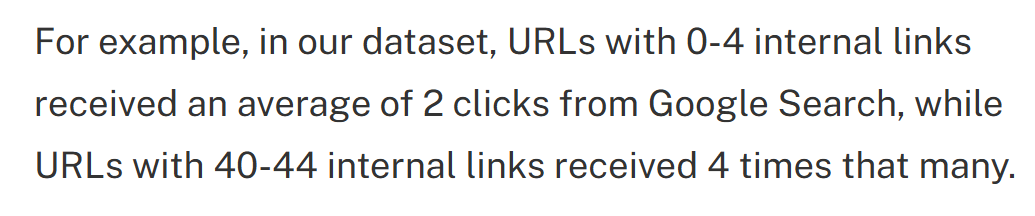
And here’s the opportunity: Ahrefs data shows around 66% of web pages have very few internal links pointing to them.
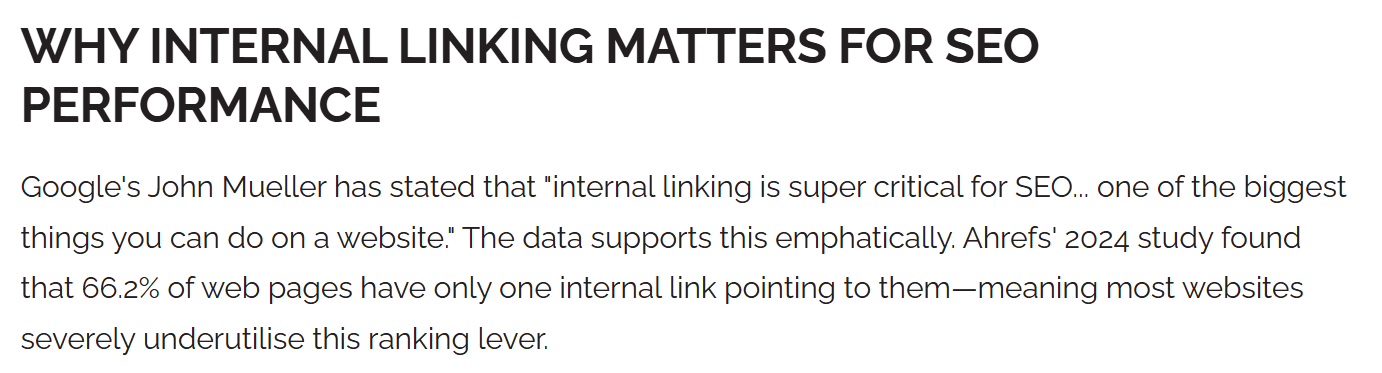
Most of your NZ competitors are in that bucket. If you build a proper internal linking structure, you’re already ahead of the majority.
It Helps You Show Up in AI Overviews and ChatGPT
AI platforms like Google’s AI Overviews and ChatGPT use your site’s internal link structure to understand what topics you’re authoritative on.
A well-linked site with strong topical authority is more likely to be cited as a source.
Research from Wellows and Yext in 2025 found that bi-directional internal linking — where pages link to each other, not just in one direction — increases AI citation probability by 2.7 times.
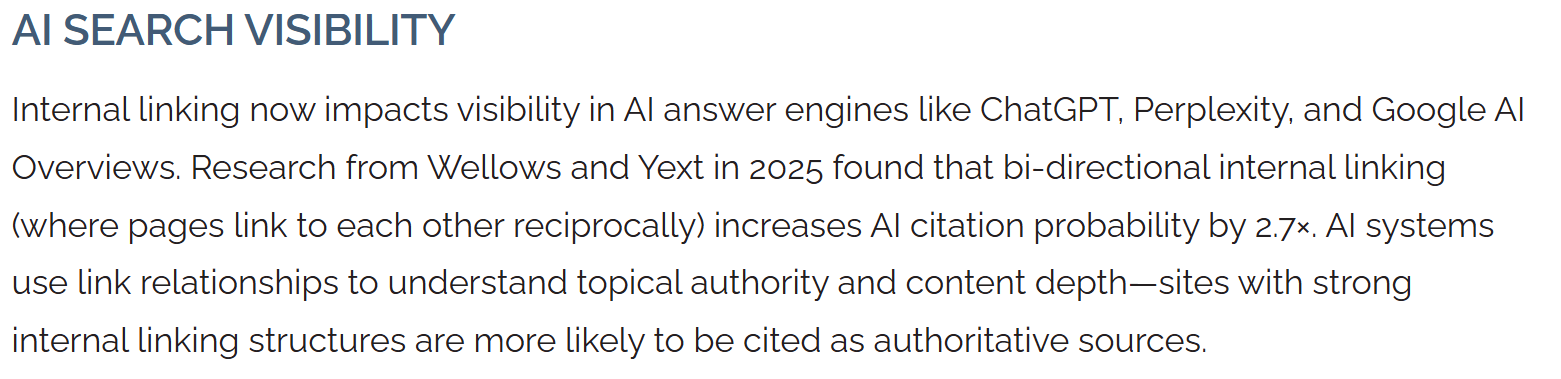
Google’s own Search Advocate, John Mueller, has said internal linking is “one of the biggest things you can do on a website to guide Google and guide visitors to the pages that you think are important.”
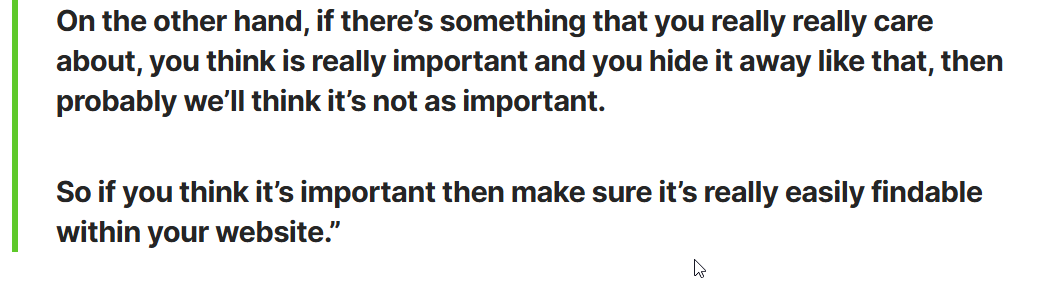
That’s not a minor ranking factor. That’s one of the most actionable things you can control on your site today.
How Long Until You See Results?
Most businesses want to know:
If I fix my internal linking today, when does something change?
Typically two to eight weeks, depending on how frequently Google crawls your site.
Pages already sitting on page two or three often move the fastest — they’re close to breaking through, and the additional authority from better internal linking can be enough to push them over.
Brand new pages with no existing authority take longer.
But even there, proper internal linking from day one gives them a much better chance of getting indexed and gaining traction.
Should You Fix Internal Linking Before Building Backlinks?
Most NZ businesses chase backlinks before sorting their internal linking. That’s the wrong order — and here’s why.
Every backlink you build sends authority into your site.
But what happens to that authority once it arrives? If your internal links aren’t structured properly, the authority just sits on whatever page received the backlink.
It doesn’t flow to your most important pages. It doesn’t support your service pages or your pillar content. It’s wasted potential.
Fix your internal linking first, and every backlink you build after that has maximum impact. The authority flows through your link structure to the pages that matter most.
There’s also a practical argument.
Internal linking is free and entirely within your control.
You can do it today, right now, without needing to contact another website or wait for someone to respond to an outreach email.
Backlink building takes weeks or months. Internal linking takes minutes.
The simple rule: get your internal linking sorted first, then build backlinks on top of a clean structure. You’ll get more out of every link you earn.
The 4 Types of Internal Links (And When to Use Each)
Not all internal links carry the same weight. Knowing which type to use where helps you build a cleaner, stronger site structure.
Contextual Links
These are the most powerful type of internal link for SEO.
A contextual link sits naturally within the body of your content — inside a paragraph, connected to a relevant phrase.
Google gives these the most weight because they’re surrounded by relevant text, which gives additional context about what the destination page covers.
Example: inside my blog post for AI SEO, I naturally mention “Google” where I linked to my SEO for Google Guide:
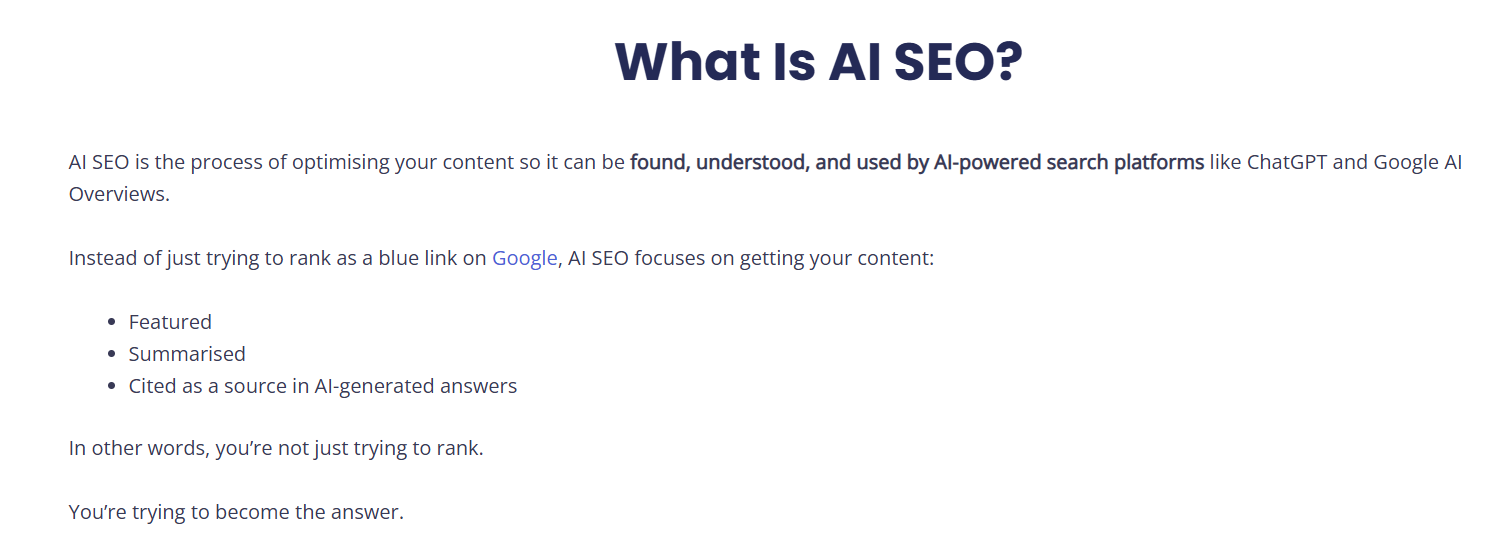
If you’re only going to focus on one type of internal link, make it this one.
Navigational Links
These are the links in your main menu, header, and footer.
They matter for site structure — they tell Google which pages are at the top of your hierarchy. Your most important pages (main service pages, core topic guides) should always appear in your main navigation.

Footer links are navigational too, but carry less weight than contextual links. Use them for important pages and useful resources, not as a substitute for in-content linking.
Breadcrumb Links
Breadcrumbs show the hierarchy of your site. You’ve seen them at the top of pages: Home > Services > SEO Auckland.
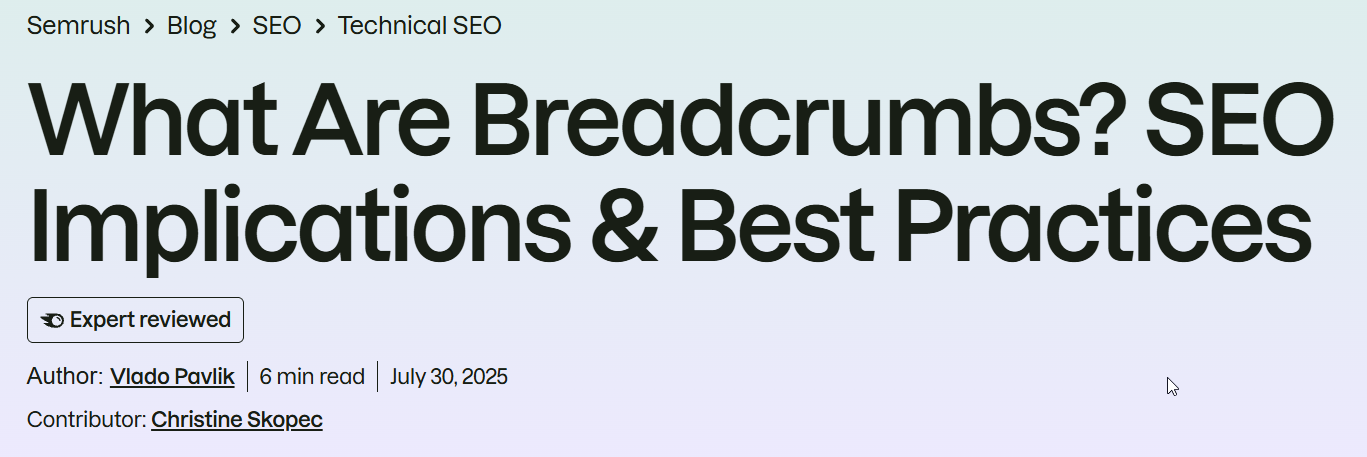
They help Google understand the structure of your site and how pages relate to each other.
They’re especially useful for larger sites with multiple levels of content.
If you’re on WordPress, Rank Math and Yoast both handle breadcrumbs automatically.
Related Content Links
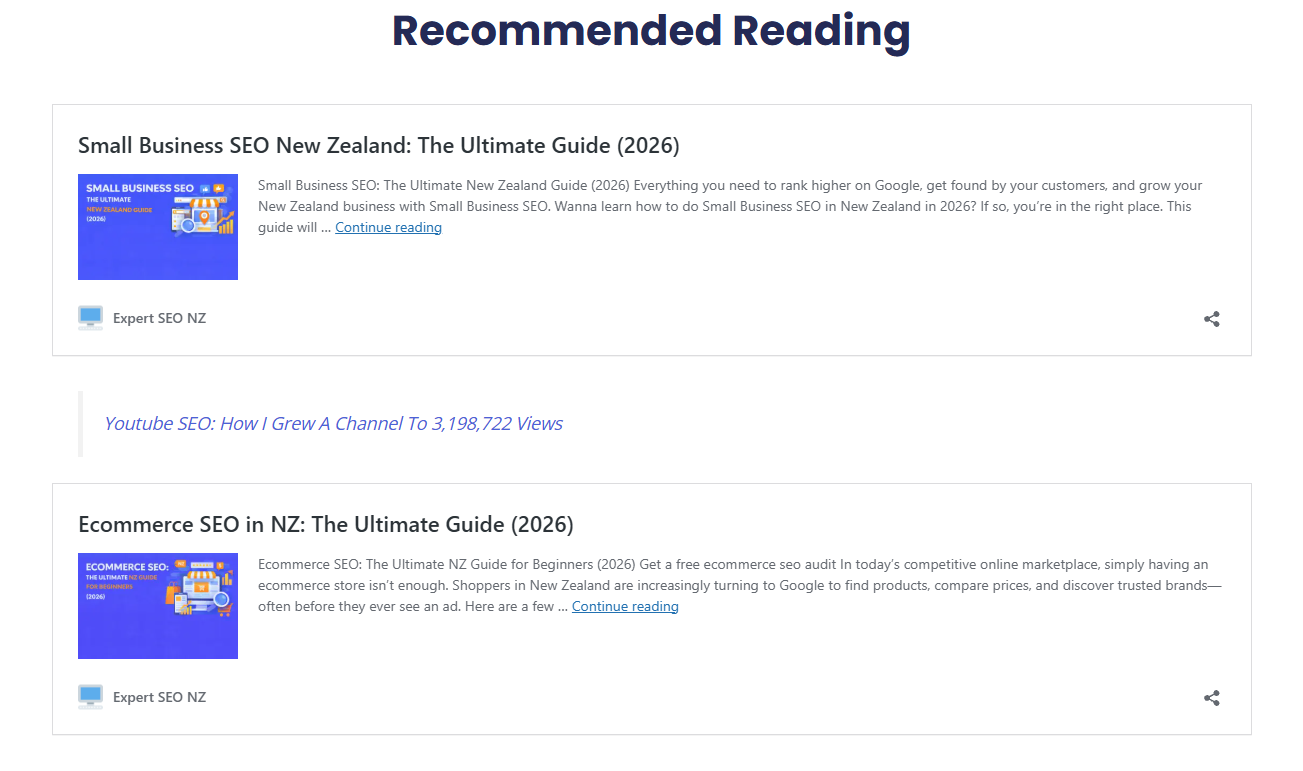
These are the “you might also like” or “read next” style links that appear at the end of an article or in a sidebar.
They’re good for user experience — they keep readers on your site longer — but they carry less SEO weight than contextual links. Use them as a supplement, not a replacement.
How to Build an Internal Linking Strategy From Scratch
Before you start adding links, you need a structure.
Otherwise you’re just randomly connecting pages, which doesn’t build authority in any useful direction.
The structure is built around two concepts: pillar pages and topic clusters. Don’t let the terminology put you off — the idea is simple.
Step 1: Identify Your Pillar Pages
Pillar pages are your most important pages. These are the pages you most want to rank — usually your main service pages or your core topic guides.
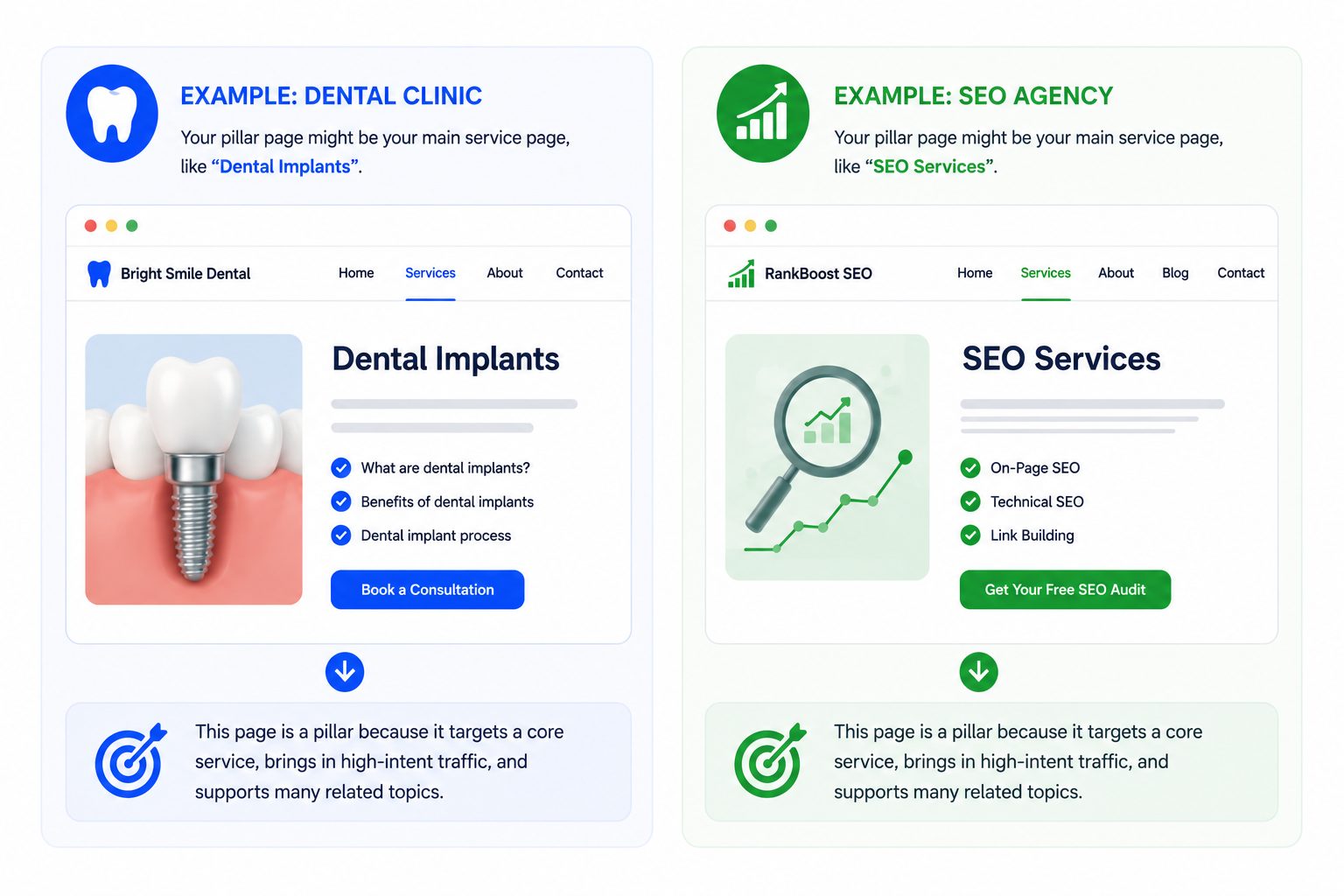
For an Auckland dental clinic, pillar pages might be: Dental Implants Auckland, General Dentistry Auckland, Teeth Whitening Auckland.
For an NZ SEO agency, they might be: SEO Services Auckland, Local SEO NZ, Content Marketing NZ.
Write down your top 5–10 pages that either already drive leads or that should be driving leads.
These are your pillars. Every internal linking decision you make should be focused on getting more authority flowing to these pages.
Step 2: Map Your Supporting Content
Supporting content is everything else — blog posts, guides, FAQs, and articles that relate to each pillar.
Every piece of supporting content should link back to its relevant pillar page. This is how authority flows upward.

For example: a blog post titled “How Much Do Dental Implants Cost in NZ?” should include a contextual link back to the Dental Implants Auckland pillar page.
Every time someone reads that blog post, there’s a signal reinforcing the importance of the pillar.
Go through your existing content and map each piece to its closest pillar.
You’ll probably find a lot of blog posts that currently link to nothing important. That’s the gap — and it’s fixable today.
Step 3: Connect Supporting Articles to Each Other
Supporting articles should also link to each other where the topics are related.
This builds topical depth. When Google sees a cluster of pages that all connect to each other and back to a central pillar, it recognises your site as a credible source on that topic.

Here’s how it looks in practice for an SEO site:
- “How to do keyword research in NZ” links to “On-page SEO for NZ businesses”
- “On-page SEO for NZ businesses” links to “Technical SEO checklist”
- All three link back to the main SEO services page
Google crawls this cluster and sees a site that covers SEO thoroughly, from multiple angles, with everything connected. That’s how you build topical authority over time.
Step 4: Prioritise New Pages Immediately
Every time you publish something new, treat internal linking as part of the publishing process — not something you come back to later.
A page published with zero internal links pointing to it is an orphan from day one. It may never get crawled.
After publishing any new piece of content, do this immediately:
- Search your site for 2–3 existing pages on related topics
- Add a contextual link from each of those pages to your new page
- Add 3–5 outgoing links from your new page to relevant existing content

That’s it. Ten minutes of work that makes a real difference to how quickly Google picks up new content.
What If You Don’t Have Much Content Yet?
If you’re a small NZ business with only five or ten pages, you might be thinking “I don’t have enough content to build topic clusters.”
You don’t need a lot. Start with what you have.
If you’ve got a main services page and two blog posts, link the blog posts back to the services page using relevant anchor text, and link the blog posts to each other if the topics are related. That’s already a basic cluster.
Then, as you publish more content, keep adding to the structure. Every new piece of content gets linked in on publish day. Over time, the cluster grows.
The businesses that struggle with internal linking aren’t the ones with small sites. They’re the ones who publish content without ever linking it to anything. Five well-connected pages will outperform fifty isolated ones.
Does This Work Differently for Ecommerce Sites?
If you’re running an ecommerce store rather than a service business, the pillar-and-blog structure still works — but you have an extra layer to think about.
Your category pages act as your pillars. Product pages sit underneath them. Blog content supports both.

The most common ecommerce internal linking mistake is orphaned product pages — products that don’t appear in any category, aren’t linked from any blog posts, and are only reachable through search or a direct URL.
If you’ve got products like that, they need to be linked into your category structure or supported with content.
The core principle is the same regardless of site type: important pages receive the most internal links, everything connects logically, and no page gets published in isolation.
How to Choose Anchor Text That Actually Helps Your Rankings
Anchor text is the clickable words in a link. When you link to a page, the words you choose as the anchor text tell Google what that destination page is about.
This is a ranking signal. Use it properly.
The Zyppy study found that anchor text variety strongly impacts traffic. Pages with at least one exact-match anchor had five times more traffic than pages without.

That doesn’t mean you should stuff keywords into every link — it means being deliberate and descriptive matters.
The Rules for Good Anchor Text
Be descriptive. The anchor text should tell the reader — and Google — what they’ll find on the other side of the link. If you’re linking to your local SEO guide, the anchor text “local SEO guide for NZ businesses” is far more useful than “click here.”
Use natural variations. Don’t link to the same page using the exact same phrase every single time. Google is looking for natural patterns. Mix exact match, partial match, and natural language variations.
Avoid generic phrases. “Click here,” “read more,” “this page,” and “here” are wasted opportunities. They tell Google nothing about the destination page.
Anchor Text: What Good Looks Like
| Weak Anchor Text | Strong Anchor Text |
|---|---|
| Click here | how to do keyword research in NZ |
| Read more | our Auckland SEO services |
| This page | internal linking best practices |
| Here | local SEO guide for NZ businesses |
| Learn more | on-page SEO checklist for NZ websites |
How Many Times Can You Use the Same Anchor Text?
As a general rule, don’t use the exact same anchor text phrase more than two or three times across your whole site pointing to the same page.
Vary it. If you’re linking repeatedly to your SEO services page, use variations like:
- “SEO services Auckland”
- “our Auckland SEO team”
- “search engine optimisation services in NZ”
- “how we approach SEO for NZ businesses”
Same destination, different phrasing. Natural, useful, and better for rankings.
How to Find and Fix Orphan Pages on Your NZ Website
An orphan page is a page on your site with no internal links pointing to it.
Google discovers pages by following links.
If no page on your site links to a particular page, there’s a real chance Google never crawls it.
And if Google doesn’t crawl it, it can’t index it. And if it’s not indexed, it cannot rank — regardless of how good the content is.
Orphan pages are more common than most people realise.
They happen when content gets published and forgotten, when site structures change, or when pages get created for a campaign and then left behind.
Here’s a real NZ example.
A Christchurch plumber publishes a page on “hot water cylinder repair” but never links to it from their main services page or any blog post. It sits there, unlinked. Google never crawls it. It never ranks.
Meanwhile, their competitor has a weaker page on the same topic but links to it from five other pages — and it shows up on page one.

Two contextual links from related pages would have fixed this.
How to Find Orphan Pages (Free Method)
- Open Google Search Console and go to Pages → Indexing
- Look at the “Not indexed” list — any pages showing here that you want to rank are a problem
- Cross-reference with your sitemap: check which sitemap pages aren’t indexed
- For a quick manual check: search “site:yourdomain.com” in Google and scroll through the results — pages missing from this list may not be indexed at all
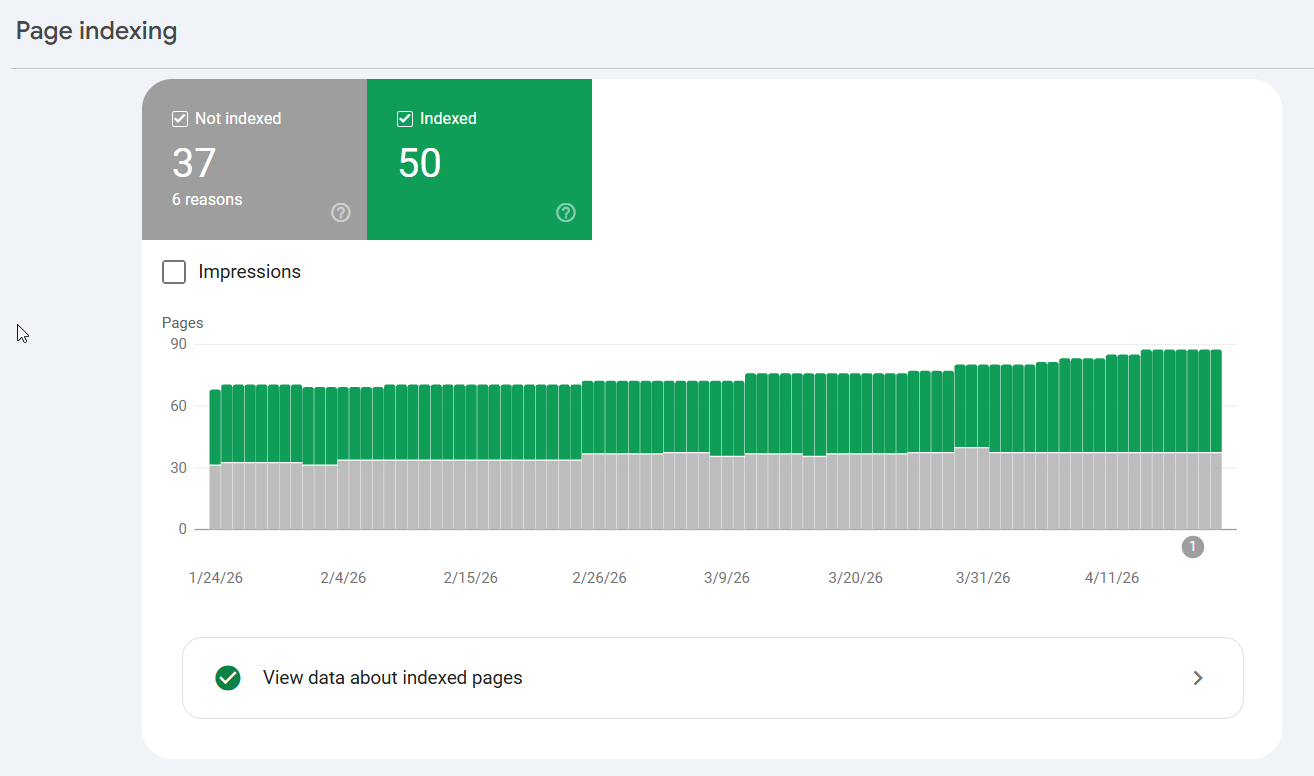
This won’t give you a perfect orphan page report, but it will surface the most obvious gaps quickly.
How to Find Orphan Pages (Tool Method)
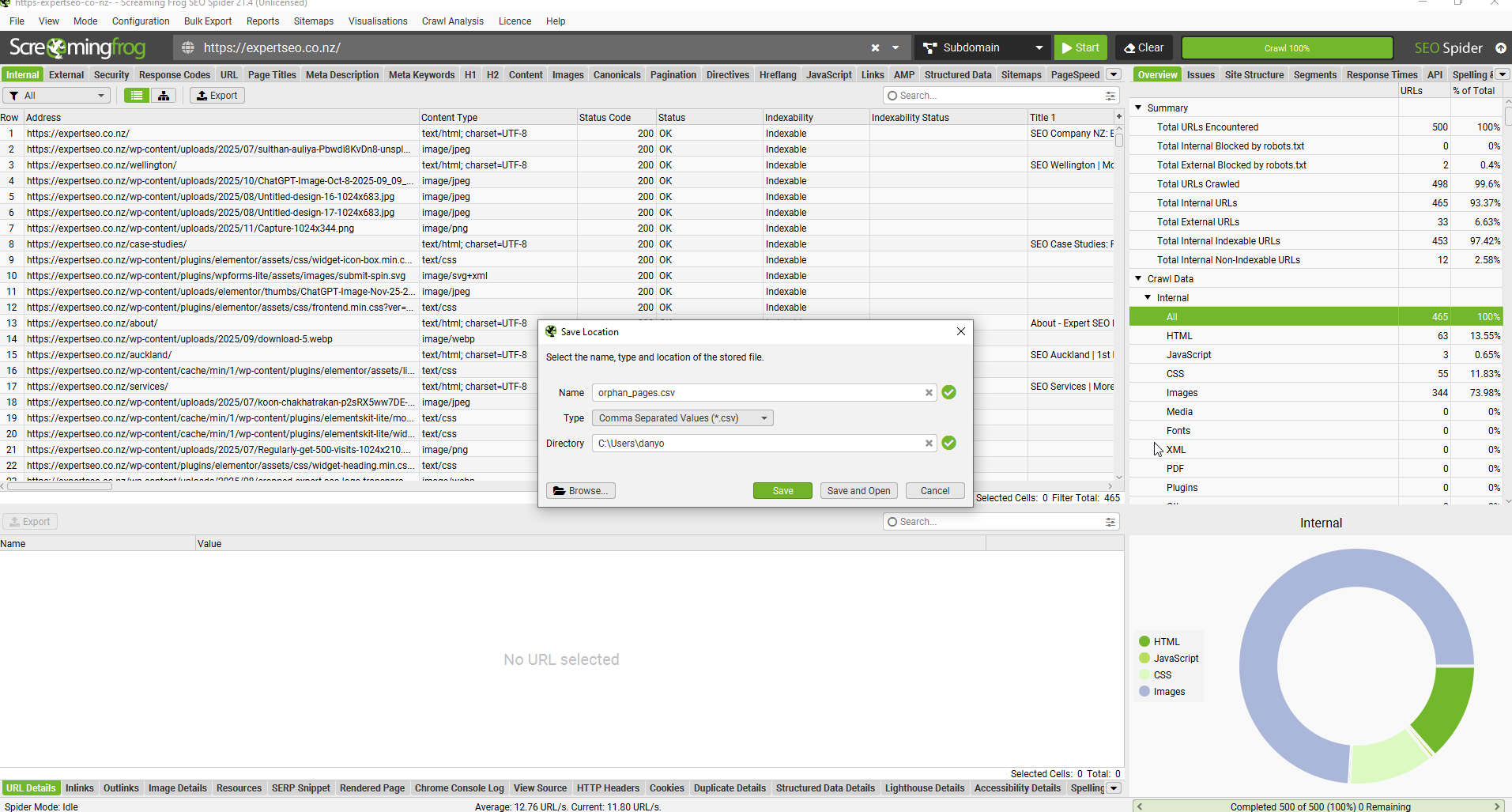
Screaming Frog (free up to 500 URLs):
- Download Screaming Frog and enter your domain
- Let it crawl your site
- Go to Reports → Orphan Pages
- Export the list — these are pages your crawl found in your sitemap but that receive no internal links
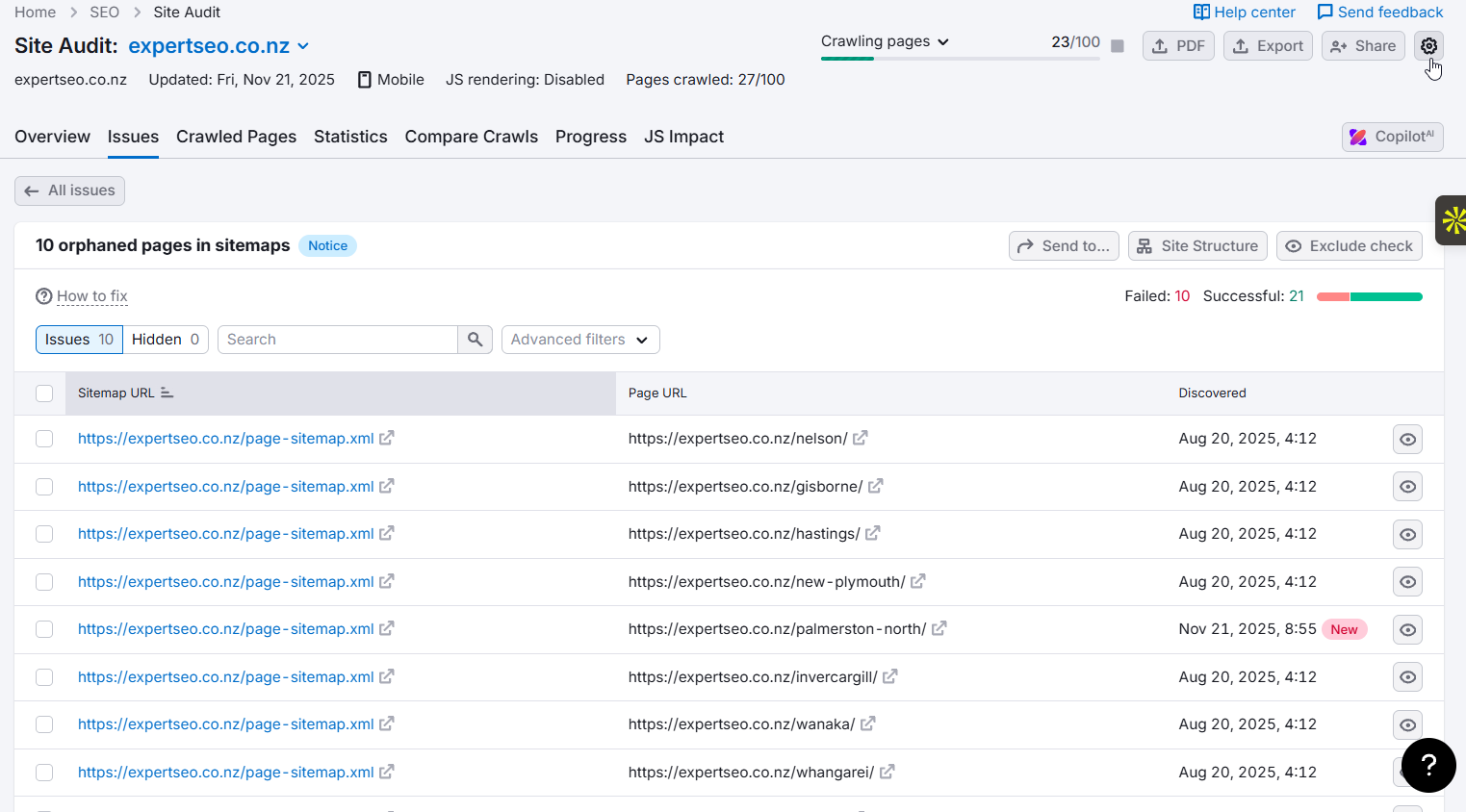
SEMrush Site Audit:
- Run a Site Audit on your domain
- Go to Issues and search for “pages with no incoming internal links”
- Export the list and work through it
How to Fix Orphan Pages
For each orphan page, make a quick decision:
Keep it? Find two or three existing pages on your site that relate to it and add a contextual link. That’s all it takes to rescue an orphan page.
Not worth keeping? Either redirect it to the most relevant live page using a 301 redirect, or remove it entirely and make sure nothing else is linking to it.
Work through the most important orphan pages first — typically your service pages and any content you’ve invested time in creating.
How to Do a Basic Internal Link Audit
An internal link audit gives you a clear picture of what’s working, what’s wasted, and what’s broken in your current link structure. Do this once when you’re starting out, then repeat every six months.
You’re looking for five things:
- Pages with zero incoming internal links (orphans)
- Pages with too many outgoing links (dilutes authority)
- Broken internal links that lead to 404 errors
- Important pages that aren’t receiving enough internal links
- Weak or generic anchor text being used on links to key pages
Free Audit Method: Screaming Frog
Screaming Frog is free for sites up to 500 URLs. For most small NZ businesses, that’s enough.
- Download Screaming Frog at screamingfrog.co.uk and install it
- Enter your domain URL and click Start
- Wait for the crawl to complete (a few minutes for most sites)
- Go to Reports → Orphan Pages — export this list
- Go to Response Codes → Client Error (4xx) — these are your broken internal links
- Go to the Inlinks tab, sort by the number of inlinks from low to high — pages at the bottom are your most under-linked pages
- Cross-reference the under-linked list against your pillar pages — if your most important pages are at the bottom, that’s the problem to fix first
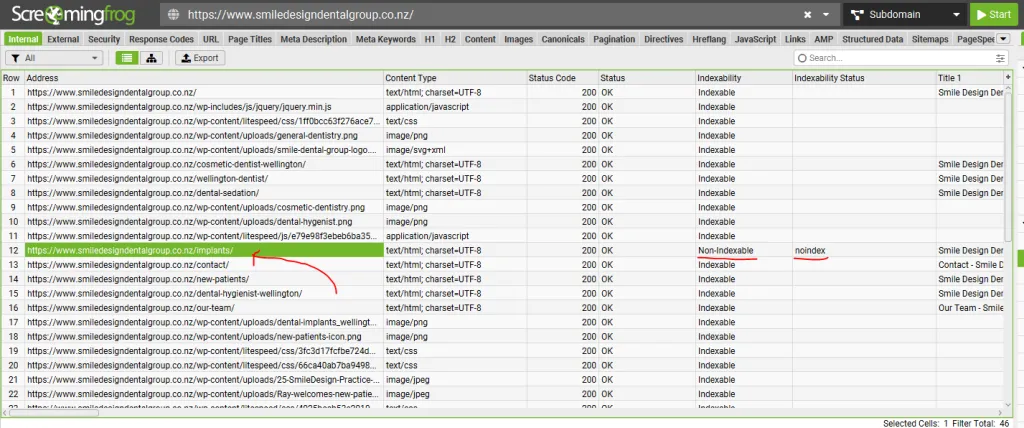
Work through issues in this order: broken links first (they actively hurt), then orphan pages, then under-linked pillar pages.
Paid Audit Method: SEMrush
If you have a SEMrush account, the Site Audit tool gives you a more automated view.
- Go to Site Audit and run a full crawl of your domain
- Once complete, go to Issues and filter for Internal Linking issues
- Review: pages with no internal links, pages with too many outgoing links, broken links
- Go to the Internal Linking report for a visual breakdown of how authority is distributed across your site
- Prioritise fixing Errors over Warnings — errors are the things actively holding you back

SEMrush also gives your internal linking an overall score. Use that as your benchmark and aim to improve it with each audit.
The Best Internal Linking Tools for NZ Websites
You don’t need to spend a lot to get internal linking right. Here’s what’s worth using at different stages.
| Tool | Best For | Cost |
|---|---|---|
| Screaming Frog | Full site audits, finding orphans and broken links | Free up to 500 URLs |
| Google Search Console | Checking indexing, finding crawl issues | Free |
| SEMrush Site Audit | Automated internal linking reports and scoring | Paid |
| Rank Math (WordPress) | Suggests internal links as you write, flags issues | Free / Paid |
| Link Whisper (WordPress) | AI-powered link suggestions across your whole site | ~$77 USD/year |
Which Tool Should You Start With?
Small site or just getting started (under 500 pages): Screaming Frog free version plus Google Search Console is enough. Run a crawl, fix orphan pages and broken links, and you’re ahead of most NZ competitors.
WordPress site: Install Rank Math. The free version surfaces internal linking suggestions as you write and flags pages that aren’t receiving enough links. It integrates into your existing workflow with no extra steps.
Growing site (500+ pages): At this scale, manually finding link opportunities becomes time-consuming. SEMrush Site Audit or Link Whisper both automate the discovery process and pay for themselves quickly.
How Many Internal Links Do You Actually Need?
This is one of the most common questions — and the answer is more practical than most people expect.
Google’s official guidance is to keep links on any given page to a “reasonable number.”
Moz puts a rough ceiling at 100 total links per page, which includes your navigation, footer, and in-content links combined.
The Zyppy study found that performance tends to peak around 40–50 internal links per page, with diminishing returns beyond that.
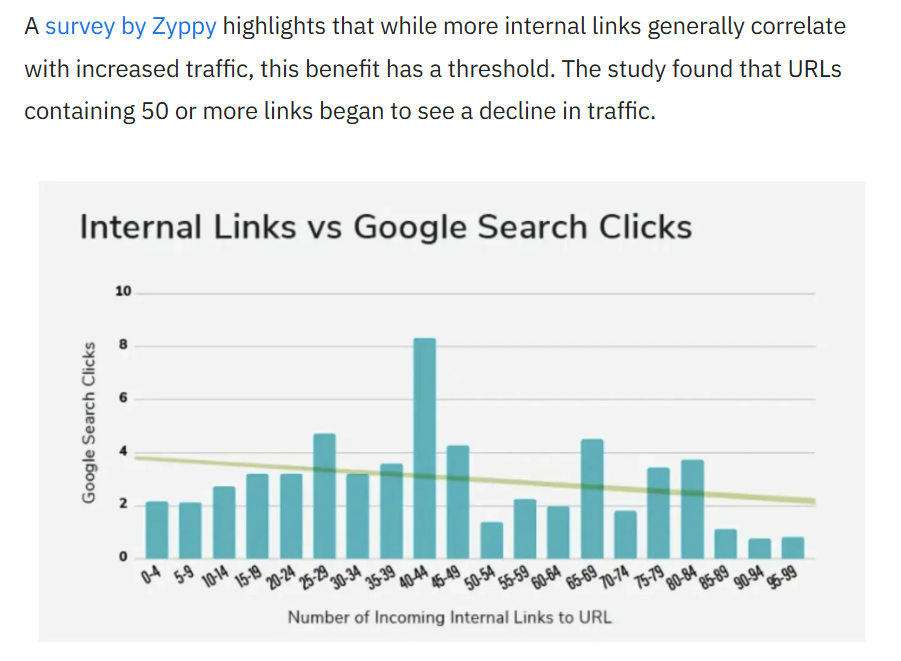
For most NZ small business sites, that ceiling is nowhere near the problem. The problem is usually the opposite — too few links, not too many.
Here are practical targets to work toward:
For each blog post or article:
- Include 3–5 outgoing contextual links to related content and pillar pages
- After publishing, go back and add 2–3 links from existing pages pointing to the new article
For your pillar pages (service pages, main topic guides):
- Aim for 10–30 incoming internal links over time, built up through supporting blog content
- Every supporting article you publish on a related topic should link back to the relevant pillar
The real rule: your most important pages should receive the most internal links. If your main services page has two internal links pointing to it and a random blog post from three years ago has fifteen, your link structure is working against you.
Do a quick check right now. Go to Google Search Console, find your most important page, and count how many internal links it receives. If the answer is fewer than five, that’s the first thing to fix.
Internal Linking Mistakes to Avoid
Most internal linking problems come down to doing too little, doing it randomly, or using the wrong words. Here’s what to watch for.
Using vague anchor text. “Click here,” “read more,” and “here” tell Google nothing about the destination page. Every link is an opportunity to send a relevance signal — don’t waste it.
Using the exact same anchor text every time. Linking to your SEO services page with the phrase “SEO services Auckland” twenty times looks unnatural. Vary the wording while keeping it descriptive.
Stuffing too many links into one paragraph. More than three or four links in a single paragraph dilutes the value of each one and makes the content harder to read. Spread links throughout the article.
Only linking forward, never back. When you publish new content, you add links from it to other pages. But do you also go back and add links from older pages to the new one? Most people don’t. Your older pages often carry the most authority — use them.
Ignoring your pillar pages. If your most important service pages rarely appear as link destinations in your blog content, you’re leaving authority on the table. Every relevant blog post should have at least one link back to its pillar.
Relying only on nav and footer links. Footer links count, but contextual links within your content carry significantly more weight. If all your internal linking is happening in your navigation and footer, you’re missing the most powerful type.
Publishing new pages with no incoming links. Every new page you publish is an orphan until you link to it. Make linking to new content part of your publishing checklist, not an afterthought.
Treating internal linking as a one-time project. This is probably the most common mistake.
You do an audit, fix a few things, and move on. But your site is always changing.
New content gets published, old pages get updated, pages get removed. If you don’t make internal linking an ongoing habit — something you do every time you publish — the problems come back.
Build it into your process, not your to-do list.
Need Help With Your Internal Linking?
Internal linking is one of the few SEO levers you can pull today, for free, that has a measurable impact on rankings within weeks.
Most NZ businesses haven’t done this. That’s the opportunity.
If you want this done properly without spending the time doing it yourself, we help businesses across New Zealand build internal linking structures that move rankings:
Get in touch to talk through what your site needs.
Internal Linking in NZ: FAQ
What do you mean by internal linking?
Internal linking is the practice of adding hyperlinks from one page on your website to another page on the same website. These links help Google crawl your site, understand which pages are most important, and distribute authority across your content. They also help readers find related information without leaving your site.
How do internal links differ from external links?
Internal links connect pages within the same website. External links point from your site to a different website entirely. Both have SEO value, but they serve different purposes. Internal links are about organising your own site and directing authority where it matters. External links signal trust toward the source you’re linking to.
How many types of internal linking are there?
There are four main types: contextual links (within the body of your content — the most powerful for SEO), navigational links (your main menu, header, and footer), breadcrumb links (showing site hierarchy like Home > Services > SEO Auckland), and related content links (“you might also like” sections). Contextual links carry the most weight.
How to improve internal linking?
Start by identifying your most important pages — usually your service pages or pillar content. Then make sure every blog post and supporting article links back to the relevant pillar page using descriptive anchor text. Fix any orphan pages that have no links pointing to them. Run a basic audit with Screaming Frog to find broken links and under-linked pages. Then make internal linking part of your publishing process so every new page gets connected on day one.
Does internal linking improve SEO?
Yes. Internal links help Google discover and index your pages, pass authority to the pages you want to rank, and signal which topics your site covers in depth. A study by Zyppy found that pages with 40+ internal links receive four times more search traffic than pages with fewer than five. It’s one of the fastest, cheapest ranking improvements available.
How long does it take for internal linking changes to affect rankings?
Typically two to eight weeks, depending on how frequently Google crawls your site. Pages already sitting on page two or three often move the fastest — they’re close, and the additional authority from better internal linking can be enough to push them over. Brand new pages with no authority take longer.
Should I use nofollow on internal links?
Almost never. A nofollow attribute on an internal link blocks authority from flowing to the destination page, which defeats the purpose entirely. The only cases where nofollow makes sense on internal links are pages you specifically don’t want crawled — login pages, admin areas, or pages with duplicate content you’re managing separately.
How many internal links should a page have?
There’s no exact number, but a practical guideline is 3–5 contextual outgoing links per blog post and a target of 10–30+ incoming links for your most important pages over time. Moz recommends keeping total links on any page (including navigation and footer) under 100. The real rule: your most important pages should receive the most internal links.
Can I have too many internal links on a page?
Yes. Beyond roughly 100 total links per page, each link passes less value, and Google may treat it as over-optimisation. For most NZ small business sites this isn’t a real concern — but if you’re stuffing dozens of links into a single article, pull back and focus on relevance over quantity.
Do internal links in the footer count?
Yes, but they carry less SEO weight than contextual links within article content. Footer links appear on every page of your site, which reduces their relative significance. Use footer links for important pages that need to be accessible from everywhere, and use in-content links for the heavy SEO lifting.
What about internal links added by plugins automatically?
Tools like Link Whisper and Rank Math can suggest or auto-add internal links based on keyword matching. These are useful for scale, but review them. Automated links can sometimes connect pages that aren’t actually related, which creates a worse experience for readers. Use automation to find opportunities, then make the final call yourself.