You’ve been told your website needs “technical fixes.” You’ve also been told your “on-page SEO is weak.”
Nod along to both, and you still won’t know the one thing that actually matters: which one moves rankings, and which one to touch first.
Here’s a tell. Search on page seo vs technical seo and the top result on Google isn’t an agency with a slick guide. It’s a Reddit thread of people explaining it to each other in plain English.

That should tell you something. People don’t want the textbook. They want someone to cut through the jargon.
Picture a jet-boat operator in Queenstown who’s just paid for a shiny new website. The developer mentions “technical SEO.”
A marketing mate reckons the “on-page needs work.” Now they’ve got two bits of jargon, a finite budget, and no clue where the first dollar should go.
I’ve spent over a decade doing SEO, a fair chunk of it competing in the United States — where the bar sits a good deal higher than the average Kiwi agency is used to (said with love).
My own agency, Expert SEO, is barely a year old and already outranking NZ agencies that have been at this for ten. On-page and technical SEO are part of how that happened — just not the way you’ve probably been told.
By the end of this you’ll know what each one is, how to actually do it, how long each honestly takes, and — the part nobody answers — which one deserves your time, and where the real ranking power sits.
What Is On-Page SEO?
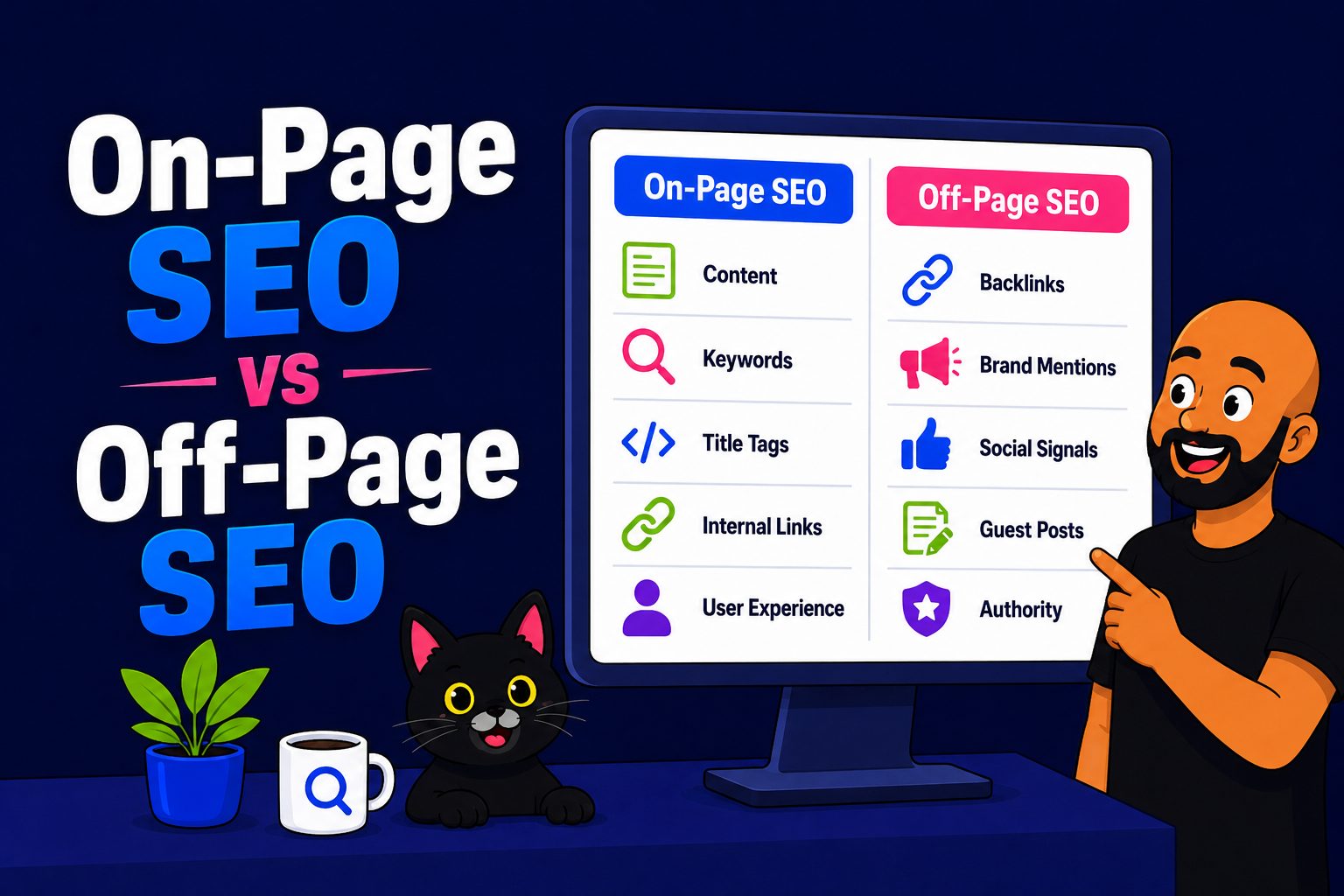
On-page SEO is everything you do on a page — the words, the headings, the title tag, the internal links — to make it obvious to Google what that page is about and who it’s for.
Say you run a physio clinic with a page for sports-injury treatment.
On-page SEO is making sure the page actually says “sports injury” where it counts — the title, the first line, a heading or two — plus the supporting cast around it: a meta description that earns the click, alt text on the images, and internal links pointing to the page from elsewhere on your site.
It answers one question for Google: is this page relevant and useful for what someone just searched?
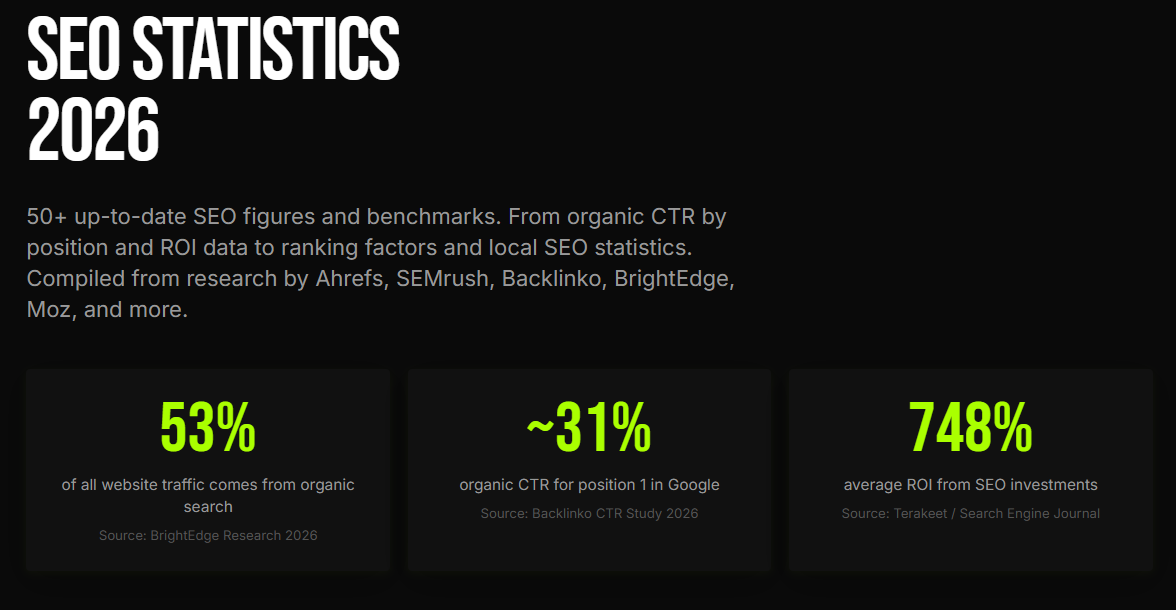
And it matters because organic search is where the customers are. Research from BrightEdge found that 53% of all trackable website traffic comes from organic search — more than paid, social and everything else combined. On-page SEO is how you claim your slice of that.
The core elements are simple: title tags, meta descriptions, headings, content that matches search intent, internal links, image alt text, and clean URLs. That’s the whole list. None of it is complicated.
What Is Technical SEO?
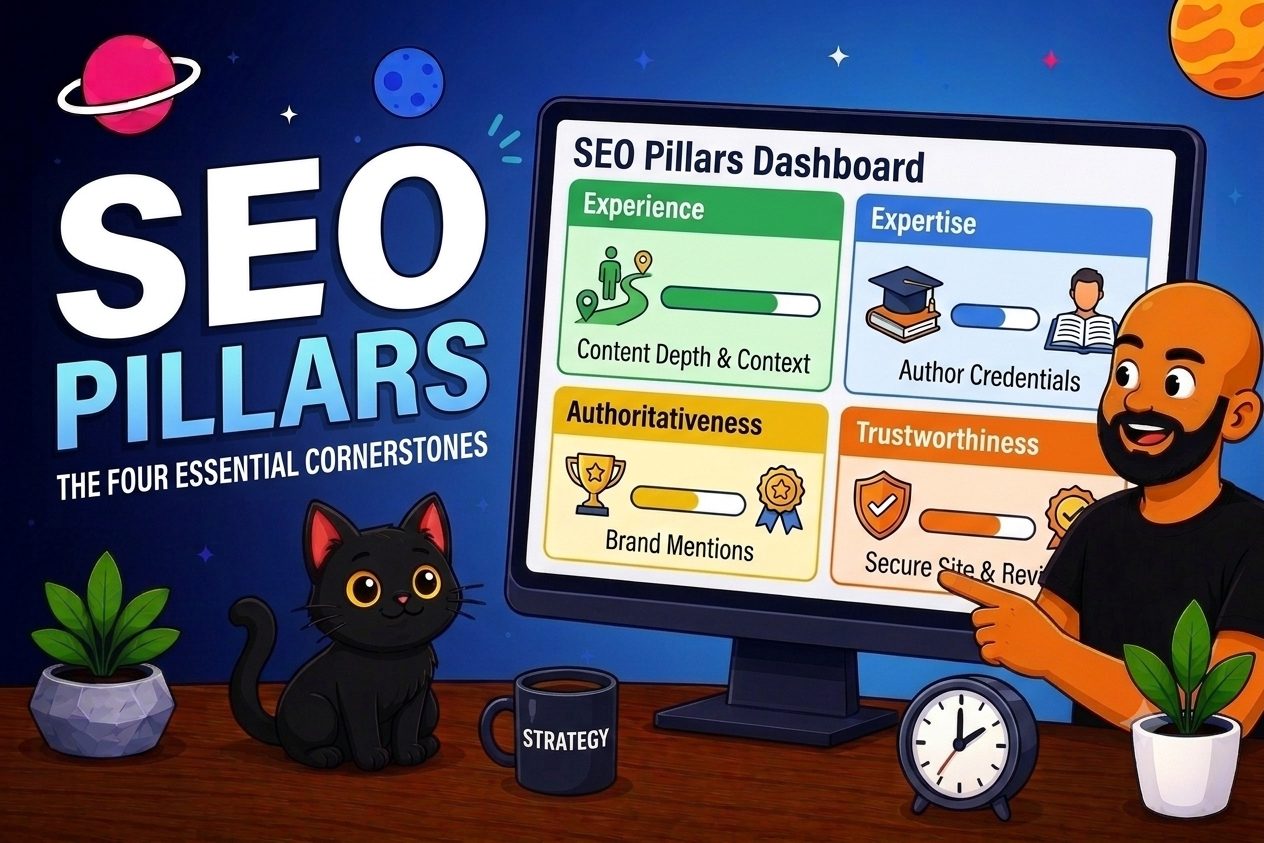
Technical SEO is the behind-the-scenes plumbing — site speed, mobile-friendliness, crawlability, indexing, HTTPS, structured data — that lets search engines reach, read and trust your site in the first place.
If on-page SEO is what you say to Google, technical SEO is whether Google can hear you at all.
You can write the clearest page on the internet, but if your site is a shop with a brilliant window display behind a roller door that won’t open, the crawler just shrugs and walks past.
It answers a completely different question from on-page: can Google actually get to this page, read it, and trust it?
Get it wrong and it’s costly. Google’s own research found that as a page’s load time climbs from one second to ten, the probability of a mobile visitor bouncing jumps 123%.
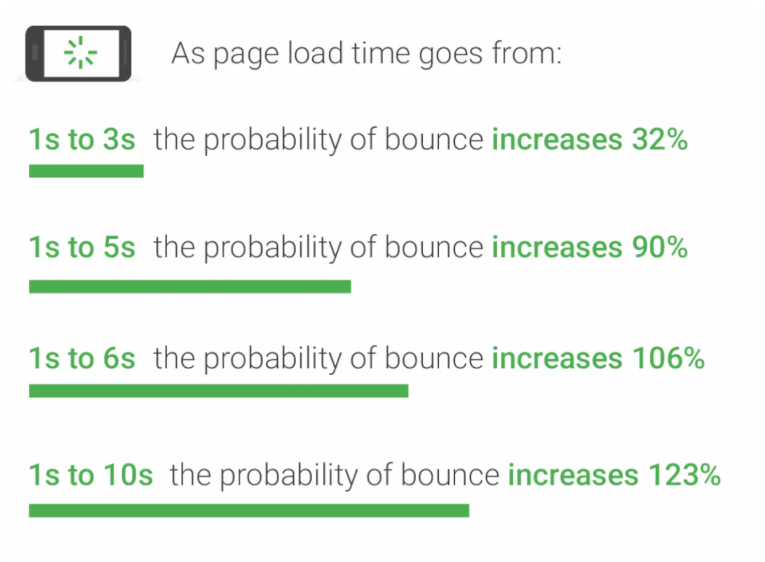
A separate Google study put it in plainer terms still: 40% of people leave a page that takes longer than three seconds to load. That’s four in ten customers gone before they’ve seen a word.
The core elements: crawlability (robots.txt, XML sitemaps), indexing, site speed and Core Web Vitals, mobile-friendliness, HTTPS security, and structured data. Some you set once; some you monitor.
The Key Differences Between On-Page and Technical SEO
The simplest way to hold the two apart: technical SEO gets Google to your page; on-page SEO tells Google what the page is once it’s there.
Side by side, they split cleanly:
| On-Page SEO | Technical SEO | |
|---|---|---|
| What it’s about | Relevance and usefulness | Access and performance |
| Who it’s really for | Your readers | Search engine bots |
| Where it lives | On the page itself | Behind the scenes |
| Can visitors see it? | Yes — words, headings, layout | No — code, speed, settings |
| Typical work | Title tags, headings, content, internal links, alt text | Site speed, crawlability, indexing, HTTPS, mobile, schema |
| How often you touch it | Every page, every time | Set up once, then monitor |
| How fast it pays off | Weeks to months | Fixes can show in days |
The two rows that matter most are the bottom two — how often you touch each, and how fast each pays off. Hold onto those. They quietly decide where your hours should go.
How On-Page and Technical SEO Work Together
Neither is worth much on its own — and here’s the actual mechanism, not the usual “you need both” hand-wave.
Technical SEO clears the path in. On-page SEO gives Google a reason to rank you once it’s arrived.
Break either link in that chain and the whole thing stalls.
I watched this play out with a Tauranga landscaping business.
Genuinely good content — pages that answered exactly what people were searching for. And it sat there, going nowhere for months.
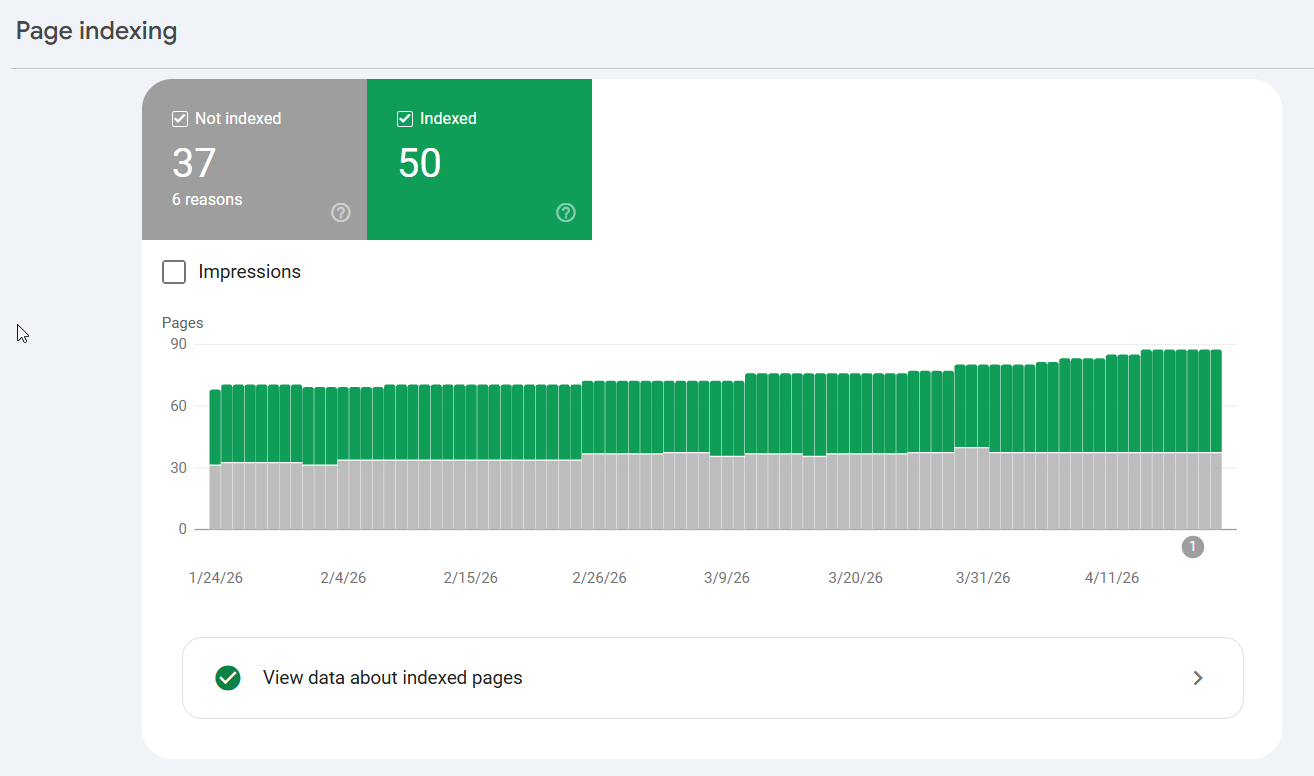
The problem wasn’t the writing. Half their key pages were accidentally blocked from being indexed — one stray setting quietly telling Google not to look.
Perfect on-page work, completely invisible to search. Once that technical block came off, the same pages started climbing within weeks.
It runs the other way too. A lightning-fast, flawlessly-structured site with thin, waffly content has nothing for Google to rank. Perfect plumbing, empty house.
Where Off-Page SEO Fits In
On-page and technical both happen on your site. There’s a third piece that happens off it — and it’s the heaviest ranking lever of the three.
When people ask about the “4 types of SEO,” this is usually the list: on-page, technical, off-page, and local (or content, depending who’s counting).
You’ve now got the first two. Off-page is everything that happens away from your website to build its authority — mainly link building and brand mentions.
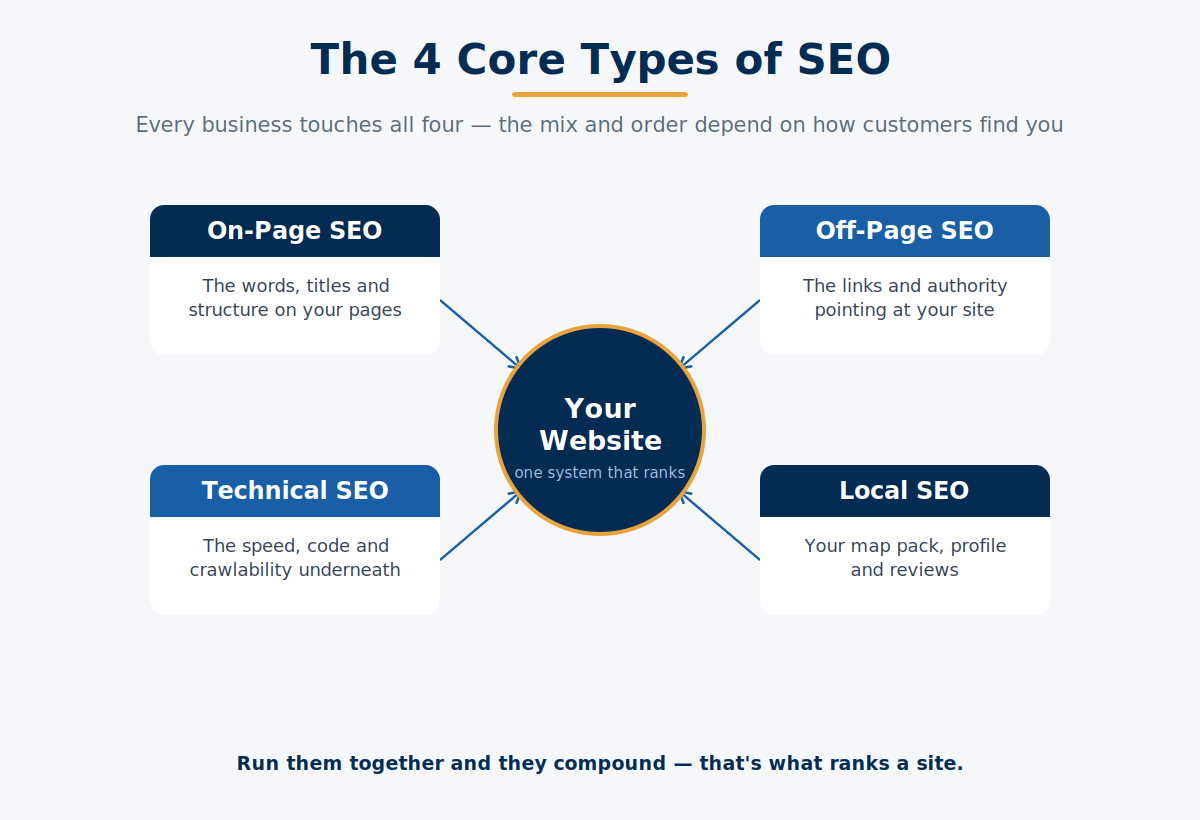
And this is the part that quietly reframes the whole comparison: off-page is where rankings are mostly won or lost.
Which changes the answer to the question you actually came here for — but hold that thought for a second, because there’s one more bit of confusion to clear first.
Where On-Page and Technical SEO Overlap
A few things sit in both camps, and that overlap is exactly what trips people up.
Page speed is the classic. Is it technical or on-page? Both. The root cause is technical — server, code, image sizes — but a page you’ve bloated with twenty plugins and a giant hero video is an on-page problem too.
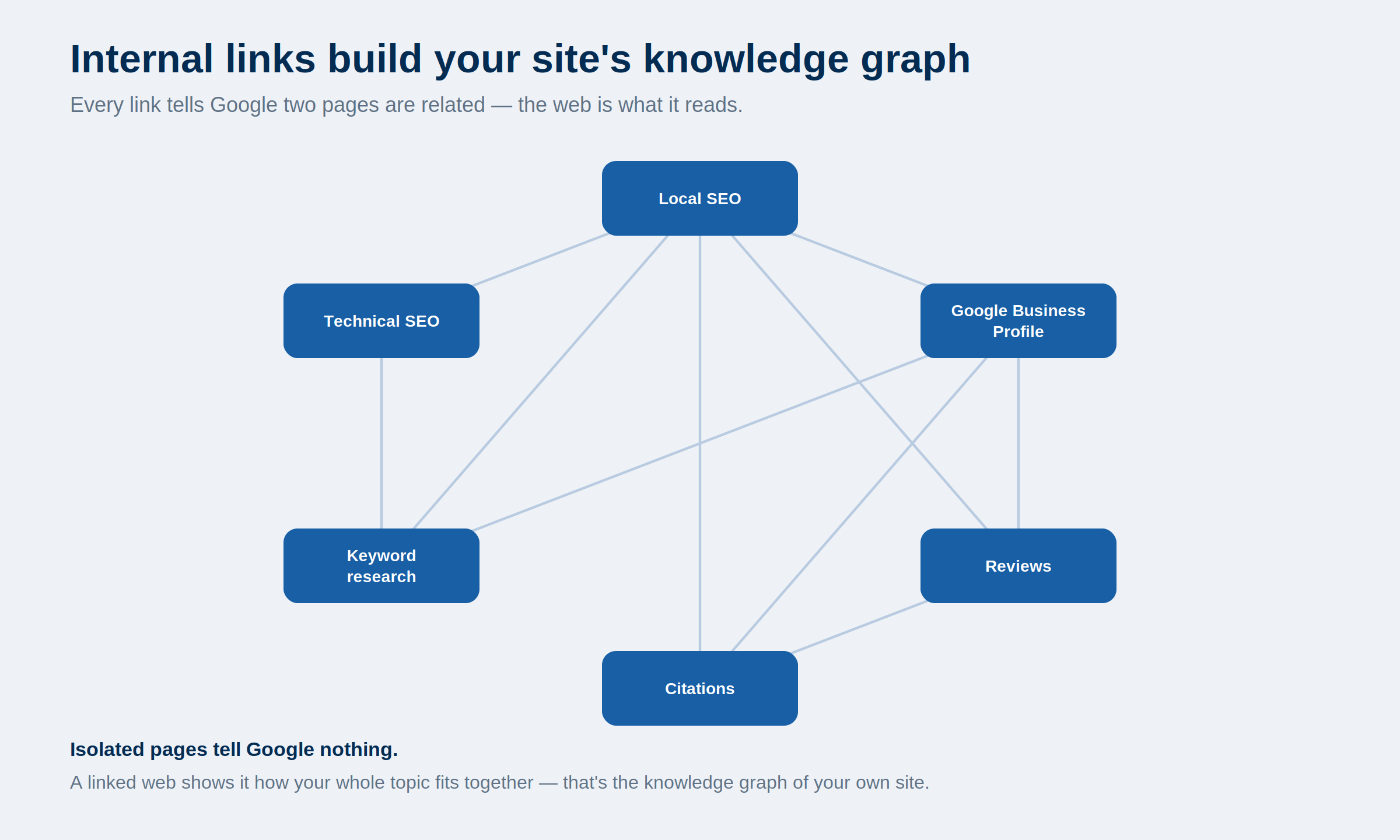
Internal linking is the other one. The overall structure — which pages link where across your whole site — is an architecture concern, firmly technical-ish.
But dropping a link inside a paragraph to a relevant page, in context, is on-page. Same tactic, two different jobs.
When you’re unsure which camp something falls in, ask one question: is this about access, or about meaning? Access is technical. Meaning is on-page. That single question sorts almost everything you’ll run into.
How to Do On-Page SEO
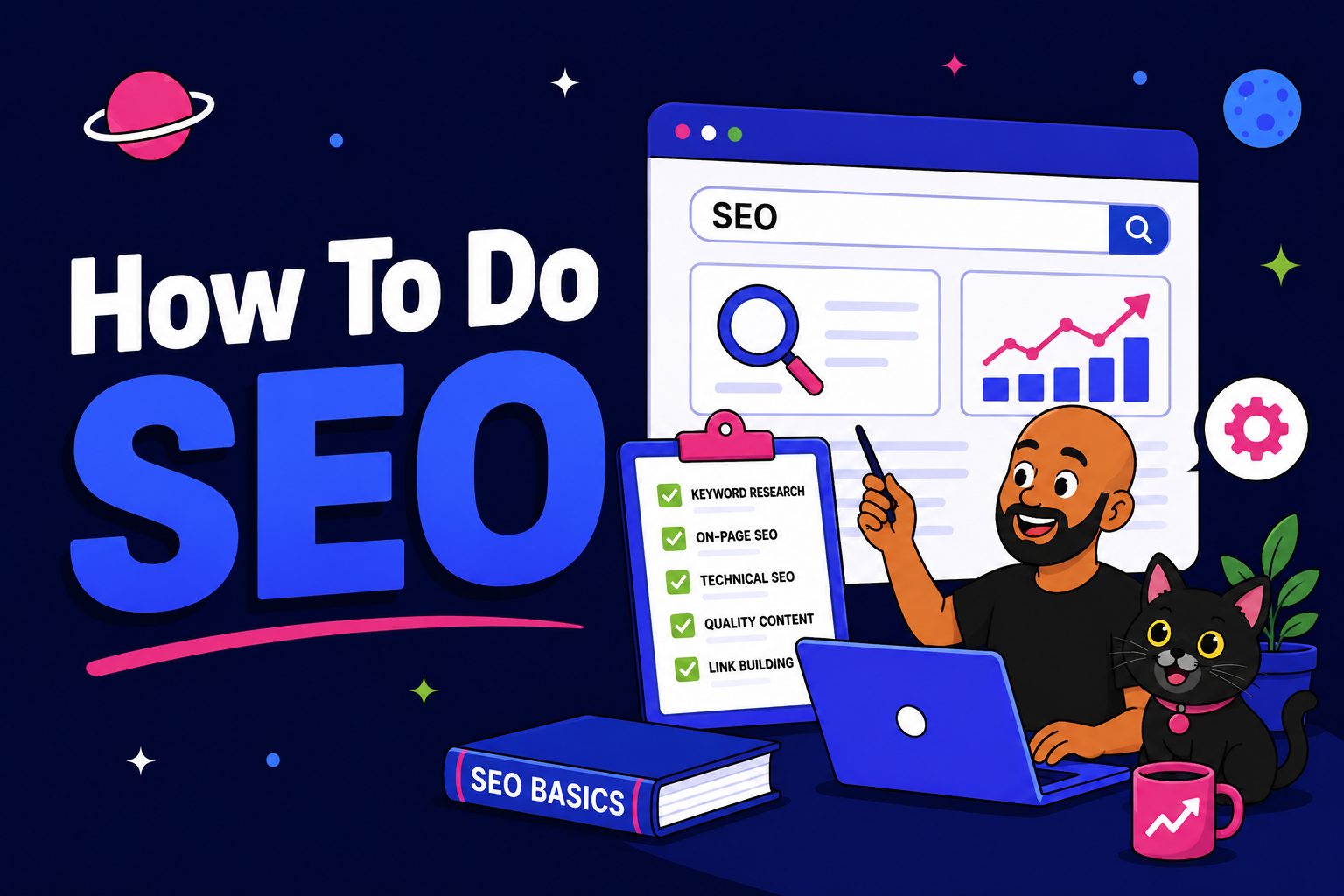
Done properly, on-page SEO takes about five minutes a page — because a tool does the checking for you.
Here’s the actual per-page routine. Say you’re publishing a page for an Auckland physio clinic, targeting “sports physio Auckland”:
- Put the target keyword where it counts — the title tag, the H1, and the first hundred words. Not stuffed everywhere; just present where Google looks first.
- Match the intent. Someone searching “sports physio Auckland” wants to book, so the page needs services, location and an obvious way to get in touch — not a 2,000-word essay on the history of physiotherapy.
- Write a meta description that earns the click.
- Add alt text to the images.
- Link to the page from other relevant pages on your site, and out to a couple of your own.
The whole routine takes about five minutes. The reason it’s five and not fifty is Rank Math — a free WordPress plugin that scores your on-page SEO live as you edit.
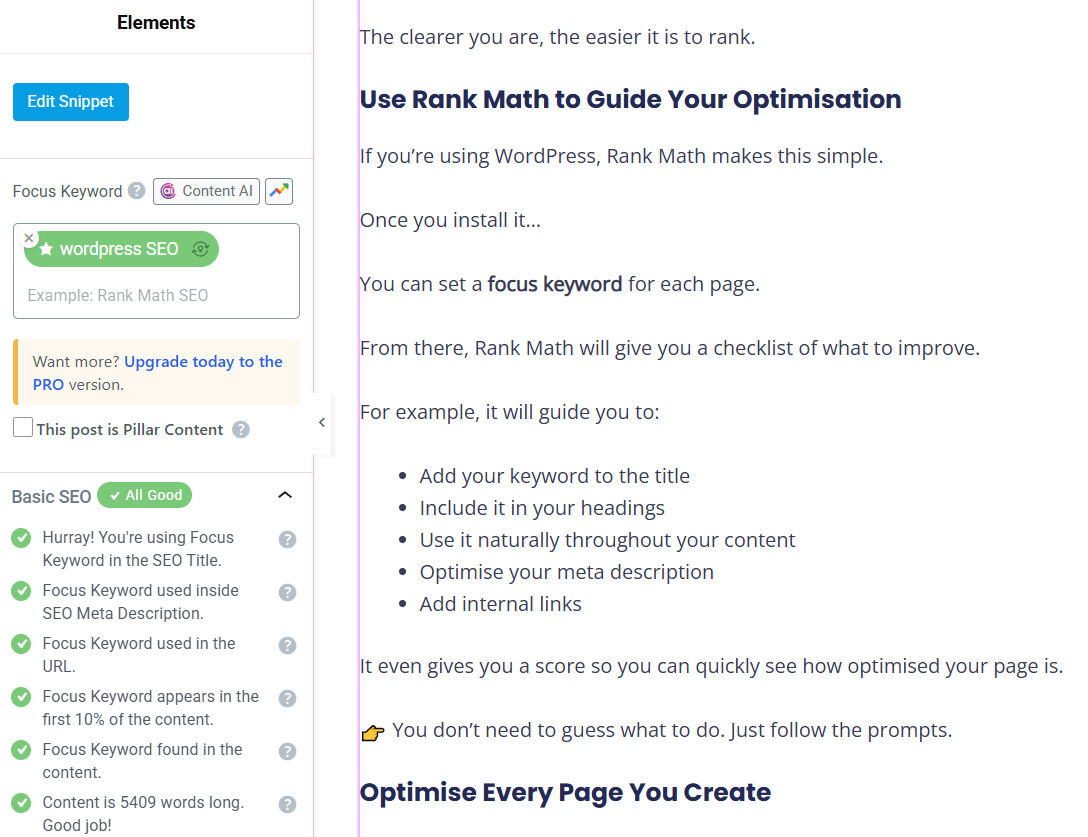
It runs a checklist in the sidebar — keyword in the title, keyword in the URL, keyword early in the content, alt text, internal links, readability — and lights up green as you tick them off.
No manual audit, no guessing.
One honest warning: you don’t need 100/100. Chasing the last few points is exactly where people burn the hours they should be spending on content. Get it into the green and move on.
How to Do Technical SEO
Technical SEO isn’t a daily grind. Set the foundations right once, then it’s a couple of hours a month running an audit and clearing what it flags.
Here’s what almost nobody tells you: most of technical SEO is handled the day you set your site up properly.
A decent theme, a modern CMS like WordPress, an SSL certificate, a caching plugin — that covers the baseline for the vast majority of small NZ business sites. You’re not rebuilding it every week. You’re maintaining it.
Once a month, run an audit. The routine I’d follow for, say, a Wellington building firm:
- Crawl the whole site with Screaming Frog — it walks every page the way Google would and flags broken links, redirect chains, missing titles, and pages blocked from indexing.
- Run a site audit in SEMrush or Ahrefs — you get a health score out of 100 and a prioritised list of errors, worst first.
- Check Google Search Console — this is Google telling you directly what it’s struggling with: pages it couldn’t index, mobile issues, crawl errors.
- Spot-check speed with PageSpeed Insights on your most important pages.

Then you triage. Fix the easy, high-impact stuff yourself — broken links, missing meta titles, oversized images. Hand the deep, code-level things — server config, complex redirects — to a developer.
When I ran an audit on that Wellington firm’s site, the health score came back at 74. Sounds alarming. But most of the “errors” were trivial — a handful of broken links to a supplier who’d changed their URL, a few images missing alt text.
Twenty minutes of work took it into the high 80s. The scary number was mostly noise.
Speed is the one people fixate on, so spot-check it directly rather than guessing.

For a small site, most months there’s barely anything to do. An hour or two, done.
Which Is More Important, On-Page or Technical SEO?
Get both right — but don’t fall in love with either. On-page and technical are the foundation you nail fast, mostly with tools. The real ranking energy for an NZ business goes into content marketing and link building.
Here’s the thing nobody selling you a technical audit wants to say out loud: on-page and technical SEO are table stakes, not a competitive edge.
Everyone ranking on page one already has them sorted. A clean technical setup and solid on-page won’t lift you above your competition — they just stop you being disqualified. Break them and you lose. Nail them and you’ve only earned the right to compete.
There’s a great piece of evidence for this.
Backlinko analysed 11.8 million search results and found pages in Google’s top 10 have, on average, 3.8x more than the pages ranked below them.
The same study turned up something that surprises people: fast-loading sites had no ranking advantage over slow ones.
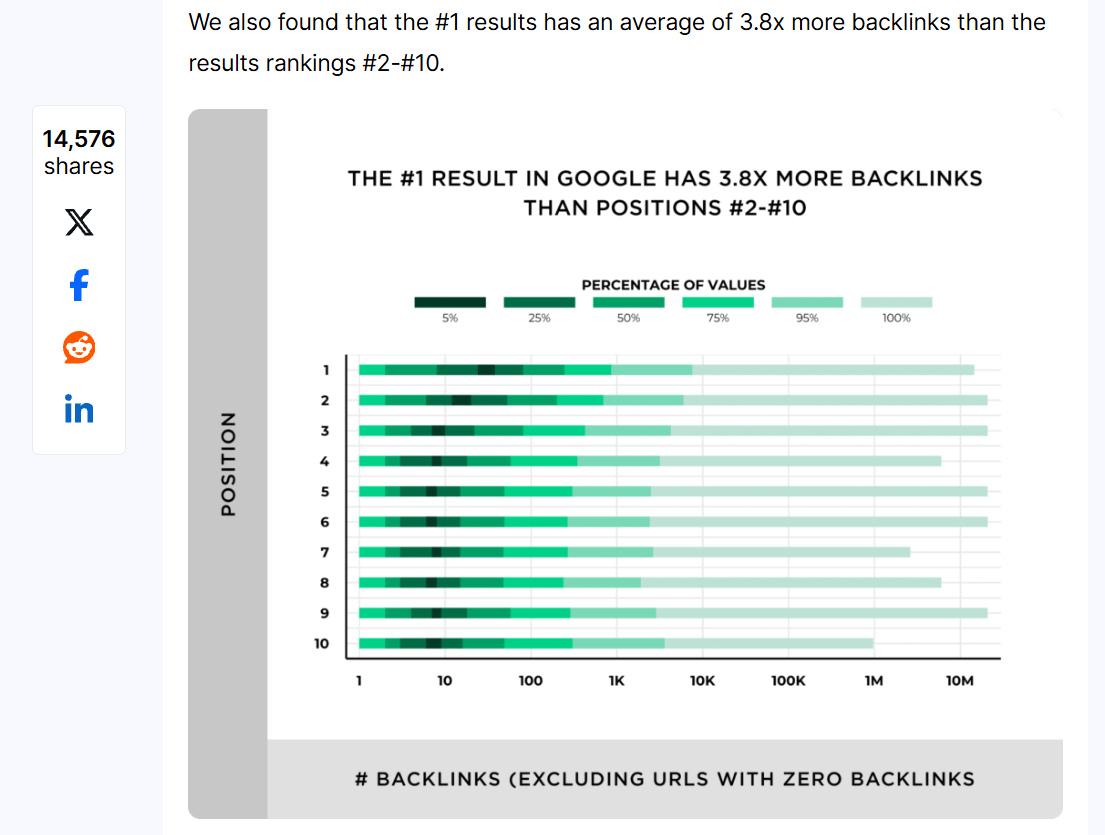
Page speed is a confirmed Google ranking factor, and yet — once you’re past the baseline — it doesn’t push you up. It matters for your visitors, not your position.
That’s the 80/20 rule of SEO in the real world. Roughly 20% of your effort — the on-page and technical foundations — clears the bar. The other 80% — publishing genuinely useful content and earning links to it — is what actually wins.
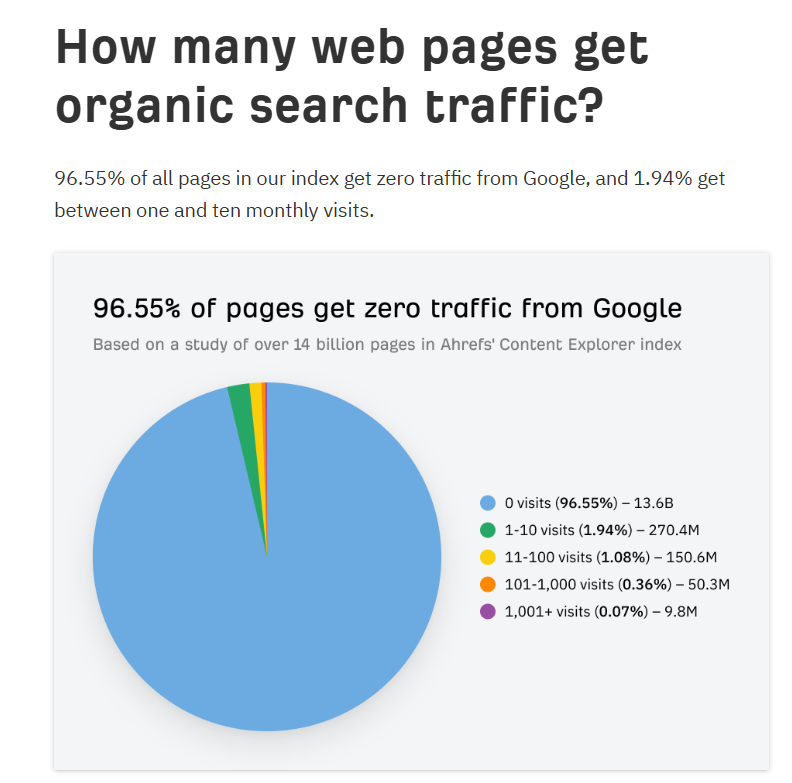
And the stakes are brutal: Ahrefs studied around 14 billion pages and found that 96.55% of them get zero organic traffic from Google, and a lack of backlinks is one of the biggest reasons why.
Spend your time in that proportion.
Where you start depends on your site.
Brand-new, or a mess? Start technical. A new Christchurch business with a fresh site needs to be crawlable and indexable before anything else matters — there’s no point optimising pages Google can’t even find. Get the foundation crawling clean, then move on.
Established and tidy? You’re mostly done with technical. Do the five-minute on-page pass per page as you publish, run the monthly audit to catch drift, and pour everything else into content and links.
I’ll put my money where my mouth is. Expert SEO — my own agency — is barely a year old, competing in a market full of NZ agencies with a decade’s head start.
We got the technical foundation right fast, kept on-page to that tight five-minute routine, and put the real hours into content and links.

The result: ranking #1 in New Zealand for competitive local SEO terms — above the likes of Ahrefs and Semrush — and getting cited directly in Google’s AI Mode, inside the first year.


It’s the same playbook that took HealthVI — a health site I built with my old business partner and mentor Ian Pribyl — from zero to over 20,000 monthly organic visitors.
The foundations were sorted early and barely touched again. The growth came from content and links, not from endlessly tweaking meta tags.

So the “which is more important” question is the wrong one to be asking. Both are non-negotiable, and neither is where you win.
Get them right, get them fast, and spend the time you save where rankings are actually decided.
Final Thoughts
If I’m honest, on-page and technical SEO shouldn’t take up much of your headspace at all. Outsource both to tools — Rank Math for on-page, a monthly audit tool for technical — and let them carry the load.
Every hour you free up from not manually policing either one is an hour better spent on content marketing and link building which are the most important parts of our SEO services.
That’s where NZ businesses actually win their market. Not in a perfectly optimised meta tag.
On-Page SEO vs Technical SEO: FAQ
What's the difference between on-page and technical SEO?
On-page SEO tells Google what a page is about — content, titles, headings, internal links. Technical SEO gets Google to the page in the first place — speed, crawlability, indexing, HTTPS. One is about meaning; the other is about access.
Which is more important, on-page or technical SEO?
Neither wins on its own — both are table stakes every page-one competitor already has. Get them right fast, mostly with tools, then put your real effort into content and link building, where NZ rankings are actually decided.
Is page speed on-page or technical SEO?
Both. The root cause is usually technical — server, code, image sizes — but a page bloated with plugins and huge media is an on-page problem too. Ask whether the issue is about access (technical) or meaning (on-page).
Which should I do first, on-page or technical SEO?
It depends on your site. A brand-new or messy site should start technical — there's no point optimising pages Google can't crawl. An established, tidy site is mostly done technically, so do the quick on-page pass per page and move on.
What are the four types of SEO?
On-page, technical, off-page and local SEO (some lists swap local for content). On-page and technical happen on your site; off-page — mainly link building — happens off it and is the heaviest ranking lever of the lot.
Can I do on-page and technical SEO myself?
Yes. On-page is about five minutes a page with a tool like Rank Math; technical is a couple of hours a month running an audit and clearing what it flags. The tools do most of the thinking for you.