

Every guide on local business schema sells it as a magic ranking button — bolt it on, watch your map pack position climb.
It isn’t. And that oversell is why so many Kiwi business owners paste in a block of code, see nothing move, and write schema off as more SEO snake oil.
So here’s the honest version, start to finish.
You’ve been told to “add schema.” Every tutorial you’ve found uses a Springfield bakery or some American coffee shop, half of them want you to hand-code it, and you’re not a developer.
This guide skips all that.
I’ll show you what local business schema actually does (and what it doesn’t), how to create the right version for your exact type of NZ business using ChatGPT, and how to get it live on your site without touching a line of code.
We’ll build the whole thing around one running example: a dental practice in Newmarket, Auckland — we’ll call them Kauri Dental — so you can watch every step play out on a real business instead of a generic template.
What Local Business Schema Is
Local business schema is a small block of code that hands search engines your business’s key facts — name, address, phone, opening hours, location — in a format they can read without guessing.
At its simplest, it’s a label on the tin.
The terms get thrown around interchangeably, so let me clear the fog first: “structured data,” “schema markup,” and “schema” all mean the same thing here. Structured data is the idea; Schema.org is the shared vocabulary the search engines agreed on; the markup is the code you add.
The format you’ll actually use is JSON-LD — a tidy block that sits in your page’s <head> and lists your details as machine-readable pairs.
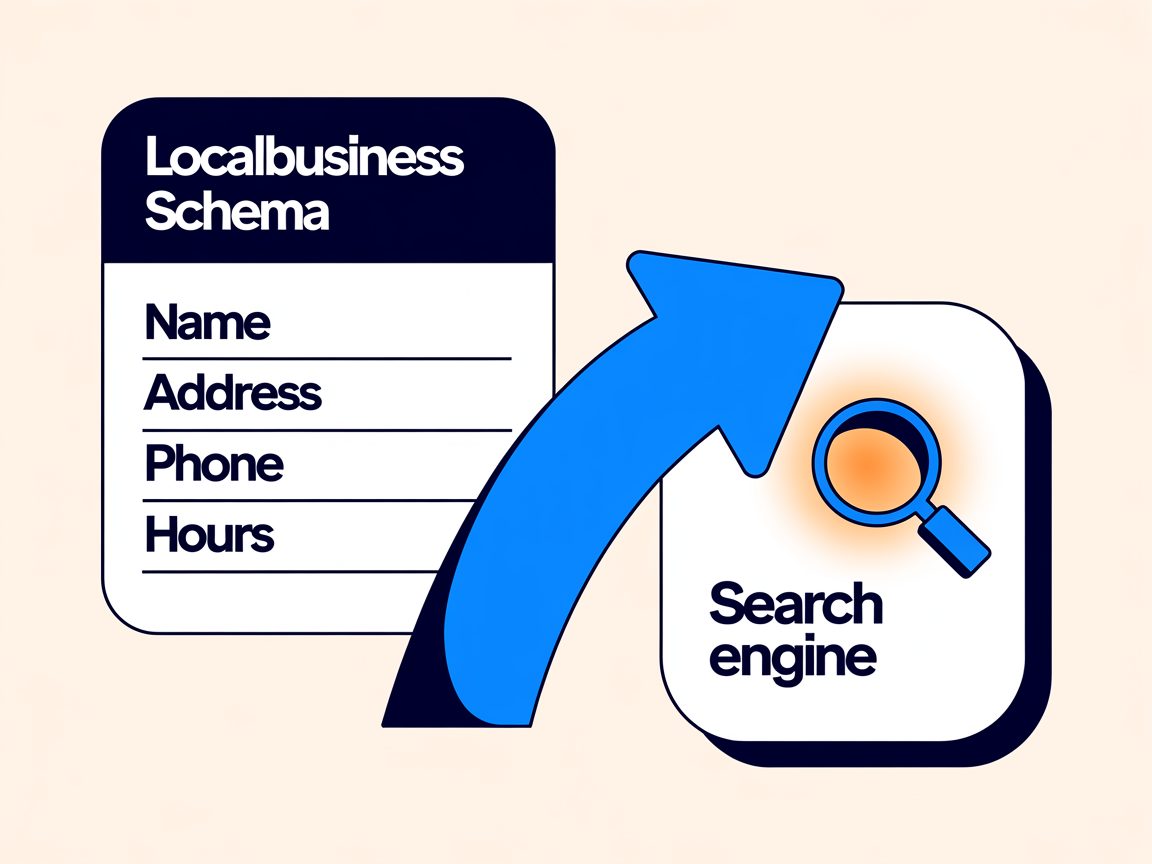
Without it, Google reads your website like a customer squinting at your shopfront from across the road: it can probably work out your name and roughly what you do. With schema, you’ve walked over and handed it your business card.
The whole point of it: turning “probably” into “certain.”
It’s one of the quieter, more technical corners of local SEO — the kind of thing that never makes a highlight reel but props up everything else.
What Local Business Schema Actually Does for Your Local SEO
Straight answer: schema won’t lift your rankings on its own. It’s a relevance signal — its job is to help Google understand your business, not to boost where you rank.
What it does is remove doubt. It makes your business facts machine-readable, and that does three concrete things: qualifies you for rich results, keeps your details consistent with your other listings, and — the big one in 2026 — helps AI tools understand and cite you.
Let me take those honestly, because the difference matters.
Google’s own documentation is clear that structured data doesn’t earn a ranking boost by itself. Anyone promising schema will vault you to the top of the pack is selling you something.
What it makes you eligible for is rich results — the extra trimmings on a listing, like star ratings, opening hours, or a business panel. Eligible, not guaranteed: Google decides when to show them. But you can’t win a raffle you never bought a ticket to, and schema is the ticket.
Then there’s the AI angle, which is the real reason to bother now.
When ChatGPT, Gemini, or Google’s AI Overviews answer a question about a local business, they pull from sources they can parse cleanly. Structured data is the cleanest signal you can send.
One analysis found schema markup on 61% of pages cited by ChatGPT, versus just 25% of standard Google results — and pages carrying three or more schema types earned citations at a noticeably higher rate.

Getting cited by AI is mostly just the payoff of improving your website’s SEO with a sharper focus on clarity — and structured data is a big part of that clarity.
I don’t just believe it. I’ve watched it happen on my own site.
Our local SEO guide gets pulled into Google’s AI Mode as a cited source — on a domain less than a year old, sitting above Ahrefs and Semrush. Schema is part of why the machines trust it enough to quote it.

It’s the same work we do when we help clients with AI SEO: structuring a site so the answer engines quote it instead of the competitor down the road.
One myth worth killing while we’re here: schema doesn’t replace your Google Business Profile.
They do different jobs. Your Google Business Profile is your listing on Google’s side; schema is the matching set of facts on your website’s side.
Schema reinforces the profile — same name, same number, same address — so everything Google knows about you agrees with itself.
Consistency is a trust signal. Contradicting yourself is a red flag.
Choosing the Right Business Type
This is the one decision that matters most, and the one nearly everyone gets wrong.
Schema.org has a whole tree of specific business types, and Google’s guidance is blunt: use the most specific type that fits. Most people ignore that and slap on the generic “LocalBusiness” tag — leaving the most useful signal on the table.
Back to Kauri Dental. Their type is Dentist — a specific Schema.org type, not the catch-all “LocalBusiness” — which tells Google exactly what they are before it’s read a single word of the page.
Here’s how the common NZ trades map to their proper type:
| Your business | Use this Schema.org type |
|---|---|
| Dentist / dental practice | Dentist |
| Plumber | Plumber |
| Electrician | Electrician |
| Law firm / lawyer | LegalService (or Attorney) |
| Builder / construction | GeneralContractor |
| Accountant | AccountingService |
| Café | CafeOrCoffeeShop |
| Restaurant | Restaurant |
| Real estate agency | RealEstateAgent |
| Mortgage broker | FinancialService |
| Mechanic / auto repair | AutoRepair |
| Hair salon | HairSalon |
If nothing fits cleanly, fall back to “LocalBusiness.” It still works — you’re just handing over a little less context.
Getting this right is the difference between Google filing you under “some business” and filing you under “dentist in Auckland.” For a practice scrapping for the map pack, that specificity is exactly the edge SEO for dentists is built on.
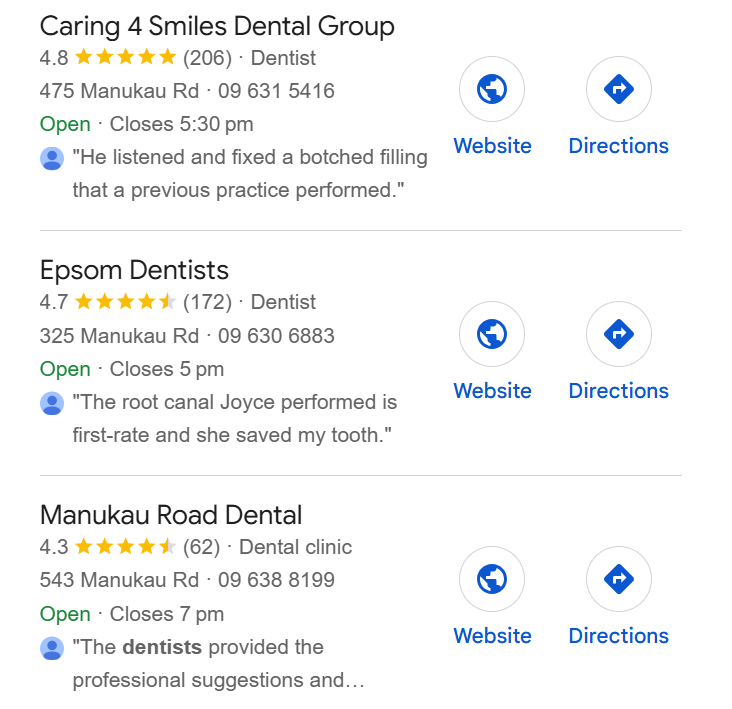
And in a market as crowded as Auckland, that edge is the whole ball game — it’s the kind of specificity SEO for Auckland businesses leans on to break into a busy map pack.
While we’re on type: you’ll see people ask whether to use LocalBusiness or Organization schema, or both.
Keep it simple. If you’ve got a physical location or a defined service area, use LocalBusiness (or your specific subtype). Organization is for national or online-only outfits with no single storefront.
You don’t need both — LocalBusiness already inherits everything Organization offers and adds the local fields on top.
The Information Your Schema Needs
Before you generate anything, get your facts in one place. The code is only ever as correct as what you feed it.
Here’s what to gather, in NZ format:
- Business name — exactly as it appears on your Google Business Profile and signage.
- Website URL — your canonical homepage.
- Phone number — in international format:
+64 9 886 2145, not09 886 2145. Schema wants the country code. - Address — street, suburb, city, region, postcode, and country as “NZ.” Kauri Dental’s is 42 Remuera Road, Newmarket, Auckland 1050.
- Opening hours — each day and its hours. Mon–Fri 8am–5pm, Sat 9am–1pm.
- Geo coordinates — your latitude and longitude. Find your business on Google Maps, right-click the pin, and copy the numbers.
That’s the raw material. Getting the phone and country format right here is what separates valid NZ schema from a block that technically parses but quietly tells Google you’re American.
This is the fiddly, under-the-bonnet side of technical SEO — it never shows on the page, but it decides how cleanly a machine reads you.
How to Create Your Schema with ChatGPT
The fastest way to create local business schema without code is to let ChatGPT write it. You give it your details and your business type; it hands back the JSON-LD.
There are dedicated schema generators out there — Merkle’s, Semrush’s — and they’re fine. But they funnel you through a rigid form, usually default to the generic type, and assume US formatting. ChatGPT is faster and does exactly what you tell it — which is the catch and the advantage in the same breath.
The trick is what you feed it. Here’s the prompt, filled in for Kauri Dental:
“Create LocalBusiness schema in JSON-LD for my business. Use the most specific Schema.org type: Dentist. Only use valid Schema.org properties — don’t invent any. Here are my details: [name, homepage URL, phone in +64 format, full NZ address with addressCountry ‘NZ’, opening hours, and geo coordinates]. Format the address using PostalAddress and the hours using openingHoursSpecification.”
Three things make that prompt work where a lazy one fails.
You name the specific type (Dentist), so it doesn’t default to generic. You spell out NZ formatting, so it doesn’t Americanise your phone and address. And you tell it to only use real Schema.org properties — which matters more than it sounds.
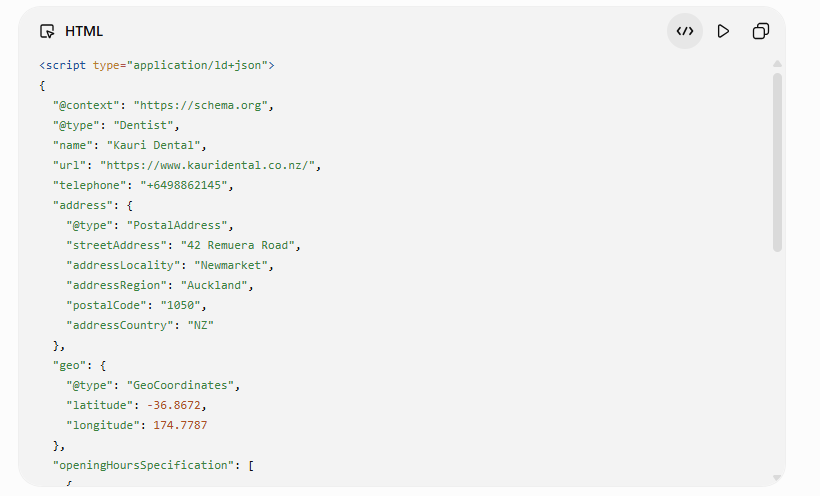
Because here’s the part nobody warns you about: ChatGPT will confidently make things up.
Ask it for schema and it’ll sometimes bolt on properties that don’t exist in the Schema.org vocabulary, or quietly guess a detail you never gave it — a phone number, a set of hours — and present the lot with a straight face.
It’s the keenest intern you’ve ever had, and it never once says “I don’t know.”
So never paste its output straight onto your live site. Generate it, eyeball it against the facts you gathered, then run it through a validator — which is the very next step, and the reason it comes next.
How to Add Local Business Schema to Your Website
Once you’ve got your JSON-LD, the safe way to get it live is a plugin — no editing theme files, no risk of white-screening your site.
If you’re on WordPress, you’ve most likely already got a plugin that handles it. Here’s the path in Rank Math, which is what we run:
- Open the page you want the schema on — your homepage, for a single-location business.
- In the editor, open the Rank Math panel and go to the Schema tab.
- Choose Custom Schema (the code option) and paste your JSON-LD in.
- Save. Rank Math drops it into the page head correctly for you.
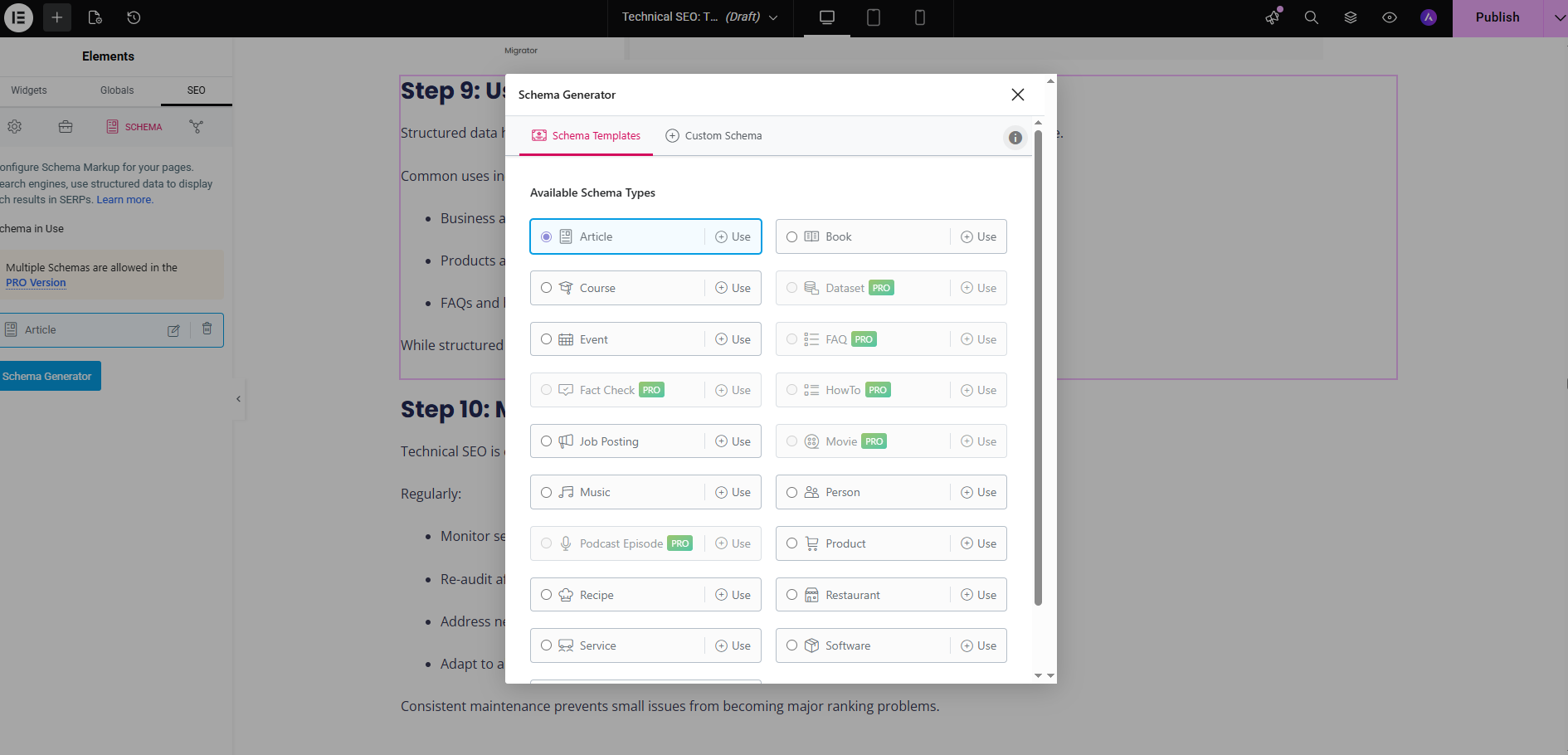
On Yoast it’s much the same idea, though the full local business controls live in their paid Local SEO add-on — worth knowing before you go hunting for a setting that’s behind a paywall.
Not on WordPress? Any theme or site builder with a “custom code” or “header scripts” area does the job — you’re just pasting the same block into the <head>. On a properly built site this is baked in from the start, which is one of the quiet advantages of professional website design over a site bolted together and patched later.
How to Test Your Schema
Always validate before you trust it. This is where you catch the mistakes ChatGPT slipped in.
Two free tools, thirty seconds each.
Google’s Rich Results Test tells you whether your schema is valid and whether the page qualifies for rich results. Paste your code or enter the live URL, run it, read the report.
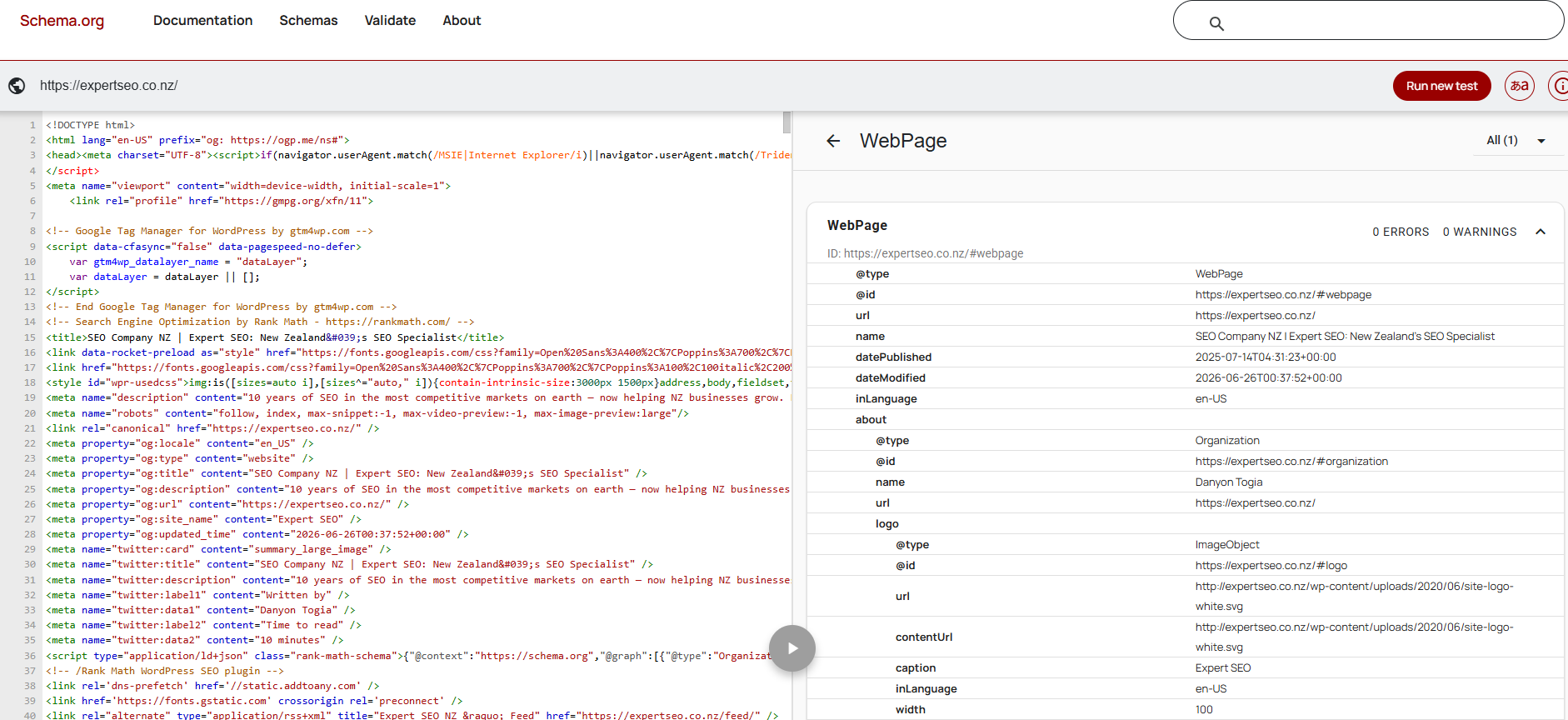
The Schema.org Validator is the stricter syntax check — it flags errors and, crucially, those invented properties from the ChatGPT step. Use the “Fetch URL” tab, enter your page, and run it.
What you’re after is the boring result: zero errors, zero warnings. If the validator flags a property Google’s never heard of, that’s your hallucinated field — delete it and re-test.
Two minutes here saves you from the classic own-goal: proudly shipping schema that’s been quietly broken since the day you added it. If you’d rather a professional pressure-test the whole setup, a proper SEO audit flags structured-data errors across every page at once — not just the one you remembered to check.
Which Pages Your Schema Goes On
Put your LocalBusiness schema on your homepage. That’s the anchor for your main business identity.
If you’ve got one location, you’re done — the homepage covers it. Don’t paste the same block onto every page; duplicating identical schema site-wide does nothing useful and just clutters your code.
Multiple locations are the one exception. If Kauri Dental opened a second clinic in Hamilton, each location page gets its own schema, carrying that branch’s own address, phone, and hours. One location, one unique block, on that location’s page.
For a service-area business with no public address — a plumber, a mobile locksmith — skip the street address and use the area you serve instead, so Google still knows where you operate without publishing an address you don’t want walk-ins turning up at.
When to Do It Yourself vs Get It Done for You
If you’ve got one location and twenty spare minutes, do this yourself. Everything above is genuinely a one-afternoon job — gather your facts, prompt ChatGPT, paste it in with a plugin, and validate.
Where it stops being a twenty-minute job is scale and stakes.
Multiple locations, a tricky custom build, or schema that needs to slot into a wider local SEO push — reviews, citations, and location pages all pulling the same direction — is where a clean DIY job quietly turns into a part-time hobby.
That’s the point where handing it over pays for itself. It’s part of what we do for NZ businesses day to day — building the whole done-for-you SEO services engine so the schema, the site, and the rankings reinforce each other instead of sitting in isolation.

The markup is the easy part. Knowing it’s actually working — and working as one piece of a strategy, not a lonely block of code — is where we come in.
Recommended Reading
The Complete SEO Checklist for NZ Businesses
The full step-by-step SEO process, from setup to AI search — schema is one line on it.

13 Best SEO Tools for NZ Businesses
The free and paid tools we actually use — including Rank Math for adding schema.

Internal Links: The Complete Guide for NZ Websites
How to structure internal links so Google and AI understand what your site is about.