

You run three clinics. The Auckland one is booked solid off Google.
The Hamilton and Tauranga clinics are a ghost town online — same brand, same website, same services, barely a phone call between them.
That’s not bad luck. And it’s not a matter of giving it time.
It’s a structural problem: your site is built to rank one location, and the other two are quietly fighting each other for scraps.
Multi-location SEO is how you fix that — how you get every branch ranking in its own city instead of one carrying the whole business.
This guide is the full NZ playbook. Not the enterprise version written for a US chain with 800 stores: the version for the business that actually exists here, with two, five, or fifteen locations.
I’ll show you the structure, the pages, the profiles, and what it actually takes — using the exact system we run on our own site, ranking city pages up and down the country.
What Is Multi-Location SEO
Multi-location SEO is the work of getting each of your business locations to rank in its own city or area — so someone searching in Tauranga finds your Tauranga branch, not your Auckland one (and not your competitor).
It runs on the same fundamentals as any local SEO: Google Business Profile, reviews, citations, local content. The difference is you’re doing it many times over, off a single website, without the locations tripping over each other.
Here’s the mental model.
Single-location local SEO points every signal at one place. One profile, one set of reviews, one map pack to win.
Multi-location SEO runs a separate little campaign for every market at once — each with its own competitors, its own searchers, its own map pack — all hanging off one domain.
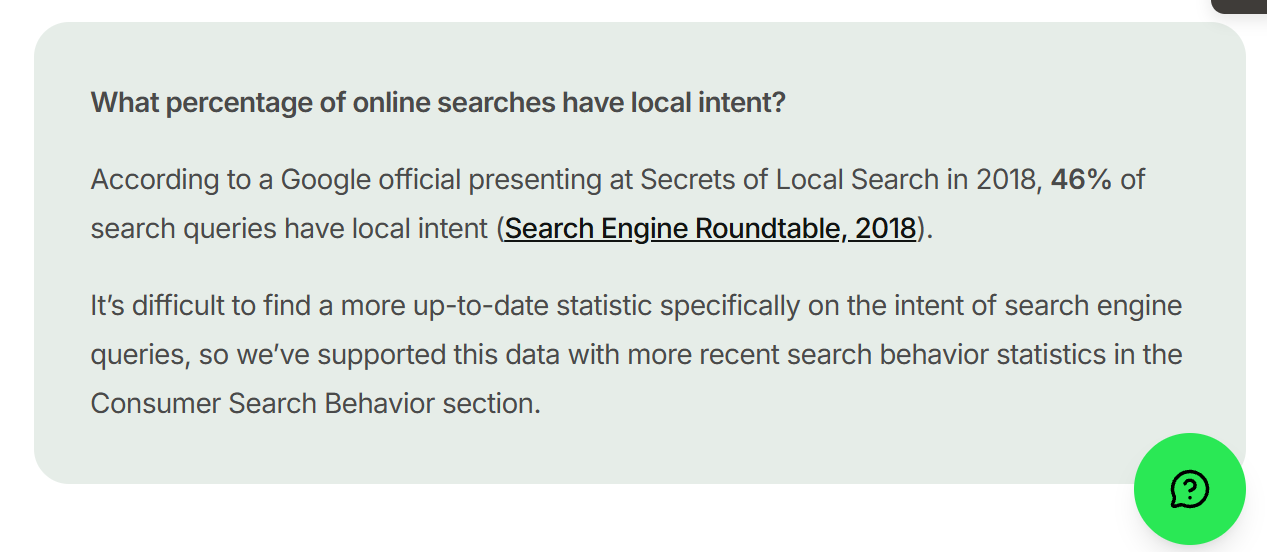
Local intent is a big deal in NZ, too: nearly half of all Google searches carry local intent.
Structuring it properly matters because it compounds.
Every location page, every local link, every profile you build feeds authority back to the domain, and that lift raises all the other locations with it.
Get it right and each new branch plugs into a site that already ranks.
How it’s different from single-location local SEO
Google still ranks local results on three things — relevance, distance, and prominence, straight from Google’s own documentation.
Relevance is how well you match the search. Distance is how close you are to the searcher. Prominence is how known and trusted you are.
For one location, you optimise those three once.
For five, you do it five times — and the tricky part is doing all that without your own pages cannibalising each other (more on that below).
Tight local SEO doesn’t just rank anymore. It gets pulled into AI answers too — our own local pages get cited in Google’s AI Mode off the same signals.

How Your Number of Locations Changes Your SEO
Before a single tactic, get honest about your scale — because the right approach for three locations is the wrong approach for thirty, and almost every guide you’ll read is written for the wrong end of that.
Most of what ranks for “multi location seo” is enterprise advice: managing 200 dealerships, 800 clinics, programmatic pages spun up from a database.
If you’ve got four locations in the Waikato, that’s not your world.
Here’s the honest breakdown.
2–5 locations. This is most NZ businesses, and it’s the sweet spot. You can hand-build a genuinely good page for each location and manage each profile yourself. No platform, no automation — just real pages and consistent signals. Everything in this guide is aimed here.
6–20 locations. Templates and a repeatable playbook start earning their keep. You still want unique local content, but you need a system so location number 14 gets the same treatment as location number 2.
20+ locations. Now you’re in programmatic territory — generating pages from a clean data set, managing profiles in bulk. Real, but not what most Kiwi businesses need, so I won’t pretend it is.
I’m not theorising here. We run our own multi-location play on this exact site: a page for SEO in Auckland, one for Hamilton, plus Tauranga, Wellington, Christchurch, Queenstown and more — the same structure this guide teaches.
And they rank. City by city.
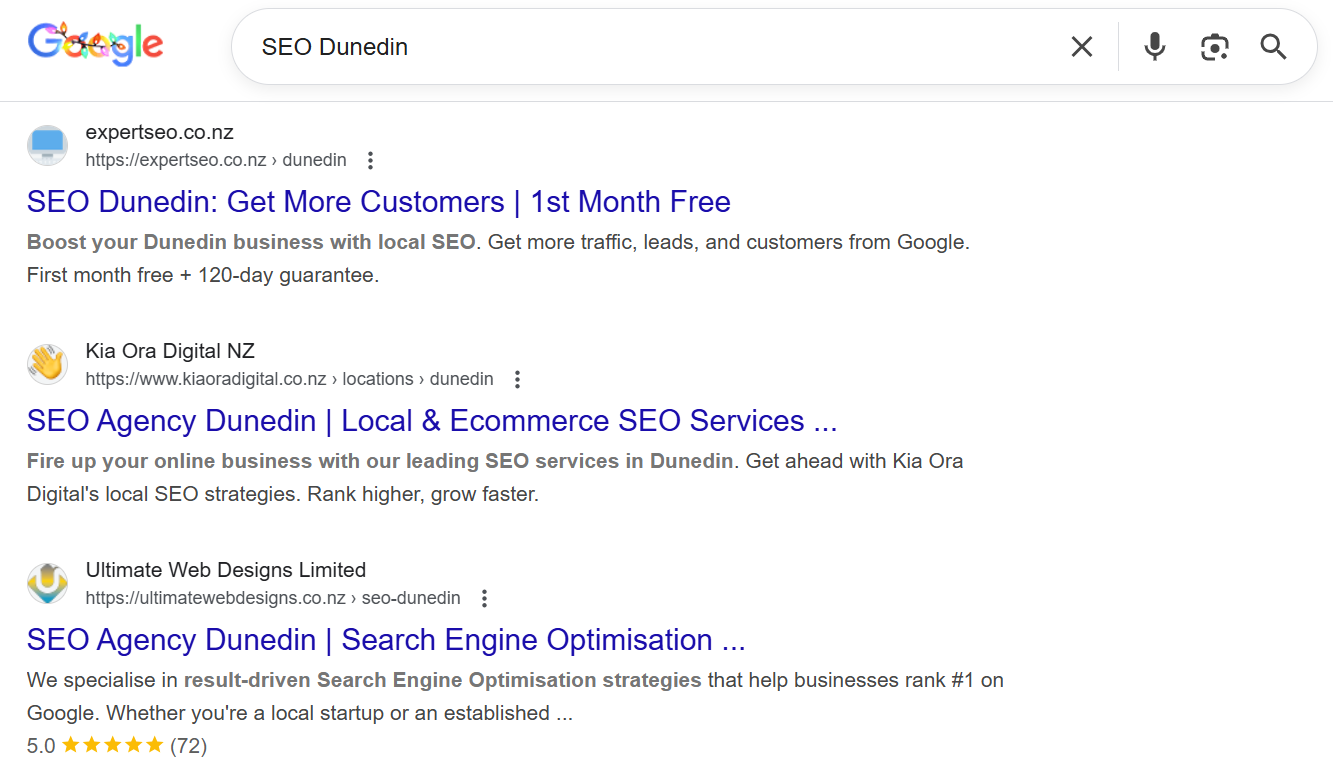
We’re #1 for “SEO Dunedin.”
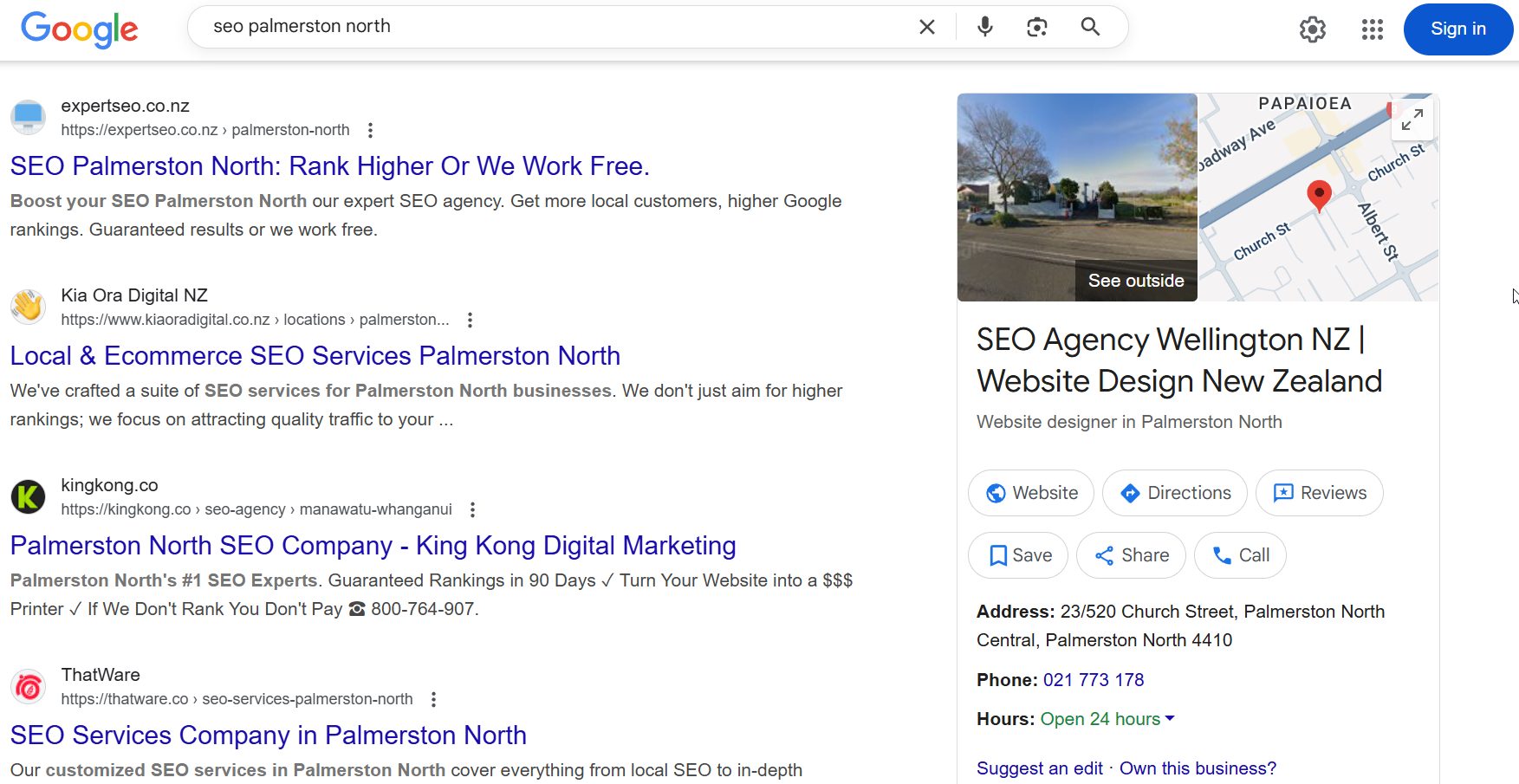
#1 for “SEO Palmerston North.”
And #2 for “SEO Hamilton.”

Same website, different cities, each ranking in its own market.
That’s multi-location SEO working — and if a site under a year old can do it across the country, a real business with physical locations can absolutely do it in its own towns.
How to Structure a Multi-Location Website
For almost every NZ business, the answer is simple: put each location in a subfolder on one domain — yoursite.co.nz/hamilton/ — and pour all your authority into that single site.
Why it matters: your website structure decides how easily Google understands where you operate, and how your authority flows. Split it wrong and you’re bailing water for years.
You’ve got three options. Here’s the honest version of each.
| Structure | Example | Use it when |
|---|---|---|
| Subfolders | yoursite.co.nz/hamilton/ | Almost always. Every location page inherits the whole site’s authority. |
| Subdomains | hamilton.yoursite.co.nz | Rarely. Google often treats subdomains as separate sites, so you split your authority. |
| Separate domains | yoursite-hamilton.co.nz | Only when a location is genuinely its own brand — an independently-owned franchise, say. |
Subfolders win because a new Tauranga page gets to stand on the authority the whole site already holds, instead of starting from zero.
Reach for subdomains or separate domains only when a location runs as its own brand with its own name — otherwise you’re fracturing your authority for no ranking gain.
There’s one more decision inside the subfolder — how you lay them out:
- Location-first (/hamilton/, then services within) — best when location is the main way people search, like a dental group or a gym chain.
- Service-first (/panel-beating/hamilton/) — best when you offer distinct services and want each service-plus-city combo to rank on its own.
Whichever you pick, keep it consistent across every location — one clean pattern Google can predict.
This is where professional website design and SEO overlap: your location pages are only as good as the structure they sit in, and retrofitting a messy one is a real job.
Our own city pages sit in flat subfolders on one domain — and that site ranks #1 in NZ for “local SEO,” above Ahrefs and Semrush.

How to Build Location Pages That Rank
A location page ranks when it’s built for that city — not copied from another with the town name swapped.
That swap-the-city move is the single most common reason multi-location sites fail: Google reads ten near-identical pages, decides they’re thin, and ranks none of them.
Vague advice to “make it unique” won’t cut it. What works is knowing exactly what to keep the same and what to change on every page.
Here’s the template we use.
| Keep the same across pages | Change on every page |
|---|---|
| Brand intro / who you are | City-specific opening (real local detail, not “we serve [City]”) |
| Core service descriptions | Local NAP — the exact name, address and phone for that branch |
| Trust badges and guarantees | Embedded Google Map of that location |
| Overall page layout | Photos of that actual premises and team |
| Calls to action | Reviews from customers in that city |
| Suburb and landmark references locals recognise | |
| A short FAQ answering that market’s questions |
The rule of thumb everyone quotes is “60–70% unique.” Useful — but on the page it means this: the top and middle (intro, local proof, reviews, FAQ) are genuinely written for that city, while the boilerplate service descriptions can repeat.
If a local could read your Tauranga page and think “yep, they clearly know Tauranga,” you’re there.
Say you’re a dental group with clinics in Auckland, Hamilton and Tauranga. The Hamilton page opens on Hamilton — the suburbs you pull from, the parking situation, the local schools whose families you see.
The Tauranga page opens on Tauranga. Same services listed underneath, but the part Google reads first is unmistakably local.
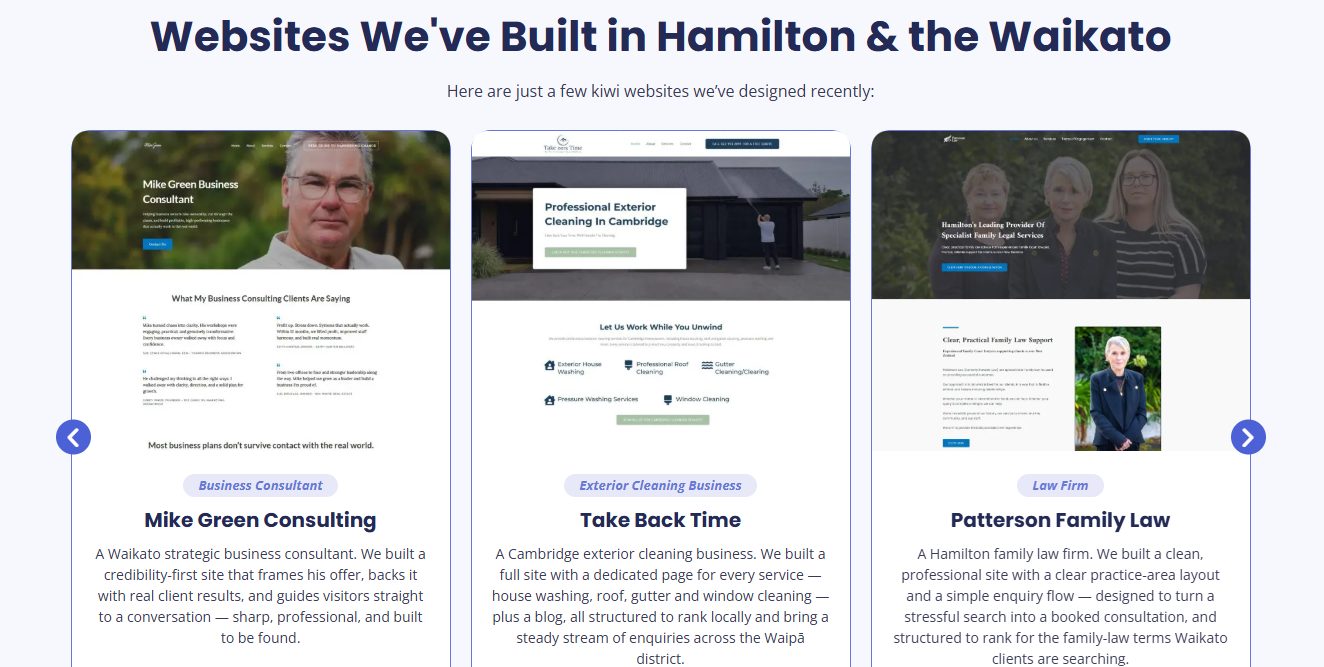
Here’s a real one.
This is a Hamilton location page we built — the whole top of the page is Hamilton-specific, from the headline down, not an Auckland page with the city swapped out. It’s the exact standard our Hamilton website design work is built around.
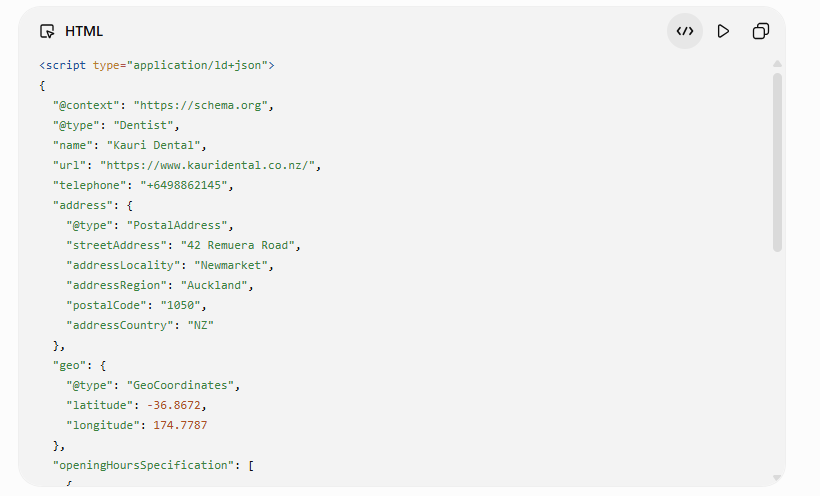
The micro-step most people skip: add LocalBusiness schema to each page, populated for that branch — name, address, geo-coordinates, hours, service area.
It’s code that spells out to Google exactly which location the page is about. Your SEO plugin (Rank Math) can generate it, or it sits in the page’s technical SEO setup.
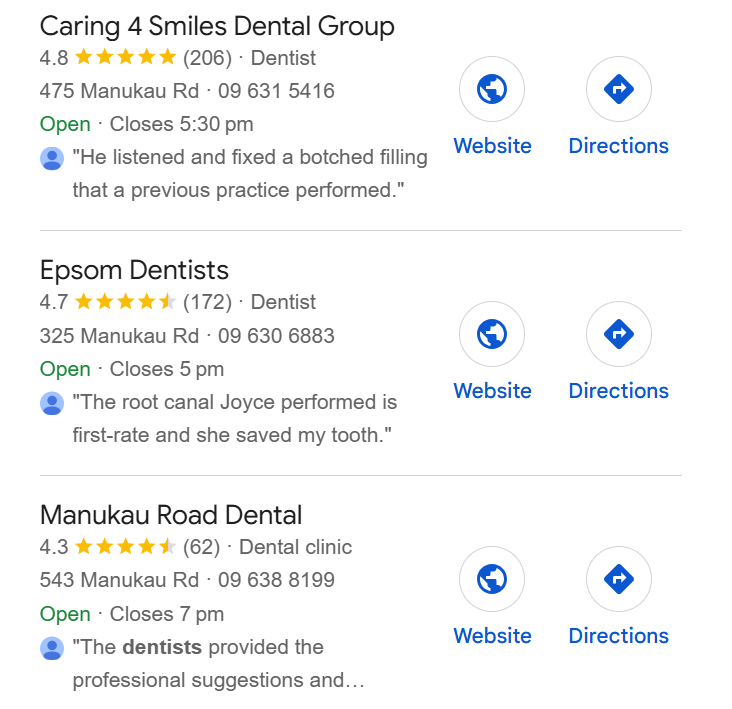
The win is real and you can see it in the pack. Look at “dentist Auckland” — the top three earned it with strong profiles and real review counts: Caring 4 Smiles on 206 reviews, another on 172, another on 62.
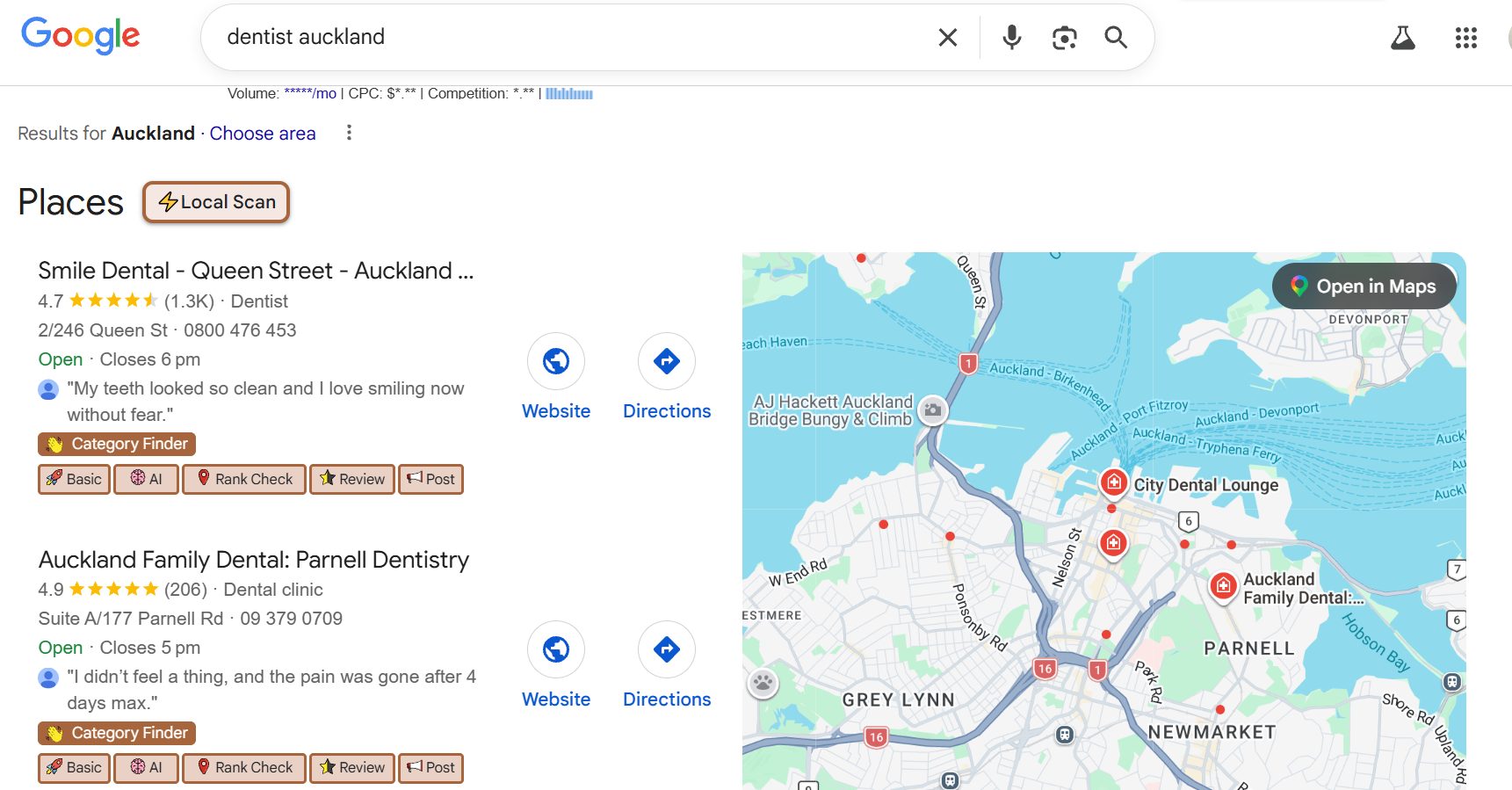
A genuine location page plus a matching profile is how you climb into that pack, city by city. It’s the core of dental SEO done across multiple practices instead of one.
How to Optimise Google Business Profile for Each Location
Every physical location needs its own verified Google Business Profile — its own profile, its own local phone number, its own category. One shared profile makes every branch except the main one effectively invisible in its local map pack.
Why it matters: Google Business Profile factors carry the biggest weight in map pack rankings, per BrightLocal’s ranking-factor research.
A complete profile isn’t optional polish either — customers are 70% more likely to visit a business with a complete Business Profile.

Here’s how to do it, per location:
- Create or claim each profile at google.com/business, then verify each one. If you’ve got several, use Location Groups to manage them all from one dashboard.
- Set the primary category to match what that branch actually leads with — it’s one of the strongest local pack signals there is. In the profile: Edit profile → Business category.
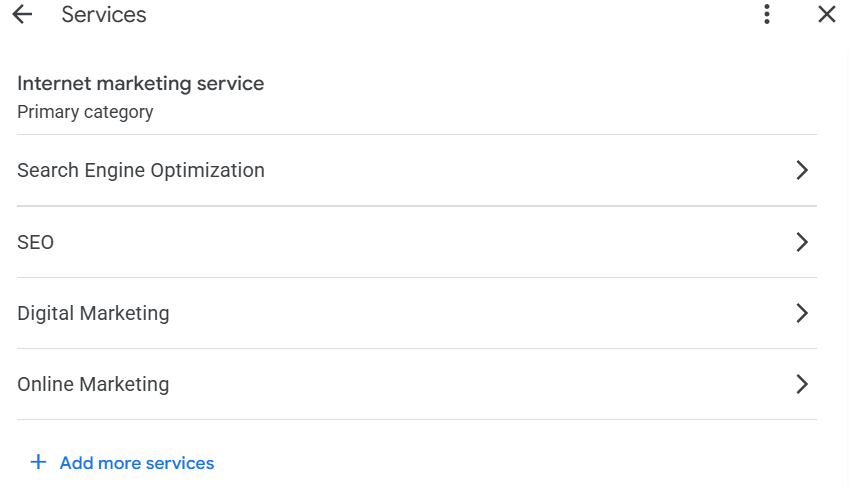
- Read your competitors’ categories first. The free GMB Everywhere extension shows you the exact primary category the top-ranking business in that city is using — copy the winner’s approach where it fits.
- Give each branch a local phone number, not a central call-centre line. A shared number tells Google these are the same entity and blurs the local signal for every branch.
- Fill everything — services, hours, photos of that premises — and keep posting. A half-empty profile is Google’s cue to rank someone else.

The bar to aim for: each profile should look like the only location that business has.
Local Citations and NAP Consistency
A citation is your business name, address and phone (NAP) listed on another website. For multiple locations, every branch needs consistent NAP across the directories that matter in NZ — because inconsistent data is one of the quietest killers of local rankings.
The reason it matters: Google cross-checks your details across the web to decide it can trust them.
When your Hamilton branch shows three different phone formats across three directories, that trust erodes — and around half of local listings carry incorrect info to begin with.

Here’s how to sort it without losing a week:
- List each location on the core NZ directories — Yellow, Finda, Localist and NZS, plus Google, Apple Maps and Bing Places.
- Keep the NAP identical everywhere — same suite number, same phone format, per branch.
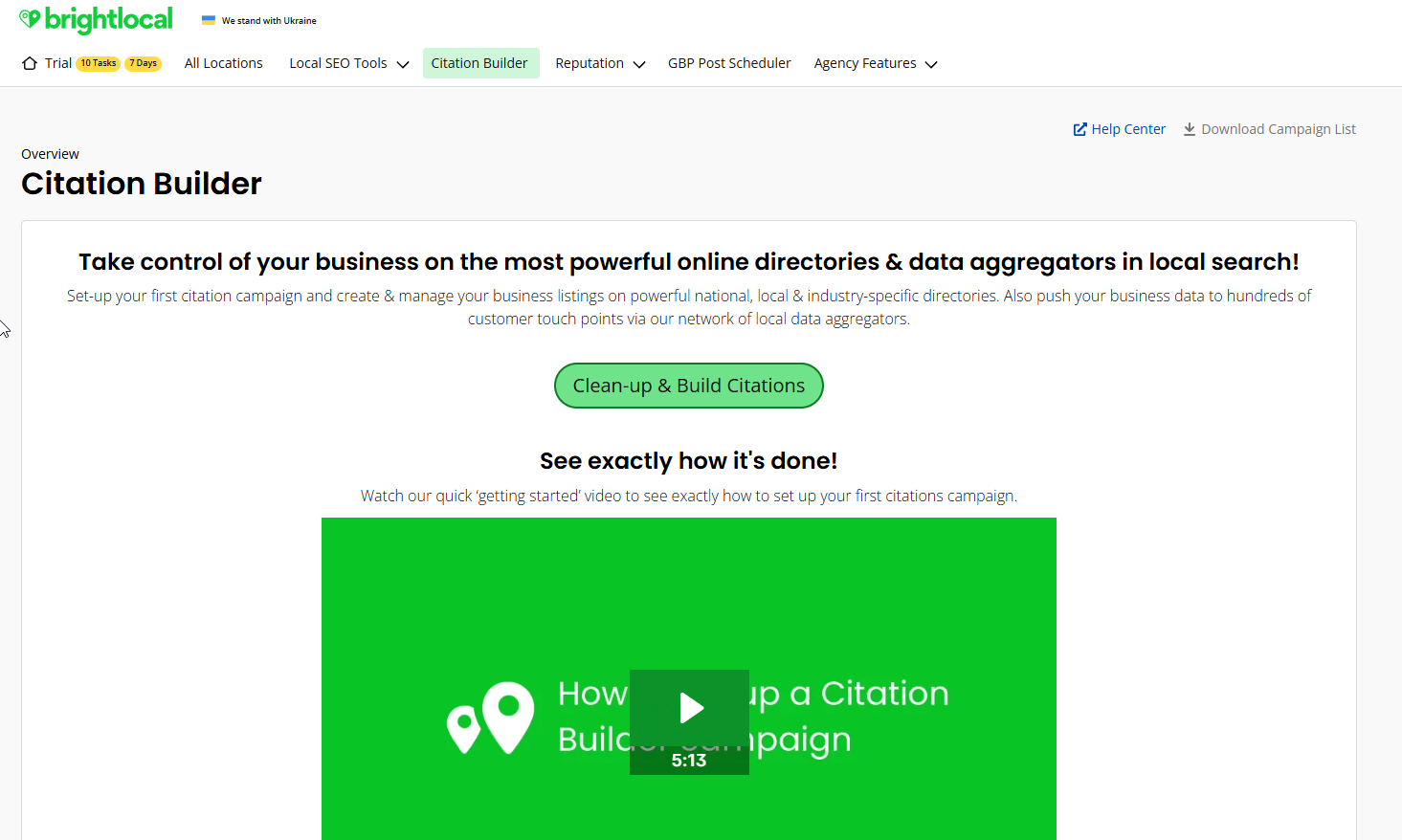
- Don’t do it by hand. Go to BrightLocal, open the Citation Builder, enter each location once, and it pushes a consistent listing out to the major NZ directories and data aggregators for you.
- Audit for duplicates. An old address or an auto-created listing splits your signals and competes with your real one — claim it or merge it.
One wrong address multiplied across fifty directories is fifty little contradictions Google has to resolve. Clean it once, per location, and it stays solved.
How to Manage Reviews for Each Location
Reviews are a top local ranking signal — and they count per profile. A flagship branch on 200 reviews does nothing for the branch across town sitting on four. Each location needs its own review engine.
Why it matters: reviews drive rankings and conversions at the same time. BrightLocal’s data has two-thirds of people reading reviews after a local search, and over half acting on what they read.

Here’s how to build it, per location:
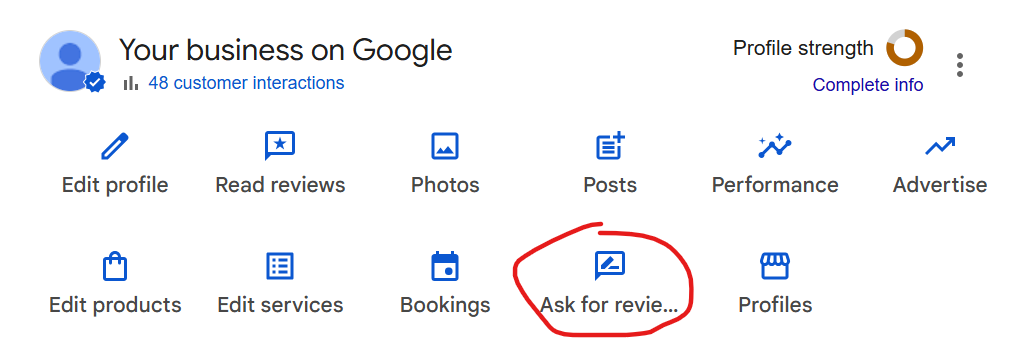
- Grab that branch’s direct review link. In its Google Business Profile, hit Ask for reviews to get the shareable link.
- Turn each location’s link into its own QR code (any free generator) — on invoices, receipts, the counter, the van.
- Send the link the moment a job’s done well, by text or email, while they’re still happy. One follow-up if they don’t bite.
- Route each request to the right profile. A Hamilton customer’s review has to land on the Hamilton profile, or it’s wasted.
- Reply to every review, good or bad. It signals an active business and builds trust before anyone even calls.

How to Avoid Keyword Cannibalisation Between Locations
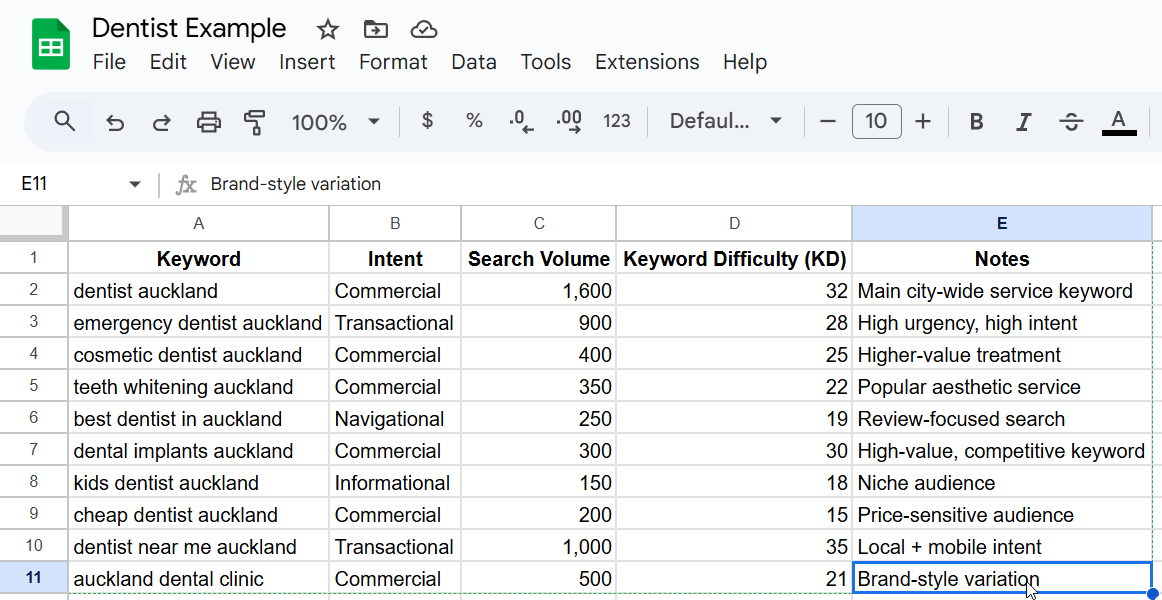
When two of your location pages target the same non-geographic keyword, they stop helping and start competing — Google can’t tell which to rank, so it often ranks neither. That’s keyword cannibalisation, and on a multi-location site your own pages are usually the culprit.
Why it happens: you build a “teeth whitening” page for Auckland and an identical one for Hamilton.
Same target, same content, city name swapped. Now they’re fighting over the same search.
The fix is structural, not a rewrite:
- Geo-modify every target. The Auckland page targets “teeth whitening Auckland,” the Hamilton page “teeth whitening Hamilton” — never the bare term on both.
- Add location schema so each page signals its own service area and boundary.
- Link cleanly, so each location page sits in its own branch of the site and Google reads the geographic lines you’ve drawn.
The judgment call: when you serve overlapping suburbs, don’t build a page for every one. One strong page per real market beats ten thin ones splitting the same intent.
If two “locations” are ten minutes apart chasing identical searchers, they probably want to be one page, not two.
Multi-Location SEO for Service-Area Businesses
If you serve several areas but don’t have a shopfront in each — a sparky covering the Waikato, a plumber across greater Auckland — you play by different rules. You can’t spin up a Google Business Profile for a city you’ve no address in, and faking one gets you suspended.
Why it’s different: GBP is built around a physical address. Service-area businesses hide the address and set service areas instead, so the how-to changes.
Here’s how to handle it:
- Set up one GBP as a service-area business. In the profile, clear the street address and list the areas you serve — suburbs, towns, regions.
- Build location pages only where you’ve got a real presence to prove — actual jobs, local reviews, photos from that area. A page for a suburb you’ve never worked in is thin content, and Google knows it.
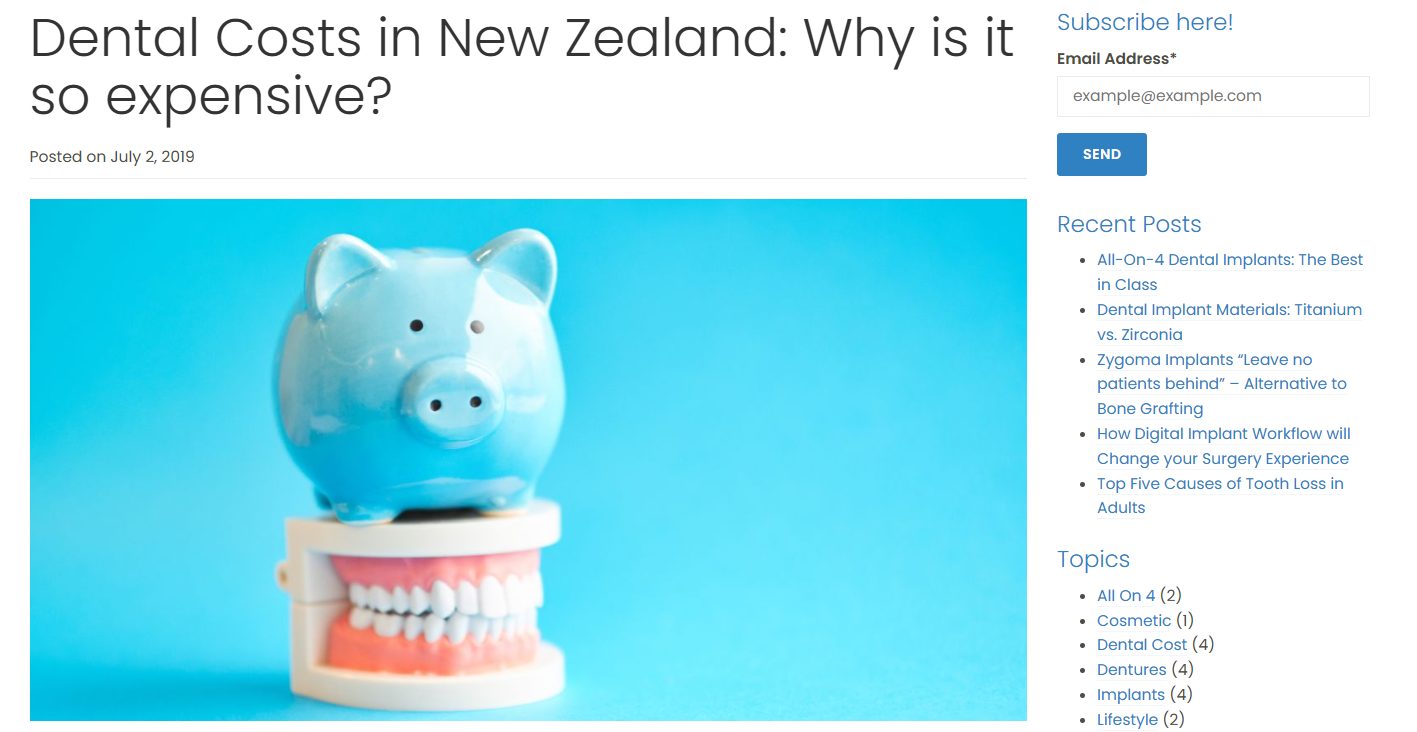
- Lean harder on reviews and local content, since you can’t stack profiles. A genuinely useful local page — a “what a full rewire costs in Hamilton” guide, say — earns relevance a thin suburb page never will.
- Know the ceiling. You can rank across a service area, but you won’t out-rank a business physically sitting in the suburb for its own map pack. Compete where you’re real, not everywhere.
Honesty beats a hundred fake location pages here, every time.
How Long Multi-Location SEO Takes in NZ
Expect first signals in about 4–6 weeks, and meaningful movement around the 90-day mark per location — PowerChord’s timelines line up with what we see. But it’s uneven, and anyone promising all your locations ranking fast is guessing.
Why it’s uneven: your easy markets move first. A branch in a low-competition town can pop in weeks; a city-centre location surrounded by established competitors takes longer.
That’s normal, not a sign it’s failing.
What actually drives the timeline:
- Competition density in each market (the big one).
- How complete each profile is.
- How genuinely local each page is.
- The authority your domain already carries — which is exactly why the flywheel matters: every location you build speeds up the next.
On cost, in NZ it scales with the number of locations, how competitive those markets are, and whether you do it yourself or hand it over.
More locations means more pages, more profiles, more review engines — not a flat fee.
And it’s not just theory: our own city pages went from nothing to ranking #1 in Dunedin, #1 in Palmerston North and #2 in Hamilton, on a site under a year old.
NZ city pages can rank, and faster than most expect, when the structure’s right.
When to Do It Yourself vs Hire an SEO Expert
If you’ve got two or three locations and some time, you can absolutely do this yourself. The steps above are the whole job: build real location pages, set up a profile per branch, keep citations consistent, run a review engine, and don’t let your pages cannibalise each other.
The tipping point to hire usually shows up in one of three ways:
- Scale. Past six-ish locations, the page-building and profile-juggling starts eating a day a week.
- Competition. City-centre markets where every competitor already has a dialled-in profile.
- Time. When the review chasing and citation cleanup keeps getting bumped for actual work.
There’s no shame in either call. Plenty of Kiwi businesses run their own multi-location SEO well. Others would rather hand the whole system to someone who does it daily — the pages, the profiles, the tracking per location — and get their week back.
That’s the honest line: if the juggling is costing you more than it’s earning, that’s when done-for-you SEO pays for itself. Either way, every location you’ve got is a market you can win — so go win them.
Multi-Location SEO: FAQ
Do I need a separate Google Business Profile for each location?
Yes. Every physical location needs its own verified Google Business Profile, with its own local phone number and category. A shared profile leaves your other branches invisible in their local map pack.
Should I use subfolders, subdomains, or separate domains for multiple locations?
Subfolders (yoursite.co.nz/hamilton/) for almost every NZ business — they pool all your authority into one site. Use a subdomain or separate domain only when a location runs as a genuinely independent brand.
How much of each location page needs to be unique?
Aim for the top and middle of the page — intro, local proof, reviews and FAQ — to be genuinely written for that city (roughly 60–70% unique). Shared boilerplate service descriptions underneath are fine. If a local reads it and thinks "they clearly know this city," you're there.
Do I need a physical address for every location?
No. If you serve areas without a shopfront in each, set up a service-area business in Google Business Profile — hide the street address and list the areas you cover. Just don't fake an address you don't have, or you risk suspension.
How many locations do I need before multi-location SEO matters?
Two is enough. From the second location onward you're managing separate markets off one site, which is where structure and cannibalisation start to matter. For 2–5 locations you can do it all by hand; past 20 it becomes a templated, programmatic job.
How long until my other locations start ranking?
Expect first signals in about 4–6 weeks and meaningful movement around 90 days per location. It's uneven — low-competition markets move first, competitive city-centre branches take longer. Every location you build also speeds up the next, because they all feed the same domain.
Recommended Reading
How to Rank Higher on Google in NZ
The full ranking system that sits underneath everything on this page.
The Complete SEO Checklist for NZ Businesses
The step-by-step setup to get each location ranking from the ground up.

Small Business SEO New Zealand
The wider playbook for getting a local NZ business found on Google.